Page 215 of 448

begin playing the files contained in that folder (or the
next folder in sequence if the selection does not contain
playable files).
The folder list will time out after five seconds.
INFO Button (CD Mode for MP3 Play)
Pressing the INFO button repeatedly will scroll through
the following TAG information: Song Title, Artist, File
Name, and Folder Name (if available).
Press the INFO button once more to return to�elapsed
time� priority mode.
Press and hold the INFO button for three seconds or
more and the radio will display song titles for each file.
Press and hold the INFO button again for three seconds
to return to �elapsed time� display.
Operation Instructions - Auxiliary Mode
The auxiliary (AUX) jack is an audio input jack which
allows the user to plug in a portable device such as an
MP3 player or cassette player and utilize the vehicle’s
audio system to amplify the source and play through the
vehicle speakers.
Pressing the AUX button will change the mode to auxil-
iary device if the AUX jack is connected.
NOTE:The AUX device must be turned on and the
device’s volume set to the proper level. If the AUX audio
is not loud enough, turn the device’s volume up. If the
AUX audio sounds distorted, turn the device’s volume
down.
TIME Button (Auxiliary Mode)
Press this button to change the display to time of day. The
time of day will display for five seconds (when the
ignition is OFF).
214 UNDERSTANDING YOUR INSTRUMENT PANEL
Page 222 of 448
NOTE:Close the armrest after the LCD screen has been
raised to its viewing position.
•The radio and DVD player controls allow front seat
operation for easy setup in the case of younger rear
seat passengers.
•A battery-powered infrared remote control snaps into
a molded compartment in the center console armrest
upper storage bin.
•Two wireless infrared headsets allow rear seat passen-
gers to listen to the same or individual audio sources.
VES™ Video Screen
VES™ Remote Control
4
UNDERSTANDING YOUR INSTRUMENT PANEL 221
Page 223 of 448
Audio/Video RCA Jacks (AUX Jacks)
on the rear of the center console enable
the monitor to display video directly
from a video camera, connect video
games for display on the screen, or
play music directly from an MP3
player.
1. Video in (yellow)
2. Left audio in (white)
3. Right audio in (red)
NOTE: Refer to the “Uconnect™ Multimedia” section of
Uconnect™ User Manual located on the DVD for further
details.
REMOTE SOUND SYSTEM CONTROLS —
IF EQUIPPED
The remote sound system controls are located on the rear
surface of the steering wheel. The left and right controls are rocker-type switches with a pushbutton in the center
of each switch. Reach behind the steering wheel to access
the switches.
Remote Sound System Controls
(Back View Of Steering Wheel)
222 UNDERSTANDING YOUR INSTRUMENT PANEL
Page 225 of 448

CD/DVD DISC MAINTENANCE
To keep a CD/DVD in good condition, take the following
precautions:
1. Handle the disc by its edge; avoid touching the
surface.
2. If the disc is stained, clean the surface with a soft cloth,
wiping from center to edge.
3. Do not apply paper or tape to the disc; avoid scratch-
ing the disc.
4. Do not use solvents such as benzene, thinner, cleaners,
or anti-static sprays.
5. Store the disc in its case after playing.
6. Do not expose the disc to direct sunlight.
7. Do not store the disc where temperatures may become
too high.NOTE:
If you experience difficulty in playing a particu-
lar disc, it may be damaged (i.e., scratched, reflective
coating removed, a hair, moisture or dew on the disc)
oversized, or have protection encoding. Try a known
good disc before considering disc player service.
RADIO OPERATION AND CELLULAR PHONES
Under certain conditions, the cellular phone being on in
your vehicle can cause erratic or noisy performance from
your radio. This condition may be lessened or eliminated
by relocating the cellular phone antenna. This condition
is not harmful to the radio. If your radio performance
does not satisfactorily “clear” by the repositioning of the
antenna, it is recommended that the radio volume be
turned down or off during cellular phone operation.
CLIMATE CONTROLS
The Air Conditioning and Heating System is designed to
make you comfortable in all types of weather.
224 UNDERSTANDING YOUR INSTRUMENT PANEL
Page 433 of 448
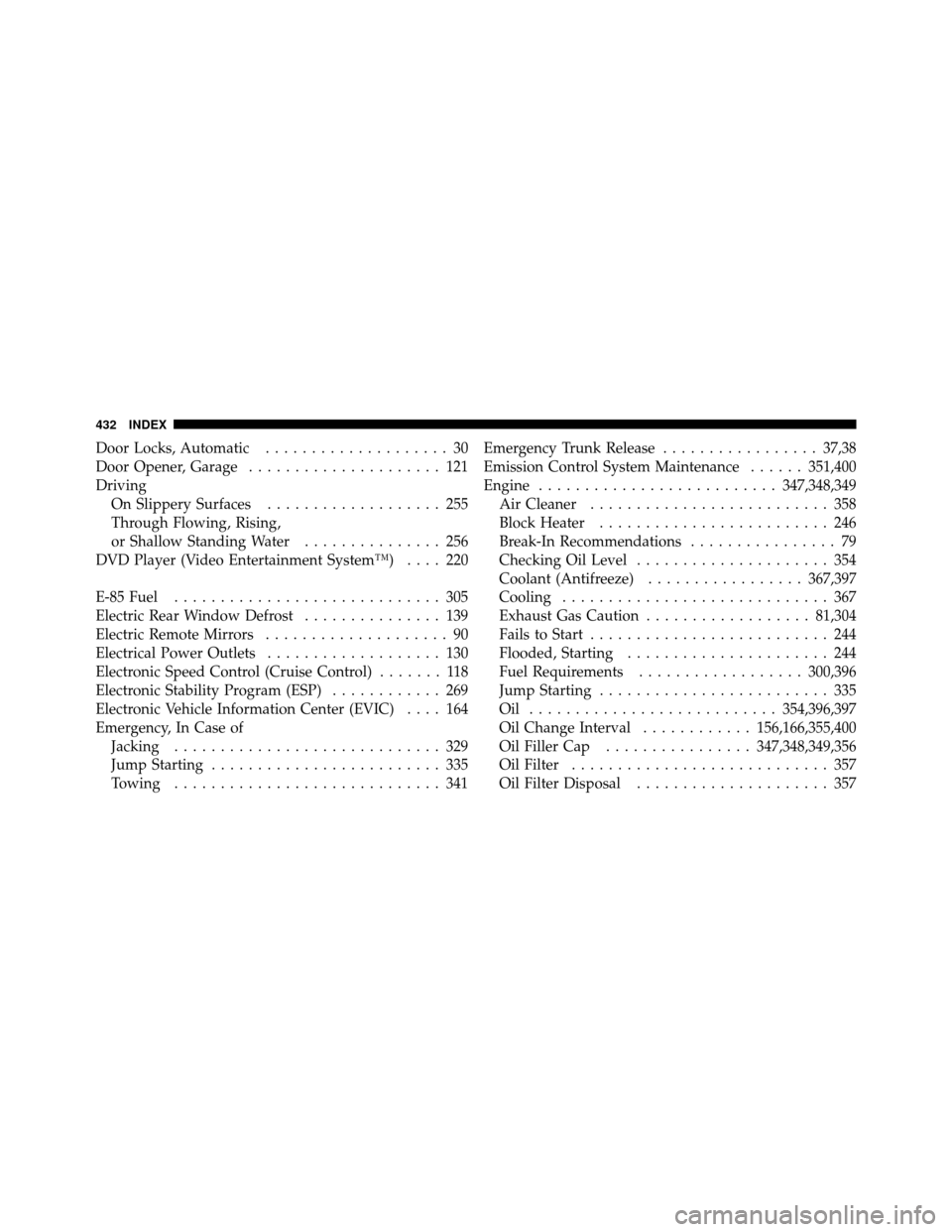
Door Locks, Automatic.................... 30
Door Opener, Garage ..................... 121
Driving On Slippery Surfaces ................... 255
Through Flowing, Rising,
or Shallow Standing Water ............... 256
DVD Player (Video Entertainment System™) .... 220
E-85 Fuel ............................. 305
Electric Rear Window Defrost ............... 139
Electric Remote Mirrors .................... 90
Electrical Power Outlets ................... 130
Electronic Speed Control (Cruise Control) ....... 118
Electronic Stability Program (ESP) ............ 269
Electronic Vehicle Information Center (EVIC) .... 164
Emergency, In Case of Jacking ............................. 329
Jump Starting ......................... 335
Towing ............................. 341 Emergency Trunk Release
.................37,38
Emission Control System Maintenance ......351,400
Engine .......................... 347,348,349
Air Cleaner .......................... 358
Block Heater ......................... 246
Break-In Recommendations ................ 79
Checking Oil Level ..................... 354
Coolant (Antifreeze) ................. 367,397
Cooling ............................. 367
Exhaust Gas Caution .................. 81,304
Fails to Start .......................... 244
Flooded, Starting ...................... 244
Fuel Requirements .................. 300,396
Jump Starting ......................... 335
Oil ........................... 354,396,397
Oil Change Interval ............156,166,355,400
Oil Filler Cap ................ 347,348,349,356
Oil Filter ............................ 357
Oil Filter Disposal ..................... 357
432 INDEX
Page:
< prev 1-8 9-16 17-24

