Page 133 of 444
CAUTION!
For vehicles equipped with the heated and cooled
cupholder, locate the cup holder ash receiver in the
forward cupholder.
The optional ash receiver also comes with a cigar lighter.
You may use the power outlet, located in the instrument
panel below the climate control knobs, or in the bottom of
the console compartment, for this cigar lighter.
CUPHOLDERS
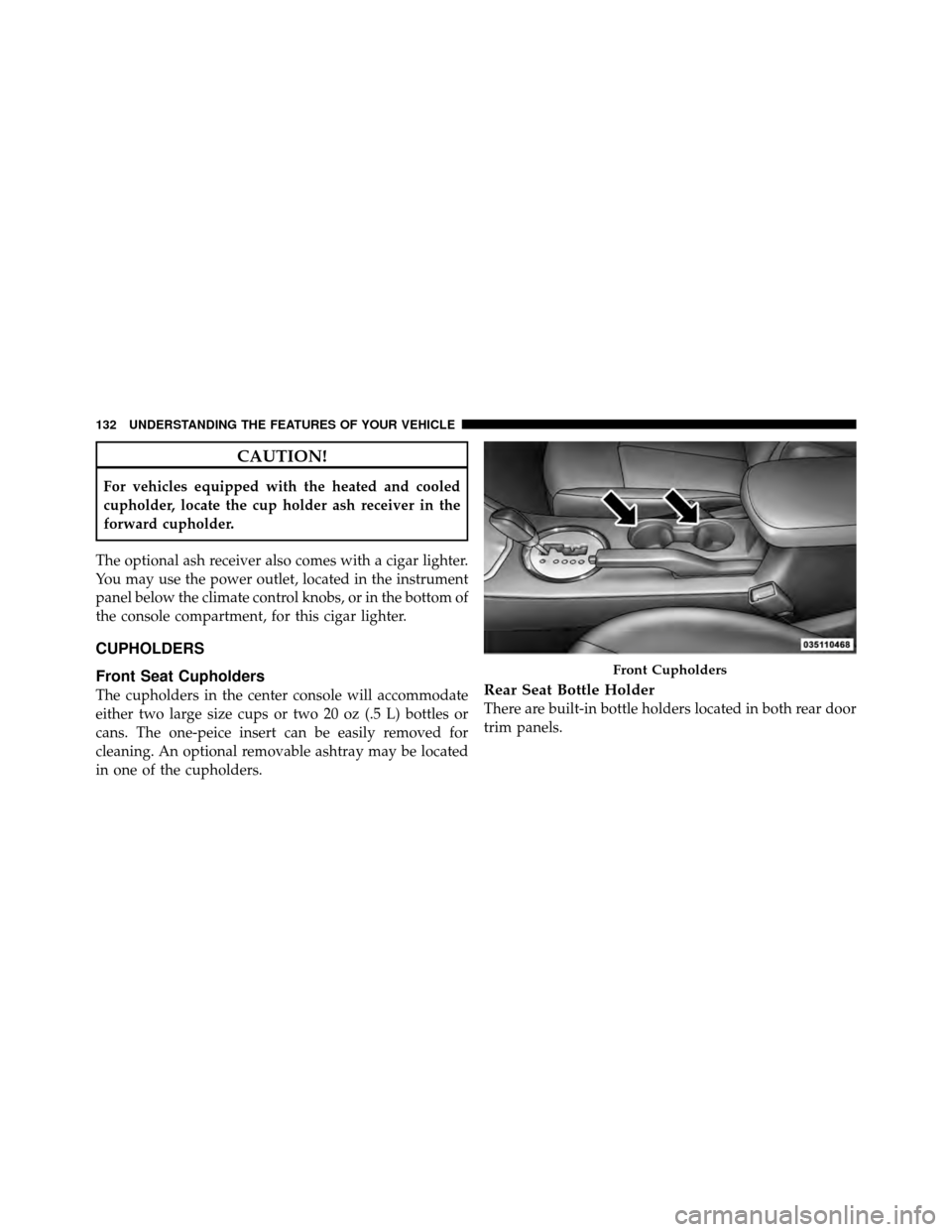
Front Seat Cupholders
The cupholders in the center console will accommodate
either two large size cups or two 20 oz (.5 L) bottles or
cans. The one-peice insert can be easily removed for
cleaning. An optional removable ashtray may be located
in one of the cupholders.Rear Seat Bottle Holder
There are built-in bottle holders located in both rear door
trim panels.
Front Cupholders
132 UNDERSTANDING THE FEATURES OF YOUR VEHICLE
Page 138 of 444
Video Console — If Equipped
The optional Video Entertainment System (VES)™ in-
cludes the following components:
•The screen for a rear seat DVD player is stored under
the armrest.
•Remote Control
•Audio/Video RCA JacksRefer to “Video Entertainment System — If Equipped,”
in “Understanding Your Instrument Panel” for further
information.
Video Console
3
UNDERSTANDING THE FEATURES OF YOUR VEHICLE 137
Page 140 of 444
UNDERSTANDING YOUR INSTRUMENT PANEL
CONTENTS
�Instrument Panel Features ............... 143
� Instrument Cluster .................... 144
� Instrument Cluster Descriptions ........... 145
� Electronic Vehicle Information Center (EVIC) –
If Equipped .......................... 158
▫ Electronic Vehicle Information Center (EVIC)
Displays ........................... 160
▫ Oil Change Required — If Equipped ...... 161
▫ Trip Functions ...................... 162
▫ Compass Display .................... 163 ▫
Personal Settings
(Customer-Programmable Features) ....... 166
� Setting The Analog Clock ................ 169
� Media Center 230 (REQ) — AM/FM Stereo
Radio And 6–Disc CD/DVD Changer
(MP3/WMA AUX Jack) .................. 169
▫ Operating Instructions - Radio Mode ...... 170
▫ Operation Instructions - (Disc Mode For CD
And MP3/WMA Audio Play, DVD-Video) . . . 178
▫ Notes On Playing MP3/WMA Files ....... 180
4
Page 141 of 444

▫List Button
(Disc Mode For MP3/WMA Play) ......... 182
▫ Info Button
(Disc Mode For MP3/WMA Play) ......... 183
� Media Center 730N/430 (RER/REN/RBZ) —
AM/FM Stereo Radio And CD/DVD/HDD/
NAV — If Equipped .................... 185
▫ Operating Instructions — Voice Command
System — If Equipped ................. 185
▫ Operating Instructions —
Uconnect™ Phone — If Equipped ........ 185
▫ Clock Setting Procedure — RBZ Radio ..... 186
▫ Clock Setting Procedure —
RER/REN Radio ..................... 187 �
Media Center 130 (RES) — AM/FM Stereo
Radio With CD Player (MP3 AUX Jack) ....... 189
▫ Operating Instructions — Radio Mode ..... 190
▫ Operation Instructions — CD Mode For CD
And MP3 Audio Play ................. 193
▫ Notes On Playing MP3 Files ............ 195
▫ Operation Instructions - Auxiliary Mode .... 197
� Media Center 130 (RES/RSC) — AM/FM
Stereo Radio With CD Player (MP3 AUX Jack)
And Sirius Radio ...................... 198
▫ Operating Instructions — Radio Mode ..... 198
▫ Operation Instructions — CD Mode For CD
And MP3 Audio Play ................. 204
▫ Notes On Playing MP3 Files ............ 206
▫ List Button (CD Mode For MP3 Play) ...... 209
140 UNDERSTANDING YOUR INSTRUMENT PANEL
Page 142 of 444

▫Info Button (CD Mode For MP3 Play) ...... 209
▫ Operating Instructions - Uconnect™ Phone
(If Equipped) ....................... 210
� Uconnect™ Multimedia (Satellite Radio) —
If Equipped (REN/REQ/RER/RBZ/RES
Radios Only) ......................... 210
▫ System Activation .................... 211
▫ Electronic Serial Number/Sirius
Identification Number (ESN/SID) ......... 211
▫ Selecting Uconnect™ Multimedia (Satellite)
Mode ............................. 211
▫ Satellite Antenna ..................... 212
▫ Reception Quality .................... 212 ▫
Operating Instructions - Uconnect™
Multimedia (Satellite) Mode ............. 212
▫ Operating Instructions - Uconnect™ Phone
(If Equipped) ....................... 214
� Video Entertainment System (VES)™ —
If Equipped .......................... 214
� Remote Sound System Controls —
If Equipped .......................... 216
▫ Right-Hand Switch Functions ............ 217
▫ Left-Hand Switch Functions For Radio
Operation .......................... 217
▫ Left-Hand Switch Functions For Media
(i.e., CD) Operation ................... 218
4
UNDERSTANDING YOUR INSTRUMENT PANEL 141
Page 143 of 444
�CD/DVD Disc Maintenance .............. 218
� Radio Operation And Cellular Phones ....... 219
� Climate Controls ...................... 219
▫ Manual Heating And Air Conditioning ..... 219▫
Automatic Temperature Control (ATC) —
If Equipped ........................ 223
▫ Operating Tips ...................... 229
142 UNDERSTANDING YOUR INSTRUMENT PANEL
Page 144 of 444
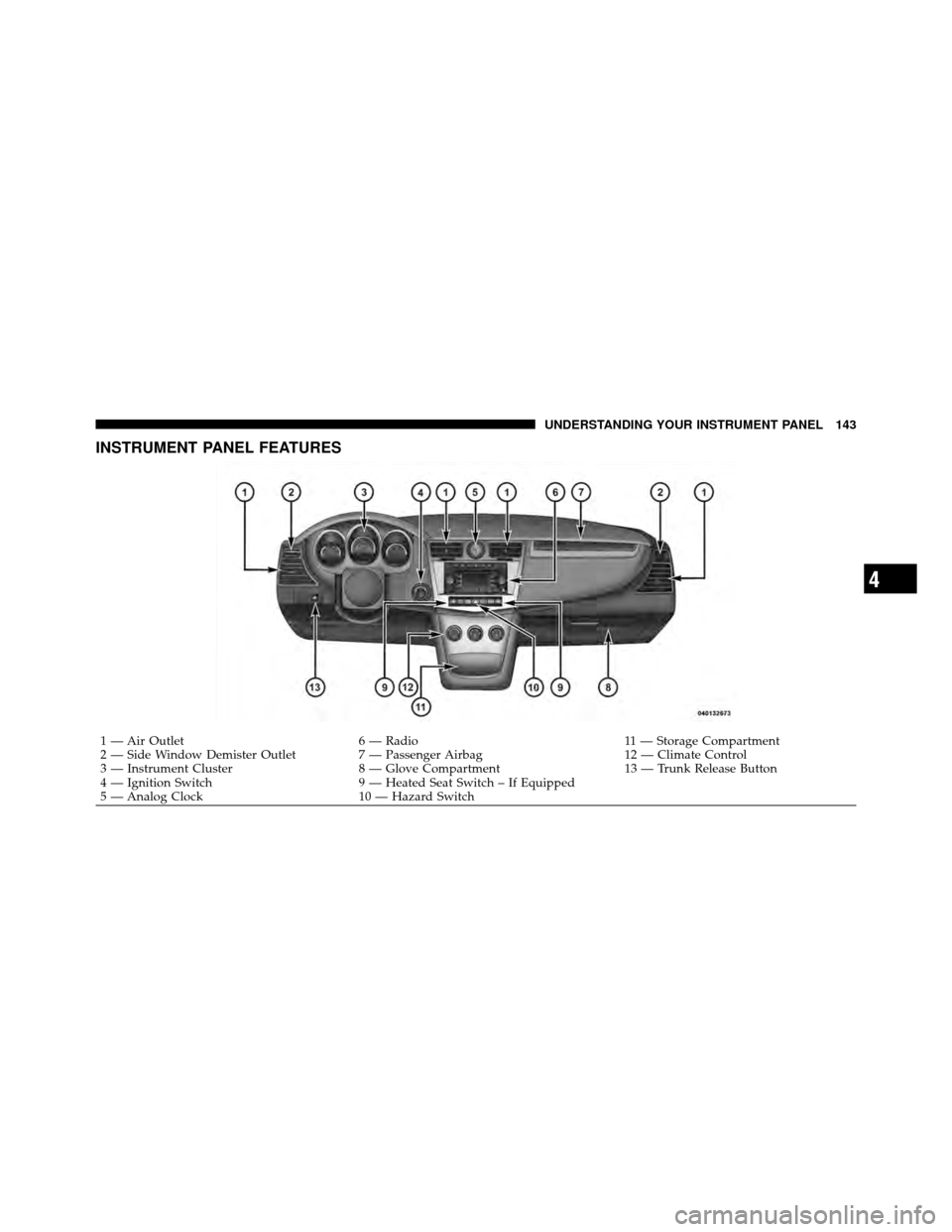
INSTRUMENT PANEL FEATURES
1 — Air Outlet6 — Radio 11 — Storage Compartment
2 — Side Window Demister Outlet 7 — Passenger Airbag 12 — Climate Control
3 — Instrument Cluster 8 — Glove Compartment 13 — Trunk Release Button
4 — Ignition Switch 9 — Heated Seat Switch – If Equipped
5 — Analog Clock 10 — Hazard Switch
4
UNDERSTANDING YOUR INSTRUMENT PANEL 143
Page 145 of 444
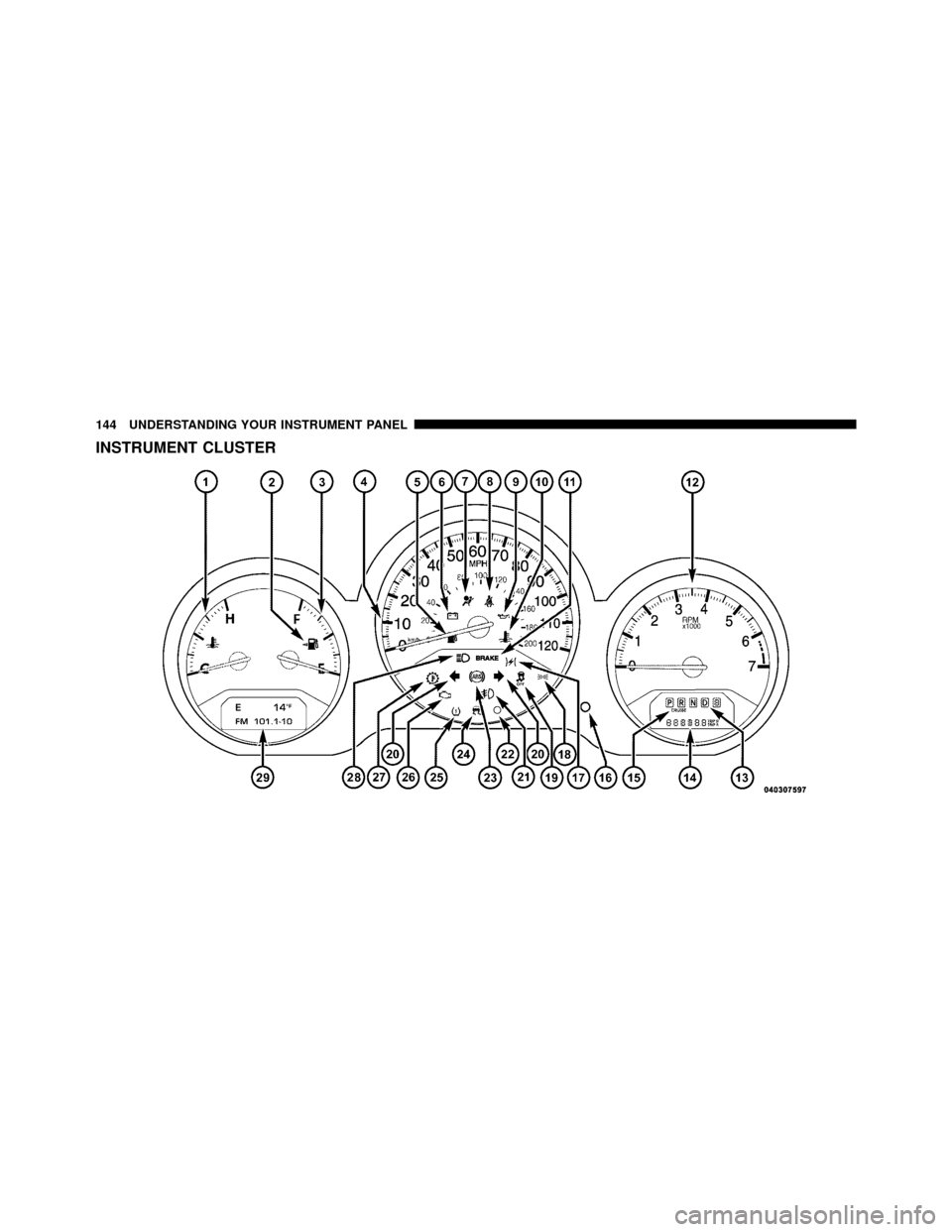
INSTRUMENT CLUSTER
144 UNDERSTANDING YOUR INSTRUMENT PANEL