2010 CHRYSLER PT CRUISER service
[x] Cancel search: servicePage 152 of 368

NOTE:The light may flash momentarily during sharp
cornering maneuvers, which change fluid level condi-
tions. The vehicle should have service performed, and
the brake fluid level checked.
If brake failure is indicated, immediate repair is neces-
sary.
WARNING!
Driving a vehicle with the red brake light on is
dangerous. Part of the brake system may have failed.
It will take longer to stop the vehicle. You could have
an accident. Have the vehicle checked immediately.
Vehicles equipped with the Anti-Lock Brake System
(ABS), are also equipped with Electronic Brake Force
Distribution (EBD). In the event of an EBD failure, the
Brake Warning Light will turn on along with the ABS
Light. Immediate repair to the ABS system is required. Operation of the Brake Warning Light can be checked by
turning the ignition switch from the OFF position to the
ON position. The light should illuminate for approxi-
mately two seconds. The light should then turn off unless
the parking brake is applied or a brake fault is detected.
If the light does not illuminate, have the light inspected
by an authorized dealer.
The light also will turn on when the parking brake is
applied with the ignition switch in the ON position.
NOTE:
This light shows only that the parking brake is
applied. It does not show the degree of brake application.
16. Seat Belt Reminder Light When the ignition switch is first turned ON, this
light will turn on for five to eight seconds as a bulb
check. During the bulb check, if the driver’s seat
belt is unbuckled, a chime will sound. After the bulb
check or when driving, if the driver’s seat belt remains
unbuckled, the Seat Belt Reminder Light will illuminate
4
UNDERSTANDING YOUR INSTRUMENT PANEL 151
Page 153 of 368

and the chime will sound. Refer to “Occupant Restraints”
in “Things To Know Before Starting Your Vehicle” for
further information.
17. Engine Temperature Warning LightThis light warns of an overheated engine condi-
tion. As temperatures rise and the gauge ap-
proaches H, this indicator will illuminate and a
single chime will sound after reaching a set threshold.
Further overheating will cause the temperature gauge to
pass H, the indicator will continuously flash and a
continuous chime will occur until the engine is allowed
to cool.
If the light turns on while driving, safely pull over and
stop the vehicle. If the A/C system is on, turn it off. Also,
shift the transmission into NEUTRAL and idle the ve-
hicle. If the temperature reading does not return to
normal, turn the engine off immediately and call for service. Refer to “If Your Engine Overheats” in “What To
Do In Emergencies” for further information.
18. Low Fuel Light
When the fuel level reaches approximately 2.0 gal
(7.8 L) this light will turn on, and remain on until
fuel is added.
19. Vehicle Security Light — If Equipped This light will flash at a fast rate for approxi-
mately 15 seconds while the Vehicle Security
Alarm is arming, and then will flash slowly
until the vehicle is disarmed.
20. Front Fog Light Indicator — If Equipped This indicator will illuminate when the front fog
lights are on.
152 UNDERSTANDING YOUR INSTRUMENT PANEL
Page 154 of 368

21. Anti-Lock Brake (ABS) LightThis light monitors the Anti-Lock Brake System
(ABS). The light will turn on when the ignition
switch is turned to the ON position and may
stay on for as long as four seconds.
If the ABS light remains on or turns on while driving, it
indicates that the Anti-Lock portion of the brake system
is not functioning and that service is required. However,
the conventional brake system will continue to operate
normally if the BRAKE warning light is not on.
If the ABS light is on, the brake system should be serviced
as soon as possible to restore the benefits of Anti-Lock
brakes. If the ABS light does not turn on when the
Ignition switch is turned to the ON position, have the
light inspected by an authorized dealer.
22. Oil Pressure Warning Light This light indicates low engine oil pressure. The
light should turn on momentarily when the engine is started. If the light turns on while driving, stop the
vehicle and shut off the engine as soon as possible. A
chime will sound for four minutes when this light turns
on.
Do not operate the vehicle until the cause is corrected.
This light does not indicate how much oil is in the engine.
The engine oil level must be checked under the hood.
23. Airbag Warning Light
This light turns on and remains on for seven
seconds as a bulb check when the ignition
switch is first turned ON. If the light is not on
during starting, stays on, or turns on while
driving, have the system inspected by an authorized
dealer as soon as possible. Refer to “Occupant Restraints”
in “Things To Know Before Starting Your Vehicle” for
further information.
4
UNDERSTANDING YOUR INSTRUMENT PANEL 153
Page 177 of 368
Uconnect™ Multimedia (SATELLITE RADIO) — IF
EQUIPPED
Satellite radio uses direct satellite to receiver broadcast-
ing technology to provide clear digital sound, coast to
coast. The subscription service provider is Sirius Satellite
Radio. This service offers over 100 channels of music,
sports, news, entertainment, and programming for chil-
dren, directly from its satellites and broadcasting studios.
System Activation
To activate your Sirius Satellite Radio service, call the
toll-free number 888-539-7474, or visit the Sirius web site
at www.sirius.com or at www.siriuscanada.ca for Cana-
dian residents. Please have the following information
available when activating your system:
1. The Electronic Serial Number/Sirius Identification
Number (ESN/SID).
2. Credit card information.3. Your Vehicle Identification Number.
Electronic Serial Number/Sirius Identification
Number (ESN/SID)
The Electronic Serial Number/Sirius Identification Num-
ber is needed to activate your Sirius Satellite Radio
system. To access the ESN/SID, refer to the following
steps:
ESN/SID Access With REF Radios
With the ignition switch in the ACCESSORY position and
the radio OFF, press the CD EJECT and TIME buttons
simultaneously for 3 seconds. The first four digits of the
twelve-digit ESN/SID number will be displayed. Press
the SEEK UP button to display the next four digits.
Continue to press the SEEK UP button until all twelve
ESN/SID digits have been displayed. The SEEK DOWN
will page down until the first four digits are displayed.
The radio will exit the ESN/SID mode when any other
button is pushed, the ignition is turned OFF, or 5 minutes
has passed since any button was pushed.
176 UNDERSTANDING YOUR INSTRUMENT PANEL
Page 181 of 368
NOTE:If you experience difficulty in playing a particu-
lar disc, it may be damaged (i.e., scratched, reflective
coating removed, a hair, moisture or dew on the disc)
oversized, or have protection encoding. Try a known
good disc before considering disc player service.
RADIO OPERATION AND CELLULAR PHONES
Under certain conditions, the cellular phone being on in
your vehicle can cause erratic or noisy performance from
your radio. This condition may be lessened or eliminated
by relocating the cellular phone antenna. This condition
is not harmful to the radio. If your radio performance
does not satisfactorily “clear” by the repositioning of the
antenna, it is recommended that the radio volume be
turned down or off during cellular phone operation.
CLIMATE CONTROLS
Climate Control Operation
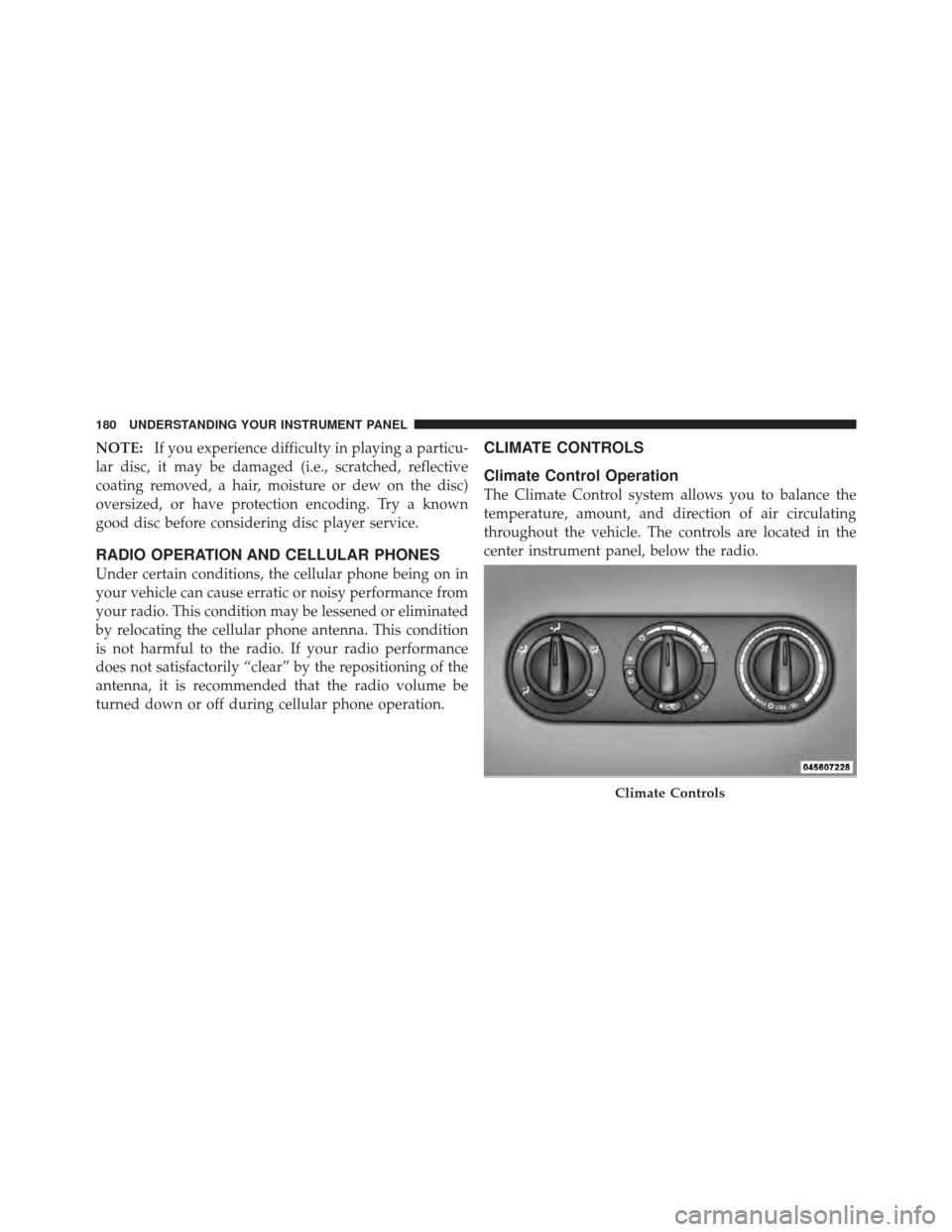
The Climate Control system allows you to balance the
temperature, amount, and direction of air circulating
throughout the vehicle. The controls are located in the
center instrument panel, below the radio.
Climate Controls
180 UNDERSTANDING YOUR INSTRUMENT PANEL
Page 197 of 368

NOTE:If a malfunction occurs, the system will function
normally, except you may be able to shift the vehicle from
PARK, without pressing the brake pedal. If this occurs
obtain service from an authorized dealer as soon as
possible.
Automatic Transmission Ignition Interlock System
This system prevents the key from being removed unless
the shift lever is in PARK and the shift lever knob
pushbutton is out. It also prevents moving the shift lever
out of PARK unless the key is in the ACC or ON position,
and the brake pedal is pressed.
NOTE: If a malfunction occurs, the system will trap the
key in the ignition cylinder to warn you that this safety
feature is inoperable. The engine can be started and
stopped but the key cannot be removed until you obtain
service.
Four-Speed Automatic Transmission
NOTE: Under extreme cold temperatures (-6°F (-21°C)
and when in DRIVE, transmission operation may be
briefly limited to only second gear operation. Normal
operation will resume once the transmission temperature
has risen to a suitable level.
The electronically-controlled transmission provides a
precise shift schedule. The transmission electronics are
self-calibrating; therefore, the first few shifts on a new
vehicle may be somewhat abrupt. This is a normal
condition, and precision shifts will develop within a few
shift cycles.
196 STARTING AND OPERATING
Page 198 of 368

RESET Mode
The transmission is monitored electronically for abnor-
mal conditions. If a condition is detected that could cause
damage, the transmission shifts automatically into sec-
ond gear. The transmission remains in second gear
despite the forward gear selected. PARK, REVERSE, and
NEUTRAL will continue to operate. This second gear
limp-in feature allows the vehicle to be driven to an
authorized dealer for service without damaging the
transmission.
In the event that the problem has been momentary, the
transmission can be reset to regain all forward gears:
1. Stop the vehicle and move the shift lever into PARK.
2. Turn the ignition to OFF then restart the engine.
3. Move the shift lever into DRIVE and resume driving.
4. If the transmission cannot be reset, authorized dealer
service is required.NOTE:
Even if the transmission can be reset, it is
recommended that you visit an authorized dealer at your
earliest possible convenience. Your authorized dealer has
diagnostic equipment to determine if the problem could
recur.
Gear Ranges
DO NOT race the engine when shifting from PARK or
NEUTRAL positions into another gear range.
PARK
This range supplements the parking brake by locking the
transmission. The engine can be started in this range.
Never use PARK while the vehicle is in motion. Apply
the parking brake when leaving the vehicle in this range.
Always apply the parking brake first, and then move the
shift lever into the PARK position.
5
STARTING AND OPERATING 197
Page 207 of 368

system. This noise should be considered normal, and it
does not in any way damage the steering system.
WARNING!
Continued operation with reduced power steering
assist could pose a safety risk to yourself and others.
Service should be obtained as soon as possible.
CAUTION!
Prolonged operation of the steering system at the end
of the steering wheel travel will increase the steering
fluid temperature and it should be avoided when
possible. Damage to the power steering pump may
occur.
Power Steering Fluid Check
Checking the power steering fluid level at a defined
service interval is not required. The fluid should only bechecked if a leak is suspected, abnormal noises are
apparent, and/or the system is not functioning as antici-
pated. Coordinate inspection efforts through an autho-
rized dealer.
CAUTION!
Do not use chemical flushes in your power steering
system as the chemicals can damage your power
steering components. Such damage is not covered by
the New Vehicle Limited Warranty.
WARNING!
Fluid level should be checked on a level surface and
with the engine off to prevent injury from moving
parts and to ensure accurate fluid level reading. Do
not overfill. Use only manufacturer’s recommended
power steering fluid.
206 STARTING AND OPERATING