Page 84 of 368
Outside Mirror — Passenger Side
Adjust the convex outside mirror so you can just see the
side of your vehicle in the part of the mirror closest to the
vehicle.
WARNING!
Vehicles and other objects seen in the passenger side
convex mirror will look smaller and farther away
than they really are. Relying too much on your
passenger side mirror could cause you to collide with
another vehicle or other object. Use your inside
mirror when judging the size or distance of a vehicle
seen in this convex mirror.
Power Mirrors — If Equipped
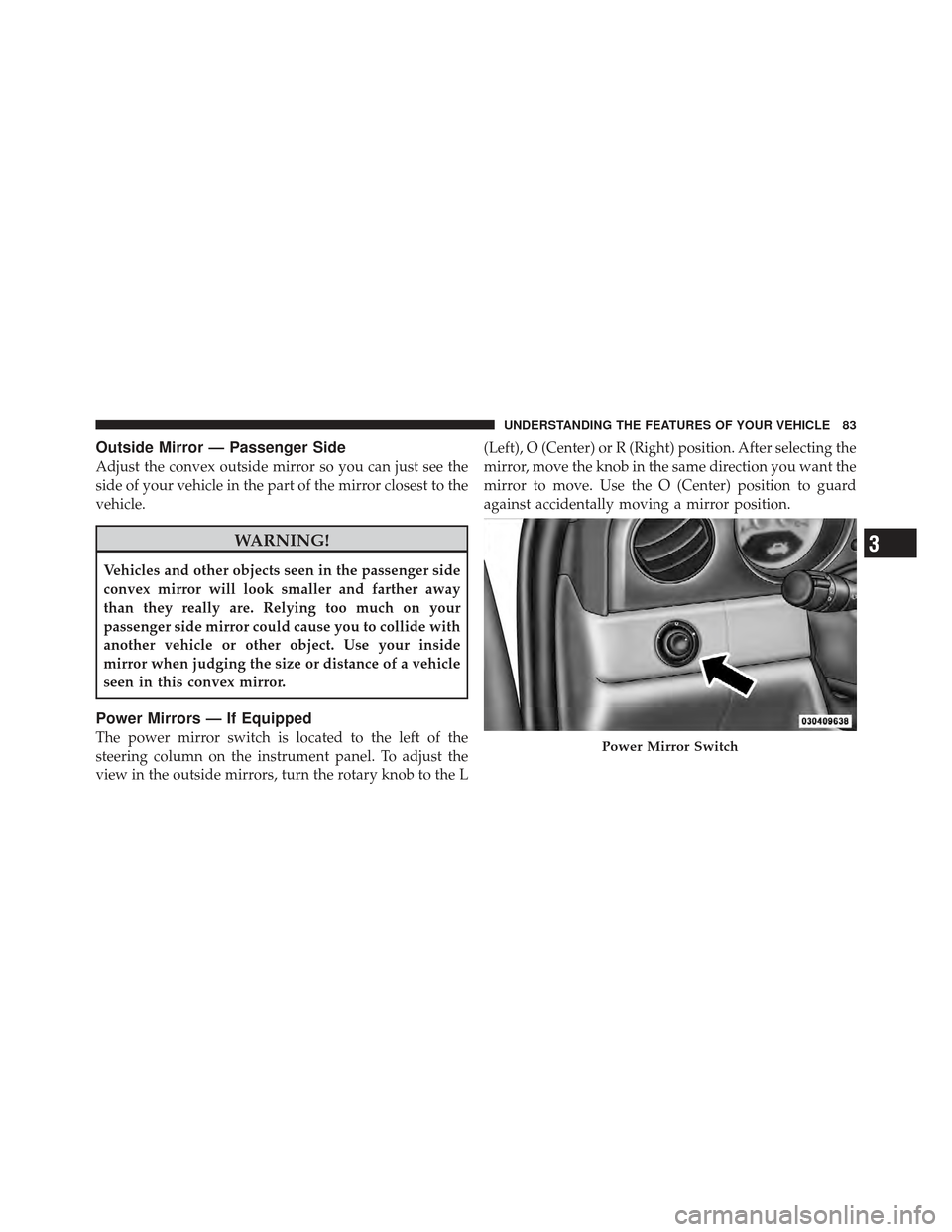
The power mirror switch is located to the left of the
steering column on the instrument panel. To adjust the
view in the outside mirrors, turn the rotary knob to the L(Left), O (Center) or R (Right) position. After selecting the
mirror, move the knob in the same direction you want the
mirror to move. Use the O (Center) position to guard
against accidentally moving a mirror position.Power Mirror Switch
3
UNDERSTANDING THE FEATURES OF YOUR VEHICLE 83
Page 91 of 368

Heated Seats — If Equipped
The heaters provide the same heat level for both cushion
and seatback. The driver and front passenger seats are
heated. The controls for each heater are located near the
bottom center of the instrument panel.
After turning the ignition ON, you can choose from High,
Low, or Off heat settings. Amber indicator lights in each
switch indicate the level of heat in use. Two indicator
lights will illuminate for High, one for Low, and none for
Off.Press the switch once to select High-level heat-
ing. Press the switch a second time to select
Low-level heating. Press the switch a third time
to shut Off the heating elements.
If High-level heating is selected, the system automatically
switches to Low-level heating and turns one indicator
light off after 30 minutes of continuous operation. It will
turn the heater and the remaining indicator light off after an additional 30 minutes of continuous operation. If
Low-level heating is selected, the system automatically
turns the heater and the indicator light off after 30 min-
utes of continuous operation.
NOTE:
Once a heat setting is selected, heat will be felt
within two to five minutes.
WARNING!
•Persons who are unable to feel pain to the skin
because of advanced age, chronic illness, diabetes,
spinal cord injury, medication, alcohol use, ex-
haustion or other physical condition must exercise
care when using the seat heater. It may cause burns
even at low temperatures, especially if used for
long periods of time.
(Continued)
90 UNDERSTANDING THE FEATURES OF YOUR VEHICLE
Page 100 of 368
NOTE:Make sure that the elastic loop is around the
emergency release handle at all times. If the handle is
pulled downward, entirely through the elastic loop, the
handle will not return to its original position and the
seatback may not operate properly.
TO OPEN AND CLOSE THE HOOD
To open the hood, two latches must be released.
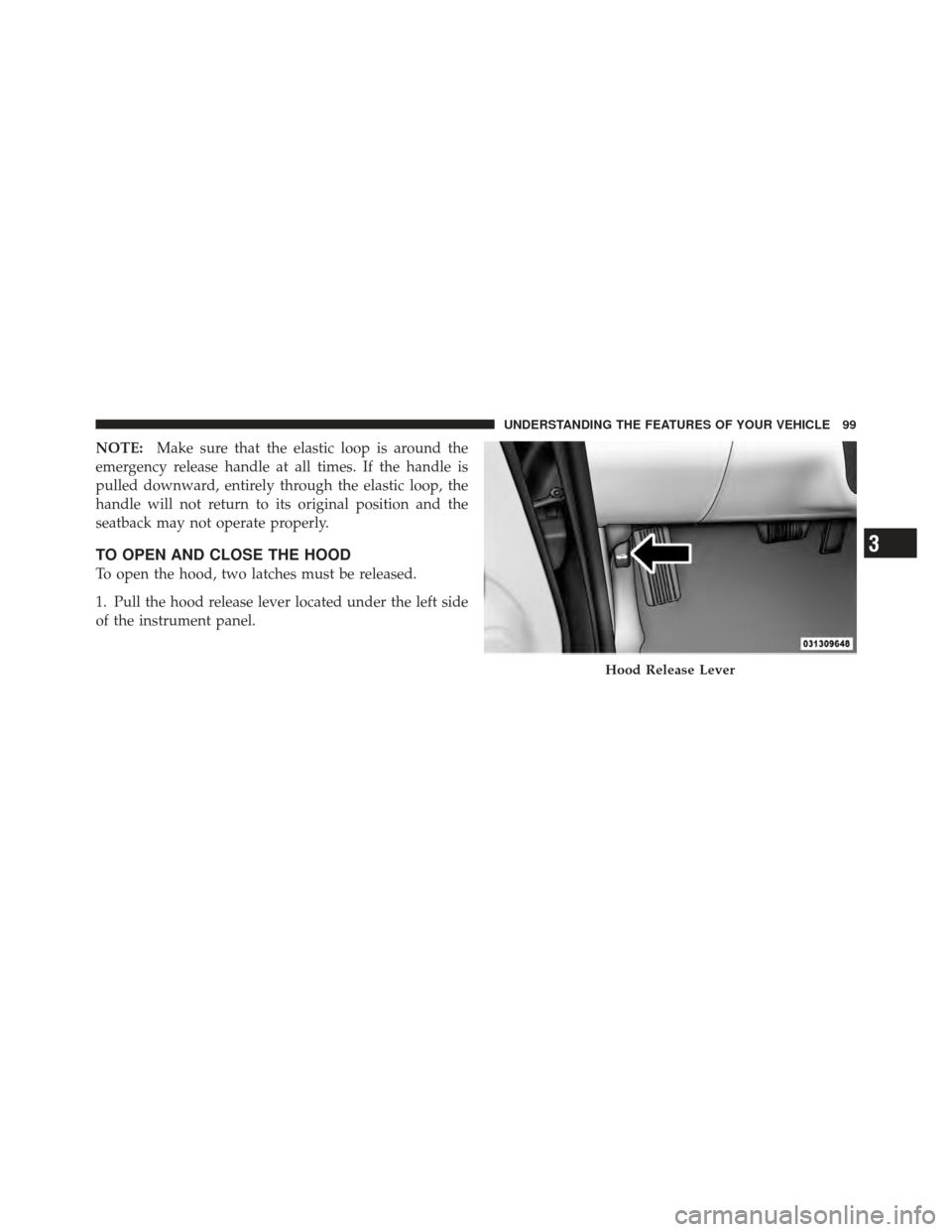
1. Pull the hood release lever located under the left side
of the instrument panel.
Hood Release Lever
3
UNDERSTANDING THE FEATURES OF YOUR VEHICLE 99
Page 102 of 368
LIGHTS
Multifunction Lever
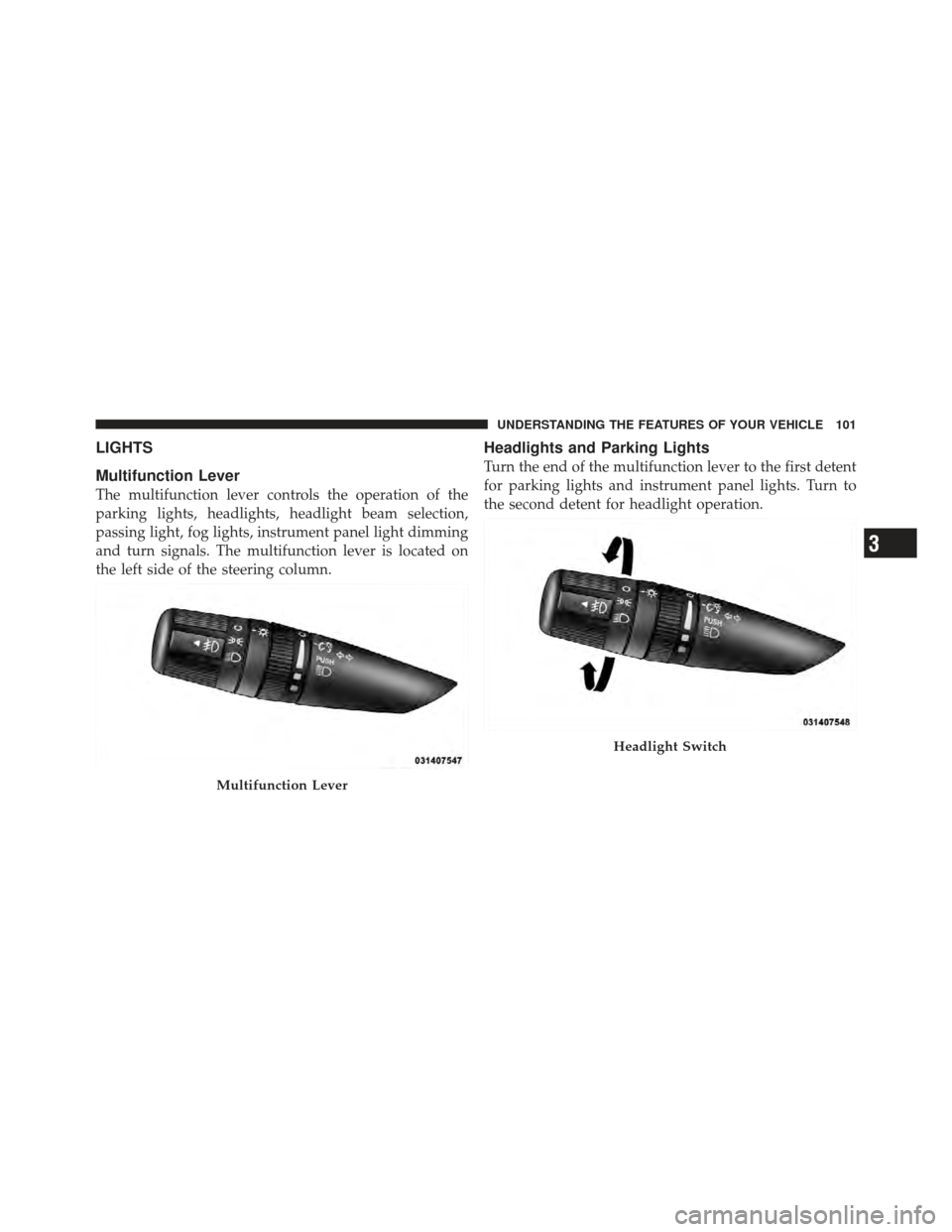
The multifunction lever controls the operation of the
parking lights, headlights, headlight beam selection,
passing light, fog lights, instrument panel light dimming
and turn signals. The multifunction lever is located on
the left side of the steering column.
Headlights and Parking Lights
Turn the end of the multifunction lever to the first detent
for parking lights and instrument panel lights. Turn to
the second detent for headlight operation.
Multifunction Lever
Headlight Switch
3
UNDERSTANDING THE FEATURES OF YOUR VEHICLE 101
Page 103 of 368

To change the brightness of the instrument panel lights,
rotate the center portion of the multifunction lever up or
down.
NOTE:If the driver’s door is left open, and the head-
lights or parking lights are left on, a chime will sound.
Lights-On Reminder
If the headlights or parking lights are on after the ignition
is turned OFF, a chime will sound when the driver’s door
is opened.
Instrument Panel Dimmer
Rotate the center portion of the lever to the extreme
bottom position to fully dim the instrument panel lights
and prevent the interior lights from illuminating when a
door is opened.
Rotate the center portion of the lever up to increase the
brightness of the instrument panel lights when the park-
ing lights or headlights are on. Rotate the center portion of the lever upward to the next
detent position to brighten the odometer and radio when
the parking lights or headlights are on.
Rotate the center portion of the lever upward to the last
detent to turn on the interior lighting.
Dimmer Control
102 UNDERSTANDING THE FEATURES OF YOUR VEHICLE
Page 138 of 368
UNDERSTANDING YOUR INSTRUMENT PANEL
CONTENTS
�Instrument Panel Features ............... 140
� Instrument Cluster — Base ............... 141
� Instrument Cluster — Premium ........... 142
� Instrument Cluster Descriptions ........... 143
� Compass Mini-Trip Computer (CMTC) — If
Equipped ............................ 155
▫ Compass Mini-Trip Computer Reset Button . . 155
▫ Compass/Temperature Display .......... 156
▫ Odometer Display .................... 158 ▫
Trip Odometer (ODO) ................. 158
� Electronic Vehicle Information Center (EVIC) –
If Equipped .......................... 159
▫ EVIC Functions ..................... 160
▫ To Reset The Display ................. 161
▫ Compass/Temperature/Audio ........... 161
▫ Average Fuel Economy ................ 161
▫ Distance To Empty (DTE) .............. 162
▫ Elapsed Time ....................... 162
4
Page 139 of 368

▫Compass Variance .................... 162
▫ Tire Pressure Monitor (TPM) ............ 163
▫ Personal Settings (Customer-Programmable
Features) .......................... 164
▫ Automatic Compass Calibration .......... 166
▫ Manual Compass Calibration ............ 167
� Setting The Analog Clock ................ 168
� Sales Code REF — AM/FM/CD (Single-Disc)
Radio With Optional Uconnect™ Multimedia
(Satellite Radio) And Uconnect™ Phone
Capability ........................... 168
▫ Operating Instructions — Radio Mode ..... 169
▫ Operating Instructions — CD Mode ....... 172
▫ Operating Instructions — Auxiliary Mode . . . 174 ▫
Operating Instructions — Uconnect™ Phone
— If Equipped ...................... 175
▫ Operating Instructions — Uconnect™
Multimedia (Satellite Radio) — If Equipped . . 175
� Uconnect™ Multimedia (Satellite Radio) — If
Equipped ............................ 176
▫ System Activation .................... 176
▫ Electronic Serial Number/Sirius
Identification Number (ESN/SID) ......... 176
▫ Selecting Uconnect™ Multimedia (Satellite)
Mode In REF, And RAQ, Radios .......... 177
▫ Selecting a Channel ................... 177
▫ Storing And Selecting Pre-Set Channels ..... 178
▫ Using The PTY (Program Type) Button (If
Equipped) ......................... 178
138 UNDERSTANDING YOUR INSTRUMENT PANEL
Page 140 of 368
▫PTY Button �Scan�.................... 178
▫ PTY Button �Seek�.................... 178
▫ Satellite Antenna ..................... 178
▫ Reception Quality .................... 179
� CD/DVD Disc Maintenance .............. 179�
Radio Operation And Cellular Phones ....... 180
� Climate Controls ...................... 180
▫ Climate Control Operation .............. 180
▫ Operating Tips ...................... 185
4
UNDERSTANDING YOUR INSTRUMENT PANEL 139