Page 95 of 538

the Remote Keyless Entry (RKE) transmitter or open any
door. This LED shines outward to illuminate the front
and rear door handles. It also shines downward to
illuminate the area in front of the doors.
The Illuminated Entry lighting fades to off after about
30 seconds or it will fade to off immediately once the
ignition is placed into the RUN position.
NOTE:The approach lighting will not function when
the shift lever is moved out of the PARK position.
Tilt Mirrors in Reverse — If Equipped
Tilt Mirrors in Reverse provides automatic outside mirror
positioning which will aid the driver ’s view of the
ground rearward of the front doors. The outside mirrors
will move slightly downward from the present position
when the vehicle is shifted into REVERSE. The outside
mirrors will then return to the original position when the vehicle is shifted out of the REVERSE position. Each
stored memory setting will have an associated Tilt Mir-
rors in Reverse position.
NOTE:
The Tilt Mirrors in Reverse feature is not en-
abled when delivered from the factory. The Tilt Mirrors in
Reverse feature can be enabled or disabled through the
customer-programmable features in the Electronic Ve-
hicle Information Center (EVIC), Refer to “Electronic
Vehicle Information Center (EVIC)/Customer-
Programmable Features” in “Understanding Your Instru-
ment Panel” for further information.Power Mirrors
The power mirror switch is located on the driver’s door
trim panel, next to the power door lock switch. A rotary
knob selects the left mirror, right mirror or off position.
94 UNDERSTANDING THE FEATURES OF YOUR VEHICLE
Page 135 of 538
To install the head restraint, insert the head restraint rods
into each guide, apply pressure down on the headrest
until the head restraint reaches the first lock position,
push the large button in and push down and adjust head
restraint to desired position.
NOTE:Ensure that the front of the head restraint is
facing toward the front of the vehicle.
WARNING!
Driving a vehicle with the head restraints removed or
improperly adjusted could cause serious injury or
death in the event of a collision. The head restraints
should always be checked prior to operating the
vehicle and never adjusted while the vehicle is in
motion. Always adjust the head restraints when the
vehicle is in PARK.
Heated Seats — If Equipped
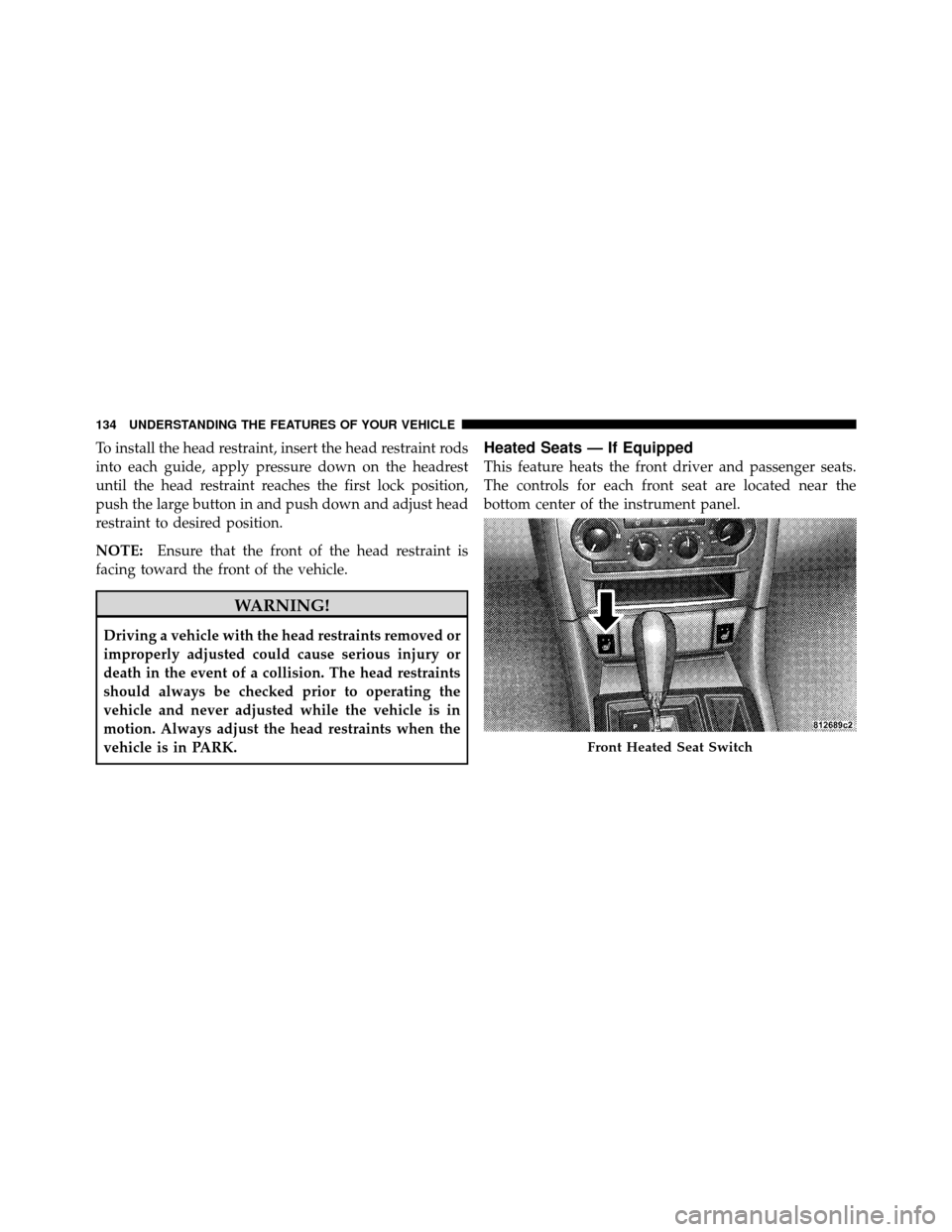
This feature heats the front driver and passenger seats.
The controls for each front seat are located near the
bottom center of the instrument panel.
Front Heated Seat Switch
134 UNDERSTANDING THE FEATURES OF YOUR VEHICLE
Page 138 of 538
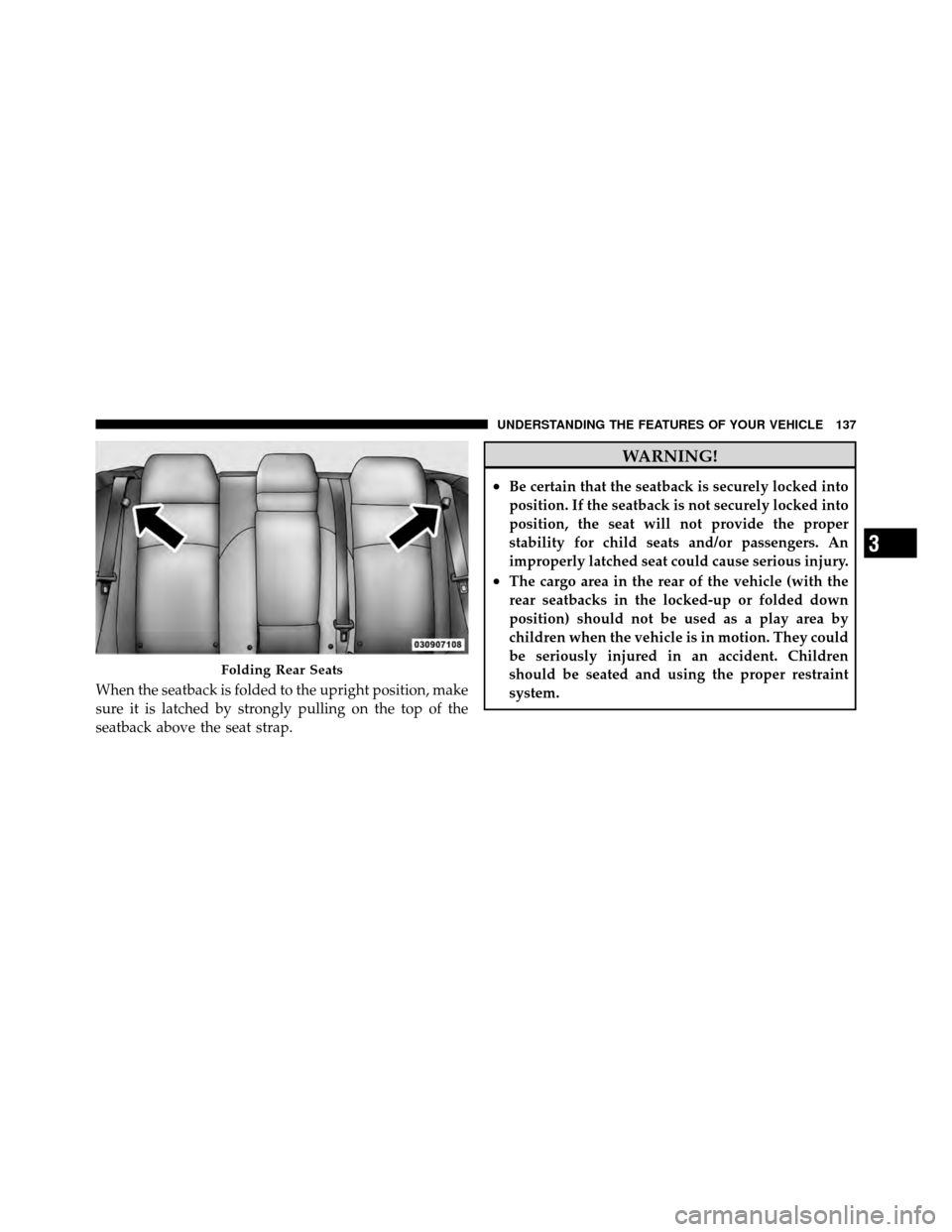
When the seatback is folded to the upright position, make
sure it is latched by strongly pulling on the top of the
seatback above the seat strap.
WARNING!
•Be certain that the seatback is securely locked into
position. If the seatback is not securely locked into
position, the seat will not provide the proper
stability for child seats and/or passengers. An
improperly latched seat could cause serious injury.
•The cargo area in the rear of the vehicle (with the
rear seatbacks in the locked-up or folded down
position) should not be used as a play area by
children when the vehicle is in motion. They could
be seriously injured in an accident. Children
should be seated and using the proper restraint
system.
Folding Rear Seats
3
UNDERSTANDING THE FEATURES OF YOUR VEHICLE 137
Page 139 of 538
DRIVER MEMORY SEAT — IF EQUIPPED
This feature allows the driver to store up to two different
memory profiles for easy recall through a memory
switch. Each memory profile contains desired position
settings for the driver seat, side mirrors, adjustable
pedals (if equipped), and power tilt and telescopic steer-
ing column (if equipped) and a set of desired radio
station presets. Your Remote Keyless Entry (RKE) trans-
mitter can also be programmed to recall the same posi-
tions when the UNLOCK button is pressed.
NOTE:
•Only one RKE transmitter can be linked to each of the
memory positions.
•Passive Entry door handles cannot be linked to the
memory function. Use either the memory recall switch
or the RKE transmitter (if linked to the memory
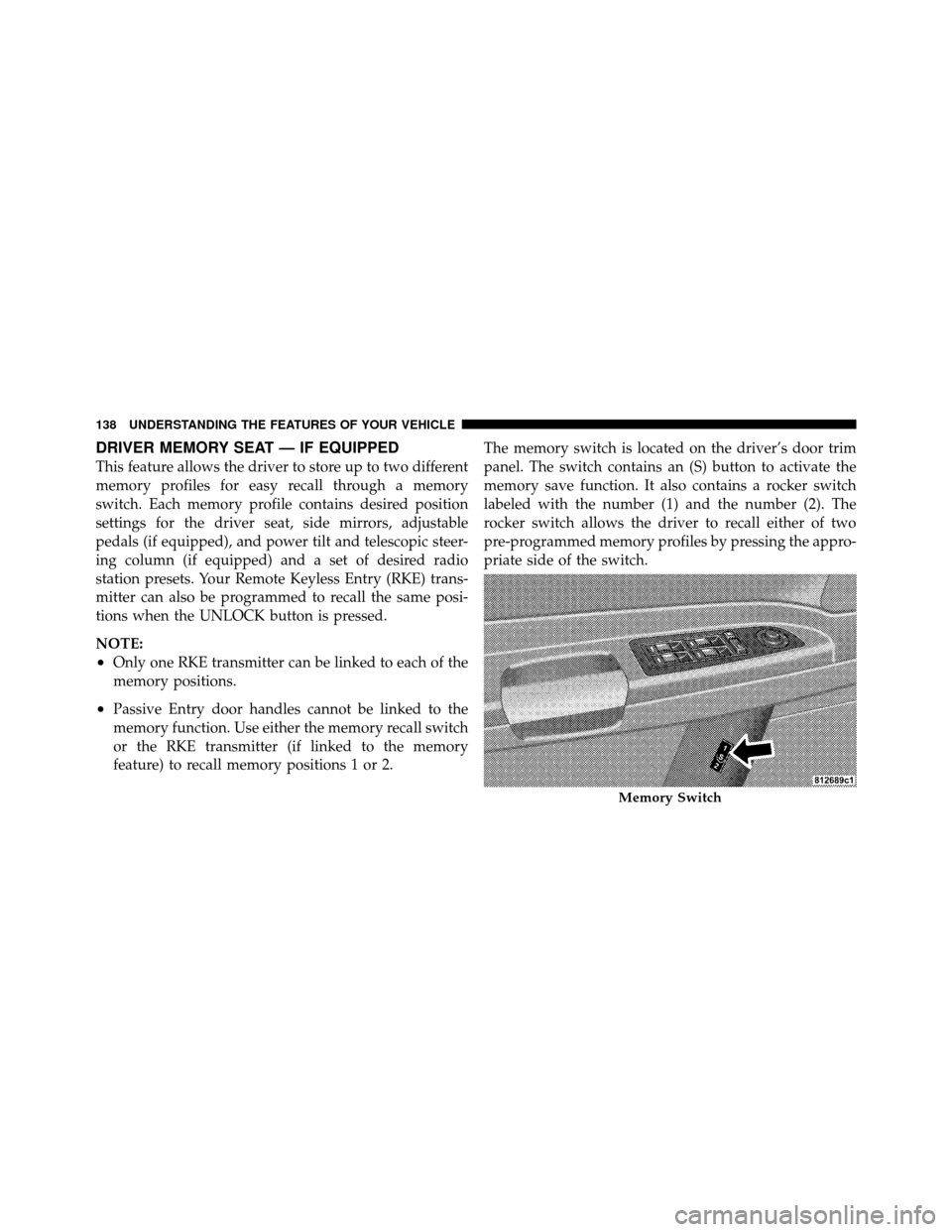
feature) to recall memory positions 1 or 2.The memory switch is located on the driver’s door trim
panel. The switch contains an (S) button to activate the
memory save function. It also contains a rocker switch
labeled with the number (1) and the number (2). The
rocker switch allows the driver to recall either of two
pre-programmed memory profiles by pressing the appro-
priate side of the switch.
Memory Switch
138 UNDERSTANDING THE FEATURES OF YOUR VEHICLE
Page 140 of 538
Programming The Memory Feature
NOTE:Saving a new memory profile will erase an
existing profile from memory.
To create a new memory profile, perform the following:
1. Place the ignition into the RUN position.
2. Adjust all memory profile settings to desired prefer-
ences (i.e., seat, side mirror, adjustable pedals [if
equipped], power tilt and telescopic steering column [if
equipped], and radio station presets).
3. Press and release the SET (S) button on the memory
switch.
4. Within five seconds, press and release the MEMORY
button 1 or 2. The Electronic Vehicle Information Center
(EVIC) (if equipped) will display which memory position
has been set. NOTE:•Memory profiles can be set without the vehicle in
PARK, but the vehicle must be in PARK to recall a
memory profile.
•The Recall Memory with Remote Key Unlock feature
can be enabled through the EVIC (if equipped). Refer
to “Electronic Vehicle Information Center (EVIC)/
Personal Settings (Customer-Programmable Fea-
tures)” in “Understanding Your Instrument Panel” for
further information.
Linking and Unlinking the Remote Keyless Entry
Transmitter to Memory
Your RKE transmitters can be programmed to recall one
of two pre-programmed memory profiles by pressing the
UNLOCK button on the RKE transmitter.
3
UNDERSTANDING THE FEATURES OF YOUR VEHICLE 139
Page 141 of 538
To program your RKE transmitters, perform the follow-
ing:
1. Remove the Key Fob from the ignition (or change the
ignition to OFF, for vehicles equipped with Keyless
Go™).
2. Select desired memory profile 1 or 2.
3. Once the profile has been recalled, press and release
the SET (S) button on the memory switch, then press and
release the side of the rocker switch labeled 1 or 2
accordingly.�Memory Profile Set” (1 or 2) will display in
the instrument cluster on vehicles equipped with the
EVIC.
4. Press and release the LOCK button on the RKE
transmitter within 10 seconds. NOTE:
Your RKE transmitters can be unlinked to your
memory settings by pressing the SET (S) button followed
by the UNLOCK button on the RKE transmitter in Step 4
above.
Memory Position Recall
NOTE:
•The vehicle must be in PARK to recall memory posi-
tions. If a recall is attempted when the vehicle is not in
PARK, a message will display in the EVIC (if
equipped).
•The driver’s seat belt must be unbuckled to recall
memory positions.
To recall the memory settings for driver one, press
MEMORY button number 1 on the driver’s door or the
UNLOCK button on the RKE transmitter linked to
memory position 1.
140 UNDERSTANDING THE FEATURES OF YOUR VEHICLE
Page 142 of 538
To recall the memory setting for driver two, press
MEMORY button number 2 on the driver’s door or the
UNLOCK button on the RKE transmitter linked to
memory position 2.
A recall can be cancelled by pressing any of the
MEMORY buttons (S, 1, or 2) on the driver’s door during
a recall. When a recall is cancelled, the driver seat, side
mirror, adjustable pedals (if equipped), and power tilt
and telescopic steering column (if equipped) stop mov-
ing. A delay of one second will occur before another recall
can be selected.
Easy Entry/Exit Seat (Available with Memory Seat
Only)
This feature provides automatic driver seat positioning to
enhance driver mobility when entering and exiting the
vehicle.
The distance the driver seat moves depends on where
you have the driver seat positioned when you remove theKey Fob from the ignition (or change the ignition to OFF,
for vehicles equipped with Keyless Go™).
•When you remove the Key Fob from the ignition (or
change the ignition to OFF, for vehicles equipped with
Keyless Go™), the driver seat will move about 2.4 in
(60 mm) rearward if the driver seat position is greater
than or equal to 2.7 in (67.7 mm) forward of the rear
stop. The seat will return to its previously set position
when you place the ignition into the ACC or RUN
position.
•When you remove the Key Fob from the ignition (or
change the ignition to OFF, for vehicles equipped with
Keyless Go™), the driver seat will move to a position
0.3 in (7.7 mm) forward of the rear stop if the driver
seat position is between 0.9 in and 2.7 in (22.7 mm and
67.7 mm) forward of the rear stop. The seat will return
to its previously set position when you place the
ignition to the ACC or RUN position.
3
UNDERSTANDING THE FEATURES OF YOUR VEHICLE 141
Page 144 of 538
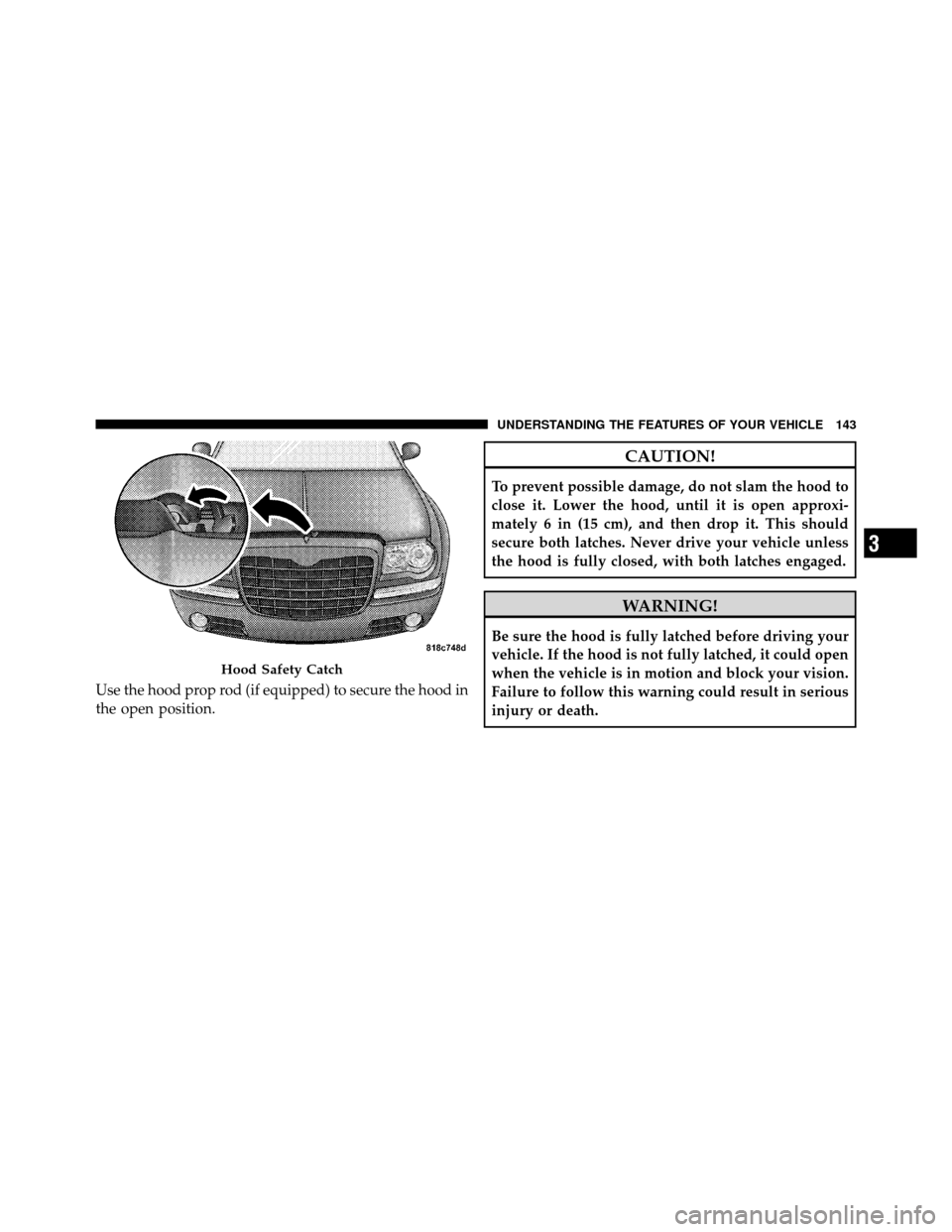
Use the hood prop rod (if equipped) to secure the hood in
the open position.
CAUTION!
To prevent possible damage, do not slam the hood to
close it. Lower the hood, until it is open approxi-
mately 6 in (15 cm), and then drop it. This should
secure both latches. Never drive your vehicle unless
the hood is fully closed, with both latches engaged.
WARNING!
Be sure the hood is fully latched before driving your
vehicle. If the hood is not fully latched, it could open
when the vehicle is in motion and block your vision.
Failure to follow this warning could result in serious
injury or death.
Hood Safety Catch
3
UNDERSTANDING THE FEATURES OF YOUR VEHICLE 143