Page 157 of 514
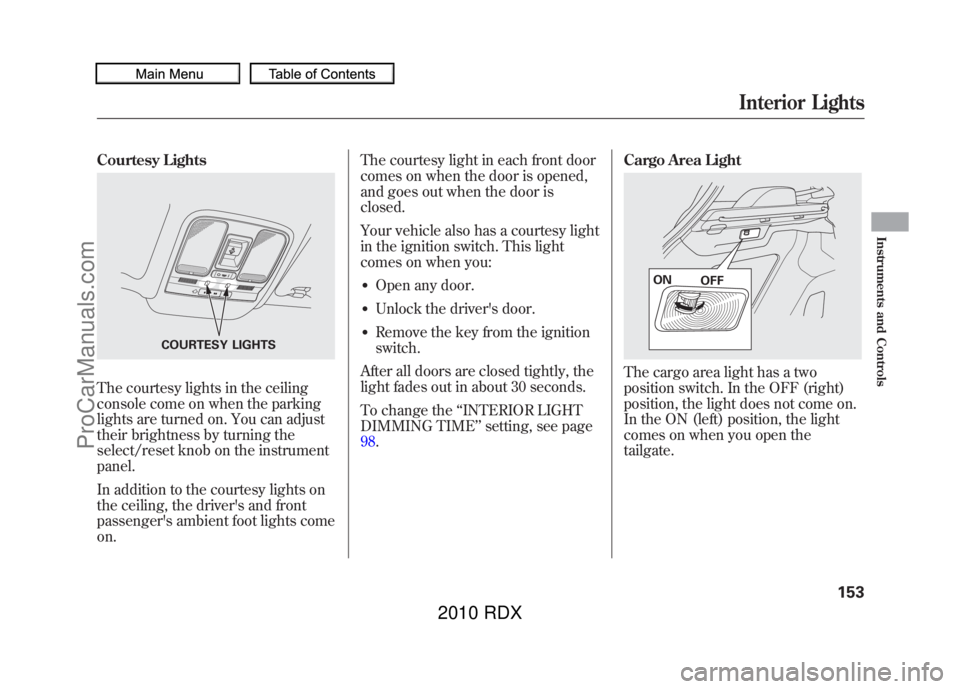
Courtesy LightsThe courtesy lights in the ceiling
console come on when the parking
lights are turned on. You can adjust
their brightness by turning the
select/reset knob on the instrument
panel.
In addition to the courtesy lights on
the ceiling, the driver's and front
passenger's ambient foot lights come
on.The courtesy light in each front door
comes on when the door is opened,
and goes out when the door is
closed.
Your vehicle also has a courtesy light
in the ignition switch. This light
comes on when you:
●Open any door.●Unlock the driver's door.●Remove the key from the ignition
switch.
After all doors are closed tightly, the
light fades out in about 30 seconds.
To change the ‘‘INTERIOR LIGHT
DIMMING TIME ’’setting, see page
98. Cargo Area Light
The cargo area light has a two
position switch. In the OFF (right)
position, the light does not come on.
In the ON (left) position, the light
comes on when you open the
tailgate.
COURTESY LIGHTS
ON
OFF
Interior Lights
153
Instruments and Controls
09/07/07 15:02:04 10 ACURA RDX MMC North America Owner's M 50 31STK630 enu
ProCarManuals.com
2010 RDX
Page 159 of 514
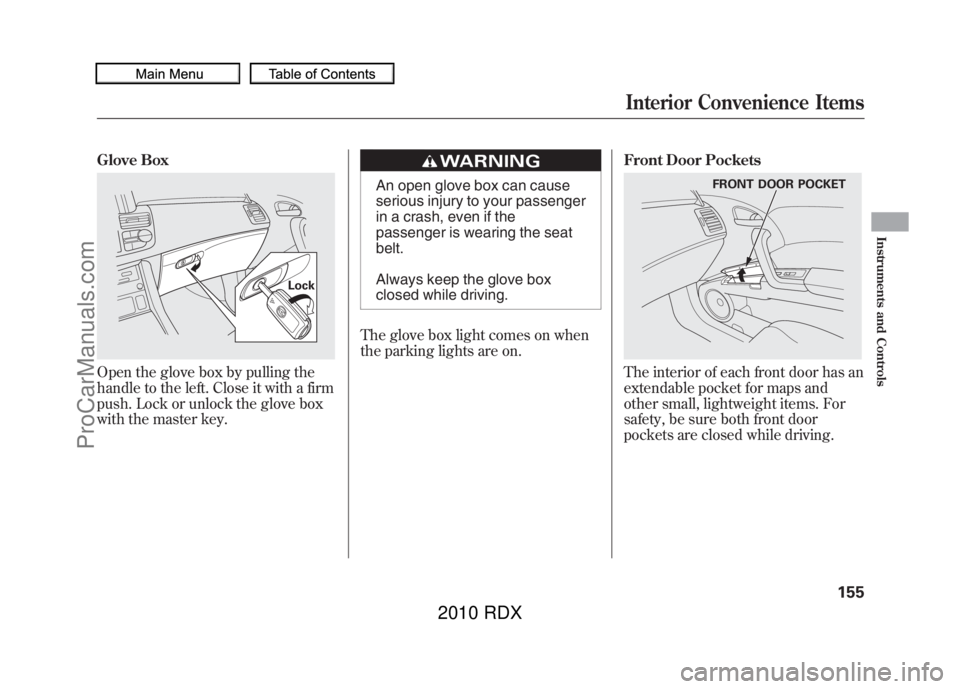
Glove BoxOpen the glove box by pulling the
handle to the left. Close it with a firm
push. Lock or unlock the glove box
with the master key.
An open glove box can cause
serious injury to your passenger
in a crash, even if the
passenger is wearing the seat
belt.
Always keep the glove box
closed while driving.
The glove box light comes on when
the parking lights are on. Front Door Pockets
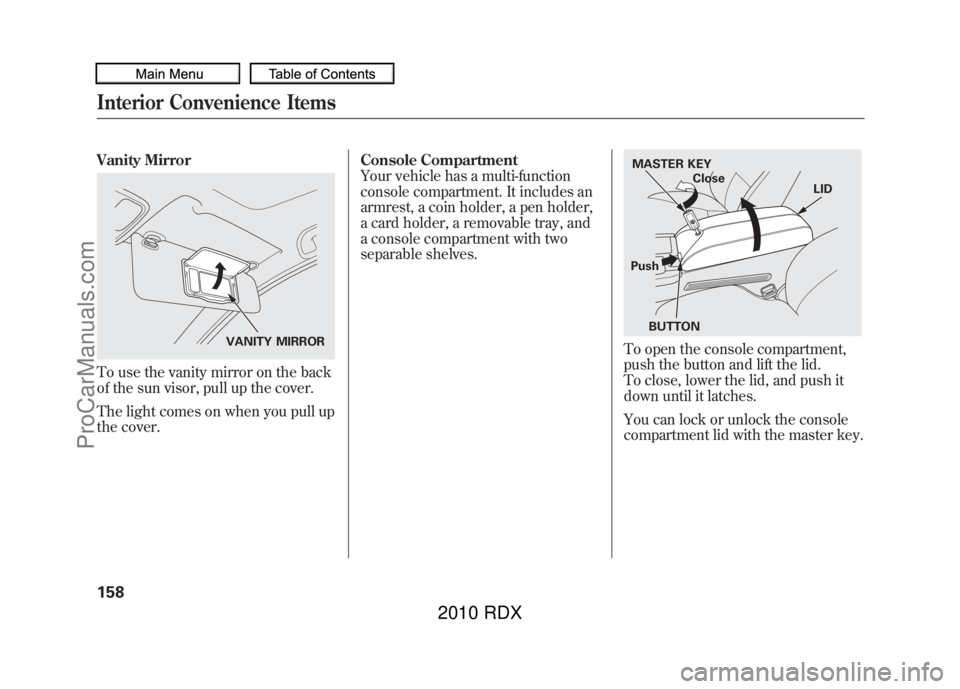
The interior of each front door has an
extendable pocket for maps and
other small, lightweight items. For
safety, be sure both front door
pockets are closed while driving.
Lock
FRONT DOOR POCKET
Interior Convenience Items
155
Instruments and Controls
09/07/07 15:02:04 10 ACURA RDX MMC North America Owner's M 50 31STK630 enu
ProCarManuals.com
2010 RDX
Page 162 of 514
Vanity MirrorTo use the vanity mirror on the back
of the sun visor, pull up the cover.
The light comes on when you pull up
the cover.Console Compartment
Your vehicle has a multi-function
console compartment. It includes an
armrest, a coin holder, a pen holder,
a card holder, a removable tray, and
a console compartment with two
separable shelves.
To open the console compartment,
push the button and lift the lid.
To close, lower the lid, and push it
down until it latches.
You can lock or unlock the console
compartment lid with the master key.
VANITY MIRROR
MASTER KEY
Close LID
Push BUTTON
Interior Convenience Items15809/07/07 15:02:04 10 ACURA RDX MMC North America Owner's M 50 31STK630 enu
ProCarManuals.com
2010 RDX
Page 164 of 514

When you store a large item like a
briefcase, lift the shelves up to create
a large space.
The maximum dimensions of the
item you can store in the console
compartment are:
Length: 16.9 in (430 mm)
Height: 12.2 in (310 mm)
Width: 5.5 in (140 mm)Cargo Area Cover
Your vehicle has a cargo area cover
to conceal your luggage and protect
them from direct sunlight.
Do not put any items on top of the
cargo area cover. They can block
your view and be thrown around the
vehicle during a crash.
The cargo area cover may be
removed to give you more cargo
space.
To remove it:
1. Open the tailgate. Remove the
hook from the tab on the tailgate.
Make sure you use both hands to
prevent the cargo area cover from
falling accidentally.
2. Lift and pull the rear edge of the cargo area cover slightly to unlock
it from the hanger bars, then
remove it straight out.
CARGO
AREA
COVER
HOOK TAB
HANGER BAR
Interior Convenience Items16009/07/07 15:02:04 10 ACURA RDX MMC North America Owner's M 50 31STK630 enu
ProCarManuals.com
2010 RDX
Page 167 of 514

The climate control system in your vehicle
provides a comfortable driving
environment in all weather conditions.
The standard audio system has many
features. This section describes those
features and how to use them.
Your vehicle has an anti-theft audio system
that requires a code number to enable it.
The security system helps to discourage
vandalism and theft of your vehicle.On models with navigation systemThe climate control system and the audiosystem have a voice control feature. Referto the navigation system manual for more
information.Climate Control System
....................
164
Dual Temperature Control
.............
169
Climate Control Sensors
................
171
Audio System
..................................
172
Playing the FM/AM Radio (Models without navigation system)
........
174
To Play the Radio
.........................
174
Adjusting the Sound
.....................
177
Playing the XM
®Radio (Models
without navigation system)
............
179
Playing Discs (Models without navigation system)
.......................
185 Disc Changer Error Messages
(Models without navigationsystem)
..................................
195
Playing an iPod (Models without navigation system)
.......................
197
iPod Error Messages (Models without navigation system)
.......................
203
Playing a USB Flash Memory Device (Models without navigationsystem)
..................................
204
USB Flash Memory Device Error Messages (Models without
navigation system)
...................
211
Bluetooth
®Audio System (Models
without navigation system)
............
212
Audio System (Models with navigation system)
..................................
216
Interface Dial
..............................
216
Playing the FM/AM Radio (Models
with navigation system)
.............
217
Adjusting the Sound
.....................
224
Playing the XM
®Radio (Models with
navigation system)
.......................
228
Playing Discs (Models with navigation system)
......................................
239
Disc Changer Error Messages
(Models with navigationsystem)
..................................
255 Protecting Your Discs
.......................
257
Playing an iPod (Models with navigation system)
.......................
260
iPod Error Messages (Models with navigation system)
.......................
269
Playing a USB Flash Memory Device (Models with navigation
system)
..................................
270
USB Flash Memory Device Error Messages (Models with navigation
system)
..................................
279
Bluetooth
®Audio System (Models with
navigation system)
.......................
280
FM/AM Radio Reception
..................
287
Remote Audio Controls
.....................
289
Auxiliary Input Jack
..........................
291
Radio Theft Protection
......................
292
Setting the Clock
.............................
293
Security System
...............................
294
Compass
........................................
295
Compass Operation
....................
295
Cruise Control
.................................
300
HomeLink
®Universal Transceiver
......
303
Bluetooth
®HandsFreeLink
®..............
306
AcuraLink
®(U.S. models only)
...........
332
Rearview Mirror with Rearview
Camera Display
...........................
348
Features
163
Features
09/07/07 15:02:04 10 ACURA RDX MMC North America Owner's M 50 31STK630 enu
ProCarManuals.com
2010 RDX
Page 181 of 514

Adjusting the Sound
Press the SOUND/CLOCK button
repeatedly to display the BASS,
TREBLE, FADER, BALANCE,
SUBWOOFER and SVC (speed-
sensitive volume compensation)
settings.
Each mode is shown on the center
display as it changes. Turn the PWR/
VOL knob to adjust the setting to
your liking. When the level reaches
the center, you will see‘‘
’’on the
center display. The system will
automatically return the display to
the selected audio mode about 10
seconds after you stop adjusting a
mode.
Treble/Bass -Use the TREBLE/
BASS modes to adjust the tone to
your liking. You can adjust each
mode in levels between -6 and +6.Balance/Fader -These two modes
adjust the strength of the sound
coming from each speaker.
BALANCE adjusts the side-to-side
strength, while FADER adjusts the
front-to-back strength.
BALANCE can be adjusted in levels
between L9 and R9. FADER can be
adjusted in levels between F9 and
R9. When FADER adjustment level
reaches F9, the subwoofer speaker
will be turned off.
ADJUSTMENT LEVEL
ADJUSTMENT MODE PWR/VOL KNOB
SOUND/CLOCK BUTTON
U.S. model is shown.
CONTINUED
Playing the FM/AM Radio (Models without navigation system)
177
Features
09/07/07 15:02:04 10 ACURA RDX MMC North America Owner's M 50 31STK630 enu
ProCarManuals.com
2010 RDX
Page 187 of 514
Satellite Radio Signals
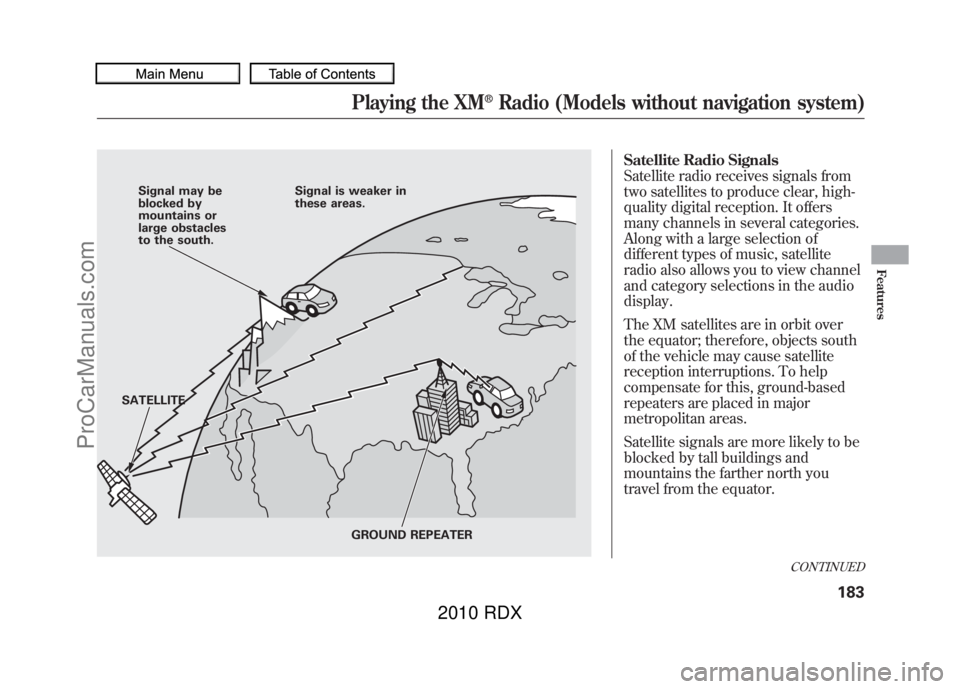
Satellite radio receives signals from
two satellites to produce clear, high-
quality digital reception. It offers
many channels in several categories.
Along with a large selection of
different types of music, satellite
radio also allows you to view channel
and category selections in the audio
display.
The XM satellites are in orbit over
the equator; therefore, objects south
of the vehicle may cause satellite
reception interruptions. To help
compensate for this, ground-based
repeaters are placed in major
metropolitan areas.
Satellite signals are more likely to be
blocked by tall buildings and
mountains the farther north you
travel from the equator.
Signal may be
blocked by
mountains or
large obstacles
to the south.Signal is weaker in
these areas.
SATELLITE GROUND REPEATER
CONTINUED
Playing the XM
®Radio (Models without navigation system)
183
Features
09/07/07 15:02:04 10 ACURA RDX MMC North America Owner's M 50 31STK630 enu
ProCarManuals.com
2010 RDX
Page 201 of 514
iPod INDICATOR
RPT BUTTON SEEK/SKIP BAR
PWR/VOL KONB RDM BUTTON
CD/AUX BUTTON USB INDICATOR
DISP BUTTON
SOUND/CLOCK BUTTON TUNE/FOLDER BAR
U.S. model is shown.
CONTINUED
Playing an iPod (Models without navigation system)
197
Features
09/07/07 15:02:04 10 ACURA RDX MMC North America Owner's M 50 31STK630 enu
ProCarManuals.com
2010 RDX