2010 ACURA RDX display
[x] Cancel search: displayPage 388 of 514

Starting in Second GearWhen you are in sequential shift
mode, and the vehicle is stopped,
pull the+(right) paddle shifter to
shift to second gear. You will see
‘‘ M2’’ in the display. Starting in
second gear helps to reduce
wheelspin in deep snow or on a
slippery surface.Recommended Shift PointsDrive in the highest gear that lets the
engine run and accelerate smoothly.
This will give you good fuel economy
and effective emissions control. The
following shift points are
recommended:
Shift up Normal acceleration
1st to 2nd 15 mph (24 km/h)
2nd to 3rd 25mph (40 km/h)
3rd to 4th 40 mph (64 km/h)4th to 5th 47 mph (76 km/h) Super Handling-All Wheel Drive
™
(SH-AWD
®) System
If equippedThe super handling-all wheel drive
(SH-AWD) system is a full time all-
wheel-drive system that
automatically controls and transfers
varying amounts of engine torque to
all wheels independently, according
to the driving conditions.
While the SH-AWD system helps to
enhance the vehicle's driving
stability in all situations, it is still
your responsibility to drive and
corner at reasonable speeds and to
leave a sufficient margin of safety. SH-AWD Torque Distribution
Monitor
The SH-AWD torque distribution
monitor on the multi-information
display shows you the amount of
torque being sent to the wheels.
Each wheel
ꭚright front (RF), left
front (LF), right rear (RR), and left
rear (LR) ꭚhas its own torque
indicator.
TORQUE INDICATOR
TORQUE INDICATOR
Driving with the Paddle Shifters, Super Handling-All Wheel Drive ™(SH-AWD
®) System
38409/07/07 15:02:04 10 ACURA RDX MMC North America Owner's M 50 31STK630 enu
ProCarManuals.com
2010 RDX
Page 389 of 514

Each torque indicator is displayed as
a bar graph divided into 5 segments.
The number of segments represents
the amount of torque distributed to
each wheel.
When there is only a slight change in
torque distribution while driving,
such as cruising on level roads at the
same speed, the torque distribution
monitor may stop displaying the
amount of torque. This is not a
system problem. The monitor will
show the amount if the system
senses any change in torque
distribution.
If the SH-AWD indicator blinks while
driving, it indicates the differential
temperature is too high. You will also
see an‘‘SH-AWD DIFF TEMP
HIGH ’’message on the multi-
information display. If this happens,
pull to the side of the road when it is
safe, shift to Park, and let the engine
idle until the indicator goes out. If
the indicator does not go out, take
your vehicle to a dealer to have it
checked.
If the SH-AWD indicator on the
instrument panel stays on, and the
‘‘ CHECK SH-AWD SYSTEM ’’
message also appears on the multi-
information display, there is a
problem with the SH-AWD system.
Your vehicle still has normal front-
wheel drive with vehicle stability
assist (VSA), but does not have the
advantages of SH-AWD. Have your
vehicle checked by a dealer as soon
as possible.
Super Handling-All Wheel Drive ™(SH-AWD
®) System
385
Driving
09/07/07 15:02:04 10 ACURA RDX MMC North America Owner's M 50 31STK630 enu
ProCarManuals.com
2010 RDX
Page 392 of 514
The anti-lock brake system (ABS)
helps prevent the wheels from
locking up, and helps you retain
steering control by pumping the
brakes rapidly, much faster than a
person can do it.
The electronic brake distribution
(EBD) system, which is part of the
ABS, also balances the front-to-rear
braking distribution according to
vehicle loading.You should never pump the brake pedal.Let the ABS work for you by always
keeping firm, steady pressure on the
brake pedal. This is sometimes
referred to as‘‘stomp and steer. ’’You will feel a pulsation in the brake
pedal when the ABS activates, and
you may hear some noise. This is
normal: it is the ABS rapidly
pumping the brakes. On dry
pavement, you will need to press on
the brake pedal very hard before the
ABS activates. However, you may
feel the ABS activate immediately if
you are trying to stop on snow or ice.
ABS Indicator
If this indicator comes on, the anti-
lock function of the braking system
has shut down. The brakes still work
like a conventional system, but
without anti-lock. You should have
your dealer inspect your vehicle as
soon as possible.
You will also see a ‘‘CHECK ABS
SYSTEM ’’message on the multi-
information display (see page 80).
If the indicator comes on while
driving, test the brakes as instructed
on page 467.
Anti-lock Brakes (ABS)38809/07/07 15:02:04 10 ACURA RDX MMC North America Owner's M 50 31STK630 enu
ProCarManuals.com
2010 RDX
Page 394 of 514

Your vehicle is equipped with a tire
pressure monitoring system (TPMS)
that turns on every time you start the
engine and monitors the pressure in
your tires while driving.
Each tire has its own pressure
sensor. If the air pressure of a tire
becomes significantly low, the sensor
in that tire immediately sends a
signal that causes the low tire
pressure/TPMS indicator in the
instrument panel to come on. If this
happens, you will see which tire is
losing pressure on the multi-
information display along with a
‘‘CHECK TIRE PRESSURE ’’
message.
Low Tire Pressure/TPMS
Indicator
When the low tire pressure/TPMS
indicator is on, one or more of your
tires is significantly underinflated.
You should stop and check your tires
as soon as possible, and inflate them
to the proper pressure as indicated
on the vehicle's tire information
placard.
It is possible that the pressures
shown on the multi-information
display and the pressures you
manually measure are slightly
different.
If the difference is significant or you
cannot make the low tire pressure/
TPMS indicator and message on the
multi-information display go out after
inflating the tires to the specified
values, have your dealer check the
system as soon as possible. If you think you can safely drive a
short distance to a service station,
proceed slowly to the station, then
inflate the tire to the recommended
pressure.
If the tire is flat, or if the tire pressure
is too low to continue driving, replace
the tire with the compact spare tire
(see page
454).
Driving on a significantly under-
inflated tire causes the tire to
overheat and can lead to tire failure.
Under-inflation also reduces fuel
efficiency and tire tread life, and may
affect the vehicle's handling and
stopping ability.
Because tire pressure varies by
temperature and other conditions,
the low tire pressure/TPMS
indicator may come on unexpectedly.
Tire Pressure Monitoring System (TPMS)39009/07/07 15:02:04 10 ACURA RDX MMC North America Owner's M 50 31STK630 enu
ProCarManuals.com
2010 RDX
Page 395 of 514
For example, if you check and fill
your tires in a warm area, then drive
in extremely cold weather, the tire
pressure will be lower than
measured and could be underinflated
and cause the low tire pressure/
TPMS indicator to come on. Or, if
you check and adjust your tire
pressure in cooler conditions, and
drive into extremely hot conditions,
the tire may become overinflated.
However, the low tire pressure/
TPMS indicator will not come on if
the tires are overinflated.
Refer to page444for tire inflation
guidelines.
If there is a problem with the TPMS,
this indicator begins to flash. It stops
flashing after approximately 1
minute, then stays on. You will also
see a ‘‘CHECK TPMS SYSTEM’’
message on the multi-information
display (see page 393). Although your tire pressure is
monitored, you must manually check
the tire pressures monthly.
Each tire, including the spare, should
be checked monthly when the
vehicle is cold, and set to the
recommended inflation pressure as
specified on the vehicle placard and
in the owner's manual (see page
445).
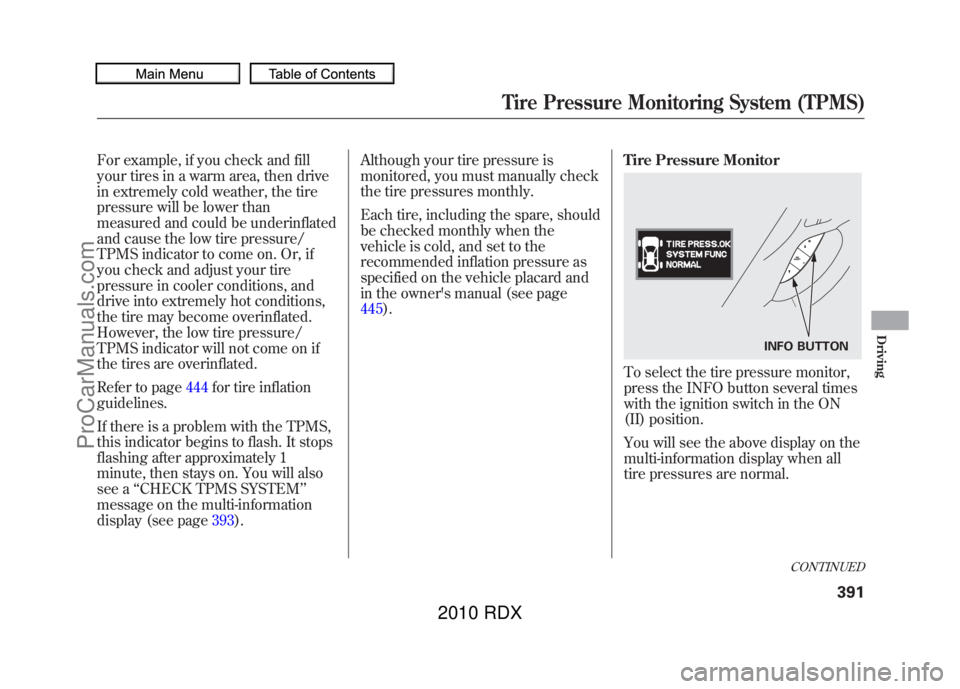
Tire Pressure Monitor
To select the tire pressure monitor,
press the INFO button several times
with the ignition switch in the ON
(II) position.
You will see the above display on the
multi-information display when all
tire pressures are normal.
INFO BUTTON
CONTINUED
Tire Pressure Monitoring System (TPMS)
391
Driving
09/07/07 15:02:04 10 ACURA RDX MMC North America Owner's M 50 31STK630 enu
ProCarManuals.com
2010 RDX
Page 396 of 514

To see the inflation pressures of all
four tires, press the SEL/RESET
button. The display changes as
shown above.
Each tire pressure is shown in PSI
(U.S. models) or in kPa (Canadian
models).
Each tire has its own pressure
sensor. If the air pressure of a tire
becomes significantly low, the sensor
in that tire immediately sends a
signal that causes the low tire
pressure/TPMS indicator in the
instrument panel to come on. If this
happens, you will see which tire is
losing pressure on the multi-
information display along with a
‘‘CHECK TIRE PRESSURE ’’
message.
When any of the tires have low
pressure, the tire pressure monitor
shows a ‘‘TIRE PRESS. ERROR
SYSTEM FUNC NORMAL ’’
message.
When you continue driving after
installing the spare tire, you will also
see this message on the multi-
information display.
U.S.
Canada SEL/RESET BUTTON
This shows that front left tire is
losing pressure.
Tire Pressure Monitoring System (TPMS)39209/07/07 15:02:04 10 ACURA RDX MMC North America Owner's M 50 31STK630 enu
ProCarManuals.com
2010 RDX
Page 397 of 514
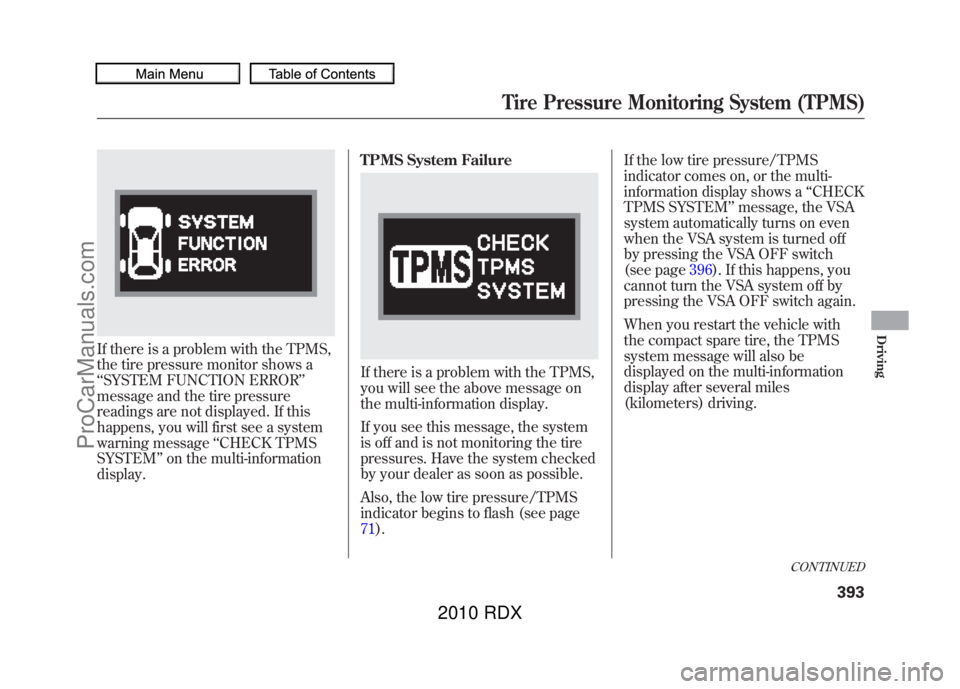
If there is a problem with the TPMS,
the tire pressure monitor shows a
‘‘SYSTEM FUNCTION ERROR’’
message and the tire pressure
readings are not displayed. If this
happens, you will first see a system
warning message ‘‘CHECK TPMS
SYSTEM ’’on the multi-information
display. TPMS System Failure
If there is a problem with the TPMS,
you will see the above message on
the multi-information display.
If you see this message, the system
is off and is not monitoring the tire
pressures. Have the system checked
by your dealer as soon as possible.
Also, the low tire pressure/TPMS
indicator begins to flash (see page
71).If the low tire pressure/TPMS
indicator comes on, or the multi-
information display shows a
‘‘CHECK
TPMS SYSTEM ’’message, the VSA
system automatically turns on even
when the VSA system is turned off
by pressing the VSA OFF switch
(see page 396). If this happens, you
cannot turn the VSA system off by
pressing the VSA OFF switch again.
When you restart the vehicle with
the compact spare tire, the TPMS
system message will also be
displayed on the multi-information
display after several miles
(kilometers) driving.
CONTINUED
Tire Pressure Monitoring System (TPMS)
393
Driving
09/07/07 15:02:04 10 ACURA RDX MMC North America Owner's M 50 31STK630 enu
ProCarManuals.com
2010 RDX
Page 398 of 514

Changing a Tire with TPMS
If you have a flat tire, the low tire
pressure/TPMS and tire monitor
indicators will come on. Replace the
indicated flat tire with the compact
spare tire (see page454).
After the flat tire is replaced with the
spare tire, the low tire pressure/
TPMS indicator stays on while
driving. After several miles
(kilometers) driving, this indicator
begins to flash, then stays on again.
You will also see a ‘‘CHECK TPMS
SYSTEM ’’message on the multi-
information display. This is normal;
the system cannot monitor the spare
tire pressure. Manually check the
spare tire pressure to be sure it is
correct. This indicator and the warning
message on the multi-information
display will go off, after several miles
(kilometers) driving, when the spare
tire is replaced with the specified
regular tire equipped with the tire
pressure monitor sensor.
Each wheel is equipped with a tire
pressure sensor mounted inside the
tire behind the valve stem. You must
use TPMS specific wheels. It is
recommended that you always have
your tires serviced by your dealer or
a qualified technician.
Never use a puncture-repairing agent
in a flat tire. If used, you will have to
replace the tire pressure sensor.
Have the flat tire repaired by your
dealer as soon as possible.
As required by the FCC:
This device complies with Part 15 of theFCC rules. Operation is subject to the
following two conditions: (1) This devicemay not cause harmful interference, and(2) this device must accept any
interference received, includinginterference that may cause undesiredoperation.
Changes or modifications not expresslyapproved by the party responsible for
compliance could void the user'sauthority to operate the equipment.
This device complies with IndustryCanada Standard RSS-210.
Operation is subject to the following twoconditions: (1) this device may not causeinterference, and (2) this device must
accept any interference that may causeundesired operation of the device.
Tire Pressure Monitoring System (TPMS)39409/07/07 15:02:04 10 ACURA RDX MMC North America Owner's M 50 31STK630 enu
ProCarManuals.com
2010 RDX