2009 VOLVO XC70 wheel
[x] Cancel search: wheelPage 114 of 286

03 Your driving environmentParking brake
03114
Electric parking brakeAn electric parking brake has the same func-
tion as a manual parking brake.
NOTE
•
A faint sound from the parking brake's
electric motor can be heard when the
parking brake is being applied. This
sound can also be heard during the
automatic function check of the parking
brake.
•
The brake pedal will move slightly when
the electric parking brake is applied or
released.
Low battery voltageIf the battery voltage is too low, the parking
brake cannot be applied or released. Connect
an auxiliary battery if the battery voltage is too
low, see page 105.
Applying the electric parking brake
G021354
Parking brake control1. Press firmly on the brake pedal.
2. Push the control.
3. Release the brake pedal and ensure that
the vehicle is at a standstill.
4. When the vehicle is parked, the gear selec-
tor must be in position P.
The
symbol in the instrument panel
flashes while the parking bake is being applied,
and glows steadily when the parking brake has
been fully applied.
NOTE
•
In an emergency the parking brake can
be applied when the vehicle is moving
by holding in the control. Braking will be
interrupted when the accelerator pedal
is depressed or the control is released.
•
An audible signal will sound during this
procedure if the vehicle is moving at
speeds above 6 mph (10 km/h).
Parking on a hill•
If the vehicle is pointing uphill, turn the front
wheels so that they point away from the
curb.
•
If the vehicle is pointing downhill, turn the
front wheels so that they point toward the
curb.
ProCarManuals.com
Page 116 of 286

03 Your driving environmentParking brake
03116
shop. If you drive off with this error message
showing, a warning signal sounds.Parking brake not applied
– A fault is pre-
venting the parking brake from being applied.
Try to apply and release. Contact a Volvo work-
shop if the message remains.
Parking brake Service required
– A fault has
arisen. Contact a Volvo workshop if the fault
remains.
WARNING
If the vehicle must be parked before the fault
has been corrected, always put the gear
selector in P and turn the wheels so that
they point away from the curb if the vehicle
is pointing uphill or toward the curb if it is
pointing downhill.
ProCarManuals.com
Page 120 of 286

04 Comfort and driving pleasureMenus and messages
04120
Center consoleCertain functions are controlled from the cen-
ter console via the menu system or from the
optional keypad in the steering wheel. Each
function is described under its respective sec-
tion.
The current menu level is shown at the top right
of display in the center console.Center console controls
G018378
Center console with information display and con-
trols for menus
Navigation button – scrolls and selects
among menu optionsENTER – selects menu options
MENU – accesses the menu systemEXIT – leads back one step in the menu
structure. A long press exits the menu sys-
tem.
Steering wheel keypad
G018379
ENTEREXITNavigation buttons.
If the steering wheel keypad has ENTER and
EXIT, the buttons
to
have the same
function as those in the center console.
Search pathsAccess to some functions is provided directly
via the function buttons and others are access
through the menu system.Search paths to the menu system functions are
listed as follows: Car settings
Lock
settings, if the following steps have been taken
first:
1.
PressMENU.
2.
Scroll to
Menu
and press ENTER.
3.
Scroll to
Submenu
and press ENTER.
The navigation button can be used instead of
ENTER and EXIT when navigating the menu
hierarchy. The right arrow is equal to ENTER
and the left arrow to EXIT.
The menu options are numbered and can also
be selected directly with the numerical keypad
(1 – 9 only).
Menu overview
NOTE
Menu selections will not be available (will be
"grayed out") when the vehicle is moving.Car key memory
Seat & mirror positions
Car settings
Fold mirr. when locking (option on cer-
tain markets only)
Collision warning settings (option)
ProCarManuals.com
Page 121 of 286

04 Comfort and driving pleasure
Menus and messages
04``121
Light settings
Lock settings
Reduced guard
1
Parking camera settings (accessory)
Steering force level (option)
Information
Climate settings
Automatic blower adjust
Recirculation timer
Auto. rear defroster
Reset climate settings
Main menu AMAudio settings
2
Sound stage
Equalizer, front
Equalizer, rear
Auto. volume control
Resets all audio settings.
Main menu FMFM settings
Radio text
Advanced radio settings
Audio settingsMain menu CDRandom
Off
Folder
Disc
Single disc
All discs
CD settings
Disc text (option)
Audio settingsMain menu AUXVolume, AUX input
Audio settings
Main instrument panel
G022908
Information display and menu controls
READ – access to the list of messages and
message confirmation.Thumbwheel – browse among menus and
options in the list of functions.RESET – reset the active function. Used in
certain cases to select/activate a function,
see the explanation under each respective
function.
The menus shown on the information displays
in the instrument panel are controlled with the
left lever. The menus shown depend on ignition
mode. Press READ to erase a message and
return to the menus.
1Certain models2The menu option for audio settings is available in all audio sources.
ProCarManuals.com
Page 131 of 286

04 Comfort and driving pleasure
Audio system
04``131 Introduction
The audio system is available in two versions:
High Performance och Premium Sound. The
system version is shown in the display when
the audio system is switched on.
If the audio system is on when the ignition is
switched off, it will come on automatically the
next time the ignition is put in mode I or higher.
The audio system can be operated without a
key in the ignition slot for 15 minutes at a time
by pressing the POWER button (the driver's
door must be closed on vehicles with the
optional keyless drive).
Some functions are controlled from the menu
system in the center console. For more infor-
mation on menus, see page 120.
Dolby Surround Pro Logic II and the sym-
bol are trademarks of Dolby Laboratories
Licensing Corporation. The Dolby Surround
Pro Logic II System is manufactured under
license from Dolby Laboratories Licensing Cor-
poration.
Overview
G021398
Socket for external audio source (AUX,
USB, iPod) - optionSteering wheel keypadCenter console control panelControl panel with headphones socket
(option)
Steering wheel keypad
G021399
Confirm selection in menu system and
controls for a bluetooth-connected cell
phone (see page 143).Go higher in the menu system. Interrupt
current function.VolumeA short press scrolls between CD tracks or
preset radio stations. A long press
searches within CD tracks or searches for
radio stations automatically.
ProCarManuals.com
Page 132 of 286
04 Comfort and driving pleasureAudio system
04132
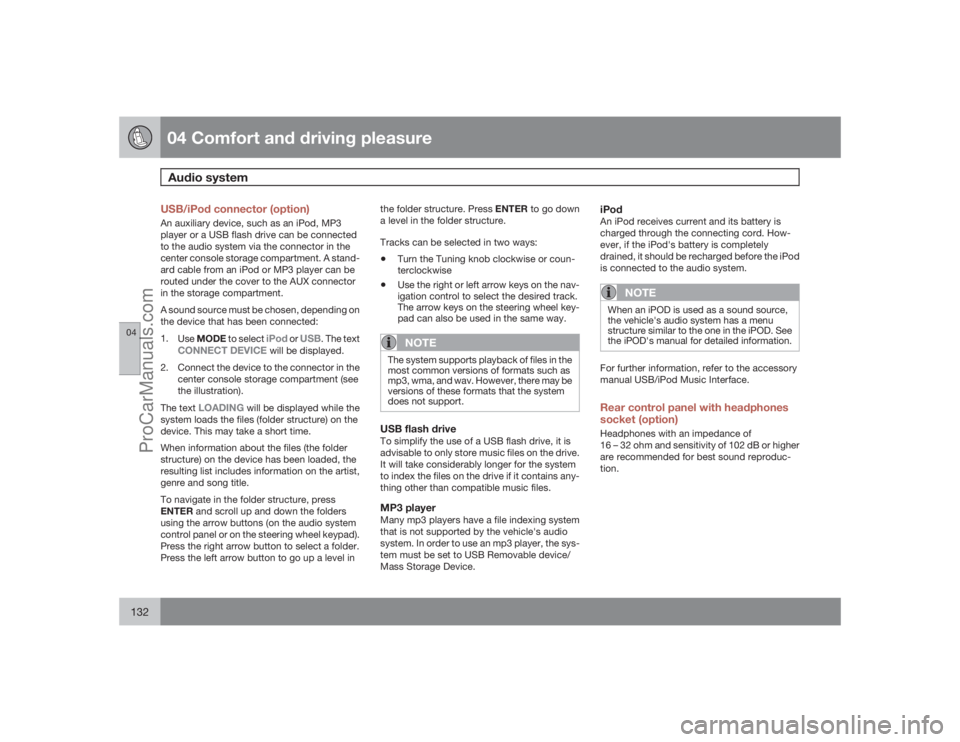
USB/iPod connector (option)An auxiliary device, such as an iPod, MP3
player or a USB flash drive can be connected
to the audio system via the connector in the
center console storage compartment. A stand-
ard cable from an iPod or MP3 player can be
routed under the cover to the AUX connector
in the storage compartment.
A sound source must be chosen, depending on
the device that has been connected:
1.
UseMODE to select
iPod
or
USB
. The text
CONNECT DEVICE
will be displayed.
2. Connect the device to the connector in the
center console storage compartment (see
the illustration).
The text
LOADING
will be displayed while the
system loads the files (folder structure) on the
device. This may take a short time.
When information about the files (the folder
structure) on the device has been loaded, the
resulting list includes information on the artist,
genre and song title.
To navigate in the folder structure, press
ENTER and scroll up and down the folders
using the arrow buttons (on the audio system
control panel or on the steering wheel keypad).
Press the right arrow button to select a folder.
Press the left arrow button to go up a level inthe folder structure. Press ENTER to go down
a level in the folder structure.
Tracks can be selected in two ways:
•
Turn the Tuning knob clockwise or coun-
terclockwise
•
Use the right or left arrow keys on the nav-
igation control to select the desired track.
The arrow keys on the steering wheel key-
pad can also be used in the same way.NOTE
The system supports playback of files in the
most common versions of formats such as
mp3, wma, and wav. However, there may be
versions of these formats that the system
does not support.USB flash driveTo simplify the use of a USB flash drive, it is
advisable to only store music files on the drive.
It will take considerably longer for the system
to index the files on the drive if it contains any-
thing other than compatible music files.MP3 playerMany mp3 players have a file indexing system
that is not supported by the vehicle's audio
system. In order to use an mp3 player, the sys-
tem must be set to USB Removable device/
Mass Storage Device.
iPodAn iPod receives current and its battery is
charged through the connecting cord. How-
ever, if the iPod's battery is completely
drained, it should be recharged before the iPod
is connected to the audio system.
NOTE
When an iPOD is used as a sound source,
the vehicle's audio system has a menu
structure similar to the one in the iPOD. See
the iPOD's manual for detailed information.For further information, refer to the accessory
manual USB/iPod Music Interface.Rear control panel with headphones
socket (option)Headphones with an impedance of
16 – 32 ohm and sensitivity of 102 dB or higher
are recommended for best sound reproduc-
tion.
ProCarManuals.com
Page 136 of 286

04 Comfort and driving pleasureAudio system
04136
Playing a CD (CD player
4)
If a music CD is in the player when CD is
pressed, it will be played automatically. Other-
wise, insert a disc and press CD.Playing a CD (CD changer)If a CD position with a music CD is already
selected when CD is pressed, it will be played
automatically. Otherwise select a disc with the
number buttons 1 – 6 or
/
on the naviga-
tion button.
Insert a CD (CD changer)1. Select an empty position with the number
buttons1 – 6 or
/
on the navigation
button.
> An empty position is marked on the dis-
play. The text
Insert disc
shows that a
new disc can be inserted. The CD
changer can hold up to six CDs.
2. Insert a CD in the CD changer slot.
Disc ejectFor reasons of traffic safety, an ejected CD
must be removed within 12 seconds or it will
be automatically drawn back into the slot and
the CD player will enter pause mode. Press the
CD button to restart the disc.Eject individual discs by pressing the eject but-
ton.
Eject all discs with a long press on the eject
button. The entire magazine is emptied disc by
disc.
NOTE
The Eject all function can only be used while
the vehicle is at a standstill and will be can-
celled if the vehicle begins to move.PauseWhen the audio system volume is turned off
completely, the CD player will pause and will
resume playing when the volume is turned up
again.Sound filesIn addition to playing normal music CDs, the
CD player/changer can also play discs con-
taining files in mp3 or wma format.
NOTE
Some copy protected sound files may not
be read by the player.When a CD containing sound files is inserted
into the player the disc's directory structure isscanned before the CD begins playing. The
length of time that this takes depends on the
quality of the disc.
Navigating the disc and playing tracksIf a disc containing sound files is inside the CD
player, press ENTER to display the disc's
directory structure. The directory structure is
navigated in the same way as the audio sys-
tem's menu structure. Sound files have the
symbol and directories have the
symbol. Press ENTER to play a selected folder
or a file.
When the music file has been played, the
player will continue to play the rest of the files
in the current folder. When all of the files in the
folder have been played, the player will auto-
matically go to the next folder and play the files
in it.Fast-forward/change CD tracks and
sound filesShort presses
/
on the navigation button
are used to scroll between CD tracks/sound
files. Long presses are used to search within
CD tracks/sound files. TUNING (or the steering
wheel keypad) can also be used for this pur-
pose.
4Certain markets only.
ProCarManuals.com
Page 143 of 286

04 Comfort and driving pleasure
Bluetooth hands-free connection
04``143 Introduction
G021443
System overview
Cell phoneLocation of the microphoneSteering wheel keypadCenter console control panel and display
BluetoothŸ hands-freeThis option makes it possible to set up a wire-
less connection between a Bluetooth-enabled
cell phone and the vehicle’s audio system. This
enables the audio system to function as a
hands-free connection and allows you to
remote-control a number of the phone’s func-
tions. The microphone used by this system is
located in the ceiling console (2). The buttons
and other controls on the cell phone canalways be used regardless of whether or not
the phone is connected to the hands-free sys-
tem.
NOTE
Not all cell phones are fully compatible with
the hands-free system. A list of compatible
phones is available at your Volvo retailer or
at www.volvocars.us
WARNING
Never use the hands-free feature or any
other device in your vehicle in a way that
distracts you from the task of driving safely.
Distraction can lead to a serious accident.
Bluetooth functions in the center
console control panel
G021444
VOLUME – This function is also available
on the steering wheel keypad.Keys containing letters and numbers for
dialing numbers, adding phone book
entries, etc.PHONE – Press to activate/deactivate the
BluetoothŸ functionNavigation buttonsEXIT – Press to end or defer calls, erase
characters that have been entered, end an
ongoing function. This function is also
available on the steering wheel keypad.ENTER – Answer a call. Press once to dis-
play the most recently dialed number. This
ProCarManuals.com