2009 VOLKSWAGEN JETTA safe display
[x] Cancel search: safe displayPage 10 of 477

Generator
Warn ing light 3.1: 24
G love compartm ent
Front pa ssenger s ide 3.1: 69
G love compartment light 3.1: 50
G low plug system
W arning light 3. l: 23
Gu ide fi xture s for lower anchorages 2.1: 68
H
H at sh el f3 .l : 79
H aza rd ligh ts 3.1: 48
H ea d re straint s
Adj ust ing 3.1: 58, 59
Correc t ad justm ent 2.1: 7
R emo ving 3.1: 59
H ea dligh t fla sh er 3. 1: 4 9
H ea dligh ts 3.1: 46
Fog light s 3.1: 46
Switching 3.1: 46
Wa sh er syste m 3.1: 55
H eat ed front seats 3. 1: 65
H ea ting 3.I: 80
H eavy clothi ng and safety belt s 2.1:
17
High b eam 3.l: 49
Warning light 3.1 : 29
High b eam leve r 3. 1: 49
Hom eLink Univer sal Tran smitter 3.1: 44
Horn 3.1 : 3
How could I dama ge the catal ytic conve rter?
3 .2:
10
Ho w do I know how much oil my engin e is
co nsumin g? 3.2: 38
How do I unlo ck th e engine hood? 3.2: 36
I-lo w does moisture or road salt affect th e
brak es'? 3.2: 8
Ho w man y airbags does my veh icl e h ave? 2.1:
34 ,44,4 9
H ow often shou ld
I c h eck my tire pr essures ?
3.2: 57
How often should I r epl ace my eng ine bat
ter y? 3. 2: 50
How often should I wax my ca r? 3.2: 19
I-l ow often sho uld the brake fluid b e
c han ged? 3. 2: 48
How to in stall the upper t eth er strap
to th e
anchorage 2.l: 66
Booklet 0.1 General Inde x
Hubcaps 3.2: 69
H ydrop laning 3.2: 60
Ignition key 3.1: 93
I gnit ion switch 3.1: 93
I mmobili zer 3.1 : 23
Warning message 3.1:
11
Imp ortance of sitting prop erl y 2.1 : 27
Imp ortance of wearing safe ty bel ts 2.1: 27
Important information for vehicles with Die-
se l e ngine when adding or changing en
gine oil 3.2: 49
Import ant information
kn ow befo re di s-
co nn ect the b att ery 3.2: 49
I mport ant thing s to do b efore dri ving 2.1: 3
Improper seating po sitions 2.1: 8
Improp erl y worn safety belt s 2.1: 25
Indicator light
A ir bag syste m 2.1: 39
Indicator light s
Airbag syste m 2.1: 49
Mi rror 3.1: 55
OFF 2.1:
Indi re ct ventilat ion 3.1: 86
Indi vidual unlockin g 3.1: 17 , 34
I nfant seats 2 .1: 56
Information t exts in the display 3.1:
11
Insid e m irr or
Indicator light 3.1: 55
In stallin g
C hi ld re straint with a safety belt 2.1: 60
CRS using th e LATCH system 2.1: 69
In strum ent clu ster 3.1 : 5
In strum ent cluster illumination 3.1 : 3 , 48
Instrument panel 3.1: 2, 71
Cleaning 3.2: 23
In strum ent s 3.
I: 5
Interior lights
Fro nt 3.1: 50
Int ermittent w ipe 3.1: 53
J
Ja ck 3.2: 72
Jump s ta rtin g 3.2: 84
J ump er cables 3.2: 84
Alphabetical index 7
Page 204 of 477
Booklet 3.1 Controls and Equipm ent ®
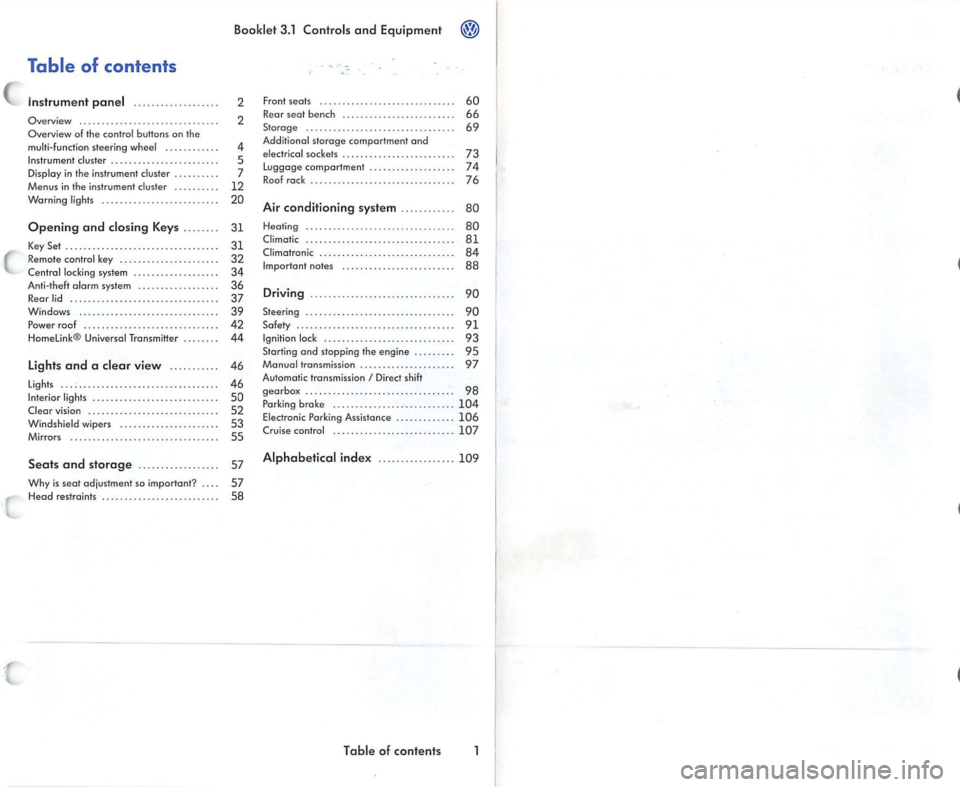
Table of contents
Instrument panel ........... .. .. ... .
Overview .............................. .
Overview of the contro l butto ns on the
mu lti- function steering w heel ..... .... . . .
Instrument cluster ...... ............. ... . .
Display in the in strument cluster ......... .
Menus in the instrument cluster ..... •.. ..
Warning lights .... ....... ........ ..... . .
2
2
4
5
7
12
20
Op ening and closing Keys . . . . . . . .
31
K ey Set . . . . . . . . . . . . . . . . . . . . . . . . . . . . . . . . . . 31
Remo te cont rol key . . . . . . . . . . . . • . . . . . . • . . 32 C ent ral locking system . . . . . . . . . . . . . . . . . . . 34
Anti-the ft o lorm system . . . . . . . . . . . . . . . • . . 36
Rear lid . . . . . . . . . . . . . . . . . . • . . . . . . . . . . . . . . 37
Windows .... .. . . .. .... ... . .... . .. .. .. . .
39 Po wer roof . . . . . . . . . . . . . . . . . . . . . . . . . . . • . . 42
H ome link® Universal Transm itter . . . . . . . . 44
Lights and a clear view . . . . . . . . . . . 46
Lights . . . . . . . . . . . . . . . . . . . . . . . . . . . . . . . . . . . 46
Interior lights . . . . . . . . . . . . . . . . . . . . . . . . . . . . 50
Clear vision . . . . . . . . . . . . . . . . . . . . . . . . . . . . . 52
Windshie ld wi pers . . . . . • . . . . . . . . . . . . . . . . 53
Mirrors . . . . . . . . . . . . . . . . • . . . . . . . . . . . . . . . . 55
Seat s and storag e . . . . . . . . . . . . . . . . . . 57
Why is seat adjust ment so im portant ? . . . . 57
H ead restraints . . . . . . . . . . . . . . . . . . . . . . . . . . 58 Front seats .
..... .... ... •..... .• .... .....
Rear seat bench . ... ...... ....... •.. .... .
Sto rage ......... ................... .... .
Additiona l storage comportmen t ond
elec trica l sockets .... ... .... .... ... ...... .
Luggage comportment ........... ....... .
R oo f rock . .......... ......•.... .. •.......
Air conditioning system ...... ... .. . 60
66
69
73
74
76
80
Heal
ing . . . . . . . . . . . . . . . . . . . . . . . . . . .. . . . . . 80
Cl imatic . . . . . . . . . . . . . . . . . . . . . . . . . . . • . . . . . 8 1 Climotronic . . . . . . . . . . . . . . . . . . . . . . . . . . . . . . 84
Im portan t no tes . . . . . . . . . . . . . . . . . . . . . . . . . 88
Driving ................... ............. 90
Steering . . . . . . . . . . . . . . . . . . . . . . . . . . . . . . . . . 90
Safety . . . . . . . . . . . . . . . . . . . . . . . . . . . . . . . . . . . 91
Igniti on lock . . . . . . . . . . . . . . . . . . . . . . . . . . . . . 93
Starting ond stopping the engine . . . . . . . . . 95
Monuol transmission . . . . . . . . . . . . . . . . . . . . . 97
Automatic transmissio n
I Direct sh ift
gea rbox . . . . . . . . . . . . . . . . . . . . . . . . . . . . . . . . . 98
P arking brok e . ...... .... .... .. .. .. . .. ...
104 Electronic Parking Assistance . ........ •.. . 10 6
Crui se co ntrol ......... ........ .... ...... 107
Alphabetical inde x .... ...... .... ... 10 9
T ab le of contents
Page 225 of 477
Booklet 3.1 Controls and Equipment
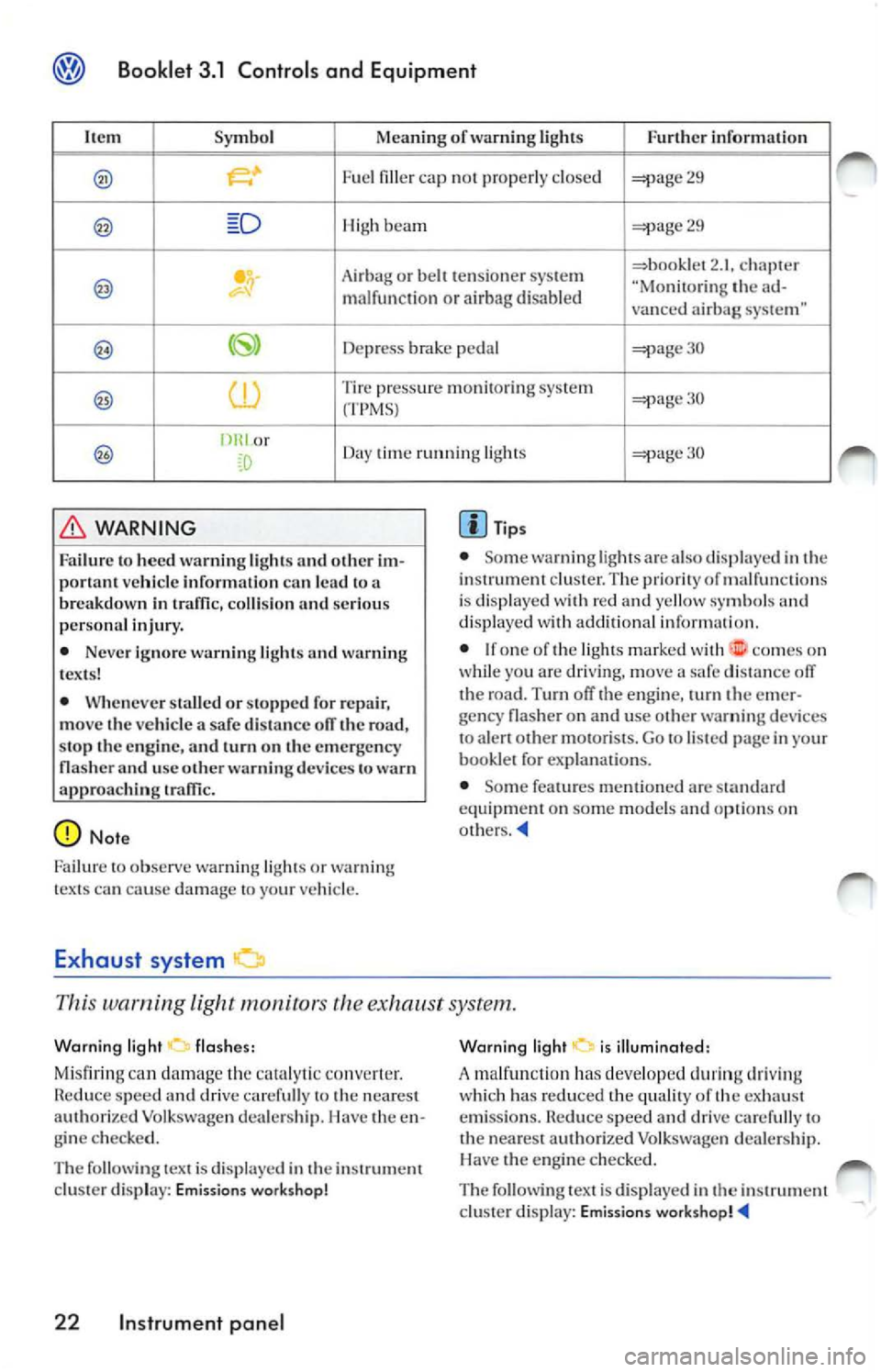
It em Symbol Meaning of warning Lights Fur ther informa tion
. Fue l fi lle r ca p not prop erl y clo sed 29
Hi gh beam 29
Ai rba g or b elt t en sio ner sys te m 2. 1. ch apt er "Mo nitorin g the m alfun cti on o r airb ag disabl ed
vanced airbag system"
Depress pedal 30
Tire press ure m onitorin g syste m 30
(TPMSJ
or
Day time running lights
WARNING
Failur e to heed warn ing l ig ht s and o ther im
por tan t ve hicle informatio n can lead to a
b rea kdow n in
coll is io n an d se rio us
p erso nal injur y.
• Neve r ign ore w arn ing lig ht s and warn ing
t ex ts !
• Whe neve r sta ll ed o r sto pp ed for re pa ir,
move the vehicle a safe dis ta nce ofT the road ,
s top the en gine, and turn on th e emergency
na sher and u se other warn ing device s to
approac hin g
Tip s
• Some warn ing lig hts ar e also displ aye d in th e
instru ment cluster. The pri orit y of malfun ctio ns
i s di spl ayed w ith red and yellow sy mbo ls and
d isp laye d with addition al in for mat ion.
• I f o n e o f th e ligh ts mark ed wit h
comes o n
wh ile yo u are driving , mo ve a safe dista n ce off
th e road. Turn off the en gine , turn the e mer
ge ncy flas her o n and use o ther
devices
t o alert ot her motorists. Go to listed page in yo ur
book let fo r ex planations.
• Some fea tures menti oned are
eq uipment on some models options on
This warning light exh aust system.
W arnin g lig ht
flashe s:
Mi sfiring
damage th e co nverter .
Red uce sp ee d and drive caref ull y to the neares t
au thorized Vo lkswage n dea le rs hip . I lave the e n
g in e c hecke d.
T he follow in g tex t is di spla yed in th e ins trument
clu ster disp lay: Emissions workshop !
22 Instrument pan el
Wa rnin g li g ht i s illumin ated:
A malfun cti on ha s deve loped d urin g driving
w hi ch ha s red uced the qualit y of th e ex haust
e mi ssio n s.
spe ed an d dri ve c arefull y to
th e nearest a uthorized Vo lk swage n deale rs h ip.
H ave the engi ne checke d.
The fo llow ing tex t is displayed i n the instrum ent
cl uste r display: Emissio ns
Page 306 of 477
Booklet 3.1 Controls and Equipment
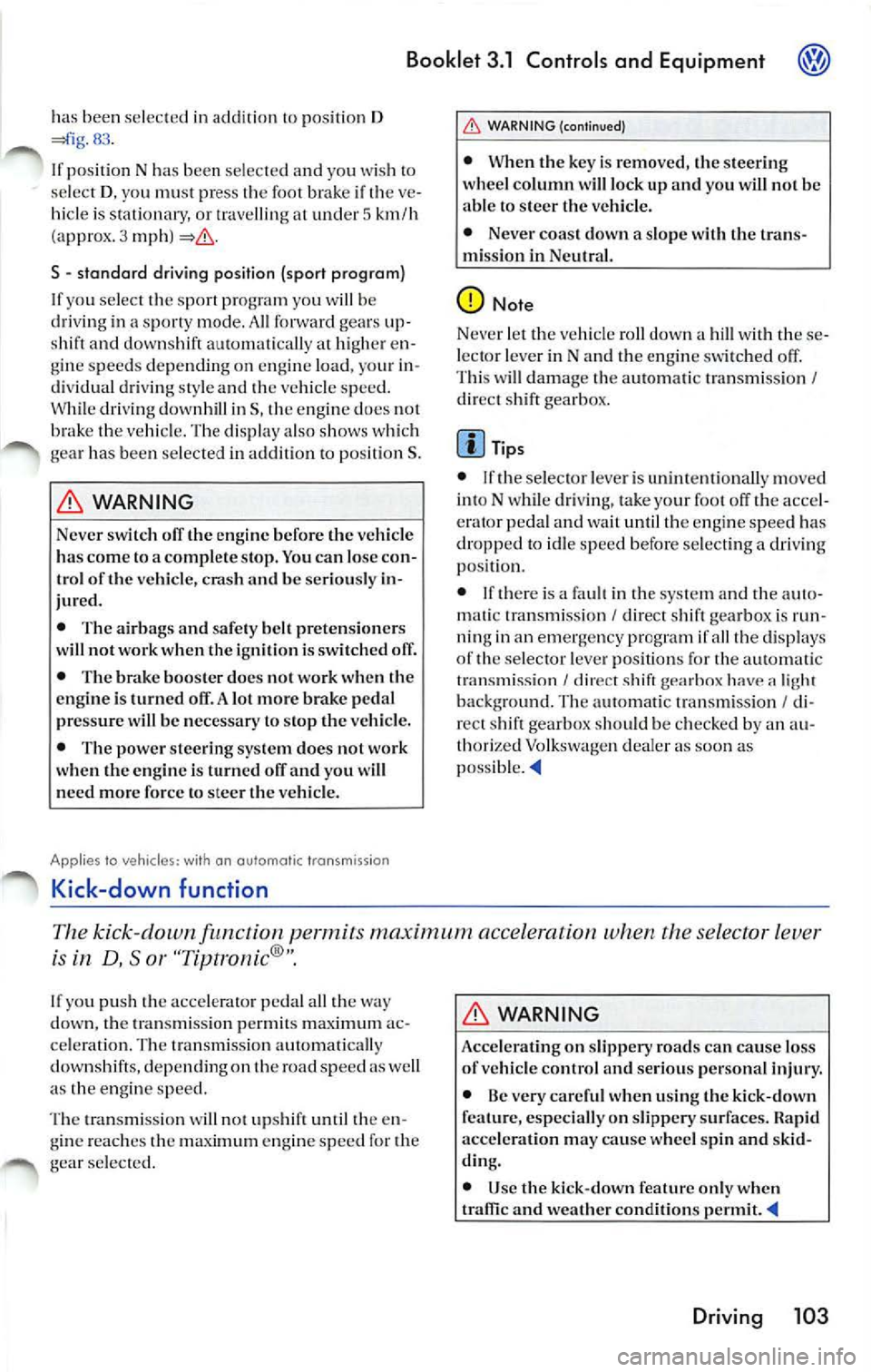
has bee n se lec te d in ad dition to po siti on D 83 .
If po sit io n N h as been selec te d and you wi sh to
se le ct D , yo u mu st pre ss the foot brake if th e ve
hi cle is stat io nary, or travellin g at under 5 km/h
( approx. 3 mph )
S - standard dri ving posit ion {sport program)
If y ou s ele ct t he sport pro gra m yo u will be
dri ving in a sport y mode . A ll forward gear s
shift and down shift automat ically at high er en
g in e s pee ds dep ending on en gin e load , you r in
di vid ual d rivin g sty le and th e ve hicle sp ee d.
W hile dr iv ing downh ill in S, the engin e docs not
the veh icle. Th e displa y al so sh ow s wh ic h
ge ar ha s be en se lec te d in addit io n t o po siti on S .
WARNING
Neve r switch off the engine before the ve hicle
ha s come lo a complete stop. You can lose co n
trol of the vehicl e, crash and be ser iously in
jured.
• The airb ags a nd safe ty bell pretensioners
w ill n ot work when the igniti on i s swi tched off.
• The br ake boo ster do es no t work when the
eng ine i s turn ed off. A lot mor e brak e pedal
pressure will be necessary to stop th e vehicle.
• The power steer ing system does not work
w hen the engine is turn ed off and you will
n eed more force to steer th e ve hicl e.
Applies to vehicles: with on a utoma tic trans missio n
Kick-down function
WARNI NG (continued)
• When the key is removed, th e steer ing
w hee l co lumn will lo ck up and you will not be
able to stee r th e ve hicle.
• Never coast down a slop e w ith th e trans
mi ssio n in Ne utral.
Tips
• If th e selec to r lev er i s un inte nti onal ly mo ved
int o N wh ile dri ving , take your fo ot off t he acc el
era to r p eda l a n d wa it until th e engi ne spee d has
dropp ed to idl e sp ee d before sele c tin g a dri vin g
po sition .
• If th ere is
fa ult in th e sys te m and th e auto
mati c tra nsmi ssion I dir ect shift gearbox is run
n in g in an emergen cy program if all the displays
of the s elector leve r position s for the au tomat ic
tr ansmi ss ion
I di rec t s hi ft g ea rb ox have light
ba ckg ro un d. The a utoma tic tran smi ssio n I di
r ec t shift gearbo x shou ld be c hec ked b y an au
thori zed Vo lkswage n dea ler as soon as
po ssibl e._.
Th e kick -down permits maximum a ccele ration the se lector lev er
is
D, So r
down, th e tran smi ssion p ermi ts a c
c e le ratio n. The tran smi ssio n aut om atica lly
down shift s, de pending on the road spe ed as we ll
a s th e eng ine sp ee d.
Th e tra nsmi ssion
not up sh ift until the en
g in e reac hes the engin e s pee d for th e
g ear sele ct ed .
WARNING
Accelerating on slippe ry road s can cause lo ss
of ve hicle control and serious per sonal injury.
• Be very careful when u sin g th e kick -do wn
especi all y o n sli ppery sur faces. Rapid
accelera tion may ca use w hee l spin and sk id
d in g.
• Use the kick-down fea tur e o nly w hen
and weather conditions permit
Driving 103
Page 371 of 477
Booklet 3.2 Tips and Advice
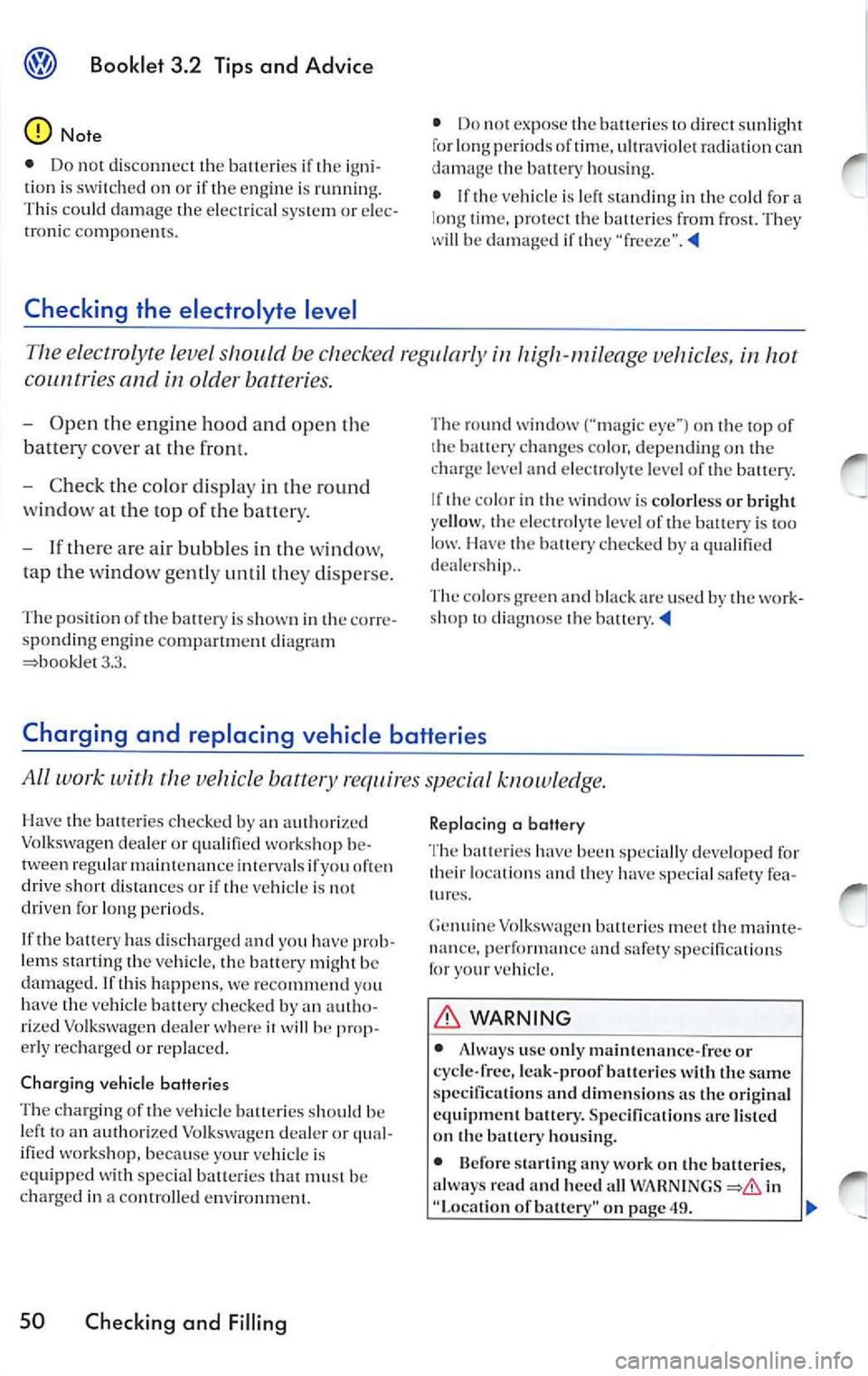
The electrolyte level be checked reg ularly in high-mileage vehicles, in hot
cou ntri es and in older batteries.
- Open the engine hood and open the
batt ery cover at the front.
- C heck th e co lor display in the round
w ind ow at the top of the battery.
- If there are air bubb les in the window,
tap the w indow gent ly un til they disp erse .
Th e positio n of th e battery is sh ow n in th e corre
spo ndin g engine compart ment diagram
3.3. Th
e ro und window ("magic eye '') on th e to p of
t h e batt ery chang es color, d epending on the
c harg e le vel and ele ctrolyt e le vel of the ba ttery.
I f th e c olor in the w indow i s co lor less or bri gh t
ye llow . the elec trol yte le vel of the battery is to o
I la ve the ba tte1y ch ec ked by a q ualifi ed
d eal ers hip ..
The col ors g ree n and b la ck ar c use d b y the work
s h op t o diagno se the battery.
Charging and replacing vehicle batteries
All work with the vehicle battery req uir es specia l know ledge.
Have th e batteries checked by auth orized
Vo lkswagen deale r o r qua lified workshop be
t ween regular ma inten an ce i nt erva ls if you of te n
driv e short distance s or i f th e vehicle is not
driven for lo ng peri ods.
I f the bat te ry has discharged and you have prob
l ems starting th e ve hicle, the battery might be
damaged . If thi s happens, we re comme nd you
h ave the ve hicle batte ry c hecked by an autho
ri ze d Vol kswag en dealer
it w ill he erly recha rged o r re pla ced.
C har ging vehicle batteries
T he c har ging of the vehicl e batt eri es s hould be
l ef t to an aut horized Vo lkswage n deale r o r qual
ifi ed workshop, b ecau se your ve hicle is
equipp ed w ith specia l batteri es th at mu st b e
charg ed in a contro lled e nvironm ent.
50 Checking and Filling
Rep lacing a battery
T he batt eries have been specia lly deve lo ped for
th eir lo cat io ns and they have specia l sa fe ty fea
Genui ne Volkswage n batte ries me et th e m aint e
nan ce, and safety sp ecificat io ns
fo r you r ve hicl e.
WARNING
• u se on ly maint en an ce -fr ee or
cycle -free, leak-proof batteries with the same
s pecification s and dimen sions as the ori ginal
e quipm ent batt ery. S pecifi cation s are liste d
on the batt ery hous ing.
• Before sta rtin g
work on th e batteries,
a lways rea d and heed a ll in
"Loca tion of battery" on page 49.
Page 440 of 477

Booklet 3.4 P remi um Sound System
.0, WARNING (conti nued )
• Us e the Sound System only if road , traffic
an d weath er cond itions permit and you will
not be distracted from your driving.
Important information
Operating the Sound System while driving
D rivi ng on today 's road s demands th e full atten
ti o n of the driver.
The w ide range of sophisti cate d eq uipm ent de
tail s of modern car radio s offer not onl y a vas t
so urce of entertainmen t, but also import ant in
form ation reg arding t raffic updates, road condi
t ions, wea ther repo rts. etc.
Bu t re mem ber, you should onl y operate the
ra di o system wit h its num erous fe atures when
th e traffic situ atio n rea lly
in "Con
tro ls" on page 2.
For examp le, c hangin g CDs o r re ading song t i
tl es on a CD case or in th e rad io display when
drivi ng is o ften the ca use of aut o acc idents .
You s hould also set th e vo lume of your radio
sys tem so that yo u ca n h ear s ig n als from other
dr iv ers at a ny tim e.
Convenience radio coding For tec hn ical reason s. the conve nience radio
c oding is not ava ila bl e for all vehicle models.
In the past, it used to be tha t yo u had to manu
a lly recode t he radio wheneve r th e uni t was re
m oved from the ve hicle (for example, if th e unit
was removed to be repaired). or whenever the
veh icle battery was disco nnected (for examp le,
if yo u brou ght yo ur v ehicl e in to t he deale rship
for service a nd it was necessary to dis con nect
t he bauery). In eith er case , the power sup ply to
th e unit was cut off.
T hat has all ch anged w ith the new conven ie n ce
radio cod ing f un cti on: Once t he co de number
ha s bee n ent ered. it
will th en sy nchro nize itse lf
w ith "its" vehicl e!
.0, WARNING (co ntinu ed)
• Always set volume leve ls so that you can
clearly hear horns , si rens and oth er warning
sounds outside the vehicle .
If the power supp ly has been interrupted , the
radio will automa tically c hec k to see if it i s s till in
vehicle after the ignition has been switched
on . If this hap pen, th e radio will be ready for use
af ter just a few seconds.
It is th erefo re no longer necessary to d isengage
th e e lect ronic lock manuall y!
If t11e rad io ha s been in s ra ile d in anot her ve hicl e,
how ever, the electronic lock ha ve to be dis
engaged manually.
If
SAFE ap pea rs i n the disp lay a fter switchin g the
rad io on , it can then only be operated aga in afte r
entering tJ1e co rrect code
=> pa ge 34.
External CD changer1l
You also have the option of installin g a Ge nuine
Vo lkswagen CD Changer. Ask your authoriz ed
Vo lkswagen dealer about thi s optio n.
The CD change r is in stalle d in the front armres t
co mp artment. It is "re mote controlled" by th e
radio unit.
It allow s you ro load up to 6 CDs. See => page 32 for furt her information.
Vo lkswage n dea ler s have a ll the informa tion
conce rning in stallin g th e CD c hange r.
Tip s
• Please note tha t it em s marked with an as
t e ri sk(*) may be standard on ce rtain m odels , op
tional on otJ1 ers or no t ava ilabl e on yo ur model.
Always ch eck with your authorized Volkswage n
deale r to see if the feat ure or item ap plies to your
mod el.
• The radio code numb er and the radio seria l
numb er ca n be found on th e "Radio Card" at the
beg inning of the
Lit erature . ._
I) Availa ble as a fa cto ry install ed opt ion, or your author ized Volkswagen dealer can install the oplional C D
c h anger for you. A lways chec k with yo ur a utho rize d Vol kswage n deale r if th is op tio n i s ava ilab le fo r yo ur
model.
Quick overview 5
Page 442 of 477
Booklet 3.4 Premium Sound System
Radio I CD
Radio
ON /OFF Button
88.3 89.1 94.1
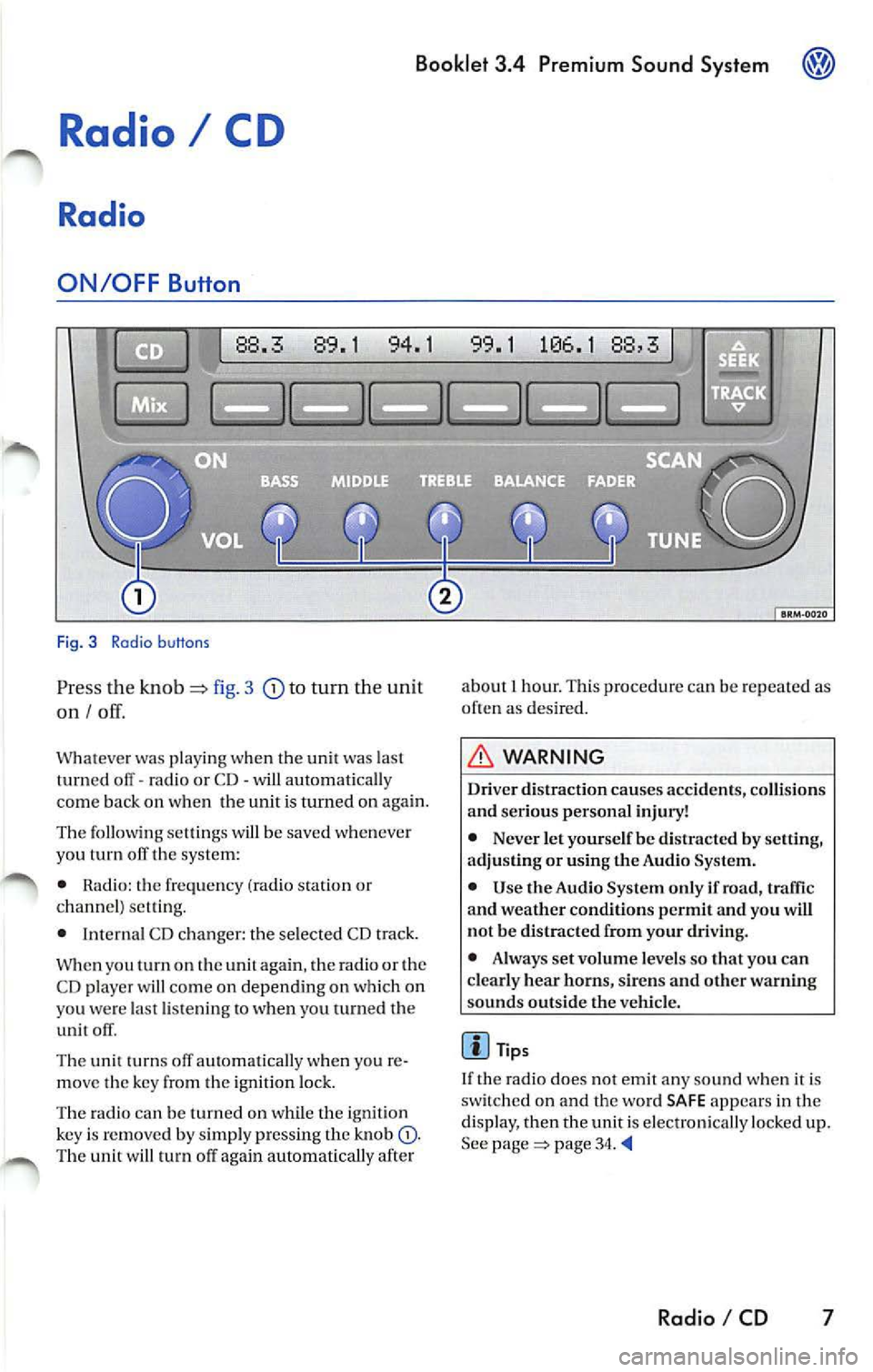
Fig. 3 Radio b uttons
Pr ess the knob fig. 3 to turn the unit
on I
Whatever was playing when the uni! was las!
turned off -radio or CD -will automaticall y
come back on when the unit is turned on again.
The foll owing se lling s will b e saved whenever
yo u tu m off the system:
• Rad io: the frequen cy (ra dio s tat ion or
c h an nel) se ttin g.
• Interna l CD c han ger : the se lected CD track.
W hen you
on the again , th e ra di o or the
CD player w ill co me on depend ing on which on
yo u wer e la st li ste nin g
when you turn ed the
unit off .
The uni! turn s off au!Omati ca lly w hen you re
m ove the key fro m the ign ition lock.
The radio can be turn ed on wh ile th e ignition
key is rem oved b y simpl y pressing the kn ob
88,3
about 1 hour. This procedure can be re p eate d as
o ften as des ired .
WARNING
Dri ver distraction causes accid ents, collision s
and ser ious personal injury!
• Never let yourse lf be distr acted by setting,
a djusting or using the Audio System.
• Use the Audio System only if road, traffic
and weather conditions p ermit and you will
not b e distracted from your driving .
• Alwa ys set vo lum e le vel s so that you can
clearly hear horns, sir ens and other warning
s ounds outside the vehicl e.
Tips
If th e radio does not emit any so un d w hen it is
sw itched on and the word SAFE appears in the
display, then the unit i s electronica lly lock ed u p.
See
page 34.
Radio I CD 7
Page 468 of 477
Booklet 3.4 Premium Sound System ®
Tips
• Whe n
external CD changer is selected
EXT will appear in the radio display.
• The LED s above the slot buttons I to 6 will
stay on
to indi cate that there is a CD inside the
s lo t.
• It is po ssible to reproduce Howeve r the reproduction depends on th e terial quality of the CD .
• Always inser t the CD with the prin ted s ide
fac ing up . •
Make sure the CDs are prop erly install ed in
the CD changer. Also, make su re the CDs are
moved from the slot before you close the rest, otherwise you cou ld damage th e CDs.
• Only use standard
12 cm (4.72 inch) CDs. T he
s h ap ed CDs or 8 cm (3.15 in ch) CDs can not be
played.
• If no CD slot is se lected after pressing the
LOAD button, the radio unit will automatically
select the next empty tray .
• I f the ejected CD is not removed from the slot
in t he next
15 secon ds, it will be pulled back tomat ically into the CD slot to prevent damage
and the eject mod e will be
Tips for operating your internal CD-Changer and external CD
Changer
To assu re a sound reproduction of the highest
quality, u se on ly CDs which are clean and free of
sc ratch es or any other type of damage.
Do not u se tran sparent
Wa re availabl e in the
market. Use of these CDs w ill cause th e changer
improp erl y load.
If yo u are going
to make your own CDs, do not
s tick an adhesive labe l on the CD itself. The heat
Preventive measures for laser units.
Laser devices are divided into safety classes I 4.
Your VOLKSWAGEN CD ch an ger conforms to
safety class I.
The laser used in cla ss l is so low a nd so we ll
s hield ed, that no danger exi sts wi th proper
usage . generated
by the CD play er ca n loosen t he
sive label, which then coud come off and and
jam up the unit. This could result in a costly
pair. Use a marker labe l your CDs in stead.
Always sto re CDs in tl1eir cases whe n you are not
li stening to th em.
Neve r leave CDs in direct
Note
Never remove the cover from the uni t. The unit
doc s not contain any parts that can b e serviced
b y the use r.
Radio I CD 33