Page 166 of 508
166
2-4. Using other driving systems
PRIUS_U_(OM47614U)
Driving assist systems
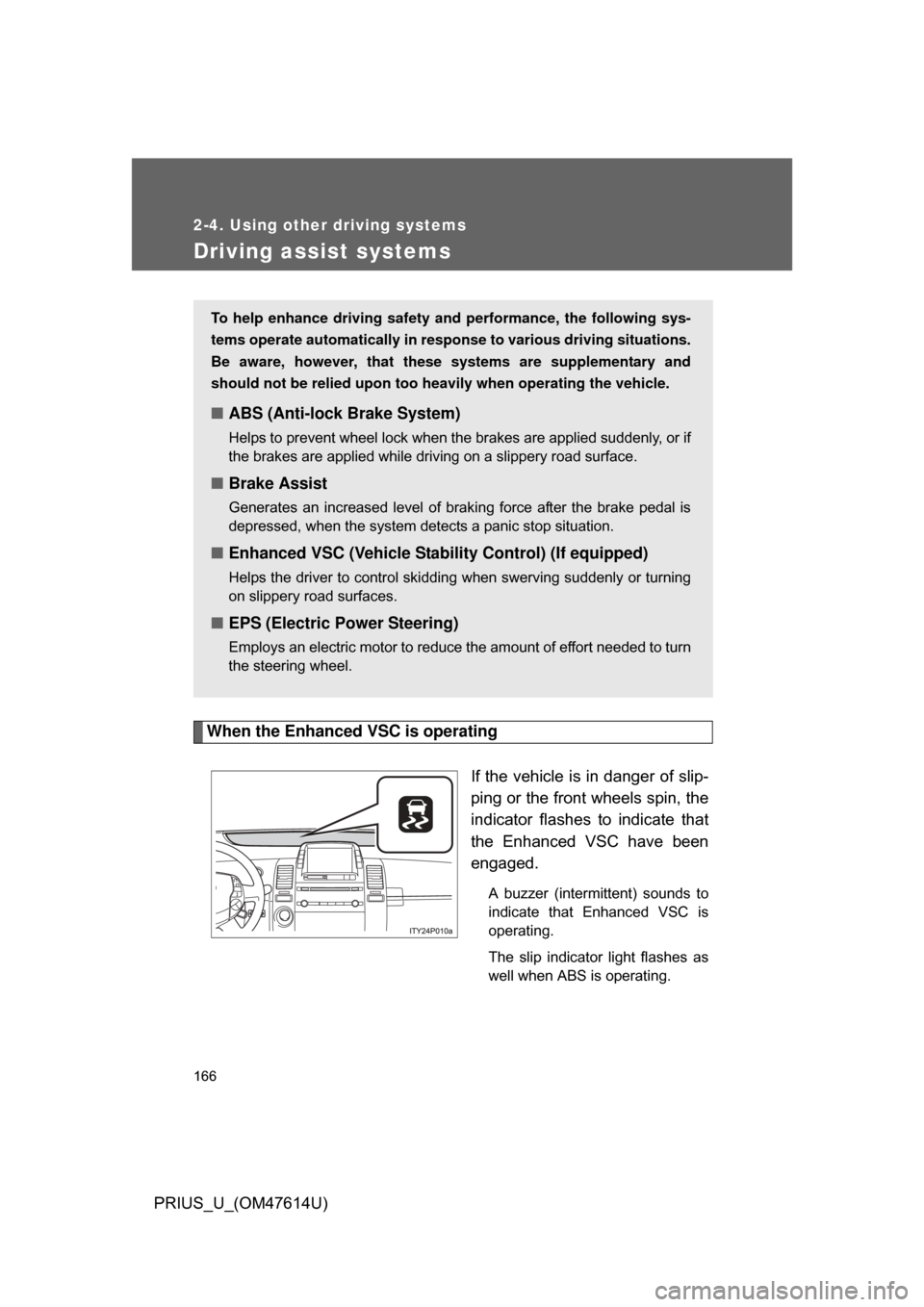
When the Enhanced VSC is operatingIf the vehicle is in danger of slip-
ping or the front wheels spin, the
indicator flashes to indicate that
the Enhanced VSC have been
engaged.
A buzzer (intermittent) sounds to
indicate that Enhanced VSC is
operating.
The slip indicator light flashes as
well when ABS is operating.
To help enhance driving safety and performance, the following sys-
tems operate automatically in res ponse to various driving situations.
Be aware, however, that these systems are supplementary and
should not be relied upon too h eavily when operating the vehicle.
■ABS (Anti-lock Brake System)
Helps to prevent wheel lock when the brakes are applied suddenly, or if
the brakes are applied while driving on a slippery road surface.
■Brake Assist
Generates an increased level of braking force after the brake pedal is
depressed, when the system detects a panic stop situation.
■Enhanced VSC (Vehicle Stab ility Control) (If equipped)
Helps the driver to control skidding when swerving suddenly or turning
on slippery road surfaces.
■EPS (Electric Power Steering)
Employs an electric motor to reduce the amount of effort needed to turn
the steering wheel.
Page 181 of 508
Interior features3
181
PRIUS_U_(OM47614U)
3-3. Using the audio systemAudio system type (Vehicle with AUX adapter).......... 215
Audio system type (Vehicle without AUX adapter)..... 218
Using the radio (Vehicle with AUX adapter).......... 221
Using the radio (Vehicle without AUX adapter)..... 230
Using the CD player (Vehicle with AUX
adapter) ......................... 235
Using the CD player (Vehicle without AUX
adapter) ......................... 243
Playing MP3 and WMA discs............................... 250
Optimal use of the audio (Vehicle with AUX
adapter) ......................... 259
Optimal use of the audio system (Vehicle without
AUX adapter) ................. 263
Using the AUX adapter .... 265
Using the steering switches ......................... 266 3-4. Using the hands-free system
(for cellular phone)
Hands-free system (for cellular phone) ......... 269
Using the Bluetooth
®
phone ............................. 274
Setting the hands-free system (for cellular
phone) ............................ 288
3-5. Using the interior lights Interior lights list ............... 315
3-6. Using the storage features List of storage features .... 319
3-7. Other interior features Sun visors ........................ 326
Vanity mirror..................... 327
Clock ................................ 328
Power outlet ..................... 329
Armrest ............................ 331
Floor mats ........................ 332
Luggage compartment features .......................... 333
Garage door opener......... 336
Page 203 of 508
203
3-2. Using the air conditioning system
and defogger
3
Interior features
PRIUS_U_(OM47614U)
CAUTION
■To prevent the windshield from fogging up
Do not use during cool air operation in extremely humid weather. The
difference between the temperature of the outside air and that of the wind-
shield can cause the outer surface of the windshield to fog up, blocking your
vision.
NOTICE
■To prevent 12 volt battery discharge
Do not leave the automatic air conditioning system on longer than necessary
when the hybrid system is not operating.
Page 210 of 508
210 3-2. Using the air conditioning system and defogger
PRIUS_U_(OM47614U)
CAUTION
■To prevent the windshield from fogging up
Do not use during cool air operation in extremely humid weather.
The difference between the temperature of the outside air and that of the
windshield can cause the outer surface of the windshield to fog up, blocking
your vision.
NOTICE
■To prevent 12 volt battery discharge
Do not leave the automatic air conditioning system on longer than necessary
when the hybrid system is not operating.
Page 309 of 508
309
3-4. Using the hands-free
system (for cellular phone)
3
Interior features
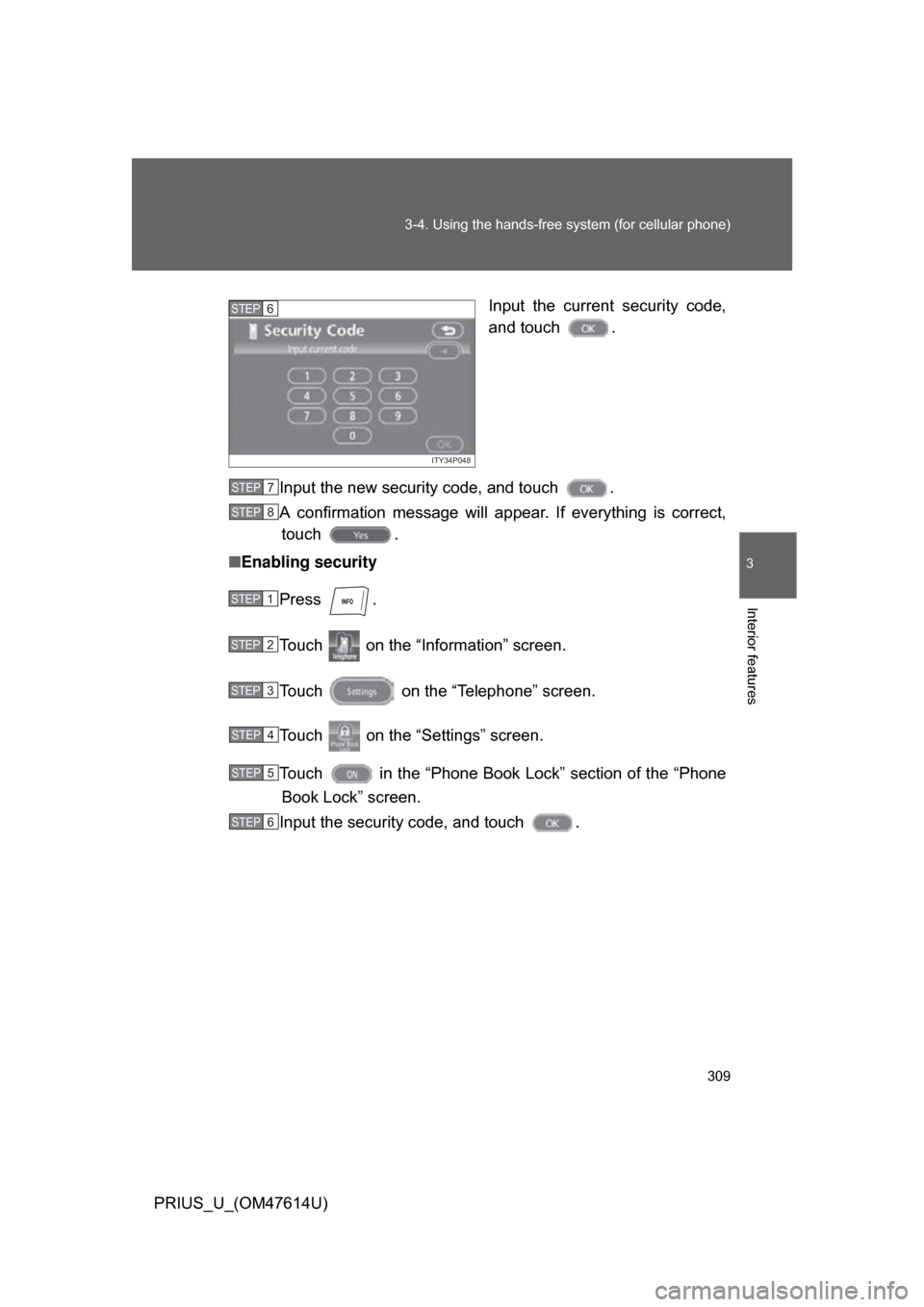
PRIUS_U_(OM47614U) Input the current security code,
and touch .
Input the new security code, and touch .
A confirmation message will a ppear. If everything is correct,
touch .
■ Enabling security
Press .
Touch on the “Information” screen.
Touch on the “Telephone” screen.
Touch on the “Settings” screen.
Touch in the “Phone Book Lock” section of the “Phone
Book Lock” screen.
Input the security code, and touch .
ITY34P048
STEP6
STEP7
STEP8
STEP1
STEP2
STEP3
STEP4
STEP5
STEP6
Page 310 of 508
310 3-4. Using the hands-free system (for cellular phone)
PRIUS_U_(OM47614U)■
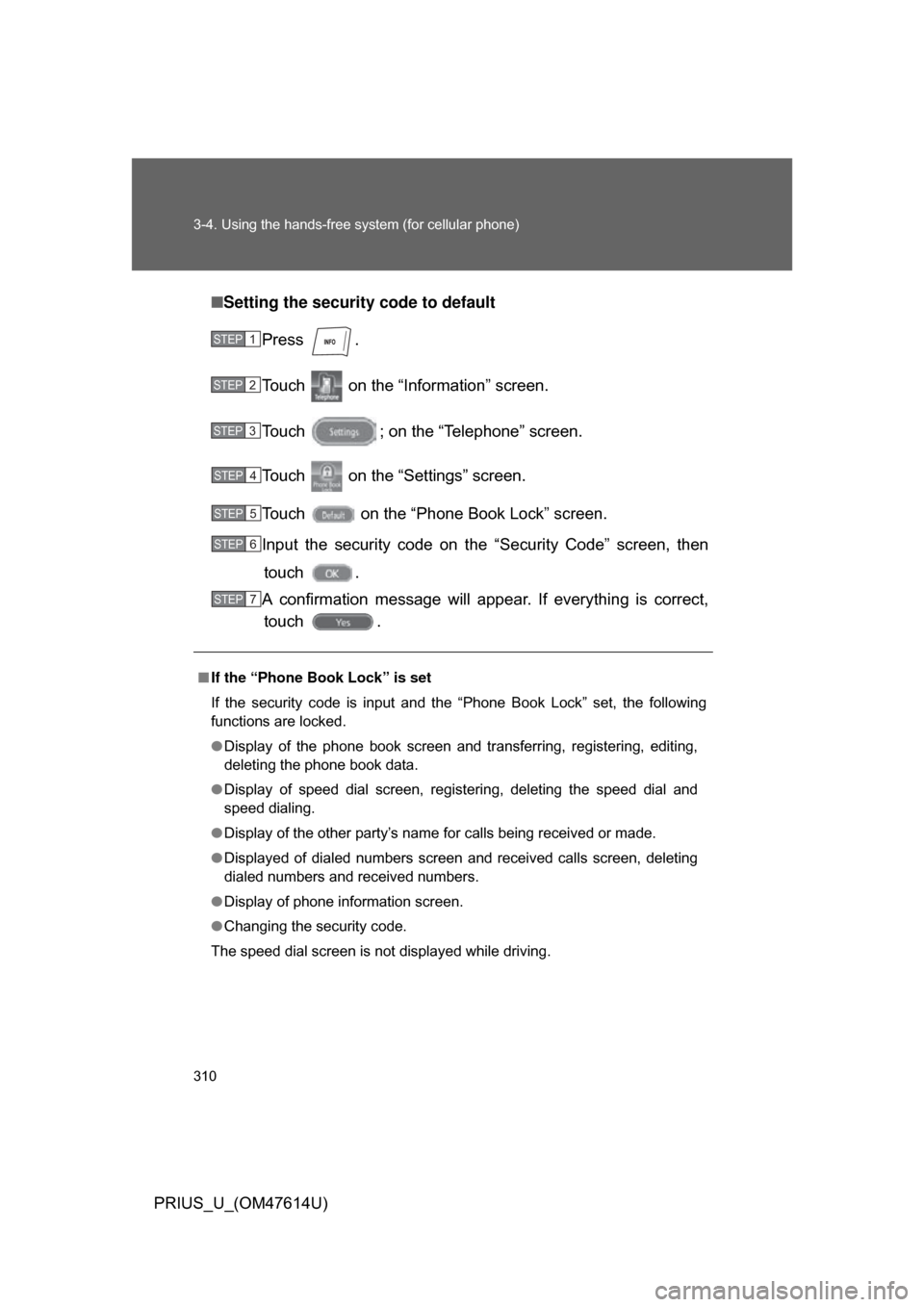
Setting the security code to default
Press .
Touch on the “Inf ormation” screen.
Touch ; on the “Telephone” screen.
Touch on the “Settings” screen.
Touch on the “Phone Book Lock” screen.
Input the security code on t he “Security Code” screen, then
touch .
A confirmation message will appear. If everything is correct, touch .
■ If the “Phone Book Lock” is set
If the security code is input and the “Phone Book Lock” set, the following
functions are locked.
● Display of the phone book screen and transferring, registering, editing,
deleting the phone book data.
● Display of speed dial screen, registering, deleting the speed dial and
speed dialing.
● Display of the other party’s name for calls being received or made.
● Displayed of dialed numbers screen and received calls screen, deleting
dialed numbers and received numbers.
● Display of phone information screen.
● Changing the security code.
The speed dial screen is not displayed while driving.
STEP1
STEP2
STEP3
STEP4
STEP5
STEP6
STEP7
Page 315 of 508
315
3
Interior features
PRIUS_U_(OM47614U)
3-5. Using the interior lights
Interior lights list
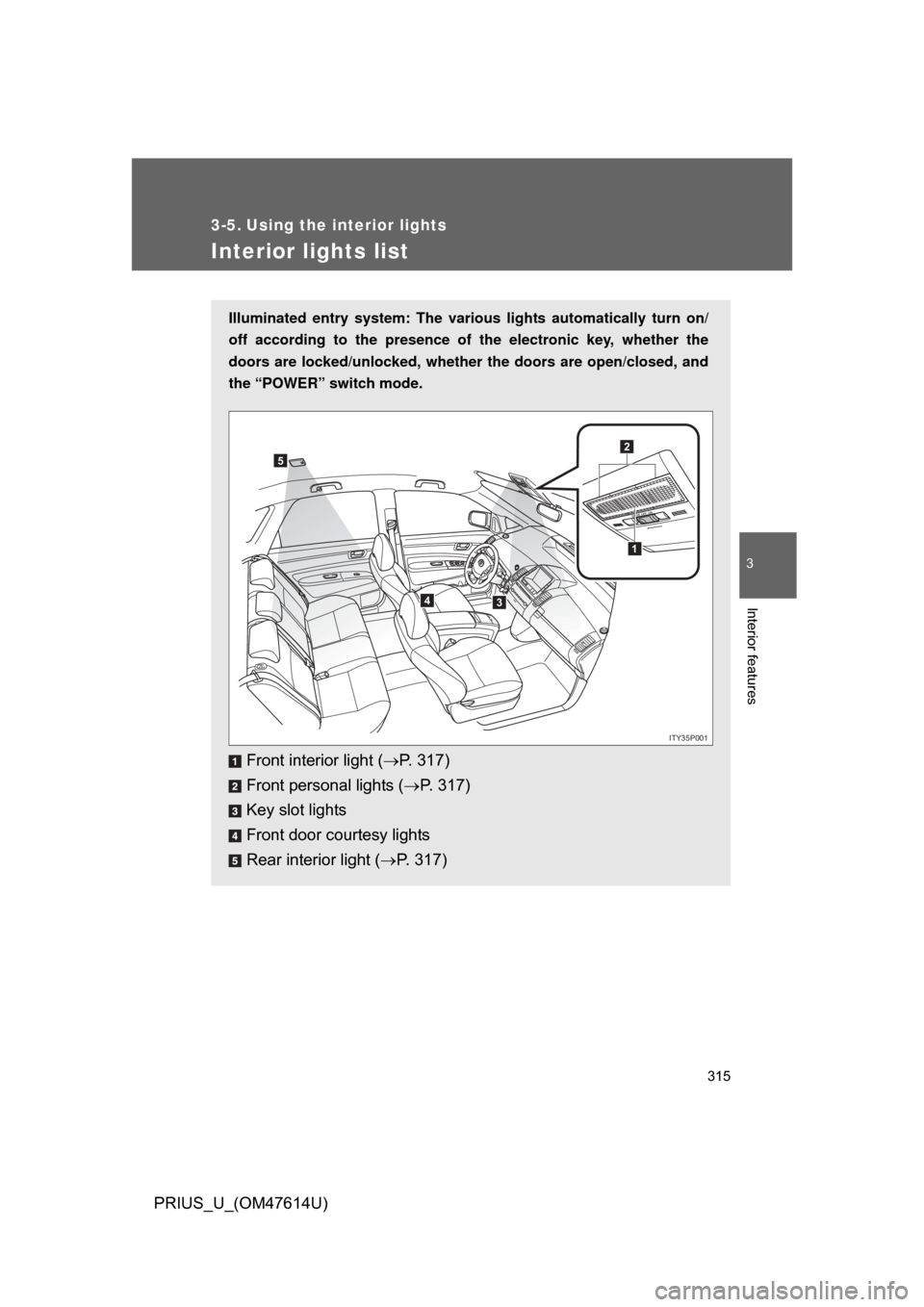
Illuminated entry system: The various lights automatically turn on/
off according to the presence of the electronic key, whether the
doors are locked/unlocked , whether the doors are open/closed, and
the “POWER” switch mode.
Front interior light ( P. 317)
Front personal lights ( P. 317)
Key slot lights
Front door courtesy lights
Rear interior light ( P. 317)
1
2
34
5
ITY35P001
Page 328 of 508
328
3-7. Other interior features
PRIUS_U_(OM47614U)
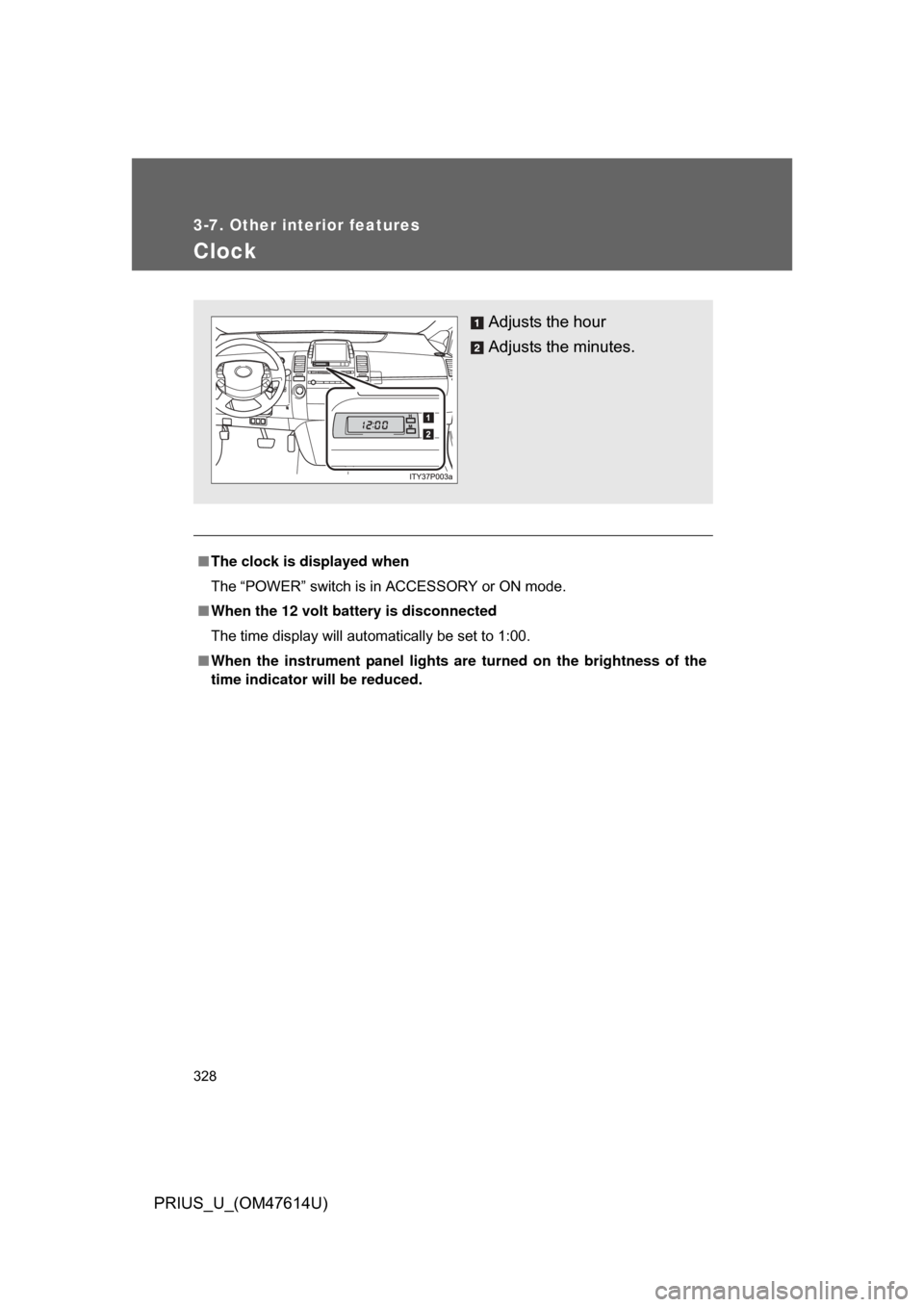
Clock
■The clock is displayed when
The “POWER” switch is in ACCESSORY or ON mode.
■ When the 12 volt battery is disconnected
The time display will automatically be set to 1:00.
■ When the instrument panel lights ar e turned on the brightness of the
time indicator will be reduced.
Adjusts the hour
Adjusts the minutes.