Page 155 of 508
155
2-3. Operating the lights and windshield wipers
2
When driving
PRIUS_U_(OM47614U)
Fog light switch
: If equipped
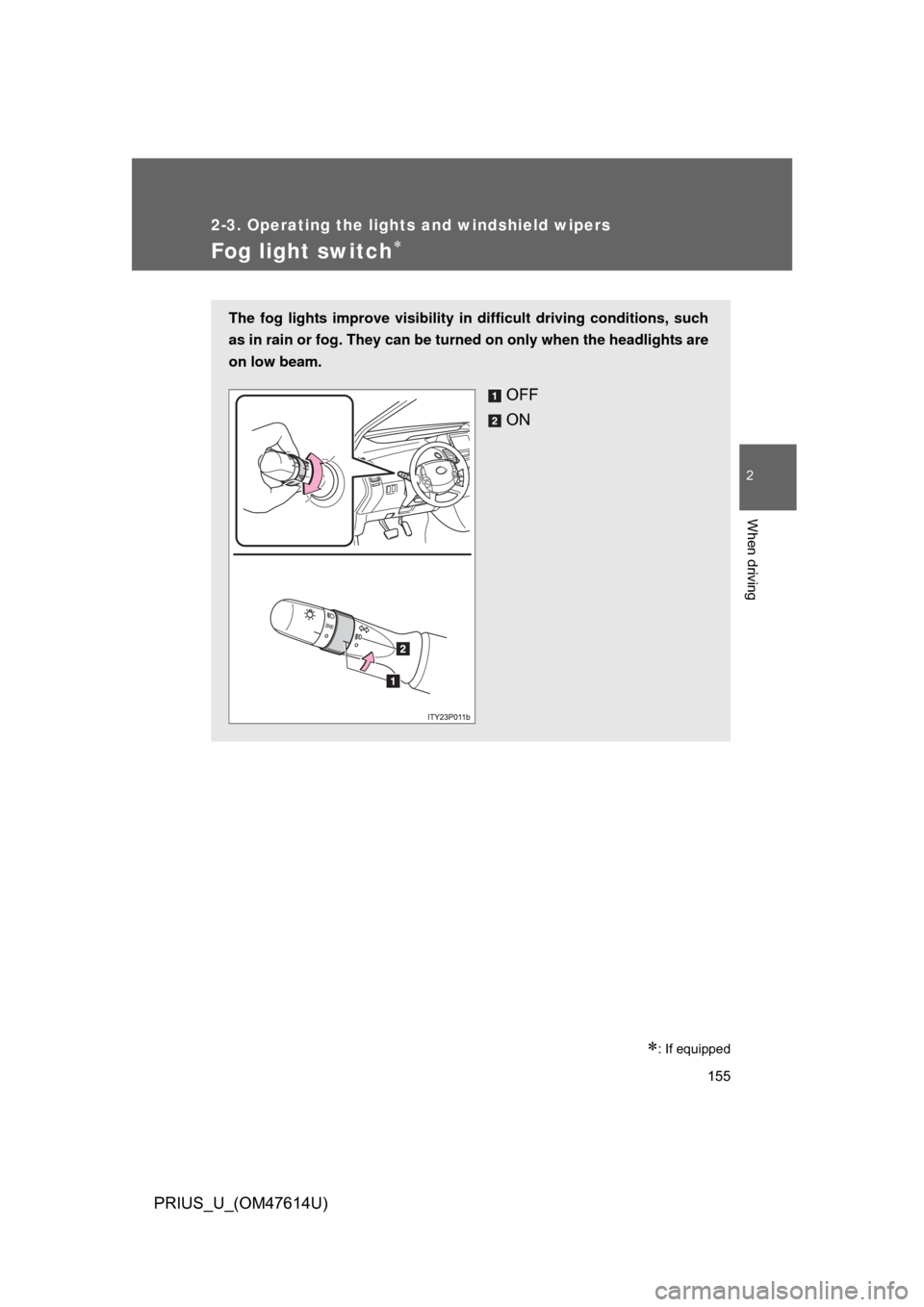
The fog lights improve visibility in difficult driving conditions, such
as in rain or fog. They can be turned on only when the headlights are
on low beam.
OFF
ON
Page 156 of 508
156
2-3. Operating the lights and windshield wipers
PRIUS_U_(OM47614U)
Windshield wipers and washer
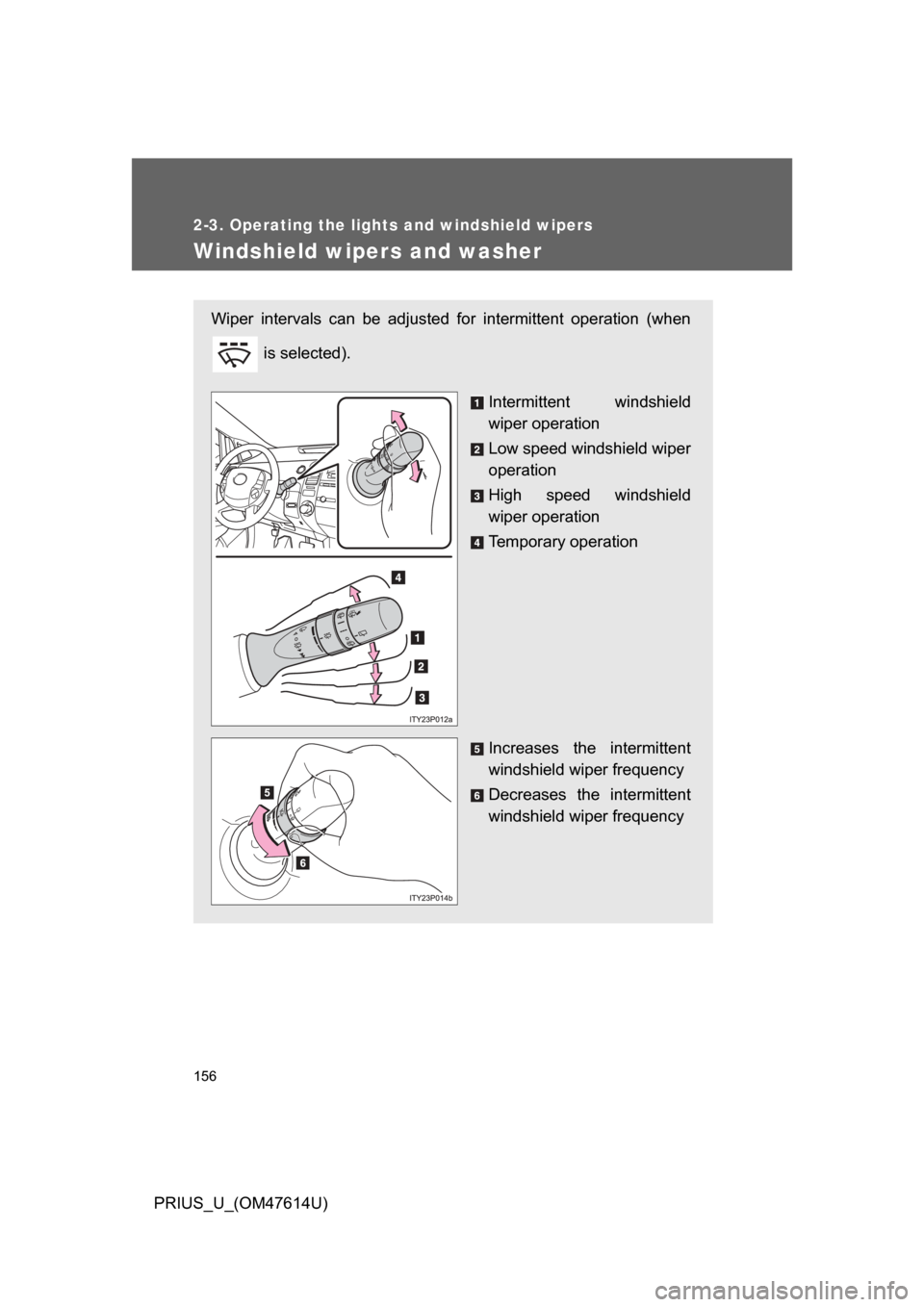
Wiper intervals can be adjusted for intermittent operation (when is selected).
Intermittent windshield
wiper operation
Low speed windshield wiper
operation
High speed windshield
wiper operation
Temporary operation
Increases the intermittent
windshield wiper frequency
Decreases the intermittent
windshield wiper frequency
Page 157 of 508
157
2-3. Operating the lights and windshield wipers
2
When driving
PRIUS_U_(OM47614U)
■
The windshield wiper and washer can be operated when
The “POWER” switch is in ON mode.
■ If no windshield washer fluid sprays
Check that the washer nozzles are not blocked and if there is washer fluid in
the windshield washer fluid reservoir.
NOTICE
■When the windshield is dry
Do not use the wipers, as they may damage the windshield.
■ When there is no washer fluid spray from the nozzle
Damage to the washer fluid pump may be caused if the lever is pulled
toward you and held continually.
■ When a nozzle becomes block
Do not try to clear it with a pin or other object. The nozzle will be damaged.
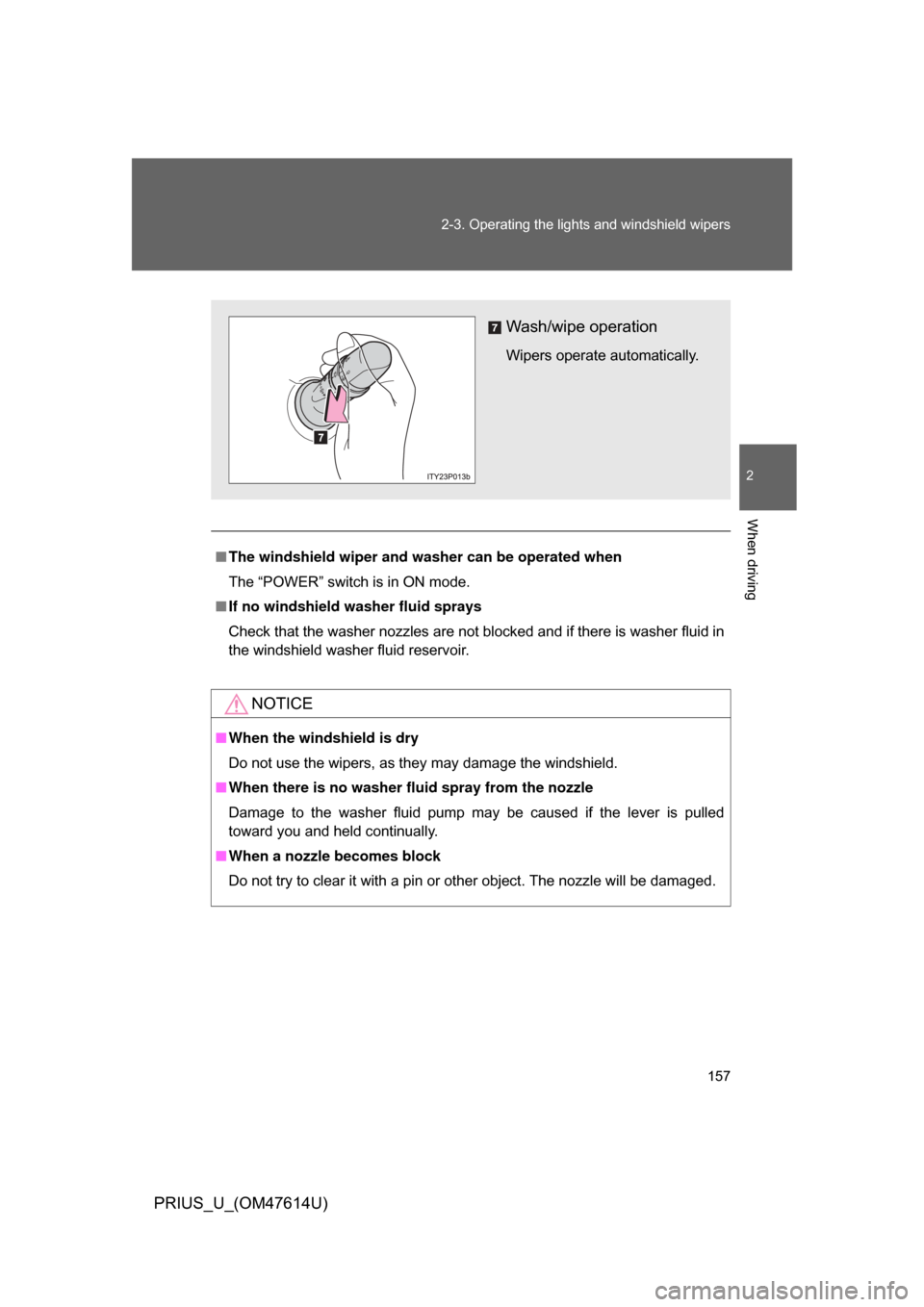
Wash/wipe operation
Wipers operate automatically.
Page 158 of 508
158
2-3. Operating the lights and windshield wipers
PRIUS_U_(OM47614U)
Rear window wiper and washer
■The rear window wiper and w asher can be operated when
The “POWER” switch is in ON mode.
NOTICE
■ When the rear window is dry
Do not use the wipers, as they may damage the rear window.
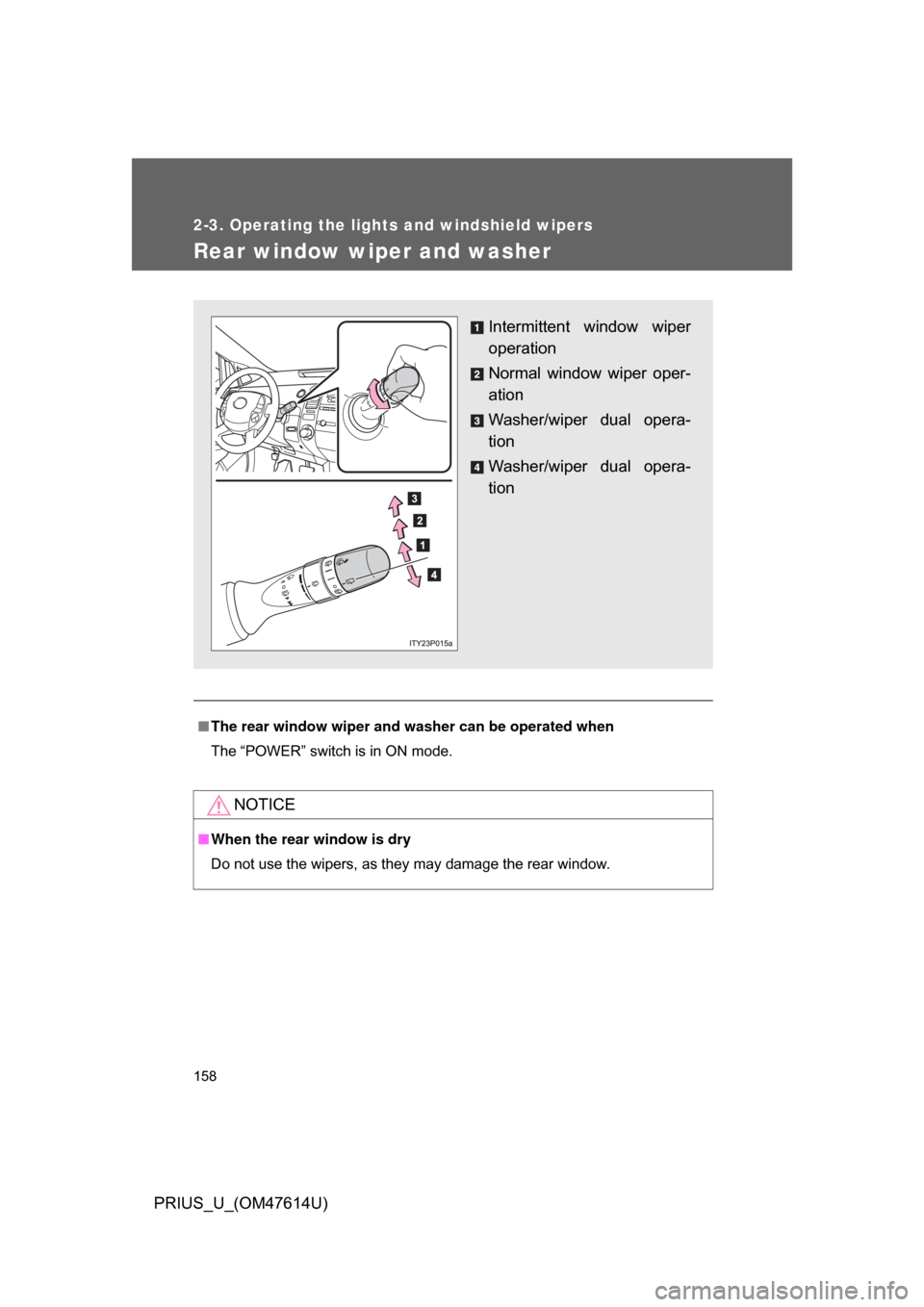
Intermittent window wiper
operation
Normal window wiper oper-
ation
Washer/wiper dual opera-
tion
Washer/wiper dual opera-
tion
Page 160 of 508
160 2-4. Using other driving systems
PRIUS_U_(OM47614U)
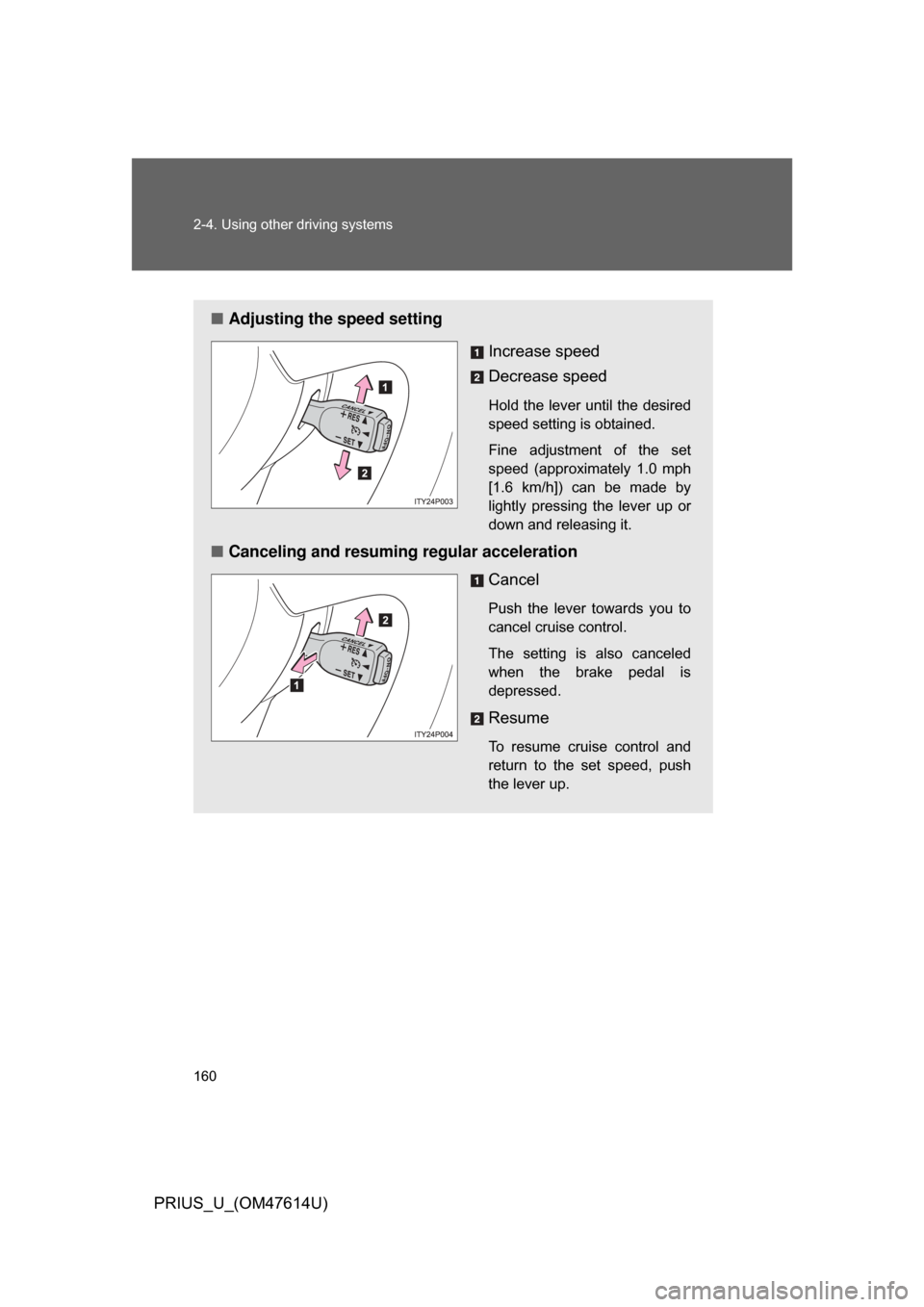
■Adjusting the speed setting
Increase speed
Decrease speed
Hold the lever until the desired
speed setting is obtained.
Fine adjustment of the set
speed (approximately 1.0 mph
[1.6 km/h]) can be made by
lightly pressing the lever up or
down and releasing it.
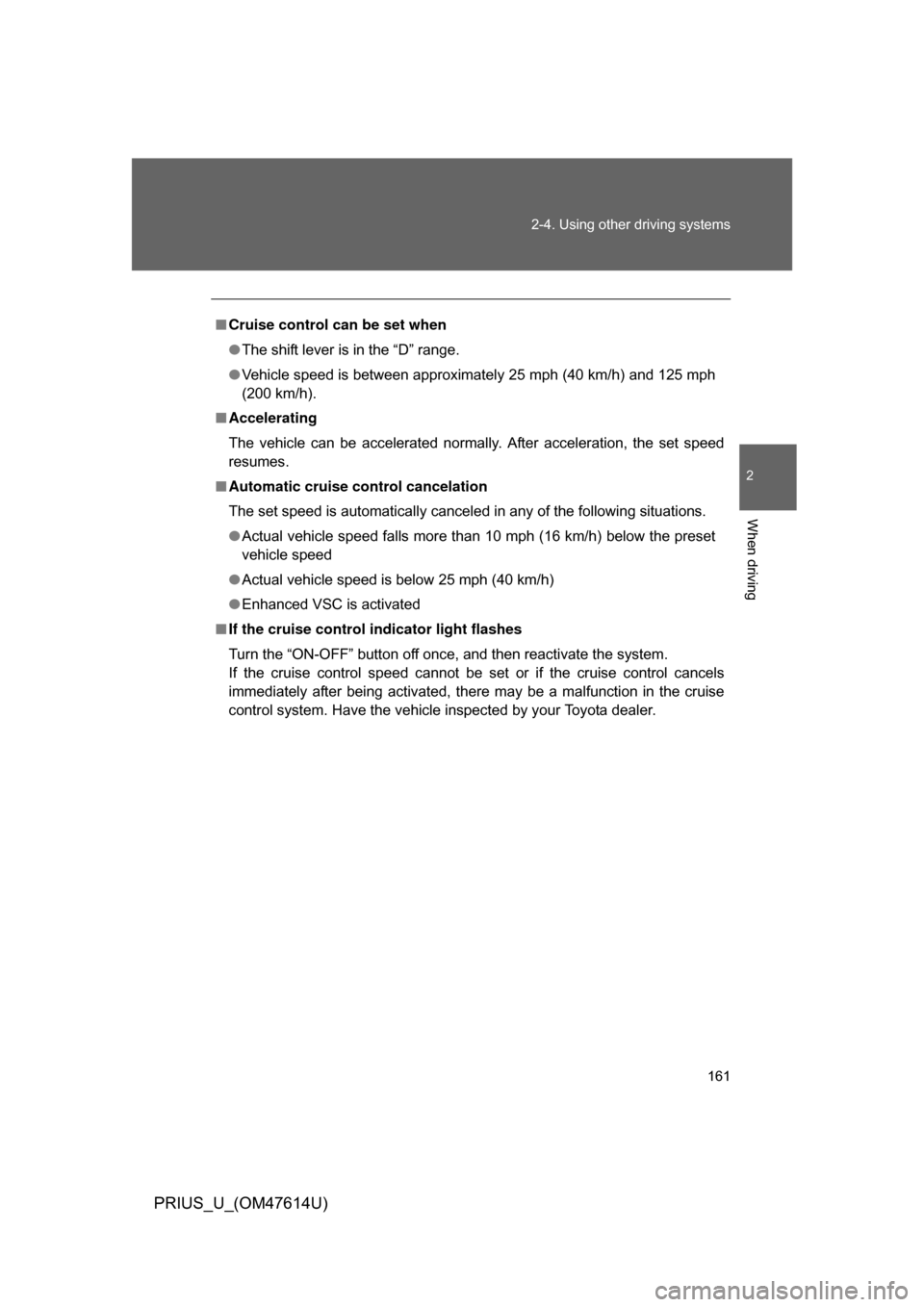
■Canceling and resuming regular acceleration
Cancel
Push the lever towards you to
cancel cruise control.
The setting is also canceled
when the brake pedal is
depressed.
Resume
To resume cruise control and
return to the set speed, push
the lever up.
Page 161 of 508
161
2-4. Using other
driving systems
2
When driving
PRIUS_U_(OM47614U)
■Cruise control can be set when
● The shift lever is in the “D” range.
● Vehicle speed is between approximately 25 mph (40 km/h) and 125 mph
(200 km/h).
■ Accelerating
The vehicle can be accelerated normally. After acceleration, the set speed
resumes.
■ Automatic cruise control cancelation
The set speed is automatically canceled in any of the following situations.
● Actual vehicle speed falls more than 10 mph (16 km/h) below the preset
vehicle speed
● Actual vehicle speed is below 25 mph (40 km/h)
● Enhanced VSC is activated
■ If the cruise control indicator light flashes
Turn the “ON-OFF” button off once, and then reactivate the system.
If the cruise control speed cannot be set or if the cruise control cancels
immediately after being activated, there may be a malfunction in the cruise
control system. Have the vehicle inspected by your Toyota dealer.
Page 164 of 508
164 2-4. Using other driving systems
PRIUS_U_(OM47614U)
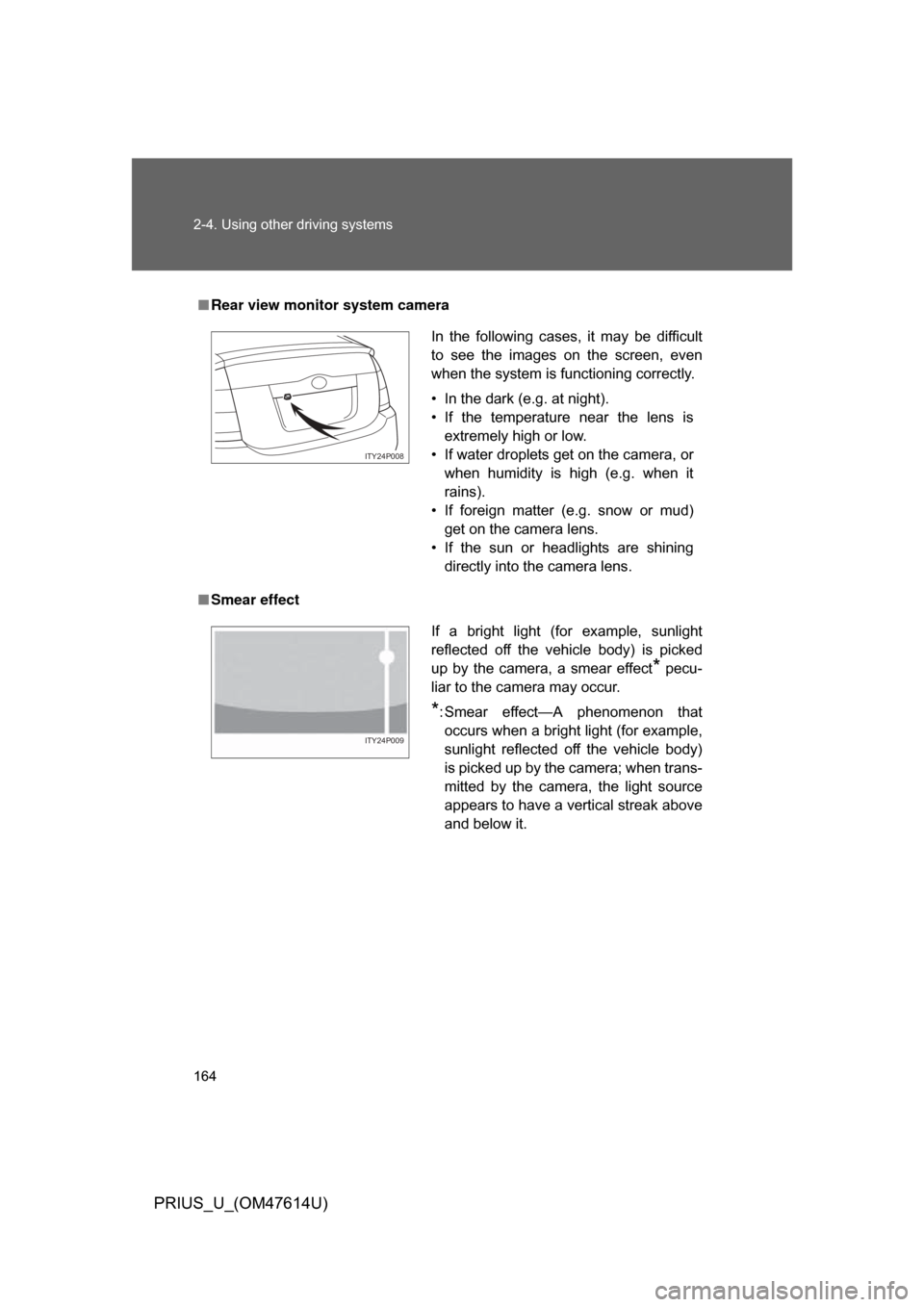
■Rear view monitor system camera
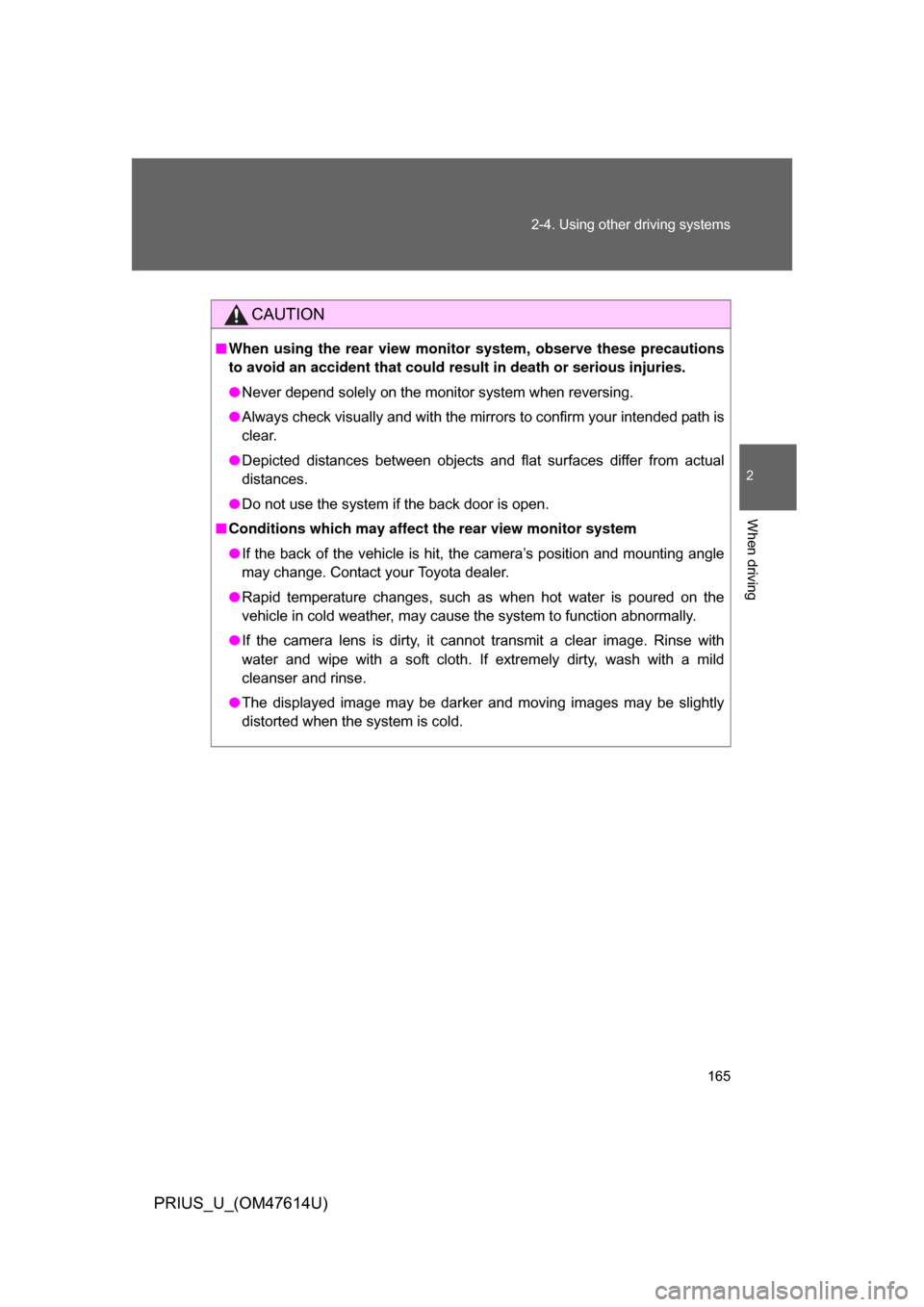
■ Smear effect
In the following cases, it may be difficult
to see the images on the screen, even
when the system is functioning correctly.
• In the dark (e.g. at night).
• If the temperature near the lens is
extremely high or low.
• If water droplets get on the camera, or when humidity is high (e.g. when it
rains).
• If foreign matter (e.g. snow or mud) get on the camera lens.
• If the sun or headlights are shining directly into the camera lens.
ITY24P008
If a bright light (for example, sunlight
reflected off the vehicle body) is picked
up by the camera, a smear effect
* pecu-
liar to the camera may occur.
*: Smear effect—A phenomenon that occurs when a bright light (for example,
sunlight reflected off the vehicle body)
is picked up by the camera; when trans-
mitted by the camera, the light source
appears to have a vertical streak above
and below it.
ITY24P009
Page 165 of 508
165
2-4. Using other
driving systems
2
When driving
PRIUS_U_(OM47614U)
CAUTION
■When using the rear view moni tor system, observe these precautions
to avoid an accident that could r esult in death or serious injuries.
● Never depend solely on the monitor system when reversing.
● Always check visually and with the mirrors to confirm your intended path is
clear.
● Depicted distances between objects and flat surfaces differ from actual
distances.
● Do not use the system if the back door is open.
■ Conditions which may affect the rear view monitor system
● If the back of the vehicle is hit, the camera’s position and mounting angle
may change. Contact your Toyota dealer.
● Rapid temperature changes, such as when hot water is poured on the
vehicle in cold weather, may cause the system to function abnormally.
● If the camera lens is dirty, it cannot transmit a clear image. Rinse with
water and wipe with a soft cloth. If extremely dirty, wash with a mild
cleanser and rinse.
● The displayed image may be darker and moving images may be slightly
distorted when the system is cold.