Page 246 of 508
246 3-3. Using the audio system
PRIUS_U_(OM47614U)
■Canceling random, repeat and scan playback
Touch , , or on the screen once again.
■ Displaying the title and artist name
If a CD-TEXT disc is inserted, the title of the disc and track will be displayed.
Up to 29 letters can be displayed.
■ Error messages
Refer to the following table and take the appropriate measures. If the prob-
lem is not rectified, take the vehicle to your Toyota dealer.
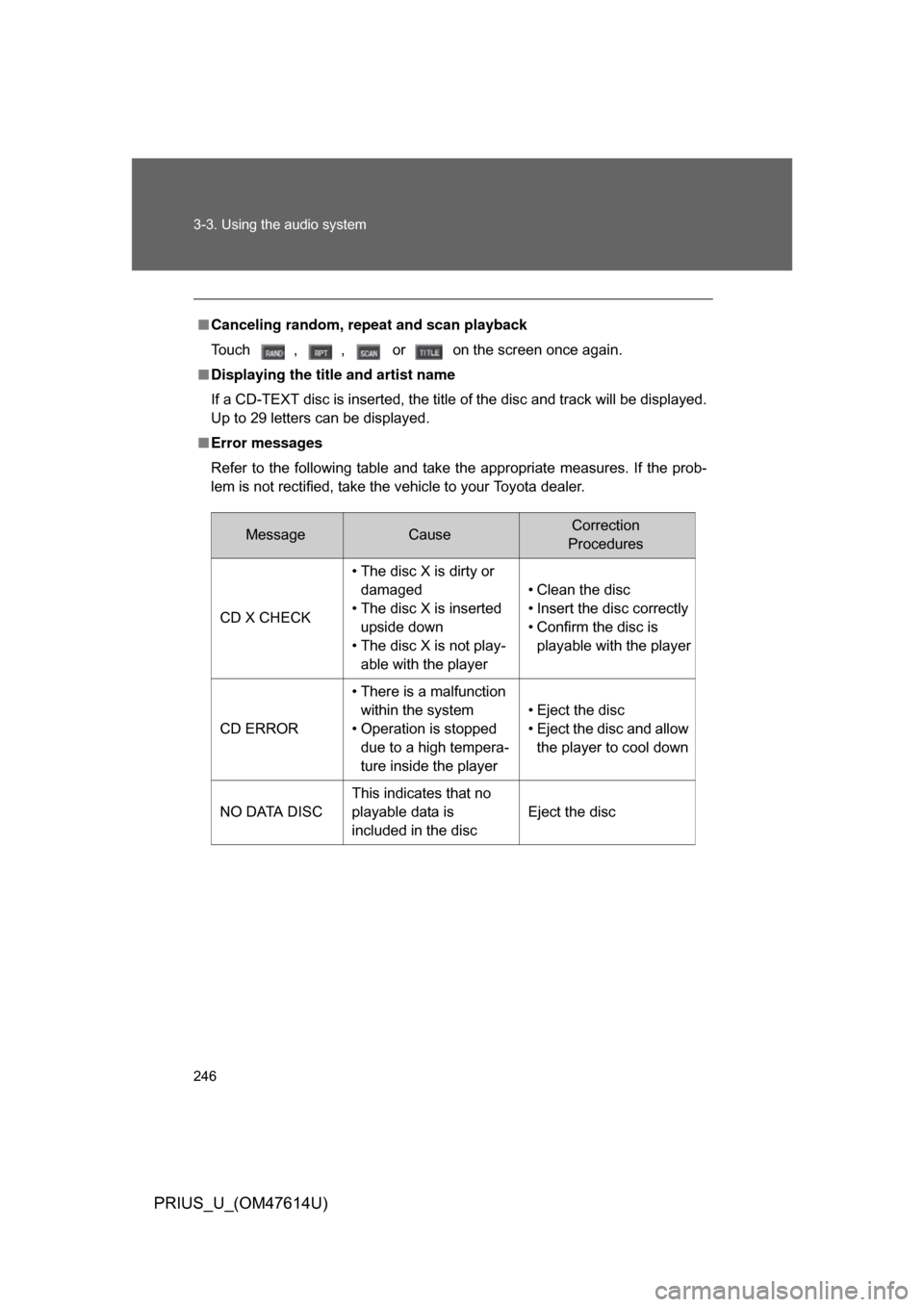
MessageCauseCorrection
Procedures
CD X CHECK • The disc X is dirty or
damaged
• The disc X is inserted upside down
• The disc X is not play- able with the player • Clean the disc
• Insert the disc correctly
• Confirm the disc is
playable with the player
CD ERROR • There is a malfunction
within the system
• Operation is stopped due to a high tempera-
ture inside the player • Eject the disc
• Eject the disc and allow
the player to cool down
NO DATA DISC This indicates that no
playable data is
included in the disc Eject the disc
Page 247 of 508
247
3-3. Using the audio system
3
Interior features
PRIUS_U_(OM47614U)
■
Discs that can be used
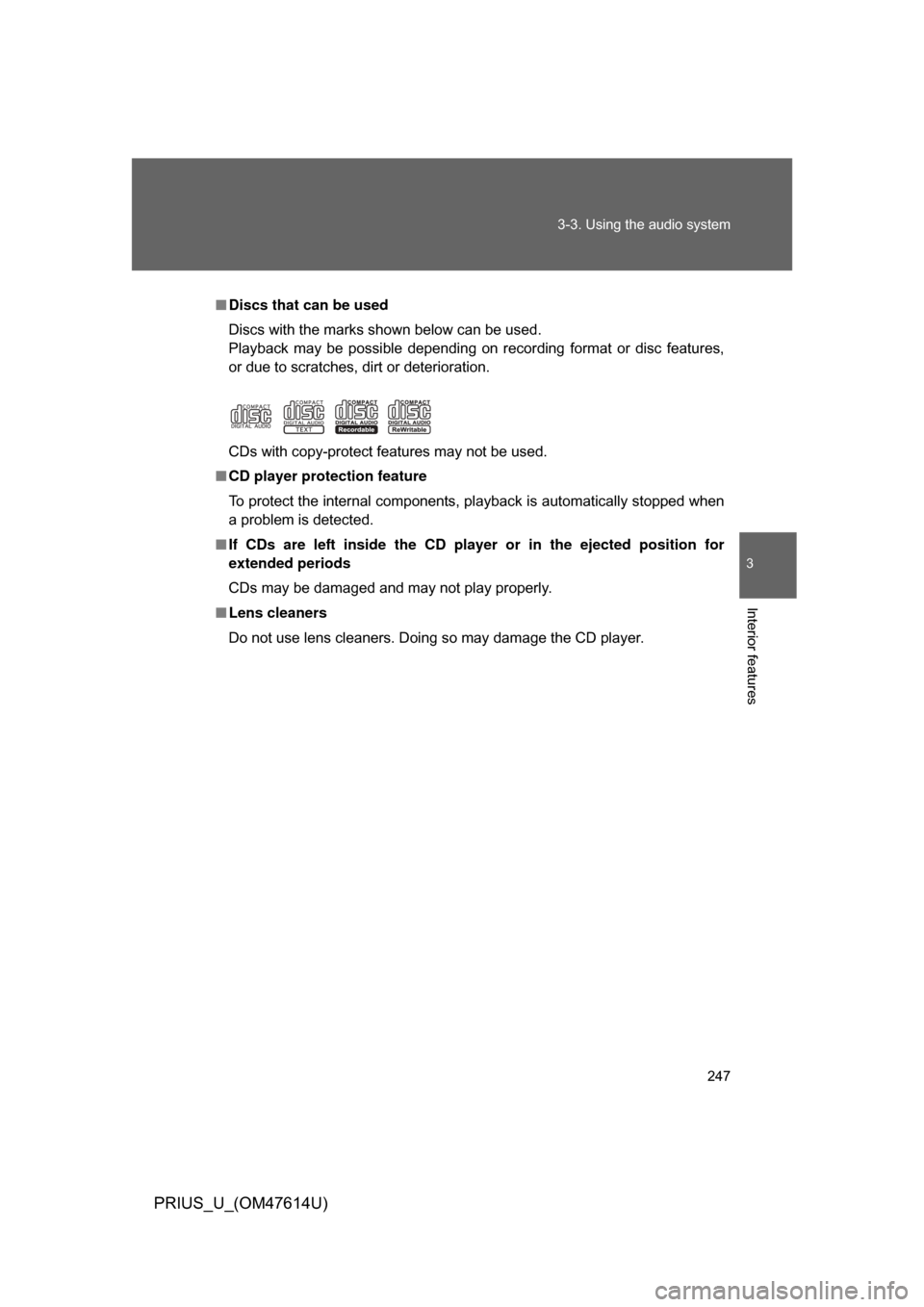
Discs with the marks shown below can be used.
Playback may be possible depending on recording format or disc features,
or due to scratches, dirt or deterioration.
CDs with copy-protect features may not be used.
■ CD player protection feature
To protect the internal components, playback is automatically stopped when
a problem is detected.
■ If CDs are left inside the CD pla yer or in the ejected position for
extended periods
CDs may be damaged and may not play properly.
■ Lens cleaners
Do not use lens cleaners. Doing so may damage the CD player.
Page 248 of 508
248 3-3. Using the audio system
PRIUS_U_(OM47614U)
NOTICE
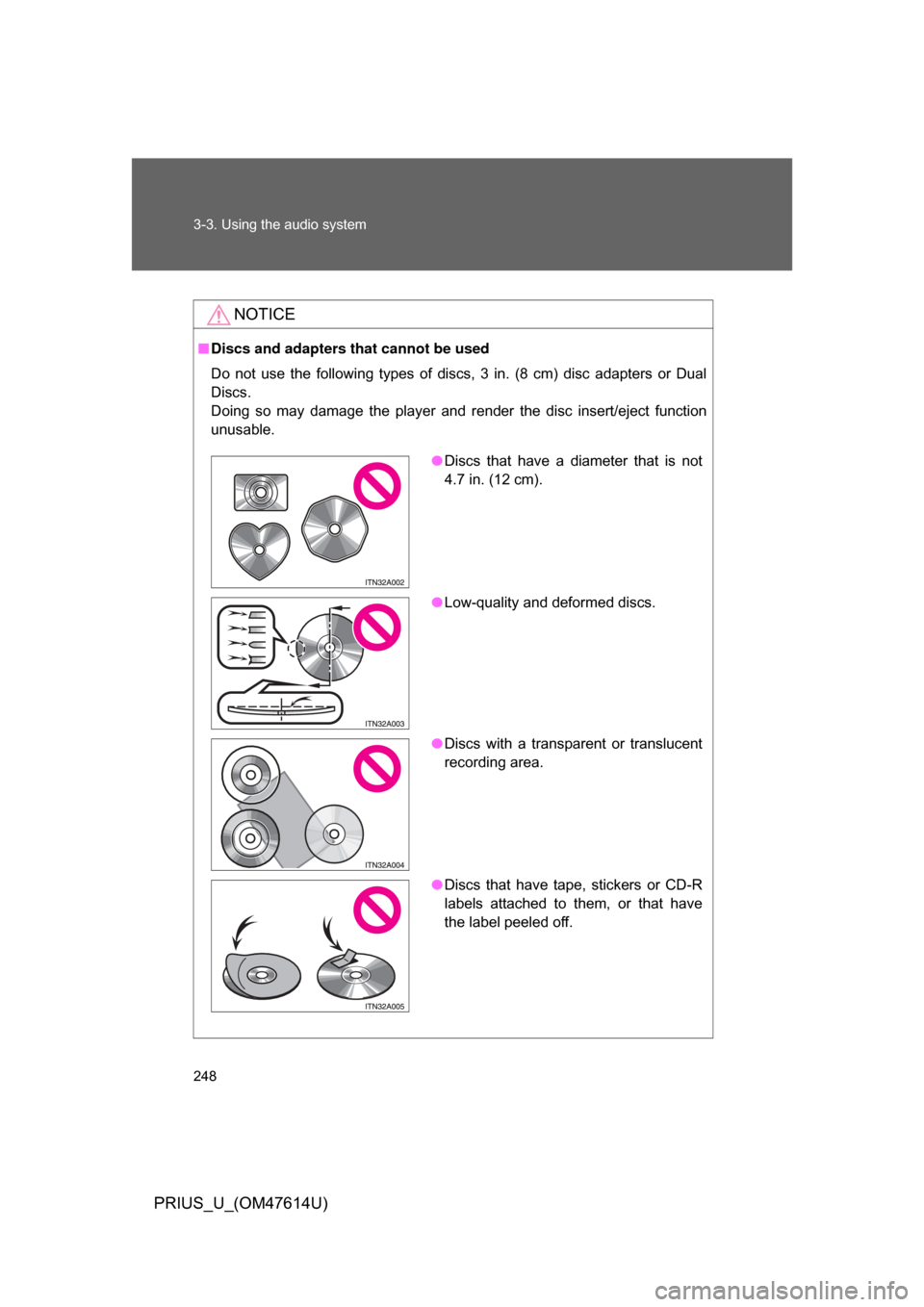
■Discs and adapters that cannot be used
Do not use the following types of discs, 3 in. (8 cm) disc adapters or Dual
Discs.
Doing so may damage the player and render the disc insert/eject function
unusable.
● Discs that have a diameter that is not
4.7 in. (12 cm).
● Low-quality and deformed discs.
● Discs with a transparent or translucent
recording area.
● Discs that have tape, stickers or CD-R
labels attached to them, or that have
the label peeled off.
Page 249 of 508
249
3-3. Using the audio system
3
Interior features
PRIUS_U_(OM47614U)
NOTICE
■
Player precautions
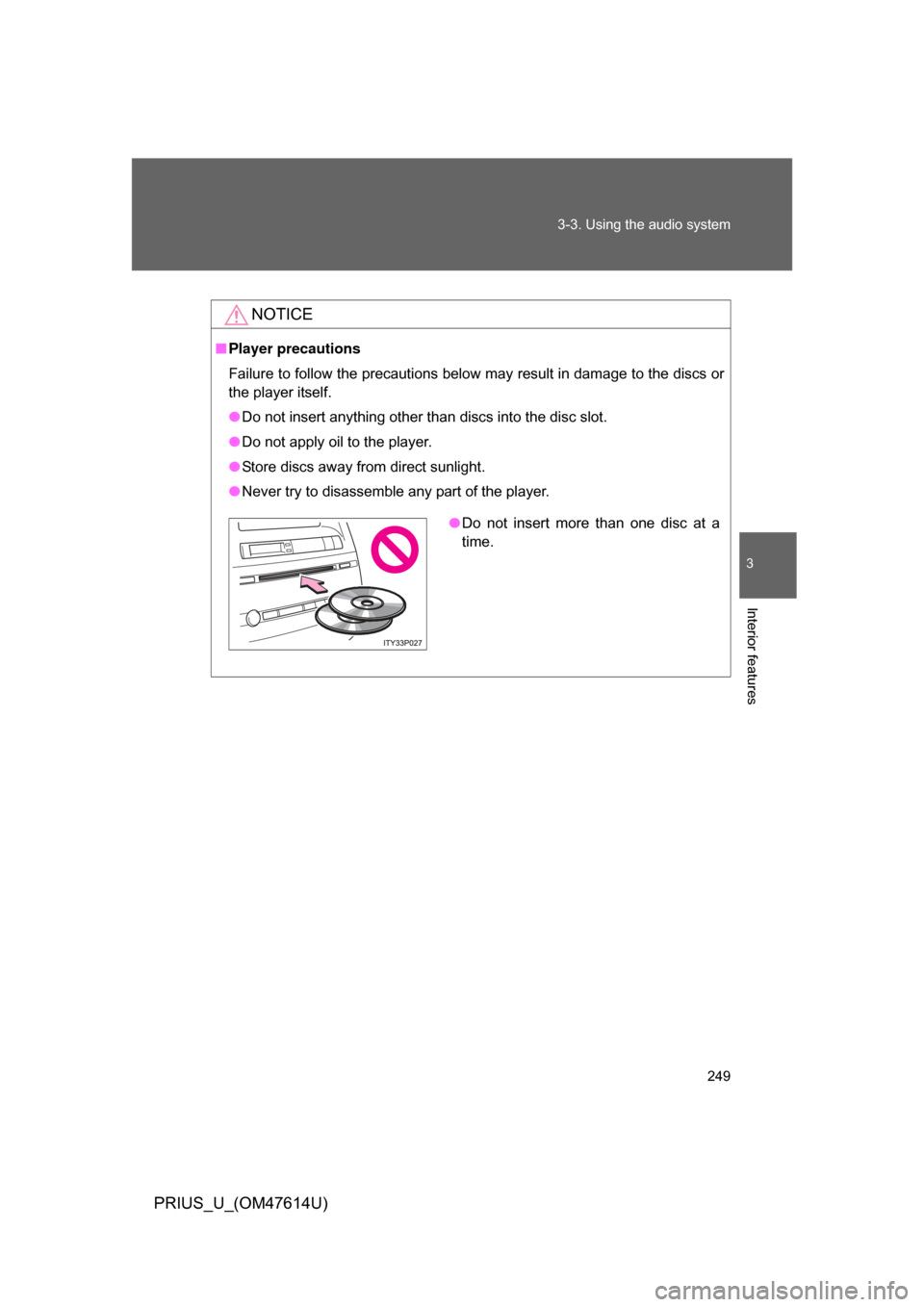
Failure to follow the precautions below may result in damage to the discs or
the player itself.
● Do not insert anything other than discs into the disc slot.
● Do not apply oil to the player.
● Store discs away from direct sunlight.
● Never try to disassemble any part of the player.
●Do not insert more than one disc at a
time.
Page 251 of 508
251
3-3. Using the audio system
3
Interior features
PRIUS_U_(OM47614U)
Loading, ejecting and sele
cting MP3 and WMA discs
Refer to the section entitled “Using the CD player” for details.
( P. 235)
Selecting a folder
■ Selecting a folder
Touch “FOLDER ” or “ ” on the screen to select the previ-
ous/next folder.
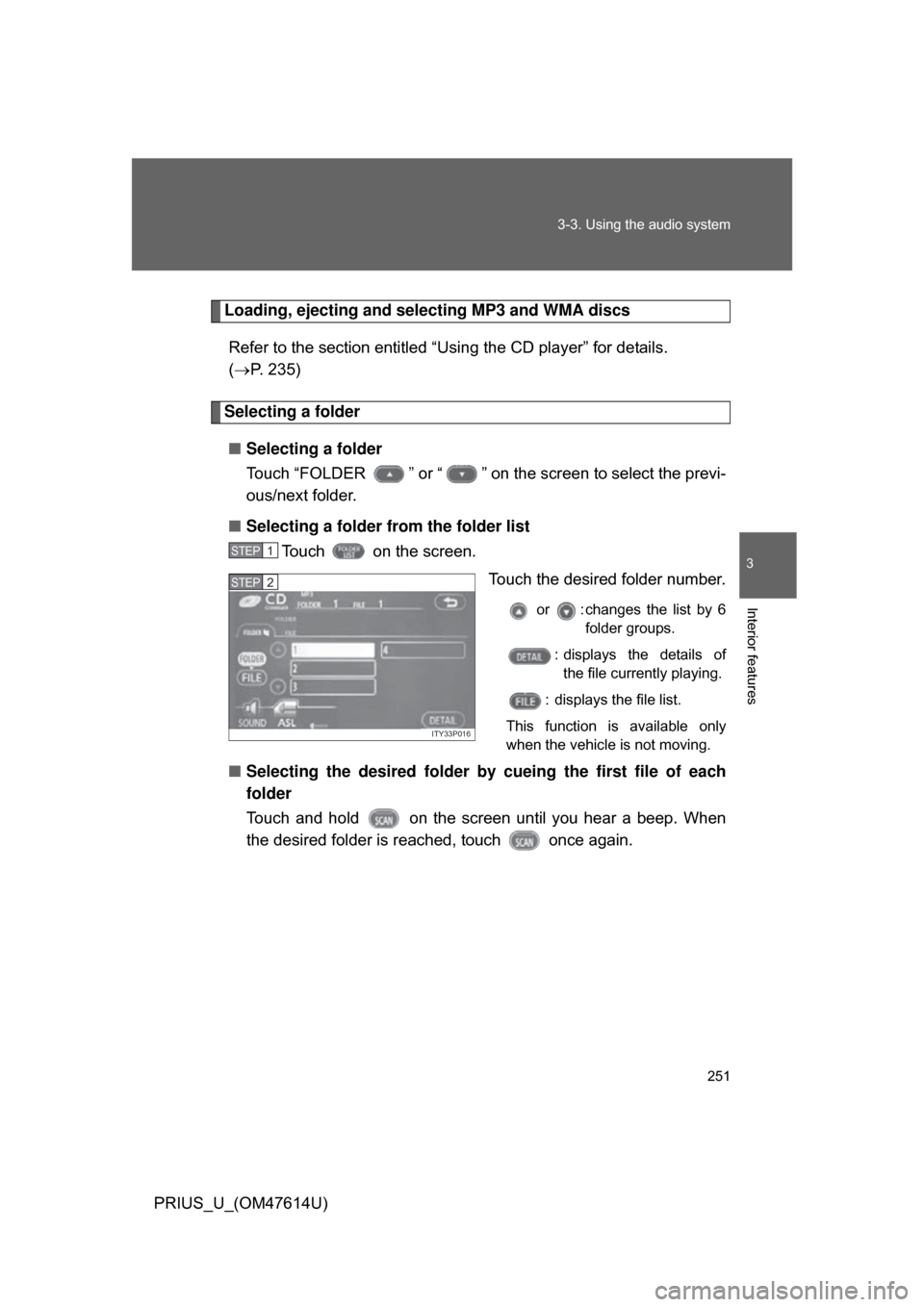
■ Selecting a folder from the folder list
Touch on the screen.
Touch the desired folder number.
or : changes the list by 6folder groups.
: displays the details of the file currently playing.
: displays the file list.
This function is available only
when the vehicle is not moving.
■ Selecting the desired folder by cueing the first file of each
folder
Touch and hold on the screen until you hear a beep. When
the desired folder is r eached, touch once again.
STEP1
ITY33P016
STEP2
Page 254 of 508

254 3-3. Using the audio system
PRIUS_U_(OM47614U)
■CD player protection feature
To protect the internal components, playback is automatically stopped when
a problem is detected while the CD player is being used.
■ If CDs are left inside the CD player or in the ejected position for
extended periods
CDs may be damaged and may not play properly.
■ Lens cleaners
Do not use lens cleaners. Doing so may damage the CD player.
■ MP3 and WMA files
MP3 (MPEG Audio LAYER 3) is a standard audio compression format.
Files can be compressed to approximately 1/10 of their original size by using
MP3 compression.
WMA (Windows Media
TMAudio) is a Microsoft audio compression format.
This format compresses audio data to a size smaller than that of the MP3
format.
There is a limit to the MP3 and WMA file standards and to the media/formats
recorded by them that can be used.
● MP3 file compatibility
• Compatible standards
MP3 (MPEG1 LAYER3, MPEG2 LSF LAYER3)
• Compatible sampling frequencies MPEG1 LAYER3: 32, 44.1, 48 (kHz)
MPEG2 LSF LAYER3: 16, 22.05, 24 (kHz)
• Compatible bit rates MPEG1 LAYER3: 64, 80, 96, 112, 128, 160, 192, 224, 256, 320 (kbps)
• MPEG2 LSF LAYER3: 64, 80, 96, 112, 128, 144, 160 (kbps)
*: Compatible with VBR
• Compatible channel modes: stereo, joint stereo, dual channel and monaural
Page 257 of 508
257
3-3. Using the audio system
3
Interior features
PRIUS_U_(OM47614U)
●
Extensions
If the file extensions .mp3 and .wma are used for files other than MP3 and
WMA files, they will be mistakenly recognized and played as MP3 and
WMA files. This may result in large amounts of interference and damage
to the speakers.
● Playback
• To play MP3 files with steady sound quality, we recommend a fixed bit
rate of 128 kbps and a sampling frequency of 44.1 kHz.
• CD-R or CD-RW playback may not be possible in some instances, depending on the characteristics of the disc.
• There is a wide variety of freeware and other encoding software for MP3 and WMA files on the market, and depending on the status of the encod-
ing and the file format, poor sound quality or noise at the start of playback
may result. In some cases, playback may not be possible at all.
• When files other than MP3 or WMA files are recorded on a disc, it may take more time to recognize the disc and in some cases, playback may
not be possible at all.
• Microsoft, Windows, and Windows Media are the registered trademarks of Microsoft Corporation in the U.S. and other countries.
■ CD-R and CD-RW discs
● CD-R/CD-RW discs that have not been subject to the “finalizing process”
(a process that allows discs to be played on a conventional CD player)
cannot be played.
● It may not be possible to play CD-R/CD-RW discs recorded on a music
CD recorder or a personal computer because of disc characteristics,
scratches or dirt on the disc, or dirt, condensation, etc. on the lens of the
unit.
● It may not be possible to play discs recorded on a personal computer
depending on the application settings and the environment. Record with
the correct format. (For details, contact the appropriate application manu-
facturers of the applications.)
Page 258 of 508
258 3-3. Using the audio system
PRIUS_U_(OM47614U)
●CD-R/CD-RW discs may be damaged by direct exposure to sunlight,
high temperatures or other storage conditions. The unit may be unable to
play damaged discs.
● If you insert a CD-RW disc into the MP3/WMA player, playback will begin
more slowly than with a conventional CD or CD-R disc.
● Recordings on CD-R/CD-RW cannot be played using the DDCD (Double
Density CD) system.
■ Unsuitable discs, and player precautions
P. 241