Page 275 of 508
275
3-4. Using the hands-free
system (for cellular phone)
3
Interior features
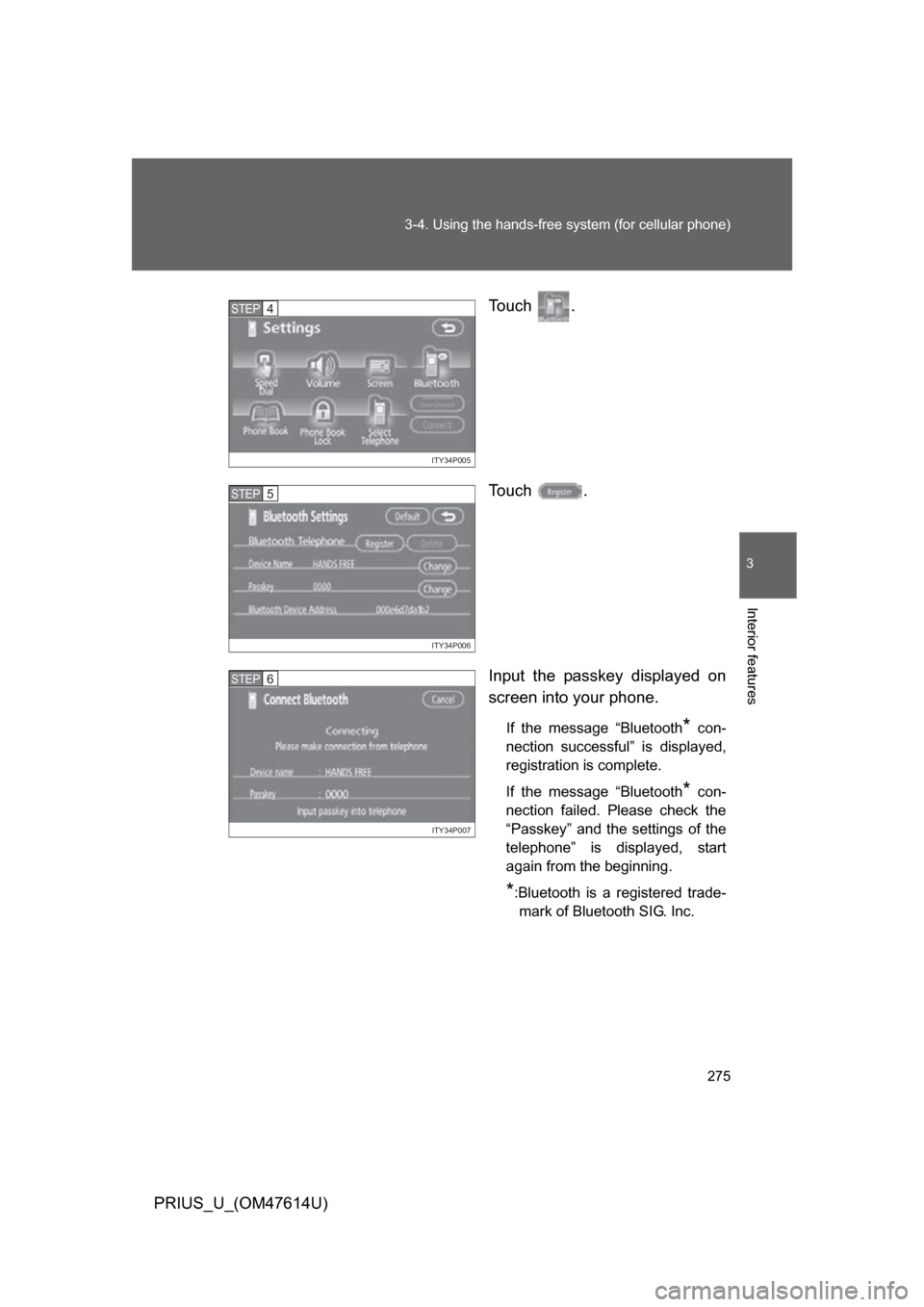
PRIUS_U_(OM47614U) Touch .
Touch .
Input the passkey displayed on
screen into your phone.
If the message “Bluetooth* con-
nection successful” is displayed,
registration is complete.
If the message “Bluetooth
* con-
nection failed. Please check the
“Passkey” and the settings of the
telephone” is displayed, start
again from the beginning.
*:Bluetooth is a registered trade- mark of Bluetooth SIG. Inc.
ITY34P005
STEP4
ITY34P006
STEP5
ITY34P007
STEP6
Page 276 of 508
276 3-4. Using the hands-free system (for cellular phone)
PRIUS_U_(OM47614U)
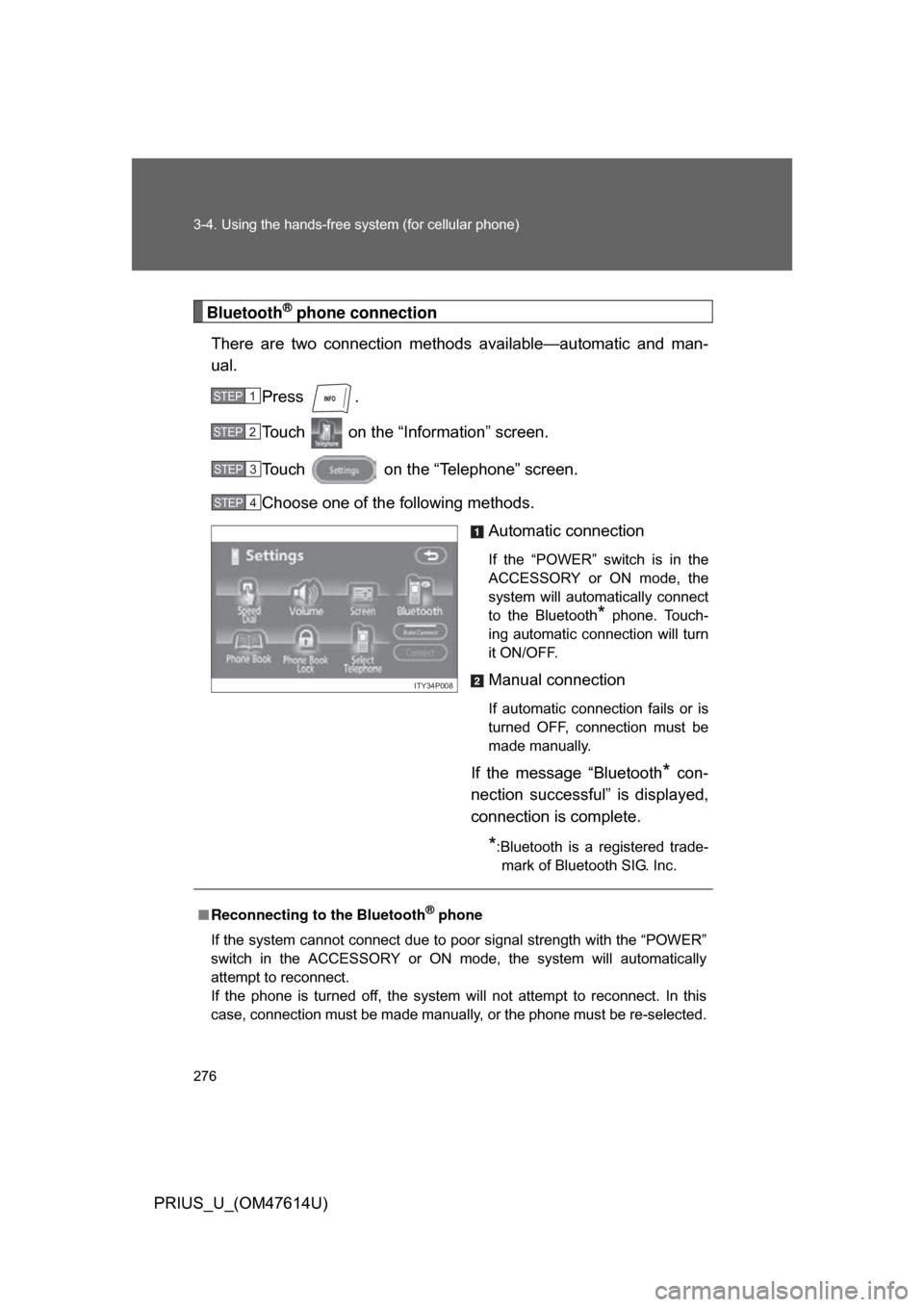
Bluetooth® phone connection
There are two connection method s available—automatic and man-
ual.
Press .
Touch on the “Inf ormation” screen.
Touch on the “Telephone” screen.
Choose one of the following methods. Automatic connection
If the “POWER” switch is in the
ACCESSORY or ON mode, the
system will automatically connect
to the Bluetooth
* phone. Touch-
ing automatic connection will turn
it ON/OFF.
Manual connection
If automatic connection fails or is
turned OFF, connection must be
made manually.
If the message “Bluetooth* con-
nection successful” is displayed,
connection is complete.
*:Bluetooth is a registered trade- mark of Bluetooth SIG. Inc.
STEP1
STEP2
STEP3
STEP4
ITY34P008
■ Reconnecting to the Bluetooth® phone
If the system cannot connect due to poor signal strength with the “POWER”
switch in the ACCESSORY or ON mode, the system will automatically
attempt to reconnect.
If the phone is turned off, the system will not attempt to reconnect. In this
case, connection must be made manually, or the phone must be re-selected.
Page 277 of 508
277
3-4. Using the hands-free
system (for cellular phone)
3
Interior features
PRIUS_U_(OM47614U)
Making a call
Once the Bluetooth
® phone is registered, you can make a call using
the following procedure.
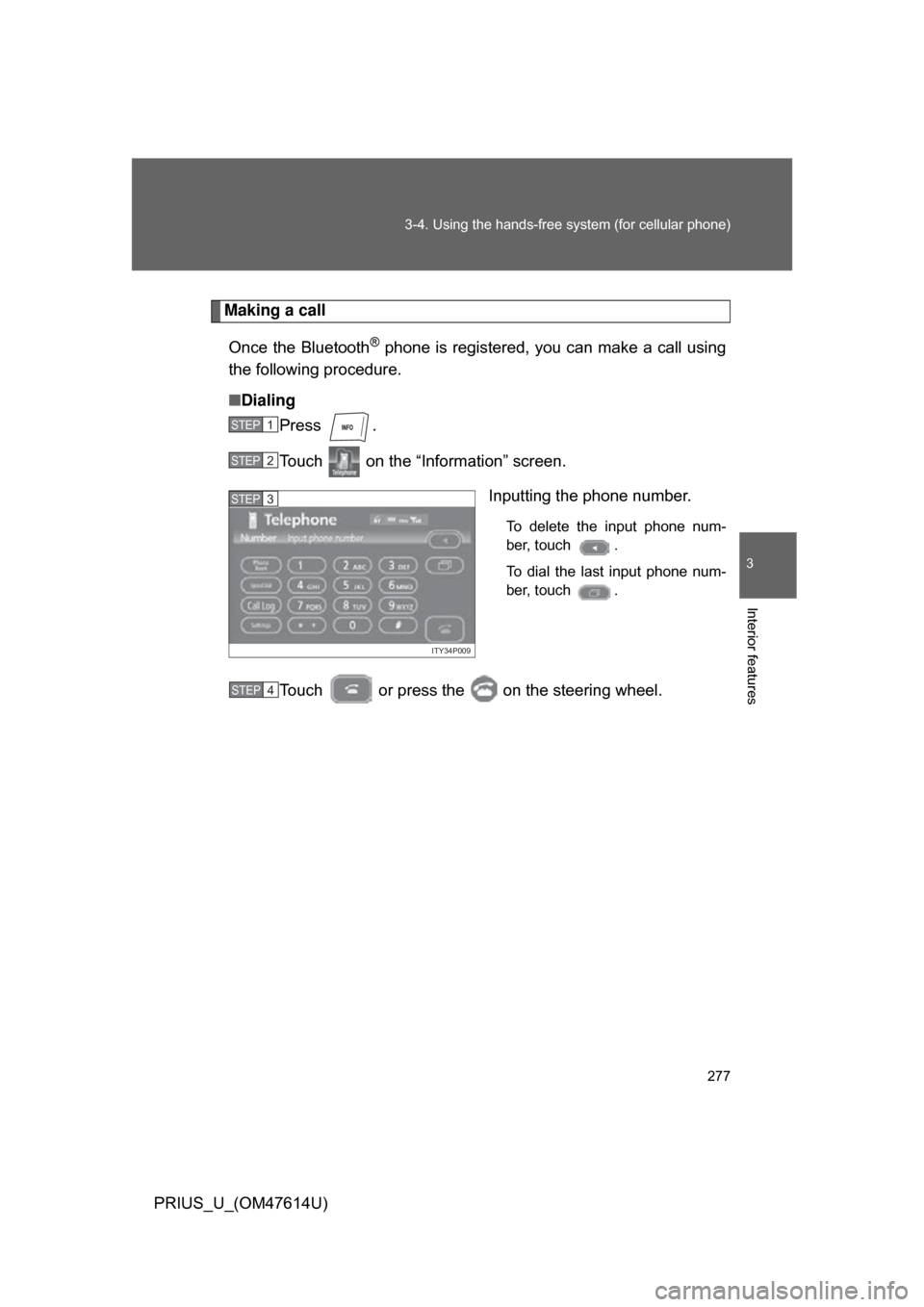
■ Dialing
Press .
Touch on the “Information” screen.
Inputting the phone number.
To delete the input phone num-
ber, touch .
To dial the last input phone num-
ber, touch .
Touch or press the on the steering wheel.
STEP1
STEP2
ITY34P009
STEP3
STEP4
Page 288 of 508
288
3-4. Using the hands-free system (for cellular phone)
PRIUS_U_(OM47614U)
Setting the hands-free system (for cellular phone)
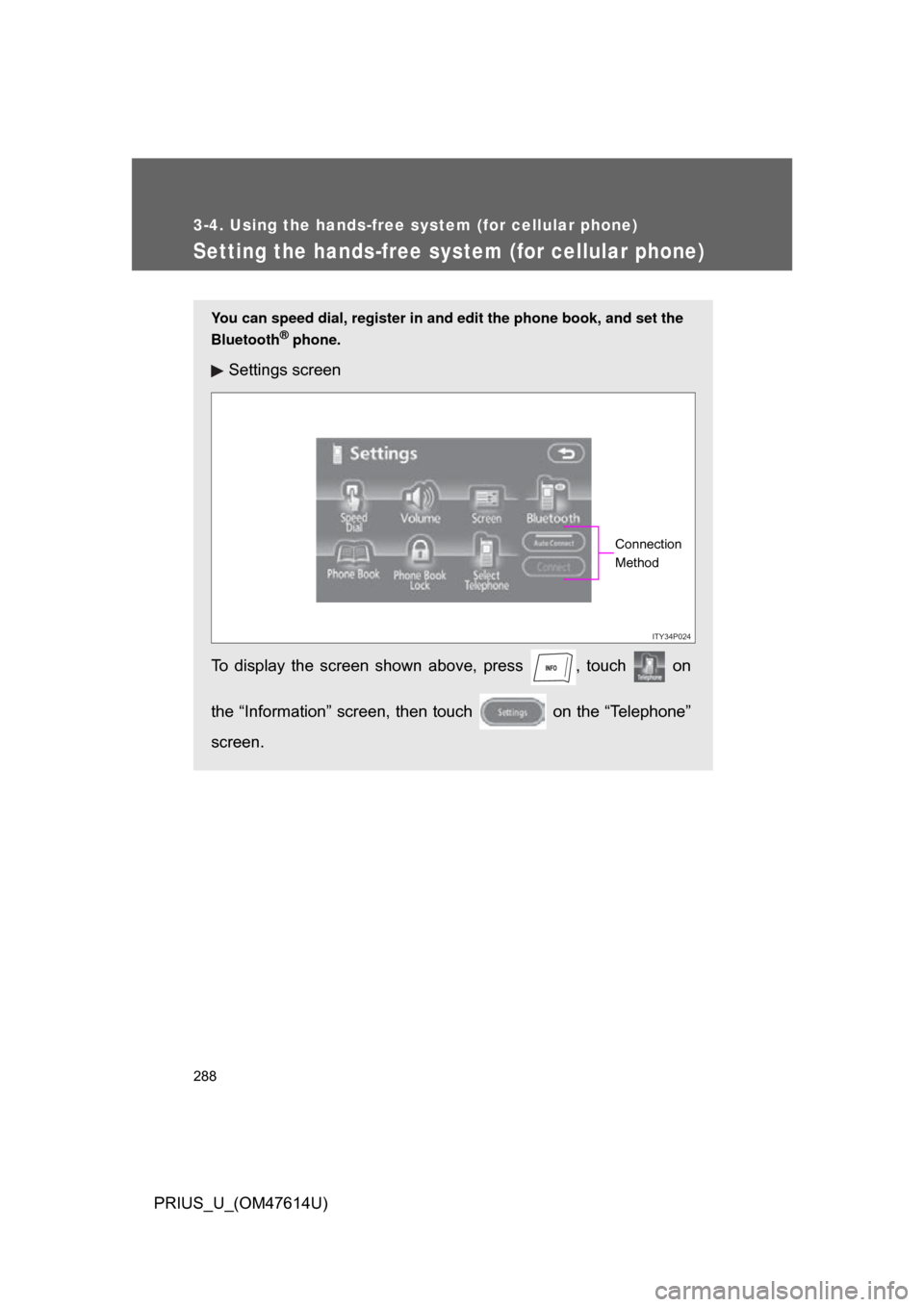
You can speed dial, register in and edit the phone book, and set the
Bluetooth
® phone.
Settings screen
To display the screen shown above, press , touch on
the “Information” screen, then touch on the “Telephone”
screen.
ITY34P024
Connection
Method
Page 295 of 508
295
3-4. Using the hands-free
system (for cellular phone)
3
Interior features
PRIUS_U_(OM47614U)
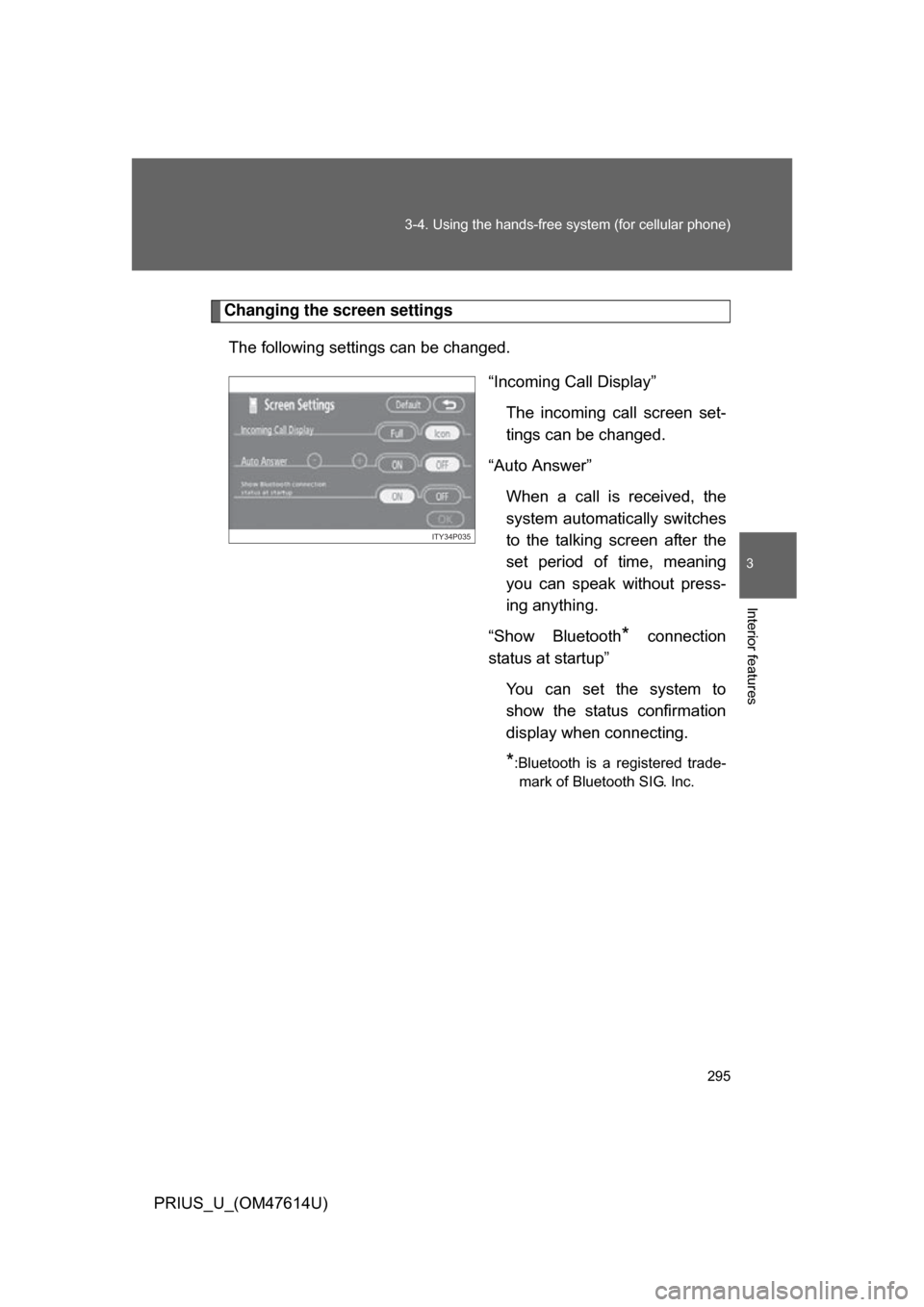
Changing the screen settings
The following settings can be changed. “Incoming Call Display”The incoming call screen set-
tings can be changed.
“Auto Answer” When a call is received, the
system automatically switches
to the talking screen after the
set period of time, meaning
you can speak without press-
ing anything.
“Show Bluetooth
* connection
status at startup”
You can set the system to
show the status confirmation
display when connecting.
*:Bluetooth is a registered trade-mark of Bluetooth SIG. Inc.
ITY34P035
Page 297 of 508
297
3-4. Using the hands-free
system (for cellular phone)
3
Interior features
PRIUS_U_(OM47614U)■
“Show Bluetooth
* connection status at startup” settings
Press .
Touch on the “Information” screen.
Touch on the “Telephone” screen.
Touch on the “Settings” screen.
Touch / in the “Show Bluetooth
* connection sta-
tus at startup” section of the “Screen Settings” screen.
*:Bluetooth is a registered trademark of Bluetooth SIG. Inc.
■ To set the screen settings to default
Touch , then touch .
STEP1
STEP2
STEP3
STEP4
STEP5
Page 311 of 508
311
3-4. Using the hands-free
system (for cellular phone)
3
Interior features
PRIUS_U_(OM47614U)
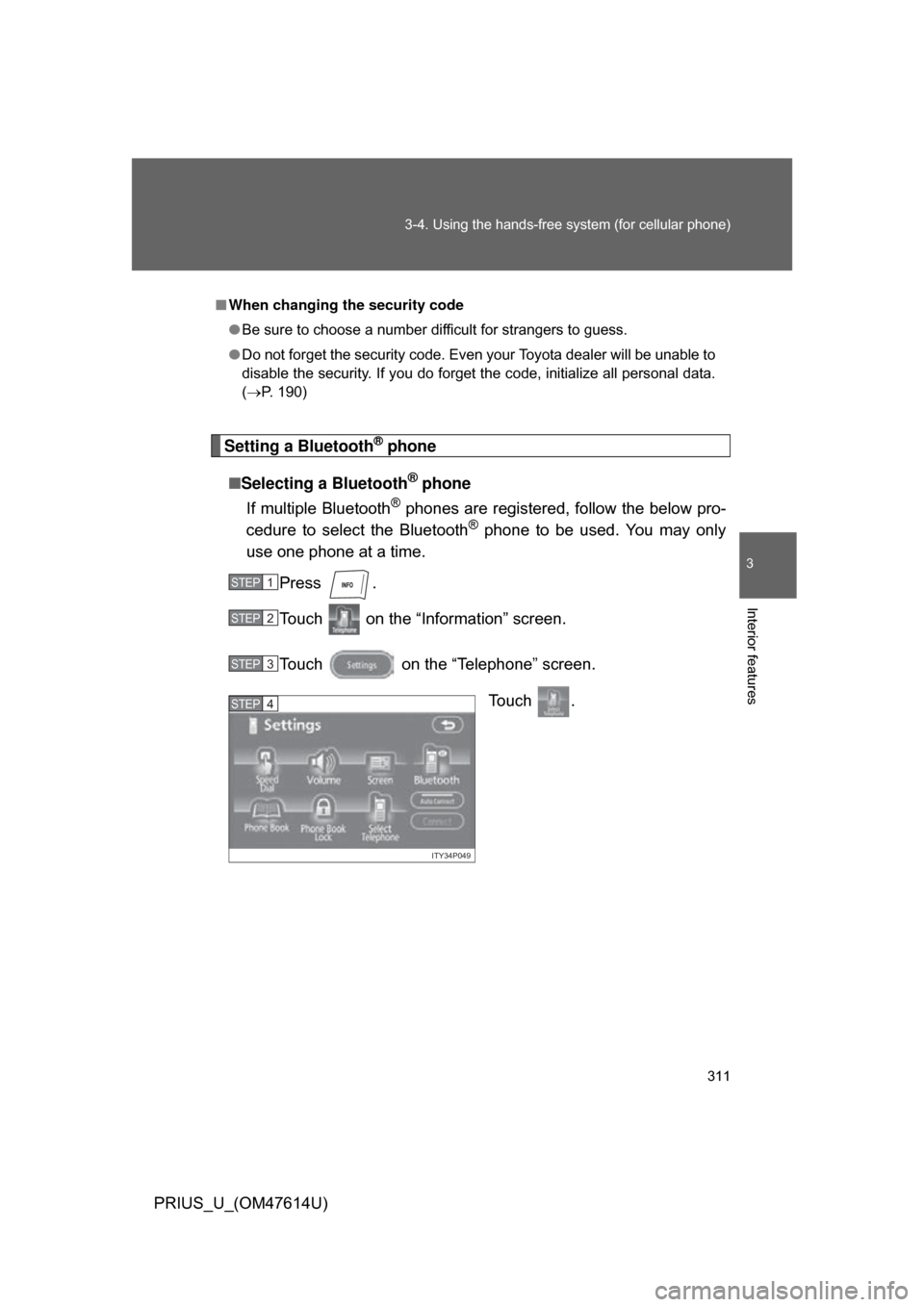
Setting a Bluetooth® phone
■ Selecting a Bluetooth
® phone
If multiple Bluetooth
® phones are registered, follow the below pro-
cedure to select the Bluetooth® phone to be used. You may only
use one phone at a time.
Press .
Touch on the “Information” screen.
Touch on the “Telephone” screen.
Touch .
■When changing the security code
● Be sure to choose a number difficult for strangers to guess.
● Do not forget the security code. Even your Toyota dealer will be unable to
disable the security. If you do forget the code, initialize all personal data.
(P. 190)
STEP1
STEP2
STEP3
ITY34P049
STEP4
Page 312 of 508
312 3-4. Using the hands-free system (for cellular phone)
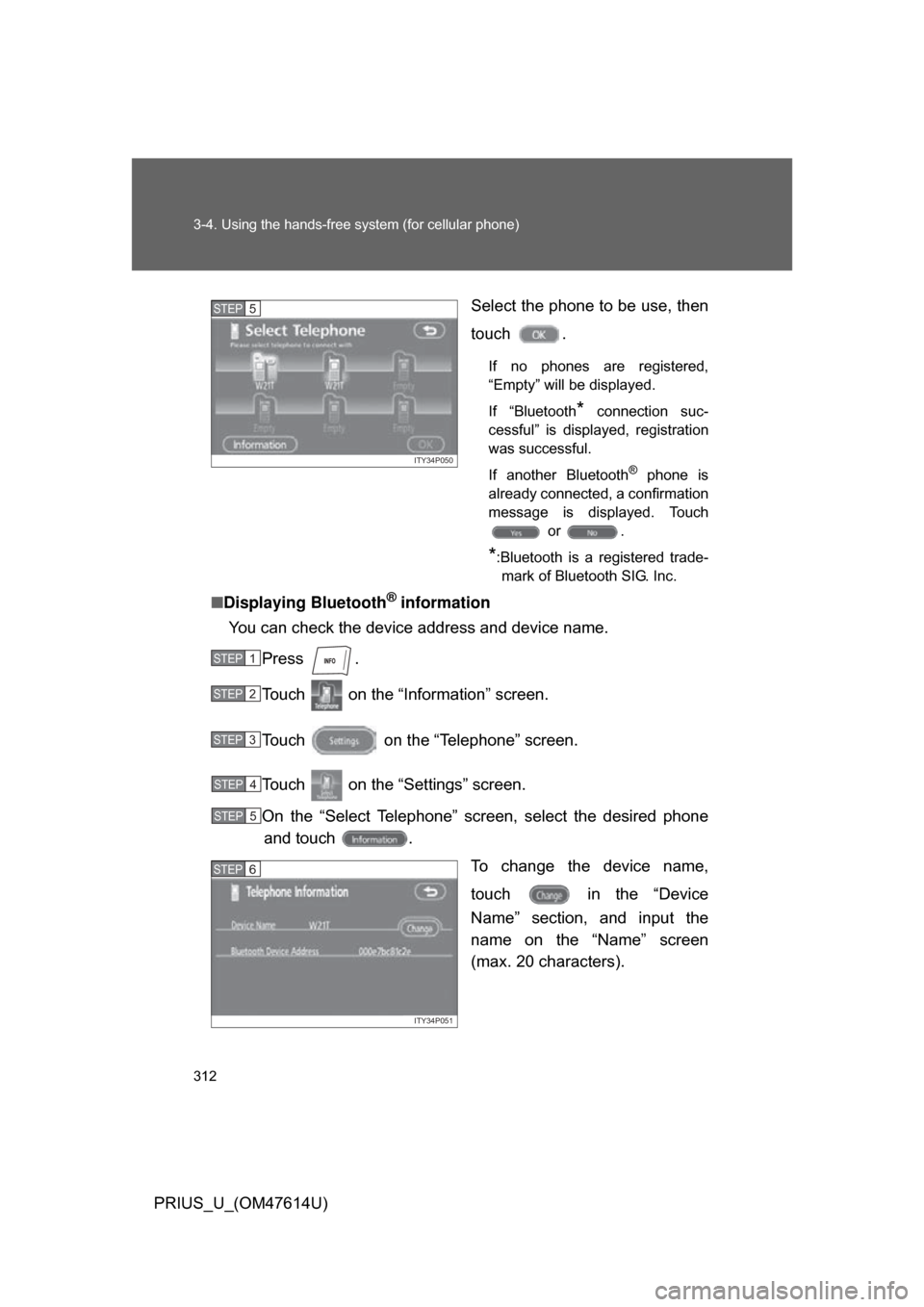
PRIUS_U_(OM47614U)Select the phone to be use, then
touch .
If no phones are registered,
“Empty” will be displayed.
If “Bluetooth
* connection suc-
cessful” is displayed, registration
was successful.
If another Bluetooth
® phone is
already connected, a confirmation
message is displayed. Touch or .
*:Bluetooth is a registered trade-mark of Bluetooth SIG. Inc.
■ Displaying Bluetooth® information
You can check the device address and device name.
Press .
Touch on the “Inf ormation” screen.
Touch on the “Telephone” screen.
Touch on the “Settings” screen.
On the “Select Telephone” screen, select the desired phone and touch .
To change the device name,
touch in the “Device
Name” section, and input the
name on the “Name” screen
(max. 20 characters).
ITY34P050
STEP5
STEP1
STEP2
STEP3
STEP4
STEP5
ITY34P051
STEP6