Page 2 of 556
TABLE OF CONTENTSIndex
2
L/C200_U (OM60D97U)
1-1. Key information .................. 24Keys ..................................... 24
1-2. Opening, closing and
locking the doors ............. 26
Smart key system................. 26
Wireless remote control ....... 40
Side doors ............................ 43
Back door ............................. 48
1-3. Adjustable components
(seats, mirrors,
steering wheel) ................. 51
Front seats ........................... 51
Rear seats ............................ 53
Driving position memory system ................................ 62
Head restraints ..................... 66
Seat belts ............................. 70
Steering wheel ..................... 79
Inside rear view mirror.......... 81
Outside rear view mirrors ..... 82
1-4. Opening and clos ing
the windows and
moon roof ......................... 85
Power windows .................... 85
Moon roof ............................. 88
1-5. Refueling ............................. 91 Opening the fuel tank cap .... 91 1-6. Theft deterrent system ....... 95
Engine immobilizer system ................................ 95
Alarm .................................... 97
Theft prevention labels ......... 99
1-7. Safety information ............ 100 Correct driving posture ....... 100
SRS airbags ....................... 102
Front passenger occupant classification system ......... 117
Child restraint systems ....... 123
Installing child restraints ..... 127
2-1. Driving procedures........... 142 Driving the vehicle .............. 142
Engine (ignition) switch....... 151
Automatic transmission ...... 155
Turn signal lever ................. 161
Parking brake ..................... 162
Horn .................................... 163
2-2. Instrument cluster ............ 164 Gauges and meters ............ 164
Indicators and warning lights ................................. 167
Multi-information display ..... 170
1Before driving
2When driving
Page 17 of 556
17
L/C200_U (OM60D97U)
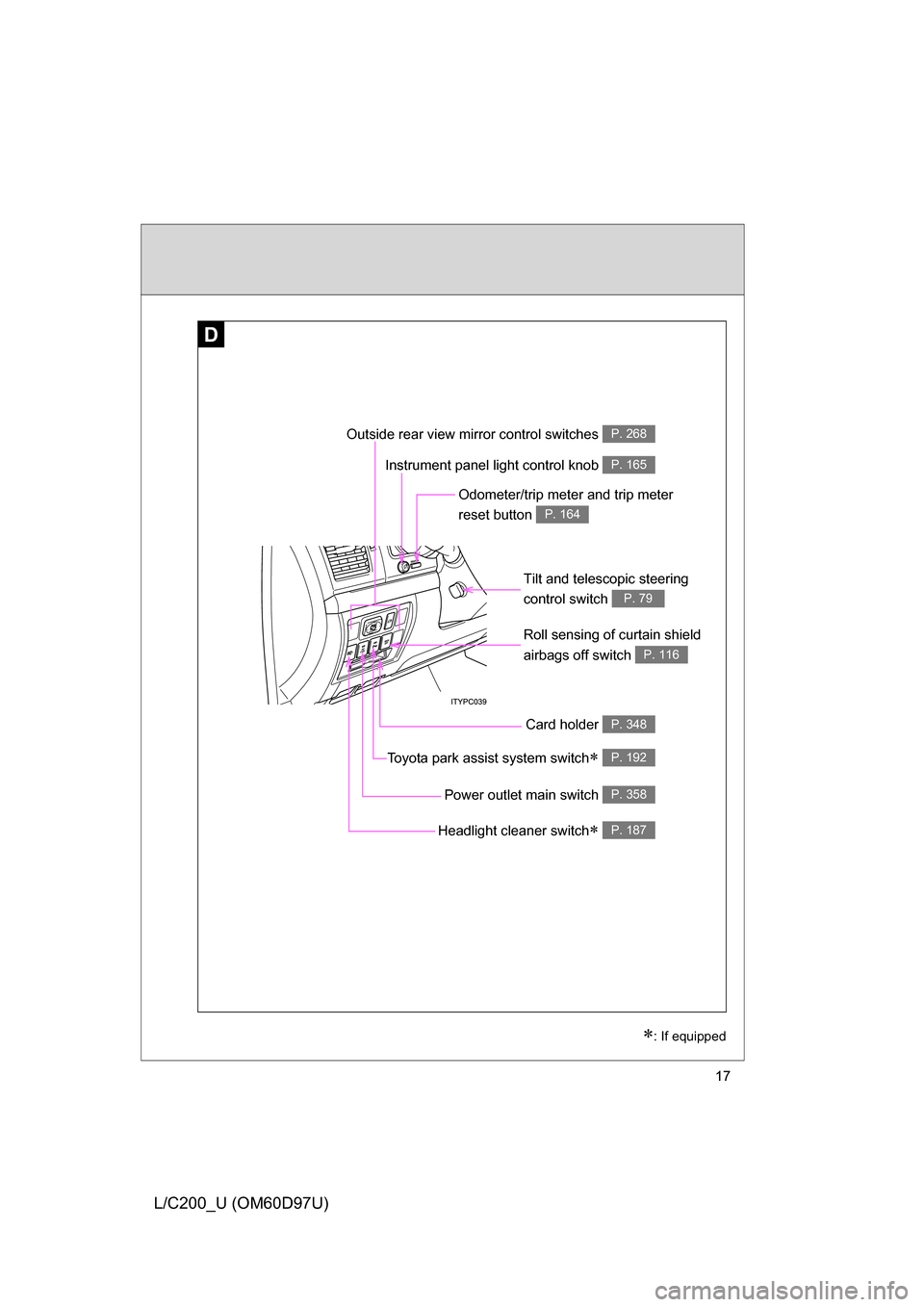
D
Roll sensing of curtain shield
airbags off switch
P. 116
Headlight cleaner switch P. 187
Power outlet main switch P. 358
Outside rear view mirror control switches P. 268
Toyota park assist system switch P. 192
: If equipped
Instrument panel light control knob P. 165
Odometer/trip meter and trip meter
reset button
P. 164
Tilt and telescopic steering
control switch
P. 79
Card holder P. 348
Page 23 of 556
Before driving1
23
L/C200_U (OM60D97U)
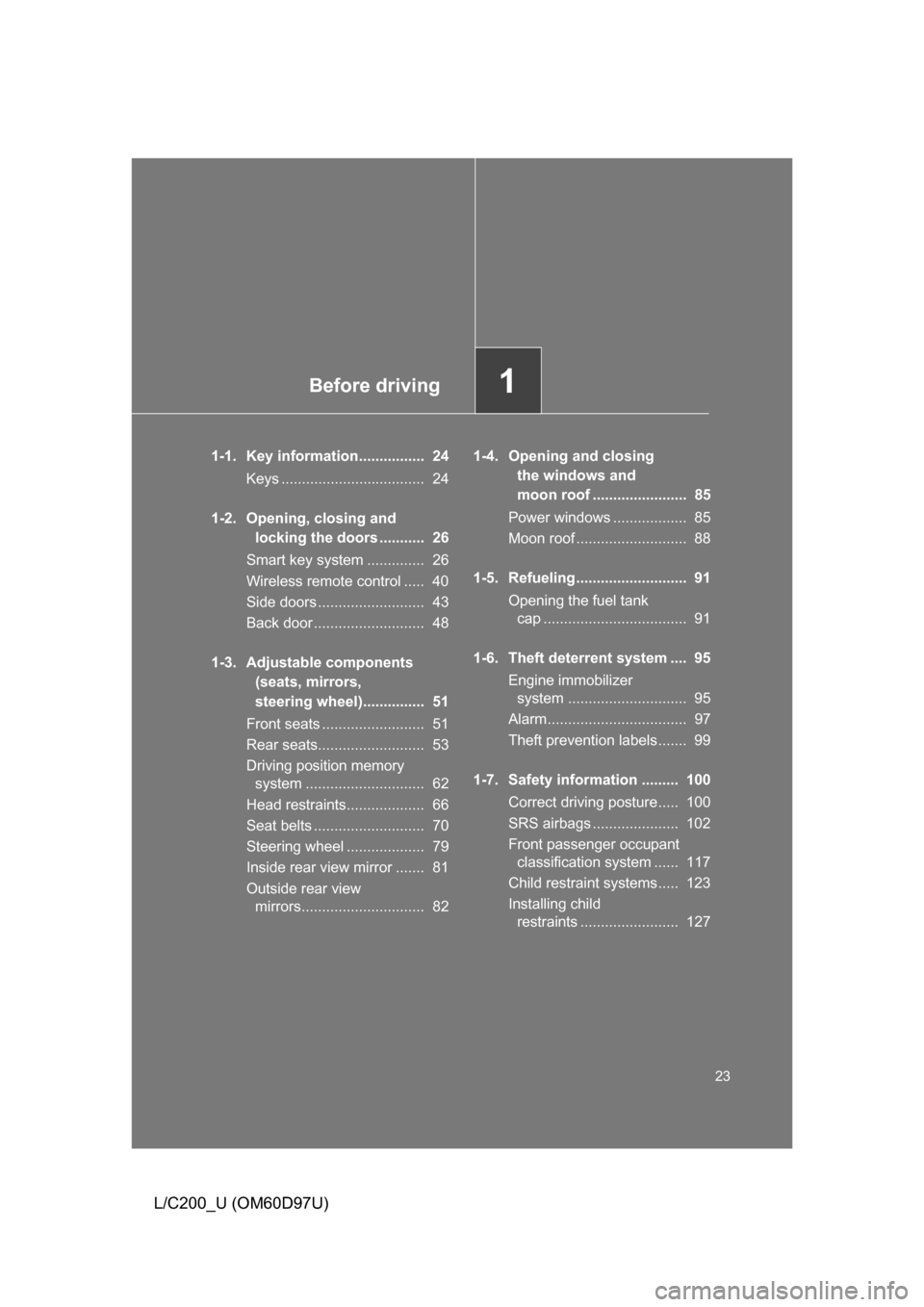
1-1. Key information................ 24Keys ................................... 24
1-2. Opening, closing and locking the doors ........... 26
Smart key system .............. 26
Wireless remote control ..... 40
Side doors .......................... 43
Back door ........................... 48
1-3. Adjustable components (seats, mirrors,
steering wheel)............... 51
Front seats ......................... 51
Rear seats.......................... 53
Driving position memory system ............................. 62
Head restraints................... 66
Seat belts ........................... 70
Steering wheel ................... 79
Inside rear view mirror ....... 81
Outside rear view mirrors.............................. 82 1-4. Opening and closing
the windows and
moon roof ....................... 85
Power windows .................. 85
Moon roof ........................... 88
1-5. Refueling........................... 91 Opening the fuel tank cap ................................... 91
1-6. Theft deterrent system .... 95 Engine immobilizer system ............................. 95
Alarm.................................. 97
Theft prevention labels....... 99
1-7. Safety information ......... 100 Correct driving posture..... 100
SRS airbags ..................... 102
Front passenger occupant classification system ...... 117
Child restraint systems..... 123
Installing child restraints ........................ 127
Page 64 of 556
64 1-3. Adjustable components (seats, mirrors, steering wheel)
L/C200_U (OM60D97U)Open one of the doors.
If a door is not opened within 30 seconds after is pressed, the
doors will be locked again and the alarm will automatically be set. In
case that the alarm is triggered, immediately stop the alarm.
(
P. 97)
■ Canceling the linked door unlock operation
Turn the “ENGINE START STOP” switch to OFF and close the
driver’s door.
While pressing “SET” button, press button on the wireless
remote control until the signal beeps.
■ Retained accessory power
Each memorized position (except for the steering wheel position) can be
activated within 30 seconds after the driver’s door is opened, even if the
“ENGINE START STOP” switch turns off.
■ To cancel seat position recall
Perform any one of the following operations.
● Press the “SET” button
● Press button “1”, “2” or “3”.
● Adjust the seat using the switches (only cancels seat position recall)
■ If the battery is disconnected
The memorized positions must be reset because the computer’s memory is
erased when the battery is disconnected.
STEP3
STEP1
STEP2
Page 145 of 556
145
2-1. Driving procedures
2
When driving
L/C200_U (OM60D97U)
CAUTION
●
Do not under any circumstances shift the shift lever to “P” or “R” while the
vehicle is moving.
Doing so can cause significant damage to the transmission and may result
in a loss of vehicle control.
● Do not shift the shift lever to “N” while the vehicle is moving.
Doing so may cause the engine brake not to operate properly and lead to
an accident.
● Do not turn the engine off while driving.
The power steering and brake actuator will not operate properly if the
engine is not running.
● Use engine braking (downshift) to maintain a safe speed when driving
down a steep hill.
Using the brakes continuously may cause the brakes to overheat and lose
effectiveness. ( P. 156)
● When stopped on an inclined surface, use the brake pedal and parking
brake to prevent the vehicle from rolling backward or forward and causing
an accident.
● Do not adjust the position of the steering wheel, the seat, or the inside or
outside rear view mirrors while driving.
Doing so may result in a loss of vehicle control that can cause accidents
that may result in death or serious injury.
● Always check that all passengers’ arms, heads or other parts of their bod-
ies are not outside the vehicle, as this may result in death or serious injury.
● Do not drive in excess of the speed limit. Even if the legal speed limit per-
mits it, do not drive over 85 mph (140 km/h) unless your vehicle has high-
speed capability tires. Driving over 85 mph (140 km/h) may result in tire
failure, loss of control and possible injury. Be sure to consult a tire dealer
to determine whether the tires on your vehicle are high-speed capability
tires or not before driving at such speeds.
Page 149 of 556
149
2-1. Driving procedures
2
When driving
L/C200_U (OM60D97U)
NOTICE
■
While driving the vehicle
Do not use the accelerator pedal or depress accelerator and brake pedals
together to hold the vehicle on a hill.
■ When parking the vehicle
Always put the shift lever in “P”. Failure to do so may cause the vehicle to
move or the vehicle may accelerate suddenly if the accelerator pedal is acci-
dentally depressed.
■ Avoiding damage to vehicle parts
● Do not turn the steering wheel fully in either direction and hold it there for a
long time.
Doing so may damage the power steering pump.
● When driving over bumps in the road, drive as slowly as possible to avoid
damaging the wheels, underside of the vehicle, etc.
■ If you hear a squealing or scrapin g noise (brake pad wear limit indica-
tors)
Have your Toyota dealer check and replace the brake pads as soon as pos-
sible.
The rotor damage can result if the pads are not replaced when needed.
It is dangerous to drive the vehicle when the wear limits of the brake pads
and/or that of the brake discs are exceeded.
Page 153 of 556
153
2-1. Driving procedures
2
When driving
L/C200_U (OM60D97U)
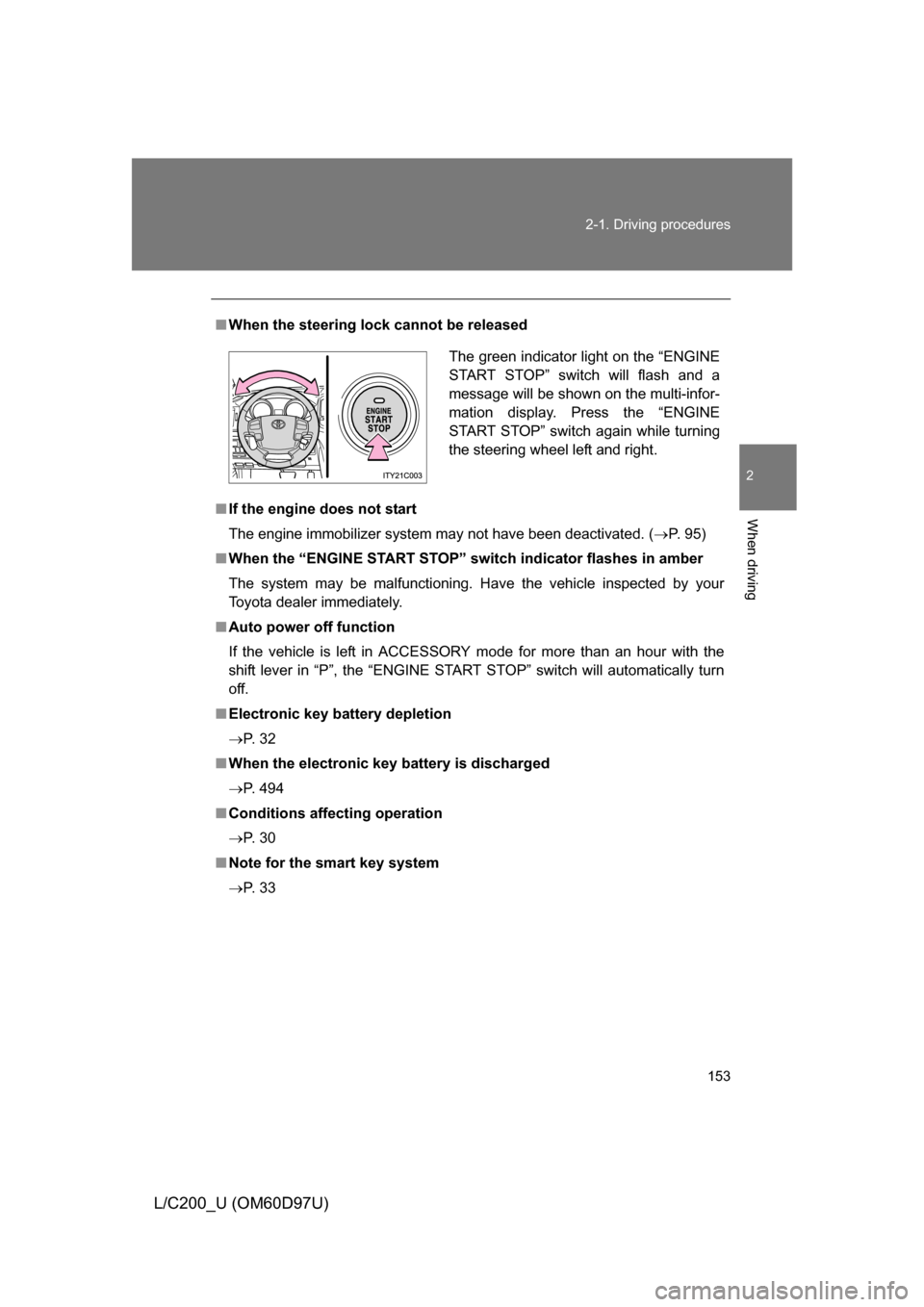
■
When the steering lock cannot be released
■ If the engine does not start
The engine immobilizer system may not have been deactivated. ( P. 95)
■ When the “ENGINE START STOP” switch indicator flashes in amber
The system may be malfunctioning. Have the vehicle inspected by your
Toyota dealer immediately.
■ Auto power off function
If the vehicle is left in ACCESSORY mode for more than an hour with the
shift lever in “P”, the “ENGINE START STOP” switch will automatically turn
off.
■ Electronic key battery depletion
P. 3 2
■ When the electronic key battery is discharged
P. 494
■ Conditions aff ecting operation
P. 3 0
■ Note for the smart key system
P. 3 3
The green indicator light on the “ENGINE
START STOP” switch will flash and a
message will be shown on the multi-infor-
mation display. Press the “ENGINE
START STOP” switch again while turning
the steering wheel left and right.
Page 296 of 556
296
3-2. Using the audio system
L/C200_U (OM60D97U)
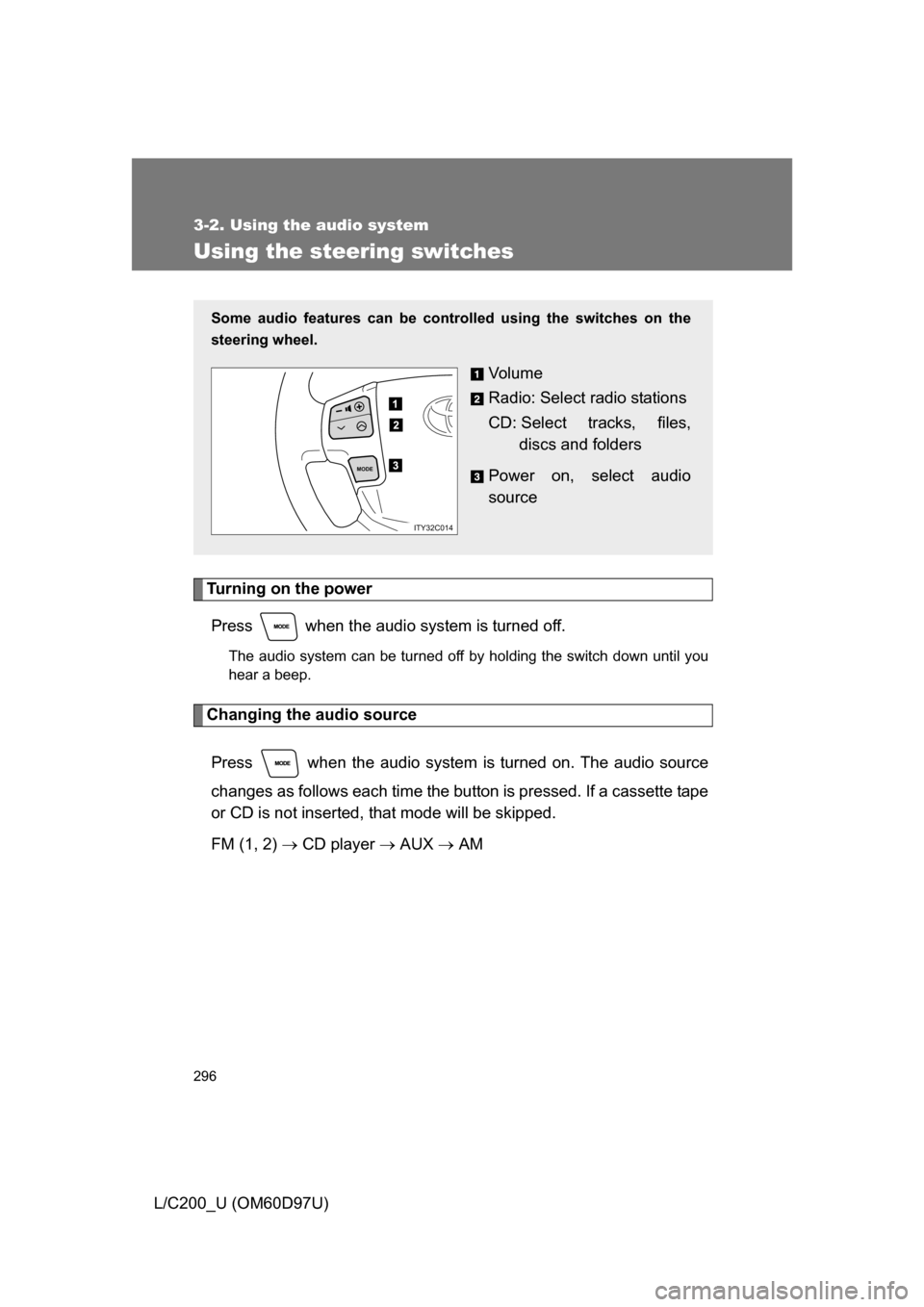
Using the steering switches
Turning on the powerPress when the audio system is turned off.
The audio system can be turned off by holding the switch down until you
hear a beep.
Changing the audio source
Press when the audio system is turned on. The audio source
changes as follows each time the button is pressed. If a cassette tape
or CD is not inserted, that mode will be skipped.
FM (1, 2) CD player AUX AM
Some audio features can be controlled using the switches on the
steering wheel.
Vo l u m e
Radio: Select radio stations
CD: Select tracks, files,
discs and folders
Power on, select audio
source
MODE
ITY32C014