Page 268 of 556
268
3-1. Using the air conditioning system and defogger
L/C200_U (OM60D97U)
Rear window and outside rear view mirror defoggers
■The rear window and outside rear vi ew mirror defoggers can be oper-
ated when
The “ENGINE START STOP” switch is in IGNITION ON mode.
CAUTION
■ When the outside rear view mirror defoggers are on
Do not touch the rear view mirror surfaces, as they can become very hot and
burn you.
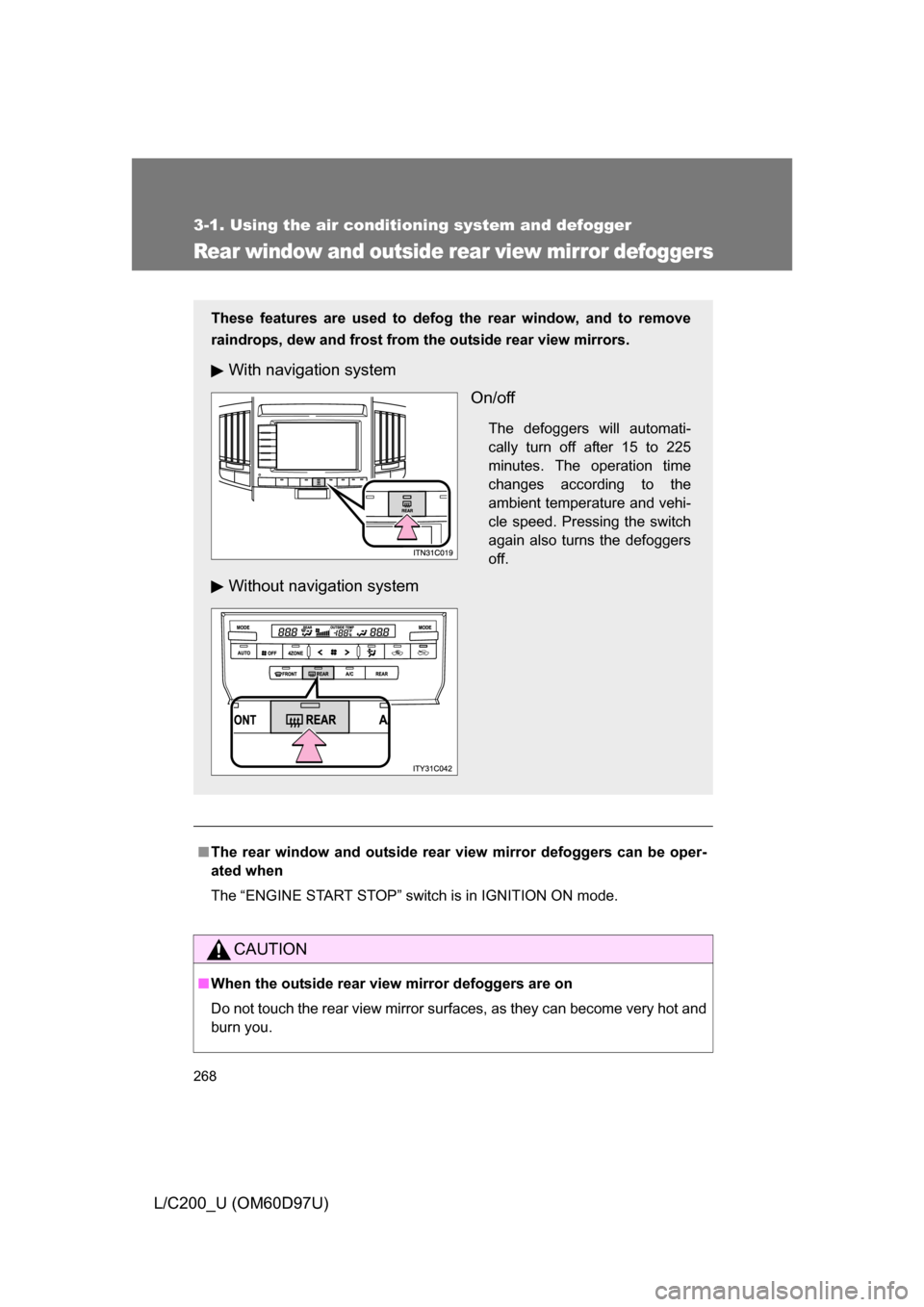
These features are used to defog the rear window, and to remove
raindrops, dew and frost from the outside rear view mirrors.
With navigation system
On/off
The defoggers will automati-
cally turn off after 15 to 225
minutes. The operation time
changes according to the
ambient temperature and vehi-
cle speed. Pressing the switch
again also turns the defoggers
off.
Without navigation system
Page 269 of 556
269
3-1. Using the air conditioning system and defogger
3
Interior features
L/C200_U (OM60D97U)
Windshield wiper de-icer
■The windshield wiper de-icer can be operated when
The “ENGINE START STOP” switch is in IGNITION ON mode.
CAUTION
■When the windshield wiper de-icer is on
Do not touch the glass at the lower part of the windshield or to the side of the
front pillars as the surfaces can become very hot and burn you.
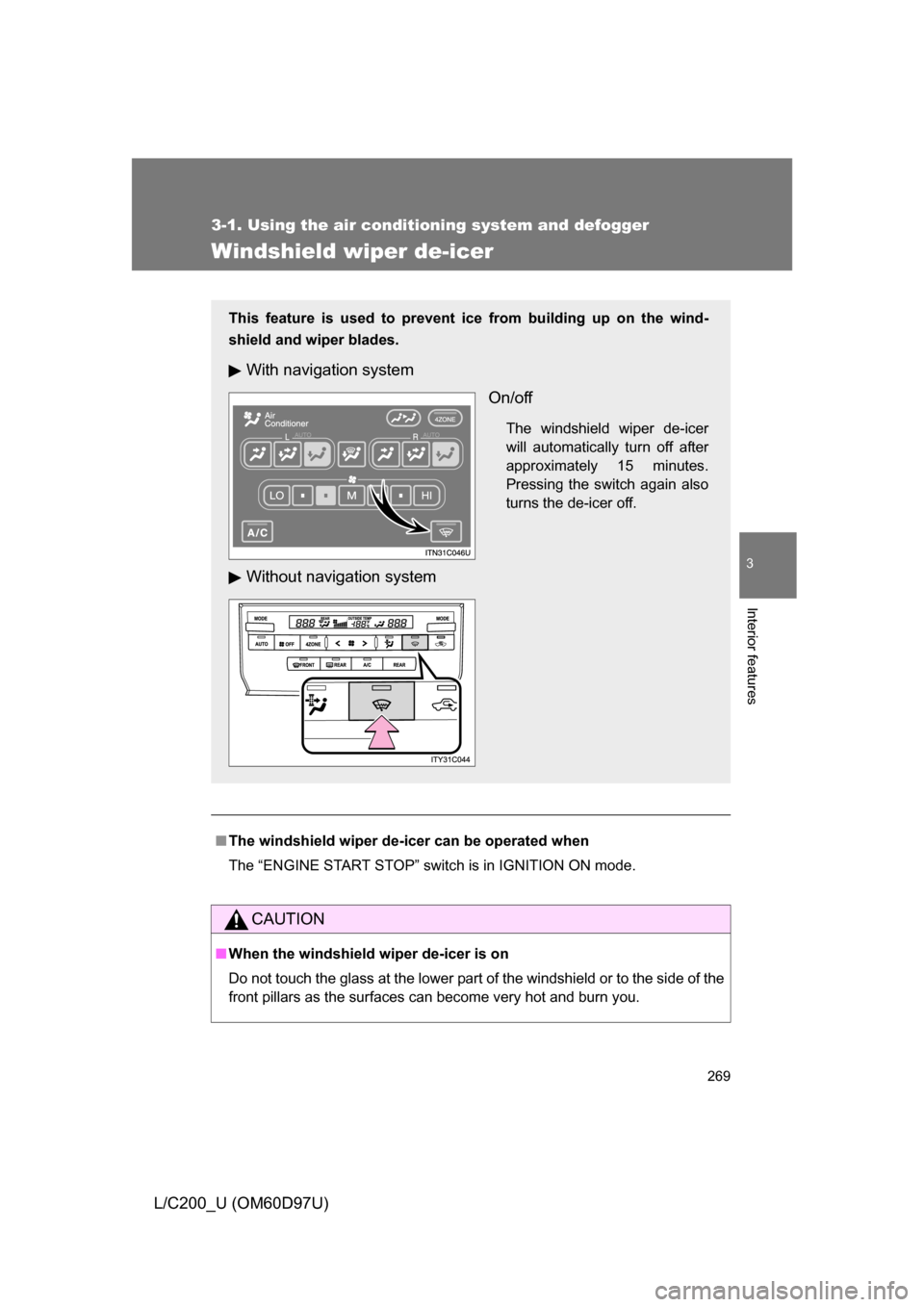
This feature is used to prevent ice from building up on the wind-
shield and wiper blades.
With navigation system
On/off
The windshield wiper de-icer
will automatically turn off after
approximately 15 minutes.
Pressing the switch again also
turns the de-icer off.
Without navigation system
Page 270 of 556
270
L/C200_U (OM60D97U)
3-2. Using the audio system
Audio system type
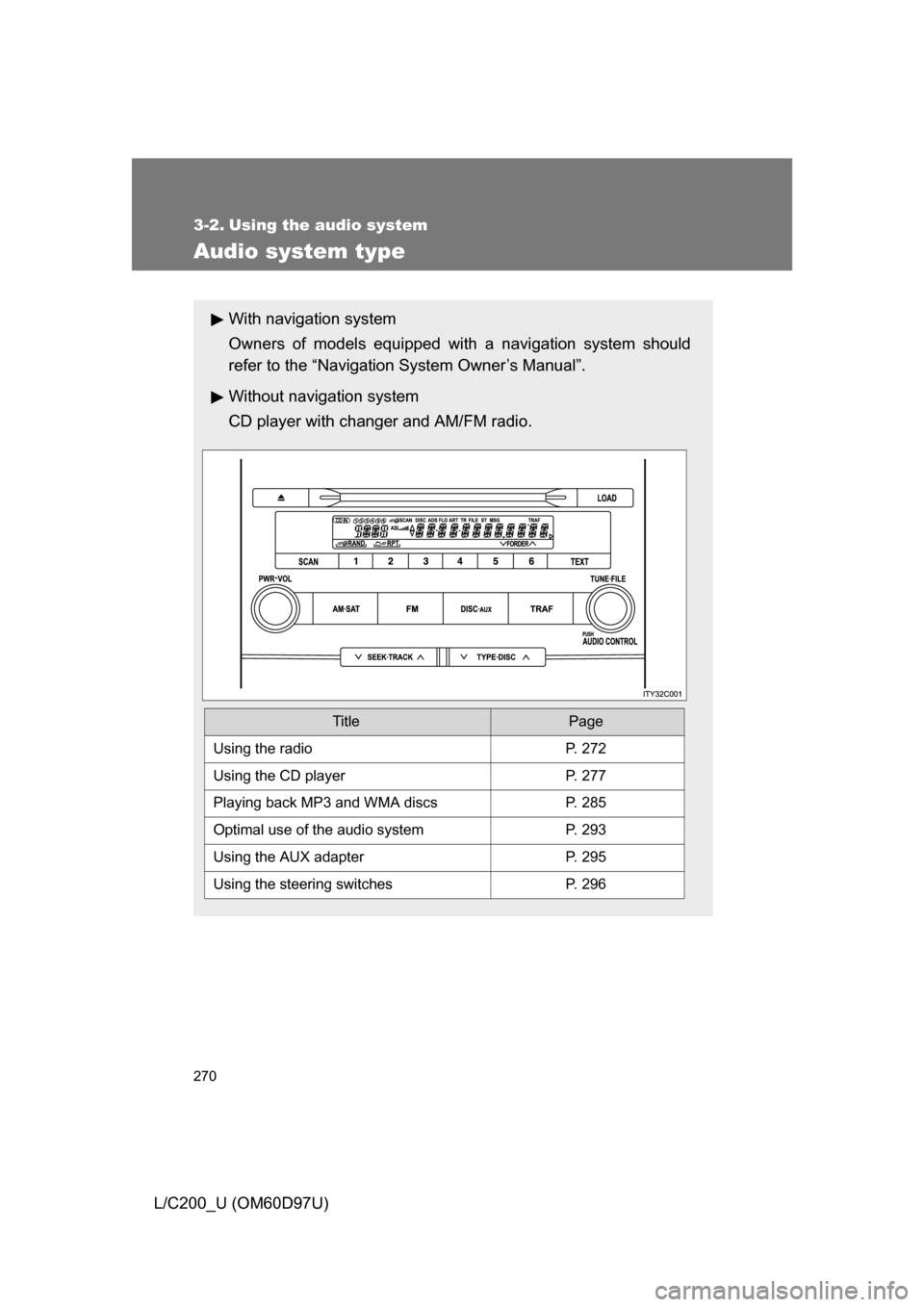
With navigation system
Owners of models equipped with a navigation system should
refer to the “Navigation System Owner’s Manual”.
Without navig ation system
CD player with changer and AM/FM radio.
TitlePage
Using the radioP. 272
Using the CD playerP. 277
Playing back MP3 and WMA discs P. 285
Optimal use of the audio systemP. 293
Using the AUX adapter P. 295
Using the steering switchesP. 296
Page 299 of 556
299
3-3. Using the rear seat entertainment system
3
Interior features
L/C200_U (OM60D97U)
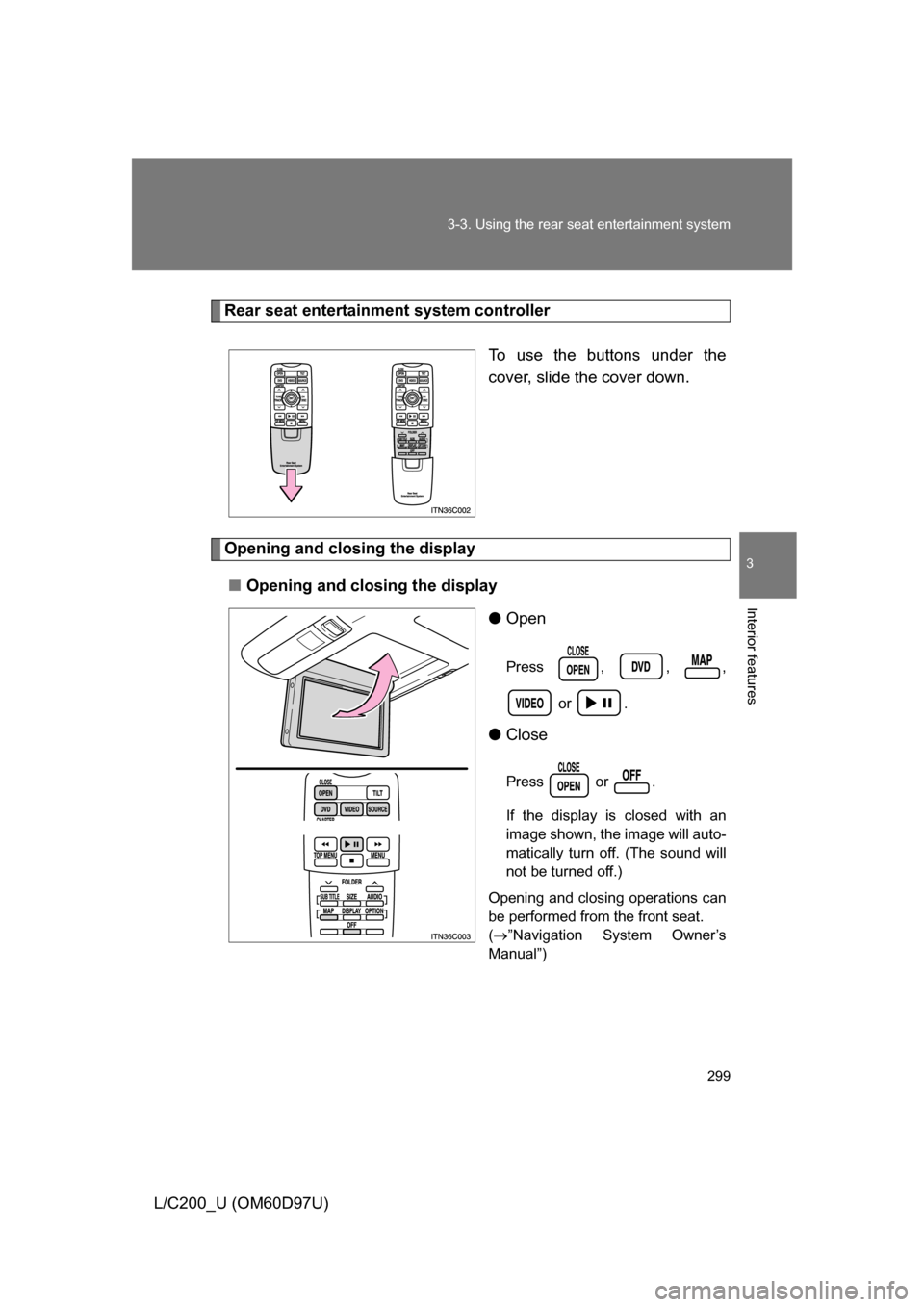
Rear seat entertainment system controller
To use the buttons under the
cover, slide the cover down.
Opening and closing the display■ Opening and closing the display
●Open
Press , , ,
or .
●Close
Press or .
If the display is closed with an
image shown, the image will auto-
matically turn off. (The sound will
not be turned off.)
Opening and closing operations can
be performed from the front seat.
( ”Navigation System Owner’s
Manual”)
Page 302 of 556
302 3-3. Using the rear seat entertainment system
L/C200_U (OM60D97U)
■The rear seat entertainmen t system can be used when
The “ENGINE START STOP” switch is in ACCESSORY or IGNITION ON
mode.
■ Jam protection function
The display will stop closing and return to its previous position if something
gets in the way of it closing.
■ When
appears on the screen
It indicates that the selected icon cannot be used at this time.
■ Rear system lock
”Navigation System Owner’s Manual”
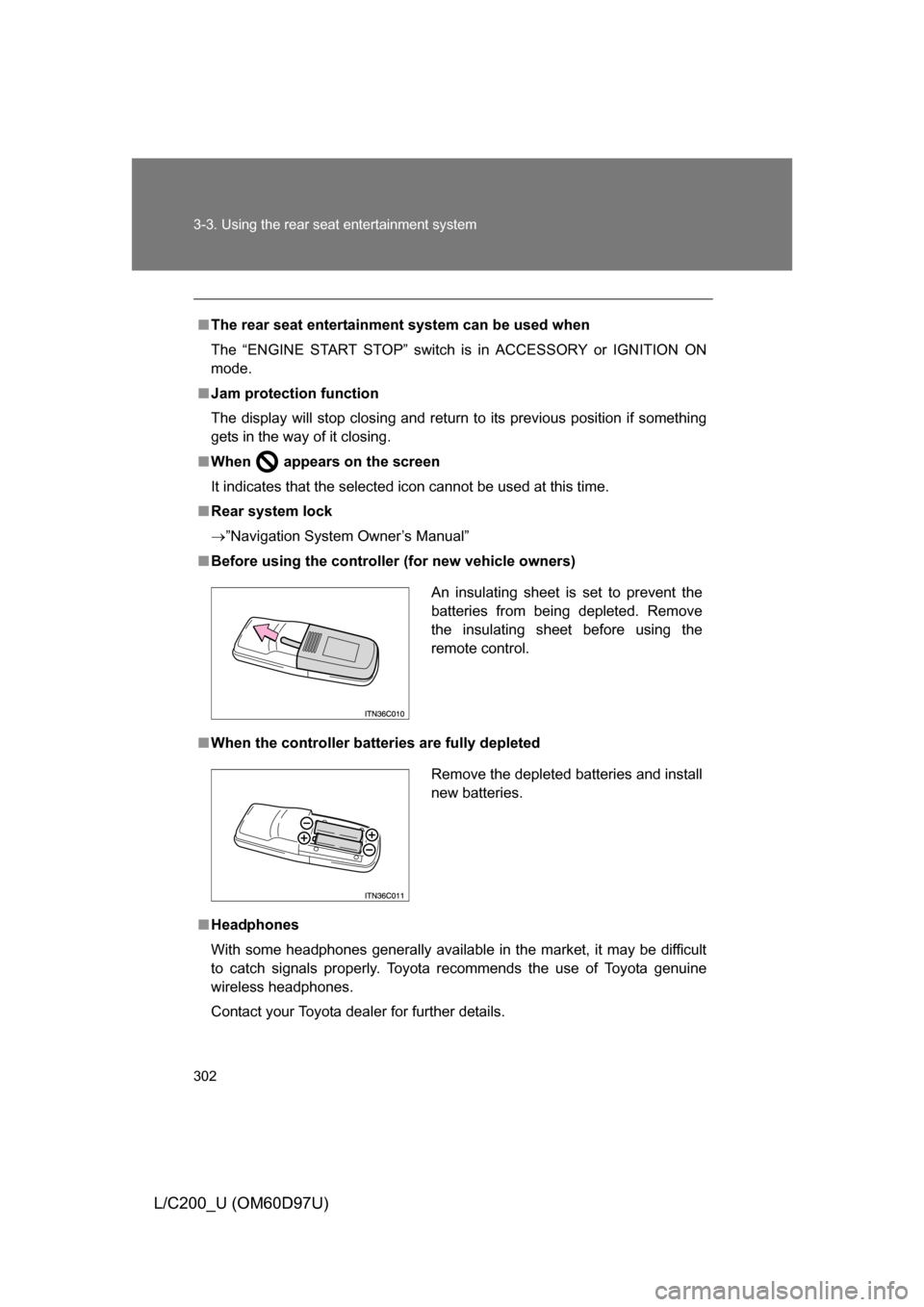
■ Before using the controller (for new vehicle owners)
■ When the controller batt eries are fully depleted
■ Headphones
With some headphones generally available in the market, it may be difficult
to catch signals properly. Toyota recommends the use of Toyota genuine
wireless headphones.
Contact your Toyota dealer for further details.
An insulating sheet is set to prevent the
batteries from being depleted. Remove
the insulating sheet before using the
remote control.
Remove the depleted batteries and install
new batteries.
Page 318 of 556
318 3-3. Using the rear seat entertainment system
L/C200_U (OM60D97U)■
Setting angle mark “ON” or “OFF”
If the DVD has angle options, you c an turn the angle mark on or off.
Select on the “Setup Menu” screen. Each
time you press , the multi angl e mark on the screen turns on or
off alternately.
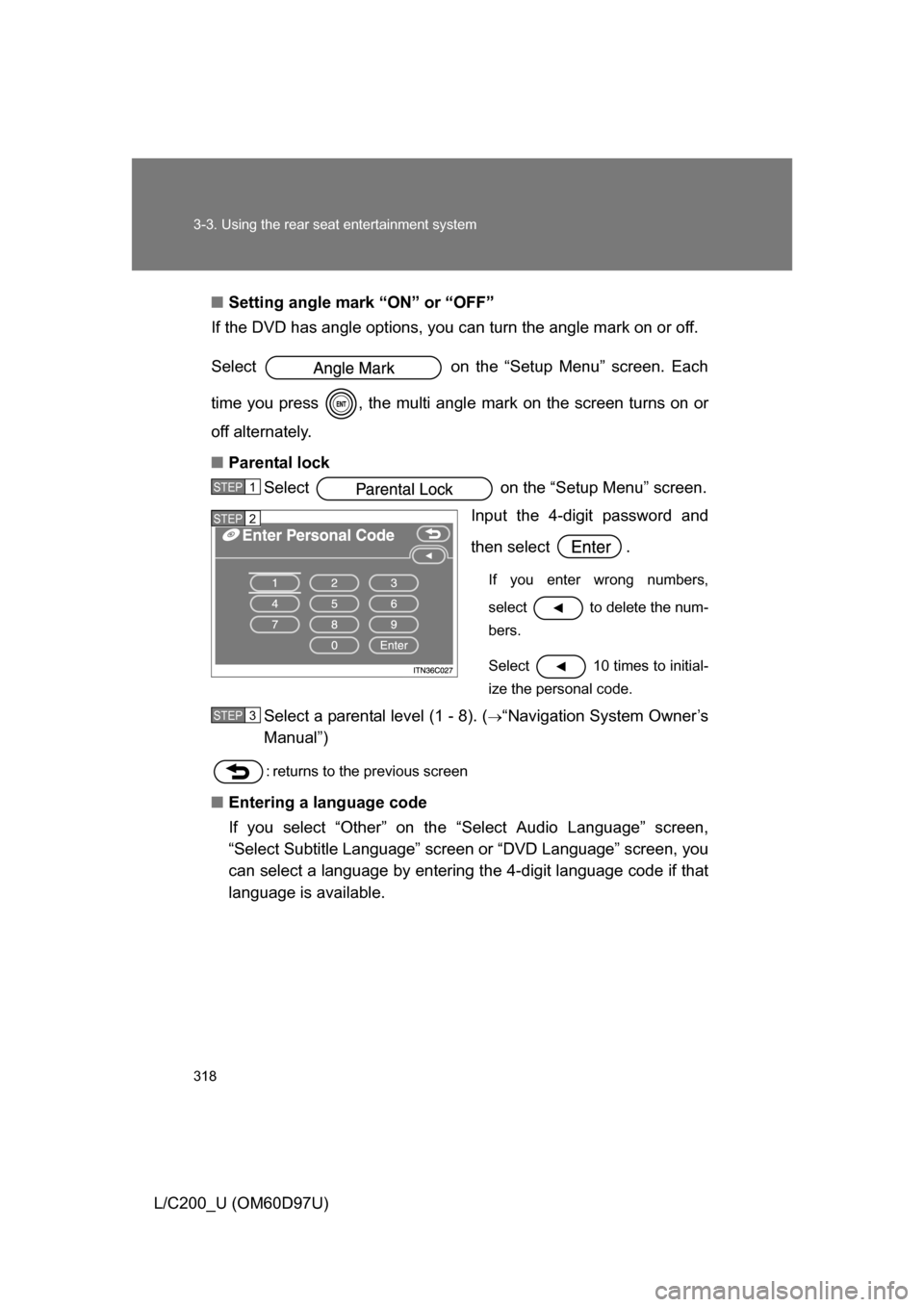
■ Parental lock
Select on the “Setup Menu” screen.
Input the 4-digit password and
then select .
If you enter wrong numbers,
select to delete the num-
bers.
Select 10 times to initial-
ize the personal code.
Select a parental level (1 - 8). (“Navigation System Owner’s
Manual”)
: returns to the previous screen
■ Entering a language code
If you select “Other” on th e “Select Audio Language” screen,
“Select Subtitle Language” screen or “DVD Language” screen, you
can select a language by entering the 4-digit language code if that
language is available.
STEP1
STEP2
STEP3
Page 353 of 556
353
3-6. Other interior features
3
Interior features
L/C200_U (OM60D97U)
Clock
■The clock is displayed when
The “ENGINE START STOP” switch is in ACCESSORY or IGNITION ON
mode.
■ When the battery is disconnected
The time display will automatically be set to 1:00.
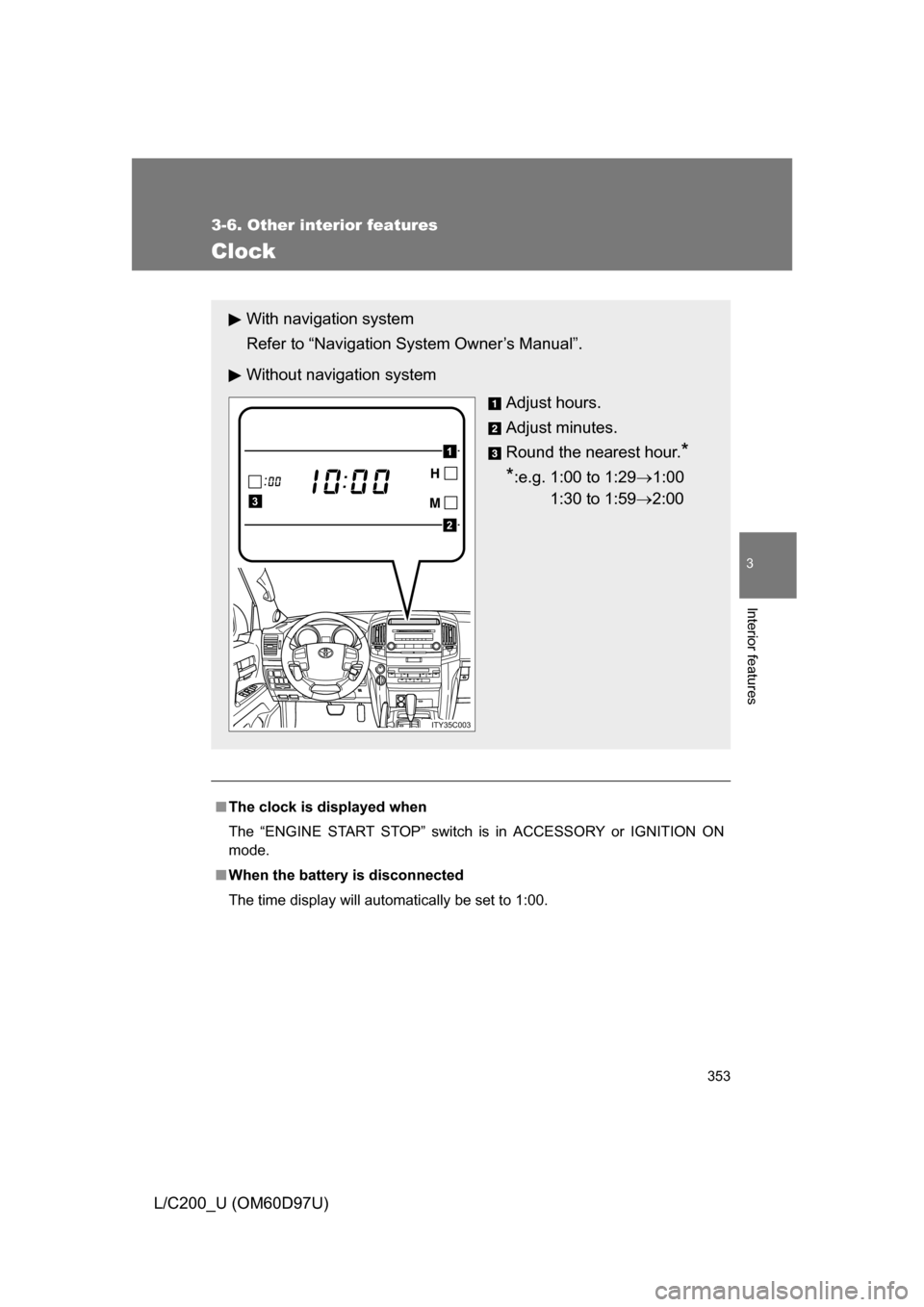
With navigation system
Refer to “Navigation System Owner’s Manual”.
Without navig ation system
Adjust hours.
Adjust minutes.
Round the nearest hour.
*
*
:e.g. 1:00 to 1:29 1:00
1:30 to 1:59 2:00
2
1
3
ITY35C003
Page 432 of 556
432 4-3. Do-it-yourself maintenance
L/C200_U (OM60D97U)
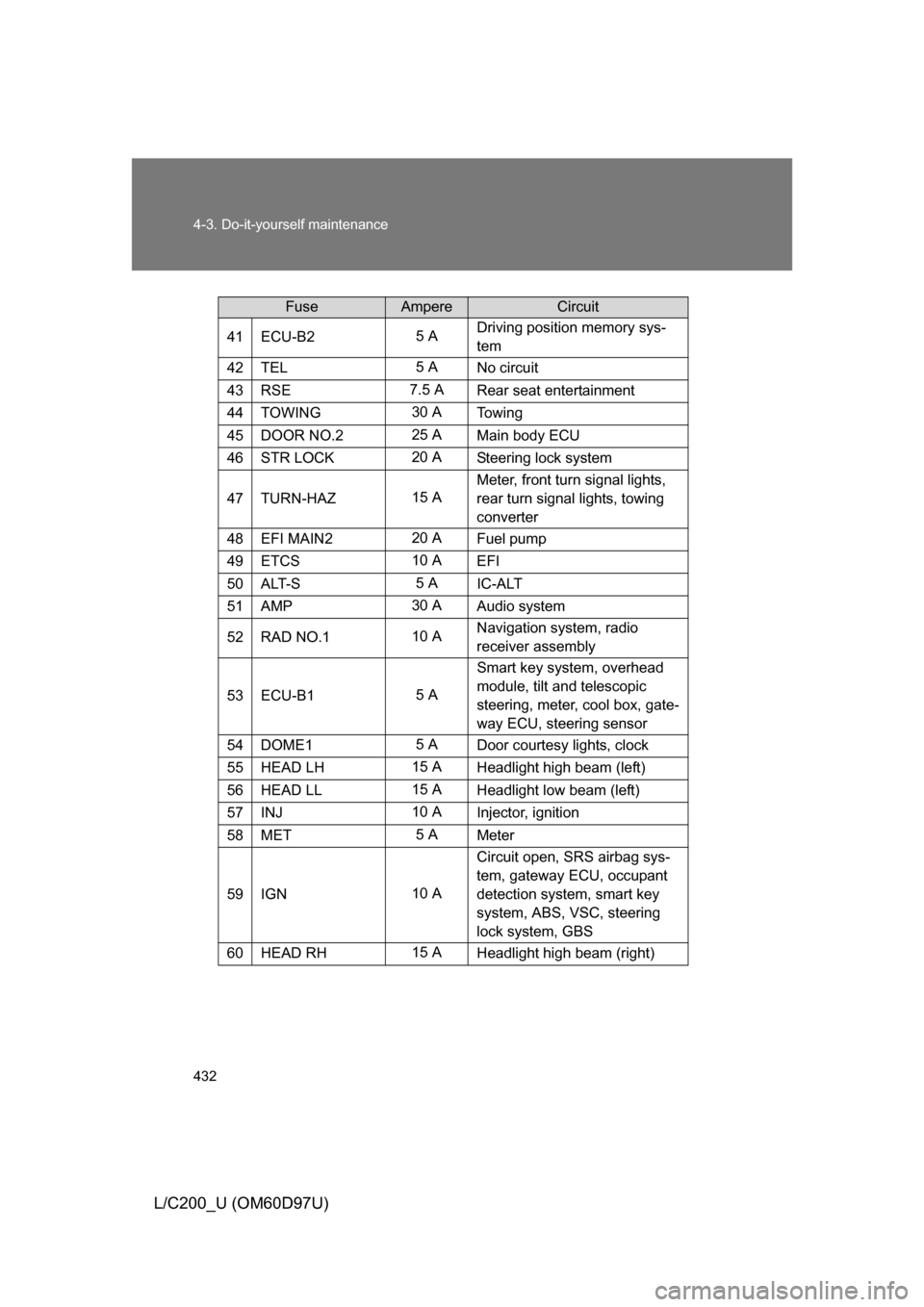
41ECU-B25 ADriving position memory sys-
tem
42TEL5 A
No circuit
43RSE7.5 A Rear seat entertainment
44TOWING30 ATo w i n g
45DOOR NO.225 A
Main body ECU
46STR LOCK20 ASteering lock system
47TURN-HAZ15 AMeter, front turn signal lights,
rear turn signal lights, towing
converter
48EFI MAIN220 A
Fuel pump
49ETCS10 A
EFI
50ALT-S5 AIC-ALT
51AMP30 A Audio system
52RAD NO.110 ANavigation system, radio
receiver assembly
53ECU-B15 ASmart key system, overhead
module, tilt and telescopic
steering, meter, cool box, gate-
way ECU, steering sensor
54DOME15 A
Door courtesy lights, clock
55HEAD LH15 A Headlight high beam (left)
56HEAD LL15 AHeadlight low beam (left)
57INJ10 A
Injector, ignition
58MET5 AMeter
59IGN10 A Circuit open, SRS airbag sys-
tem, gateway ECU, occupant
detection system, smart key
system, ABS, VSC, steering
lock system, GBS
60HEAD RH15 A
Headlight high beam (right)
FuseAmpereCircuit