Page 378 of 608
378 3-6. Using the storage features
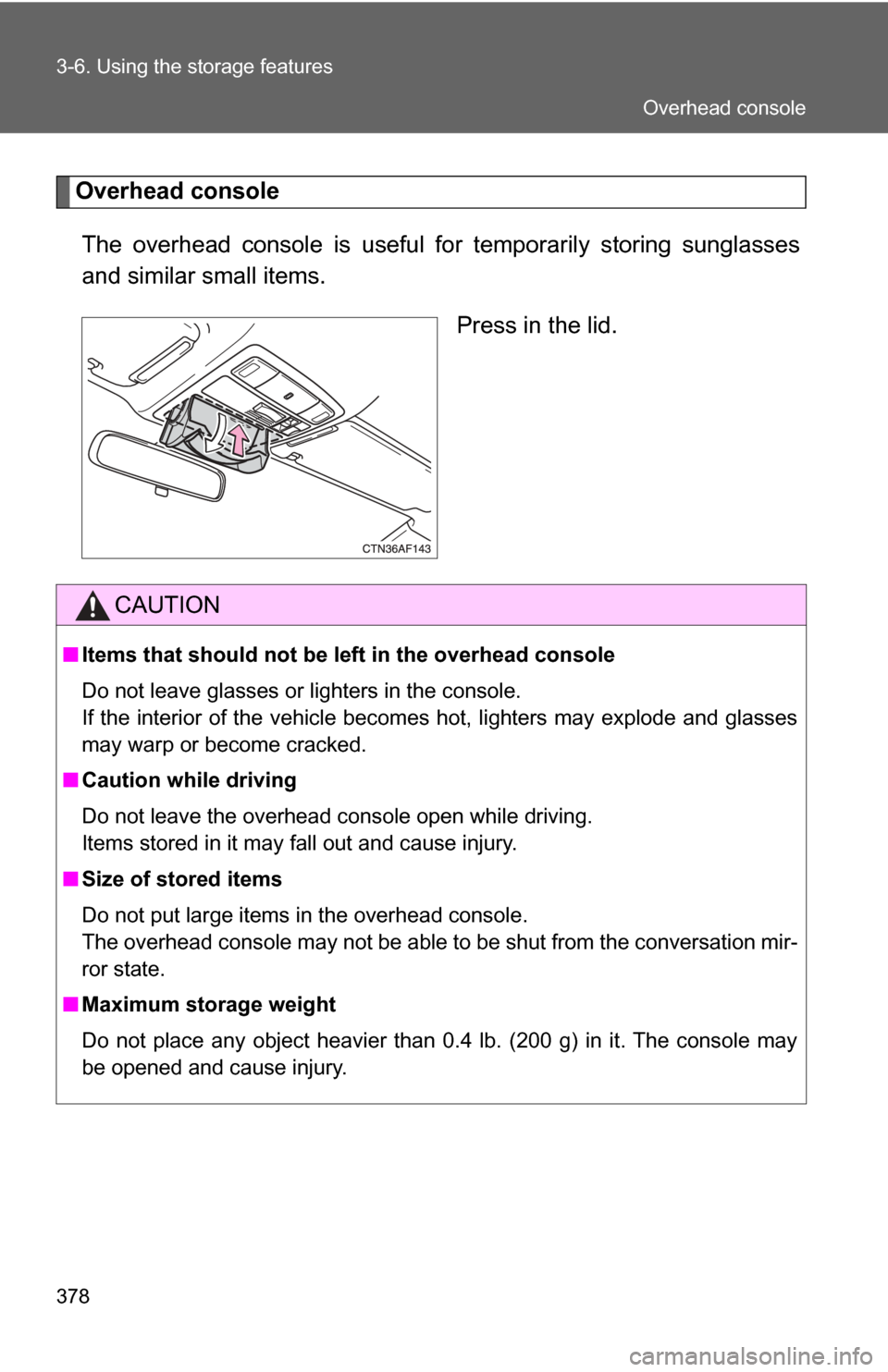
Overhead consoleThe overhead console is useful for temporarily storing sunglasses
and similar small items.
Press in the lid.
CAUTION
■Items that should not be left in the overhead console
Do not leave glasses or lighters in the console.
If the interior of the vehicle becomes hot, lighters may explode and glasses
may warp or become cracked.
■ Caution while driving
Do not leave the overhead console open while driving.
Items stored in it may fall out and cause injury.
■ Size of stored items
Do not put large items in the overhead console.
The overhead console may not be able to be shut from the conversation mir-
ror state.
■ Maximum storage weight
Do not place any object heavier than 0.4 lb. (200 g) in it. The console may
be opened and cause injury.
Overhead console
Page 389 of 608
389
3-7. Other interior features
3
Interior features
Vanity mirrors
NOTICE
■To prevent the battery from being discharged
Do not leave the vanity lights on for extended periods while the engine is
stopped.
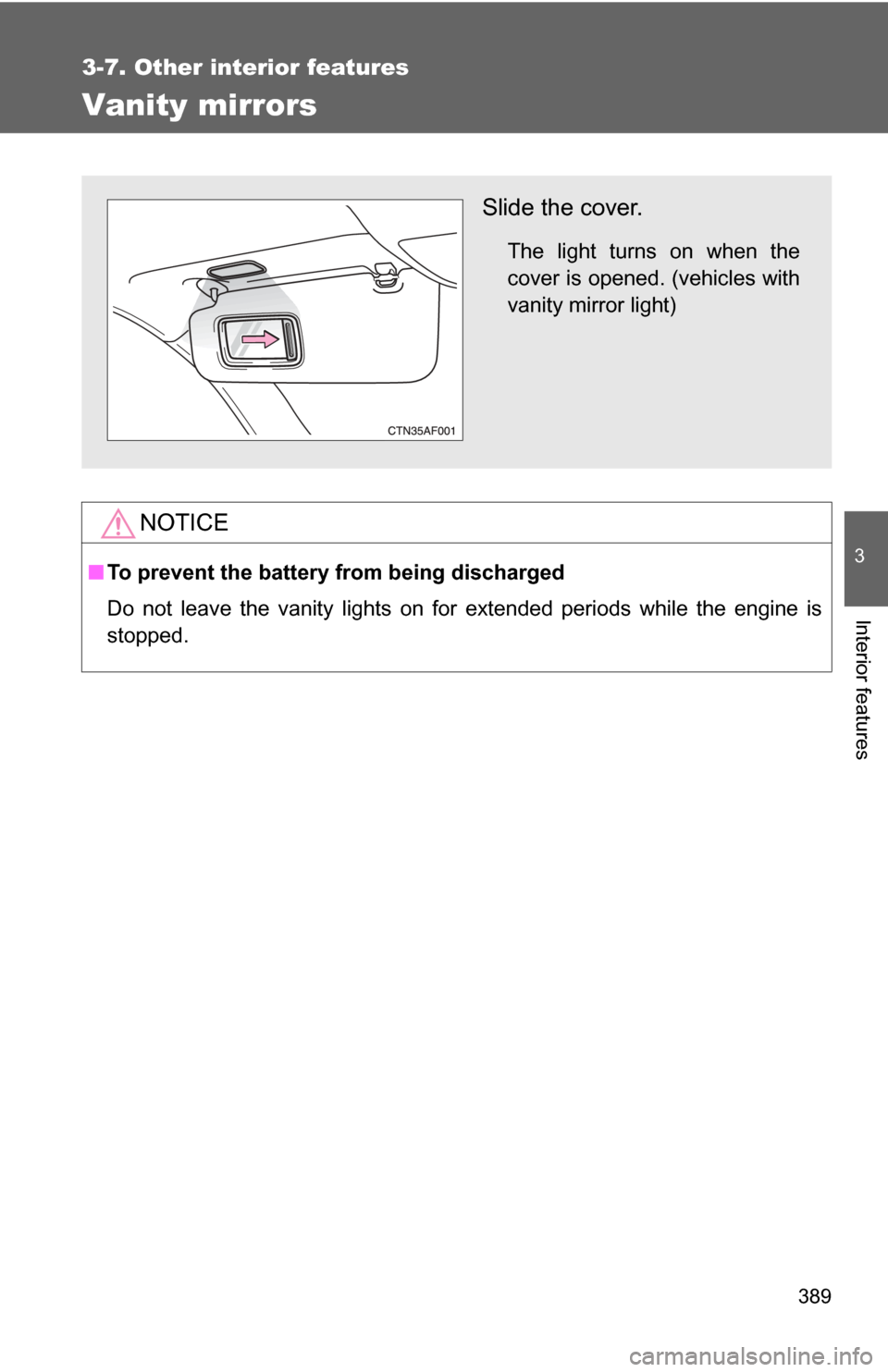
Slide the cover.
The light turns on when the
cover is opened. (vehicles with
vanity mirror light)
Page 396 of 608
396
3-7. Other interior features
Seat heaters∗
■The seat heaters can be used when
Vehicles without smart key system
The engine switch is in the “ON” position. Vehicles with smart key system
The “ENGINE START STOP” switch is in IGNITION ON mode.
■ When not in use
Turn the knob fully counterclockwise. The indicator light turns off.
Press the knob into the recessed position.
Pops the knob out
On
The indicator light comes on.
Adjusts the seat tempera-
ture
The further you turn the knob
clockwise, the warmer the seat
becomes.Front passenger's seat
Driver's seat
∗: If equipped
Page 406 of 608
406
3-7. Other interior features
Garage door opener∗
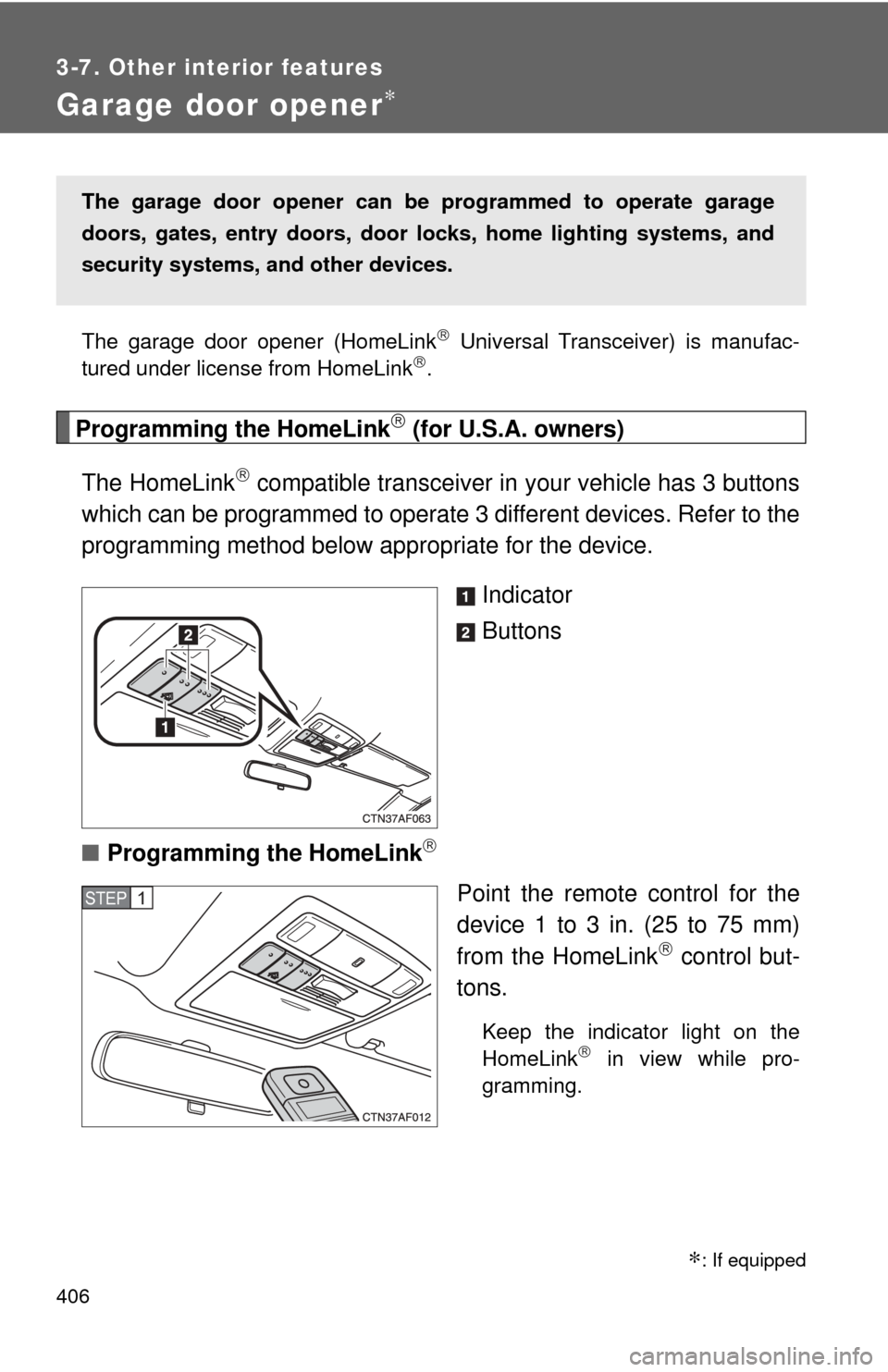
The garage door opener (HomeLink Universal Transceiver) is manufac-
tured under license from HomeLink.
Programming the HomeLink (for U.S.A. owners)
The HomeLink
compatible transceiver in your vehicle has 3 buttons
which can be programmed to operate 3 different devices. Refer to the
programming method below appropriate for the device.
Indicator
Buttons
■ Programming the HomeLink
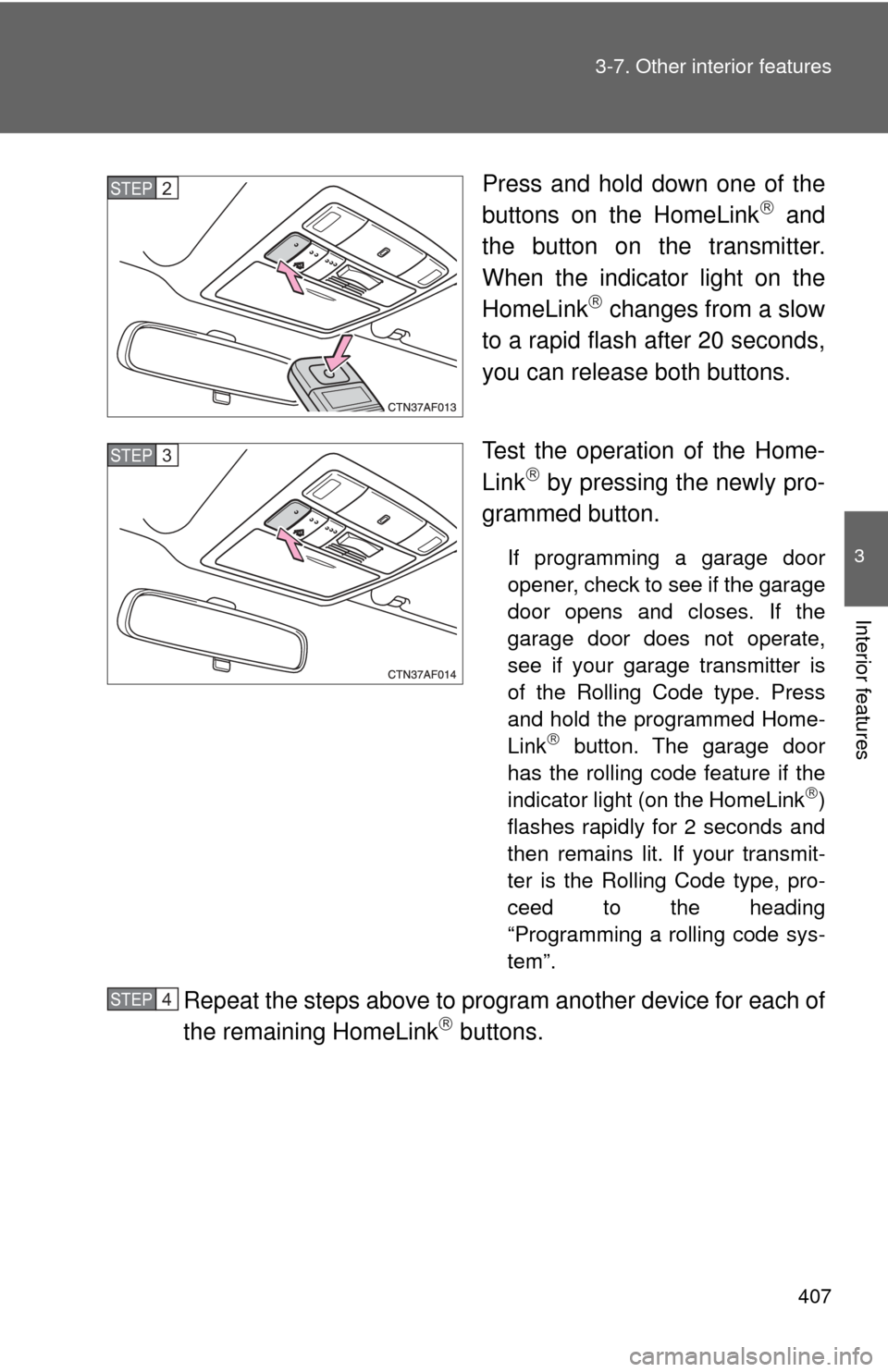
Point the remote control for the
device 1 to 3 in. (25 to 75 mm)
from the HomeLink
control but-
tons.
Keep the indicator light on the
HomeLink in view while pro-
gramming.
The garage door opener can be programmed to operate garage
doors, gates, entry doors, door locks, hom e lighting systems, and
security systems, and other devices.
STEP1
∗: If equipped
Page 407 of 608
407
3-7. Other interior features
3
Interior features
Press and hold down one of the
buttons on the HomeLink and
the button on the transmitter.
When the indicator light on the
HomeLink
changes from a slow
to a rapid flash after 20 seconds,
you can release both buttons.
Test the operation of the Home-
Link
by pressing the newly pro-
grammed button.
If programming a garage door
opener, check to see if the garage
door opens and closes. If the
garage door does not operate,
see if your garage transmitter is
of the Rolling Code type. Press
and hold the programmed Home-
Link
button. The garage door
has the rolling code feature if the
indicator light (on the HomeLink
)
flashes rapidly for 2 seconds and
then remains lit. If your transmit-
ter is the Rolling Code type, pro-
ceed to the heading
“Programming a rolling code sys-
tem”.
Repeat the steps above to program another device for each of
the remaining HomeLink buttons.
STEP2
STEP3
STEP4
Page 408 of 608

408 3-7. Other interior features
■Programming a Rolling Code sys tem (for U.S.A. owners)
If your device is Rolling Code equipped, follow the steps under the
heading “Programming the HomeLink
” before proceeding with
the steps listed below.
Locate the training button on the ceiling mounted garage door
opener motor. The exact location and color of the button may
vary by brand of garage door opener.
Refer to the operation manual supplied with the garage door opener
for the location of the training button.
Press the training button.
Press and release the vehicle’s programmed HomeLink
but-
ton twice. The garage door may open.
If the garage door opens, the programming process is complete. If
the door does not open, press and release the button a third time.
This third press and release will complete the programming process
by opening the garage door.
The ceiling mounted garage door opener motor should now recog-
nize the HomeLink
transceiver and operate the garage door.
Repeat the steps above to program another rolling code sys-
tem for any of the remaining HomeLink buttons.
■ Programming an entry gate (f or U.S.A. owners)/Programming
all devices in the Canadian market
Place your transmitter 1 to 3 in. (25 to 75 mm) away from the
surface of the HomeLink
.
Keep the indicator light on the HomeLink in view while program-
ming.
Press and hold the selected HomeLink button.
Repeatedly press and release (cycle) the device’s remote
control button for two seconds each until step 4 is complete.
When the indicator light on the HomeLink
compatible trans-
ceiver start to flashing rapidly, release the buttons.
STEP1
STEP2
STEP3
STEP4
STEP1
STEP2
STEP3
STEP4
Page 409 of 608
409
3-7. Other interior features
3
Interior features
Test the operation of the HomeLink by pressing the newly
programmed button. Check to see if the gate/device operates
correctly.
Repeat the steps above to program another device for each of
the remaining HomeLink
buttons.
■ Programming other devices
To program other devices such as home security systems, home
door locks or lighting, contact your authorized Toyota dealer for
assistance.
■ Reprogramming a button
The individual HomeLink
buttons cannot be erased but can be
reprogrammed. To reprogram a button, follow the programming
instructions.
Operating the HomeLink
Press the appropriate HomeLink button. The HomeLink indicator
light on the HomeLink transceiver should turn on.
The HomeLink continues to send a signal for up to 20 seconds as long
as the button is pressed.
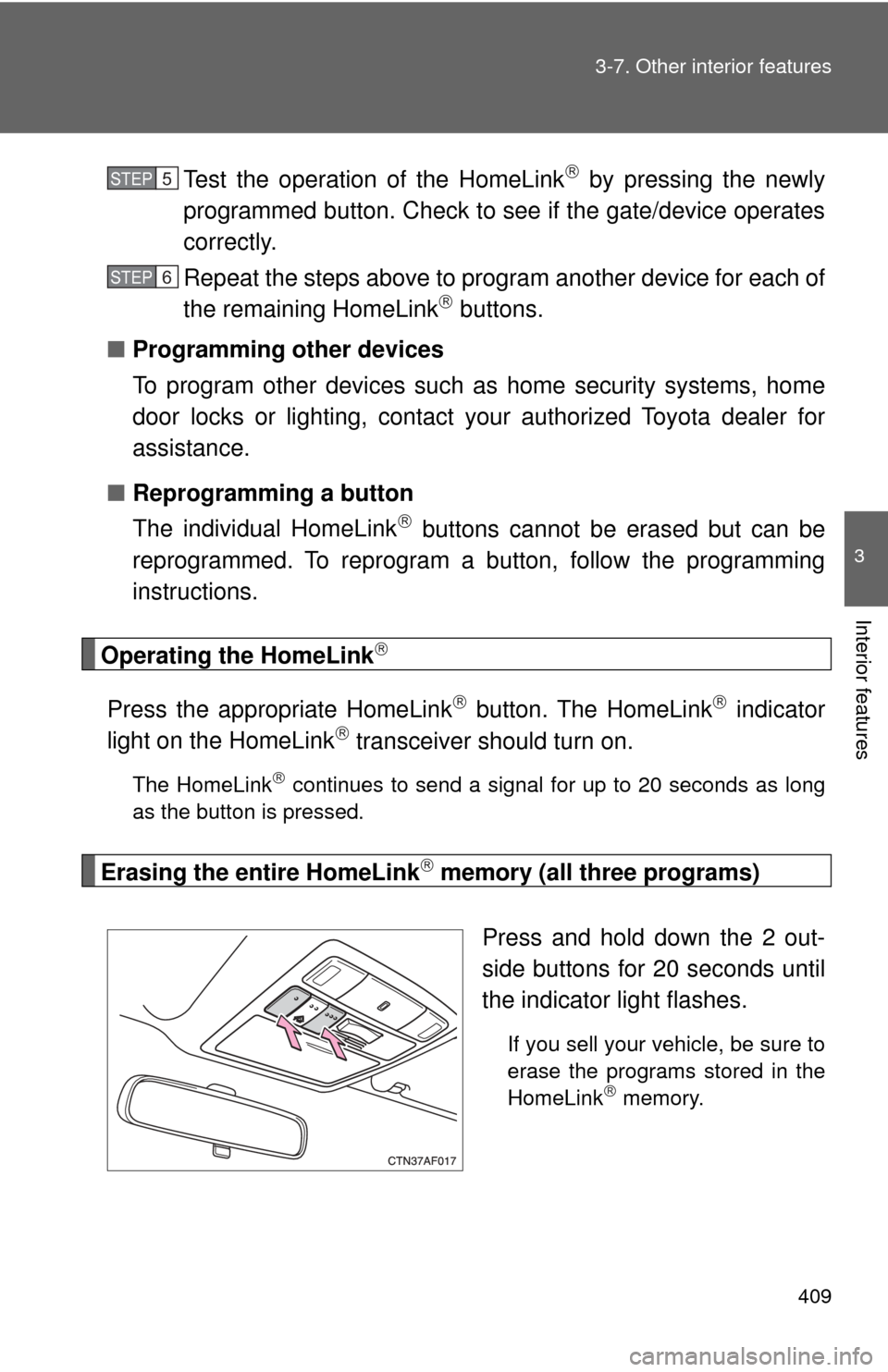
Erasing the entire HomeLink memory (all three programs)
Press and hold down the 2 out-
side buttons for 20 seconds until
the indicator light flashes.
If you sell your vehicle, be sure to
erase the programs stored in the
HomeLink
memory.
STEP5
STEP6
Page 415 of 608
Maintenance and care4
415
4-1. Maintenance and careCleaning and protecting the vehicle exterior......... 416
Cleaning and protecting the vehicle interior.......... 419
4-2. Maintenance Maintenance requirements .................. 422
General maintenance....... 424
Emission inspection and maintenance (I/M)
programs........................ 427 4-3. Do-it-yourself maintenance
Do-it-yourself service precautions .................... 428
Hood ................................ 432
Positioning a floor jack ..... 434
Engine compartment ........ 437
Tires ................................. 453
Tire inflation pressure ...... 463
Wheels ............................. 467
Air conditioning filter......... 469
Wireless remote control/electronic
key battery ..................... 472
Checking and replacing fuses .............................. 475
Light bulbs........................ 486