Page 63 of 75
AUX* Mode25
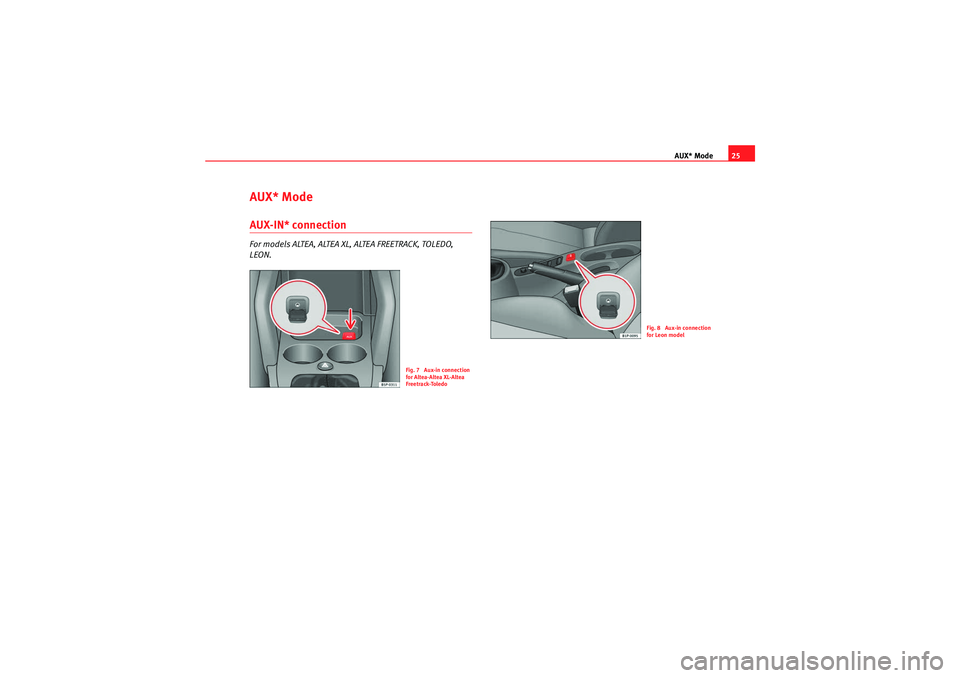
AUX* ModeAUX-IN* connectionFor models ALTEA, ALTEA XL, ALTEA FREETRACK, TOLEDO,
LEON.
Fig. 7 Aux-in connection
for Altea-Altea XL-Altea
Freetrack-Toledo
Fig. 8 Aux-in connection
for Leon model
Car Stereo MP3_EN.book Seite 25 Montag, 20. April 2009 1:56 13
Page 64 of 75
AUX* Mode
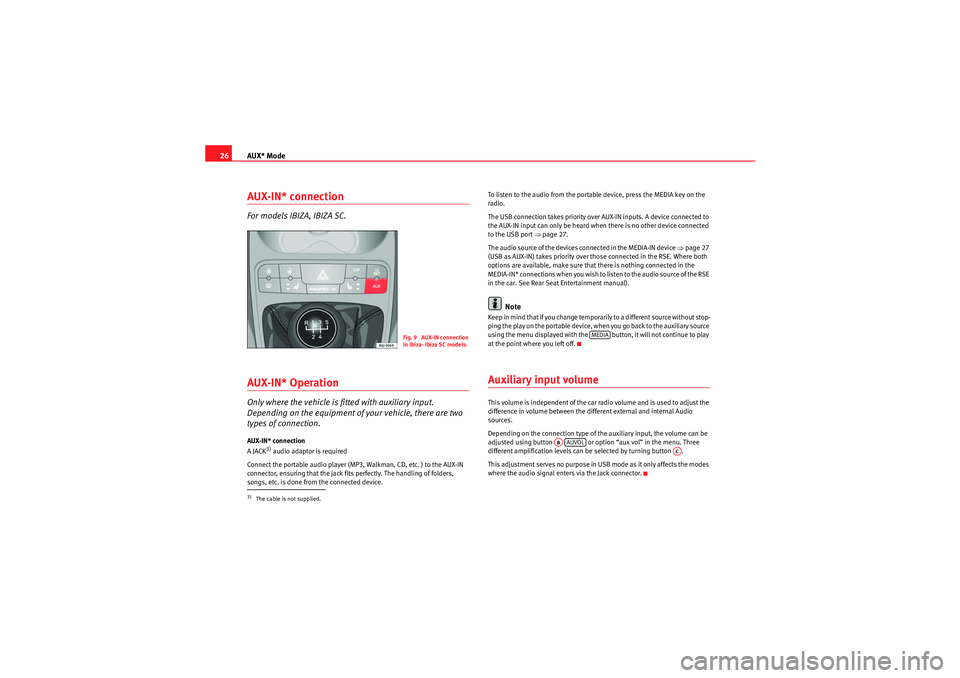
26AUX-IN* connectionFor models IBIZA, IBIZA SC.AUX-IN* OperationOnly where the vehicle is fitted with auxiliary input.
Depending on the equipment of your vehicle, there are two
types of connection.AUX-IN* connection
A JACK
3) audio adaptor is required
Connect the portable audio player (MP3, Walkman, CD, etc. ) to the AUX-IN
connector, ensuring that the jack fits perfectly. The handling of folders,
songs, etc. is done from the connected device. To listen to the audio from the portable device, press the MEDIA key on the
radio.
The USB connection takes priority over AUX-IN inputs. A device connected to
the AUX-IN input can only be heard when there is no other device connected
to the USB port
Ÿpage 27.
The audio source of the devices connected in the MEDIA-IN device Ÿpage 27
(USB as AUX-IN) takes priority over those connected in the RSE. Where both
options are available, make sure that there is nothing connected in the
MEDIA-IN* connections when you wish to listen to the audio source of the RSE
in the car. See Rear Seat Entertainment manual).
Note
Keep in mind that if you change temporarily to a different source without stop-
ping the play on the portable device, when you go back to the auxiliary source
using the menu displayed with the button, it will not continue to play
at the point where you left off.Auxiliary input volumeThis volume is independent of the car radio volume and is used to adjust the
difference in volume between the different external and internal Audio
sources.
Depending on the connection type of the auxiliary input, the volume can be
adjusted using button or option “aux vol” in the menu. Three
different amplification levels can be selected by turning button .
This adjustment serves no purpose in USB mode as it only affects the modes
where the audio signal enters via the Jack connector.
3)The cable is not supplied.
Fig. 9 AUX-IN connection
in Ibiza- Ibiza SC models.
MEDIA
ABAUVOL
AC
Car Stereo MP3_EN.book Seite 26 Montag, 20. April 2009 1:56 13
Page 66 of 75
MEDIA-IN* mode
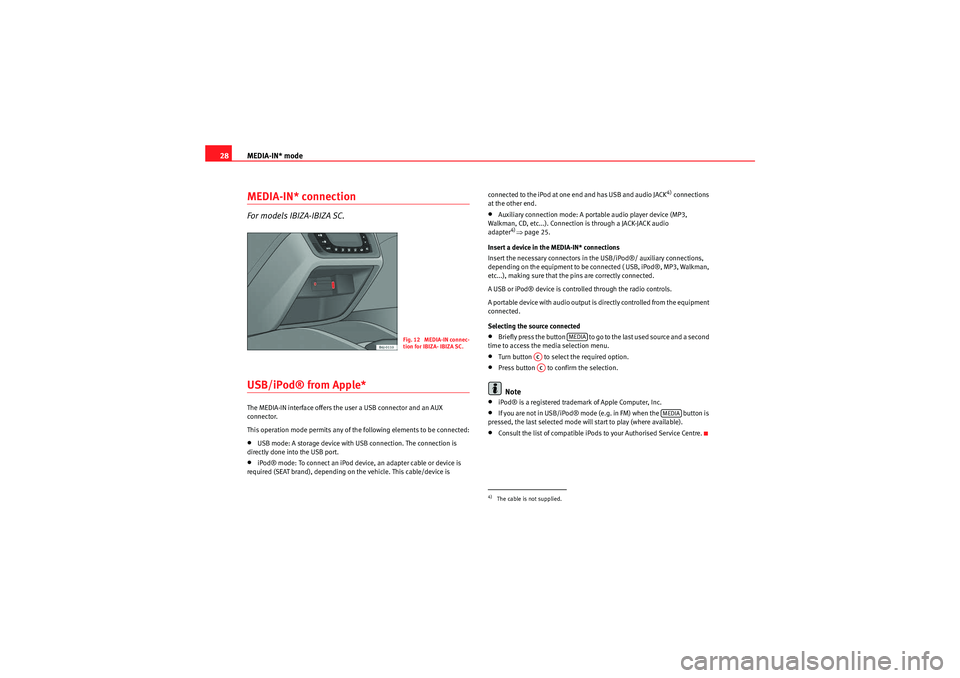
28MEDIA-IN* connectionFor models IBIZA-IBIZA SC.USB/iPod® from Apple* The MEDIA-IN interface offers the user a USB connector and an AUX
connector.
This operation mode permits any of the following elements to be connected:•USB mode: A storage device with USB connection. The connection is
directly done into the USB port.•iPod® mode: To connect an iPod device, an adapter cable or device is
required (SEAT brand), depending on the vehicle. This cable/device is connected to the iPod at one end and has USB and audio JACK
4) connections
at the other end.
•Auxiliary connection mode: A portable audio player device (MP3,
Walkman, CD, etc...). Connection is through a JACK-JACK audio
adapter
4)Ÿ page 25.
Insert a device in the MEDIA-IN* connections
Insert the necessary connectors in the USB/iPod®/ auxiliary connections,
depending on the equipment to be connected ( USB, iPod®, MP3, Walkman,
etc...), making sure that the pins are correctly connected.
A USB or iPod® device is controlled through the radio controls.
A portable device with audio output is directly controlled from the equipment
connected.
Selecting the source connected
•Briefly press the button to go to the last used source and a second
time to access the media selection menu.•Turn button to select the required option.•Press button to confirm the selection.Note
•iPod® is a registered trademark of Apple Computer, Inc.•If you are not in USB/iPod® mode (e.g. in FM) when the button is
pressed, the last selected mode will start to play (where available).•Consult the list of compatible iPods to your Authorised Service Centre.
Fig. 12 MEDIA-IN connec-
tion for IBIZA- IBIZA SC.
4)The cable is not supplied.
MEDIA
ACAC
MEDIA
Car Stereo MP3_EN.book Seite 28 Montag, 20. April 2009 1:56 13
Page 73 of 75
Index35
Index
AAccepted recording formats . . . . . . . . . . . . . . . . 22
AUDIO Menu . . . . . . . . . . . . . . . . . . . . . . . . . . . . . 11
Automatic station search . . . . . . . . . . . . . . . . . . 16
Aux Mode . . . . . . . . . . . . . . . . . . . . . . . . . . . . . . . 25
Auxiliary input volume . . . . . . . . . . . . . . . . . . . . . 26
AUX-IN Operation . . . . . . . . . . . . . . . . . . . . . . . . . 26BBrief instructions . . . . . . . . . . . . . . . . . . . . . . . . . . 9CCare and maintenance . . . . . . . . . . . . . . . . . . . . 34
CD mode . . . . . . . . . . . . . . . . . . . . . . . . . . . . . . . . 19GGeneral overview . . . . . . . . . . . . . . . . . . . . . . . . . . 9IImportant for care . . . . . . . . . . . . . . . . . . . . . . . . . 7
Important information concerning the CD reader . .
32
Important information concerning the handling of your radio equipment . . . . . . . . . . . . . . . . . . 6 Important notes for radio reception . . . . . . . . . . . 6
INFO Function of the USB/iPod® . . . . . . . . . . . . 30
Information from the ID3 data field . . . . . . . . . . 22
Inserting a CD . . . . . . . . . . . . . . . . . . . . . . . . . . . 19
MManual station search . . . . . . . . . . . . . . . . . . . . . 16
Media Mode . . . . . . . . . . . . . . . . . . . . . . . . . . . . . 27
MEDIA-IN* connection
Location . . . . . . . . . . . . . . . . . . . . . . . . . . 27, 28
MENU function . . . . . . . . . . . . . . . . . . . . . . . . . . . 13
MP3 mode . . . . . . . . . . . . . . . . . . . . . . . . . . . . . . 22PPause Function . . . . . . . . . . . . . . . . . . . . . . . . . . 20
Pause Function of the USB/iPod® . . . . . . . . . . . 29
Possible functions in the Menu . . . . . . . . . . . . . 13
Precautionary measures for the use of laser equipment . . . . . . . . . . . . . . . . . . . . . . . . . . 32
Protection against overloading . . . . . . . . . . . . . . 6RRadio mode . . . . . . . . . . . . . . . . . . . . . . . . . . . . . 16
Random play function . . . . . . . . . . . . . . . . . . . . . 20
Random play function of USB/iPod® . . . . . . . . 29
Remember . . . . . . . . . . . . . . . . . . . . . . . . . . . . . . . 6
SSCAN function . . . . . . . . . . . . . . . . . . . . . . . . . . . 16
Search functions . . . . . . . . . . . . . . . . . . . . . . . . . 16
Searching through individual tracks . . . . . . . . . 20
Searching through USB/iPod® . . . . . . . . . . . . . 29
Selecting CD mode . . . . . . . . . . . . . . . . . . . . . . . 19
Selecting CD tracks . . . . . . . . . . . . . . . . . . . . . . . 19
Selecting pretuned stations . . . . . . . . . . . . . . . . 16
Selecting tracks from the USB/iPod® . . . . . . . . 29
Selecting wavelength and memory bank . . . . . . 16
Settings . . . . . . . . . . . . . . . . . . . . . . . . . . . . . . . . 11
Soft-Clipping Function . . . . . . . . . . . . . . . . . . . . . 6
Sound setting memory . . . . . . . . . . . . . . . . . . . . 12
Storing all pretuned stations of one waveband (au- to-store function) . . . . . . . . . . . . . . . . . . . . 17
Storing pretuned stations . . . . . . . . . . . . . . . . . . 16
Structure of folders and files . . . . . . . . . . . . . . . 24
Switching to traffic reports (TP function) . . . . . . 18TTechnical specifications . . . . . . . . . . . . . . . . . . . 33
Tips for CD mode . . . . . . . . . . . . . . . . . . . . . . . . . 32
Tips for handling your CD-ROM . . . . . . . . . . . . . . . 8
Tips on cleaning CDs . . . . . . . . . . . . . . . . . . . . . . 32
Tips when handling CDs . . . . . . . . . . . . . . . . . . . . 7
Car Stereo MP3_EN.book Seite 35 Montag, 20. April 2009 1:56 13