2009 PORSCHE CAYMAN Instruments
[x] Cancel search: InstrumentsPage 160 of 284

158
Instruments, On-Board Computer, Warnings
System learningThe Tire Pressure Monitoring begins to “learn” the
wheels after a wheel change, wheel transmitter
replacement or update of the tire settings. During
this process, the Tire Pressure Monitoring recog-
nizes the tires and their locations.
The on-board computer displayes the message
“TPM is learning, monitoring not act.” .The Tire Pressure Monitoring requires a certain
amount of time to learn the wheels. During this
time, the current tire pressures are not available
on the on-board-computer:
– The tire pressure warning light remains lit until
all wheels have been learned.
– The display of the tire pressure function of the on-board computer shows lines.
– The required pressures for cold tires at 68 °F (20 °C) are indicated in the Info pressure
display in the tire pressure menu.
Position and pressure information is displayed as
soon as the Tire Pressure Monitoring has as-
signed the wheels identified as belonging to the
vehicle to the correct wheel positions.
The wheel learning process takes place
exclusively when the vehicle is being driven
(vehicle speed above 25 km/h (16 mph)).
f Check the tire pressure for all wheels on the
“Info pressure” display.
f Correct the tire pressure to the required
pressure if necessary.
Changing a wheel and replacing tiresfNew wheels must be fitt ed with radio transmit-
ters for the Tire Pressure Monitoring.
Before tires are changed, the battery charge
state of the wheel transmitters should be
checked at an authorized Porsche dealer.
f Switch the ignition off when changing a wheel.
The tire settings on the on-board computer must
be updated after changing a wheel.
If the tire settings are not updated, the message
“Wheel change? Input new TPM settings!” is
displayed on the on-board computer.
f Update the on-board computer settings when
the vehicle is stationary the next time.
Page 161 of 284

Instruments, On-Board Computer, Warnings
159
Warning!
Your vehicle has also be en equipped with a TPM
malfunction indicator to indicate when the system
is not operating properly.
The TPM malfunction indicator is combined with
the low tire pressure telltale.
When the system detects a malfunction, the tellta-
le will flash for approximately one minute and then
remain continuously illuminated. This sequence
will continue upon subsequent vehicle start-ups as
long as the malfunction exists.
When the malfunction indi cator is illuminated, the
system may not be able to detect or signal low tire
pressure as intended.
TPM malfuntions may occur for a variety of
reasons, including the installation of replacement
or alternate tires or wheels on the vehicle that
prevent the TPM from functioning properly.
Always check the TPM malfunction telltale after
replacing one or more tires or wheels on your
vehicle to ensure that the replacement or alter-
nate tires and wheels allow the TPM to continue to
function properly.
The warning light in the speedometer lights up:
– When a loss in pressure has been detected.
– When learning newly mounted wheels/wheel sensors, as long as the vehicle’s own wheels
have not yet been recognized. In the event of a defect in Tire Pressure Monitoring
or a temporary fault, the warning light in the
speedometer flashes for approx. one minute and
then remains continuously illuminated.
The tire pressure warning light in the instrument
panel goes out only when
the cause of the fault
has been rectified.
Partial monitoringMonitoring of the other wheels is continued if there
is a fault in one or two wheel transmitters.
– The tire pressure warning light lights up.
– The message “TPM partial monitoring” is displayed on the on-board computer.
– No tire pressures are displayed on the on- board computer for wheels with faulty wheel
transmitters.
No monitoringIn the event of faults the Tire Pressure Monitoring
cannot monitor the tire pressure.
The warning light in the speedometer flashes for
approx. one minute and then remains continuously
illuminated and a corresponding message
appears on the on-board computer.
Monitoring is not active when:
– the Tire Pressure Monitoring is faulty,
– wheel transmitters for the Tire Pressure Monitoring are missing,
– during the learning phase after the tire settings have been updated,
– after a wheel change without updating the tire settings,
– more than four wheel transmitters are detected,
– there is external interference by other radio sources, e.g. wireless headphones,
– tire temperatures are too high.
f Please see the chapter “WARNINGS ON THE
INSTRUMENT PANEL AND THE ON-BOARD
COMPUTER” on Page 166.
Warning light
Page 162 of 284

160
Instruments, On-Board Computer, Warnings
Pressure increase as the result of
temperature increaseIn accordance with physical principles, the air
pressure changes as the temperature changes.
The tire pressure increases or decreases by
around 1.5 psi (0.1 bar) for every 18 °F (10 °C)
change in temperature.
The Tire Pressure Monitoring takes this relation-
ship between tire pressure and temperature into
account.
Tire pressure specificationsInformation on tire pressure for public roads can
be found in this Owner's Manual in the Technical
Data chapter or on the tire-pressure plate in the
left door aperture.
These values apply to cold tires at 68 °F (20 °C)
ambient temperature.
Page 163 of 284

Instruments, On-Board Computer, Warnings
161
OIL
Display and measurement of the engine
oil level
Caution!
Risk of engine damage.
f Regularly check the oil level each time before
refueling.
f Do not allow the oil level to fall below the minimum mark.
Conditions for measuring the oil level
1. Vehicle stationary.
2. It is important to ensure that the vehicle is horizontal for correct oil level measurement
to occur.
3. Engine must be at operating temperature (at least 140 °F/60 °C).
4. Engine must be idling. Initiating oil level measurement
1. Push operating lever forward in order to switch
on the selection field.
2. Select “OIL” with the operating lever.
3. Push operating lever forward. Measurement is started. 4. Allow waiting time to elapse.
5. Once the measurement has been completed,
you can read off the engine oil level on the
segment display.
Page 164 of 284

162
Instruments, On-Board Computer, Warnings
6. If the segments are fille
d in up to the top line,
the oil level has reached the maximum mark.
Under no circumstances add engine oil. 7. If the bottom segment is filled in, the oil level
has reached the minimum mark.
Add engine oil immediately.
8. If the bottom segment fl ashes, the oil level has
dropped to below the minimum mark.
Add engine oil immediately.
The difference between the minimum and
maximum marks on the segment display is
approx. 1.3 quarts (1.25 litres).
One segment of the display corresponds to a
top-up quantity of approx. 0.42 quarts (0.4 litre).
f Add engine oil if necessary.
Switch off ignition before adding engine oil. f
Please see the chapter “ENGINE OIL LEVEL”
on Page 189.
f Never add more engine oil than required
to reach the maximum mark.
Failure
A failure of the oil level display is indicated by a
warning message on the on-board computer.
“Check engine oil level” display
The on-board computer display “Check engine oil
level” is an additional measurement that takes
place in the background while driving.
The display depends on the distance travelled.
This display appears if th e oil level has reached the
minimum mark or if the o il level is well above the
maximum mark.
This message must be acknowledged by measu-
ring the engine oil leve l manually using the on-
board computer.
f Please see the chapter “INITIATING OIL LEVEL
MEASUREMENT” on Page 161.
If an oil level measurement was initiated manually
on the on-board computer and no oil was topped
up, the message “Check engine oil level” is
displayed again when the vehicle is driven.
Page 165 of 284
Instruments, On-Board Computer, Warnings
163
SET
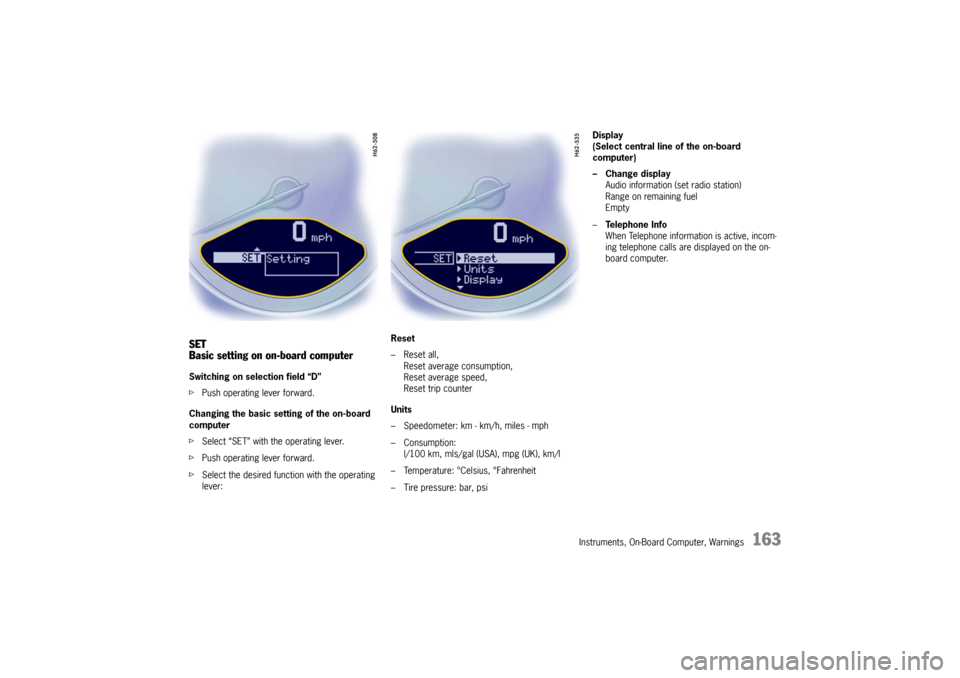
Basic setting on on-board computerSwitching on selection field “D”
fPush operating lever forward.
Changing the basic sett ing of the on-board
computer
f Select “SET” with the operating lever.
f Push operating lever forward.
f Select the desired function with the operating
lever: Reset
– Reset all,
Reset average consumption,
Reset average speed,
Reset trip counter
Units
– Speedometer: km - km/h, miles - mph
– Consumption: l/100 km, mls/gal (USA), mpg (UK), km/l
– Temperature: °Celsius, °Fahrenheit
– Tire pressure: bar, psi Display
(Select central line of the on-board
computer)
– Change display
Audio information (set radio station)
Range on remaining fuel
Empty
– Te l e p h o n e I n f o
When Telephone informat ion is active, incom-
ing telephone calls are displayed on the on-
board computer.
Page 166 of 284
164
Instruments, On-Board Computer, Warnings
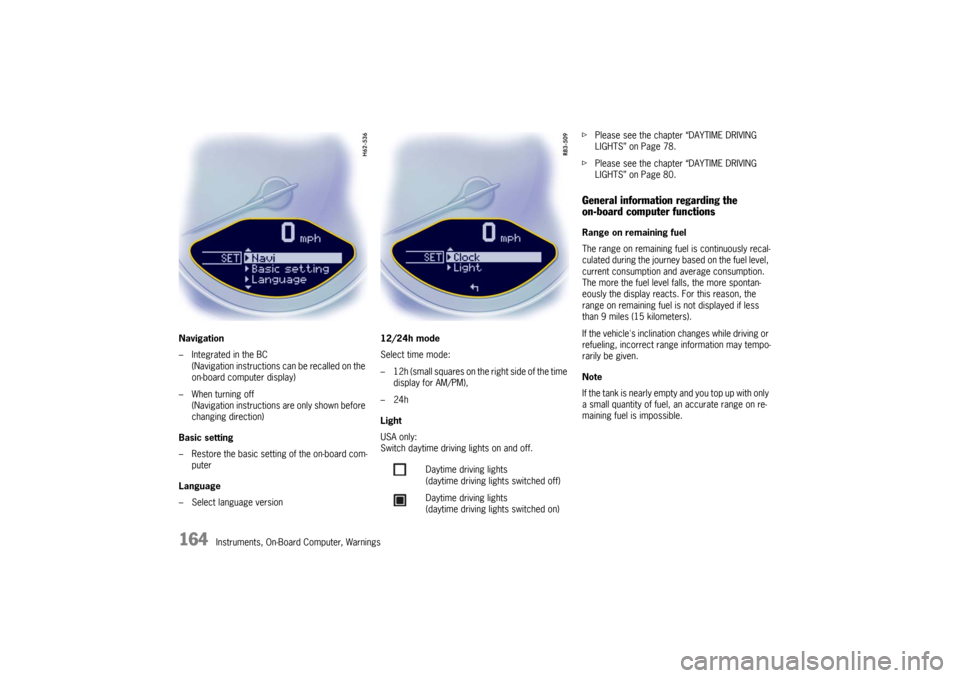
Navigation
– Integrated in the BC
(Navigation instructions can be recalled on the
on-board computer display)
– When turning off (Navigation instructions are only shown before
changing direction)
Basic setting
– Restore the basic setting of the on-board com- puter
Language
– Select language version 12/24h mode
Select time mode:
– 12h (small squares on the right side of the time
display for AM/PM),
–24h
Light
USA only:
Switch daytime driving lights on and off. f
Please see the chapter “DAYTIME DRIVING
LIGHTS” on Page 78.
f Please see the chapter “DAYTIME DRIVING
LIGHTS” on Page 80.
General information regarding the
on-board computer functionsRange on remaining fuel
The range on remaining fuel is continuously recal-
culated during the journey based on the fuel level,
current consumption and average consumption.
The more the fuel level falls, the more spontan-
eously the display reacts. For this reason, the
range on remaining fuel is not displayed if less
than 9 miles (15 kilometers).
If the vehicle's inclination changes while driving or
refueling, incorrect range information may tempo-
rarily be given.
Note
If the tank is nearly empty and you top up with only
a small quantity of fuel, an accurate range on re-
maining fuel is impossible.
Daytime driving lights
(daytime driving lights switched off)
Daytime driving lights
(daytime driving lights switched on)
Page 167 of 284

Instruments, On-Board Computer, Warnings
165
Average consumption and average speed
The values displayed are based on the distance
travelled since the last reset to “zero”.
You can set the starting time for a measurement
before or during the trip.
Switching the ignition off does not reset the meas-
urements. It is therefore possible to collect values
over long periods.
Disconnecting the car ba ttery will cause these
memories to be erased. Tire pressure
The
Tire pressure function of the on-board
computer displays the tire pressures dependent
on temperature in the four wheels. You can watch
the tire pressure rise and fall while driving.
The display is only for information.
f To correct the tire pressures, always use the
displayed values from the “Info pressure”
display in the tire pressure menu.