Page 140 of 284
138
Instruments, On-Board Computer, Warnings
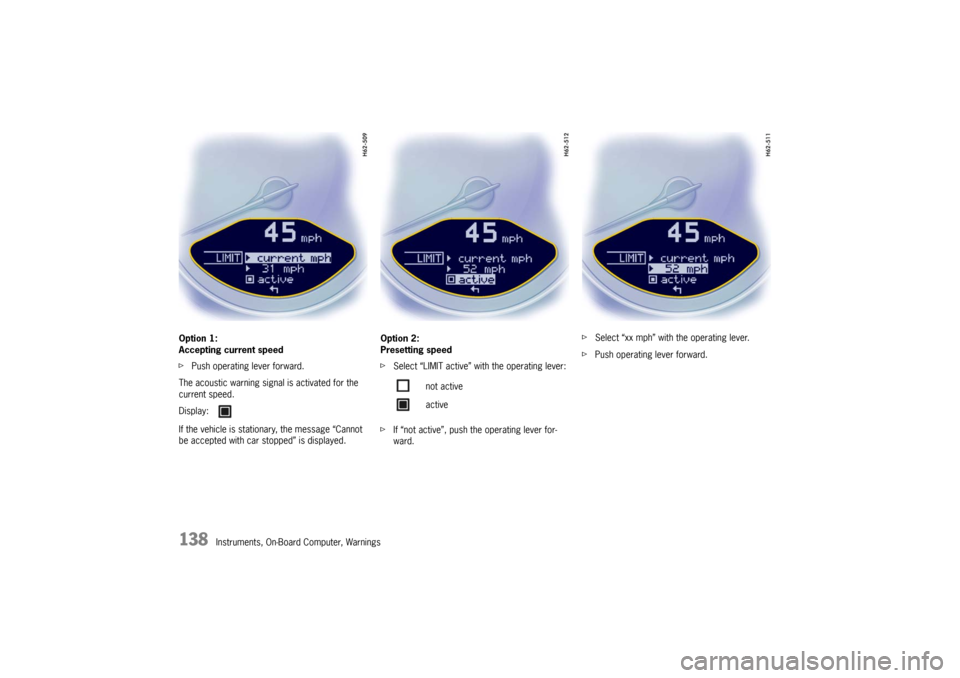
Option 1:
Accepting current speed
f
Push operating lever forward.
The acoustic warning signal is activated for the
current speed.
If the vehicle is stationary, the message “Cannot
be accepted with car stopped” is displayed. Option 2:
Presetting speed
f
Select “LIMIT active” with the operating lever:
f If “not active”, push the operating lever for-
ward. f
Select “xx mph” with the operating lever.
f Push operating lever forward.
Display:
not active
active
Page 146 of 284
144
Instruments, On-Board Computer, Warnings
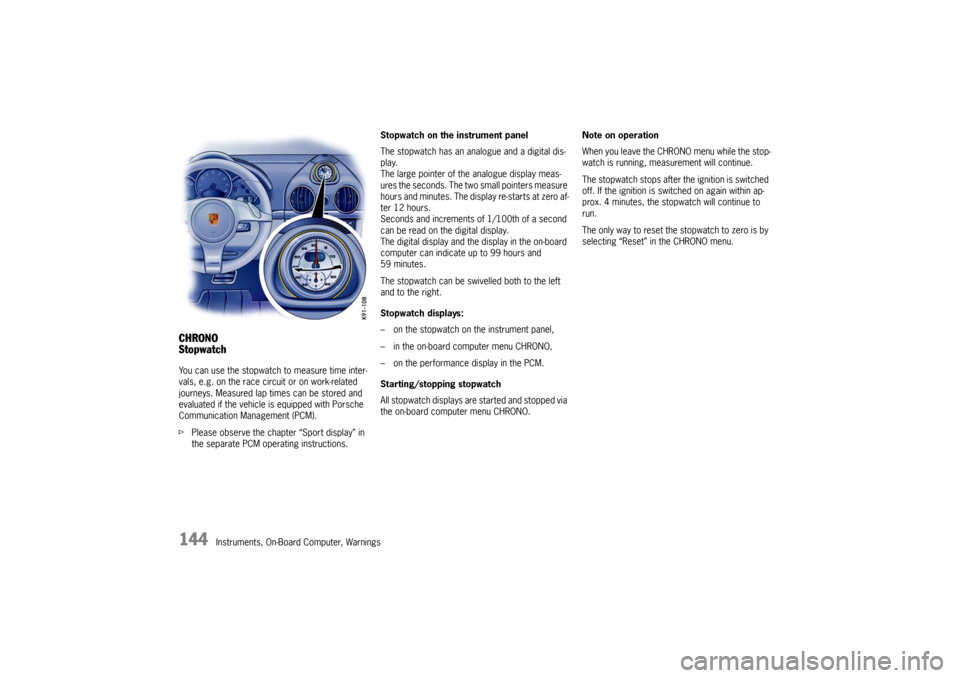
CHRONO
StopwatchYou can use the stopwatch to measure time inter-
vals, e.g. on the race circuit or on work-related
journeys. Measured lap times can be stored and
evaluated if the vehicle is equipped with Porsche
Communication Management (PCM).
fPlease observe the chapte r “Sport display” in
the separate PCM operating instructions. Stopwatch on the instrument panel
The stopwatch has an analogue and a digital dis-
play.
The large pointer of the analogue display meas-
ures the seconds. The two small pointers measure
hours and minutes. The display re-starts at zero af-
ter 12 hours.
Seconds and increments of
1/100th of a second
can be read on the digital display.
The digital display and the display in the on-board
computer can indicate up to 99 hours and
59 minutes.
The stopwatch can be swiv elled both to the left
and to the right.
Stopwatch displays:
– on the stopwatch on the instrument panel,
– in the on-board computer menu CHRONO,
– on the performance display in the PCM.
Starting/stopping stopwatch
All stopwatch displays are started and stopped via
the on-board computer menu CHRONO. Note on operation
When you leave the CHRONO menu while the stop-
watch is running, meas
urement will continue.
The stopwatch stops after the ignition is switched
off. If the ignition is sw itched on again within ap-
prox. 4 minutes, the stopwatch will continue to
run.
The only way to reset the stopwatch to zero is by
selecting “Reset” in the CHRONO menu.
Page 148 of 284
146
Instruments, On-Board Computer, Warnings
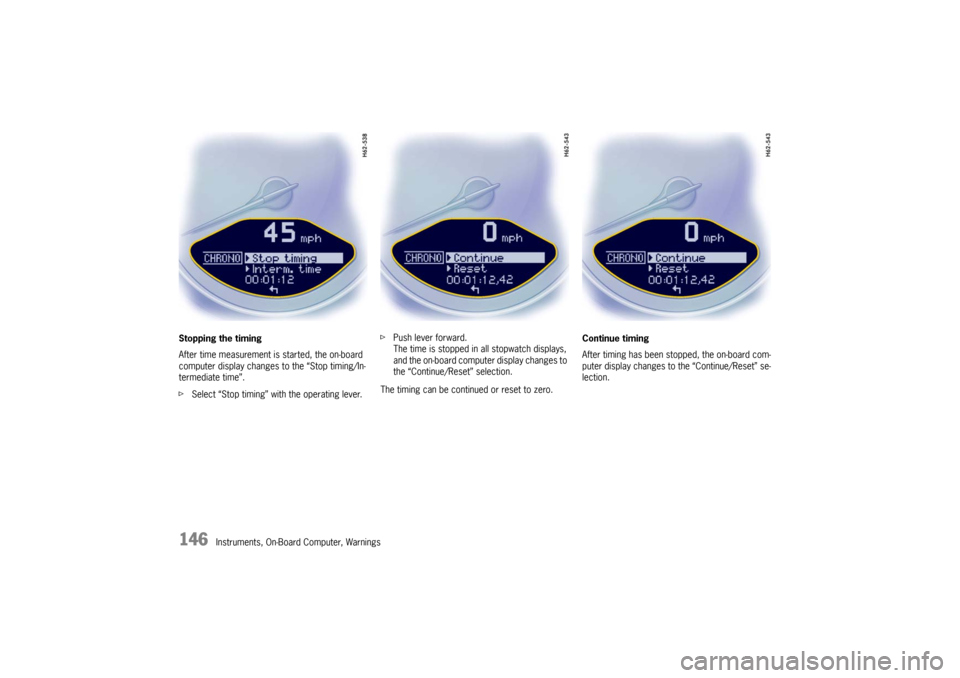
Stopping the timing
After time measurement is started, the on-board
computer display changes
to the “Stop timing/In-
termediate time”.
f Select “Stop timing” with the operating lever. f
Push lever forward.
The time is stopped in all stopwatch displays,
and the on-board computer display changes to
the “Continue/Reset” selection.
The timing can be continued or reset to zero. Continue timing
After timing has been stopped, the on-board com-
puter display changes to the “Continue/Reset” se-
lection.
Page 149 of 284
Instruments, On-Board Computer, Warnings
147
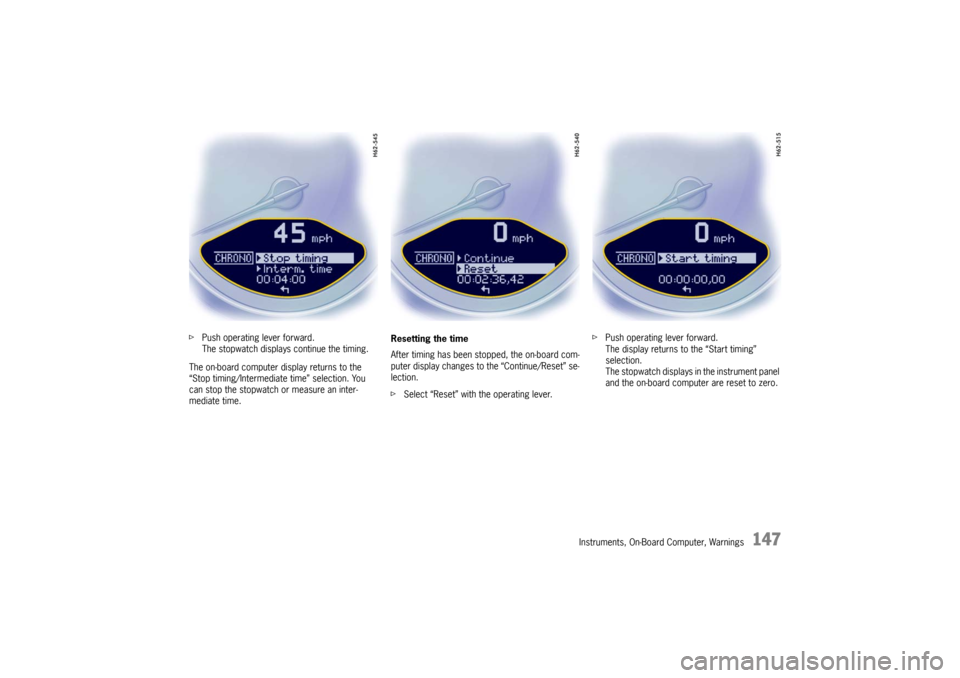
fPush operating lever forward.
The stopwatch displays continue the timing.
The on-board computer display returns to the
“Stop timing/Intermediate time” selection. You
can stop the stopwatch or measure an inter-
mediate time. Resetting the time
After timing has been stopped, the on-board com-
puter display changes to the “Continue/Reset” se-
lection.
f
Select “Reset” with the operating lever. f
Push operating lever forward.
The display returns to the “Start timing”
selection.
The stopwatch displays in the instrument panel
and the on-board computer are reset to zero.
Page 165 of 284
Instruments, On-Board Computer, Warnings
163
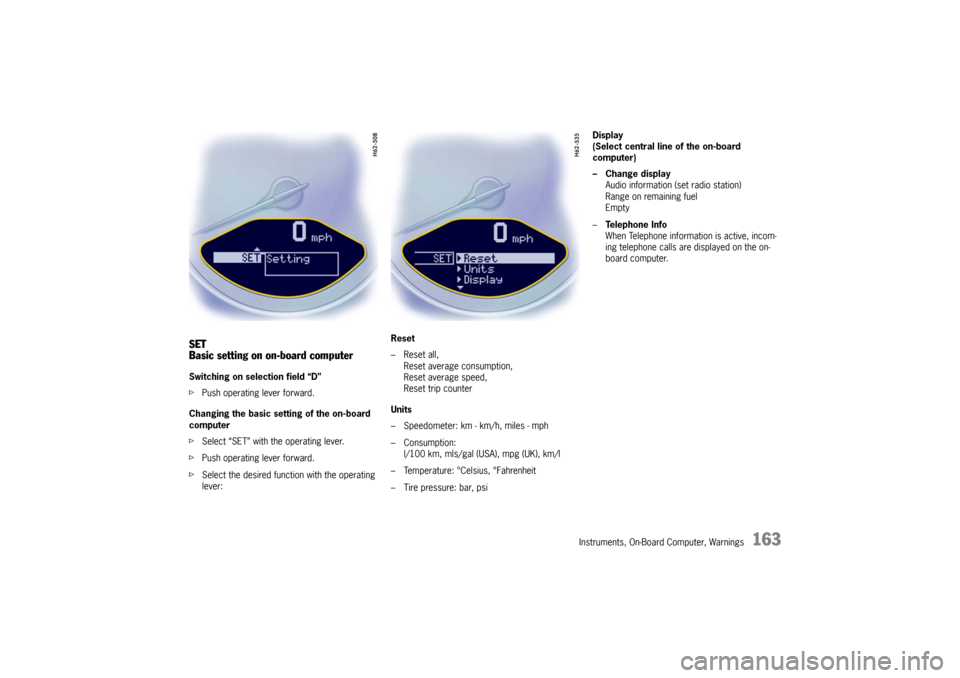
SET
Basic setting on on-board computerSwitching on selection field “D”
fPush operating lever forward.
Changing the basic sett ing of the on-board
computer
f Select “SET” with the operating lever.
f Push operating lever forward.
f Select the desired function with the operating
lever: Reset
– Reset all,
Reset average consumption,
Reset average speed,
Reset trip counter
Units
– Speedometer: km - km/h, miles - mph
– Consumption: l/100 km, mls/gal (USA), mpg (UK), km/l
– Temperature: °Celsius, °Fahrenheit
– Tire pressure: bar, psi Display
(Select central line of the on-board
computer)
– Change display
Audio information (set radio station)
Range on remaining fuel
Empty
– Te l e p h o n e I n f o
When Telephone informat ion is active, incom-
ing telephone calls are displayed on the on-
board computer.
Page 167 of 284
Instruments, On-Board Computer, Warnings
165
Average consumption and average speed
The values displayed are based on the distance
travelled since the last reset to “zero”.
You can set the starting time for a measurement
before or during the trip.
Switching the ignition off does not reset the meas-
urements. It is therefore possible to collect values
over long periods.
Disconnecting the car ba ttery will cause these
memories to be erased. Tire pressure
The
Tire pressure function of the on-board
computer displays the tire pressures dependent
on temperature in the four wheels. You can watch
the tire pressure rise and fall while driving.
The display is only for information.
f To correct the tire pressures, always use the
displayed values from the “Info pressure”
display in the tire pressure menu.