Page 103 of 410

Starting and Operating Your
Vehicle
New Vehicle Break-In
Notice:The vehicle does not need an elaborate
break-in. But it will perform better in the long run
if you follow these guidelines:
Do not drive at any one constant speed,
fast or slow, for the rst 500 miles (805 km).
Do not make full-throttle starts. Do not exceed
5,000 engine rpm. Avoid downshifting to brake
or slow the vehicle.
Avoid making hard stops for the rst 200 miles
(322 km) or so. During this time the new brake
linings are not yet broken in. Hard stops with
new linings can mean premature wear and earlier
replacement. Follow this breaking-in guideline
every time you get new brake linings.
Do not tow a trailer during break-in. SeeTowing
a Trailer on page 4-30for the trailer towing
capabilities of your vehicle and more
information.
Following break-in, engine speed and load can be
gradually increased.
Ignition Positions
The ignition switch has
four different positions.
Notice:Using a tool to force the key to turn in the
ignition could cause damage to the switch or break
the key. Use the correct key, make sure it is all the
way in, and turn it only with your hand. If the key
cannot be turned by hand, see your dealer/retailer.
9(LOCK/OFF):This is the only position from which
you can remove the key. The shift lever must be in
P (Park) with the ignition in LOCK/OFF to remove
the key.
2-21
Page 104 of 410

ACC (ACC/ACCESSORY):This position unlocks the
transmission. It also lets you use things like the radio and
windshield wipers while the engine is not running. To use
ACC/ACCESSORY, turn the key clockwise to the rst
position. Use this position if your vehicle must be pushed
or towed. SeeRecreational Vehicle Towing on
page 4-26.
R(ON/RUN):This position can be used to operate the
electrical accessories and to display some instrument
panel warning lights. The ignition switch will stay in this
position while the engine is running.
The battery could be drained if you leave the key in the
ACC/ACCESSORY or ON/RUN position with the engine
off. You may not be able to start the vehicle if the battery
is allowed to drain for an extended period of time.
/(START):This position starts the engine. When
the engine starts, release the key. The ignition switch
will return to the ON/RUN position for normal driving.
A warning tone will sound when the driver door is
opened, the ignition is in ACC/ACCESSORY or
LOCK/OFF and the key is in the ignition.
Retained Accessory Power (RAP)
These vehicle accessories can be used for up to
10 minutes after the engine is turned off:
Audio System
Power Windows
Heated Seats (if equipped)
Sunroof (if equipped)
These features continue to work up to 10 minutes after
the ignition is turned to LOCK/OFF.
The power windows, heated seats, and sunroof will
work until any door is opened.
The radio continues to work until the driver door is
opened.
All these features operate when the key is in the
ON/RUN or ACC/ACCESSORY.
2-22
Page 105 of 410

Starting the Engine
Move the shift lever to P (Park) or N (Neutral).
The engine will not start in any other position.
To restart the engine when the vehicle is already
moving, use N (Neutral) only.
Notice:Do not try to shift to P (Park) if the
vehicle is moving. If you do, you could damage
the transmission. Shift to P (Park) only when the
vehicle is stopped.
Starting Procedure
1. With your foot off the accelerator pedal, turn the
ignition to START. When the engine starts, let go of
the key. The idle speed will slow down as the engine
warms. Do not race the engine immediately after
starting it. Operate the engine and transmission
gently to allow the oil to warm up and lubricate
all moving parts.The vehicle has a Computer-Controlled Cranking
System. This feature assists in starting the engine
and protects components. If the ignition key is turned
to the START position, and then released when the
engine begins cranking, the engine will continue
cranking for a few seconds or until the vehicle starts.
If the engine does not start and the key is held in
START, cranking will be stopped after 15 seconds
to prevent cranking motor damage. To prevent gear
damage, this system also prevents cranking if the
engine is already running. Engine cranking can
be stopped by turning the ignition switch to the
ACC/ACCESSORY or LOCK/OFF position.
Notice:Cranking the engine for long periods of
time, by returning the key to the START position
immediately after cranking has ended, can overheat
and damage the cranking motor, and drain the
battery. Wait at least 15 seconds between each
try, to let the cranking motor cool down.
2-23
Page 108 of 410

Automatic Transmission Operation
The vehicle will have one of these styles of shifter
located in the center console between the seats.
P (Park):This position locks your front wheels.
It is the best position to use when you start the
engine because your vehicle cannot move easily.{CAUTION:
It is dangerous to get out of the vehicle if the shift
lever is not fully in P (Park) with the parking brake
rmly set. The vehicle can roll.
Do not leave the vehicle when the engine is
running unless you have to. If you have left the
engine running, the vehicle can move suddenly.
You or others could be injured. To be sure the
vehicle will not move, even when you are on fairly
level ground, always set the parking brake and
move the shift lever to P (Park). SeeShifting Into
Park on page 2-32. If you are pulling a trailer, see
Towing a Trailer on page 4-30.
Make sure the shift lever is fully in P (Park) before
starting the engine. The vehicle has an automatic
transmission shift lock control system. You must apply
the regular brake rst, then press the shift lever button
before you can shift from P (Park) while the ignition key
is in ON/RUN. If you cannot shift out of P (Park), ease
pressure on the shift lever and push the shift lever all the
way into P (Park) as you maintain brake application.
2-26
Page 113 of 410

2 (Second)/3 (Third) Gear Start Feature
Notice:If you attempt a third gear start while
trailering or towing a heavy load, you will notice
reduced engine power. This could overheat and
damage your transmission. Do not attempt a third
gear start while trailering or towing your vehicle.
Vehicles with a 6-speed transmission allow 2 (Second)
and 3 (Third) gear starts. When accelerating the vehicle
from a stop in snowy and icy conditions, you may want to
shift into 2 (Second), or 3 (Third) gear. A higher gear, and
light application of the gas pedal, may allow you to gain
more traction on slippery surfaces.
With the MSM, the vehicle can accelerate from a stop in
2 (Second) or 3 (Third).
1. Move the shift lever from D (Drive) into the
M (Manual Mode) position.
2. With the vehicle stopped, move the lever forward
towards the + (plus) to select 2 (Second) or 3 (Third)
gear. The vehicle will start from a stop position in
2 (Second) or 3 (Third) gear.
3. Once the vehicle is moving select the desired
drive gear.
Parking Brake
To set the parking brake, pull up on the parking brake
handle. If the ignition is on, the brake system warning
light will come on. SeeBrake System Warning Light
on page 3-34. GT and GTP Shown, SE Similar
2-31
Page 114 of 410
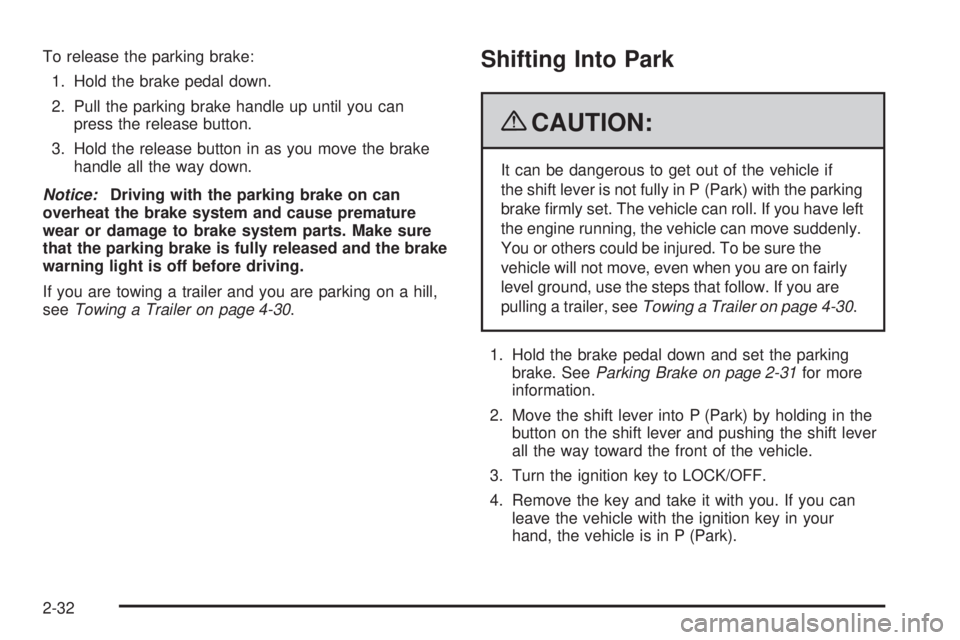
To release the parking brake:
1. Hold the brake pedal down.
2. Pull the parking brake handle up until you can
press the release button.
3. Hold the release button in as you move the brake
handle all the way down.
Notice:Driving with the parking brake on can
overheat the brake system and cause premature
wear or damage to brake system parts. Make sure
that the parking brake is fully released and the brake
warning light is off before driving.
If you are towing a trailer and you are parking on a hill,
seeTowing a Trailer on page 4-30.Shifting Into Park
{CAUTION:
It can be dangerous to get out of the vehicle if
the shift lever is not fully in P (Park) with the parking
brake rmly set. The vehicle can roll. If you have left
the engine running, the vehicle can move suddenly.
You or others could be injured. To be sure the
vehicle will not move, even when you are on fairly
level ground, use the steps that follow. If you are
pulling a trailer, seeTowing a Trailer on page 4-30.
1. Hold the brake pedal down and set the parking
brake. SeeParking Brake on page 2-31for more
information.
2. Move the shift lever into P (Park) by holding in the
button on the shift lever and pushing the shift lever
all the way toward the front of the vehicle.
3. Turn the ignition key to LOCK/OFF.
4. Remove the key and take it with you. If you can
leave the vehicle with the ignition key in your
hand, the vehicle is in P (Park).
2-32
Page 116 of 410

Shifting Out of Park
This vehicle is equipped with an electronic shift lock
release system. The shift lock release is designed to:
Prevent ignition key removal unless the shift
lever is in P (Park) with the shift lever button fully
released, and
Prevent movement of the shift lever out of
P (Park), unless the ignition is in ON/RUN or ACC/
ACCESSORY and the regular brake pedal is applied.
The shift lock release is always functional except in the
case of an uncharged or low voltage (less than 9 volt)
battery.
If the vehicle has an uncharged battery or a battery with
low voltage, try charging or jump starting the battery.
SeeJump Starting on page 5-46for more information.
To shift out of P (Park) use the following:
1. Apply the brake pedal.
2. Press the shift lever button.
3. Move the shift lever to the desired position.If you still are unable to shift out of P (Park):
1. Fully release the shift lever button.
2. While holding down the brake pedal, press the shift
lever button again.
3. Move the shift lever to the desired position.
If you still cannot move the shift lever from P (Park),
consult your dealer/retailer.
Parking Over Things That Burn
{CAUTION:
Things that can burn could touch hot exhaust
parts under the vehicle and ignite. Do not park
over papers, leaves, dry grass, or other things
that can burn.
2-34
Page 120 of 410

Compass
Compass Operation
PressOor depending on the vehicle, press AUTO/OFF
to turn the compass on or off.
When the ignition and the compass feature are on,
the compass displays the current compass direction
after a few seconds.
Compass Calibration
If after a few seconds the display does not show a
compass direction, (N for North for example), there may
be a strong magnetic eld interfering with the compass.
Interference can be caused by a magnetic antenna
mount, note pad holder, or similar object. If the letter C
appears in the compass window, the compass may need
to be reset or calibrated.
The mirror can be calibrated by driving the vehicle in
circles at 5 mph (8 km/h) or less until the display reads
a direction.
Compass Variance
The mirror is set to zone eight. If you do not live in zone
eight or drive out of the area, the compass variance
needs to be changed to the appropriate zone.To adjust for compass variance:
1. Find your current location and variance zone
number on the zone map that follows.
2. Press and hold the on/off button until a zone
number displays.
3. Once the zone number displays, pressO
repeatedly until you reach the correct zone number.
If C appears in the compass window, the compass
may need calibration. See “Compass Calibration”
listed previously.
2-38