Page 86 of 305
2. Place the ignition switch in the OFF or
LOCK position and wait approximately 10
seconds.
3. Repeat steps 1 and 2.
4. Restart the engine while holding the device
(which may have caused the interference)
separate from the registered key.
If the no start condition re-occurs, NISSAN rec-
ommends placing the registered key on a sepa-
rate key ring to avoid interference from other
devices.
Statement related to Section 15 of FCC
Rules for NISSAN Vehicle Immobilizer Sys-
tem (CONT ASSY — IMMOBILIZER, ANT
ASSY — IMMOBILIZER)
This device complies with part 15 of the
FCC Rules and RSS-210 of Industry
Canada. Operation is subject to the follow-
ing two conditions;
(1) This device may not cause harmful in-
terference, and (2) this device must accept
any interference received, including inter-
ference that may cause undesired opera-
tion of the device.CHANGES OR MODIFICATIONS NOT EX-
PRESSLY APPROVED BY THE PARTY RE-
SPONSIBLE FOR COMPLIANCE COULD
VOID THE USER’S AUTHORITY TO OPER-
ATE THE EQUIPMENT.
Security indicator light
For vehicles without Intelligent Key: This light
blinks whenever the ignition switch is placed in
the LOCK, OFF or ACC position.
For vehicles with Intelligent Key: This light blinks
when the ignition switch is placed in the LOCK
position with the key removed from the ignition
switch.
This function indicates the NISSAN Vehicle Im-
mobilizer System is operational.
If the NISSAN Vehicle Immobilizer System is mal-
functioning, the light will remain on while the
ignition switch is placed in the ON position.
LIC0474
2-16Instruments and controls
�REVIEW COPY—2009 Versa(vrs)
Owners Manual—USA_English(nna)
09/10/08—debbie
�
Page 97 of 305
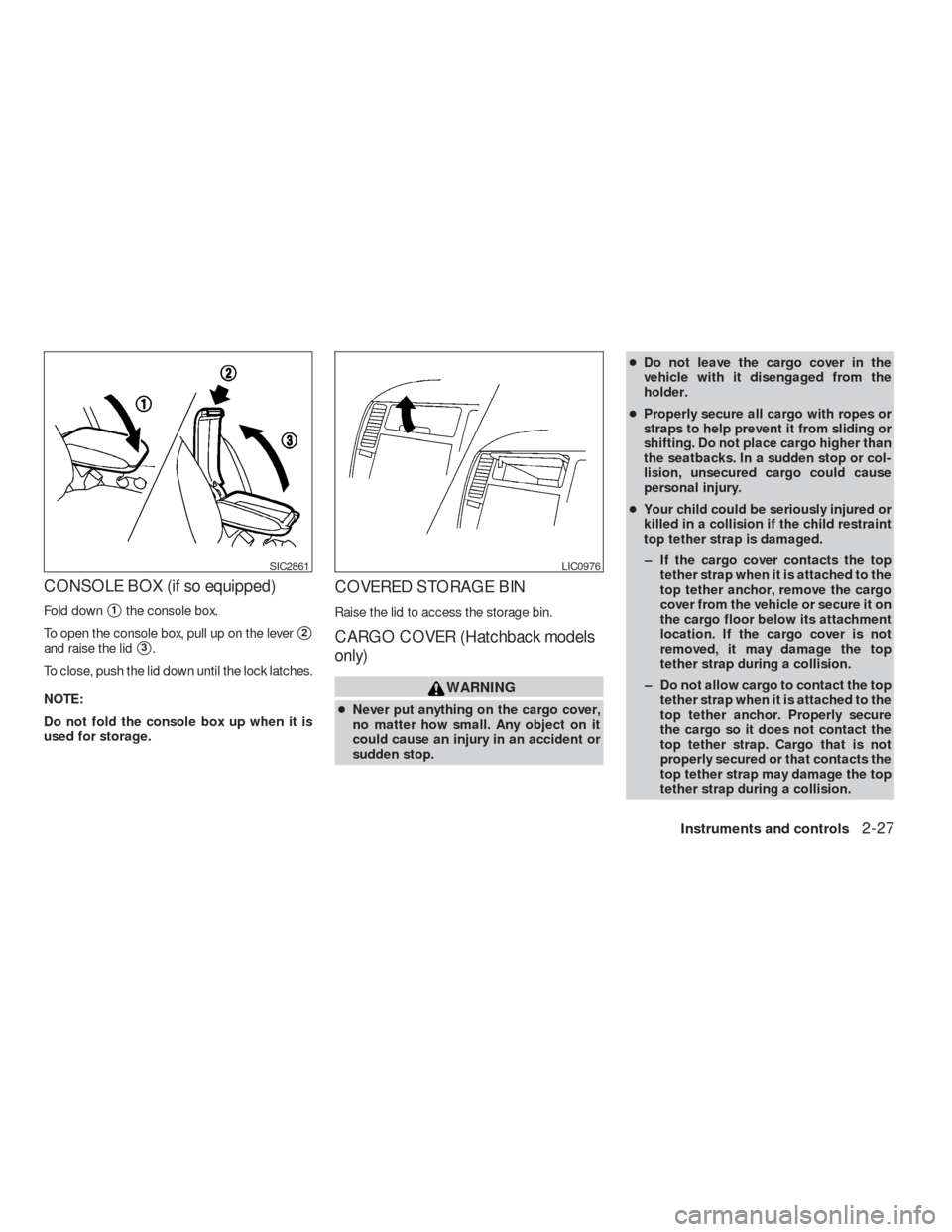
CONSOLE BOX (if so equipped)
Fold down�1the console box.
To open the console box, pull up on the lever
�2
and raise the lid�3.
To close, push the lid down until the lock latches.
NOTE:
Do not fold the console box up when it is
used for storage.
COVERED STORAGE BIN
Raise the lid to access the storage bin.
CARGO COVER (Hatchback models
only)
WARNING
●Never put anything on the cargo cover,
no matter how small. Any object on it
could cause an injury in an accident or
sudden stop.●Do not leave the cargo cover in the
vehicle with it disengaged from the
holder.
●Properly secure all cargo with ropes or
straps to help prevent it from sliding or
shifting. Do not place cargo higher than
the seatbacks. In a sudden stop or col-
lision, unsecured cargo could cause
personal injury.
●Your child could be seriously injured or
killed in a collision if the child restraint
top tether strap is damaged.
– If the cargo cover contacts the top
tether strap when it is attached to the
top tether anchor, remove the cargo
cover from the vehicle or secure it on
the cargo floor below its attachment
location. If the cargo cover is not
removed, it may damage the top
tether strap during a collision.
– Do not allow cargo to contact the top
tether strap when it is attached to the
top tether anchor. Properly secure
the cargo so it does not contact the
top tether strap. Cargo that is not
properly secured or that contacts the
top tether strap may damage the top
tether strap during a collision.
SIC2861LIC0976
Instruments and controls2-27
�REVIEW COPY—2009 Versa(vrs)
Owners Manual—USA_English(nna)
09/10/08—debbie
�
Page 118 of 305
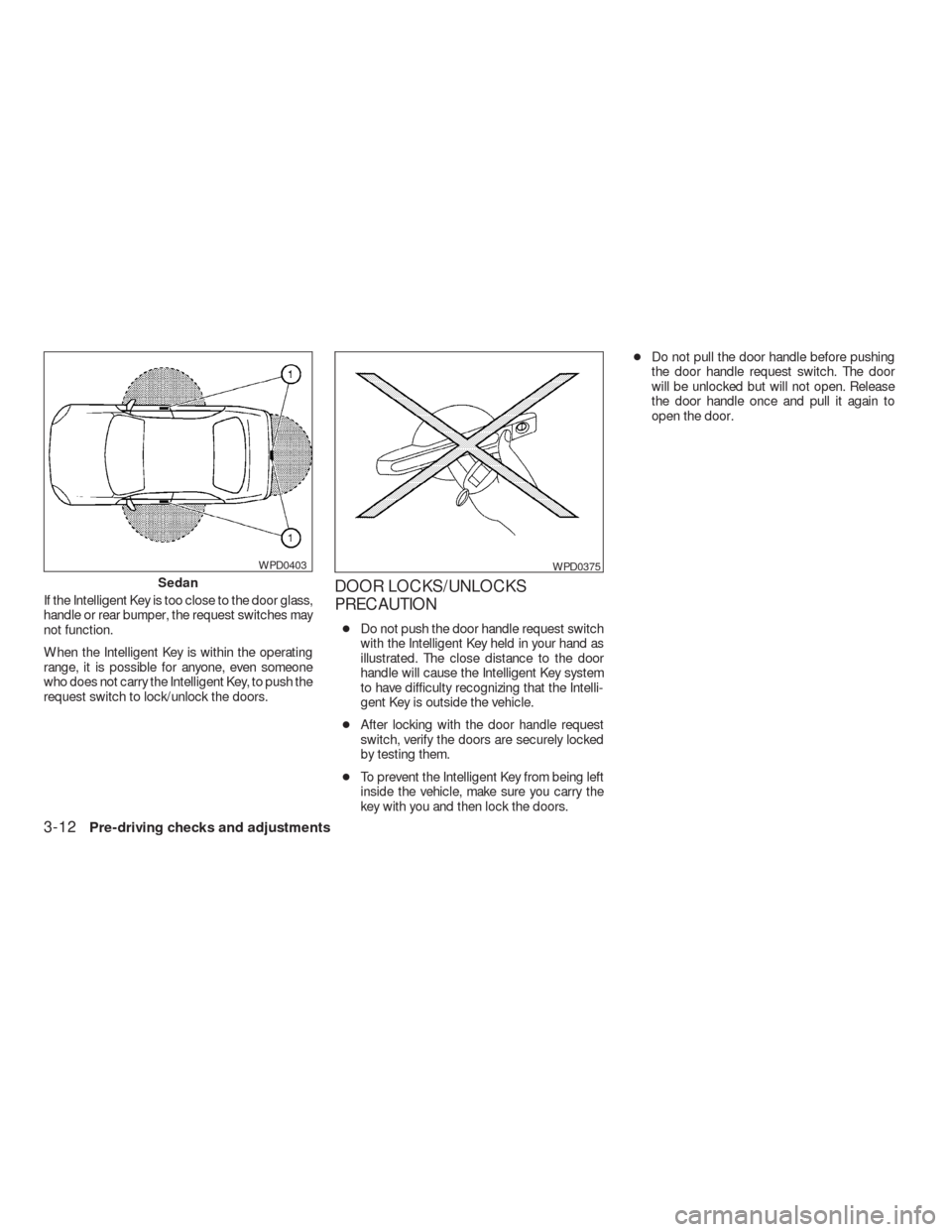
If the Intelligent Key is too close to the door glass,
handle or rear bumper, the request switches may
not function.
When the Intelligent Key is within the operating
range, it is possible for anyone, even someone
who does not carry the Intelligent Key, to push the
request switch to lock/unlock the doors.DOOR LOCKS/UNLOCKS
PRECAUTION
●Do not push the door handle request switch
with the Intelligent Key held in your hand as
illustrated. The close distance to the door
handle will cause the Intelligent Key system
to have difficulty recognizing that the Intelli-
gent Key is outside the vehicle.
●After locking with the door handle request
switch, verify the doors are securely locked
by testing them.
●To prevent the Intelligent Key from being left
inside the vehicle, make sure you carry the
key with you and then lock the doors.●Do not pull the door handle before pushing
the door handle request switch. The door
will be unlocked but will not open. Release
the door handle once and pull it again to
open the door.
Sedan
WPD0403WPD0375
3-12Pre-driving checks and adjustments
�REVIEW COPY—2009 Versa(vrs)
Owners Manual—USA_English(nna)
09/10/08—debbie
�
Page 120 of 305
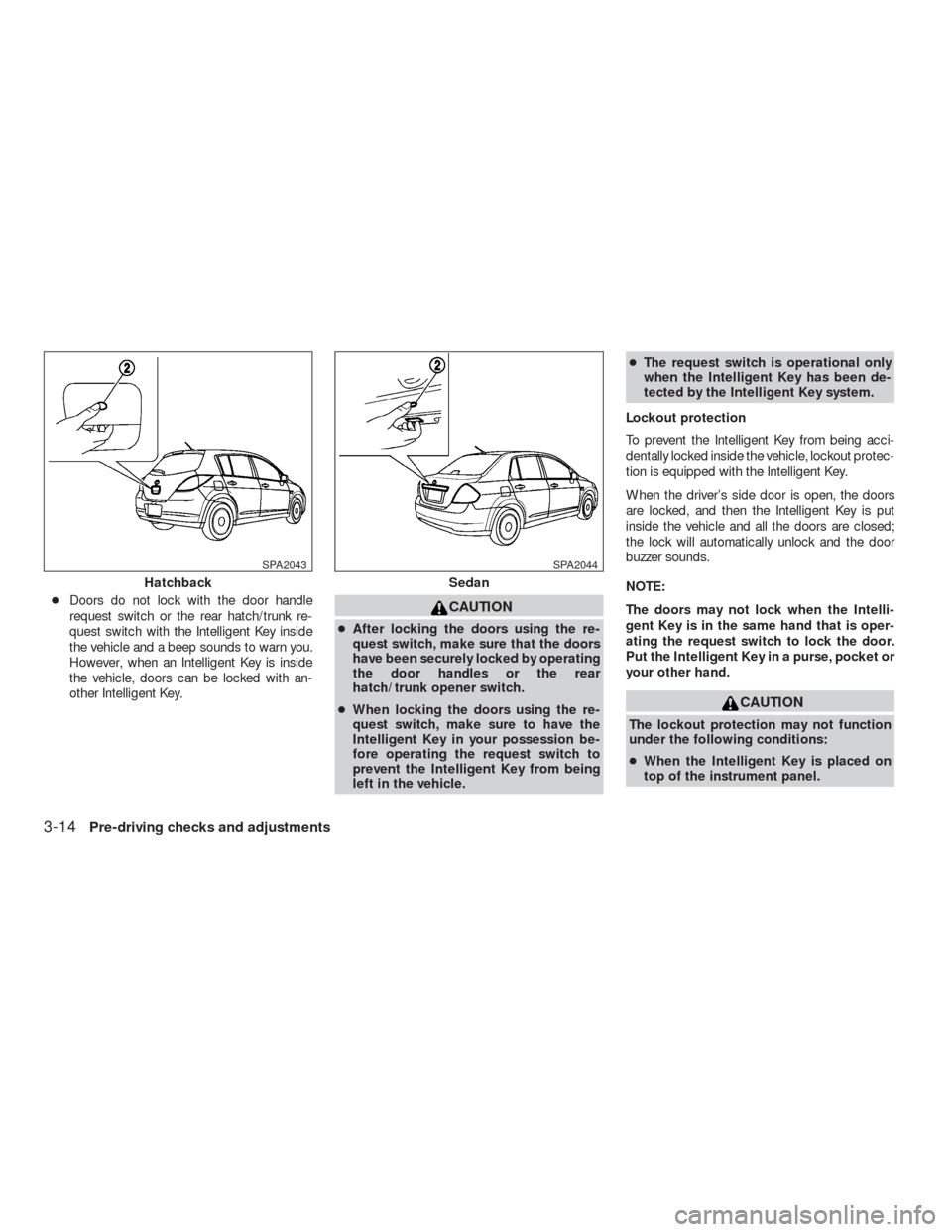
●Doors do not lock with the door handle
request switch or the rear hatch/trunk re-
quest switch with the Intelligent Key inside
the vehicle and a beep sounds to warn you.
However, when an Intelligent Key is inside
the vehicle, doors can be locked with an-
other Intelligent Key.CAUTION
●After locking the doors using the re-
quest switch, make sure that the doors
have been securely locked by operating
the door handles or the rear
hatch/trunk opener switch.
●When locking the doors using the re-
quest switch, make sure to have the
Intelligent Key in your possession be-
fore operating the request switch to
prevent the Intelligent Key from being
left in the vehicle.●The request switch is operational only
when the Intelligent Key has been de-
tected by the Intelligent Key system.
Lockout protection
To prevent the Intelligent Key from being acci-
dentally locked inside the vehicle, lockout protec-
tion is equipped with the Intelligent Key.
When the driver’s side door is open, the doors
are locked, and then the Intelligent Key is put
inside the vehicle and all the doors are closed;
the lock will automatically unlock and the door
buzzer sounds.
NOTE:
The doors may not lock when the Intelli-
gent Key is in the same hand that is oper-
ating the request switch to lock the door.
Put the Intelligent Key in a purse, pocket or
your other hand.
CAUTION
The lockout protection may not function
under the following conditions:
●When the Intelligent Key is placed on
top of the instrument panel.
Hatchback
SPA2043
Sedan
SPA2044
3-14Pre-driving checks and adjustments
�REVIEW COPY—2009 Versa(vrs)
Owners Manual—USA_English(nna)
09/10/08—debbie
�
Page 122 of 305
The interior light illuminates for 30 seconds when
a door is unlocked and the room light switch is in
the DOOR position.
The interior light can be turned off without waiting
for 30 seconds by performing one of the follow-
ing operations.
●Placing the ignition switch to the ON posi-
tion.
●Locking the doors with the remote controller.
●Switching the room light switch to the OFF
position.HOW TO USE THE REMOTE
KEYLESS ENTRY FUNCTION
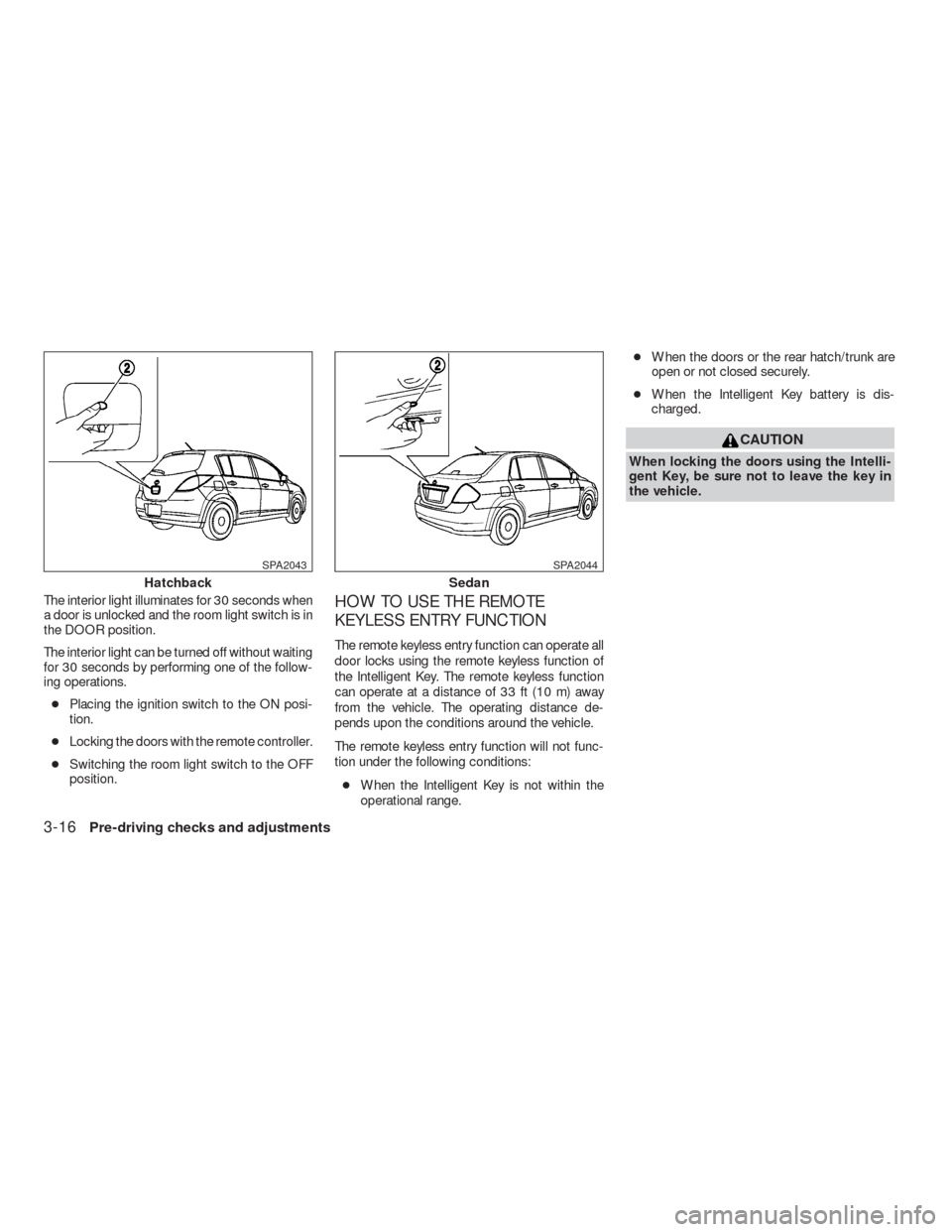
The remote keyless entry function can operate all
door locks using the remote keyless function of
the Intelligent Key. The remote keyless function
can operate at a distance of 33 ft (10 m) away
from the vehicle. The operating distance de-
pends upon the conditions around the vehicle.
The remote keyless entry function will not func-
tion under the following conditions:
●When the Intelligent Key is not within the
operational range.●When the doors or the rear hatch/trunk are
open or not closed securely.
●When the Intelligent Key battery is dis-
charged.
CAUTION
When locking the doors using the Intelli-
gent Key, be sure not to leave the key in
the vehicle.
Hatchback
SPA2043
Sedan
SPA2044
3-16Pre-driving checks and adjustments
�REVIEW COPY—2009 Versa(vrs)
Owners Manual—USA_English(nna)
09/10/08—debbie
�
Page 123 of 305
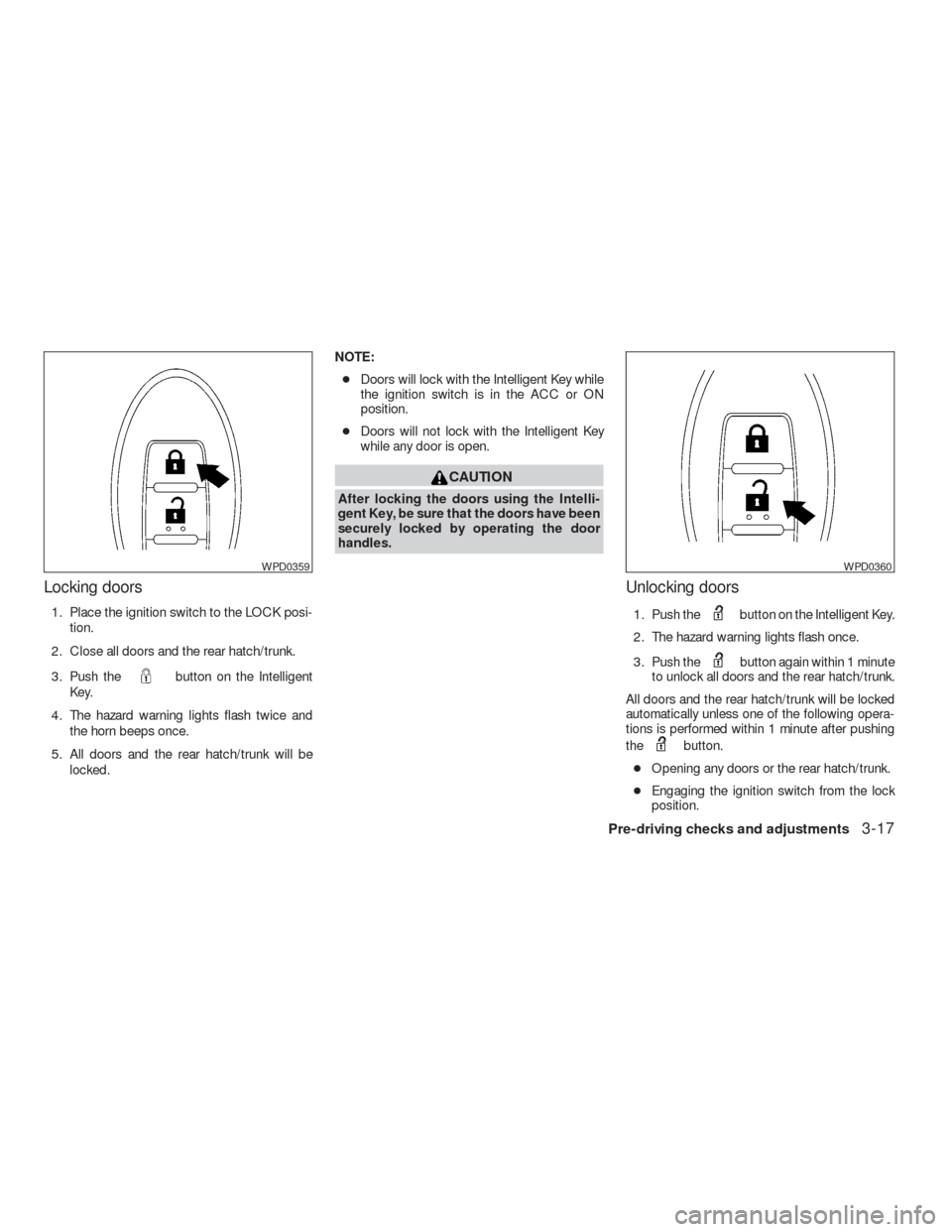
Locking doors
1. Place the ignition switch to the LOCK posi-
tion.
2. Close all doors and the rear hatch/trunk.
3. Push the
button on the Intelligent
Key.
4. The hazard warning lights flash twice and
the horn beeps once.
5. All doors and the rear hatch/trunk will be
locked.NOTE:
●Doors will lock with the Intelligent Key while
the ignition switch is in the ACC or ON
position.
●Doors will not lock with the Intelligent Key
while any door is open.
CAUTION
After locking the doors using the Intelli-
gent Key, be sure that the doors have been
securely locked by operating the door
handles.
Unlocking doors
1. Push thebutton on the Intelligent Key.
2. The hazard warning lights flash once.
3. Push the
button again within 1 minute
to unlock all doors and the rear hatch/trunk.
All doors and the rear hatch/trunk will be locked
automatically unless one of the following opera-
tions is performed within 1 minute after pushing
the
button.
●Opening any doors or the rear hatch/trunk.
●Engaging the ignition switch from the lock
position.
WPD0359WPD0360
Pre-driving checks and adjustments3-17
�REVIEW COPY—2009 Versa(vrs)
Owners Manual—USA_English(nna)
09/10/08—debbie
�
Page 129 of 305
WARNING
The rear hatch must be closed securely
before driving. An open rear hatch could
allow dangerous exhaust gases to be
drawn inside the vehicle.
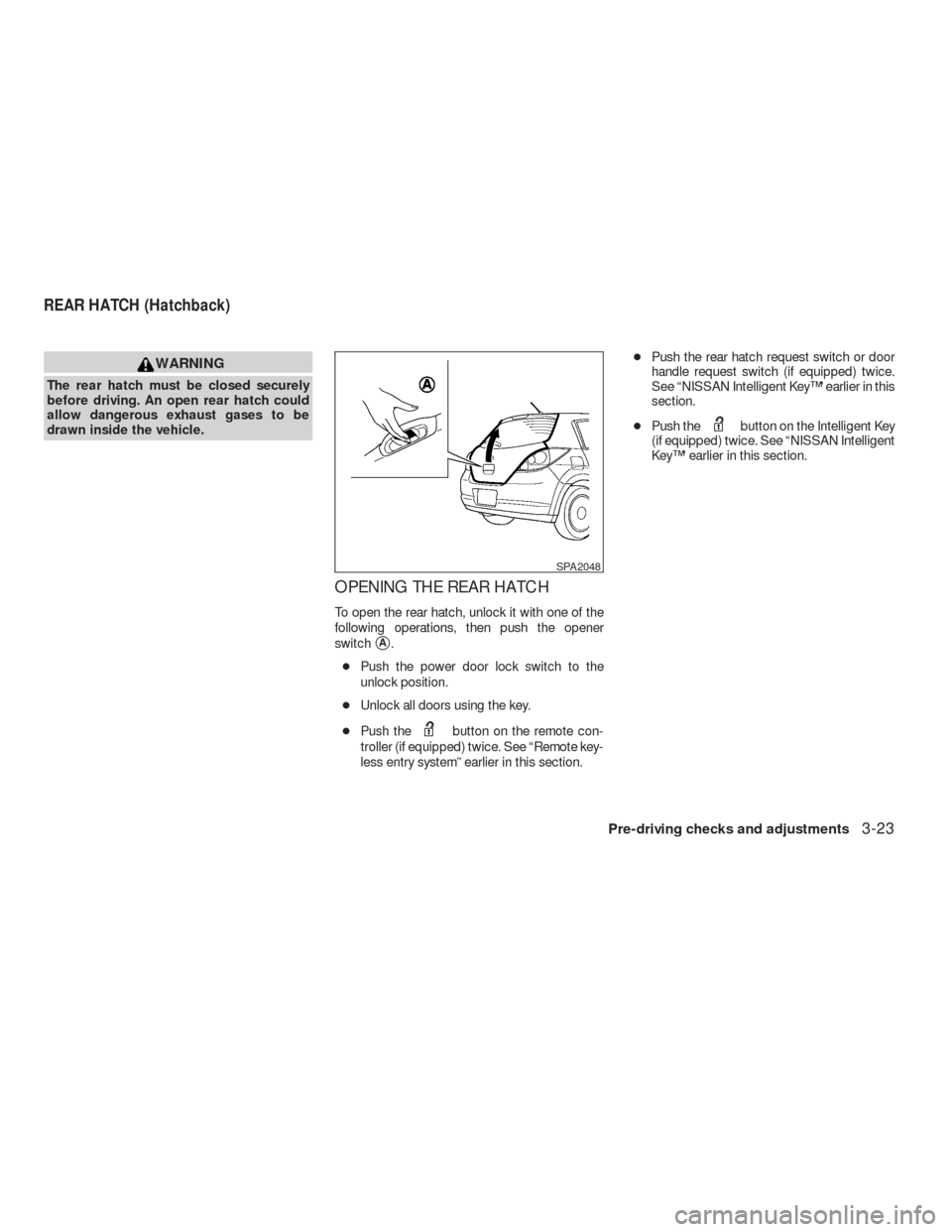
OPENING THE REAR HATCH
To open the rear hatch, unlock it with one of the
following operations, then push the opener
switch
�A.
●Push the power door lock switch to the
unlock position.
●Unlock all doors using the key.
●Push the
button on the remote con-
troller (if equipped) twice. See “Remote key-
less entry system” earlier in this section.●Push the rear hatch request switch or door
handle request switch (if equipped) twice.
See “NISSAN Intelligent Key™” earlier in this
section.
●Push the
button on the Intelligent Key
(if equipped) twice. See “NISSAN Intelligent
Key™” earlier in this section.
SPA2048
REAR HATCH (Hatchback)
Pre-driving checks and adjustments3-23
�REVIEW COPY—2009 Versa(vrs)
Owners Manual—USA_English(nna)
09/25/08—debbie
�
Page 130 of 305
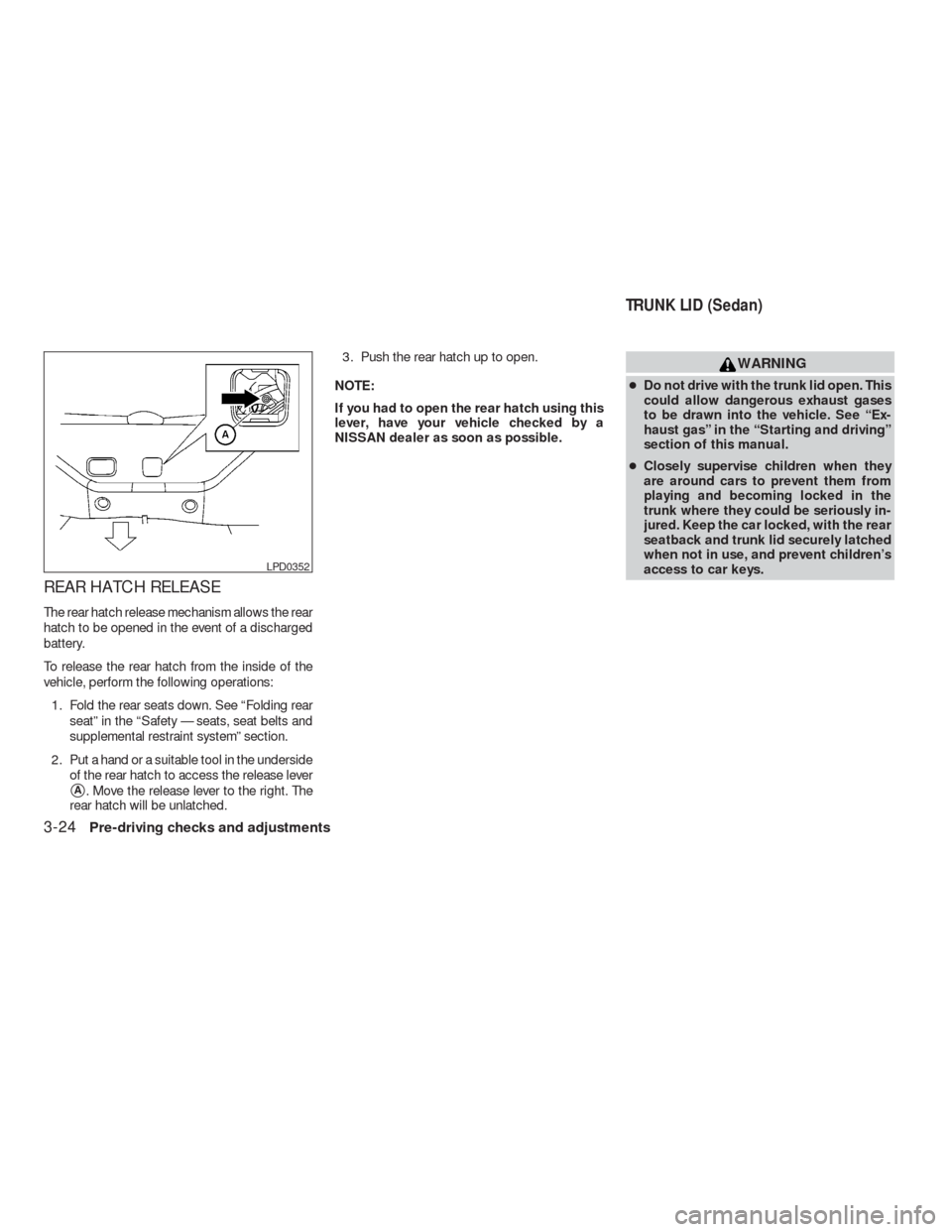
REAR HATCH RELEASE
The rear hatch release mechanism allows the rear
hatch to be opened in the event of a discharged
battery.
To release the rear hatch from the inside of the
vehicle, perform the following operations:
1. Fold the rear seats down. See “Folding rear
seat” in the “Safety — seats, seat belts and
supplemental restraint system” section.
2. Put a hand or a suitable tool in the underside
of the rear hatch to access the release lever
�A. Move the release lever to the right. The
rear hatch will be unlatched.3. Push the rear hatch up to open.
NOTE:
If you had to open the rear hatch using this
lever, have your vehicle checked by a
NISSAN dealer as soon as possible.
WARNING
●Do not drive with the trunk lid open. This
could allow dangerous exhaust gases
to be drawn into the vehicle. See “Ex-
haust gas” in the “Starting and driving”
section of this manual.
●Closely supervise children when they
are around cars to prevent them from
playing and becoming locked in the
trunk where they could be seriously in-
jured. Keep the car locked, with the rear
seatback and trunk lid securely latched
when not in use, and prevent children’s
access to car keys.
LPD0352
TRUNK LID (Sedan)
3-24Pre-driving checks and adjustments
�REVIEW COPY—2009 Versa(vrs)
Owners Manual—USA_English(nna)
09/10/08—debbie
�