2009 NISSAN MURANO display
[x] Cancel search: displayPage 215 of 443
Black plate (213,1)
Model "Z51-D" EDITED: 2007/ 10/ 2
iPod®PLAYER OPERATION (if so
equipped)
Connecting iPod
®
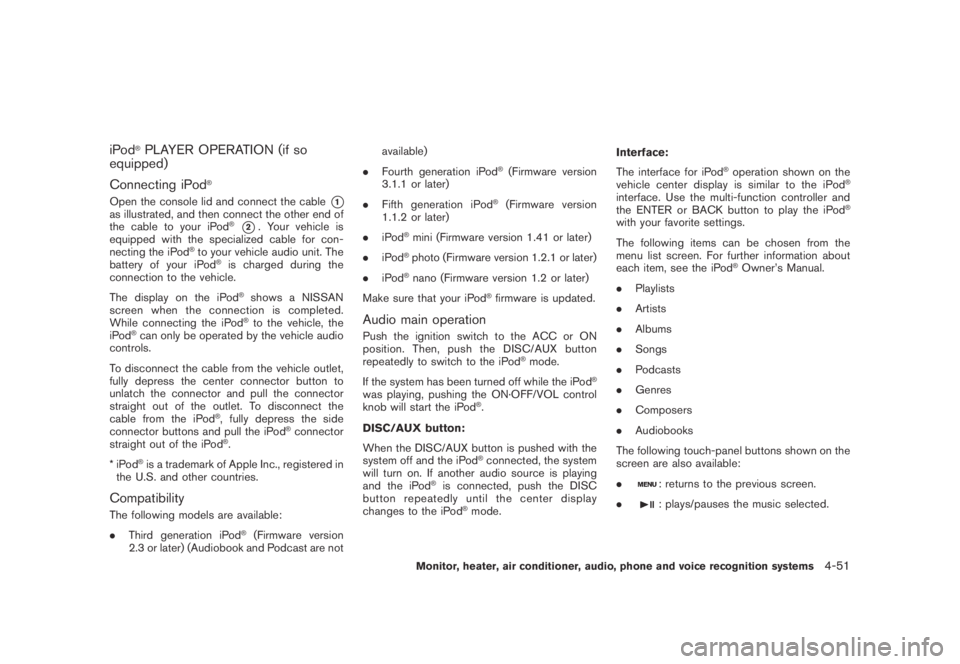
Open the console lid and connect the cable*1as illustrated, and then connect the other end of
the cable to your iPod®*2. Your vehicle is
equipped with the specialized cable for con-
necting the iPod
®to your vehicle audio unit. The
battery of your iPod®is charged during the
connection to the vehicle.
The display on the iPod
®shows a NISSAN
screen when the connection is completed.
While connecting the iPod
®to the vehicle, the
iPod®can only be operated by the vehicle audio
controls.
To disconnect the cable from the vehicle outlet,
fully depress the center connector button to
unlatch the connector and pull the connector
straight out of the outlet. To disconnect the
cable from the iPod
®, fully depress the side
connector buttons and pull the iPod®connector
straight out of the iPod®.
*iPod
®is a trademark of Apple Inc., registered in
the U.S. and other countries.
Compatibility
The following models are available:
.Third generation iPod
®(Firmware version
2.3 or later) (Audiobook and Podcast are notavailable)
.Fourth generation iPod
®(Firmware version
3.1.1 or later)
.Fifth generation iPod
®(Firmware version
1.1.2 or later)
.iPod
®mini (Firmware version 1.41 or later)
.iPod
®photo (Firmware version 1.2.1 or later)
.iPod
®nano (Firmware version 1.2 or later)
Make sure that your iPod
®firmware is updated.
Audio main operation
Push the ignition switch to the ACC or ON
position. Then, push the DISC/AUX button
repeatedly to switch to the iPod
®mode.
If the system has been turned off while the iPod
®
was playing, pushing the ON·OFF/VOL control
knob will start the iPod®.
DISC/AUX button:
When the DISC/AUX button is pushed with the
system off and the iPod
®connected, the system
will turn on. If another audio source is playing
and the iPod
®is connected, push the DISC
button repeatedly until the center display
changes to the iPod
®mode.Interface:
The interface for iPod
®operation shown on the
vehicle center display is similar to the iPod®
interface. Use the multi-function controller and
the ENTER or BACK button to play the iPod®
with your favorite settings.
The following items can be chosen from the
menu list screen. For further information about
each item, see the iPod
®Owner’s Manual.
.Playlists
.Artists
.Albums
.Songs
.Podcasts
.Genres
.Composers
.Audiobooks
The following touch-panel buttons shown on the
screen are also available:
.
: returns to the previous screen.
.
: plays/pauses the music selected.
Monitor, heater, air conditioner, audio, phone and voice recognition systems4-51
Page 217 of 443
Black plate (215,1)
Model "Z51-D" EDITED: 2007/ 10/ 2
SAA1614
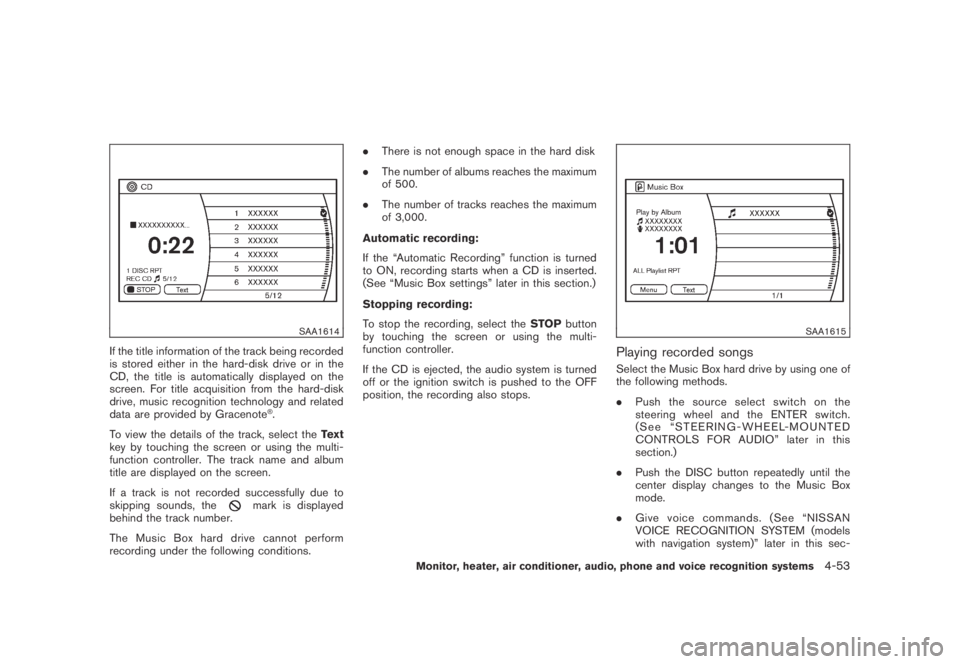
If the title information of the track being recorded
is stored either in the hard-disk drive or in the
CD, the title is automatically displayed on the
screen. For title acquisition from the hard-disk
drive, music recognition technology and related
data are provided by Gracenote
®.
To view the details of the track, select theText
key by touching the screen or using the multi-
function controller. The track name and album
title are displayed on the screen.
If a track is not recorded successfully due to
skipping sounds, the
mark is displayed
behind the track number.
The Music Box hard drive cannot perform
recording under the following conditions..There is not enough space in the hard disk
.The number of albums reaches the maximum
of 500.
.The number of tracks reaches the maximum
of 3,000.
Automatic recording:
If the “Automatic Recording” function is turned
to ON, recording starts when a CD is inserted.
(See “Music Box settings” later in this section.)
Stopping recording:
To stop the recording, select theSTOPbutton
by touching the screen or using the multi-
function controller.
If the CD is ejected, the audio system is turned
off or the ignition switch is pushed to the OFF
position, the recording also stops.
SAA1615
Playing recorded songs
Select the Music Box hard drive by using one of
the following methods.
.Push the source select switch on the
steering wheel and the ENTER switch.
(See “STEERING-WHEEL-MOUNTED
CONTROLS FOR AUDIO” later in this
section.)
.Push the DISC button repeatedly until the
center display changes to the Music Box
mode.
.Give voice commands. (See “NISSAN
VOICE RECOGNITION SYSTEM (models
with navigation system)” later in this sec-
Monitor, heater, air conditioner, audio, phone and voice recognition systems4-53
Page 218 of 443
Black plate (216,1)
Model "Z51-D" EDITED: 2007/ 10/ 2
tion.)
Stopping playback:
The system stops playing when:
a. another mode (radio, CD, CompactFlash or
AUX) is selected.
b. the audio system is turned off.
c. the ignition switch is pushed to the OFF
position.
FF (Fast Forward) , REW (Re-
wind)/APS (Automatic Pro-
gram Search) FF, APS REW:
When the
(fast forward) or(rewind)
button is pushed for more than 1.5 seconds
while a track is being played, the track will play
while fast forwarding or rewinding. When the
button is released, the track will return to the
normal play speed.
When the
orbutton is pushed for less
than 1.5 seconds while a track is being played,
the next track or the beginning of the current
track will be played.
The multi-function controller can also be used to
select tracks when a track is being played.
Play mode selection:
To change to another album or artist, turn theMP3/WMA folder selector.
REPEAT (RPT) , RANDOM (RDM):
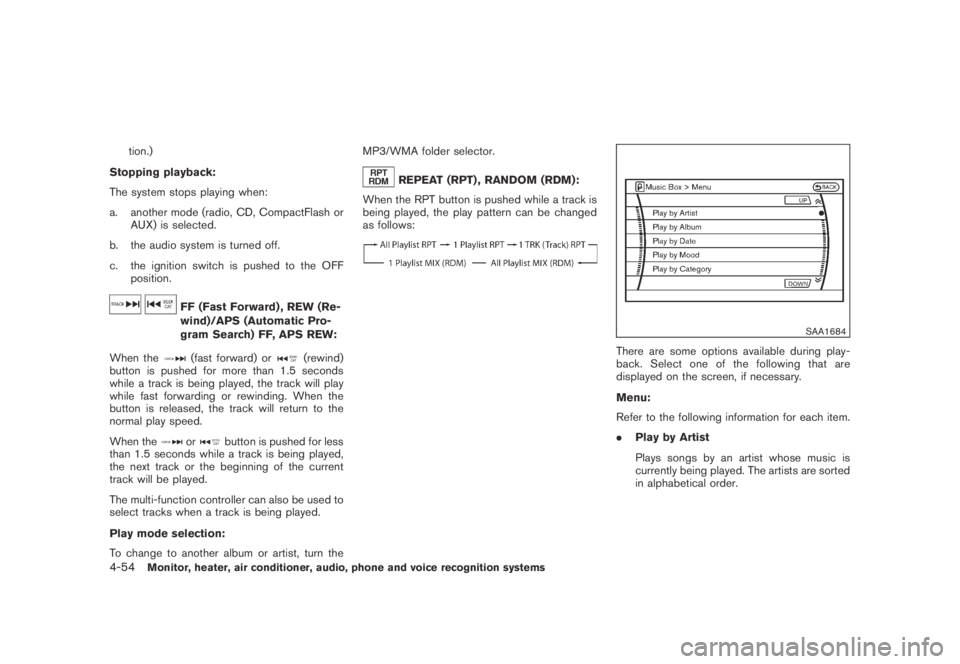
When the RPT button is pushed while a track is
being played, the play pattern can be changed
as follows:
SAA1684
There are some options available during play-
back. Select one of the following that are
displayed on the screen, if necessary.
Menu:
Refer to the following information for each item.
.Play by Artist
Plays songs by an artist whose music is
currently being played. The artists are sorted
in alphabetical order.
4-54Monitor, heater, air conditioner, audio, phone and voice recognition systems
Page 219 of 443
Black plate (217,1)
Model "Z51-D" EDITED: 2007/ 10/ 2
SAA1685
.Play by Album
Plays tracks in each album. The albums are
sorted in alphabetical order.
.Play by Date
Plays tracks in each album. The albums are
sorted in order of the date when they were
stored in the system.
.Play by Mood
Plays music from one of the following
moods: Relaxing Music, Lively Music, Slow
Music and Upbeat Music..Play by Category
Plays music from one of the following
categories: My Favorites, Hit Songs, Kids’
Songs and Rarely Played.
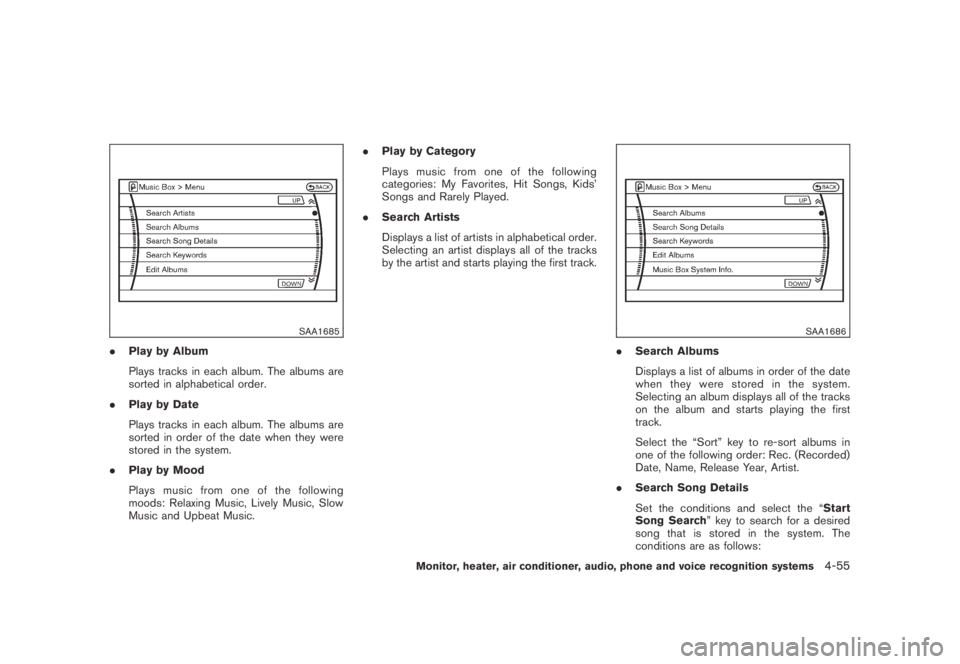
.Search Artists
Displays a list of artists in alphabetical order.
Selecting an artist displays all of the tracks
by the artist and starts playing the first track.
SAA1686
.Search Albums
Displays a list of albums in order of the date
when they were stored in the system.
Selecting an album displays all of the tracks
on the album and starts playing the first
track.
Select the “Sort” key to re-sort albums in
one of the following order: Rec. (Recorded)
Date, Name, Release Year, Artist.
.Search Song Details
Set the conditions and select the “Start
Song Search” key to search for a desired
song that is stored in the system. The
conditions are as follows:
Monitor, heater, air conditioner, audio, phone and voice recognition systems4-55
Page 220 of 443
Black plate (218,1)
Model "Z51-D" EDITED: 2007/ 10/ 2
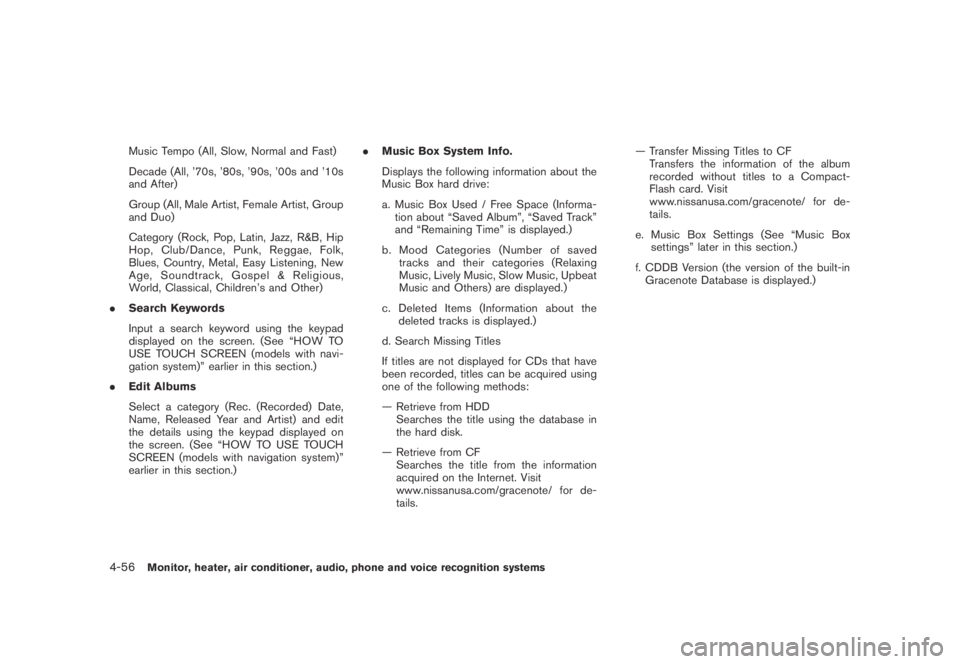
Music Tempo (All, Slow, Normal and Fast)
Decade (All, ’70s, ’80s, ’90s, ’00s and ’10s
and After)
Group (All, Male Artist, Female Artist, Group
and Duo)
Category (Rock, Pop, Latin, Jazz, R&B, Hip
Hop, Club/Dance, Punk, Reggae, Folk,
Blues, Country, Metal, Easy Listening, New
Age, Soundtrack, Gospel & Religious,
World, Classical, Children’s and Other)
.Search Keywords
Input a search keyword using the keypad
displayed on the screen. (See “HOW TO
USE TOUCH SCREEN (models with navi-
gation system)” earlier in this section.)
.Edit Albums
Select a category (Rec. (Recorded) Date,
Name, Released Year and Artist) and edit
the details using the keypad displayed on
the screen. (See “HOW TO USE TOUCH
SCREEN (models with navigation system)”
earlier in this section.).Music Box System Info.
Displays the following information about the
Music Box hard drive:
a. Music Box Used / Free Space (Informa-
tion about “Saved Album”, “Saved Track”
and “Remaining Time” is displayed.)
b. Mood Categories (Number of saved
tracks and their categories (Relaxing
Music, Lively Music, Slow Music, Upbeat
Music and Others) are displayed.)
c. Deleted Items (Information about the
deleted tracks is displayed.)
d. Search Missing Titles
If titles are not displayed for CDs that have
been recorded, titles can be acquired using
one of the following methods:
— Retrieve from HDD
Searches the title using the database in
the hard disk.
— Retrieve from CF
Searches the title from the information
acquired on the Internet. Visit
www.nissanusa.com/gracenote/ for de-
tails.— Transfer Missing Titles to CF
Transfers the information of the album
recorded without titles to a Compact-
Flash card. Visit
www.nissanusa.com/gracenote/ for de-
tails.
e. Music Box Settings (See “Music Box
settings” later in this section.)
f. CDDB Version (the version of the built-in
Gracenote Database is displayed.)
4-56Monitor, heater, air conditioner, audio, phone and voice recognition systems
Page 221 of 443
Black plate (219,1)
Model "Z51-D" EDITED: 2007/ 10/ 2
SAA1688
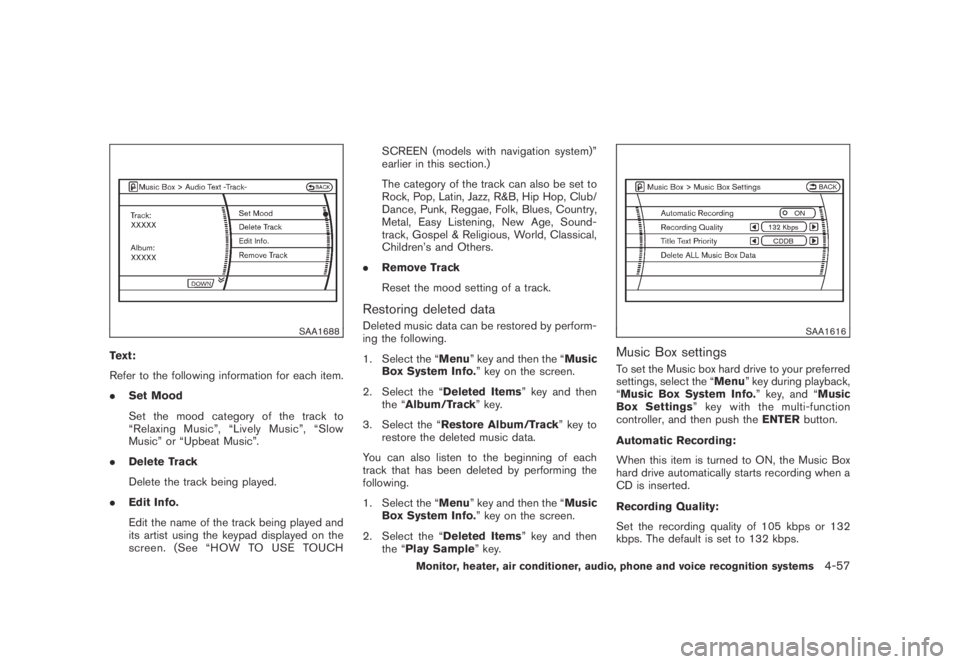
Text:
Refer to the following information for each item.
.Set Mood
Set the mood category of the track to
“Relaxing Music”, “Lively Music”, “Slow
Music” or “Upbeat Music”.
.Delete Track
Delete the track being played.
.Edit Info.
Edit the name of the track being played and
its artist using the keypad displayed on the
screen. (See “HOW TO USE TOUCHSCREEN (models with navigation system)”
earlier in this section.)
The category of the track can also be set to
Rock, Pop, Latin, Jazz, R&B, Hip Hop, Club/
Dance, Punk, Reggae, Folk, Blues, Country,
Metal, Easy Listening, New Age, Sound-
track, Gospel & Religious, World, Classical,
Children’s and Others.
.Remove Track
Reset the mood setting of a track.
Restoring deleted data
Deleted music data can be restored by perform-
ing the following.
1. Select the “Menu” key and then the “Music
Box System Info.” key on the screen.
2. Select the “Deleted Items” key and then
the “Album/Track” key.
3. Select the “Restore Album/Track” key to
restore the deleted music data.
You can also listen to the beginning of each
track that has been deleted by performing the
following.
1. Select the “Menu” key and then the “Music
Box System Info.” key on the screen.
2. Select the “Deleted Items” key and then
the “Play Sample” key.SAA1616
Music Box settings
To set the Music box hard drive to your preferred
settings, select the “Menu” key during playback,
“Music Box System Info.” key, and “Music
Box Settings” key with the multi-function
controller, and then push theENTERbutton.
Automatic Recording:
When this item is turned to ON, the Music Box
hard drive automatically starts recording when a
CD is inserted.
Recording Quality:
Set the recording quality of 105 kbps or 132
kbps. The default is set to 132 kbps.
Monitor, heater, air conditioner, audio, phone and voice recognition systems4-57
Page 224 of 443
Black plate (222,1)
Model "Z51-D" EDITED: 2007/ 10/ 2
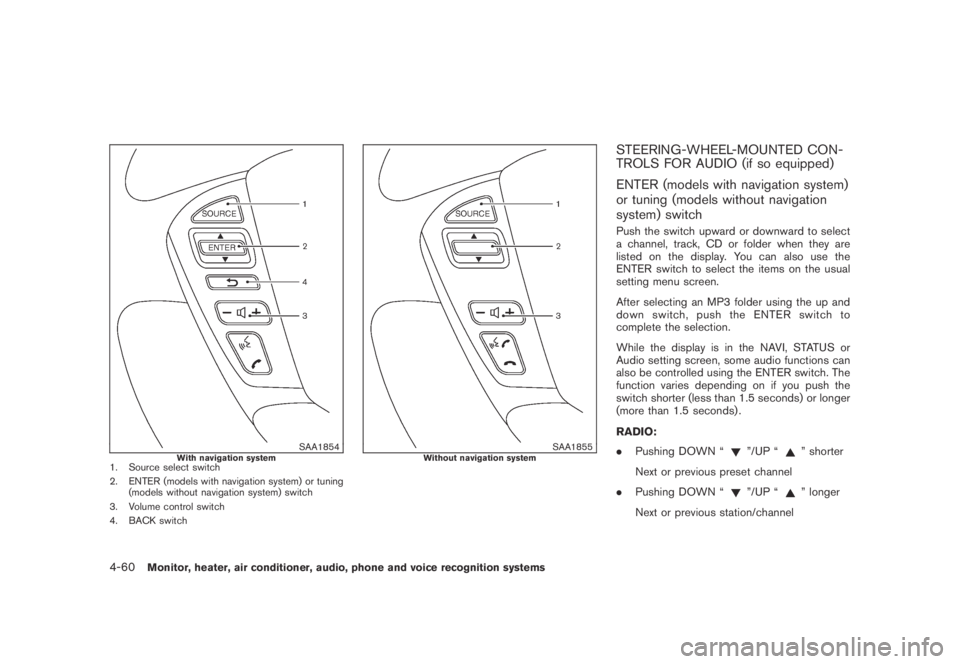
SAA1854With navigation system1. Source select switch
2. ENTER (models with navigation system) or tuning
(models without navigation system) switch
3. Volume control switch
4. BACK switch
SAA1855Without navigation system
STEERING-WHEEL-MOUNTED CON-
TROLS FOR AUDIO (if so equipped)
ENTER (models with navigation system)
or tuning (models without navigation
system) switch
Push the switch upward or downward to select
a channel, track, CD or folder when they are
listed on the display. You can also use the
ENTER switch to select the items on the usual
setting menu screen.
After selecting an MP3 folder using the up and
down switch, push the ENTER switch to
complete the selection.
While the display is in the NAVI, STATUS or
Audio setting screen, some audio functions can
also be controlled using the ENTER switch. The
function varies depending on if you push the
switch shorter (less than 1.5 seconds) or longer
(more than 1.5 seconds) .
RADIO:
.Pushing DOWN “
”/UP “” shorter
Next or previous preset channel
.Pushing DOWN “
”/UP “” longer
Next or previous station/channel
4-60Monitor, heater, air conditioner, audio, phone and voice recognition systems
Page 226 of 443
Black plate (224,1)
Model "Z51-D" EDITED: 2007/ 10/ 2
SAA1985
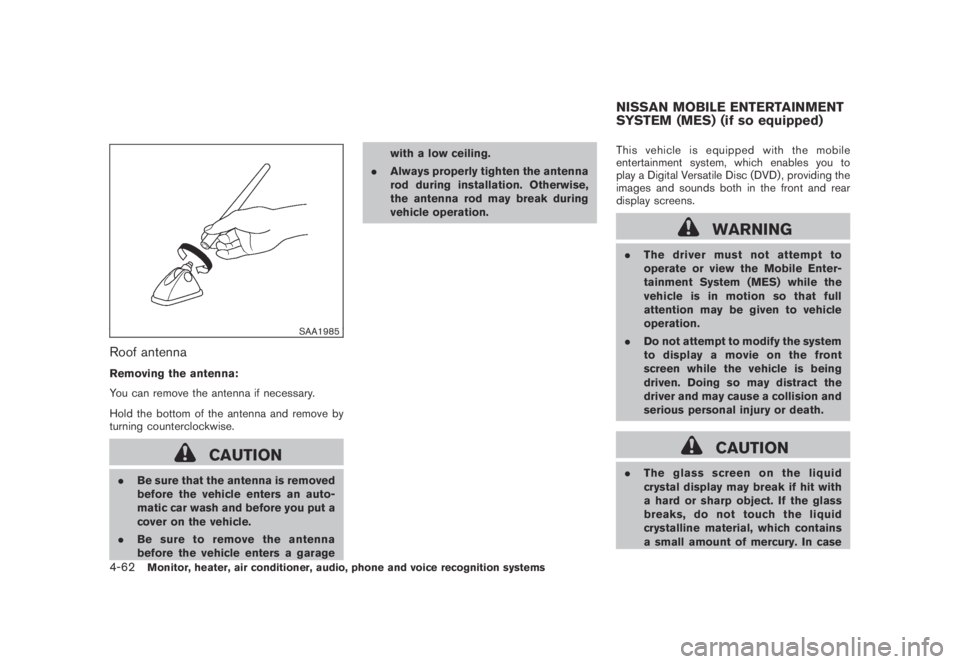
Roof antenna
Removing the antenna:
You can remove the antenna if necessary.
Hold the bottom of the antenna and remove by
turning counterclockwise.
CAUTION
.Be sure that the antenna is removed
before the vehicle enters an auto-
matic car wash and before you put a
cover on the vehicle.
.Be sure to remove the antenna
before the vehicle enters a garagewith a low ceiling.
.Always properly tighten the antenna
rod during installation. Otherwise,
the antenna rod may break during
vehicle operation.This vehicle is equipped with the mobile
entertainment system, which enables you to
play a Digital Versatile Disc (DVD) , providing the
images and sounds both in the front and rear
display screens.
WARNING
.The driver must not attempt to
operate or view the Mobile Enter-
tainment System (MES) while the
vehicle is in motion so that full
attention may be given to vehicle
operation.
.Do not attempt to modify the system
to display a movie on the front
screen while the vehicle is being
driven. Doing so may distract the
driver and may cause a collision and
serious personal injury or death.
CAUTION
.The glass screen on the liquid
crystal display may break if hit with
a hard or sharp object. If the glass
breaks, do not touch the liquid
crystalline material, which contains
a small amount of mercury. In case
NISSAN MOBILE ENTERTAINMENT
SYSTEM (MES) (if so equipped)
4-62Monitor, heater, air conditioner, audio, phone and voice recognition systems