Page 88 of 374

Anti-lock Braking System (ABS)
warning lightNISSAN Intelligent Key™ warning lightSecurity indicator light
orBrake warning lightSeat belt warning light and chimeSlip indicator light (if so equipped)
Charge warning lightSupplemental air bag warning lightTraction Control System off indicator light (if so
equipped)
Continuously Variable Transmission (CVT)
check warning light (if so equipped)Continuously Variable Transmission (CVT)
position indicator light (if so equipped)Turn signal/hazard indicator lights
Engine oil pressure warning lightFront passenger air bag status lightVehicle Dynamic Control off indicator light
(if so equipped)
Low tire pressure warning lightHigh beam indicator light (Blue)
Master warning lightMalfunction Indicator Light (MIL)
CHECKING BULBS
With all doors closed, apply the parking brake
and place the ignition switch in the ON position
without starting the engine. The following lights
will come on:
,or,,,
The following lights come on briefly and then go
off:
or,,,,,
Page 89 of 374

orAnti-lock Braking
System (ABS)
warning light
When the ignition switch is placed in the ON
position, the Anti-lock Braking System (ABS)
warning light illuminates and then turns off. This
indicates the ABS is operational.
If the ABS warning light illuminates while the
engine is running, or while driving, it may indicate
the ABS is not functioning properly. Have the
system checked by a NISSAN dealer.
If an ABS malfunction occurs, the anti-lock func-
tion is turned off. The brake system then operates
normally, but without anti-lock assistance. See
�Brake system�in the�Starting and driving�sec-
tion.
orBrake warning light
This light functions for both the parking brake and
the foot brake systems.
Parking brake indicator
When the ignition switch is placed in the ON
position, the light comes on when the parking
brake is applied.Low brake fluid warning light
When the ignition switch is placed in the ON
position, the light warns of a low brake fluid level.
If the light comes on while the engine is running
with the parking brake not applied, stop the ve-
hicle and perform the following:
1. Check the brake fluid level. Add brake fluid
as necessary. See “Brake fluid” in the “Main-
tenance and do-it-yourself” section of this
manual.
2. If the brake fluid level is correct, have the
warning system checked by a NISSAN
dealer.
Page 110 of 374
position. Turn the
headlight switch to the
position for full
illumination when driving at night.
If the parking brake is applied before the engine is
started, the daytime running lights do not illumi-
nate. The daytime running lights illuminate when
the parking brake is released. The daytime run-
ning lights will remain on until the ignition switch
is placed in the OFF position.
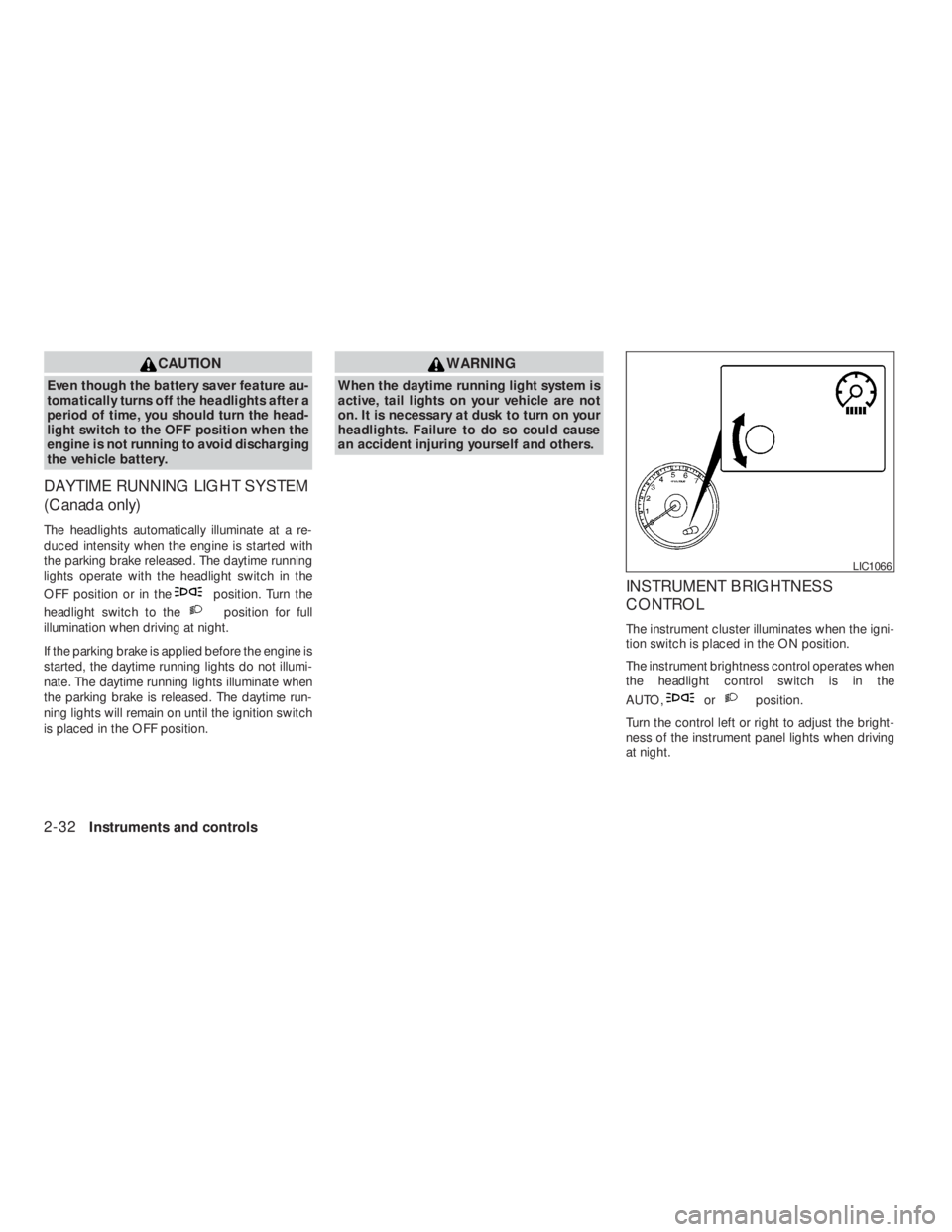
orposition.
Turn the control left or right to adjust the bright-
ness of the instrument panel lights when driving
at night.
Page 250 of 374
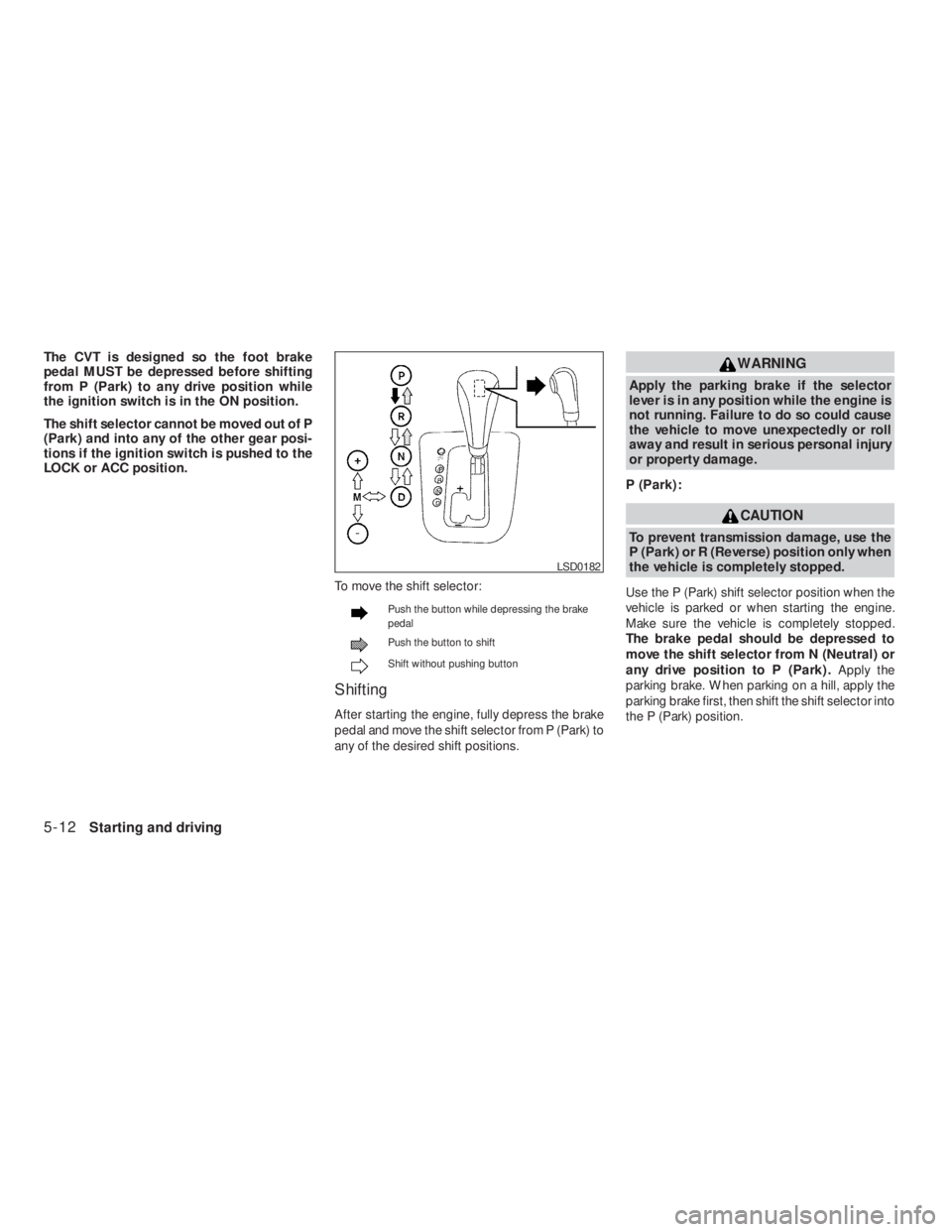
Push the button while depressing the brake
pedal
Push the button to shift
Shift without pushing button
Shifting
After starting the engine, fully depress the brake
pedal and move the shift selector from P (Park) to
any of the desired shift positions.
CAUTION
To prevent transmission damage, use the
P (Park) or R (Reverse) position only when
the vehicle is completely stopped.
Use the P (Park) shift selector position when the
vehicle is parked or when starting the engine.
Make sure the vehicle is completely stopped.
The brake pedal should be depressed to
move the shift selector from N (Neutral) or
any drive position to P (Park) .Apply the
parking brake. When parking on a hill, apply the
parking brake first, then shift the shift selector into
the P (Park) position.
Page 276 of 374
WARNING
Always follow the instructions below.
Failure to do so could result in damage to
the charging system and cause personal
injury.
1. If the booster battery is in another vehicle,
position the two vehicles to bring their bat-
teries near each other.
Do not allow the two vehicles to touch.
2. Apply the parking brake. Move the shift se-
lector to N (Neutral) (manual transmission)
or to P (Park) (Continuously Variable Trans-
mission) . Switch off all unnecessary electri-cal systems (lights, heater, air conditioner,
etc.) .
3. Remove vent caps on the battery (if so
equipped) . Cover the battery with an old
cloth to reduce explosion hazard.
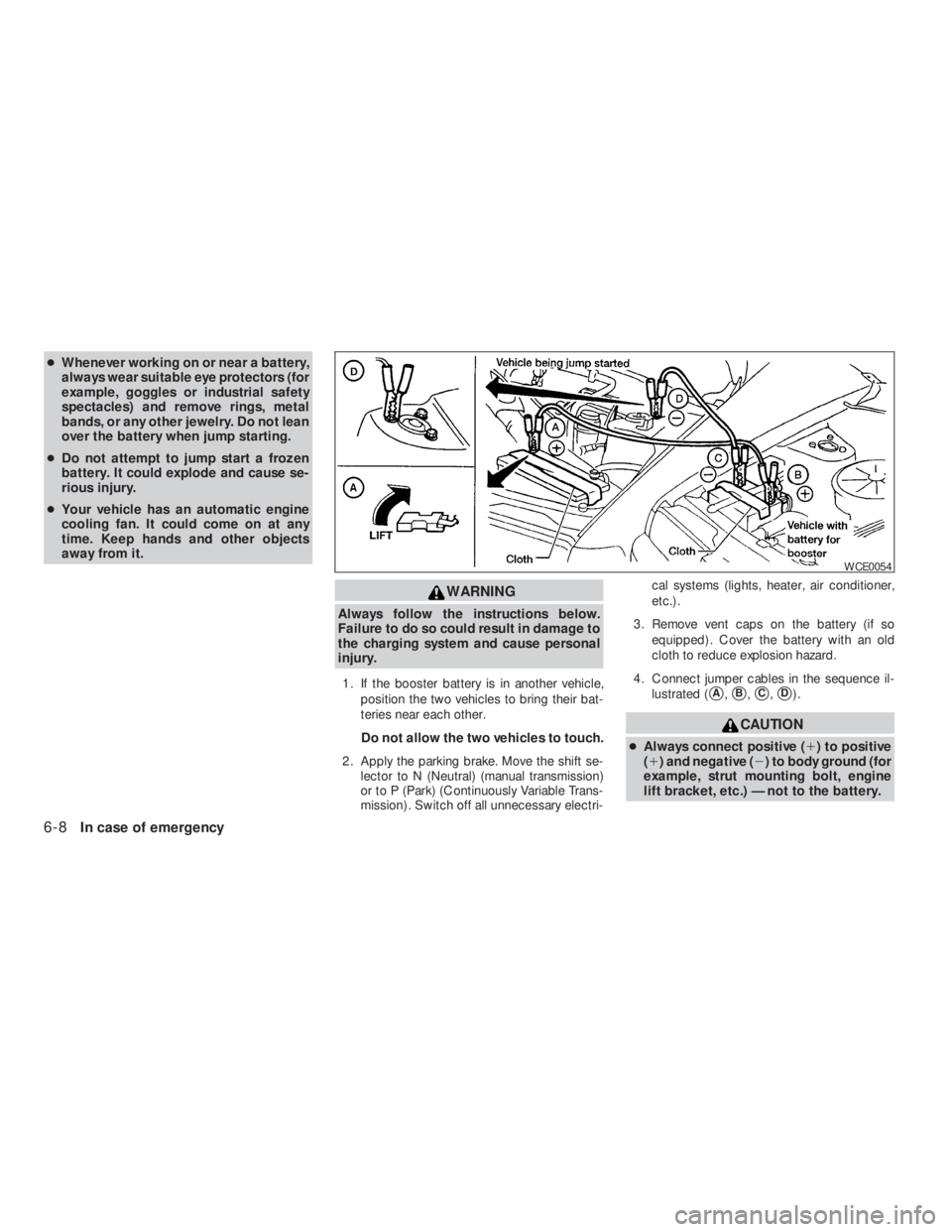
4. Connect jumper cables in the sequence il-
lustrated (
�A,�B,�C,�D).
Page 299 of 374
WARNING
●To avoid the danger of being scalded,
never change the coolant when the en-
gine is hot.
●Never remove the radiator cap when the
engine is hot. Serious burns could be
caused by high pressure fluid escaping
from the radiator.
●Avoid direct skin contact with used
coolant. If skin contact is made, wash
thoroughly with soap or hand cleaner
as soon as possible.
●Keep coolant out of the reach of chil-
dren and pets.
Engine coolant must be disposed of properly.
Check your local regulations.
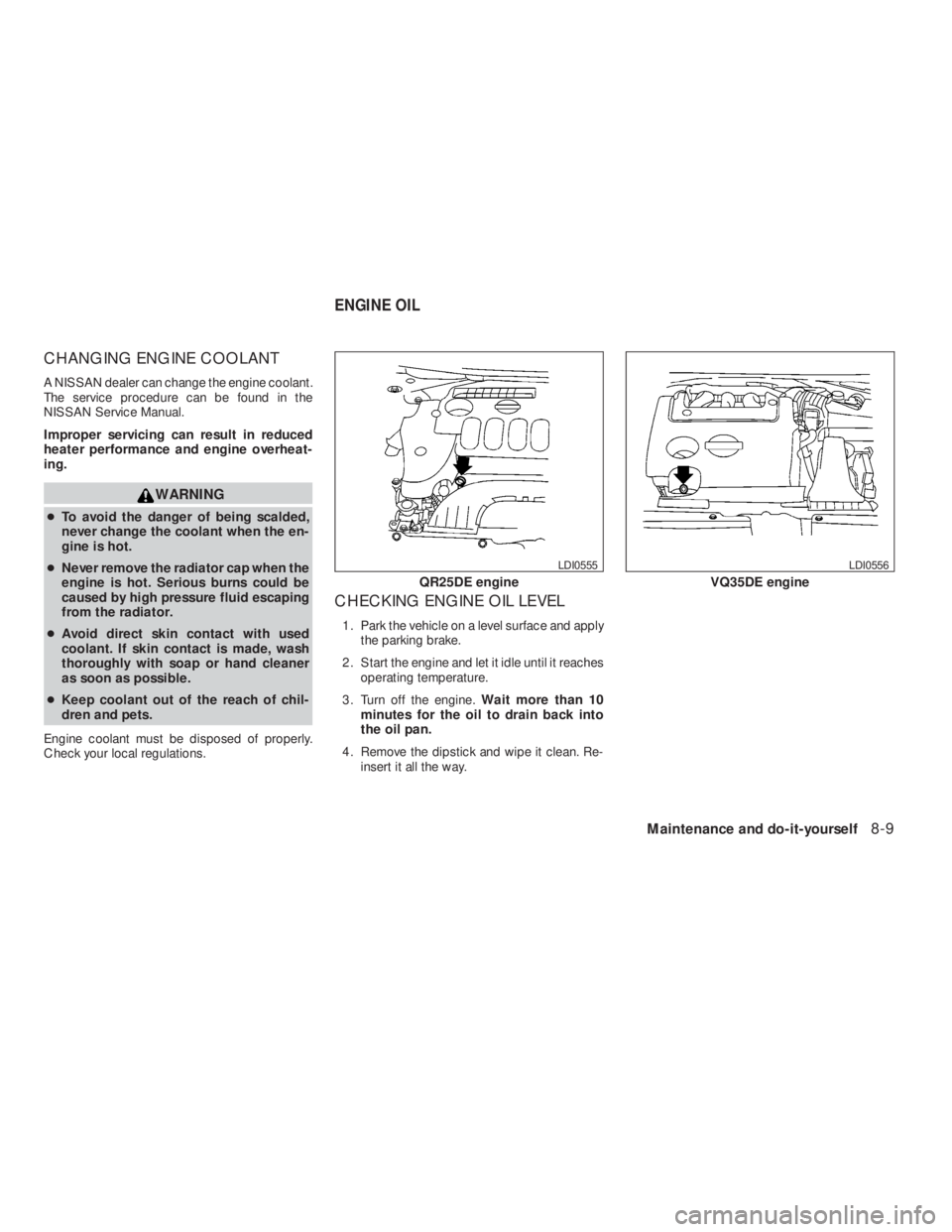
CHECKING ENGINE OIL LEVEL
1. Park the vehicle on a level surface and apply
the parking brake.
2. Start the engine and let it idle until it reaches
operating temperature.
3. Turn off the engine.Wait more than 10
minutes for the oil to drain back into
the oil pan.
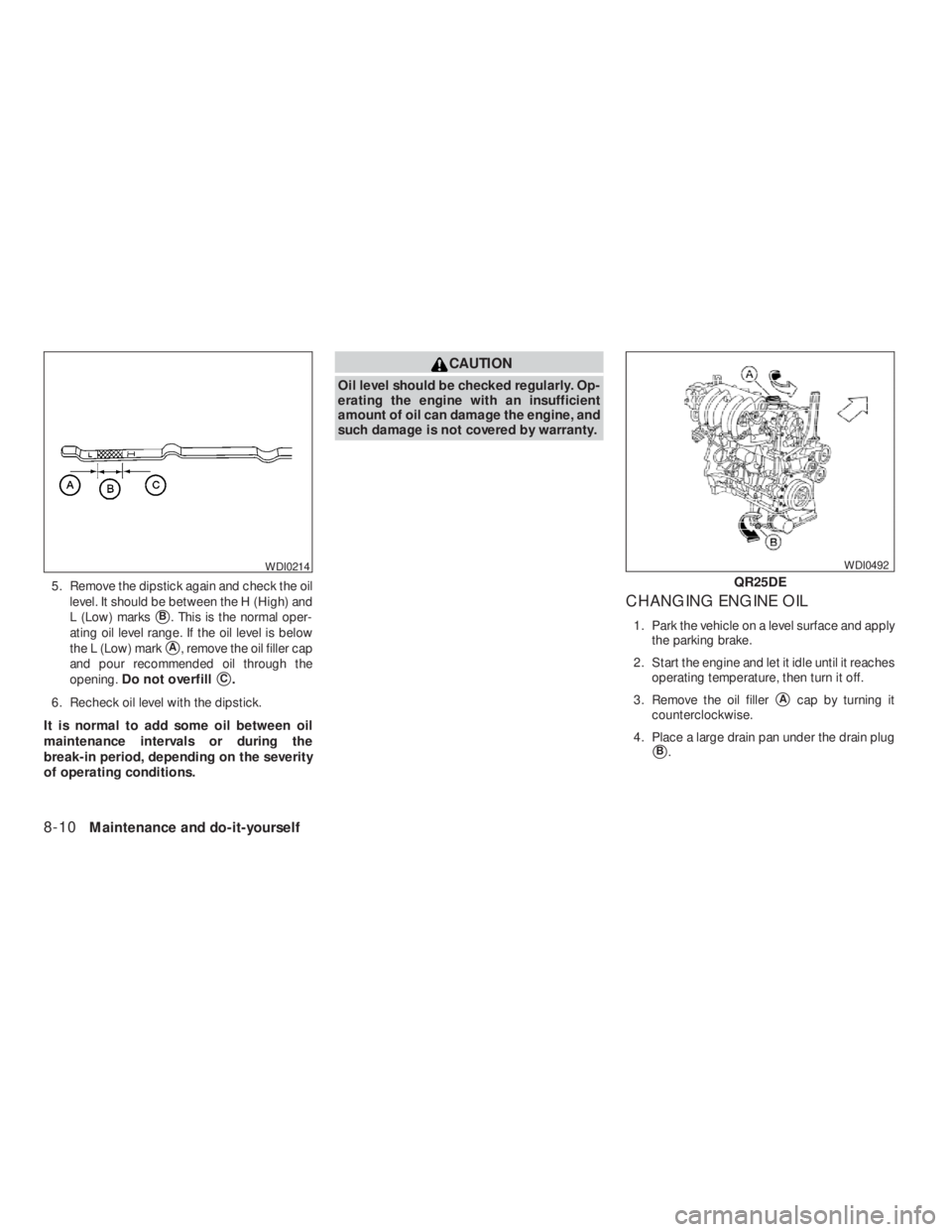
4. Remove the dipstick and wipe it clean. Re-
insert it all the way.
Page 300 of 374
CAUTION
Oil level should be checked regularly. Op-
erating the engine with an insufficient
amount of oil can damage the engine, and
such damage is not covered by warranty.
CHANGING ENGINE OIL
1. Park the vehicle on a level surface and apply
the parking brake.
2. Start the engine and let it idle until it reaches
operating temperature, then turn it off.
3. Remove the oil filler
�Acap by turning it
counterclockwise.
4. Place a large drain pan under the drain plug
�B.
Page 308 of 374
WARNING
Be sure the engine and ignition switch are
off and that the parking brake is engaged
securely.
CAUTION
Be sure to use the correct socket to re-
move the spark plugs. An incorrect socket
can damage the spark plugs.
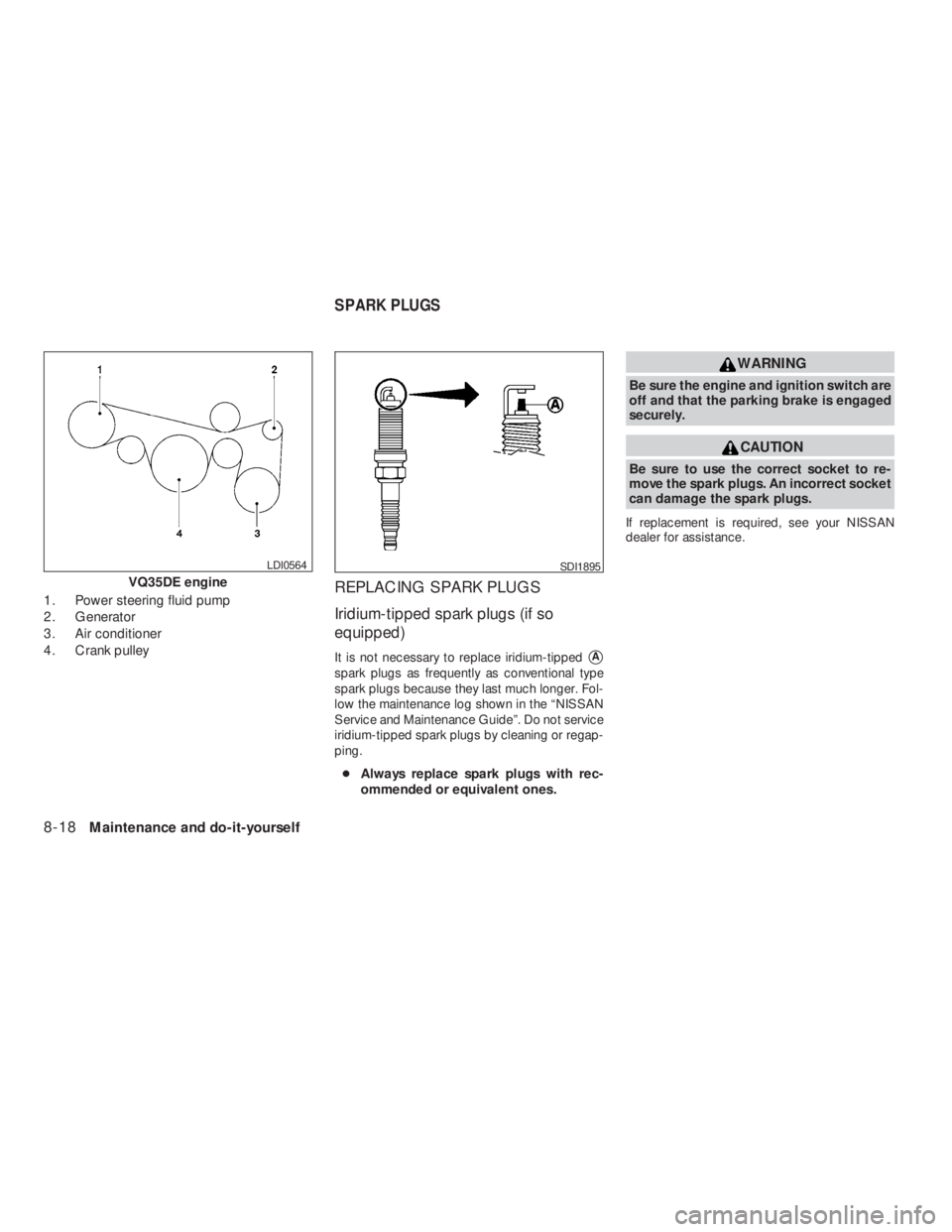
If replacement is required, see your NISSAN
dealer for assistance.
SDI1895
SPARK PLUGS