Page 191 of 374
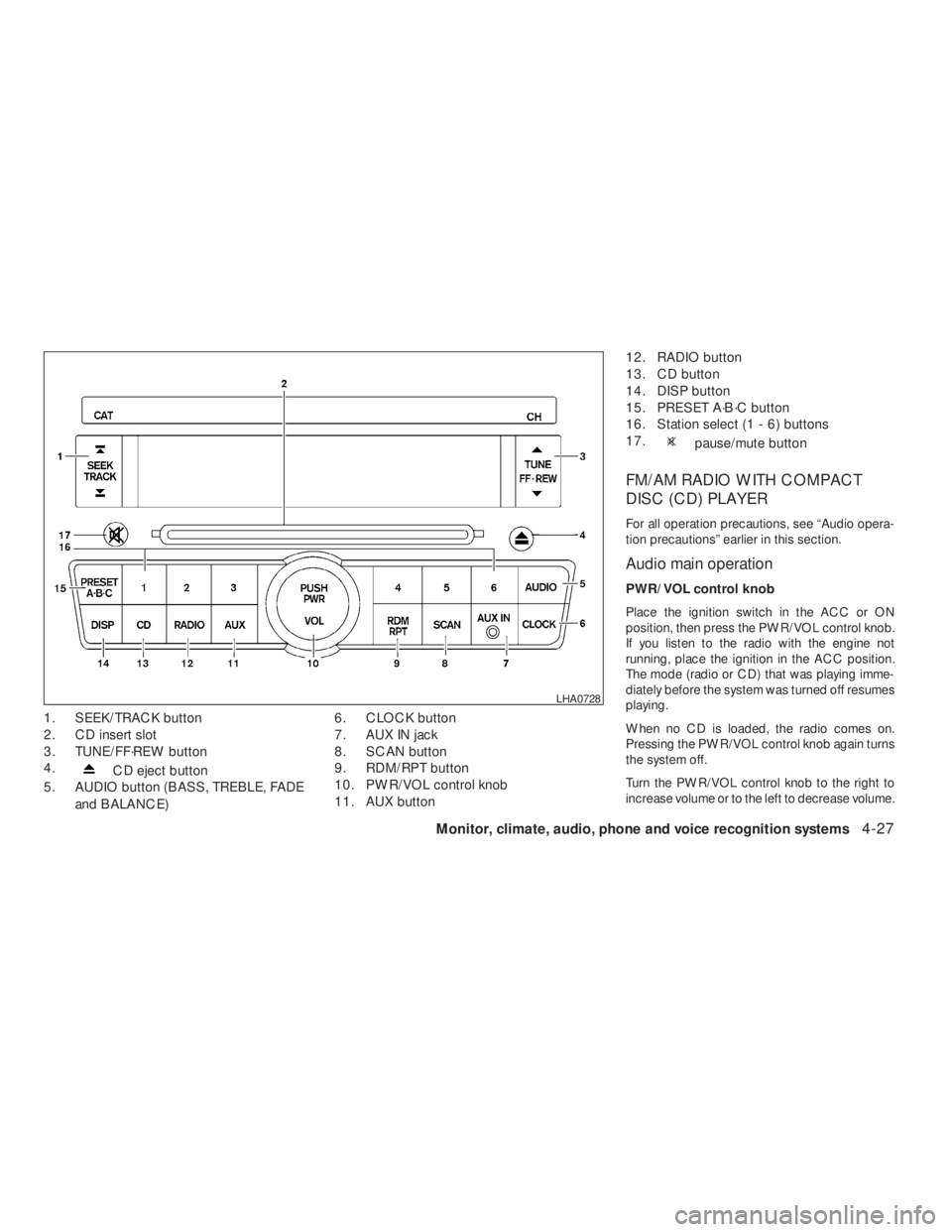
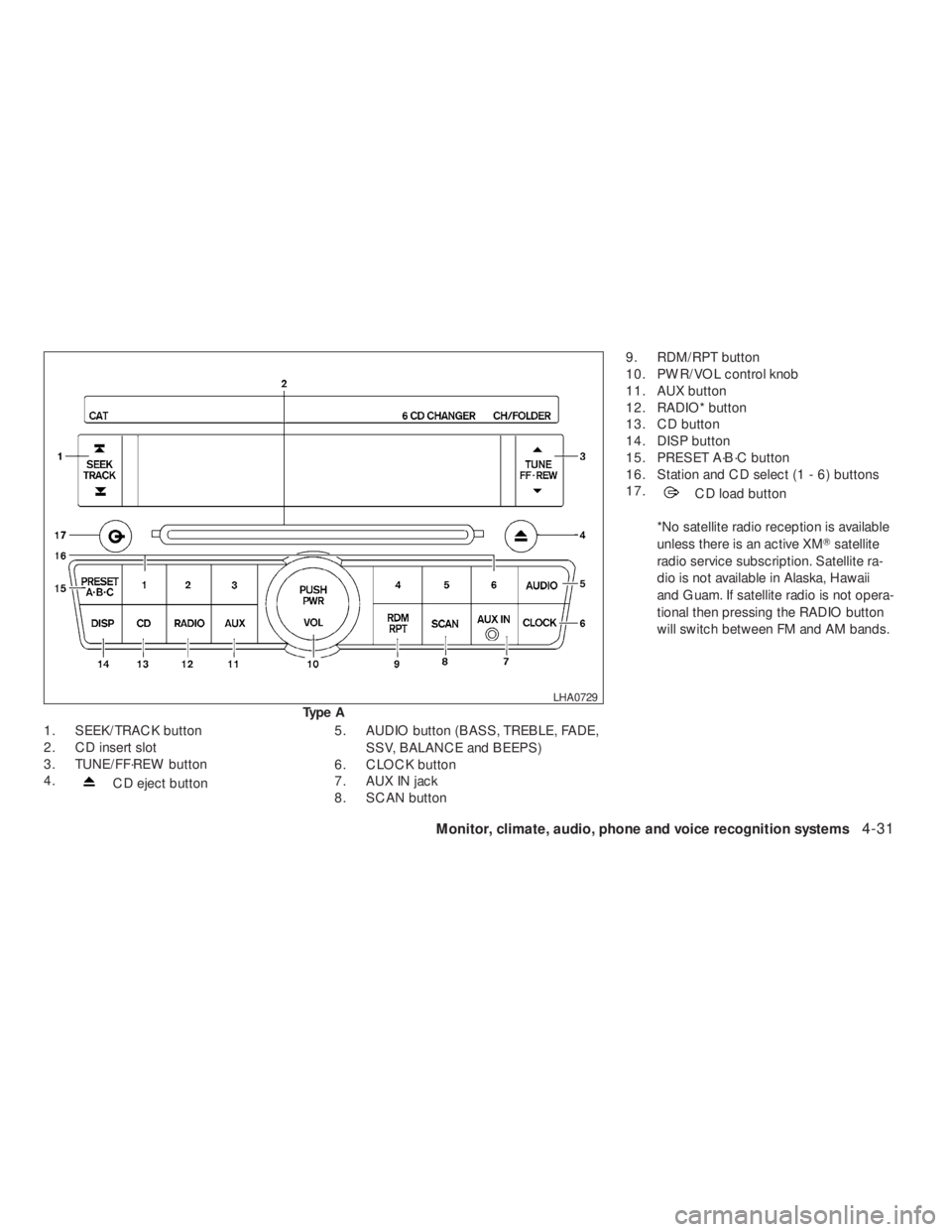
CD eject button
5. AUDIO button (BASS, TREBLE, FADE
and BALANCE)6. CLOCK button
7. AUX IN jack
8. SCAN button
9. RDM/RPT button
10. PWR/VOL control knob
11. AUX button12. RADIO button
13. CD button
14. DISP button
15. PRESET A·B·C button
16. Station select (1 - 6) buttons
17.
pause/mute button
FM/AM RADIO WITH COMPACT
DISC (CD) PLAYER
For all operation precautions, see “Audio opera-
tion precautions” earlier in this section.
Audio main operation
PWR/VOL control knob
Place the ignition switch in the ACC or ON
position, then press the PWR/VOL control knob.
If you listen to the radio with the engine not
running, place the ignition in the ACC position.
The mode (radio or CD) that was playing imme-
diately before the system was turned off resumes
playing.
When no CD is loaded, the radio comes on.
Pressing the PWR/VOL control knob again turns
the system off.
Turn the PWR/VOL control knob to the right to
increase volume or to the left to decrease volume.
Page 192 of 374
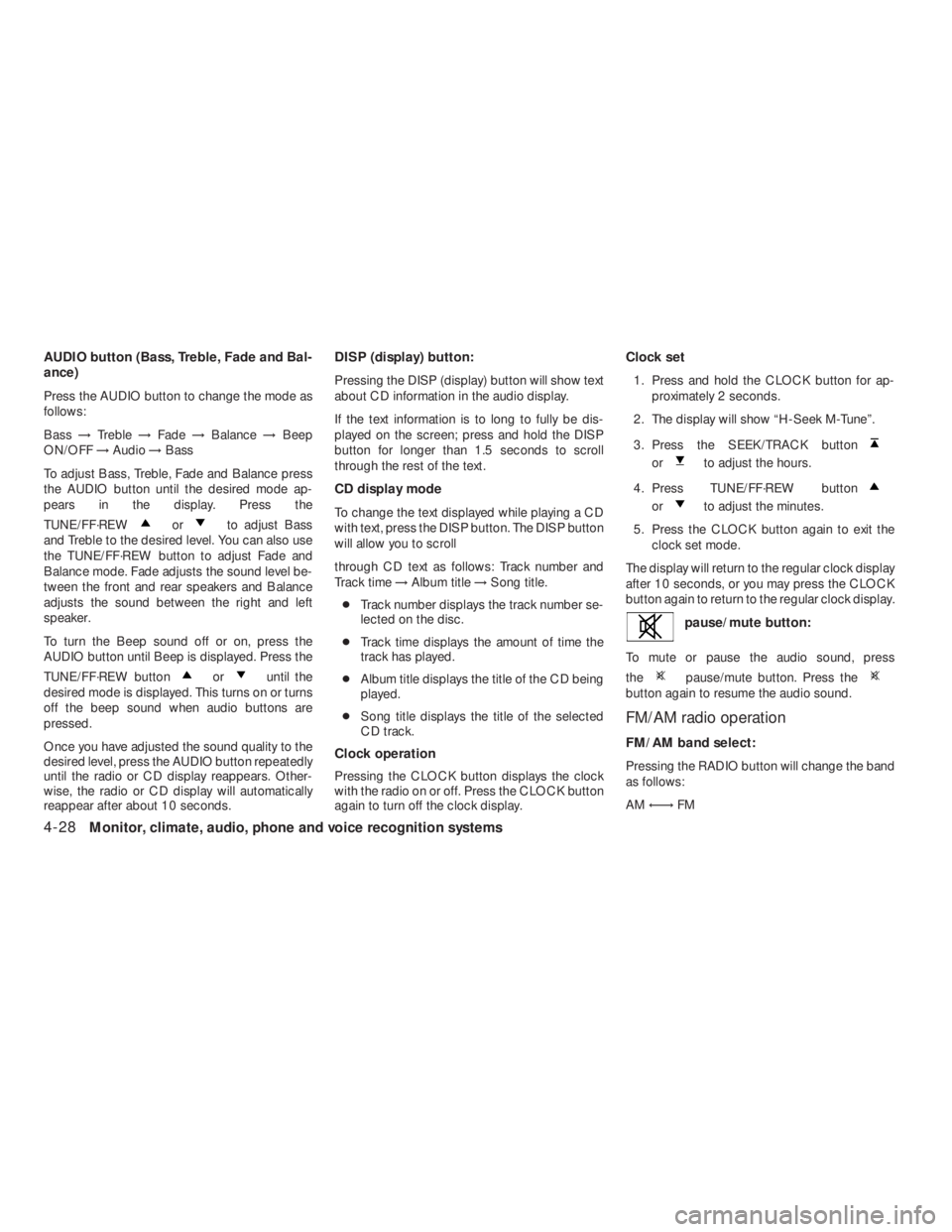
orto adjust Bass
and Treble to the desired level. You can also use
the TUNE/FF·REW button to adjust Fade and
Balance mode. Fade adjusts the sound level be-
tween the front and rear speakers and Balance
adjusts the sound between the right and left
speaker.
To turn the Beep sound off or on, press the
AUDIO button until Beep is displayed. Press the
TUNE/FF·REW button
oruntil the
desired mode is displayed. This turns on or turns
off the beep sound when audio buttons are
pressed.
Once you have adjusted the sound quality to the
desired level, press the AUDIO button repeatedly
until the radio or CD display reappears. Other-
wise, the radio or CD display will automatically
reappear after about 10 seconds.DISP (display) button:
Pressing the DISP (display) button will show text
about CD information in the audio display.
If the text information is to long to fully be dis-
played on the screen; press and hold the DISP
button for longer than 1.5 seconds to scroll
through the rest of the text.
CD display mode
To change the text displayed while playing a CD
with text, press the DISP button. The DISP button
will allow you to scroll
through CD text as follows: Track number and
Track time→Album title→Song title.
●Track number displays the track number se-
lected on the disc.
●Track time displays the amount of time the
track has played.
●Album title displays the title of the CD being
played.
●Song title displays the title of the selected
CD track.
Clock operation
Pressing the CLOCK button displays the clock
with the radio on or off. Press the CLOCK button
again to turn off the clock display.Clock set
1. Press and hold the CLOCK button for ap-
proximately 2 seconds.
2. The display will show “H-Seek M-Tune”.
3. Press the SEEK/TRACK button
orto adjust the hours.
4. Press TUNE/FF·REW button
orto adjust the minutes.
5. Press the CLOCK button again to exit the
clock set mode.
The display will return to the regular clock display
after 10 seconds, or you may press the CLOCK
button again to return to the regular clock display.
pause/mute button. Press thebutton again to resume the audio sound.
FM/AM radio operation
FM/AM band select:
Pressing the RADIO button will change the band
as follows:
AM←→FM
4-28Monitor, climate, audio, phone and voice recognition systems
�REVIEW COPY—2009 Altima(alt)
Owners Manual—USA_English(nna)
09/08/08—debbie
�
Page 195 of 374
CD eject button5. AUDIO button (BASS, TREBLE, FADE,
SSV, BALANCE and BEEPS)
6. CLOCK button
7. AUX IN jack
8. SCAN button9. RDM/RPT button
10. PWR/VOL control knob
11. AUX button
12. RADIO* button
13. CD button
14. DISP button
15. PRESET A·B·C button
16. Station and CD select (1 - 6) buttons
17.
CD load button
*No satellite radio reception is available
unless there is an active XM�satellite
radio service subscription. Satellite ra-
dio is not available in Alaska, Hawaii
and Guam. If satellite radio is not opera-
tional then pressing the RADIO button
will switch between FM and AM bands.
Page 196 of 374
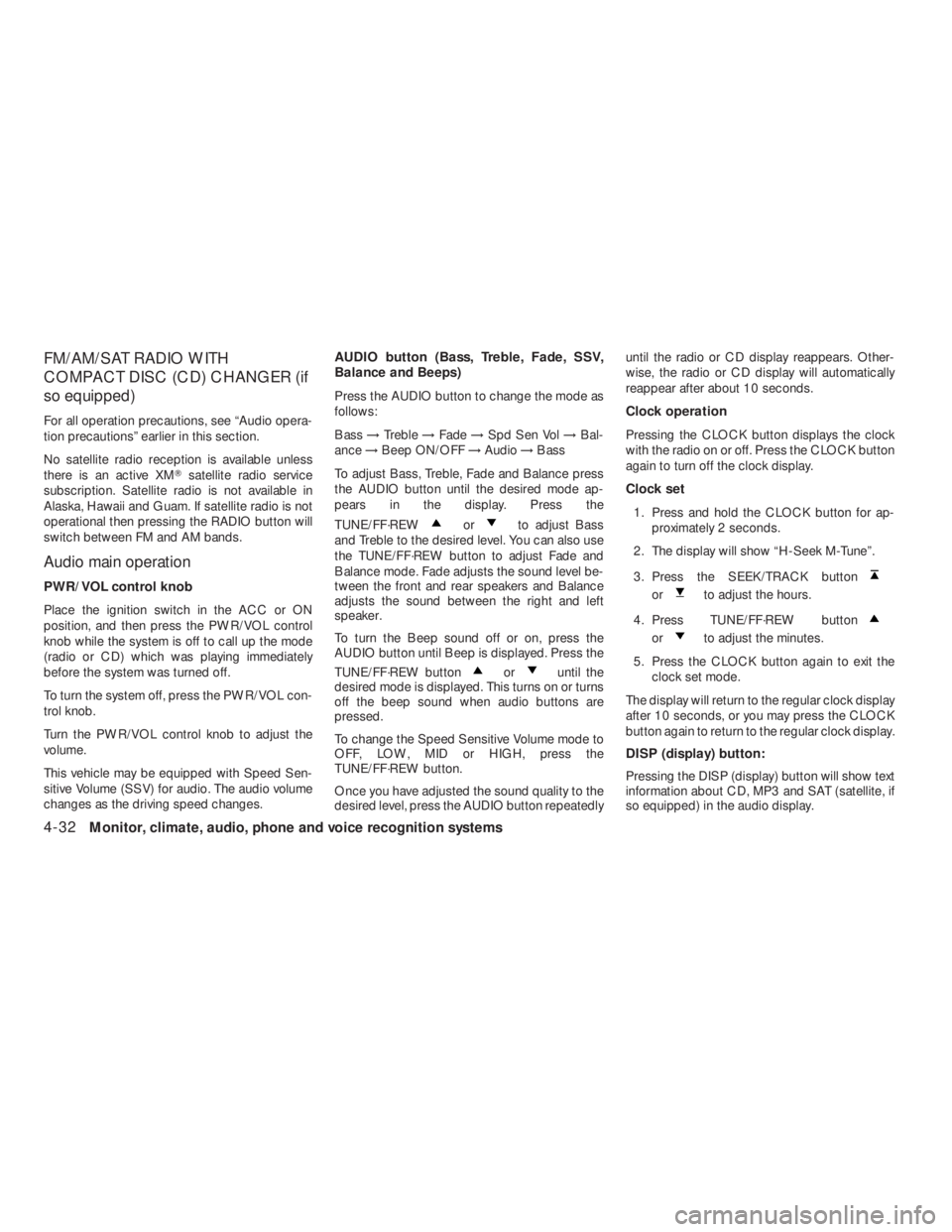
orto adjust Bass
and Treble to the desired level. You can also use
the TUNE/FF·REW button to adjust Fade and
Balance mode. Fade adjusts the sound level be-
tween the front and rear speakers and Balance
adjusts the sound between the right and left
speaker.
To turn the Beep sound off or on, press the
AUDIO button until Beep is displayed. Press the
TUNE/FF·REW button
oruntil the
desired mode is displayed. This turns on or turns
off the beep sound when audio buttons are
pressed.
To change the Speed Sensitive Volume mode to
OFF, LOW, MID or HIGH, press the
TUNE/FF·REW button.
Once you have adjusted the sound quality to the
desired level, press the AUDIO button repeatedlyuntil the radio or CD display reappears. Other-
wise, the radio or CD display will automatically
reappear after about 10 seconds.
Clock operation
Pressing the CLOCK button displays the clock
with the radio on or off. Press the CLOCK button
again to turn off the clock display.
Clock set
1. Press and hold the CLOCK button for ap-
proximately 2 seconds.
2. The display will show “H-Seek M-Tune”.
3. Press the SEEK/TRACK button
orto adjust the hours.
4. Press TUNE/FF·REW button
orto adjust the minutes.
5. Press the CLOCK button again to exit the
clock set mode.
The display will return to the regular clock display
after 10 seconds, or you may press the CLOCK
button again to return to the regular clock display.
DISP (display) button:
Pressing the DISP (display) button will show text
information about CD, MP3 and SAT (satellite, if
so equipped) in the audio display.
4-32Monitor, climate, audio, phone and voice recognition systems
�REVIEW COPY—2009 Altima(alt)
Owners Manual—USA_English(nna)
09/08/08—debbie
�
Page 223 of 374
button.
8. The SA mode will be explained. Follow the
instructions provided by the system.
9. When training is finished, the system will tell
you an adequate number of phrases have
been recorded.
10. The system will ask you to say your name.
Follow the instructions to register your
name.
11. The system will announce that speaker ad-
aptation has been completed and the sys-
tem is ready.
The SA mode will stop if:
●The
button is pressed for more than 5
seconds in SA mode.
●The vehicle begins moving during SA mode.
●The ignition switch is turned to the OFF or
LOCK position.
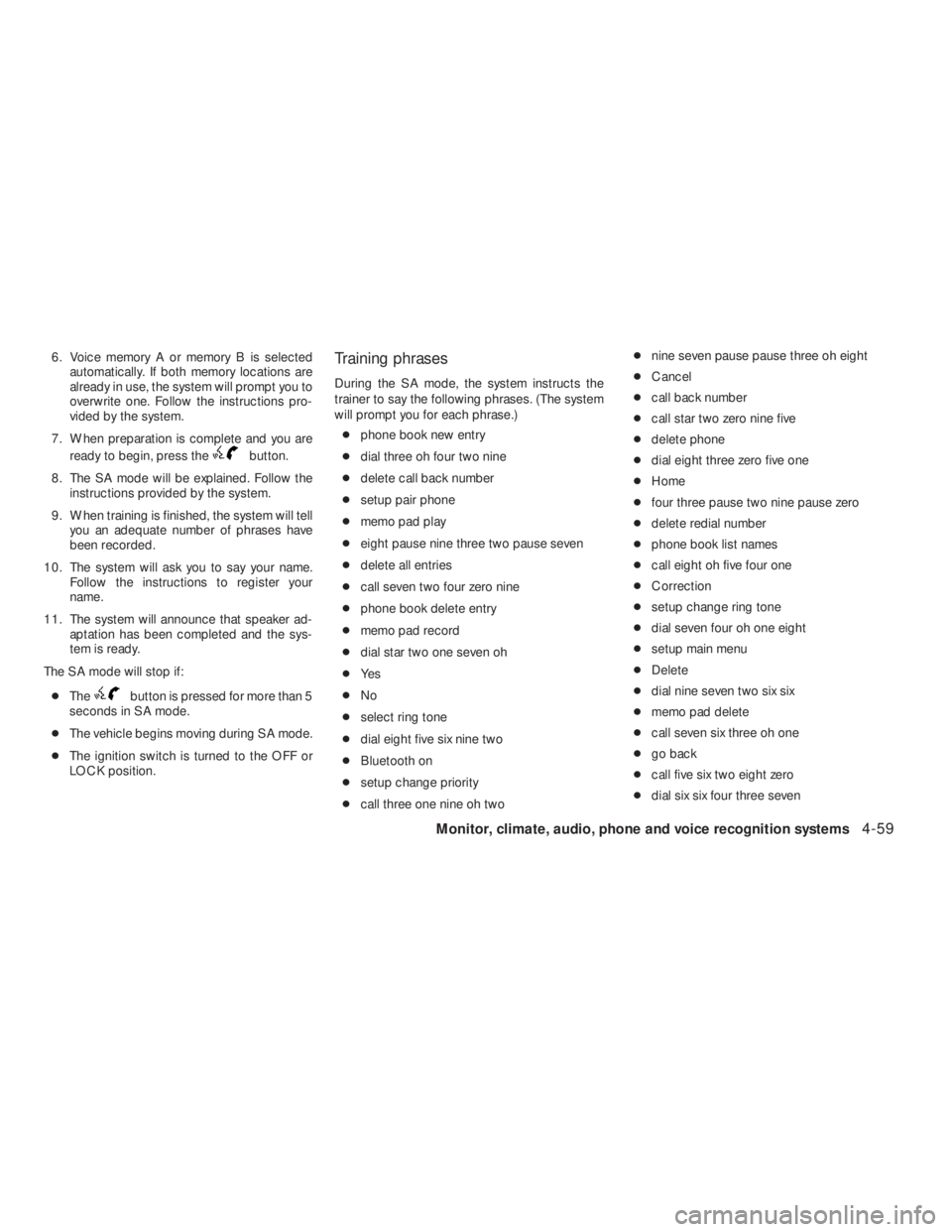
Training phrases
During the SA mode, the system instructs the
trainer to say the following phrases. (The system
will prompt you for each phrase.)
●phone book new entry
●dial three oh four two nine
●delete call back number
●setup pair phone
●memo pad play
●eight pause nine three two pause seven
●delete all entries
●call seven two four zero nine
●phone book delete entry
●memo pad record
●dial star two one seven oh
●Ye s
●No
●select ring tone
●dial eight five six nine two
●Bluetooth on
●setup change priority
●call three one nine oh two●nine seven pause pause three oh eight
●Cancel
●call back number
●call star two zero nine five
●delete phone
●dial eight three zero five one
●Home
●four three pause two nine pause zero
●delete redial number
●phone book list names
●call eight oh five four one
●Correction
●setup change ring tone
●dial seven four oh one eight
●setup main menu
●Delete
●dial nine seven two six six
●memo pad delete
●call seven six three oh one
●go back
●call five six two eight zero
●dial six six four three seven
Monitor, climate, audio, phone and voice recognition systems4-59
�REVIEW COPY—2009 Altima(alt)
Owners Manual—USA_English(nna)
09/08/08—debbie
�
Page 247 of 374
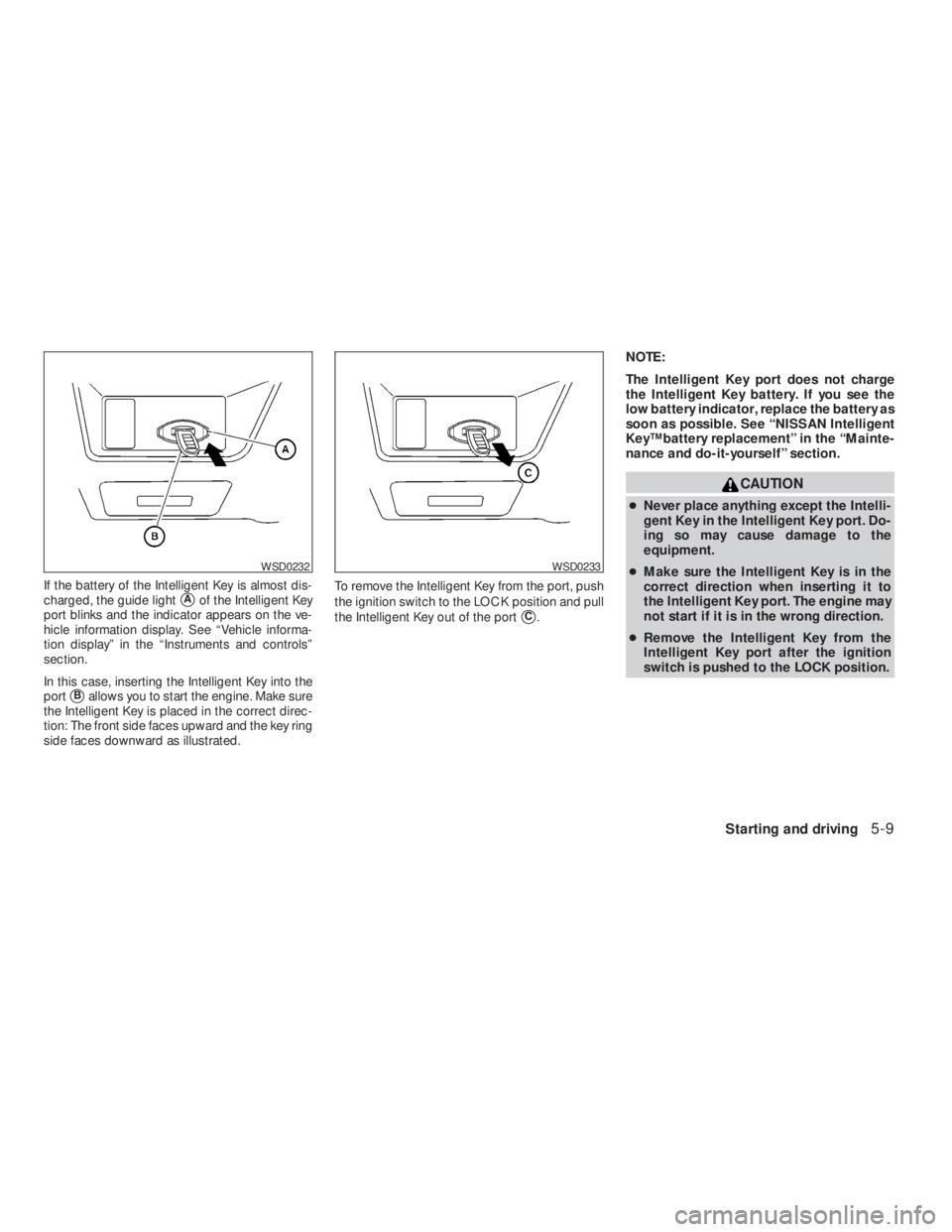
CAUTION
●Never place anything except the Intelli-
gent Key in the Intelligent Key port. Do-
ing so may cause damage to the
equipment.
●Make sure the Intelligent Key is in the
correct direction when inserting it to
the Intelligent Key port. The engine may
not start if it is in the wrong direction.
●Remove the Intelligent Key from the
Intelligent Key port after the ignition
switch is pushed to the LOCK position.
WSD0233
Page 300 of 374
CAUTION
Oil level should be checked regularly. Op-
erating the engine with an insufficient
amount of oil can damage the engine, and
such damage is not covered by warranty.
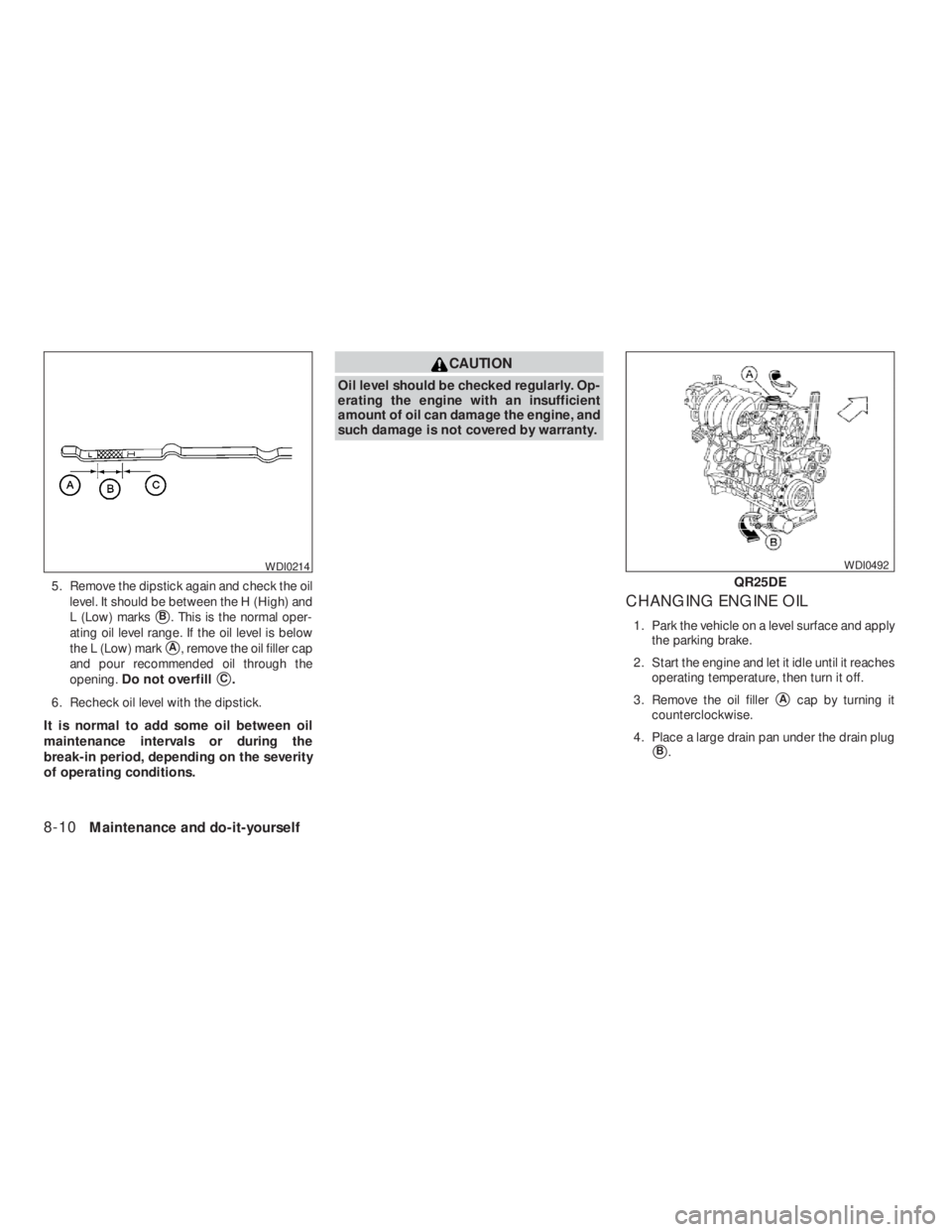
CHANGING ENGINE OIL
1. Park the vehicle on a level surface and apply
the parking brake.
2. Start the engine and let it idle until it reaches
operating temperature, then turn it off.
3. Remove the oil filler
�Acap by turning it
counterclockwise.
4. Place a large drain pan under the drain plug
�B.
Page 343 of 374
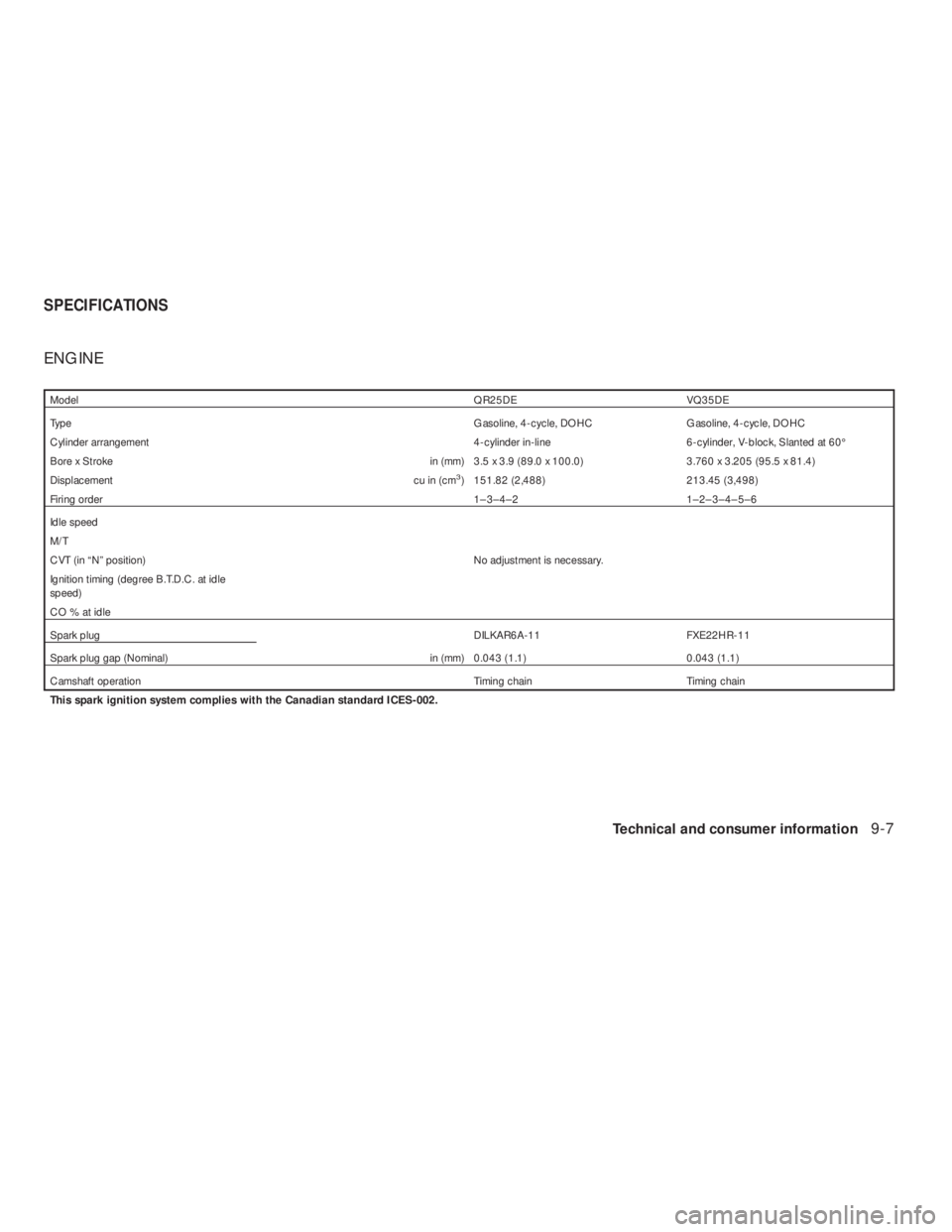
ModelQR25DE VQ35DE
TypeGasoline, 4-cycle, DOHC Gasoline, 4-cycle, DOHC
Cylinder arrangement 4-cylinder in-line 6-cylinder, V-block, Slanted at 60°
Bore x Stroke in (mm) 3.5 x 3.9 (89.0 x 100.0) 3.760 x 3.205 (95.5 x 81.4)
Displacement cu in (cm
3) 151.82 (2,488) 213.45 (3,498)
Firing order1–3–4–2 1–2–3–4–5–6
Idle speed
M/T
CVT (in “N” position) No adjustment is necessary.
Ignition timing (degree B.T.D.C. at idle
speed)
CO%atidle
Spark plugDILKAR6A-11 FXE22HR-11
Spark plug gap (Nominal) in (mm) 0.043 (1.1) 0.043 (1.1)
Camshaft operation Timing chain Timing chain
This spark ignition system complies with the Canadian standard ICES-002.
SPECIFICATIONS
Technical and consumer information9-7
�REVIEW COPY—2009 Altima(alt)
Owners Manual—USA_English(nna)
09/08/08—debbie
�
Page:
< prev 1-8 9-16 17-24