Page 178 of 374
button to
the ON position. Be sure to return the
to the OFF position for normal cooling. MAX
A/C may be used for quick cooling.
Dehumidified heating
This mode is used to heat and dehumidify the air.
1. Press the
button to the OFF position.
2. Press the
air flow control button.
3. Turn the fan control dial to the desired posi-
tion.
4. Push the
button. The indicator light
comes on.
5. Turn the temperature control dial to the de-
sired position.
Dehumidified defogging
This mode is used to defog the windows and
dehumidify the air.
1. Press the
air flow control button.
2. Turn the fan control dial to the desired posi-
tion.
3. Press the
button. The indicator light
comes on.When the
orare selected, the air
conditioner automatically turns on (however, the
indicator light will not illuminate) if the outside
temperature is more than 36°F (2°C) . This dehu-
midifies the air which helps defog the windshield.
The
mode automatically turns off, allowing
outside air to be drawn into the passenger com-
partment to further improve the defogging perfor-
mance.
4. Turn the temperature control dial to the de-
sired position.
Operating tips
●Keep the windows and moonroof closed
while the air conditioner is in operation.
●After parking in the sun, drive for 2 or 3
minutes with the windows open to vent hot
air from the passenger compartment. Then,
close the windows. This allows the air con-
ditioner to cool the interior more quickly.
●The air conditioning system should be
operated for approximately 10 minutes
at least once a month. This helps pre-
vent damage to the system due to lack
of lubrication.●A visible mist may be seen coming from the
ventilators in hot, humid conditions as the air
is cooled rapidly. This does not indicate a
malfunction.
●If the engine coolant temperature
gauge indicates engine coolant tem-
perature over the normal range, turn
the air conditioner off. See “If your
vehicle overheats” in the “In case of
emergency” section of this manual.
AIR FLOW CHARTS
The following charts show the button and dial
positions forMAXIMUM AND QUICKheating,
cooling or defrosting.The air recirculation
button should always be in the OFF posi-
tion for heating and defrosting.
4-14Monitor, climate, audio, phone and voice recognition systems
�REVIEW COPY—2009 Altima(alt)
Owners Manual—USA_English(nna)
09/08/08—debbie
�
Page 191 of 374
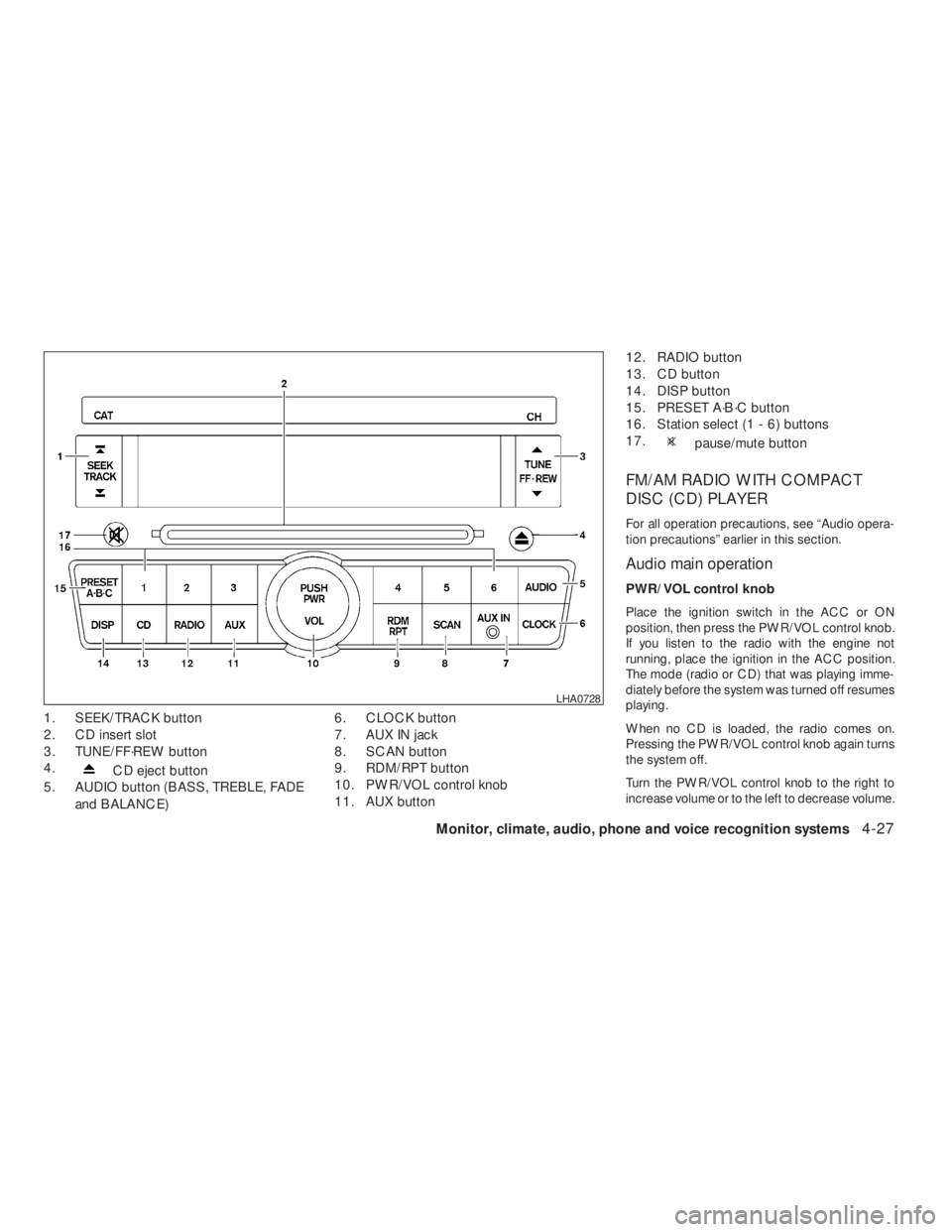
CD eject button
5. AUDIO button (BASS, TREBLE, FADE
and BALANCE)6. CLOCK button
7. AUX IN jack
8. SCAN button
9. RDM/RPT button
10. PWR/VOL control knob
11. AUX button12. RADIO button
13. CD button
14. DISP button
15. PRESET A·B·C button
16. Station select (1 - 6) buttons
17.
pause/mute button
FM/AM RADIO WITH COMPACT
DISC (CD) PLAYER
For all operation precautions, see “Audio opera-
tion precautions” earlier in this section.
Audio main operation
PWR/VOL control knob
Place the ignition switch in the ACC or ON
position, then press the PWR/VOL control knob.
If you listen to the radio with the engine not
running, place the ignition in the ACC position.
The mode (radio or CD) that was playing imme-
diately before the system was turned off resumes
playing.
When no CD is loaded, the radio comes on.
Pressing the PWR/VOL control knob again turns
the system off.
Turn the PWR/VOL control knob to the right to
increase volume or to the left to decrease volume.
Page 210 of 374
WARNING
●Use a phone after stopping your vehicle
in a safe location. If you have to use a
phone while driving, exercise extreme
caution at all times so full attention may
be given to vehicle operation.
●If you are unable to devote full attention
to vehicle operation while talking on
the phone, pull off the road to a safe
location and stop your vehicle.
CAUTION
To avoid discharging the vehicle battery,
use a phone after starting the engine.
BLUETOOTH�HANDS-FREE PHONE
SYSTEM WITHOUT NAVIGATION
SYSTEM (if so equipped)
4-46Monitor, climate, audio, phone and voice recognition systems
�REVIEW COPY—2009 Altima(alt)
Owners Manual—USA_English(nna)
09/08/08—debbie
�
Page 225 of 374
CAUTION
To avoid discharging the vehicle battery,
use a phone after starting the engine.
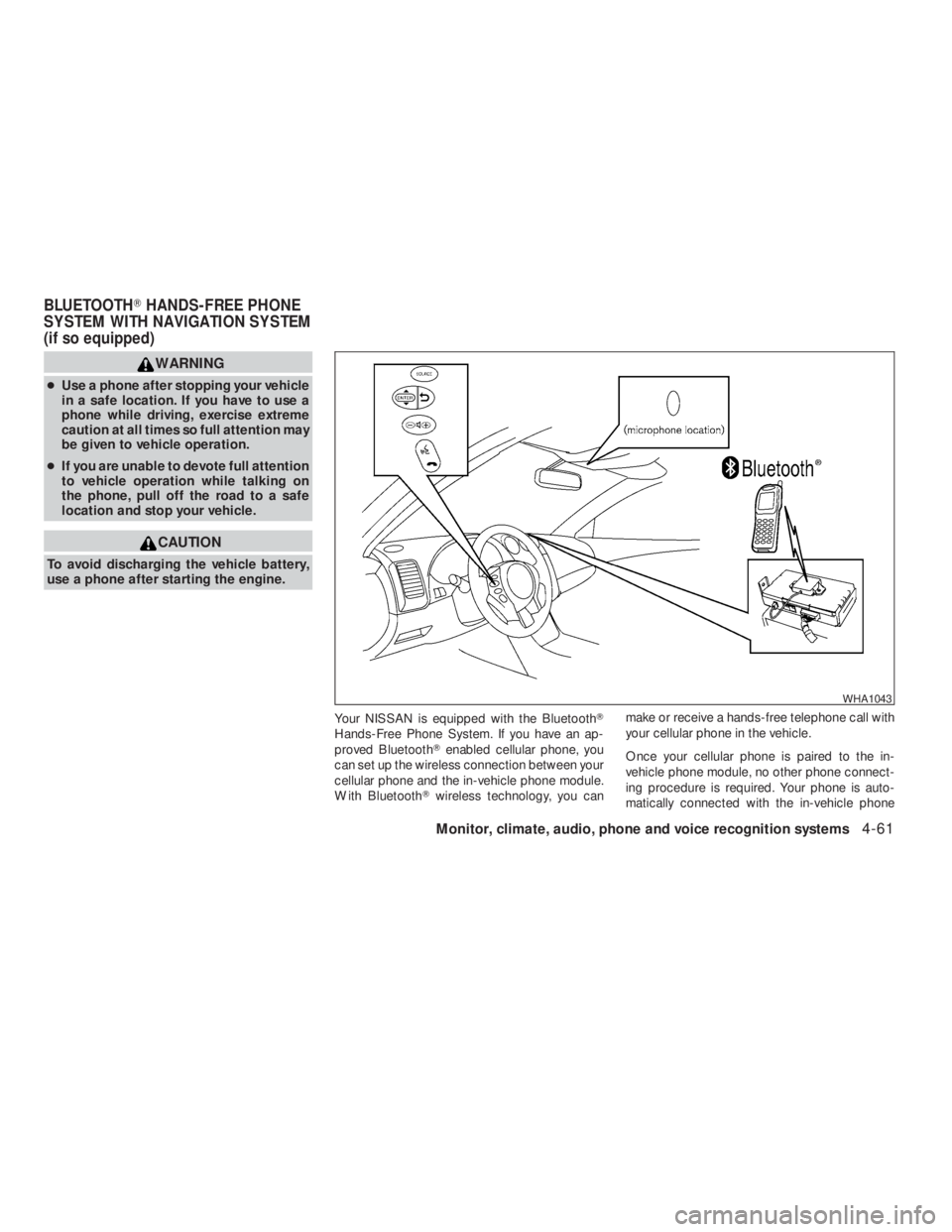
Your NISSAN is equipped with the Bluetooth�
Hands-Free Phone System. If you have an ap-
proved Bluetooth�enabled cellular phone, you
can set up the wireless connection between your
cellular phone and the in-vehicle phone module.
With Bluetooth�wireless technology, you canmake or receive a hands-free telephone call with
your cellular phone in the vehicle.
Once your cellular phone is paired to the in-
vehicle phone module, no other phone connect-
ing procedure is required. Your phone is auto-
matically connected with the in-vehicle phone
Monitor, climate, audio, phone and voice recognition systems4-61
�REVIEW COPY—2009 Altima(alt)
Owners Manual—USA_English(nna)
09/08/08—debbie
�
Page 247 of 374
CAUTION
●Never place anything except the Intelli-
gent Key in the Intelligent Key port. Do-
ing so may cause damage to the
equipment.
●Make sure the Intelligent Key is in the
correct direction when inserting it to
the Intelligent Key port. The engine may
not start if it is in the wrong direction.
●Remove the Intelligent Key from the
Intelligent Key port after the ignition
switch is pushed to the LOCK position.
WSD0233
Page 249 of 374
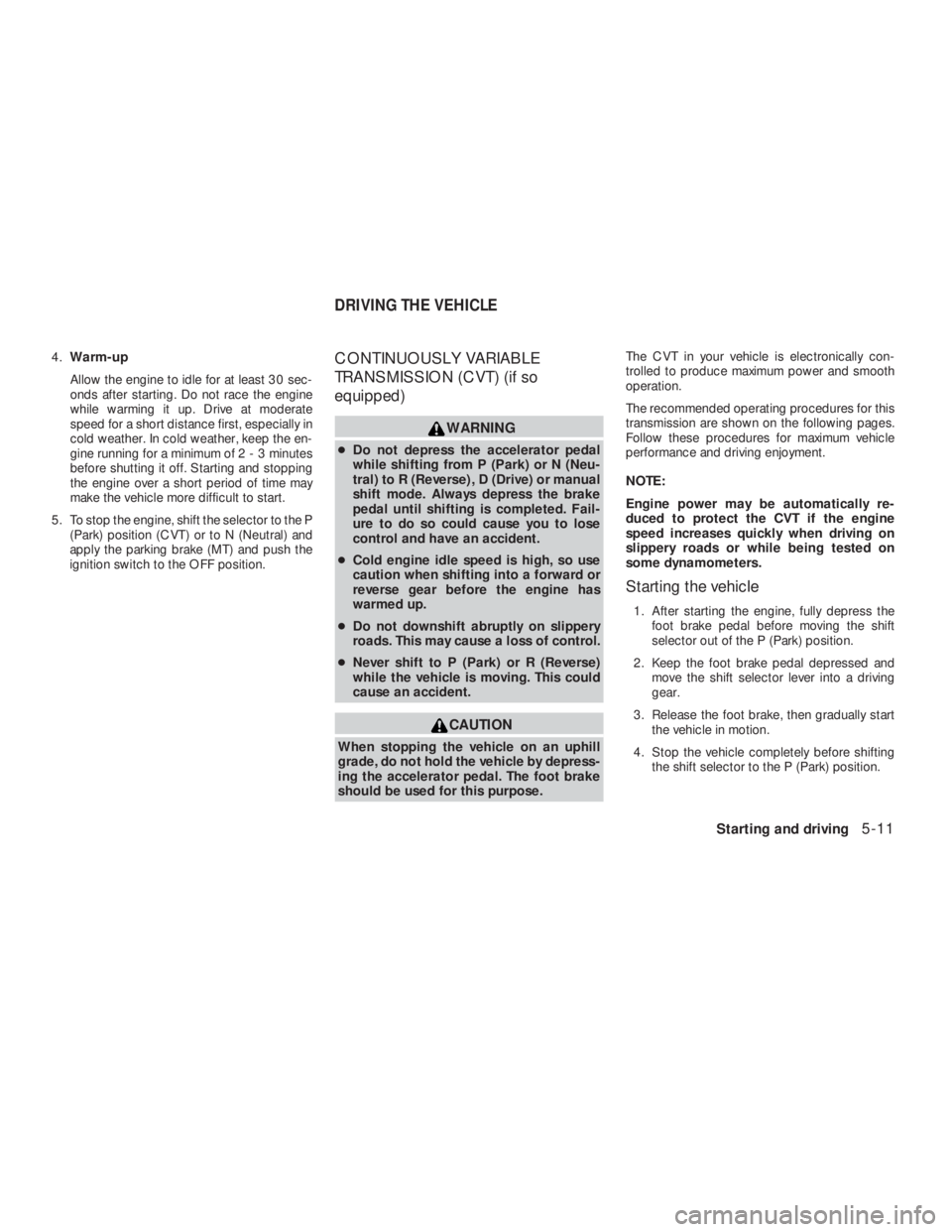
CAUTION
When stopping the vehicle on an uphill
grade, do not hold the vehicle by depress-
ing the accelerator pedal. The foot brake
should be used for this purpose.The CVT in your vehicle is electronically con-
trolled to produce maximum power and smooth
operation.
The recommended operating procedures for this
transmission are shown on the following pages.
Follow these procedures for maximum vehicle
performance and driving enjoyment.
NOTE:
Engine power may be automatically re-
duced to protect the CVT if the engine
speed increases quickly when driving on
slippery roads or while being tested on
some dynamometers.
Starting the vehicle
1. After starting the engine, fully depress the
foot brake pedal before moving the shift
selector out of the P (Park) position.
2. Keep the foot brake pedal depressed and
move the shift selector lever into a driving
gear.
3. Release the foot brake, then gradually start
the vehicle in motion.
4. Stop the vehicle completely before shifting
the shift selector to the P (Park) position.
DRIVING THE VEHICLE
Starting and driving5-11
�REVIEW COPY—2009 Altima(alt)
Owners Manual—USA_English(nna)
09/08/08—debbie
�
Page 250 of 374
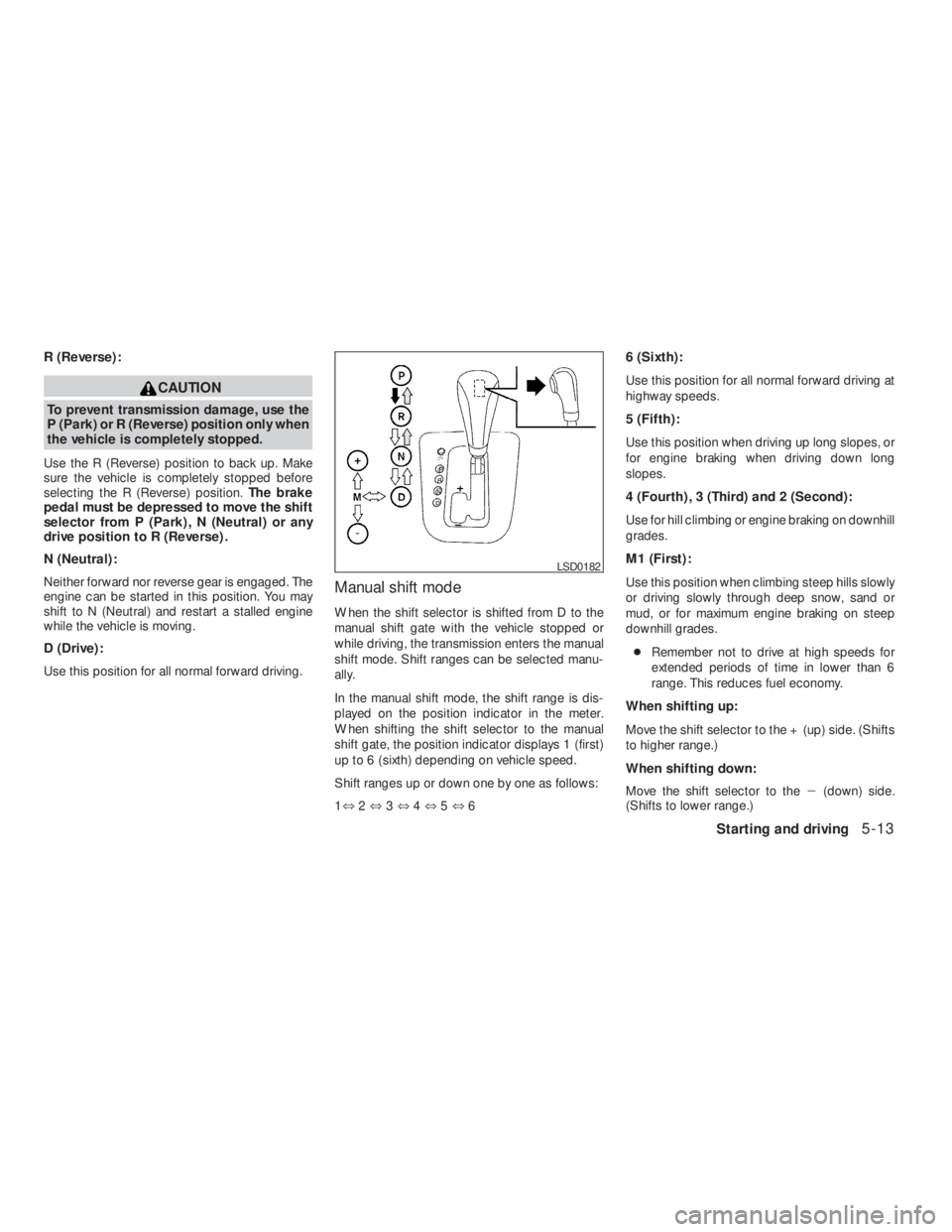
Push the button while depressing the brake
pedal
Push the button to shift
Shift without pushing button
Shifting
After starting the engine, fully depress the brake
pedal and move the shift selector from P (Park) to
any of the desired shift positions.
CAUTION
To prevent transmission damage, use the
P (Park) or R (Reverse) position only when
the vehicle is completely stopped.
Use the P (Park) shift selector position when the
vehicle is parked or when starting the engine.
Make sure the vehicle is completely stopped.
The brake pedal should be depressed to
move the shift selector from N (Neutral) or
any drive position to P (Park) .Apply the
parking brake. When parking on a hill, apply the
parking brake first, then shift the shift selector into
the P (Park) position.
Page 251 of 374
CAUTION
To prevent transmission damage, use the
P (Park) or R (Reverse) position only when
the vehicle is completely stopped.
Use the R (Reverse) position to back up. Make
sure the vehicle is completely stopped before
selecting the R (Reverse) position.The brake
pedal must be depressed to move the shift
selector from P (Park) , N (Neutral) or any
drive position to R (Reverse) .
N (Neutral):
Neither forward nor reverse gear is engaged. The
engine can be started in this position. You may
shift to N (Neutral) and restart a stalled engine
while the vehicle is moving.
D (Drive):
Use this position for all normal forward driving.
Manual shift mode
When the shift selector is shifted from D to the
manual shift gate with the vehicle stopped or
while driving, the transmission enters the manual
shift mode. Shift ranges can be selected manu-
ally.
In the manual shift mode, the shift range is dis-
played on the position indicator in the meter.
When shifting the shift selector to the manual
shift gate, the position indicator displays 1 (first)
up to 6 (sixth) depending on vehicle speed.
Shift ranges up or down one by one as follows:
1⇔2⇔3⇔4⇔5⇔66 (Sixth):
Use this position for all normal forward driving at
highway speeds.
5 (Fifth):
Use this position when driving up long slopes, or
for engine braking when driving down long
slopes.
4 (Fourth) , 3 (Third) and 2 (Second):
Use for hill climbing or engine braking on downhill
grades.
M1 (First):
Use this position when climbing steep hills slowly
or driving slowly through deep snow, sand or
mud, or for maximum engine braking on steep
downhill grades.
●Remember not to drive at high speeds for
extended periods of time in lower than 6
range. This reduces fuel economy.
When shifting up:
Move the shift selector to the + (up) side. (Shifts
to higher range.)
When shifting down:
Move the shift selector to the�(down) side.
(Shifts to lower range.)