csay “Dial” or “Phone dial” the system will
respond with “Please say the first group of
numbers”, then say:
– “one eight oh oh six six two six two oh oh”,
– “one eight hundred six six two six two oh
oh”, or
– “one eight zero zero six six two six two oh
oh”.
Note 1: For the best voice recognition phone
dialing results, say phone numbers as single dig-
its.
Note 2: You cannot say 555-6000 as “five five
five six thousand”.
Personal vocabulary (voicetags)
NISSAN Voice Recognition provides the function
called “voicetags”, which can be associated with
the phone and the navigation system (if so
equipped) . Using your own voice, 70 voicetags
can be registered in the “Phonebook” (phone)
and 20 locations can be registered in the “Ad-
dress Book” (navigation system) .
For additional information, see “BluetoothT
Hands-Free Phone System” earlier in this section
and/or the separate Navigation System Owner’s
Manual (if so equipped) for the method of “voic-
etag” registration.
BLUETOOTHTHANDS-FREE
PHONE SYSTEM VOICE
COMMANDS
Depending on the commands, some different
phrases are available. Optional words are shown
in brackets [ ]. A few words, identified with a slash
/, indicate the alternate words that you can select
when speaking the command. Data items that
you need to enter, such as phone numbers, are
indicated in italics with brackets < >.
How to say commands
Example: “[PHONE] DIAL/CALL
ber digits>” stands for the following possible
commands.
DIAL<1 to 32 phone number digits>
CALL<1 to 32 phone number digits>
PHONE DIAL<1 to 32 phone number digits>
Help commands
c“COMMAND LIST”, “VOICE HELP” or
“HELP”
Gives spoken information about NISSAN
Voice Recognition and displays the list of
help commands.
Phone commands
c“[PHONE] DIAL”
or “CALL”
Dials the phone number given in the com-
mand. Speak the phone number in one se-
quence. The number is automatically dialed.
c“[PHONE] REDIAL”
Redials the phone number last dialed.
c“OUTGOING CALLS”
Shows the outgoing call history (1 to 5) .
c“INCOMING CALLS”
Shows the incoming call history (1 to 5) .
c“PHONE SELECT
1to5>” or “SELECT/CHOOSE PHONE
”
If multiple phones are registered to the sys-
tem, you can change which phone to con-
nect to the system (as long as that phone is
present in the vehicle) .
c“PHONEBOOK”
Shows the first page of the “phone book” list.
Monitor, climate, audio, phone and voice recognition systems4-71
ZREVIEW COPYÐ2009 Altima(alt)
Owners Manual(owners)ÐUSA_English(nna)
02/03/09Ðdebbie
X
c“PHONEBOOK”
Shows the specified “voicetag” entry in the
“phone book” and dials the phone number
registered in the specified “voicetag” after
pressing theENTERbutton on the steering
wheel.
c“ PHONEBOOK [PLAY] DIRECTORY” or
“PLAY PHONEBOOK [DIRECTORY]”
Dials the phone number registered in the
phone book.
NAVIGATION SYSTEM VOICE
COMMANDS (if so equipped)
For additional information, see the separate Navi-
gation System Owner’s Manual for the voice
commands available and operations.
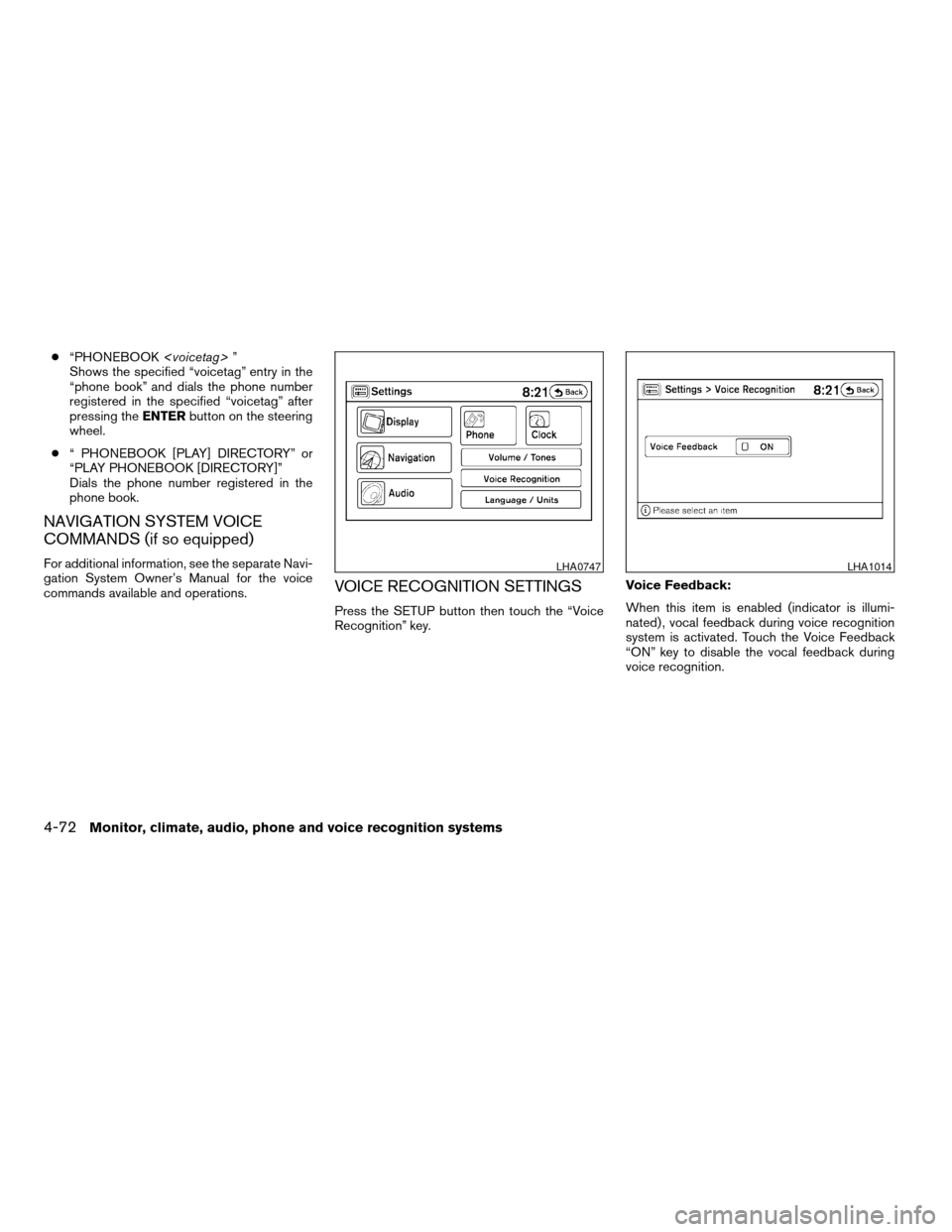
VOICE RECOGNITION SETTINGS
Press the SETUP button then touch the “Voice
Recognition” key.Voice Feedback:
When this item is enabled (indicator is illumi-
nated) , vocal feedback during voice recognition
system is activated. Touch the Voice Feedback
“ON” key to disable the vocal feedback during
voice recognition.
LHA0747LHA1014
4-72Monitor, climate, audio, phone and voice recognition systems
ZREVIEW COPYÐ2009 Altima(alt)
Owners Manual(owners)ÐUSA_English(nna)
02/03/09Ðdebbie
X
Clock.............4-5, 4-28, 4-32, 4-38
(models with navigation system)......4-5
(models without navigation
system)................4-28, 4-32
Clock set..............4-5, 4-28, 4-32
Clutch
Clutch fluid.................8-14
C.M.V.S.S. certification label..........9-10
Cold weather driving..............5-27
Compact disc (CD) player...........4-29
Compass display.................2-6
Console box...................2-41
Console light..................2-49
Continuously Variable Transmission (CVT) . .5-11
Continuously Variable Transmission
(CVT) fluid..................8-13
Driving with Continuously Variable
Transmission (CVT).............5-11
Transmission selector lever lock
release....................5-14
Control panel buttons
Brightness/contrast button.........4-7
Setup button.................4-3
Startup screen................4-3
With navigation system...........4-2
Controls
Heater and air conditioner
controls................4-11, 4-18
Coolant
Capacities and recommended
fuel/lubricants.................9-2
Changing engine coolant..........8-9
Checking engine coolant level........8-8
Engine coolant temperature gauge.....2-5
Corrosion protection...............7-6
Cruise control..................5-19Cup holders...................2-40
D
Daytime running light system
(Canada only)..................2-32
Defroster switch
Rear window and outside mirror defroster
switch....................2-28
Dimensions and weights.............9-8
Dimmer switch for instrument panel......2-32
Display controls
(see control panel buttons)...........4-2
Door locks....................3-4
Drive belt....................8-17
Driving
Cold weather driving............5-27
Driving with Continuously Variable
Transmission (CVT).............5-11
Driving with manual transmission.....5-16
Precautions when starting and driving . . .5-2
E
Economy - fuel.................5-21
Emission control information label.......9-11
Emission control system warranty.......9-25
Engine
Before starting the engine.........5-10
Block heater.................5-29
Capacities and recommended
fuel/lubricants.................9-2
Changing engine coolant..........8-9
Changing engine oil............8-10Changing engine oil filter..........8-12
Checking engine coolant level........8-8
Checking engine oil level..........8-9
Engine compartment check locations. . . .8-6
Engine coolant temperature gauge.....2-5
Engine cooling system............8-8
Engine oil...................8-9
Engine oil and oil filter recommendation . .9-5
Engine oil pressure warning light.....2-12
Engine oil viscosity..............9-5
Engine serial number............9-10
Engine specifications.............9-7
Starting the engine.............5-10
English/metric setting..............4-6
Event data recorders..............9-27
Exhaust gas (Carbon monoxide)........5-2
Eyeglass case..................2-38
F
Flashers
(See hazard warning flasher switch)......2-33
Flat tire......................6-2
Floor mat positioning aid.............7-5
Fluid
Brake fluid..................8-14
Capacities and recommended
fuel/lubricants.................9-2
Clutch fluid.................8-14
Continuously Variable Transmission
(CVT) fluid..................8-13
Engine coolant................8-8
Engine oil...................8-9
Power steering fluid.............8-13
Window washer fluid............8-15
10-2
ZREVIEW COPYÐ2009 Altima(alt)
Owners Manual(owners)ÐUSA_English(nna)
02/03/09Ðdebbie
X