2009 NISSAN ALTIMA COUPE roof
[x] Cancel search: roofPage 79 of 373
Covered storage box...........................2-42
Grocery hooks (if so equipped).................2-43
Cargo net (if so equipped)......................2-43
Windows........................................2-44
Power windows...............................2-44
Moonroof (if so equipped).........................2-46
Automatic moonroof...........................2-46
Interior light......................................2-48
Console light (if so equipped)...................2-49
Map lights.......................................2-50
Trunk light.......................................2-50HomeLinkTuniversal transceiver (if so equipped).....2-51
Programming HomeLinkT.......................2-51
Programming HomeLinkTfor Canadian
customers....................................2-52
Operating the HomeLinkTuniversal
transceiver....................................2-53
Programming trouble-diagnosis.................2-53
Clearing the programmed information............2-53
Rolling code programming......................2-53
Reprogramming a single HomeLinkTbutton......2-54
If your vehicle is stolen.........................2-54
ZREVIEW COPYÐ2009 Altima(alt)
Owners Manual(owners)ÐUSA_English(nna)
02/03/09Ðdebbie
X
Page 124 of 373
Auto-reverse function
If the control unit detects something caught in the
window as it is closing, the window will be imme-
diately lowered.
The auto-reverse function can be activated when
the window is closed by automatic operation
when the ignition switch is placed in the ON
position or for 45 seconds after the ignition
switch is placed in the OFF position.
Depending on the environment or driving
conditions, the auto-reverse function may
be activated if an impact or load similar to
something being caught in the window oc-
curs.
WARNING
There are some small distances immedi-
ately before the closed position which
cannot be detected. Make sure that all
passengers have their hands, etc., inside
the vehicle before closing the window.
When power window switch does not
operate
If the power window automatic function (closing
only) does not operate properly, perform the fol-
lowing procedure to initialize the power window
system:
1. Place the ignition switch in the ON position.
2. Open the window more than halfway by
operating the power window switch.
3. Pull the power window switch and hold it to
close the window, and then hold the switch
more than 3 seconds after the window is
closed.
4. Release the power window switch. Operate
the window by the automatic function to
confirm the initialization is complete. The
power window automatically opens or
closes depending on if the automatic down
or up function is selected.
5. Perform steps 2 through 4 above for other
windows.
If the power window function does not operate
properly after performing the above procedure,
see a NISSAN dealer for assistance.
AUTOMATIC MOONROOF
The moonroof will only operate when the ignition
switch is placed in the ON position. The auto-
matic moonroof is operational for about 45 sec-
onds, even if the ignition switch is placed in the
ACC or OFF position. If the driver’s door or the
front passenger’s door is opened during this
period of about 45 seconds, power to the moon-
roof is canceled.
Sliding the moonroof
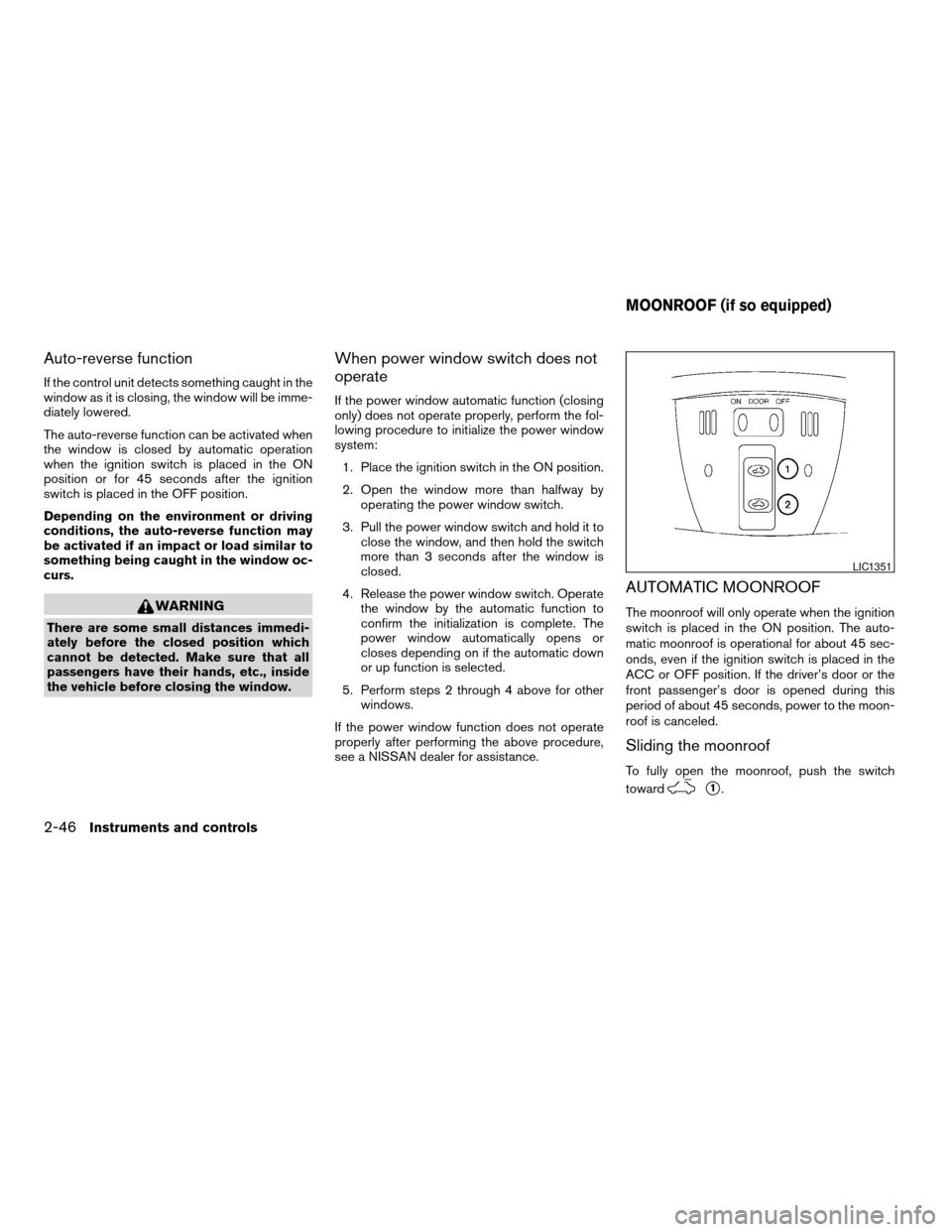
To fully open the moonroof, push the switch
toward
s1.
LIC1351
MOONROOF (if so equipped)
2-46Instruments and controls
ZREVIEW COPYÐ2009 Altima(alt)
Owners Manual(owners)ÐUSA_English(nna)
02/03/09Ðdebbie
X
Page 125 of 373
To fully close the moonroof, push the switch
toward
s2.
To open or close the moonroof part way, push the
switch in any direction while the moonroof is
sliding to stop it in the desired position.
Tilting the moonroof
Close the moonroof by pushing the switch
toward
s2. Release the switch, then push
the switch toward
s2again to tilt the
moonroof up.
To tilt the moonroof down, push the switch
toward
s1.
WARNING
cIn an accident you could be thrown from
the vehicle through an open moonroof.
Always use seat belts and child
restraints.
cDo not allow anyone to stand up or
extend any portion of their body out of
the moonroof opening while the vehicle
is in motion or while the moonroof is
closing.
CAUTION
cRemove water drops, snow, ice or sand
from the moonroof before opening.
cDo not place heavy objects on the
moonroof or surrounding area.
Resetting the moonroof switch
The moonroof switch may not operate properly
and need to be reset if any of the following
conditions have occurred:
cthe moonroof has been manually moved,
cthe moonroof motor has been removed and
reinstalled after the moonroof has been re-
positioned or adjusted,
cthe moonroof glass panel has been adjusted
or changed, or
cthe electrical supply interrupted and/or
some malfunction has been detected.
Use the following reset procedure to return the
moonroof operation to normal.
1. Place the ignition switch in the ON position.
2. Push and hold the moonroof switch
toward
s2. Once the moonroof has
reached the full tilt position, release the
switch. Push and hold the switch towardthe
s2position again. After a delay of
four seconds, the moonroof will make a small
movement and backup.
3. Release the switch.
4. Within 5 seconds of releasing the switch,
push and continuously hold the switch
toward
s2. The moonroof will move
from the tilt position to the open position and
back to the close position.
NOTE:
If the switch is released at any time during
Step 4, the procedure must be restarted.
5. Release the switch. Do not place the ignition
switch in the OFF position for at least 2
seconds. The moonroof is now reset.
If the moonroof still does not operate properly,
have the moonroof system checked by a NISSAN
dealer.
Auto-reverse function (when closing or
tilting down the moonroof)
The auto-reverse function can be activated when
the moonroof is closed or tilted down by auto-
matic operation when the ignition switch is
placed in the ON position or for about 45 sec-
onds after the ignition switch is placed in the OFF
position.
Instruments and controls2-47
ZREVIEW COPYÐ2009 Altima(alt)
Owners Manual(owners)ÐUSA_English(nna)
02/03/09Ðdebbie
X
Page 126 of 373
Depending on the environment or driving
conditions, the auto-reverse function may
be activated if an impact or load similar to
something being caught in the moonroof
occurs.
WARNING
There are some small distances immedi-
ately before the closed position which
cannot be detected. Make sure that all
passengers have their hands, etc., inside
the vehicle before closing the moonroof.
When closing:
If the control unit detects something caught in the
moonroof as it moves to the front, the moonroof
will immediately open backward.
When tilting down:
If the control unit detects something caught in the
moonroof as it tilts down, the moonroof will im-
mediately tilt up.
If the auto-reverse function malfunctions and re-
peats opening or tilting up the moonroof, keep
pushing the tilt down switch within 5 seconds
after it happens; the moonroof will fully close
gradually. Make sure nothing is caught in the
moonroof.
WARNING
cIn an accident you could be thrown from
the vehicle through an open moonroof.
Always use seat belts and child
restraints.
cDo not allow anyone to stand up or
extend any portion of their body out of
the moonroof opening while the vehicle
is in motion or while the moonroof is
closing.
CAUTION
cRemove water drops, snow, ice or sand
from the moonroof before opening.
cDo not place heavy objects on the
moonroof or surrounding area.
Sunshade
Open and close the sunshade by sliding it for-
ward or backward.
If the moonroof does not close
Have your NISSAN dealer check and repair the
moonroof.The interior light has a three-position switch and
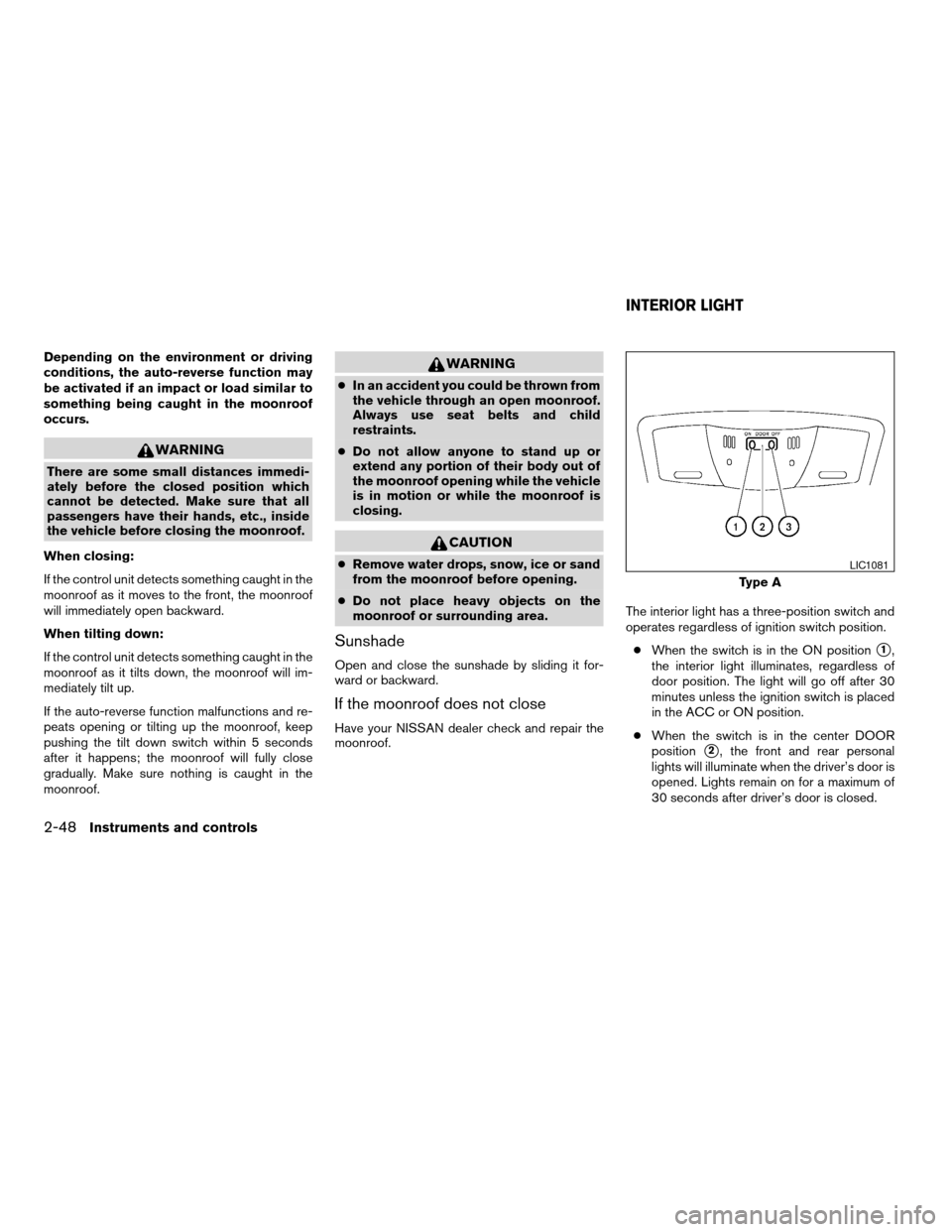
operates regardless of ignition switch position.
cWhen the switch is in the ON position
s1,
the interior light illuminates, regardless of
door position. The light will go off after 30
minutes unless the ignition switch is placed
in the ACC or ON position.
cWhen the switch is in the center DOOR
position
s2, the front and rear personal
lights will illuminate when the driver’s door is
opened. Lights remain on for a maximum of
30 seconds after driver’s door is closed.
Type A
LIC1081
INTERIOR LIGHT
2-48Instruments and controls
ZREVIEW COPYÐ2009 Altima(alt)
Owners Manual(owners)ÐUSA_English(nna)
02/03/09Ðdebbie
X
Page 178 of 373
cFor quick cooling when the outside tem-
perature is high, push the
button to
the ON position. Be sure to return the
to the OFF position for normal cooling. MAX
A/C may be used for quick cooling.
Dehumidified heating
This mode is used to heat and dehumidify the air.
1. Press the
button to the OFF position.
2. Press the
air flow control button.
3. Turn the fan control dial to the desired posi-
tion.
4. Push the
button. The indicator light
comes on.
5. Turn the temperature control dial to the de-
sired position.
Dehumidified defogging
This mode is used to defog the windows and
dehumidify the air.
1. Press the
air flow control button.
2. Turn the fan control dial to the desired posi-
tion.
3. Press the
button. The indicator light
comes on.When the
orare selected, the air
conditioner automatically turns on (however, the
indicator light will not illuminate) if the outside
temperature is more than 36°F (2°C) . This dehu-
midifies the air which helps defog the windshield.
The
mode automatically turns off, allowing
outside air to be drawn into the passenger com-
partment to further improve the defogging perfor-
mance.
4. Turn the temperature control dial to the de-
sired position.
Operating tips
cKeep the windows and moonroof closed
while the air conditioner is in operation.
cAfter parking in the sun, drive for 2 or 3
minutes with the windows open to vent hot
air from the passenger compartment. Then,
close the windows. This allows the air con-
ditioner to cool the interior more quickly.
cThe air conditioning system should be
operated for approximately 10 minutes
at least once a month. This helps pre-
vent damage to the system due to lack
of lubrication.cA visible mist may be seen coming from the
ventilators in hot, humid conditions as the air
is cooled rapidly. This does not indicate a
malfunction.
cIf the engine coolant temperature
gauge indicates engine coolant tem-
perature over the normal range, turn
the air conditioner off. See “If your
vehicle overheats” in the “In case of
emergency” section of this manual.
AIR FLOW CHARTS
The following charts show the button and dial
positions forMAXIMUM AND QUICKheating,
cooling or defrosting.The air recirculation
button should always be in the OFF posi-
tion for heating and defrosting.
4-14Monitor, climate, audio, phone and voice recognition systems
ZREVIEW COPYÐ2009 Altima(alt)
Owners Manual(owners)ÐUSA_English(nna)
02/03/09Ðdebbie
X
Page 186 of 373
SATELLITE RADIO RECEPTION (if so
equipped)
When the satellite radio is used for the first time
or the battery has been replaced, the satellite
radio may not work properly. This is not a mal-
function. Wait more than 10 minutes with satellite
radio ON and the vehicle outside of any metal or
large building for satellite radio to receive all of
the necessary data.
No satellite radio reception is available and “NO
SAT” is displayed when the SAT band option is
selected unless optional satellite receiver and
antenna are installed and an XMTsatellite radio
service subscription is active. Satellite radio is
not available in Alaska, Hawaii and Guam.
Satellite radio performance may be affected if
cargo carried on the roof blocks the satellite radio
signal.
If possible, do not put cargo over the satellite
antenna.
A build up of ice on the satellite radio antenna can
affect satellite radio performance. Remove the
ice to restore satellite radio reception.
AUDIO OPERATION PRECAUTIONSCompact disc (CD) player
CAUTION
cDo not force a compact disc into the CD
insert slot. This could damage the CD
and/or CD changer/player.
cTrying to load a CD with the CD door
closed could damage the CD and/or CD
changer.
cOnly one CD can be loaded into the CD
player at a time.
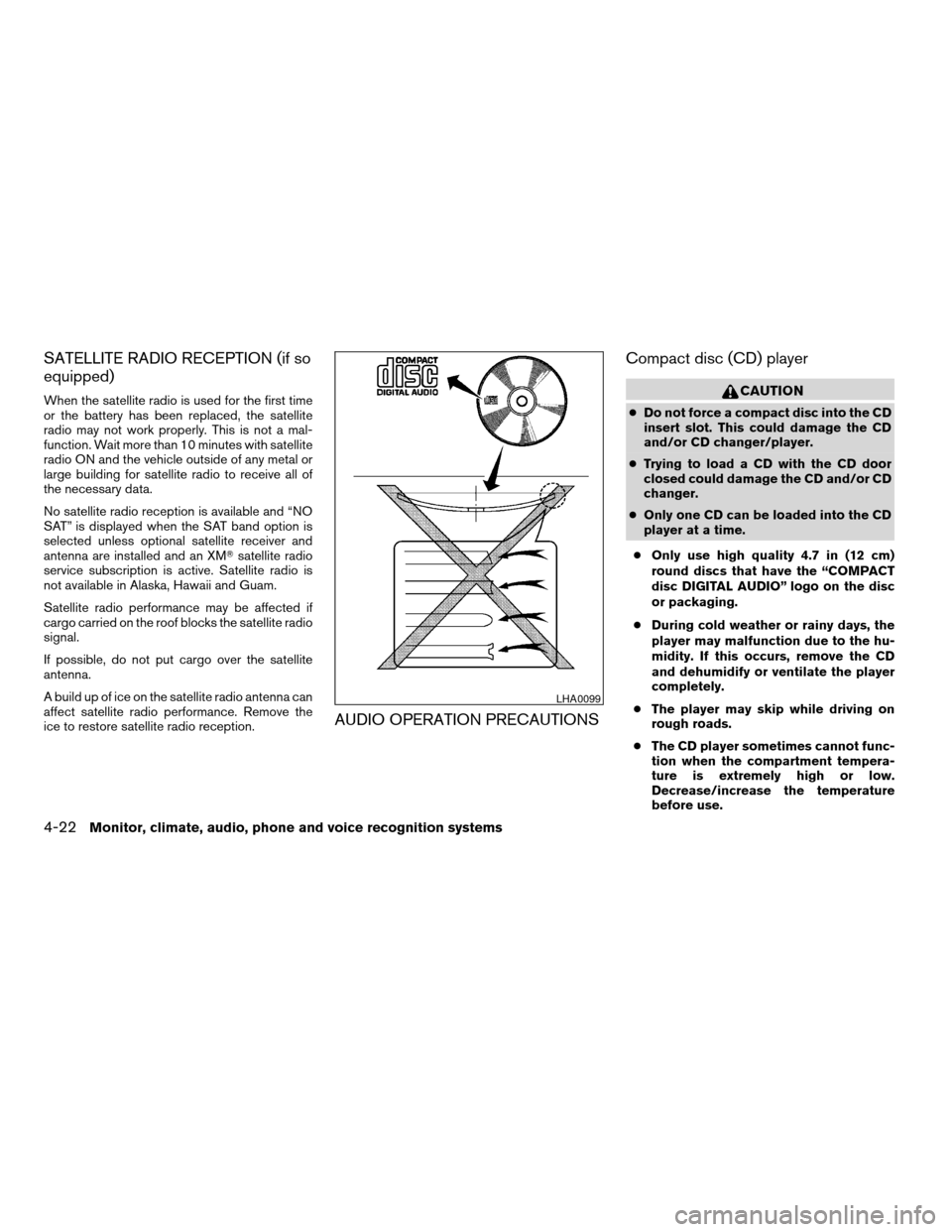
cOnly use high quality 4.7 in (12 cm)
round discs that have the “COMPACT
disc DIGITAL AUDIO” logo on the disc
or packaging.
cDuring cold weather or rainy days, the
player may malfunction due to the hu-
midity. If this occurs, remove the CD
and dehumidify or ventilate the player
completely.
cThe player may skip while driving on
rough roads.
cThe CD player sometimes cannot func-
tion when the compartment tempera-
ture is extremely high or low.
Decrease/increase the temperature
before use.
LHA0099
4-22Monitor, climate, audio, phone and voice recognition systems
ZREVIEW COPYÐ2009 Altima(alt)
Owners Manual(owners)ÐUSA_English(nna)
02/03/09Ðdebbie
X
Page 369 of 373
Rear power windows............2-45
Precautions
Maintenance precautions..........8-5
Precautions on child
restraints............1-23, 1-33, 1-39
Precautions on seat belt usage......1-15
Precautions on supplemental restraint
system....................1-43
Precautions when starting and driving . . .5-2
Programmable features.............4-3
Push starting...................6-9
R
Radio
Car phone or CB radio...........4-45
Compact Disc (CD) changer. . . .4-34, 4-40
FM-AM radio with compact disc
(CD) player.................4-27
FM/AM/SAT radio with compact disc
(CD) changer.............4-31, 4-38
Readiness for inspection maintenance
(I/M) test.....................9-26
Rear power windows..............2-45
Rear seat.....................1-9
Rear window and outside mirror defroster
switch......................2-28
RearView Monitor................4-8
Recorders
Event data..................9-27
Refrigerant recommendation..........9-6
Registering your vehicle in another country. . .9-9
Reporting safety defects (US only)......9-25S
Safety
Child safety rear door lock..........3-6
Child seat belts........1-23, 1-33, 1-39
Reporting safety defects (US only). . . .9-25
Seat adjustment
Front manual seat adjustment........1-2
Front power seat adjustment........1-4
Rear seat adjustment.............1-9
Seat belt
Child safety.................1-18
Infants and small children.........1-18
Injured Person................1-19
Larger children...............1-18
Precautions on seat belt usage......1-15
Pregnant women..............1-19
Seat belt extenders.............1-22
Seat belt maintenance...........1-23
Seat belts..................1-15
Shoulder belt height adjustment......1-22
Three-point type with retractor.......1-19
Seat belt warning light.............2-13
Seatback pockets................2-37
Seats
Adjustment..................1-2
Front seats..................1-2
Heated seats................2-34
Manual front seat adjustment........1-2
Rear seat...................1-9
Security indicator light.............2-15
Security system (NISSAN vehicle immobilizer
system) , engine start...........2-26, 3-3
Self-adjusting brakes..............8-21
Service manual order form...........9-27Servicing air conditioner............4-20
Setup button...................4-3
Shift lock release................5-14
Shifting
Continuously Variable Transmission
(CVT)....................5-12
Manual transmission............5-16
Shoulder belt height adjustment........1-22
Spark plug replacement............8-18
Speedometer...................2-4
Spotlights (See map light)...........2-50
SRS warning label...............1-58
Starting
Before starting the engine.........5-10
Jump starting.................6-7
Precautions when starting and driving . . .5-2
Push starting.................6-9
Starting the engine.............5-10
Startup screen..................4-3
Steering
Power steering fluid.............8-13
Power steering system...........5-23
Stop light....................8-28
Storage.....................2-37
Sun visors....................3-27
Sunglasses case................2-38
Sunglasses holder...............2-38
Sunroof.....................2-46
Supplemental air bag warning light . . .1-58, 2-14
Supplemental front impact air bag system . .1-52
Supplemental restraint system
Information and warning labels.......1-58
Precautions on supplemental restraint
system....................1-43
Supplemental restraint system
(Supplemental air bag system).........1-43
10-5
ZREVIEW COPYÐ2009 Altima(alt)
Owners Manual(owners)ÐUSA_English(nna)
02/03/09Ðdebbie
X