2009 MERCEDES-BENZ E-CLASS COUPE turn signal
[x] Cancel search: turn signalPage 94 of 313

Turn signals
X
To indicate briefly: press the combination
switch briefl yinthe direction of arrow 0070
or 0072 (Ypage 88).
The corresponding tur nsigna lflashe sthree
times.
X To indicate: push the combinatio nswitch
beyond the pressure point in the direction
of arrow 0070or0072 (Ypage 88).
The corresponding tur nsigna lindicator
lamp 0024 or0026 in the instrument clus-
ter flashes.
Hazard warning lamps The hazar
dwarnin glam ps automatically
switch on if:
R an airba gisdeployed.
R yo ub rake sharpl yand bring the vehicl eto
ah altf romas peed of mor ethan
70 km/h.
The hazar dwarnin glam ps still operate if the
ignition is switched off.
X To switc hon:press button 0046.
All tur nsignals flash.
X To switc hoff:press button 0046.
X To switc hoffthe hazard warning lamps
using the combination switch: when the
hazar dwarnin glam ps ar eon, push the
combinatio nswitch in the direction of
arrow 0070or0072 beyond the pressure point
(Y page 87).
The indicator lamp on the corresponding
side of the vehicl eflashes. The hazar
dwarnin glam pswitches off auto-
maticall yafter full brake applicatio nifthe
vehicl ethenr eache saspeed of over
10 km/h again.
Intelligent Light System* (bi-xenon
headlamps*) The Intelligent Light System is
asystem which
adjusts the headlamps automaticall ytosuit
the prevailing driving and weather conditions.
The bi-xeno nheadlam ps offer enhance dfun c-
tions to improv eillum ination of the roa dsur-
face, e.g .depen ding on the vehicl espeed or
weather conditions. The system includes the
active light function, cornering light function,
motorway mod eand extende drange fog-
lamps .The system is onl yactive when it is
dark.
Yo uc an activate or deactivate the "Intelligent
Light System" using the on-board computer
(Y page 119).
Activ elight function The active light functio
nisas ystem that
moves the headlamps according to the steer-
ing movements of the front wheels .Inthis
way, relevant area sremai nillum inate dwhile
driving .Thisa llow syou to recognise pedes-
trians, cyclists and animals. Lights
91Controls
*optional
207_AKB; 2; 3, en-GB
mkalafa
,V ersion: 2.11.8.1
2009-07-23T10:23:49+02:00
-Seite 91 Z
Page 144 of 313
G
Risk of injury
Make sure that no persons or animal sare in
the manoeuvring range. Otherwise, they
could be injured.
Whe nPARKTRONIC is deactivated, Parking
Guidance is also unavailable.
Use Parking Guidance for parking spaces:
R that are paralle ltothe direction of travel
R that are on straigh troads, not bends
R that are on the same level as the road, i.e.
not on the pavement
Parking tips:
R On narro wroads, drive as clos etothe park-
ing space as possible.
R Parking spaces which are littered ,over-
grow norp artiall yoccupied by traile rdraw-
bars might be identified incorrectl yornot
at all.
R Snowfal lorheavy rai nmay lead to aparking
space being measured inaccurately.
R Pa ya ttention to the PARKTRONIC warning
messages during the parking procedure
(Y page 138).
R Whe ntransporting aloa dw hich protrudes
from your vehicle ,you mus tnot us eParking
Guidance.
R Neve ruse Parking Guidance with snow
chains or an emergency spare wheel *fit-
ted.
R The wa yyourv ehicle is positioned in the
parking space afte rparking is dependent
on variou sfactors. These includ ethe posi-
tion and shape of the vehicle sparked in
front and behind it and the conditions of the
location. In some cases, Parking Guidance
may guid eyou too far or not far enough into
ap arking space. In some cases, it may also
lead yo uacross or onto the kerb. If neces-
sary, cance lthe parking procedure with
Parking Guidance. !
If unavoidable, yo ushoul ddrive over
obstacles such as kerbs slowl yand not at
as harp angle. Otherwise, yo umay damage
the wheel sortyres.
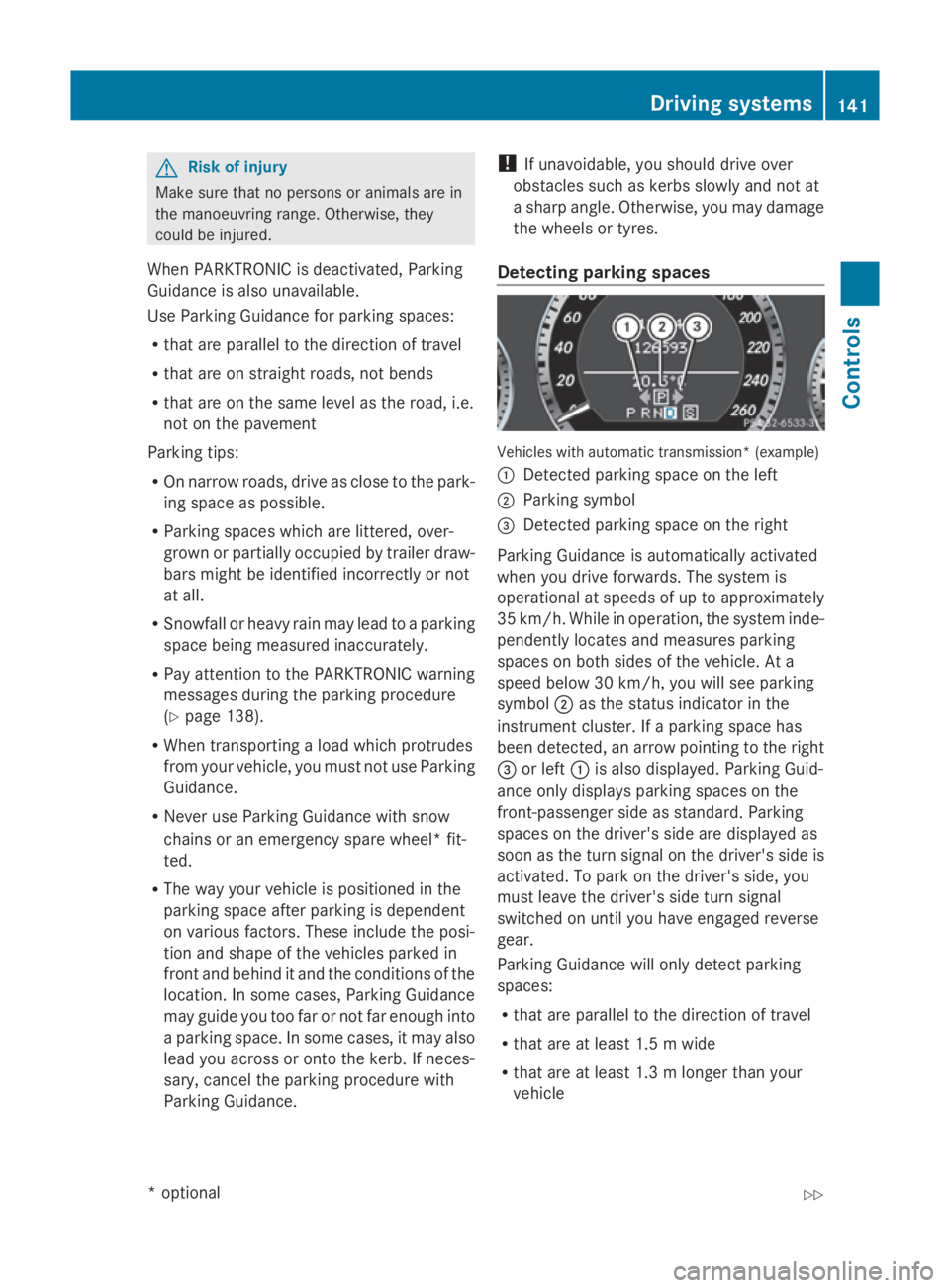
Detecting parkin gspaces Vehicles with automatic transmission* (example)
0046
Detected parking space on the left
0047 Parking symbol
008A Detected parking space on the right
Parking Guidance is automaticall yactivated
whe nyou drive forwards. The system is
operational at speeds of up to approximately
35 km/h .While in operation, the system inde-
pendently locates and measures parking
spaces on both sides of the vehicle .Ata
speed below 30 km/h ,you will see parking
symbol 0047as the statu sindicator in the
instrument cluster. If aparking space has
bee ndetected, an arrow pointing to the right
008A or left 0046is also displayed. Parking Guid-
ance only display sparking spaces on the
front-passenger sid easstandard .Parking
spaces on the driver' ssidea re displayed as
soo nasthe turn signal on the driver' ssideis
activated. To park on the driver' sside, you
mus tlea ve the driver' ssidet urn signal
switched on unti lyou have engaged reverse
gear.
Parking Guidance will only detect parking
spaces:
R that are paralle ltothe direction of travel
R that are at leas t1.5mw ide
R that are at leas t1.3ml onger than your
vehicle Drivin
gsystems
141Controls
*optional
207_AKB
;2;3,en-GB
mkalafa ,V ersion: 2.11.8.1
2009-07-23T10:23:49+02:00
-Seite 141 Z
Page 145 of 313
Ap
arking space is displaye dwhile youa re
driving past it, and unti lyou area pprox-
imatel y15m away from it.
Parking G
Ris
kofa ccident
PARKTRONI Cand Parking Guidance are
merel yparking aids and ma ynot detect all
obstacles. The ydonot relieve yo uofthe
responsibility of paying attention.
Yo ua realways responsibl efor safety and
must continue to pa yattentio ntoyourimme-
diate surrounding swhenp arking and
manoeuvring .You could otherwis eendanger
yoursel fand others.
X Stop the vehicl ewhent he parking space
symbo lshows the desired parking space in
the instrument cluster.
X Vehicles with manua ltransmission: shift to
revers egear.
Vehicles with automatic transmission*:
mov ethe selecto rlev er to R.
The multi-functio ndisplay shows the
Check vehicl esurroundings Con‐
fir mwithOK message.
X Press 0064on the multi-functio nsteering
whee ltoconfirm.
The multi-functio ndisplay switches to
Parking Guidance.
Depending on your distance fro mthe park-
ing space ,the Please drive backwards
message will appear in the multi-function
display. Vehicles with automatic transmission* (example) X
If necessary ,revers etowards the parking
space .Thisisi ndicated by an arrow point-
ing backwards.
Continu ereversing unti lyou hear an acous-
tic signal. Stop –the parking positio nhas
been reached. The arrow is white.
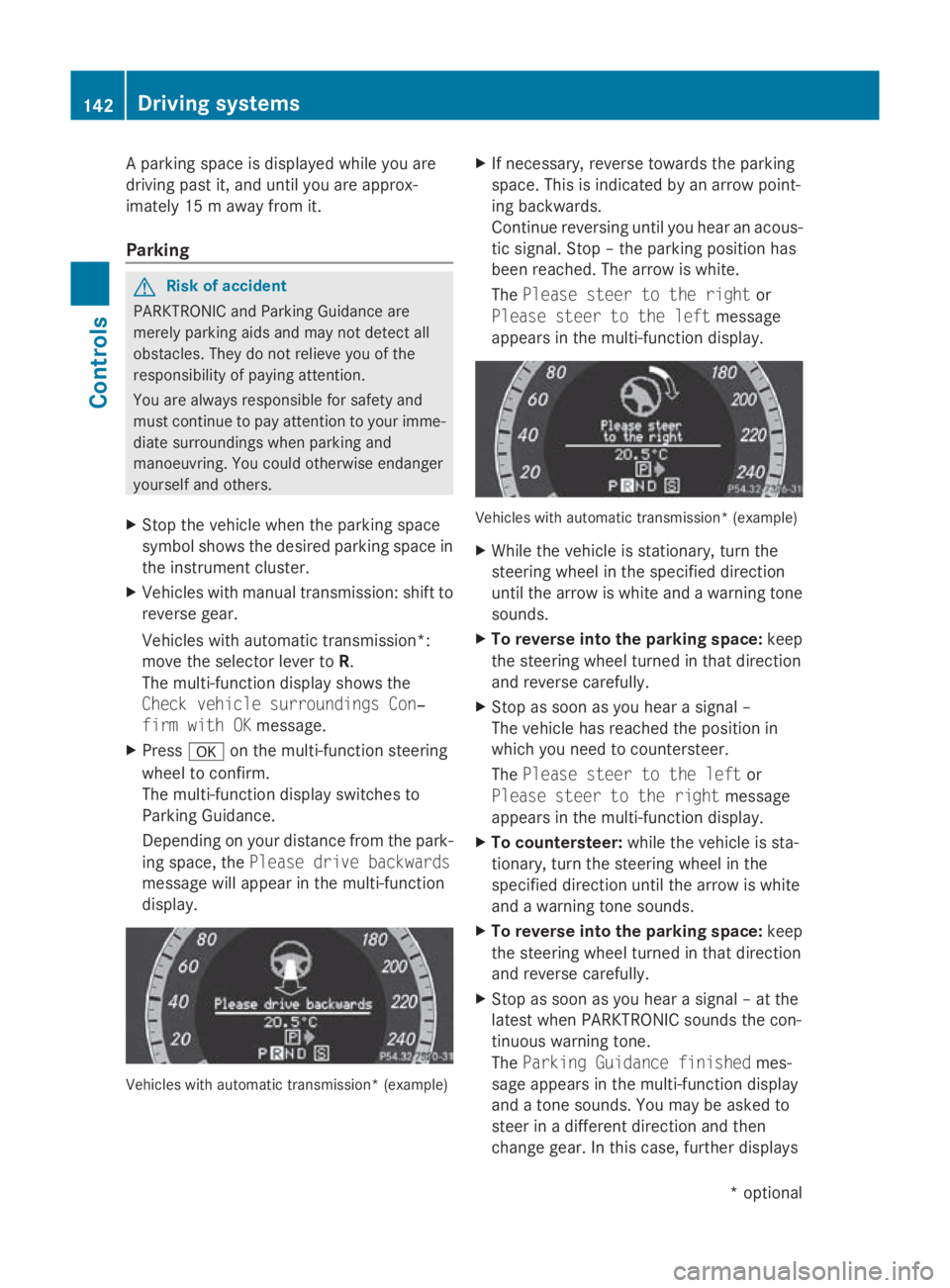
The Please steer to the right or
Please steer to the left message
appear sinthe multi-functio ndisplay. Vehicles with automatic transmission* (example)
X
Whil ethe vehicl eisstationary, tur nthe
steering whee linthe specifie ddirection
unti lthe arrow is white and awarning tone
sounds.
X To revers eintot he parking space: keep
the steering whee lturned in tha tdirection
and revers ecarefully.
X Stop as soo nasyou hear asigna l–
The vehicl ehasreache dthe positio nin
which yo uneedtoc ountersteer.
The Please steer to the left or
Please steer to the right message
appear sinthe multi-functio ndisplay.
X To countersteer: whilethe vehicl eissta-
tionary, tur nthe steering whee linthe
specifie ddirection unti lthe arrow is white
and awarning tone sounds.
X To revers eintot he parking space: keep
the steering whee lturned in tha tdirection
and revers ecarefully.
X Stop as soo nasyou hear asigna l–att he
latest when PARKTRONI Csounds the con-
tinuou swarning tone.
The Parkin gGuidance finished mes-
sage appear sinthe multi-functio ndisplay
and atone sounds .You maybea sked to
stee rinad ifferent direction and then
change gear .Inthisc ase, furthe rdisplays 142
Driving systemsControls
*o
ptional
207_AKB; 2; 3, en-GB
mkalafa,
Version: 2.11.8.1 2009-07-23T10:23:49+02:00-Seite 142
Page 264 of 313

Overview: changing bulbs/bulb types
You can replace the following bulbs: Halogen headlamps Bulb type
0046
Dipped-beam headlamps 43
:H755W
0047Main-beam headlamp: H7 55 W
008A Side lamp/parkin glamp: W5W
0088Turn signal lamp 43
:PY21W Bi-xenon headlamps* Bulb type
0046
Cornerin glight*: H7 55 W Changing bulbs
Dipped-beam headlamps( halogen
headlamps) Due to their location
,have the bulbs in the
left-hand headlamp changed at aqualified
specialist workshop, e.g. aMercedes-Benz
Service Centre.
X Switc hoff the lights.
X Open the bonnet.
X Turn housing cover 0046anti-clockwise and
remove it.
X Turn bulb holder 0047anti-clockwise and
remove it.
X Remove the bulb from bulb holder 0047.
X Inser tthe new bulb intob ulb holder0047.
43 Due to their location ,have the bulbs in the left-hand headlamp changed at aqualified specialist workshop,
e.g. aMercedes-Benz Servic eCentre. Changing bulbs
261Practical advice
*optional
207_AKB
;2;3,en-GB
mkalafa, Version:2.11.8.1
2009-07-23T10:23:49+02:00
-Seite 261 Z
Page 265 of 313

X
Insert bulbh older0047and turn it clockwise.
X Align housing cover 0046and turn it clock-
wise.
Main-beam headlamps (halogen head-
lamps)/cornering lamp* (Intelligent
Light System*) X
Switch off the lights.
X Open the bonnet.
X Turn housing cover 0046anti-clockwise and
remove it.
X Turn bulbh older0047anti-clockwise and
remove it.
X Remove the bulbf rom bulbholder0047.
X Insert the new bulbi nto bulbholder0047.
X Insert bulbh older0047and turn it clockwise.
X Align housing cover 0046and turn it clock-
wise.
Side lamp/parking lamp (halogen head-
lamps) X
Switch off the lights.
X Open the bonnet.
X Turn housing cover 0046anti-clockwise and
remove it.
X Pullo ut bulbh older0047.
X Remove the bulbf rom bulbholder0047.
X Insert the new bulbi nto bulbholder0047.
X Insert bulbh older0047.
X Align housing cover 0046and turn it clock-
wise.
Turn signal lamp (halogen headlamps) Due to their location, have the bulbs in the
left-hand headlamp changed at
aqualified
specialist workshop, e.g. aMercedes-Benz
Service Centre.
X Switch off the lights.
X Open the bonnet.
X Turn bulbh older0046anti-clockwise and
remove it.
X Turn the bulba nti-clockwise, applying
slight pressure, and remove it from bulb
holder 0046.
X Insert the new bulbi nto bulbholder0046and
turn it clockwise.
X Insert bulbh older0046and turn it clockwise. 262
Changing bulbsPractical advice
*o
ptional
207_AKB; 2; 3, en-GB
mkalafa
,V ersion: 2.11.8.1
2009-07-23T10:23:49+02:00
-Seite 262