Page 243 of 418
Black plate (243,1)
NOTE
CD, CD changer and SIRIUS digital satellite
radio modes cannot be selected in the
following cases:
· CD, CD changer, or SIRIUS digital satelliteradio unit is not equipped on the audio
system.
· CD has not been inserted.
Connect a portable audio unit or similar
product on the market to the auxiliary jack to
listen to music or audio over the vehicle's
speakers. Change the audio source to AUX
mode (page 6-58).
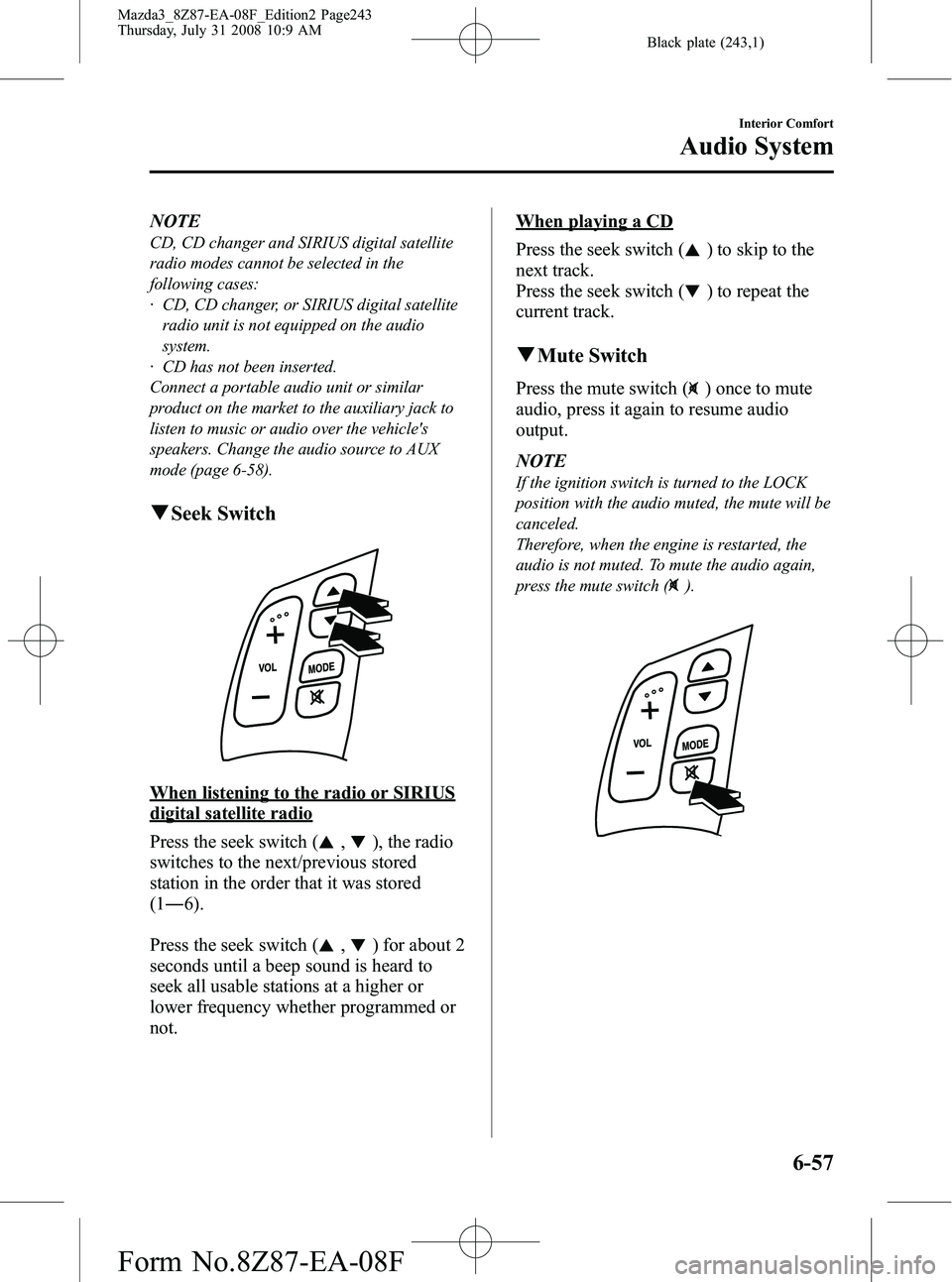
q Seek Switch
When listening to the radio or SIRIUS
digital satellite radio
Press the seek switch (
,), the radio
switches to the next/previous stored
station in the order that it was stored
(1 ― 6).
Press the seek switch (
,) for about 2
seconds until a beep sound is heard to
seek all usable stations at a higher or
lower frequency whether programmed or
not.
When playing a CD
Press the seek switch (
) to skip to the
next track.
Press the seek switch (
) to repeat the
current track.
q Mute Switch
Press the mute switch () once to mute
audio, press it again to resume audio
output.
NOTE
If the ignition switch is turned to the LOCK
position with the audio muted, the mute will be
canceled.
Therefore, when the engine is restarted, the
audio is not muted. To mute the audio again,
press the mute switch (
).
Interior Comfort
Audio System
6-57
Mazda3_8Z87-EA-08F_Edition2 Page243
Thursday, July 31 2008 10:9 AM
Form No.8Z87-EA-08F
Page 245 of 418

Black plate (245,1)
3. Using a coin, turn the capcounterclockwise (about 45° from the
closed position) and remove it.
NOTE
Do NOT discard the cap.
4. Open the tray by pulling the lower release catch.
5. Pass the connection plug cord through the hole of the tray and insert the plug
in the auxiliary jack.
Plug
WARNING
Do not allow the connection plug cord
to get tangled with the parking brake
or the shift lever: Allowing the plug cord to become
tangled with the parking brake or
the shift lever is dangerous as it
could interfere with driving, resulting
in an accident.
CAUTION
Do not place objects or apply force to
the auxiliary jack with the plug
connected.
NOTE
lInsert the plug to the auxiliary jack
securely.
lInsert or remove the plug with the plug
perpendicular to the auxiliary jack hole.
lInsert or remove the plug by holding its
base.
6. Make sure the connection plug cord is running through the cap slot; reinstall
the cap and turn it clockwise (about
45° to the opened position).
Connection plug
cord
Interior Comfort
Audio System
6-59
Mazda3_8Z87-EA-08F_Edition2 Page245
Thursday, July 31 2008 10:9 AM
Form No.8Z87-EA-08F
Page 248 of 418
Black plate (248,1)
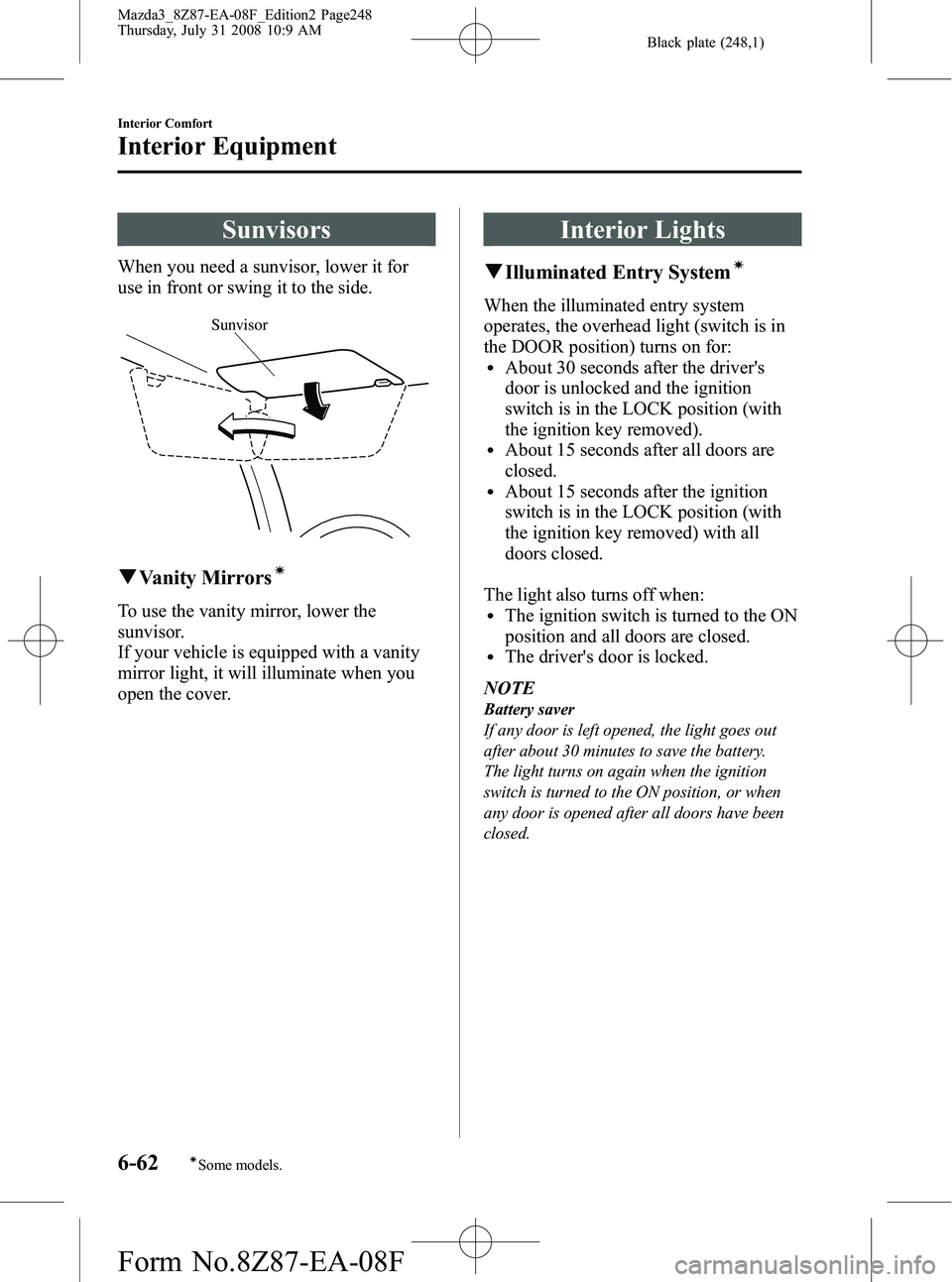
Sunvisors
When you need a sunvisor, lower it for
use in front or swing it to the side.
Sunvisor
qVanity Mirrorsí
To use the vanity mirror, lower the
sunvisor.
If your vehicle is equipped with a vanity
mirror light, it will illuminate when you
open the cover.
Interior Lights
qIlluminated Entry Systemí
When the illuminated entry system
operates, the overhead light (switch is in
the DOOR position) turns on for:
lAbout 30 seconds after the driver's
door is unlocked and the ignition
switch is in the LOCK position (with
the ignition key removed).
lAbout 15 seconds after all doors are
closed.
lAbout 15 seconds after the ignition
switch is in the LOCK position (with
the ignition key removed) with all
doors closed.
The light also turns off when:
lThe ignition switch is turned to the ON
position and all doors are closed.
lThe driver's door is locked.
NOTE
Battery saver
If any door is left opened, the light goes out
after about 30 minutes to save the battery.
The light turns on again when the ignition
switch is turned to the ON position, or when
any door is opened after all doors have been
closed.
6-62
Interior Comfort
íSome models.
Interior Equipment
Mazda3_8Z87-EA-08F_Edition2 Page248
Thursday, July 31 2008 10:9 AM
Form No.8Z87-EA-08F
Page 251 of 418
Black plate (251,1)
Information Display
With trip computer
Without trip computer Trip computer/Clock
Audio display
Climate control display/Ambient
temperature display
q
Information Display Functions
The information display has the following functions:lClocklAmbient Temperature Display (Outside Temperature Display)í
lClimate Control Display (Fully Automatic Type Air Conditioning System)lAudio DisplaylTrip Computerí
Interior Comfort
Interior Equipment
6-65íSome models.
Mazda3_8Z87-EA-08F_Edition2 Page251
Thursday, July 31 2008 10:9 AM
Form No.8Z87-EA-08F
Page 252 of 418
Black plate (252,1)
qClock
NOTE
When the trip computer is displayed, press the
CLOCK button to change the display to the
time.
When the ignition switch is in the ACC or
ON position, the time is displayed.
Time setting
1. Press the CLOCK button until the beep
sounds and the displayed time flashes.
2. Press the H button to set the hour.
3. Press the M button to set the minutes, then press the CLOCK button.
Time resetting
1. Press the CLOCK button until the beepsounds and the displayed time flashes.
2. Press the: 00 button. When the button is pressed, the beep sounds and the
clock resets as follows:
(Example)
12:01 ―12:29 →12:00
12:30 ―12:59 →1:00 NOTE
lWhen the: 00 button is pressed, the seconds
are reset to 00.
lTrip computer-equipped vehicles do not
have a reset function.
Switching between 12 and 24-hour
clock time
1. Press the audio control dial several
times until 12Hr and 24Hr clock time
are displayed.
2. Turn the audio control dial in either direction, select the desired clock
setting, and then press the audio
control dial. Press the dial while the
preferred clock time is flashing.
qAmbient Temperature Displayí
With fully automatic type air
conditioner
When the ignition switch is in the ON
position, press the AMB switch (page
6-11) on the air conditioner control panel
to display the ambient temperature.
Press the AMB switch again to switch the
display from ambient temperature to the
temperature set for the air conditioner.
6-66
Interior Comfort
íSome models.
Interior Equipment
Mazda3_8Z87-EA-08F_Edition2 Page252
Thursday, July 31 2008 10:9 AM
Form No.8Z87-EA-08F
Page 258 of 418
Black plate (258,1)
Bottle Holder
Bottle holders are on the inside of the
front doors.
Bottle holder
CAUTION
Do not use the bottle holders for
containers without caps. The
contents may spill when the door is
opened or closed.
Storage Compartments
WARNING
Keep storage boxes closed when
driving:Driving with the storage boxes open
is dangerous. To reduce the
possibility of injury in an accident or
a sudden stop, keep the storage
boxes closed when driving.
CAUTION
Do not leave lighters or eyeglasses in
the storage boxes while parked under
the sun. A lighter could explode or
the plastic material in eyeglasses
could deform and crack from high
temperature.
qGlove Box
To open the glove box, pull the latch
toward you.
If the glove box has a lock, insert the key
and turn it clockwise to lock,
counterclockwise to unlock.
Unlock
Lock
6-72
Interior Comfort
Interior Equipment
Mazda3_8Z87-EA-08F_Edition2 Page258
Thursday, July 31 2008 10:9 AM
Form No.8Z87-EA-08F
Page 261 of 418

Black plate (261,1)
Compartment
divider loopsRear trunk board Front trunk board
To separate vertically
Use the rear trunk board to separate the
luggage compartment vertically.
1. Pull the trunk board loops out.
Compartment
divider loop
2. Insert the trunk board loops into the
trunk board slits.
Front
Trunk
board
NOTE
To facilitate insertion of the trunk board loops
into the trunk board slits, first insert the
bottom of the rear trunk board into the groove
of the luggage sub-compartment.
GrooveCargo sub-
compartment
3. Rock the trunk board to make sure theboard is installed securely.
To separate horizontally
Use the front trunk board to separate the
luggage compartment horizontally.
CAUTION
ØDo not place heavy objects on the
trunk board or apply excessive
force as they could damage the
trunk board. The permissible
weight is about 5 kg (11 lb).
Ø Do not use the rear trunk board to
separate the luggage
compartment horizontally. The
rear trunk board cannot be locked
to the trunk board loops and it
could move and cause injury while
the vehicle is moving.
Interior Comfort
Interior Equipment
6-75
Mazda3_8Z87-EA-08F_Edition2 Page261
Thursday, July 31 2008 10:9 AM
Form No.8Z87-EA-08F
Page 263 of 418

Black plate (263,1)
Accessory Sockets
The ignition switch must be in the ACC
or ON position to prevent the battery from
discharging.
Only use genuine Mazda accessories or
the equivalent requiring no greater than
120 W (DC 12 V, 7 A).
CAUTION
To prevent accessory socket damage
or electrical failure, pay attention to
the following:
ØDo not use accessories that require
more than 120 W (DC 12 V, 7 A).
Ø Do not use accessories that are not
genuine Mazda accessories or the
equivalent.
Ø Close the cover when the accessory
socket is not in use to prevent
foreign objects and liquids from
getting into the accessory socket.
Ø Correctly insert the plug into the
accessory socket.
Noise may occur on the audio
playback depending on the device
connected to the accessory socket.
NOTE
To prevent discharging of the battery, do not
use the socket for long periods with the engine
off or idling.
When placing an electrical device (e.g.
cellular phone) in the tray which is
connected to the accessory socket, pass
the connection plug cord through the slot
in the cap.
Cap slot, closed
Cap slot, opened
1. Open the lid by pulling the upper release catch.
2. Remove the tray mat.
3. Using a coin, turn the cap counterclockwise (about 45° from the
closed position) and remove it.
NOTE
Do NOT discard the cap.
4. Open the tray by pulling the lower release catch.
Interior Comfort
Interior Equipment
6-77
Mazda3_8Z87-EA-08F_Edition2 Page263
Thursday, July 31 2008 10:9 AM
Form No.8Z87-EA-08F

