Page 107 of 375
Retain the original transmitter for use in other vehicles as well as for
future programming procedures (i.e. new HomeLink�equipped vehicle
purchase). It is also suggested that upon the sale of the vehicle, the
programmed Homelink�buttons be erased for security purposes, refer to
Programmingin this section.
Programming
Do not program HomeLink�with the vehicle parked in the garage.
Note:Your vehicle may require the ignition switch to be turned to the
accessory position for programming and/or operation of the HomeLink�.
It is also recommended that a new battery be placed in the hand-held
transmitter of the device being programmed to HomeLink�for quicker
training and accurate transmission of the radio-frequency signal.
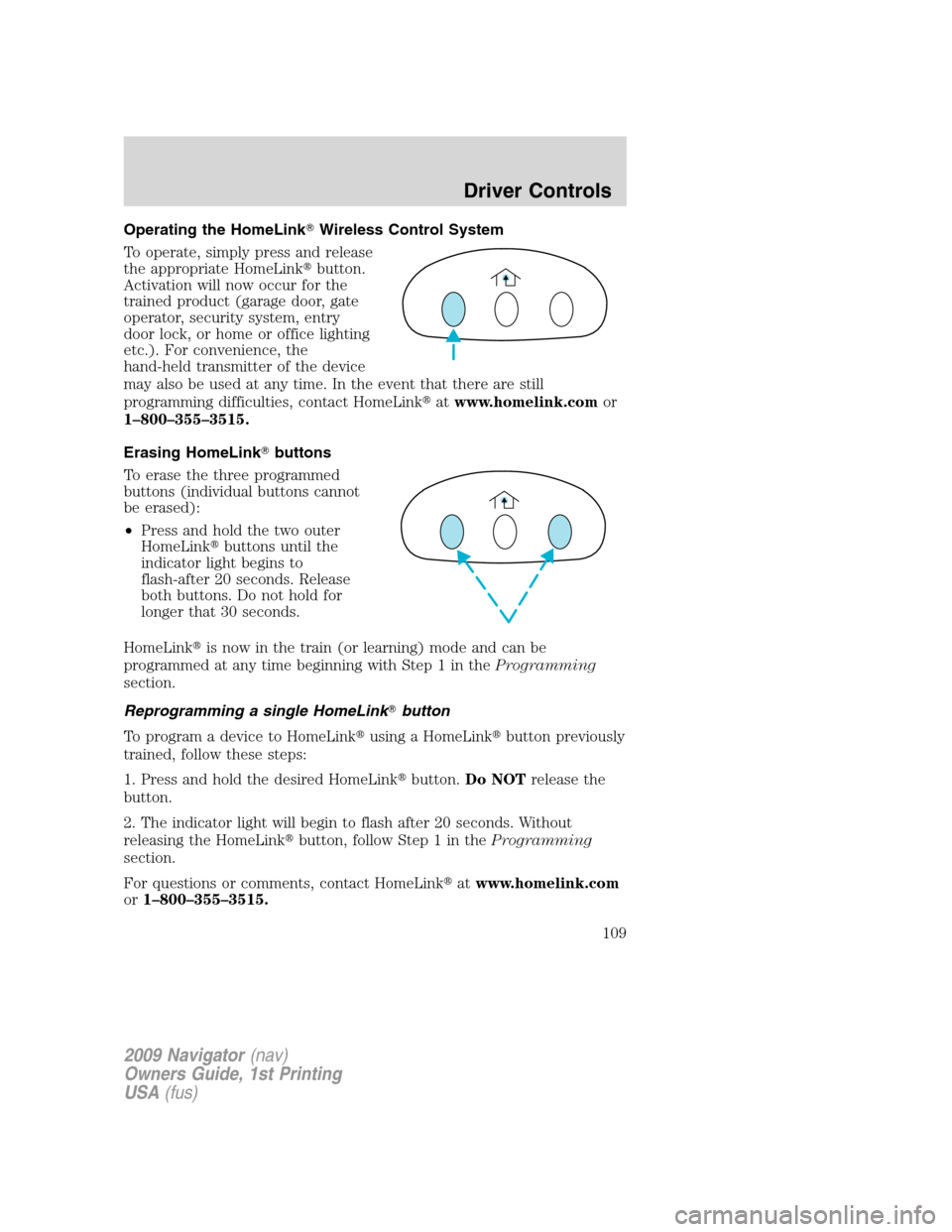
1. Position the end of your
hand-held transmitter 1–3 inches
(2–8 cm) away from the HomeLink�
button you wish to program (located
on your visor) while keeping the
indicator light in view.
2. Simultaneously press and hold
both the chosen HomeLink�and
hand-held transmitter buttons until the HomeLink�indicator light
changes from a slow to a rapidly blinking light. Now you may release
both the HomeLink�and hand-held transmitter buttons.
Note:Some entry gates and garage door openers may require you to
replace Step 2 with procedures noted in theGate Operator and
Canadian Programmingin this section for Canadian residents.
3. Firmlypress and hold for five seconds and releasethe
programmed HomeLink�button up to two separate times to activate the
door. If the door does not activate, press and hold the just-trained
HomeLink�button and observe the indicator light.
•If the indicator lightstays on constantly, programming is complete
and your device should activate when the HomeLink�button is pressed
and released.
•If the indicator light blinksrapidly for two seconds and then turns
to a constant light continue with “Programming” Steps 4 through
6to complete programming of a rolling code equipped device (most
commonly a garage door opener).
4. At the garage door opener receiver (motor-head unit) in the garage,
locate the “learn” or “smart” button (usually near where the hanging
antenna wire is attached to the unit).
2009 Navigator(nav)
Owners Guide, 1st Printing
USA(fus)
Driver Controls
107
Page 109 of 375
Operating the HomeLink�Wireless Control System
To operate, simply press and release
the appropriate HomeLink�button.
Activation will now occur for the
trained product (garage door, gate
operator, security system, entry
door lock, or home or office lighting
etc.). For convenience, the
hand-held transmitter of the device
may also be used at any time. In the event that there are still
programming difficulties, contact HomeLink�atwww.homelink.comor
1–800–355–3515.
Erasing HomeLink�buttons
To erase the three programmed
buttons (individual buttons cannot
be erased):
•Press and hold the two outer
HomeLink�buttons until the
indicator light begins to
flash-after 20 seconds. Release
both buttons. Do not hold for
longer that 30 seconds.
HomeLink�is now in the train (or learning) mode and can be
programmed at any time beginning with Step 1 in theProgramming
section.
Reprogramming a single HomeLink�button
To program a device to HomeLink�using a HomeLink�button previously
trained, follow these steps:
1. Press and hold the desired HomeLink�button.Do NOTrelease the
button.
2. The indicator light will begin to flash after 20 seconds. Without
releasing the HomeLink�button, follow Step 1 in theProgramming
section.
For questions or comments, contact HomeLink�atwww.homelink.com
or1–800–355–3515.
2009 Navigator(nav)
Owners Guide, 1st Printing
USA(fus)
Driver Controls
109
Page 125 of 375

To open the liftgate from the
Instrument panel:
Press the button once to open the
liftgate, press it again to close.
To open the liftgate with the remote entry transmitter:
Press
twice within three seconds to fully unlatch and open the
liftgate. Refer toRemote entry systemin theLocks and Security
chapter.
To open the liftgate with outside
liftgate control button (manual
actuation):
1. To open, unlock the liftgate with
the remote entry transmitter or
power door unlock control.
2. To open the liftgate, push the
control button located in the top of
the liftgate pull cup handle.
Note:For the best performance
allow the power system to open the liftgate after releasing the control
button. Continued upward force after unlatching may activate the
obstacle detection feature and stop the power operation.
Note:If weight is added to the gate (bike rack, snow, etc.) the gate may
automatically start a power close event immediately after a power open.
In this mode a unique continuous chime will sound.
To close the liftgate with the
rear cargo area control button:
Press and release the control on the
left rear quarter panel to close the
liftgate. The chime will beep once if
conditions are not correct to start
an operation (i.e., the vehicle is out
of park). In a normal close, the
chime will begin just before the gate
starts to move and continue for total
of three seconds.
Note:The rear cargo area control button is disabled when the liftgate is
latched (fully closed).
2009 Navigator(nav)
Owners Guide, 1st Printing
USA(fus)
Driver Controls
125
Page 129 of 375
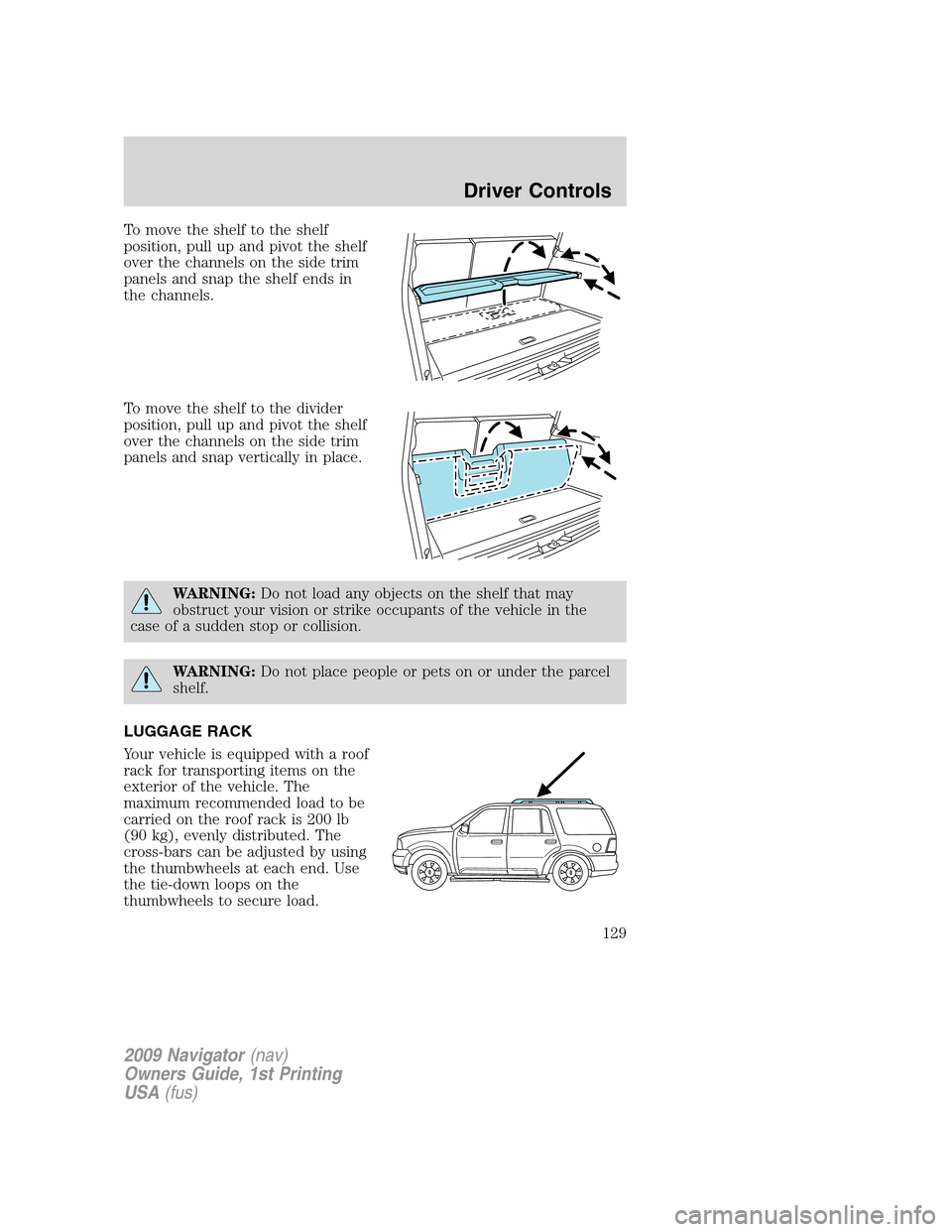
To move the shelf to the shelf
position, pull up and pivot the shelf
over the channels on the side trim
panels and snap the shelf ends in
the channels.
To move the shelf to the divider
position, pull up and pivot the shelf
over the channels on the side trim
panels and snap vertically in place.
WARNING:Do not load any objects on the shelf that may
obstruct your vision or strike occupants of the vehicle in the
case of a sudden stop or collision.
WARNING:Do not place people or pets on or under the parcel
shelf.
LUGGAGE RACK
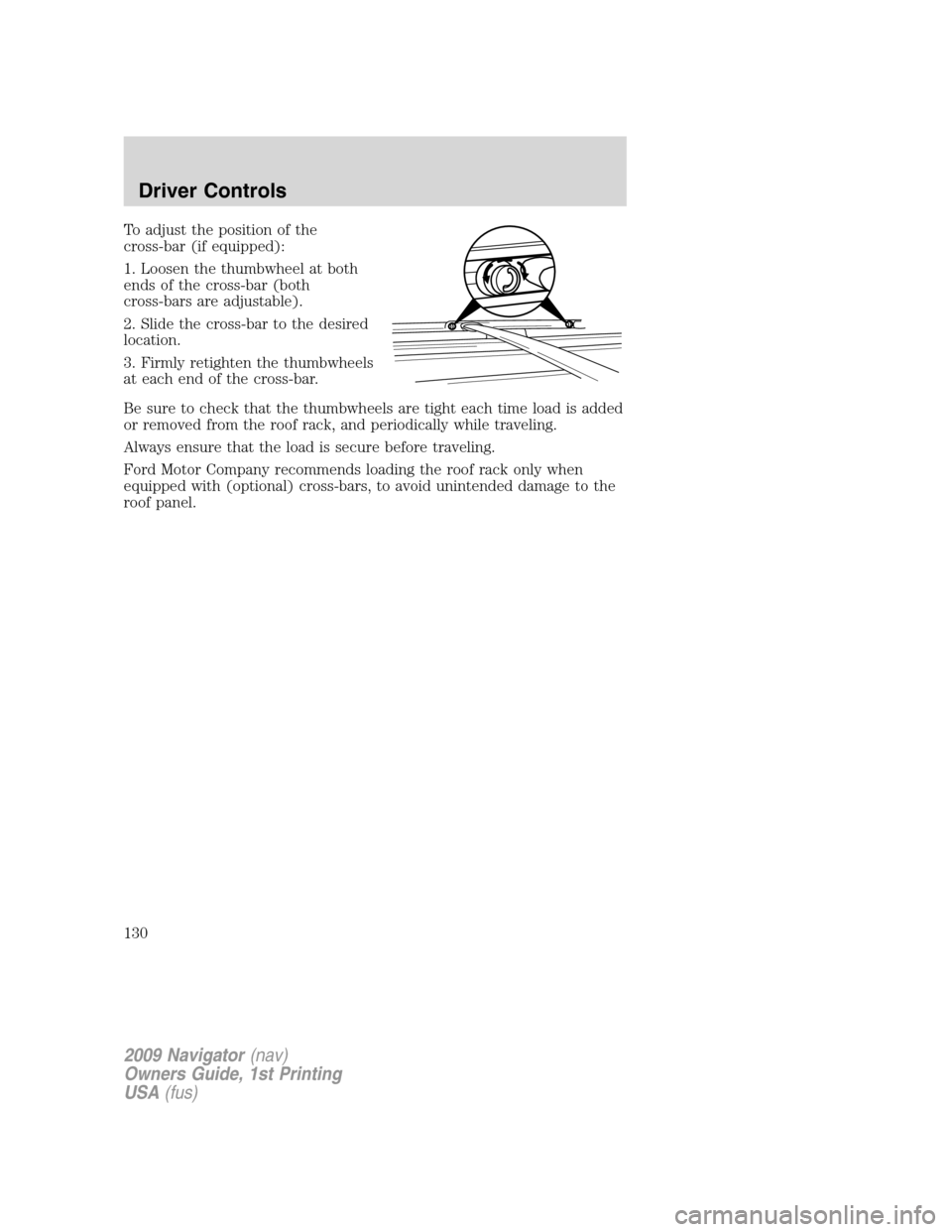
Your vehicle is equipped with a roof
rack for transporting items on the
exterior of the vehicle. The
maximum recommended load to be
carried on the roof rack is 200 lb
(90 kg), evenly distributed. The
cross-bars can be adjusted by using
the thumbwheels at each end. Use
the tie-down loops on the
thumbwheels to secure load.
2009 Navigator(nav)
Owners Guide, 1st Printing
USA(fus)
Driver Controls
129
Page 130 of 375
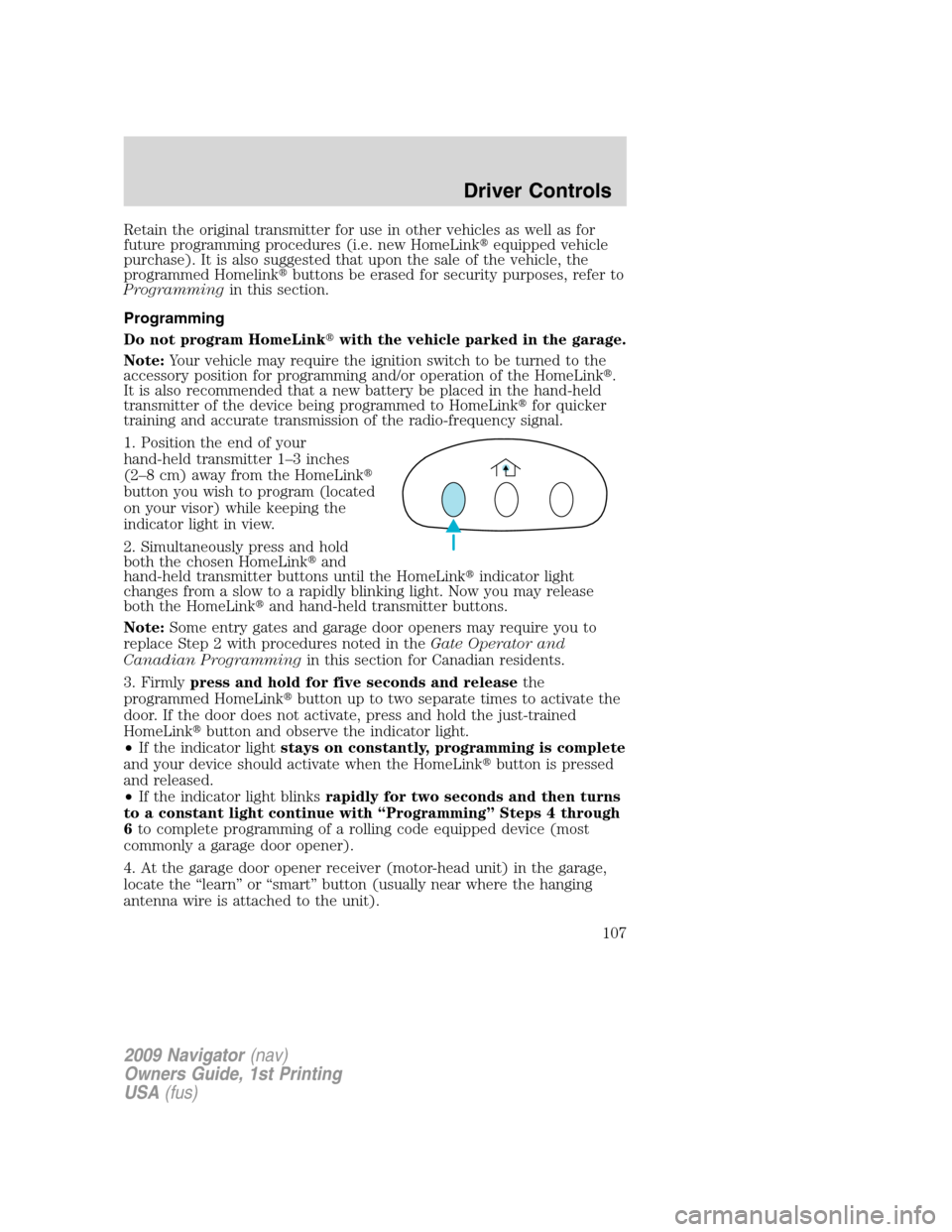
To adjust the position of the
cross-bar (if equipped):
1. Loosen the thumbwheel at both
ends of the cross-bar (both
cross-bars are adjustable).
2. Slide the cross-bar to the desired
location.
3. Firmly retighten the thumbwheels
at each end of the cross-bar.
Be sure to check that the thumbwheels are tight each time load is added
or removed from the roof rack, and periodically while traveling.
Always ensure that the load is secure before traveling.
Ford Motor Company recommends loading the roof rack only when
equipped with (optional) cross-bars, to avoid unintended damage to the
roof panel.
2009 Navigator(nav)
Owners Guide, 1st Printing
USA(fus)
Driver Controls
130
Page 131 of 375

KEYS
Your vehicle is equipped with two
Integrated Keyhead Transmitters
(IKTs). The IKT functions as both a
programmed ignition key that
operates all the locks and starts the
vehicle, and a remote keyless entry
transmitter.
Your IKTs are programmed to your vehicle; using a non-programmed key
will not permit your vehicle to start. If you lose your authorized dealer
supplied IKTs, replacement IKTs are available through your authorized
dealer. Standard SecuriLock™ keys without remote entry transmitter
functionality can also be purchased from your authorized dealer if
desired.
Always carry a spare key with you in case of an emergency.
For more information regarding programming replacement IKTs, refer to
theSecuriLock™ passive anti-theft systemsection later in this chapter.
Note:Your vehicle’s IKTs were
issued with a security label on them
that provides important vehicle key
cut information. It is recommended
that you maintain the label in a safe
place for future reference.
2009 Navigator(nav)
Owners Guide, 1st Printing
USA(fus)
Locks and Security
131
Page 132 of 375
Recommended handling of the Integrated Keyhead Transmitter
(IKT)
To avoid inadvertently activating the remote entry functions of your
vehicle, it is recommended that the Integrated Keyhead Transmitter
(IKT) be handled properly when starting and turning off your vehicle.
When inserting the IKT into the
ignition cylinder, place your thumb
on the center thumb rest of the IKT
and forefinger on the logo badge on
the opposite side.
To gain more leverage when rotating
the IKT in the ignition lock cylinder,
you can readjust the location of
your thumb to grasp the IKT on the
outer edge next to the
control.
Likewise, when rotating the IKT to
the off position in the ignition lock
cylinder, the bottom edge of the IKT
adjacent to the
control can be
utilized.
2009 Navigator(nav)
Owners Guide, 1st Printing
USA(fus)
Locks and Security
132
Page 133 of 375
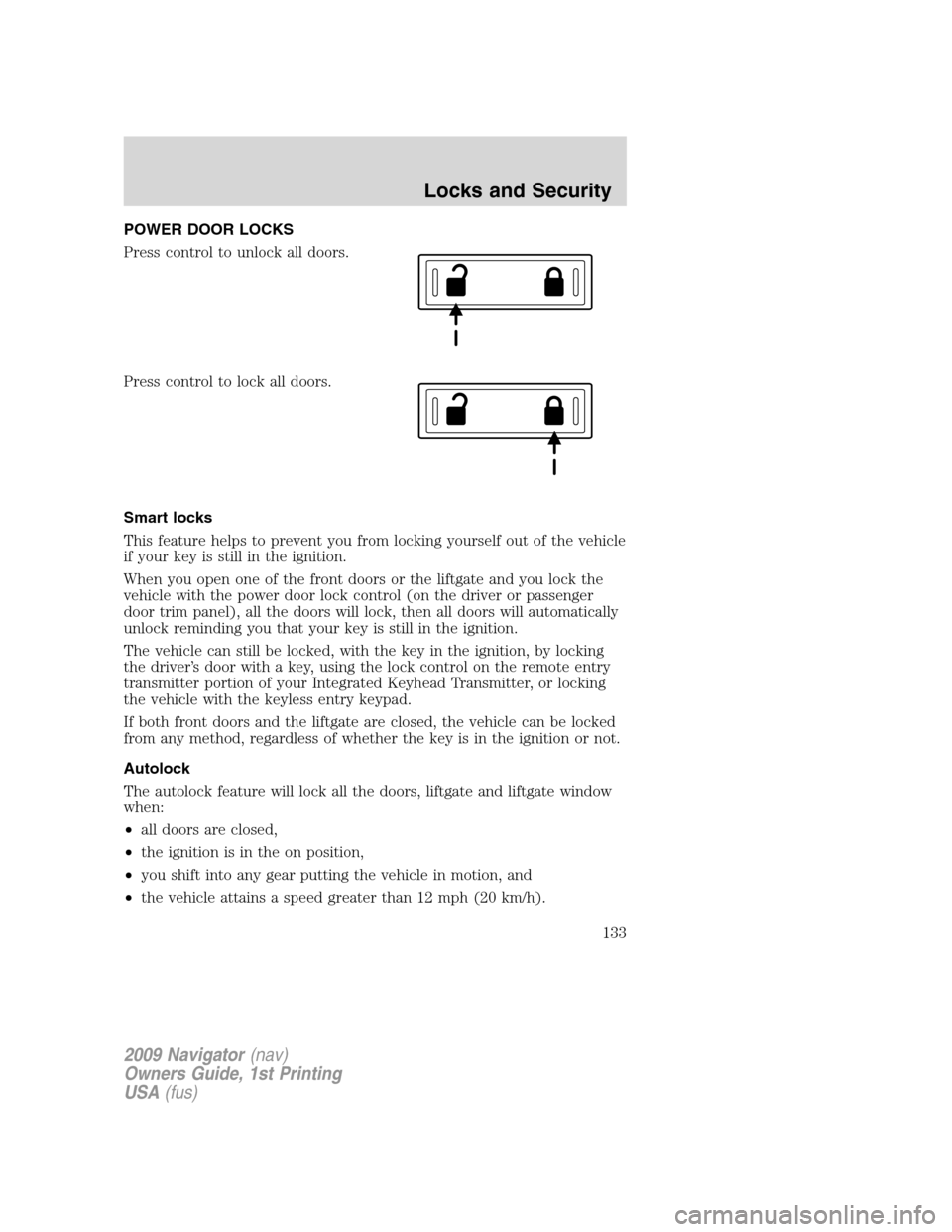
POWER DOOR LOCKS
Press control to unlock all doors.
Press control to lock all doors.
Smart locks
This feature helps to prevent you from locking yourself out of the vehicle
if your key is still in the ignition.
When you open one of the front doors or the liftgate and you lock the
vehicle with the power door lock control (on the driver or passenger
door trim panel), all the doors will lock, then all doors will automatically
unlock reminding you that your key is still in the ignition.
The vehicle can still be locked, with the key in the ignition, by locking
the driver’s door with a key, using the lock control on the remote entry
transmitter portion of your Integrated Keyhead Transmitter, or locking
the vehicle with the keyless entry keypad.
If both front doors and the liftgate are closed, the vehicle can be locked
from any method, regardless of whether the key is in the ignition or not.
Autolock
The autolock feature will lock all the doors, liftgate and liftgate window
when:
•all doors are closed,
•the ignition is in the on position,
•you shift into any gear putting the vehicle in motion, and
•the vehicle attains a speed greater than 12 mph (20 km/h).
2009 Navigator(nav)
Owners Guide, 1st Printing
USA(fus)
Locks and Security
133