Page 281 of 375

Normal characteristics
On some four–wheel drive models, the initial shift from two-wheel drive to
four–wheel drive while the vehicle is moving can cause some momentary
clunk and ratcheting sounds. This is the front drivetrain coming up to
speed and engaging the front wheels, and is not cause for concern.
Sand
When driving over sand, try to keep all four wheels on the most solid
area of the trail. Avoid reducing the tire pressures but shift to a lower
gear and drive steadily through the terrain. Apply the accelerator slowly
and avoid spinning the wheels.
Note:If air is released from your tires, the Tire Pressure Monitoring
System (TPMS) indicator light may illuminate.
Avoid excessive speed because vehicle momentum can work against you
and cause the vehicle to become stuck to the point that assistance may
be required from another vehicle. Remember, you may be able to back
out the way you came if you proceed with caution.
If your vehicle is equipped with AdvanceTrac�with RSC, press the
AdvanceTrac�with RSC button (refer toAdvanceTrac�with Roll
Stability Control (RSC) Stability Enhancement Systemin this
chapter) while driving in deep sand if you experience excessive engine
power reduction.
Mud and water
If you must drive through high
water, drive slowly. Traction or
brake capability may be limited.
When driving through water,
determine the depth; avoid water
higher than the bottom of the hubs
(if possible) and proceed slowly. If
the ignition system gets wet, the
vehicle may stall.
Once through water, always try the
brakes. Wet brakes do not stop the vehicle as effectively as dry brakes.
Drying can be improved by moving your vehicle slowly while applying
light pressure on the brake pedal.
Be cautious of sudden changes in vehicle speed or direction when you
are driving in mud. Even four–wheel drive vehicles can lose traction in
slick mud. As when you are driving over sand, apply the accelerator
2009 Navigator(nav)
Owners Guide, 1st Printing
USA(fus)
Driving
281
Page 282 of 375

slowly and avoid spinning your wheels. If the vehicle does slide, steer in
the direction of the slide until you regain control of the vehicle.
If the transmission, transfer case, front axle or rear axle are submerged
in water, their fluids should be checked and changed, if necessary.
Driving through deep water may damage the transmission.
If the front or rear axle is submerged in water, the axle lubricant should
be replaced.
After driving through mud, clean off residue stuck to rotating driveshafts
and tires. Excess mud stuck on tires and rotating driveshafts causes an
imbalance that could damage drive components.
“Tread Lightly” is an educational
program designed to increase public
awareness of land-use regulations
and responsibilities in our nations
wilderness areas. Ford Motor
Company joins the U.S. Forest Service and the Bureau of Land
Management in encouraging you to help preserve our national forest and
other public and private lands by “treading lightly.”
Driving on hilly or sloping terrain
Although natural obstacles may make it necessary to travel diagonally up
or down a hill or steep incline, you should always try to drive straight up
or straight down.Avoid driving crosswise or turning on steep
slopes or hills. A danger lies in losing traction, slipping sideways and
possibly rolling over. Whenever driving on a hill, determine beforehand
the route you will use. Do not drive over the crest of a hill without
seeing what conditions are on the other side. Do not drive in reverse
over a hill without the aid of an observer.
When climbing a steep slope or hill,
start in a lower gear rather than
downshifting to a lower gear from a
higher gear once the ascent has
started. This reduces strain on the
engine and the possibility of stalling.
If you do stall out, do not try to
turn around because you might roll
over. It is better to back down to a
safe location.
2009 Navigator(nav)
Owners Guide, 1st Printing
USA(fus)
Driving
282
Page 284 of 375
Maintenance and Modifications
The suspension and steering systems on your vehicle have been designed
and tested to provide predictable performance whether loaded or empty
and durable load carrying capability. For this reason, Ford Motor
Company strongly recommends that you do not make modifications such
as adding or removing parts (such as lift kits or stabilizer bars) or by
using replacement parts not equivalent to the original factory equipment.
Any modifications to a vehicle that raise the center of gravity can make
it more likely the vehicle will roll over as a result of a loss of control.
Ford Motor Company recommends that caution be used with any vehicle
equipped with a high load or device (such as ladder racks or pickup box
cover).
Failure to maintain your vehicle properly may void the warranty, increase
your repair cost, reduce vehicle performance and operational capabilities
and adversely affect driver and passenger safety. Frequent inspection of
vehicle chassis components is recommended if the vehicle is subjected to
heavy off-road usage.
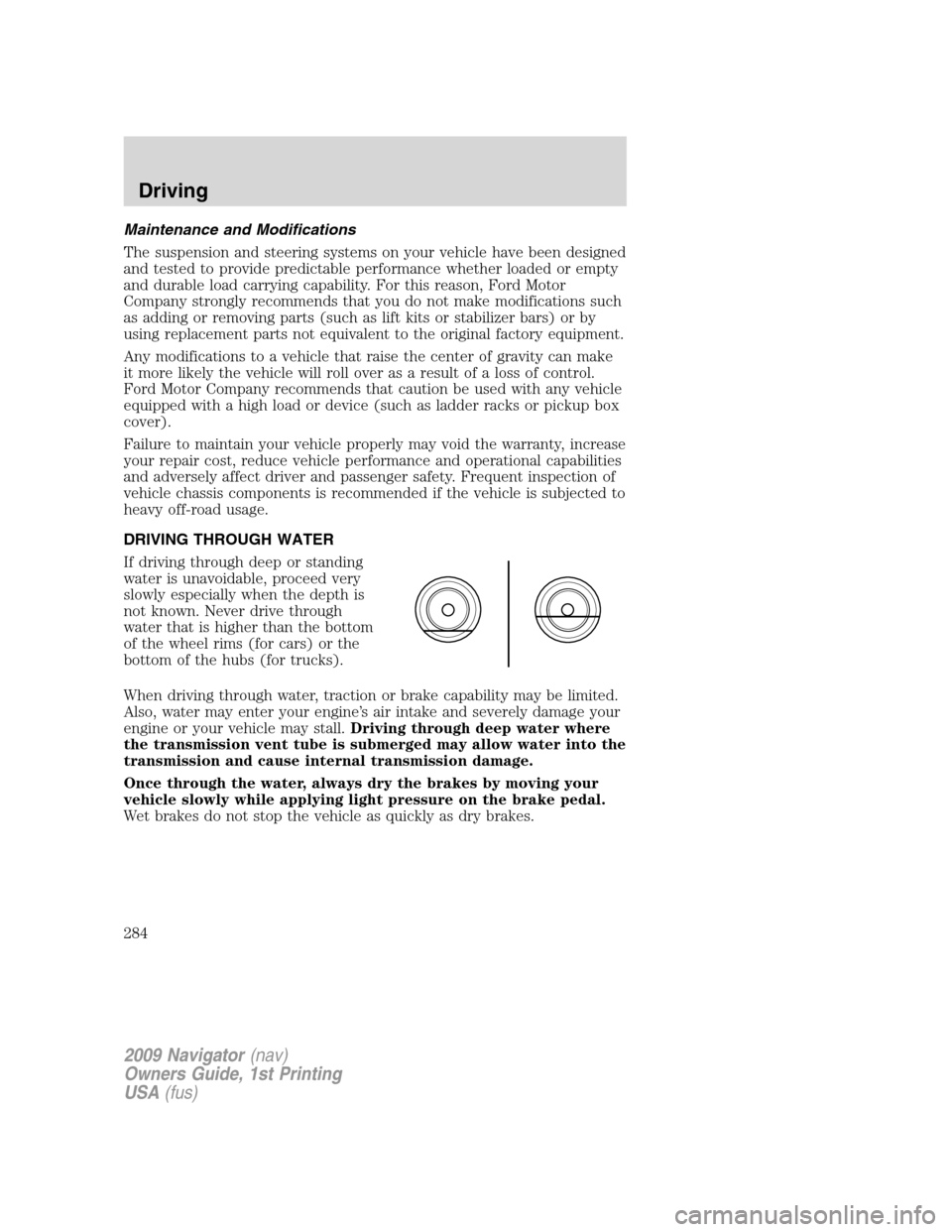
DRIVING THROUGH WATER
If driving through deep or standing
water is unavoidable, proceed very
slowly especially when the depth is
not known. Never drive through
water that is higher than the bottom
of the wheel rims (for cars) or the
bottom of the hubs (for trucks).
When driving through water, traction or brake capability may be limited.
Also, water may enter your engine’s air intake and severely damage your
engine or your vehicle may stall.Driving through deep water where
the transmission vent tube is submerged may allow water into the
transmission and cause internal transmission damage.
Once through the water, always dry the brakes by moving your
vehicle slowly while applying light pressure on the brake pedal.
Wet brakes do not stop the vehicle as quickly as dry brakes.
2009 Navigator(nav)
Owners Guide, 1st Printing
USA(fus)
Driving
284
Page 290 of 375

The fuses are coded as follows.
Fuse/Relay
LocationFuse Amp
RatingProtective Circuits
1 30A Smart window #1
2 15A Driver side power seat memory
3 15A FES, Audio rear seat controls,
SDARS, SYNC
4 30A Smart window #2
5 10A Keypad illumination, 3rd row seat
enable, Brake Shift Interlock
(BSI), SPDJB
6 20A Turn signals
7 10A Low beam headlamps (left)
8 10A Low beam headlamps (right)
9 15A Interior lights
10 15A Switch backlighting, Puddle lamps
11 10A Not used (Spare)
12 7.5A Power mirror switch, Driver seat
switch
13 5A Not used (Spare)
14 10A Clock, Power liftgate module –
keep-alive power, Power running
board module – keep-alive power
15 10A Climate control
16 15A Not used (Spare)
17 20A All lock motor feeds, Liftgate
release, Liftglass release
18 20A Second row heated seats
19 25A Rear wiper
20 15A Adjustable pedals, Datalink
21 15A Fog lamps, Cornering lamps
22 15A Park lamps relay
23 15A High beam headlamps
24 20A Horn relay
2009 Navigator(nav)
Owners Guide, 1st Printing
USA(fus)
Roadside Emergencies
290
Page 295 of 375

Fuse/Relay
LocationFuse Amp
RatingProtected Circuits
64 30A** Moon roof
65 20A** Auxiliary power point
66 20A** Auxiliary power point
67 40A** Climate controlled seats
68 60A** ABS valves
69 60A** ABS pump
70 40A** Left-hand and right-hand third row
power fold seat
71 20A** Auxiliary power point
72 20A** Auxiliary power point
73 — Not used
74 30A** Driver power seat/DSM
75 20A* PCM – VPWR1
76 20A* PCM – VPWR2
77 15A* VPWR4, Ignition coils
78 — Not used
79 20A* PCM – VPWR3
80 — Not used
81 — Not used
82 — Not used
83 — Not used
84 — Not used
85 — Wiper motor relay
* Mini Fuses ** Cartridge Fuses
CHANGING THE TIRES
If you get a flat tire while driving, do not apply the brake heavily.
Instead, gradually decrease your speed. Hold the steering wheel firmly
and slowly move to a safe place on the side of the road.
Note:The tire pressure monitoring system (TPMS) indicator light will
illuminate when the spare tire is in use. To restore the full functionality
of the monitoring system, all road wheels equipped with tire pressure
monitoring sensors must be mounted on the vehicle.
2009 Navigator(nav)
Owners Guide, 1st Printing
USA(fus)
Roadside Emergencies
295
Page 299 of 375

Removing the spare tire
1. Remove the jack handle and
winch extension from the tray and
assemble them.
2. Open the spare tire winch access
plug in the bottom of the
compartment for the jack and tools
tray.
3. Insert the winch extension tool
assembly through the access hole in
the floor and engage the winch.
4. To remove the spare tire, turn the
handle counterclockwise until the
tire is lowered to the ground and
the cable is slightly slack.
5. Slide the retainer through the center of the spare tire wheel.
Tire change procedure
WARNING:To help prevent the vehicle from moving when you
change a tire, be sure the parking brake is set, then block the
wheels (both front or both rear) on the opposite end of the vehicle
from the wheel being changed. If on a grade, block both opposite
wheels on the downward side of the hill.
WARNING:If the vehicle slips off the jack, you or someone else
could be seriously injured.
WARNING:On vehicles equipped with air suspension, turn off
the air suspension system prior to jacking, hoisting or towing
your vehicle.
WARNING:Turn off the running boards (if equipped) before
jacking or placing any object under the vehicle. Never place your
hand between the extended running board and the vehicle. A moving
running board may cause injury.
2009 Navigator(nav)
Owners Guide, 1st Printing
USA(fus)
Roadside Emergencies
299
Page 307 of 375
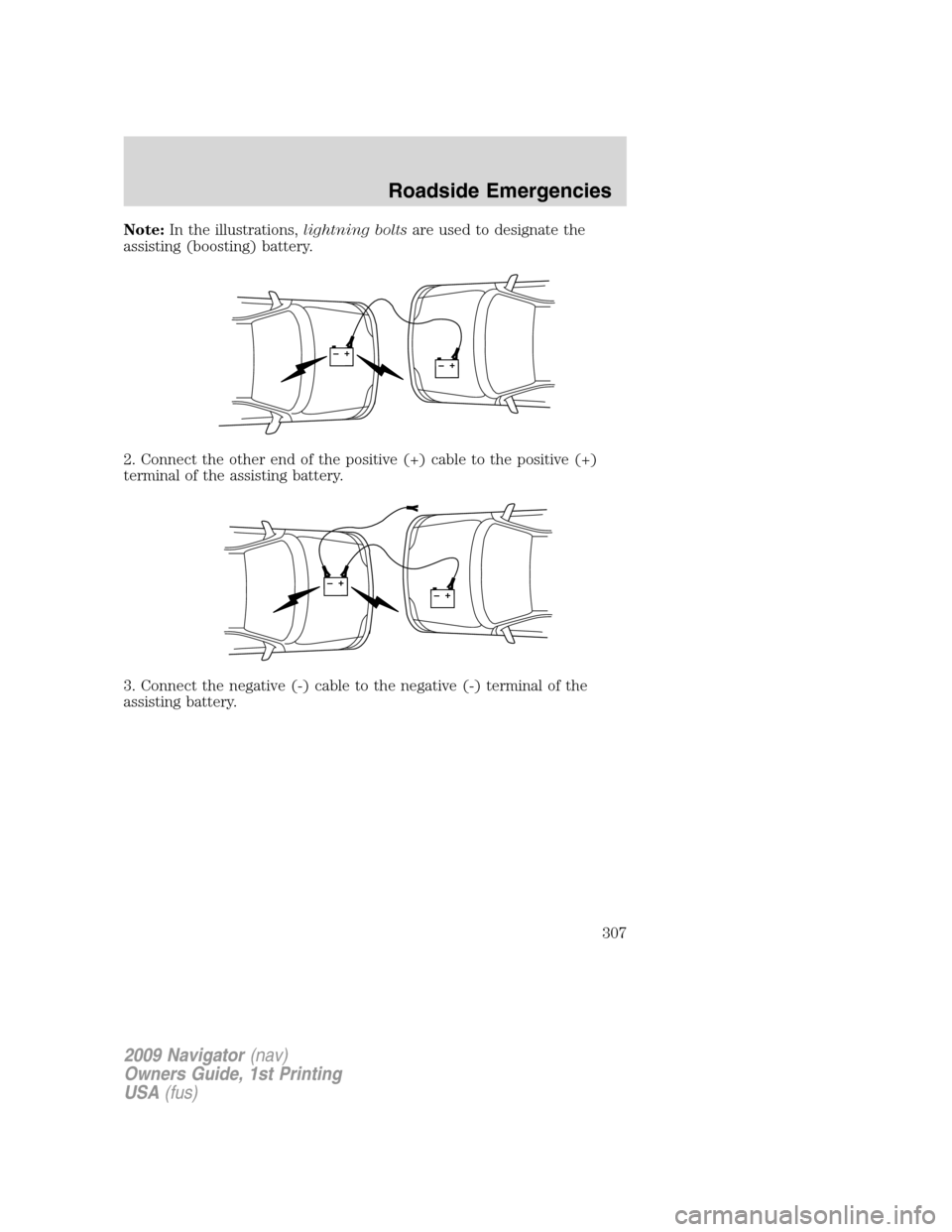
Note:In the illustrations,lightning boltsare used to designate the
assisting (boosting) battery.
2. Connect the other end of the positive (+) cable to the positive (+)
terminal of the assisting battery.
3. Connect the negative (-) cable to the negative (-) terminal of the
assisting battery.
+–+–
+–+–
2009 Navigator(nav)
Owners Guide, 1st Printing
USA(fus)
Roadside Emergencies
307
Page 309 of 375
Removing the jumper cables
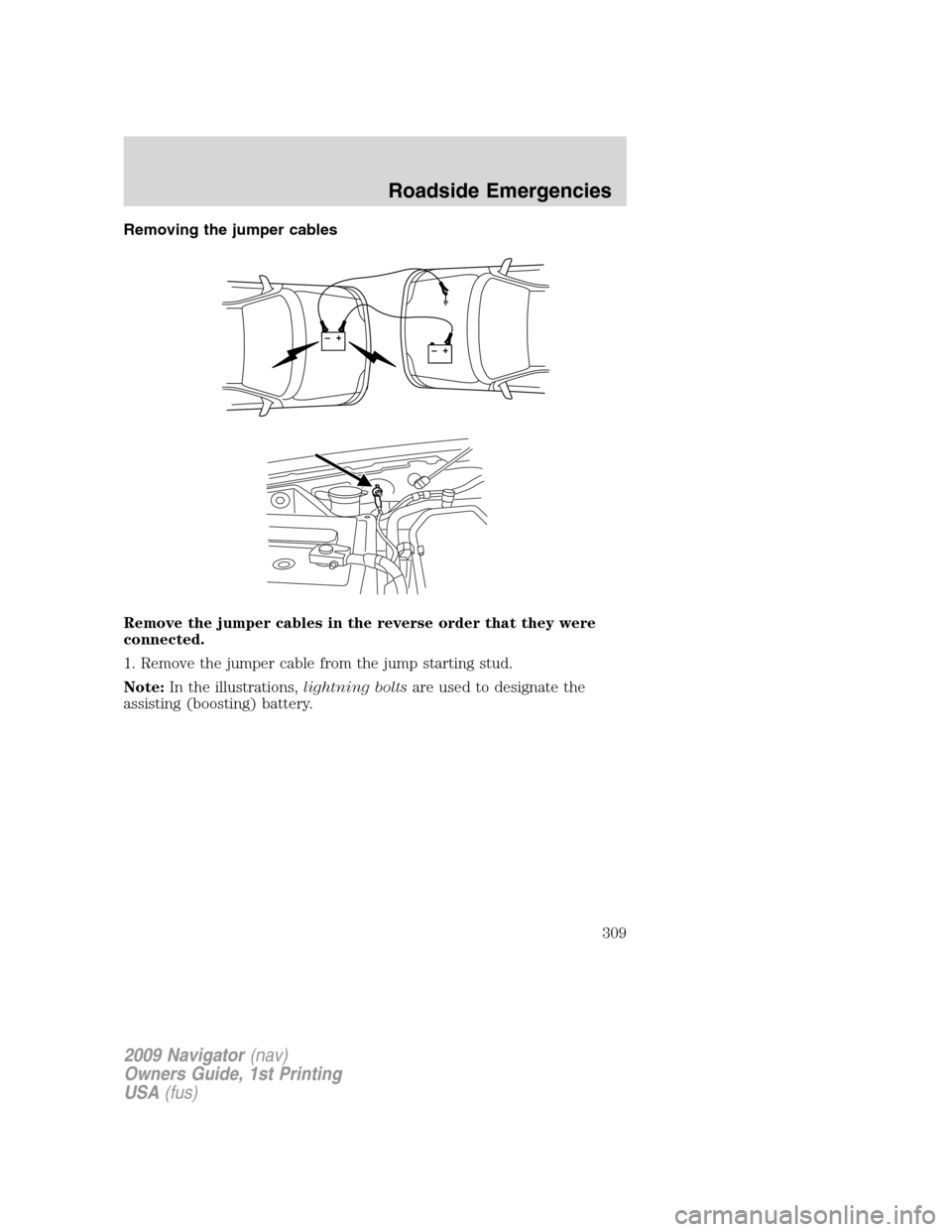
Remove the jumper cables in the reverse order that they were
connected.
1. Remove the jumper cable from the jump starting stud.
Note:In the illustrations,lightning boltsare used to designate the
assisting (boosting) battery.
+–+–
2009 Navigator(nav)
Owners Guide, 1st Printing
USA(fus)
Roadside Emergencies
309