2009 LINCOLN MKS lock
[x] Cancel search: lockPage 86 of 323

Warnings Status
Integrated key programming
status (if equipped)Maximum number of Integrated Keys
exceeded
Cruise On (if equipped) Adaptive Cruise Control warnings
Cruise Off (if equipped)
Set speed and Gap (if
equipped)
Cruise override (if equipped)
Driver intervene (if equipped)
Cruise not available (if
equipped)
Cruise malfunction (if
equipped)
Cruise radar blocked (if
equipped)
Press brake to start (if
equipped)Intelligent Access with Push Button
Start warnings
No fob detected (if equipped)
Shift to park (if equipped)
Restart now or fob is needed
(if equipped)
Accessory power active (if
equipped)
Starting system fault (if
equipped)
Fob programmed, 3 fobs total
(if equipped)
Fob programmed, 4 fobs total
(if equipped)
Max # of fobs learned (if
equipped)
DRIVER DOOR AJAR— Displayed when the driver’s door is not
completely closed.
PASSENGER DOOR AJAR— Displayed when the passenger side door
is not completely closed.
2009 MKS(mks)
Owners Guide (post-2002-fmt)
USA(fus)
Driver Controls
86
Page 88 of 323

TRUNK AJAR— Displayed when the trunk is not completely closed.
REMOVE OBJECTS NEAR PASS SEAT— Displayed when objects
are by the passenger seat. After the objects are moved away from the
seat, if the warning stays on or continues to come on contact your
authorized dealer.
AWD OFF (if equipped)— Displayed when the AWD system has been
automatically disabled to protect itself. This is caused by operating the
vehicle with the compact spare tire installed or if the system is
overheating. The AWD system will resume normal function and clear this
message after driving a short distance with the road tire re-installed or
after the system is allowed to cool.
CHECK AWD (if equipped)— Displayed in conjunction with the
Throttle Control/Transmission/AWD
light when the AWD system is
not operating properly. If the warning stays on or continues to come on,
contact your authorized dealer as soon as possible.
INTKEY COULD NOT PROGRAM— Displayed when an attempt is
made to program a fifth integrated key to the Remote keyless entry
system. For more information on integrated key, refer to theLocks and
Securitychapter.
CRUISE ON RADAR READY (if equipped)— Displayed when the
driver pressed the cruise On/Off control and ACC was off.
CRUISE OFF (if equipped)— Displayed when the driver pressed the
Cruise On/Off control and ACC was on.
SET XXX MPH GAP ACC GAP (if equipped)— Displayed when
ACC is active and driver has selected a GAP setting using the steering
wheel control <---> button.
CRUISE OVERRIDE (if equipped)— Displayed when the accelerator
pedal is being pressed while ACC is active.
DRIVER INTERVENE (if equipped)— Refer toAdaptive Cruise
Controlin this chapter.
CRUISE NOT AVAILABLE (if equipped)— Displayed when a system
malfunction is preventing ACC from engaging.
CRUISE MALFUNCTION (if equipped)— Displayed when a radar
malfunction is preventing the ACC from engaging.
CRUISE RADAR BLOCKED (if equipped)— Displayed when the
radar is blocked because of poor radar visibility due to bad weather or
ice/mud/water in front of radar. Driver can typically clean the sensor to
resolve.
2009 MKS(mks)
Owners Guide (post-2002-fmt)
USA(fus)
Driver Controls
88
Page 91 of 323

KEYS
Integrated Keyhead Transmitters (IKTs) (If equipped)
Your vehicle may be equipped with
two Integrated Keyhead
Transmitters (IKTs). The key blade
of the IKT functions as a
programmed key which starts the
vehicle and unlocks/locks all the
doors. The transmitter of the IKT
operates the remote keyless entry
feature.
Your IKTs are programmed to your
vehicle; using a non-programmed
key will not permit your vehicle to
start. If you lose one or both of your
IKTs, replacements are available
through your authorized dealer.
Standard SecuriLock™ keys without
remote entry transmitter functionality can also be purchased from your
authorized dealer if desired.
To avoid activating the remote entry functions when starting and turning
off your vehicle, refer toRecommended handling of the Integrated
Keyhead Transmitter (IKT)in this section.
Always carry a spare key with you in case of an emergency.
For more information regarding programming replacement IKTs, refer to
theSecuriLock™ passive anti-theft systemsection later in this chapter.
Note:Your vehicle’s IKTs were
issued with a security label on them
that provides important vehicle key
cut information. It is recommended
that you maintain the label in a safe
place for future reference.
2009 MKS(mks)
Owners Guide (post-2002-fmt)
USA(fus)
Locks and Security
91
Page 92 of 323

Recommended handling of the Integrated Keyhead Transmitter
(IKT)
To avoid inadvertently activating the remote entry functions of your
vehicle, it is recommended that the Integrated Keyhead Transmitter
(IKT) be handled properly when starting and turning off your vehicle.
When inserting the IKT into the
ignition cylinder, place your thumb
on the center thumb rest of the IKT
and forefinger on the logo badge on
the opposite side.
To gain more leverage when rotating
the IKT in the ignition lock cylinder,
you can readjust the location of
your thumb to grasp the IKT on the
outer edge next to the
control.
Likewise, when rotating the IKT to
the off position in the ignition lock
cylinder, the bottom edge of the IKT
adjacent to the
control can be
utilized.
2009 MKS(mks)
Owners Guide (post-2002-fmt)
USA(fus)
Locks and Security
92
Page 93 of 323

Intelligent Access Key (IA Key) (if equipped)
Your vehicle may be equipped with
two Intelligent Access Keys which
operate the Intelligent Access Key
with Push Button Start systems and
the remote entry system.
The Intelligent Access Key also
contains a removable mechanical
key blade that can be used to
unlock the driver door. To release
the mechanical key blade, press the
release button on the back of the
transmitter and slide the blade out.
Your Intelligent Access Keys are
programmed to your vehicle. You cannot enter or start your vehicle with
an un-programmed key. If you lose one or both of your Intelligent Access
Keys, replacements are available from your authorized dealer. For more
information on programming replacement Intelligent Access Keys, refer
to theSecuriLock™ passive anti-theft systemsection in this chapter.
Note:Your Intelligent Access Keys
were issued with a security label
that provides important vehicle key
cut information. It is recommended
that you keep this label in a safe
place for future reference.
2009 MKS(mks)
Owners Guide (post-2002-fmt)
USA(fus)
Locks and Security
93
Page 94 of 323
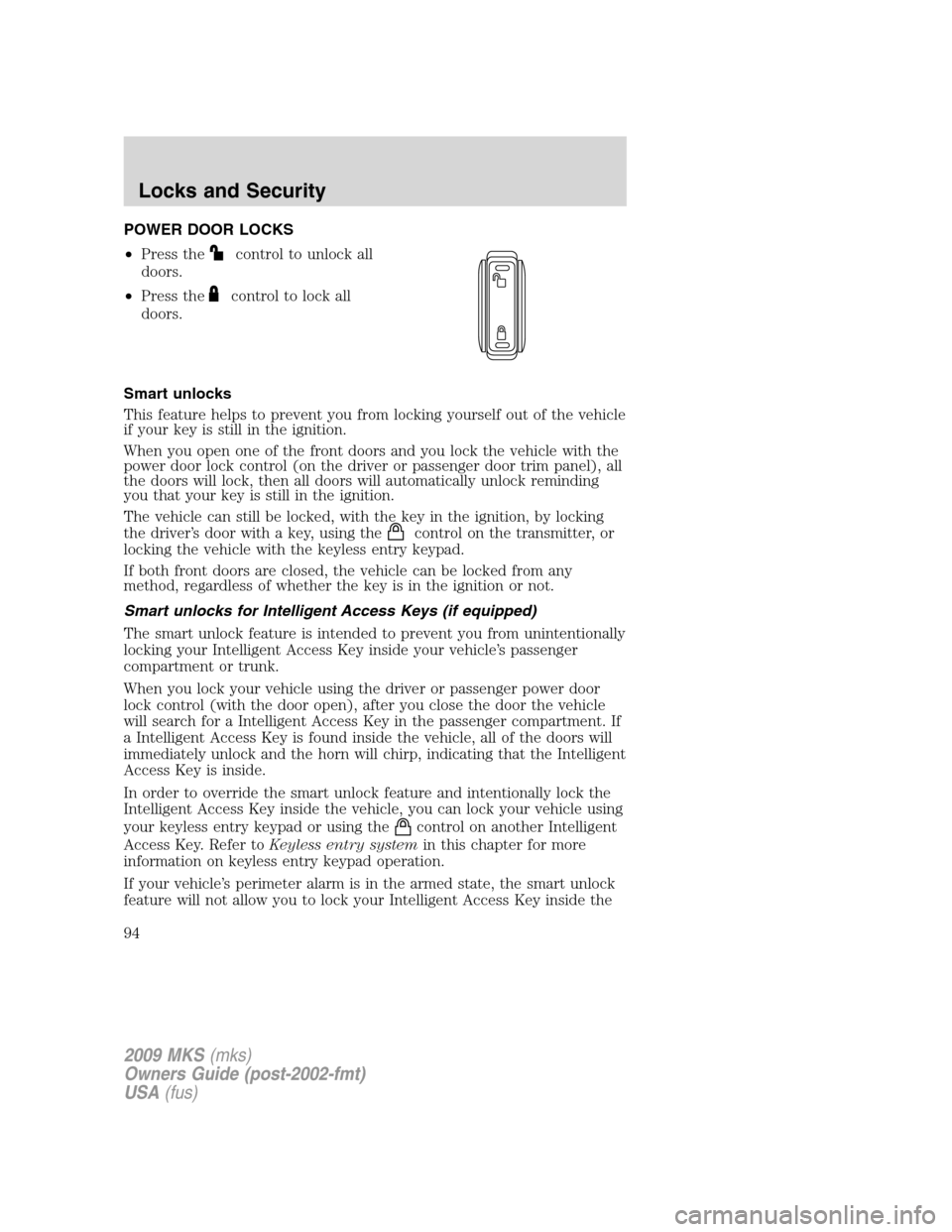
POWER DOOR LOCKS
•Press the
control to unlock all
doors.
•Press the
control to lock all
doors.
Smart unlocks
This feature helps to prevent you from locking yourself out of the vehicle
if your key is still in the ignition.
When you open one of the front doors and you lock the vehicle with the
power door lock control (on the driver or passenger door trim panel), all
the doors will lock, then all doors will automatically unlock reminding
you that your key is still in the ignition.
The vehicle can still be locked, with the key in the ignition, by locking
the driver’s door with a key, using the
control on the transmitter, or
locking the vehicle with the keyless entry keypad.
If both front doors are closed, the vehicle can be locked from any
method, regardless of whether the key is in the ignition or not.
Smart unlocks for Intelligent Access Keys (if equipped)
The smart unlock feature is intended to prevent you from unintentionally
locking your Intelligent Access Key inside your vehicle’s passenger
compartment or trunk.
When you lock your vehicle using the driver or passenger power door
lock control (with the door open), after you close the door the vehicle
will search for a Intelligent Access Key in the passenger compartment. If
a Intelligent Access Key is found inside the vehicle, all of the doors will
immediately unlock and the horn will chirp, indicating that the Intelligent
Access Key is inside.
In order to override the smart unlock feature and intentionally lock the
Intelligent Access Key inside the vehicle, you can lock your vehicle using
your keyless entry keypad or using the
control on another Intelligent
Access Key. Refer toKeyless entry systemin this chapter for more
information on keyless entry keypad operation.
If your vehicle’s perimeter alarm is in the armed state, the smart unlock
feature will not allow you to lock your Intelligent Access Key inside the
2009 MKS(mks)
Owners Guide (post-2002-fmt)
USA(fus)
Locks and Security
94
Page 95 of 323

trunk. When the alarm is armed, if the Intelligent Access Key is detected
in the trunk, the decklid will automatically be released when you attempt
to close it, and the horn will chirp, as a reminder that the Intelligent
Access Key is inside. If you would like to intentionally lock your
Intelligent Access Key in the trunk of your vehicle, first disarm the
perimeter alarm by unlocking the vehicle, then place the Intelligent
Access Key in the trunk, close the trunk, and rearm your perimeter
alarm system by locking the vehicle using your keyless entry keypad or
another Intelligent Access Key. For more information on
arming/disarming of the perimeter alarm system, refer toPerimeter
alarm systemin this chapter.
Opening all windows and moon roof (if equipped)
You can open the vehicle’s windows, and (if equipped) vent the moon
roof (power shade opens) by using the door key in the driver door key
cylinder and/or the
control on the transmitter.
Press and hold the
control on the transmitter for at least two
seconds, or turn the key toward the rear of the vehicle (unlock position)
and hold it for more than two seconds to begin to open all the windows
and vent the moon roof (power shade opens). For the driver door key
cylinder, returning the key to the center position will stop all motion. For
the transmitter, pressing either the
orcontrol on the transmitter
will stop all motion.
Note:The ignition must be off and the accessory delay feature must not
be activated in order for this feature to operate.
Closing all windows and moon roof (if equipped)
You can close the vehicle’s windows and moon roof (if equipped) by
using the door key in the driver door key cylinder or the
control on
the transmitter.
Press and hold the
control on the transmitter for at least two
seconds, or turn the key toward the front of the vehicle and hold it for
more than two seconds to begin to close all the windows and moon roof.
Returning the key in the driver door key cylinder to the center position
will stop all motion.
Note:The ignition must be off and the accessory delay feature must not
be activated in order for this feature to operate.
2009 MKS(mks)
Owners Guide (post-2002-fmt)
USA(fus)
Locks and Security
95
Page 96 of 323
WARNING:Before operating power windows and moon roofs,
you should verify that they are free of obstructions and ensure
that children and/or pets are not in the proximity of window openings.
Central locking/Two stage unlocking
When unlocking the driver door with the key, turn it once toward the
rear of the vehicle to unlock that door only, if the two-stage unlocking is
enabled. Turn the key a second time to unlock all doors. When locking,
turn the key toward the front of the vehicle to lock all doors.
Two stage unlocking may be disabled and re-enabled (to allow all vehicle
doors to unlock simultaneously) by simultaneously pressing
the
andcontrols on the transmitter for four seconds.
Note:The turn lamps will flash twice to confirm that a change to the
feature has occurred.
Autolock feature
The autolock feature will lock all the doors when:
•all the doors are closed,
•the ignition is on,
•you shift into any gear putting the vehicle in motion, and
•the vehicle attains a speed greater than 12 mph (20 km/h).
The autolock feature repeats when:
•any door is opened then closed while the ignition is on and the vehicle
speed is 9 mph (15 km/h) or lower, and
•the vehicle then attains a speed greater than 12 mph (20 km/h).
Deactivating/activating autolock feature
Your vehicle comes with the autolock features activated; there are four
methods to enable/disable this feature:
•Through your authorized dealer,
•by using a power door unlock/lock procedure,
•using a keypad procedure, or
•or by using the instrument cluster message center. Refer toMessage
centerin theDriver Controlschapter.
Note:The autolock feature can be activated/deactivated independently
of the autounlock feature.
2009 MKS(mks)
Owners Guide (post-2002-fmt)
USA(fus)
Locks and Security
96