2009 LINCOLN MKS ignition
[x] Cancel search: ignitionPage 85 of 323

In the event of a multiple warning situation, the message center will
cycle the display to show all warnings by displaying each one for several
seconds.
The message center will display the last selected feature if there are no
more warning messages. This allows you to use the full functionality of
the message center after you acknowledge the warning by pressing the
RESET control and clearing the warning message.
Warning messages that have been reset are divided into three categories:
•They will not disappear until a condition is changed.
•They will reappear on the display ten minutes from the reset.
•They will not reappear until an ignition off-on cycle has been
completed.
This acts as a reminder that these warning conditions still exist within
the vehicle.
Warnings Status
Driver’s door ajar Warning cannot be reset (PLEASE
CLOSE DOOR) will be displayed
Passenger door ajar
Left rear door ajar
Right rear door ajar
Park brake engaged CHECK PARK BRAKE will be
displayed
Fuel level low Warning returns after 10 minutes
Check fuel fill inlet
Check brake system
Check park aid Warning returns after the ignition is
turned from off to on
Brake fluid level low
Washer fluid level low
Low tire pressure
Tire pressure monitor fault
Tire pressure sensor fault
Trunk ajar
Remove objects near pass seat
AWD off (if equipped)
CHECK AWD (if equipped)
2009 MKS(mks)
Owners Guide (post-2002-fmt)
USA(fus)
Driver Controls
85
Page 89 of 323

PRESS BRAKE TO START (if equipped)— Displayed when the
start/stop button is pressed without the brake pedal being applied. This
is a reminder that the brake pedal must be applied when the start/stop
button is pressed in order to start the engine.
NO FOB DETECTED (if equipped)— Displayed if the Intelligent
Access Key is not detected by the system in the following three
scenarios:
•When the start/stop button is pressed in an attempt to either start the
engine or cycle through the ignition states.
•When the engine is running and a door is opened then closed.
•When the vehicle’s speed exceeds 10 mph (16 km/h) for the first time
after starting. Refer toPush button start systemin theDrivingchapter
for more information.
SHIFT TO PARK (if equipped)— Displayed when the start/stop
button is pressed to shut off the engine with the shift select lever in any
position other than P (Park) . Refer toFast restart featureinPush
button start systemin theDrivingchapter for more information.
RESTART NOW OR FOB IS NEEDED (if equipped)— Displayed
when the start/stop button is pressed to shut off the engine and a
Intelligent Access Key is not detected inside the vehicle. Refer toPush
button start systemin theDrivingchapter for more information.
ACCESSORY POWER ACTIVE (if equipped)— Displayed when the
vehicle is in the accessory ignition state.
STARTING SYSTEM FAULT (if equipped)— Displayed to indicate
that there is a potential issue with your engine immobilizer system. Your
vehicle may not start when this message is displayed, and it is
recommended that you take the vehicle to your authorized dealer for
service.
FOB PROGRAMMED 3 FOBS TOTAL (if equipped)— Displayed
during spare key programming, when a third Intelligent Access Key is
programmed to the system.
FOB PROGRAMMED 4 FOBS TOTAL (if equipped)— Displayed
during spare key programming, when a fourth Intelligent Access Key is
programmed to the system.
MAX # OF FOBS LEARNED (if equipped)— Displayed during spare
key programming, after a fourth Intelligent Access Key is programmed or
upon entering spare key programming mode with four Intelligent Access
Keys already programmed to the vehicle.
2009 MKS(mks)
Owners Guide (post-2002-fmt)
USA(fus)
Driver Controls
89
Page 92 of 323

Recommended handling of the Integrated Keyhead Transmitter
(IKT)
To avoid inadvertently activating the remote entry functions of your
vehicle, it is recommended that the Integrated Keyhead Transmitter
(IKT) be handled properly when starting and turning off your vehicle.
When inserting the IKT into the
ignition cylinder, place your thumb
on the center thumb rest of the IKT
and forefinger on the logo badge on
the opposite side.
To gain more leverage when rotating
the IKT in the ignition lock cylinder,
you can readjust the location of
your thumb to grasp the IKT on the
outer edge next to the
control.
Likewise, when rotating the IKT to
the off position in the ignition lock
cylinder, the bottom edge of the IKT
adjacent to the
control can be
utilized.
2009 MKS(mks)
Owners Guide (post-2002-fmt)
USA(fus)
Locks and Security
92
Page 94 of 323
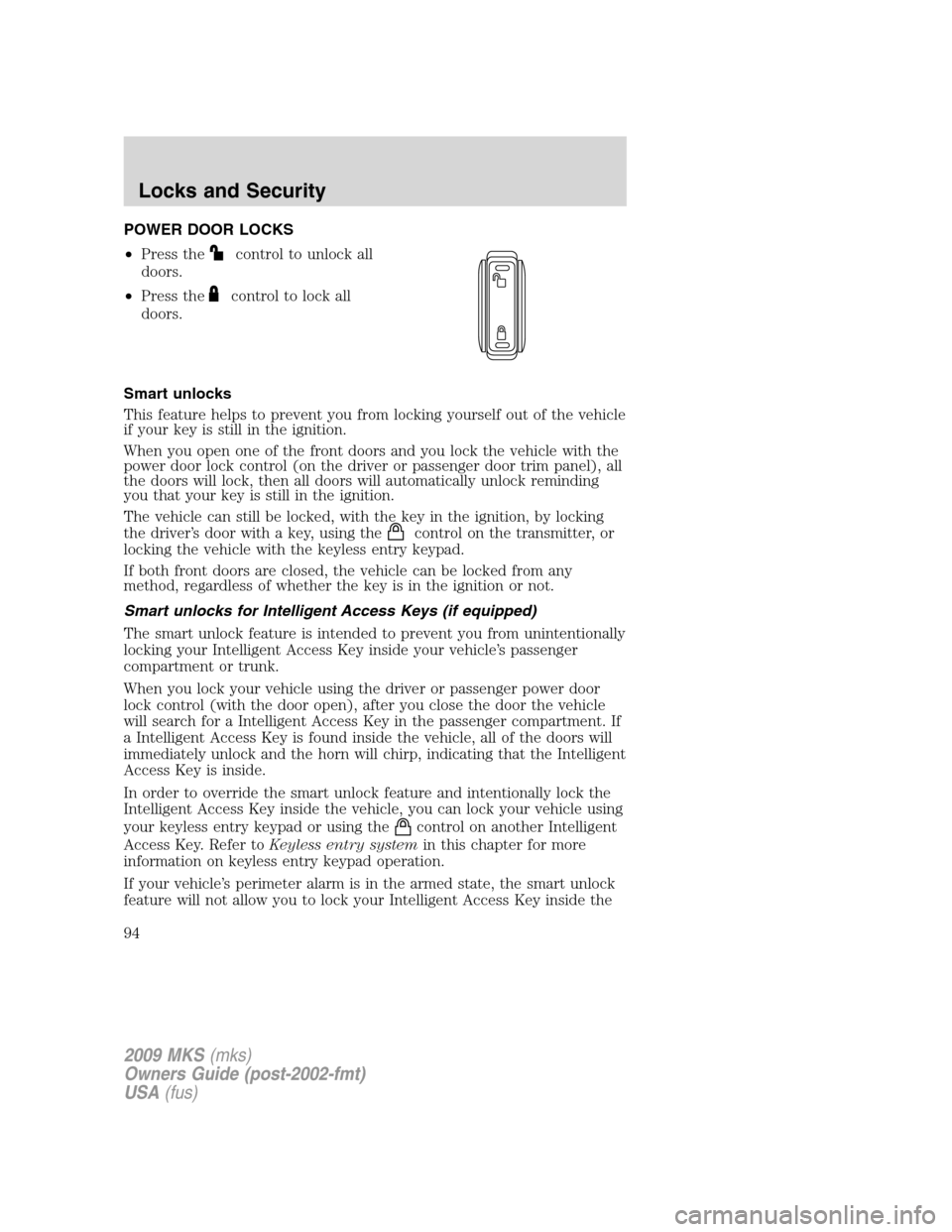
POWER DOOR LOCKS
•Press the
control to unlock all
doors.
•Press the
control to lock all
doors.
Smart unlocks
This feature helps to prevent you from locking yourself out of the vehicle
if your key is still in the ignition.
When you open one of the front doors and you lock the vehicle with the
power door lock control (on the driver or passenger door trim panel), all
the doors will lock, then all doors will automatically unlock reminding
you that your key is still in the ignition.
The vehicle can still be locked, with the key in the ignition, by locking
the driver’s door with a key, using the
control on the transmitter, or
locking the vehicle with the keyless entry keypad.
If both front doors are closed, the vehicle can be locked from any
method, regardless of whether the key is in the ignition or not.
Smart unlocks for Intelligent Access Keys (if equipped)
The smart unlock feature is intended to prevent you from unintentionally
locking your Intelligent Access Key inside your vehicle’s passenger
compartment or trunk.
When you lock your vehicle using the driver or passenger power door
lock control (with the door open), after you close the door the vehicle
will search for a Intelligent Access Key in the passenger compartment. If
a Intelligent Access Key is found inside the vehicle, all of the doors will
immediately unlock and the horn will chirp, indicating that the Intelligent
Access Key is inside.
In order to override the smart unlock feature and intentionally lock the
Intelligent Access Key inside the vehicle, you can lock your vehicle using
your keyless entry keypad or using the
control on another Intelligent
Access Key. Refer toKeyless entry systemin this chapter for more
information on keyless entry keypad operation.
If your vehicle’s perimeter alarm is in the armed state, the smart unlock
feature will not allow you to lock your Intelligent Access Key inside the
2009 MKS(mks)
Owners Guide (post-2002-fmt)
USA(fus)
Locks and Security
94
Page 95 of 323

trunk. When the alarm is armed, if the Intelligent Access Key is detected
in the trunk, the decklid will automatically be released when you attempt
to close it, and the horn will chirp, as a reminder that the Intelligent
Access Key is inside. If you would like to intentionally lock your
Intelligent Access Key in the trunk of your vehicle, first disarm the
perimeter alarm by unlocking the vehicle, then place the Intelligent
Access Key in the trunk, close the trunk, and rearm your perimeter
alarm system by locking the vehicle using your keyless entry keypad or
another Intelligent Access Key. For more information on
arming/disarming of the perimeter alarm system, refer toPerimeter
alarm systemin this chapter.
Opening all windows and moon roof (if equipped)
You can open the vehicle’s windows, and (if equipped) vent the moon
roof (power shade opens) by using the door key in the driver door key
cylinder and/or the
control on the transmitter.
Press and hold the
control on the transmitter for at least two
seconds, or turn the key toward the rear of the vehicle (unlock position)
and hold it for more than two seconds to begin to open all the windows
and vent the moon roof (power shade opens). For the driver door key
cylinder, returning the key to the center position will stop all motion. For
the transmitter, pressing either the
orcontrol on the transmitter
will stop all motion.
Note:The ignition must be off and the accessory delay feature must not
be activated in order for this feature to operate.
Closing all windows and moon roof (if equipped)
You can close the vehicle’s windows and moon roof (if equipped) by
using the door key in the driver door key cylinder or the
control on
the transmitter.
Press and hold the
control on the transmitter for at least two
seconds, or turn the key toward the front of the vehicle and hold it for
more than two seconds to begin to close all the windows and moon roof.
Returning the key in the driver door key cylinder to the center position
will stop all motion.
Note:The ignition must be off and the accessory delay feature must not
be activated in order for this feature to operate.
2009 MKS(mks)
Owners Guide (post-2002-fmt)
USA(fus)
Locks and Security
95
Page 96 of 323
WARNING:Before operating power windows and moon roofs,
you should verify that they are free of obstructions and ensure
that children and/or pets are not in the proximity of window openings.
Central locking/Two stage unlocking
When unlocking the driver door with the key, turn it once toward the
rear of the vehicle to unlock that door only, if the two-stage unlocking is
enabled. Turn the key a second time to unlock all doors. When locking,
turn the key toward the front of the vehicle to lock all doors.
Two stage unlocking may be disabled and re-enabled (to allow all vehicle
doors to unlock simultaneously) by simultaneously pressing
the
andcontrols on the transmitter for four seconds.
Note:The turn lamps will flash twice to confirm that a change to the
feature has occurred.
Autolock feature
The autolock feature will lock all the doors when:
•all the doors are closed,
•the ignition is on,
•you shift into any gear putting the vehicle in motion, and
•the vehicle attains a speed greater than 12 mph (20 km/h).
The autolock feature repeats when:
•any door is opened then closed while the ignition is on and the vehicle
speed is 9 mph (15 km/h) or lower, and
•the vehicle then attains a speed greater than 12 mph (20 km/h).
Deactivating/activating autolock feature
Your vehicle comes with the autolock features activated; there are four
methods to enable/disable this feature:
•Through your authorized dealer,
•by using a power door unlock/lock procedure,
•using a keypad procedure, or
•or by using the instrument cluster message center. Refer toMessage
centerin theDriver Controlschapter.
Note:The autolock feature can be activated/deactivated independently
of the autounlock feature.
2009 MKS(mks)
Owners Guide (post-2002-fmt)
USA(fus)
Locks and Security
96
Page 97 of 323

Power door lock switch autolock enable/disable procedure
Before starting, ensure the ignition is off and all vehicle doors are closed.
You must complete Steps 1–5 within 30 seconds or the procedure will
have to be repeated. If the procedure needs to be repeated, wait a
minimum of 30 seconds before beginning again.
1. Turn the ignition on.
2. Press the power door unlock
control on the door panel three
times.
3. Turn the ignition off.
4. Press the power door unlock
control on the door panel three
times.
5. Turn the ignition back on. The horn will chirp one time to confirm
programming mode has been entered and is active.
6. To enable/disable the autolock feature, press the unlock control, then
press the lock control. The horn will chirp once if autolock was
deactivated or twice (one short and one long chirp) if autolock was
activated.
7. Turn the ignition off. The horn will chirp once to confirm the
procedure is complete.
Keyless entry keypad autolock enable/disable procedure
1. Turn the ignition off.
2. Close all the doors.
3. Enter factory–set 5–digit entry
code.
4. Press and hold the 3•4. While
holding the 3•4 press the 7•8.
5. Release the 7•8.
6. Release the 3•4.
The user will receive ahorn chirpto indicate the system has been
disabled or a chirp followed by a honk to indicate the system has been
enabled.
2009 MKS(mks)
Owners Guide (post-2002-fmt)
USA(fus)
Locks and Security
97
Page 98 of 323

Autounlock feature
The autounlock feature will unlock all the doors when:
•the ignition is on, all the doors are closed, and the vehicle has been in
motion at a speed greater than 12 mph (20 km/h);
•the vehicle has then come to a stop and the ignition is turned off or to
accessory; and
•the driver door is opened within 10 minutes of the ignition being
turned off or to accessory.
Note:The doors will not autounlock if the vehicle has been
electronically locked before the driver door is opened.
Deactivating/activating autounlock feature
Your vehicle comes with the autounlock features activated; there are four
methods to enable/disable this feature:
•Through your authorized dealer,
•by using a power door unlock/lock sequence,
•using a keypad procedure, or
•or by using the instrument cluster message center. Refer toMessage
centerin theDriver Controlschapter.
Note:The autounlock feature can be activated/deactivated
independently of the autolock feature.
Power door lock switch autounlock enable/disable procedure
Before starting, ensure the ignition is off and all vehicle doors are closed.
You must complete Steps 1–5 within 30 seconds or the procedure will
have to be repeated. If the procedure needs to be repeated, wait a
minimum of 30 seconds before beginning again.
1. Turn the ignition on.
2. Press the power door unlock
control on the door panel three
times.
3. Turn the ignition off.
4. Press the power door unlock
control on the door panel three
times.
5. Turn the ignition back on. The horn will chirp one time to confirm
programming mode has been entered and is active.
2009 MKS(mks)
Owners Guide (post-2002-fmt)
USA(fus)
Locks and Security
98