Page 136 of 490

135
2-1. Driving procedures
2
When driving
08_IS350/250_U_(L/O_0808)
■When the “-” shift paddle switch is operated in the D position
When the “-” shift paddle switch is operated in the D position, a shift range will be
automatically selected. The highest gear of the first shift range will be one gear
lower than the gear in use during normal D position driving.
■Automatic deactivated of shift range selection in the D position
Shift range selection in the D position will be deactivated in the following situations:
●When the vehicle comes to a stop
●When range 6 is selected and the accelerator pedal is depressed
●If the accelerator pedal is depressed for more than a certain period of time
■Gear position display when driving
The current gear is displayed on the multi-information display. (
�P. 1 5 4 )
■Downshifting restrictions warning buzzer
To help ensure safety and driving performance, downshifting operation may some-
times be restricted. In some circumstances, downshifting may not be possible even
when the shift lever or shift paddle switch is operated. (The warning buzzer will
sound twice.)
■When driving with the cruise control system or dynamic radar cruise control sys-
tem
Engine braking will not occur during shift range selection in the D position or S
mode, even when downshifting to range 5 or 4. (
�P. 166, 170)
■Snow mode automatic deactivation
Snow mode is automatically deactivated if the “ENGINE START STOP” switch is
turned off after driving in snow mode.
■If the shift lever cannot be shifted from P
�P. 4 1 5
Page 139 of 490
138
2-1. Driving procedures
08_IS350/250_U_(L/O_0808)
Snow modeThe snow mode is used for accel-
erating and driving on slippery
road surfaces, such as on snow.
Push the switch once more to
return to normal mode.
■Maximum downshifting speed
Adhere to the downshifting speeds in the following table in order to prevent over-
revving the engine. mph (km/h)
Shift positionMaximum speed
133 (54)
256 (90)
383 (134)
4108 (172)
Page 140 of 490
139
2-1. Driving procedures
2
When driving
08_IS350/250_U_(L/O_0808)
Turn signal lever
■Turn signals can be operated when
The “ENGINE START STOP” switch is in IGNITION ON mode.
■If the indicators flash faster than usual
Check that a light bulb in the turn signal lights has not burned out.
Right turn
Left turn
Move and hold the lever part-
way to signal a lane change
The right hand signal will flash
until you release the lever.
Move and hold the lever part-
way to signal a lane change
The left hand signal will flash
until you release the lever.
Page 146 of 490
145
2-2. Instrument cluster
2
When driving
08_IS350/250_U_(L/O_0808)■
Changing the indicator setting
The satellite switch can be used to change the set speed at which the
yellow speed or tacho indicator ring comes on.
The setting can be made only when the “ENGINE START STOP”
switch is in IGNITION ON mode and the vehicle is stopped.
Push
� or � to select the speed or tacho indicator set mode. ( ) Turn the
speed or tacho indicator to “OFF” and then “ON” by pushing the “ON/
OFF” button. ( )
After one second, the mode enters
the indicator setting mode.
The speedometer or tachometer
needle moves to the previously set
speed.
STEP1
Page 152 of 490
151
2-2. Instrument cluster
2
When driving
08_IS350/250_U_(L/O_0808)
Multi-information display
The multi-information display presents the driver with a variety of driving-
related data, including the current outside air temperature.
●Trip information ( →P. 1 5 2 )
Displays driving range, fuel con-
sumption and other cruising
related information.
●Satellite switch mode display
(→P. 2 6 0 )
This switch is used to configure
various function settings.
●Intuitive parking assist dis-
play (if equipped) (→ P. 1 8 0 )
Automatically displayed when
using intuitive parking assist.
●Dynamic radar cruise con-
trol display (if equipped)
(→P. 1 7 0 )
Automatically displayed when
using dynamic radar cruise con-
trol.
●Warning messages
(→P. 392)
Automatically displayed when a
malfunction occurs in one of the
vehicle’s systems.
Page 155 of 490

154
2-2. Instrument cluster
08_IS350/250_U_(L/O_0808)■
Gear position display
(vehicles with an automatic transmission only)
Indicates the current gear, and the range of gears
that is available when the shift lever is in the D or S
position. the gear range is shown by the number of
dots ( �) and the current gear is shown as a number.
The transmission automatically selects the gears
within the driver selected gear range.
In the illustration to the left, a range of 6 available gears
(1 through 6) has been selected by the driver. (The shift
lever is in the D or S position with 6 ranges enabled) It is
possible for the transmission to automatically select
between all 6 of the gears. In this case, the transmission
has selected third gear.
■System check display
After switching the “ENGINE START ST OP” switch to IGNITION ON mode,
“CHECK” is displayed while system operation is checked. When the system check
is complete, “COMPLETED” is displayed before returning to the normal screen.
■Outside temperature display
In the following situations, the correct outside temperature may not be displayed, or
the display may take longer than normal to change.
●When stopped, or driving at low speeds (less than 12 mph [20 km/h])
●When the outside temperature has changed suddenly (at the entrance/exit of a
garage, tunnel, etc.)
Page 164 of 490
163
2-3. Operating the lights and windshield wipers
2
When driving
08_IS350/250_U_(L/O_0808)
■Rain drop sensor (vehicles with the rain-sensing windshield wipers)
■Outside rear view mirror defogger activation linked to windshield wiper opera-
tion
The outside rear view mirror defogger automatically turns on when you operate the
windshield wipers.
■If no windshield washer fluid sprays
Check that the washer nozzles are not blocked if there is washer fluid in the wind-
shield washer fluid reservoir.
■Customization that can be configured at Lexus dealer
Settings (e.g. drip prevention function) can be changed.
(Customizable features
�P. 4 6 1 )
CAUTION
■Caution regarding the use of windshield wipers in “AUTO” mode
The windshield wipers may operate unexpectedly if the sensor is touched or the
windshield is subject to vibration in “AUTO” mode. Take care that your fingers or
anything else do not become caught in the windshield wipers.
The sensor judges the amount of raindrops.
Page 166 of 490
165
2-3. Operating the lights and windshield wipers
2
When driving
08_IS350/250_U_(L/O_0808)
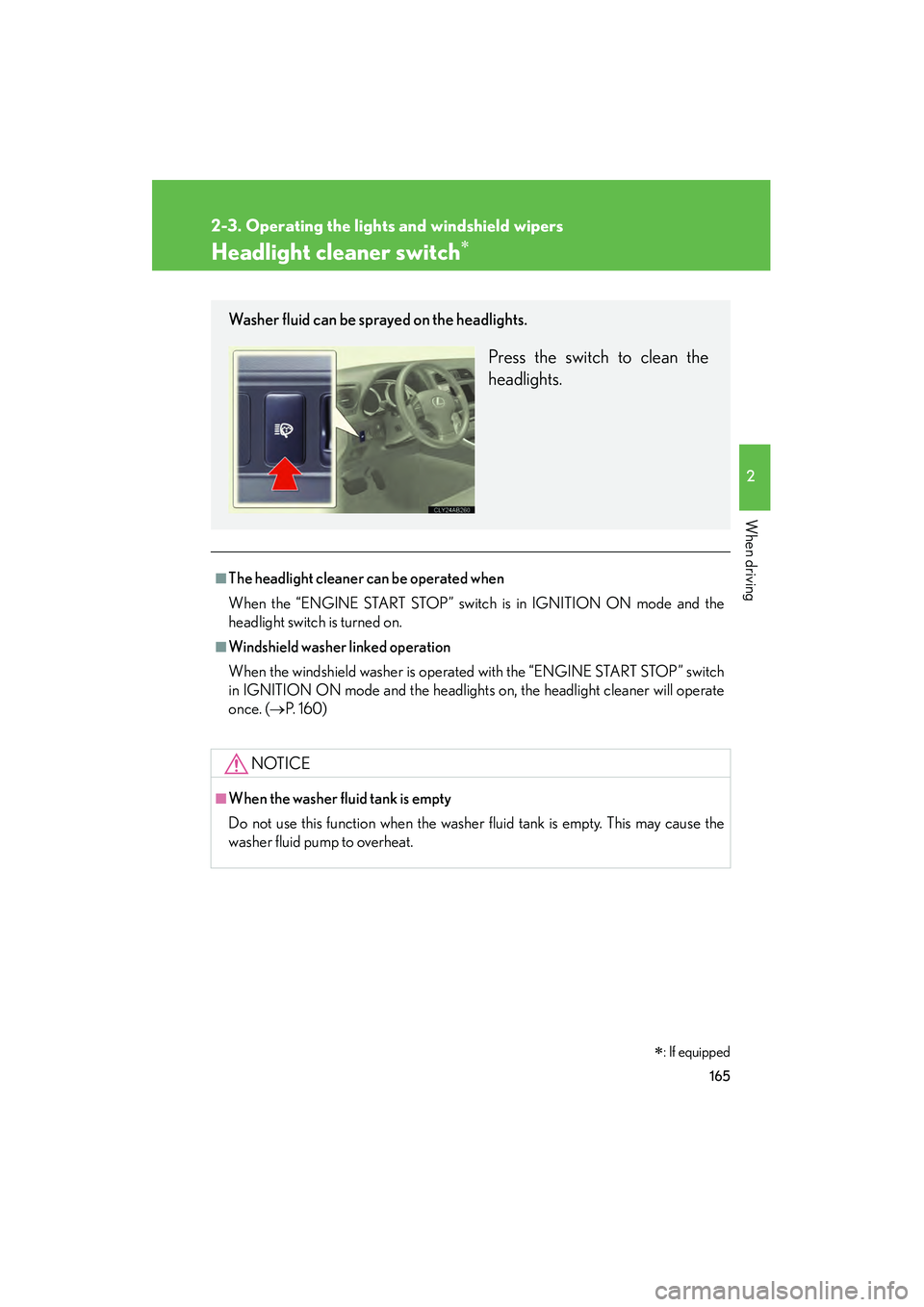
Headlight cleaner switch�
■The headlight cleaner can be operated when
When the “ENGINE START STOP” switch is in IGNITION ON mode and the
headlight switch is turned on.
■Windshield washer linked operation
When the windshield washer is operated with the “ENGINE START STOP” switch
in IGNITION ON mode and the headlights on, the headlight cleaner will operate
once. (
�P. 160)
NOTICE
■When the washer fluid tank is empty
Do not use this function when the washer fluid tank is empty. This may cause the
washer fluid pump to overheat.
Washer fluid can be sprayed on the headlights.
Press the switch to clean the
headlights.
�: If equipped