Page 106 of 371
397
1
2
3
4
5
6
7
8
9
Knowing your vehicle
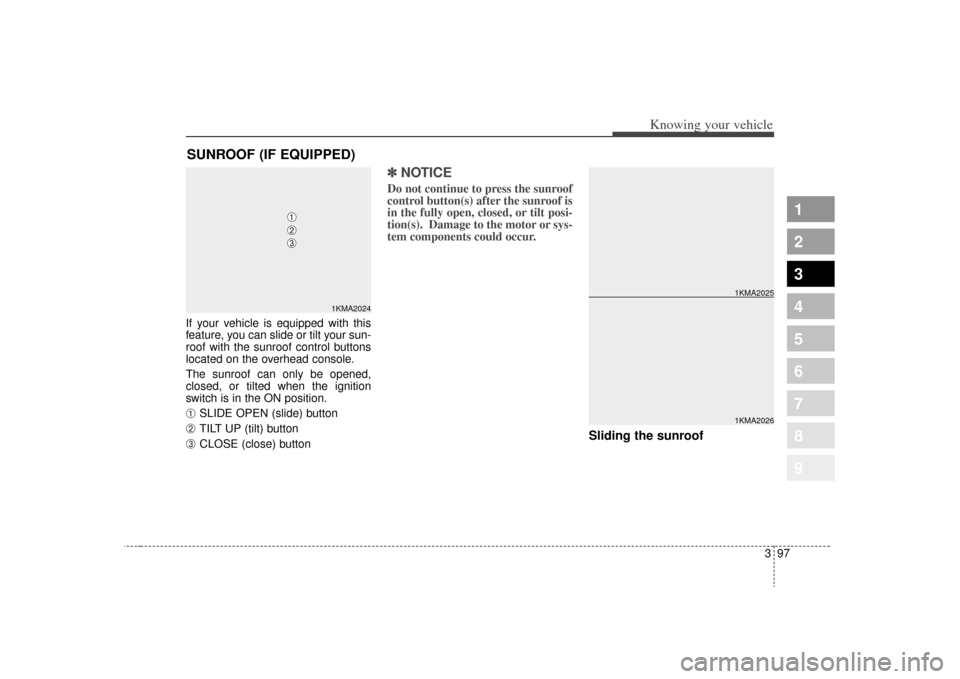
If your vehicle is equipped with this
feature, you can slide or tilt your sun-
roof with the sunroof control buttons
located on the overhead console.
The sunroof can only be opened,
closed, or tilted when the ignition
switch is in the ON position.➀
SLIDE OPEN (slide) button
➁
TILT UP (tilt) button
➂
CLOSE (close) button
✽ ✽NOTICEDo not continue to press the sunroof
control button(s) after the sunroof is
in the fully open, closed, or tilt posi-
tion(s). Damage to the motor or sys-
tem components could occur.
Sliding the sunroof
SUNROOF (IF EQUIPPED)
1KMA2024
➀➁➂
1KMA20261KMA2025
Page 121 of 371
Knowing your vehicle112
3
1
2
3
4
5
6
7
8
9
11. TUNE/ENTER Button
Turn this button clockwise by one
notch to increase frequency by
200KHz (AM: 10KHz) from current
frequency.
Turn this button counterclockwise by
one notch to decrease frequency by
200KHz (AM: 10KHz) from current
frequency.
Press this button while holding SET
UP button to activate / inactivate the
item to.
Select SET UP item using left and
right function of the Tune button.12. Pre-set Selection ButtonPush [1]~[6] buttons less than 0.8
second to play the channel saved in
each button.
Push pre-set button for 0.8 second or
longer to save current channel to the
respective button with a beep.
Page 131 of 371
Knowing your vehicle122
3
1
2
3
4
5
6
7
8
9
✽ ✽
NOTICE -
Using iPod device
• Some iPod models might not sup-
port the communication protocol
and the files will not be played.
(iPod models supported: Mini, 4G,
Photo, Nano, 5G)
• The order of search or playback of songs in the iPod can be different
from the order searched in the
audio system.
• If the iPod crashes due to its own trouble, reset iPod. (Reset: Refer
to iPod manual)
• iPod may not operate normally on low battery.
CAUTION
- Using iPod
device
You need the power cable exclusive for iPod in order tooperate iPod with the buttonson the audio system. The PCcable provided by Apple maycause malfunction and do notuse it for vehicle use.
When connecting the device with iPod cable, push in thejack fully not to interfere withcommunication.
When adjusting the sound effects of iPod and the audiosystem, the sound effects ofboth devices will overlap eachand might cause reduce ordistort the quality of thesound.
Deactivate (turn off) the equal- izer function of iPod whenadjusting the audio system’svolume, and turn off the equal-izer of the audio system whenusing the equalizer of iPod.
(Continued)
(Continued) When the iPod cable is con- nected, the system can beswitched to the AUX modeeven without the iPod deviceand can cause noise.Disconnect iPod cable whenyou are not using the iPoddevice.
Page 134 of 371
3125
Knowing your vehicle
1
2
3
4
5
6
7
8
9
11. TUNE/ENTER Button
Turn this button clockwise by one
notch to increase frequency by
200kHz (AM: 10KHz) from current
frequency.
Turn this button counterclockwise by
one notch to decrease frequency by
200kHz (AM:10KHz) from current
frequency.
Press this button while holding SET
UP button to activate / inactivate the
item to.
Select SET UP item using left and
right function of the Tune button.12. Pre-set Selection ButtonPush [1]~[6] buttons less than 0.8 sec-
ond to play the channel saved in each
button.
Push pre-set button for 0.8 second or
longer to save current channel to the
respective button with a beep.
Page 144 of 371
3135
Knowing your vehicle
1
2
3
4
5
6
7
8
9
✽ ✽NOTICE
- Using iPod device
• Some iPod models might not sup-
port the communication protocol
and the files will not be played.
(iPod models supported: Mini, 4G,
Photo, Nano, 5G)
• The order of search or playback of songs in the iPod can be different
from the order searched in the
audio system.
• If the iPod crashes due to its own trouble, reset iPod. (Reset: Refer
to iPod manual)
• iPod may not operate normally on low battery.
CAUTION
- Using iPod
device
You need the power cable exclusive for iPod in order tooperate iPod with the buttonson the audio system. The PCcable provided by Apple maycause malfunction and do notuse it for vehicle use.
When connecting the device with iPod cable, push in thejack fully not to interfere withcommunication.
When adjusting the sound effects of iPod and the audiosystem, the sound effects ofboth devices will overlap eachand might cause reduce ordistort the quality of thesound.
Deactivate (turn off) the equal- izer function of iPod whenadjusting the audio system’svolume, and turn off the equal-izer of the audio system whenusing the equalizer of iPod.
(Continued)
(Continued) When the iPod cable is con- nected, the system can beswitched to the AUX modeeven without the iPod deviceand can cause noise.Disconnect iPod cable whenyou are not using the iPoddevice.
Page 147 of 371
Knowing your vehicle138
3
1
2
3
4
5
6
7
8
9
6. INFO Selection ButtonDisplays the information of the chan-
nel currently played by in the order of
CATEGORY NAME
➟ARTIST NAME
➟COMPOSER NAME
➟CHANNEL
NAME
➟...(CAT /CH Selection)
Displays the information of the chan-
nel currently played in the order of
SONG TITLE
➟ARTIST NAME
➟
COMPOSER NAME
➟... (CH/TITLE
Selection) (If there is no information
of COMPOSER NAME, it returns to
main display.)
7. SETUP Selection ButtonPress this button to adjust to the
SCROLL, SDVC, SIRIUS and adjust-
ment modes.
If no action is taken for 5 seconds
after pressing the button, it will return
to the play mode. (After entering SET
UP mode, move between items
using the left, right and PUSH func-
tions of the TUNE button.)
The set up item changes from
SCROLL
➟ SDVC
➟SIRIUS
➟SCROLL
➟...
8. CAT/FOLDER ButtonPress this button to turn to the
Category search mode. Turn the tune
knob to see available categories.
Press the tune button to go to the
desired category.9. TUNE knob /ENTER ButtonTurn this button clockwise by one
notch to increase the channel.
Turn this button counterclockwise by
one notch to decrease the channel.
Press this button while holding SET
UP button to activate / inactivate the
item to.
Select SET UP item using left and
right function of the Tune button.10. Preset Selection ButtonPush [1]~[6] buttons less than 0.8
second to play the channel saved in
each button.
Hold down the preset button for 0.8
second or longer to save current
channel to the respective button with
a beep.
Troubleshooting1. Antenna Error
If this message is displayed, the
antenna or antenna cable is broken
or unplugged. Please consult with
your Kia dealership.
2. Acquiring Signal
If this message is displayed, it
means that the antenna is covered
and that the SIRIUS Satellite Radio
signal is not available. Ensure the
antenna is uncovered and has a
clear view of the sky.
Page 218 of 371
471
Driving your vehicle
1
2
3
4
5
6
7
8
9
✽ ✽NOTICENever place anything over the sen-
sor located on the instrument panel
to ensure better control of the heat-
ing and cooling system.
Manual operation The heating and cooling system can
be controlled manually as well by
pushing buttons other than the AUTO
button. In this case, the system
works sequentially according to the
order of buttons selected.
When pressing any button except
AUTO button while automatic opera-
tion, the functions of the buttons not
selected will be controlled automati-
cally.
Press the AUTO button in order to
convert to full automatic control of
the system.
Temperature control knobThe temperature will increase to the
maximum HI by turning the knob to
the right extremely.
The temperature will decrease to the
minimum Lo by turning the knob to the
left extremely.
When turning the knob, the tempera-
ture will increase or decrease by
0.5°C/1°F. When set to the lowest tem-
perature setting, the air conditioning
will operate continuously.
1KMA2140
OKM049143
Page 223 of 371
Driving your vehicle76
4
1
2
3
4
5
6
7
8
9
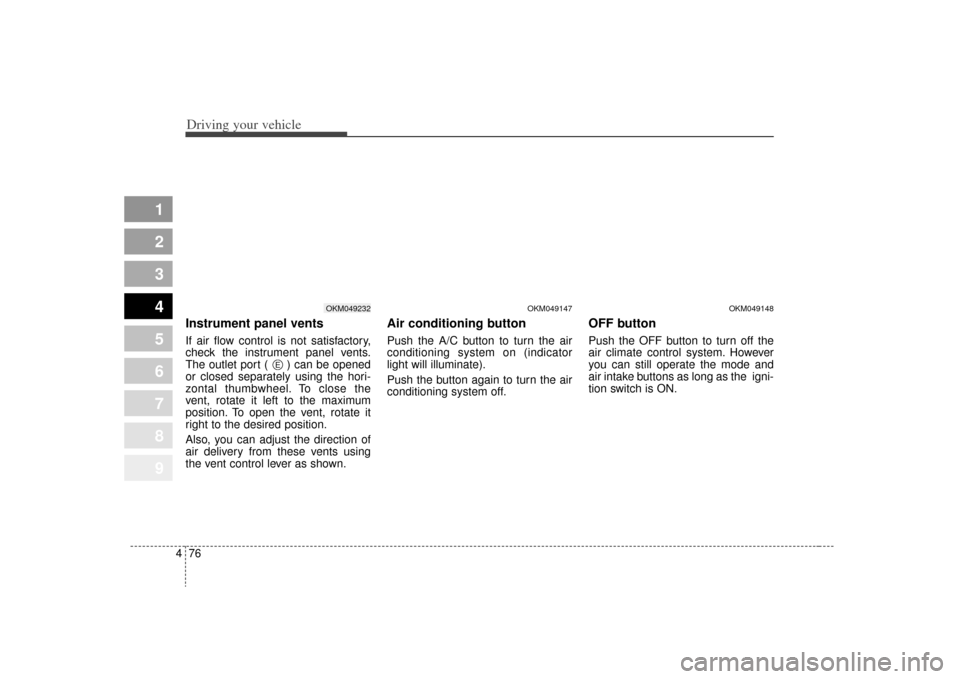
Instrument panel ventsIf air flow control is not satisfactory,
check the instrument panel vents.
The outlet port ( ) can be opened
or closed separately using the hori-
zontal thumbwheel. To close the
vent, rotate it left to the maximum
position. To open the vent, rotate it
right to the desired position.
Also, you can adjust the direction of
air delivery from these vents using
the vent control lever as shown.
Air conditioning button Push the A/C button to turn the air
conditioning system on (indicator
light will illuminate).
Push the button again to turn the air
conditioning system off.
OFF buttonPush the OFF button to turn off the
air climate control system. However
you can still operate the mode and
air intake buttons as long as the igni-
tion switch is ON.
OKM049232
OKM049147
OKM049148
E