2009 KIA SOUL key
[x] Cancel search: keyPage 116 of 328
Features of your vehicle
44
4
D150328AUN-U1
Glow indicator
(Diesel engine)
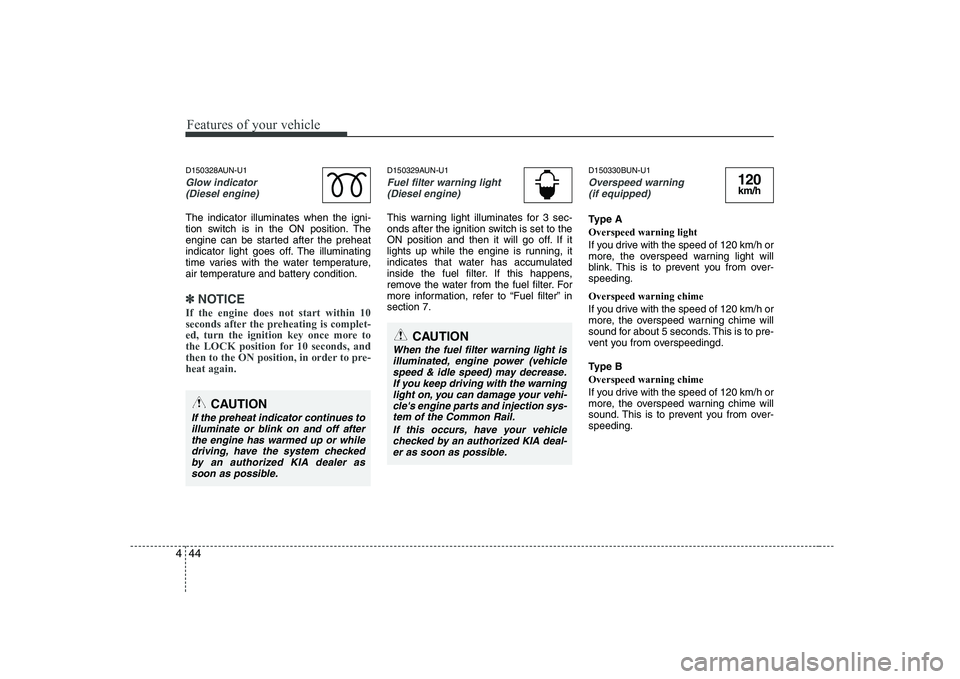
The indicator illuminates when the igni-
tion switch is in the ON position. The
engine can be started after the preheat
indicator light goes off. The illuminating
time varies with the water temperature,
air temperature and battery condition.
✽✽ NOTICE
If the engine does not start within 10
seconds after the preheating is complet-
ed, turn the ignition key once more to
the LOCK position for 10 seconds, and
then to the ON position, in order to pre-heat again.
D150329AUN-U1
Fuel filter warning light (Diesel engine)
This warning light illuminates for 3 sec-
onds after the ignition switch is set to the
ON position and then it will go off. If it
lights up while the engine is running, it
indicates that water has accumulated
inside the fuel filter. If this happens,
remove the water from the fuel filter. For
more information, refer to “Fuel filter” insection 7. D150330BUN-U1
Overspeed warning
(if equipped)
Type A Overspeed warning light
If you drive with the speed of 120 km/h or
more, the overspeed warning light will
blink. This is to prevent you from over-speeding. Overspeed warning chime
If you drive with the speed of 120 km/h or
more, the overspeed warning chime will
sound for about 5 seconds. This is to pre-
vent you from overspeedingd.
Type B Overspeed warning chime
If you drive with the speed of 120 km/h or
more, the overspeed warning chime will
sound. This is to prevent you from over-speeding.
120km/h
CAUTION
When the fuel filter warning light is
illuminated, engine power (vehiclespeed & idle speed) may decrease. If you keep driving with the warninglight on, you can damage your vehi-
cle's engine parts and injection sys-tem of the Common Rail.
If this occurs, have your vehiclechecked by an authorized KIA deal-
er as soon as possible.
CAUTION
If the preheat indicator continues to illuminate or blink on and off afterthe engine has warmed up or while driving, have the system checked
by an authorized KIA dealer assoon as possible.
Page 120 of 328
Features of your vehicle
48
4
D330000AHM-EE
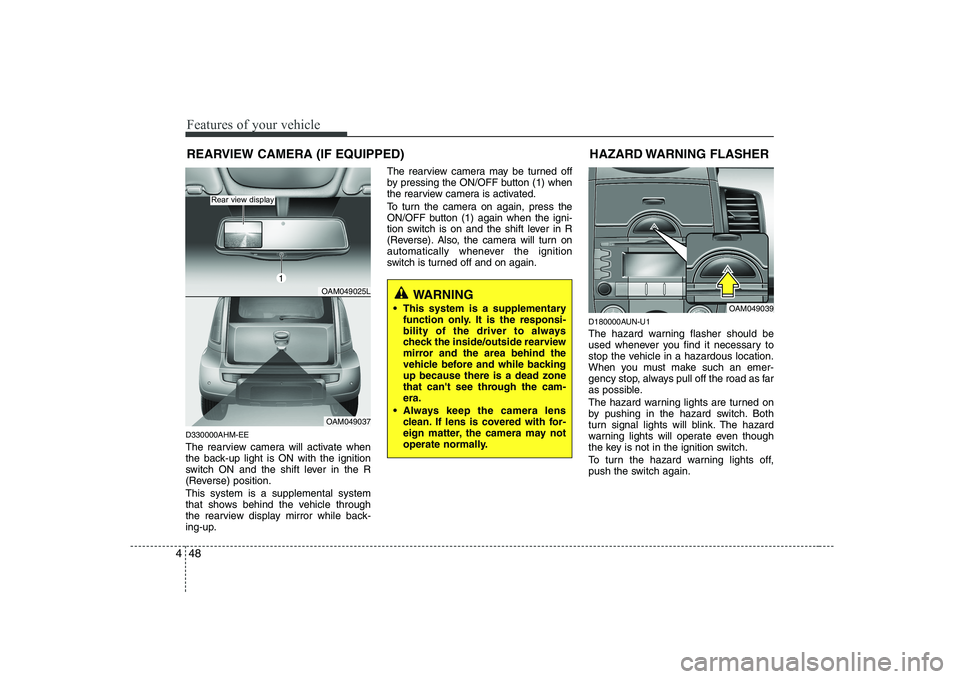
The rearview camera will activate when
the back-up light is ON with the ignition
switch ON and the shift lever in the R
(Reverse) position. This system is a supplemental system
that shows behind the vehicle through
the rearview display mirror while back-
ing-up. The rearview camera may be turned off
by pressing the ON/OFF button (1) when
the rearview camera is activated.
To turn the camera on again, press the
ON/OFF button (1) again when the igni-
tion switch is on and the shift lever in R
(Reverse). Also, the camera will turn on
automatically whenever the ignition
switch is turned off and on again.
D180000AUN-U1
The hazard warning flasher should be
used whenever you find it necessary to
stop the vehicle in a hazardous location.
When you must make such an emer-
gency stop, always pull off the road as far
as possible.
The hazard warning lights are turned on
by pushing in the hazard switch. Both
turn signal lights will blink. The hazard
warning lights will operate even though
the key is not in the ignition switch.
To turn the hazard warning lights off,
push the switch again.HAZARD WARNING FLASHER
OAM049039
WARNING
This system is a supplementary function only. It is the responsi-
bility of the driver to always
check the inside/outside rearview
mirror and the area behind the
vehicle before and while backingup because there is a dead zone
that can't see through the cam-era.
Always keep the camera lens clean. If lens is covered with for-
eign matter, the camera may not
operate normally.
REARVIEW CAMERA (IF EQUIPPED)
OAM049025L
OAM049037
Rear view display
1
Page 121 of 328
449
Features of your vehicle
D190100AUN-U1
Battery saver function
The purpose of this feature is to pre-vent the battery from being dis-
charged. The system automatically
turns off the exterior lights when the
driver removes the ignition key and
opens the driver-side door.
With this feature, the parking lights will turn off automatically if the driver parkson the side of road at night.
If necessary, to keep the lights on
when the ignition key is removed, per-
form the following:
1) Open the driver-side door.
2) Turn the parking lights OFF and ON again using the light switch on the
steering column.
D190400AUN-C1
Lighting control
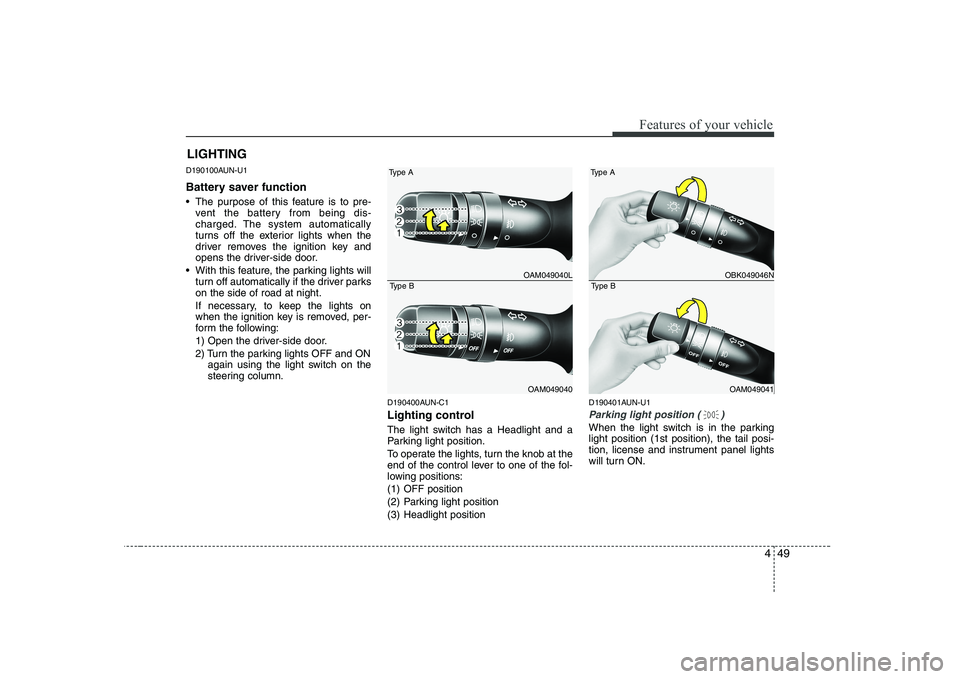
The light switch has a Headlight and a
Parking light position.
To operate the lights, turn the knob at the
end of the control lever to one of the fol-
lowing positions:
(1) OFF position
(2) Parking light position
(3) Headlight position D190401AUN-U1
Parking light position ( )
When the light switch is in the parking light position (1st position), the tail posi-
tion, license and instrument panel lights
will turn ON.
LIGHTING
OAM049040L
OAM049040
Type A
Type BOBK049046N
OAM049041
Type A
Type B
Page 129 of 328
457
Features of your vehicle
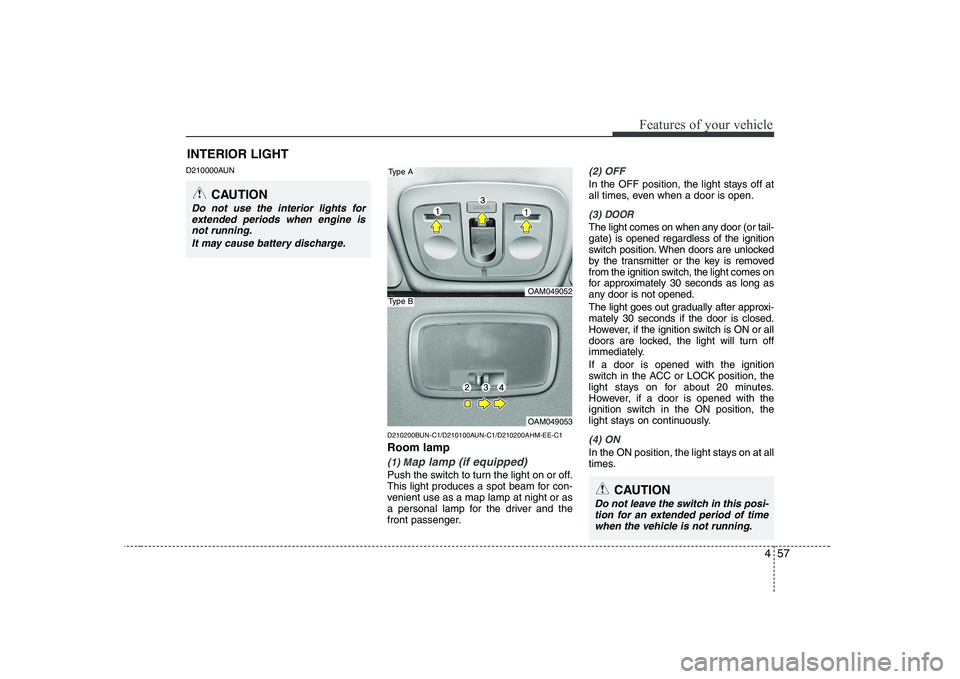
D210000AUND210200BUN-C1/D210100AUN-C1/D210200AHM-EE-C1 Room lamp
(1) Map lamp (if equipped)
Push the switch to turn the light on or off.
This light produces a spot beam for con-
venient use as a map lamp at night or as
a personal lamp for the driver and the
front passenger.
(2) OFF
In the OFF position, the light stays off at
all times, even when a door is open.
(3) DOOR
The light comes on when any door (or tail- gate) is opened regardless of the ignition
switch position. When doors are unlocked
by the transmitter or the key is removed
from the ignition switch, the light comes on
for approximately 30 seconds as long as
any door is not opened.
The light goes out gradually after approxi- mately 30 seconds if the door is closed.
However, if the ignition switch is ON or all
doors are locked, the light will turn off
immediately. If a door is opened with the ignition
switch in the ACC or LOCK position, the
light stays on for about 20 minutes.
However, if a door is opened with the
ignition switch in the ON position, the
light stays on continuously.
(4) ON
In the ON position, the light stays on at all
times.
INTERIOR LIGHT
CAUTION
Do not use the interior lights for
extended periods when engine is not running.
It may cause battery discharge.
OAM049052
OAM049053
Type A
Type B
CAUTION
Do not leave the switch in this posi-tion for an extended period of time
when the vehicle is not running.
Page 167 of 328
495
Features of your vehicle
(Continued) If you use devices such as a USB hub you purchased separately,the vehicle’s audio system may
not recognize the USB device.Connect the USB device directlyto the multimedia terminal of the
vehicle.
If the USB device is divided by logical drives, only the music fileson the highest-priority drive are
recognized by the vehicle’s audio.
Devices such as MP3 Player/ Cellular phone/Digital camera,those are not recognizable bystandard USB I/F (IMPLE-
MENTERS FORUM) can be unrec-ognizable.
USB devices other than standard- ized goods (METAL COVER TYPEUSB) can be unrecognizable.
USB flash memory reader (such as CF, SD, microSD, etc.) or exter-nal-HDD type devices can beunrecognizable.
Music files protected by DRM(DIGITAL RIGHTS MANAGE-MENT) are not recognizalbe.
(Continued)(Continued) The data in the USB memory may get lost while using this AUDIO. Itis recommeded to back up impor-tant data.
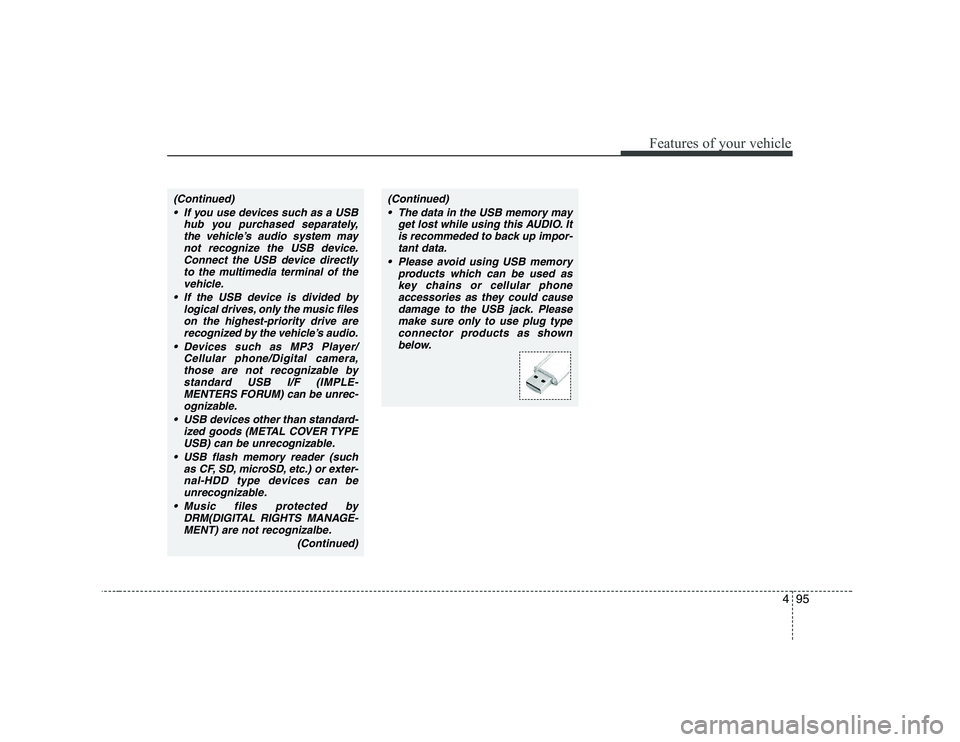
Please avoid using USB memory products which can be used as
key chains or cellular phone accessories as they could causedamage to the USB jack. Please
make sure only to use plug typeconnector products as shown below.
Page 171 of 328
5
Before driving / 5-3 Key positions / 5-4
Starting the engine / 5-5Manual transaxle / 5-7Automatic transaxle / 5-10Brake system / 5-16
Cruise control system / 5-25Economical operation / 5-29Special driving conditions / 5-31
Winter driving / 5-35
Trailer towing / 5-39
Vehicle weight / 5-47
Driving your vehicle
Page 174 of 328
Driving your vehicle
4
5
E030100AEN
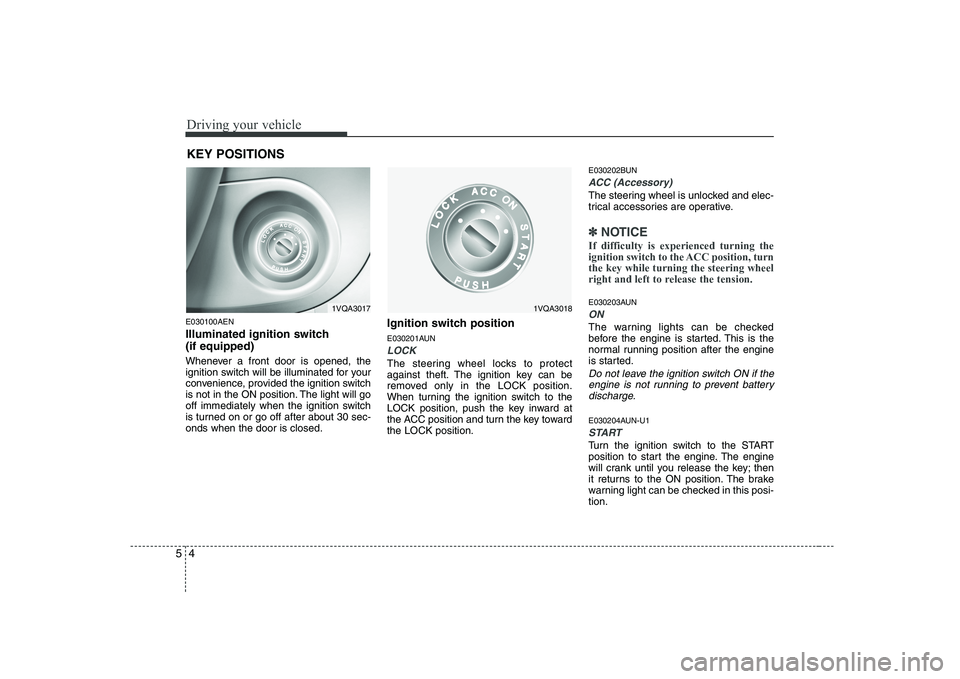
Illuminated ignition switch (if equipped)
Whenever a front door is opened, the
ignition switch will be illuminated for your
convenience, provided the ignition switch
is not in the ON position. The light will go
off immediately when the ignition switch
is turned on or go off after about 30 sec-onds when the door is closed. Ignition switch position
E030201AUN
LOCK
The steering wheel locks to protect
against theft. The ignition key can be
removed only in the LOCK position.
When turning the ignition switch to the
LOCK position, push the key inward at
the ACC position and turn the key towardthe LOCK position.E030202BUN
ACC (Accessory)
The steering wheel is unlocked and elec-
trical accessories are operative.
✽✽
NOTICE
If difficulty is experienced turning the
ignition switch to the ACC position, turnthe key while turning the steering wheel
right and left to release the tension.
E030203AUN
ON
The warning lights can be checked
before the engine is started. This is the
normal running position after the engine
is started.
Do not leave the ignition switch ON if the engine is not running to prevent batterydischarge.
E030204AUN-U1
START
Turn the ignition switch to the START
position to start the engine. The engine
will crank until you release the key; then
it returns to the ON position. The brake
warning light can be checked in this posi-tion.
KEY POSITIONS
1VQA30181VQA3017
Page 175 of 328
55
Driving your vehicle
E040000AUN
E040100AUN
Starting the engine
1. Make sure the parking brake isapplied.
2. Manual Transaxle - Depress the
clutch pedal fully and shift the
transaxle into Neutral. Keep the clutch
pedal and brake pedal depressed
while turning the ignition switch to the
start position.
Automatic Transaxle - Place the
transaxle shift lever in P (Park).
Depress the brake pedal fully.
You can also start the engine when
the shift lever is in the N (Neutral)position.
3. Turn the ignition switch to START and hold it there until the engine starts (a
maximum of 10 seconds), then
release the key. 4. In extremely cold weather (below
-18°C / 0°F) or after the vehicle has
not been operated for several days, let
the engine warm up without depress-
ing the accelerator.
Whether the engine is cold or warm, it
should be started without depressing
the accelerator.
WARNING
Always wear appropriate shoes
when operating your vehicle.
Unsuitable shoes (high heels, ski
boots,etc.) may interfere with yourability to use the brake and acceler-
ator pedal, and the clutch (ifequipped).
CAUTION
If the engine stalls while you are in motion, do not attempt to move theshift lever to the P (Park) position. If traffic and road conditions permit,you may put the shift lever in the N
(Neutral) position while the vehicleis still moving and turn the ignition switch to the START position in anattempt to restart the engine.
CAUTION
Do not engage the starter for more
than 10 seconds. If the engine stalls or fails to start, wait 5 to 10 secondsbefore re-engaging the starter. Improper use of the starter may
damage it.
STARTING THE ENGINE
WARNING - Ignition switch
Never turn the ignition switch to LOCK or ACC while the vehicle is
moving. This would result in loss
of directional control and braking
function, which could cause anaccident.
The anti-theft steering column lock is not a substitute for the parking
brake. Before leaving the driver’s
seat, always make sure the shift
lever is engaged in 1 st
gear for the
manual transaxle or P (Park) for
the automatic transaxle, set the
parking brake fully and shut the
engine off. Unexpected and sud-
den vehicle movement may occurif these precautions are not taken.
Never reach for the ignition switch, or any other controls through the
steering wheel while the vehicle is
in motion. The presence of yourhand or arm in this area could
cause a loss of vehicle control, an
accident and serious bodily injuryor death.
Do not place any movable objects around the driver’s seat as they
may move while driving, interferewith the driver and lead to an acci-dent.