Page 161 of 291

435
1
2
3
4
5
6
7
8
9
Driving your vehicle
Malfunction indicator
(if equipped)This indicator light is part of the
Engine Control System which moni-
tors various emission control system
components. If this light illuminates
while driving, it indicates that a
potential problem has been detected
somewhere in the emission control
system.
Generally, your vehicle will continue
to be drivable and will not need tow-
ing, but have the system checked by
an Authorized Kia Dealer as soon as
possible.✽ ✽
NOTICEA loose fuel filler cap may cause the
On Board Diagnostic System
Malfunction Indicator Light ( )
in the instrument panel to illuminate
unnecessarily. Always make sure
that the fuel filler cap is tight.
Air bag warning
(if equipped) This warning light will blink or illumi-
nate for approximately 6 seconds
each time you turn the ignition switch
to the ON position.
If this indicator does not go out, or if
it illuminates while the vehicle is
being driven, see an Authorized Kia
Dealer for immediate service.
CHECK
CHECK
CHECKCHECK
CAUTION
Prolonged driving with the
Emission Control SystemMalfunction Indicator Light ( ) illuminated may causedamage to the emission con-trol systems which couldeffect drivability and/or fueleconomy.
If the
Emission
Control System
Malfunction Indicator Light ( ) begins to flash ON andOFF, potential catalytic con-verter damage is possiblewhich could result in loss ofengine power. Have the EngineControl System inspected assoon as possible by anAuthorized Kia Dealer.
CHECK
CHECKCHECK
CHECK
Page 166 of 291
Driving your vehicle40
4
1
2
3
4
5
6
7
8
9
High - beam operation To turn on the high beam headlights,
push the lever away from you. Pull it
back for low beams.
The high-beam indicator will light
when the headlight high beams are
switched on.
To prevent the battery from being
discharged, do not leave the lights
on for a prolonged time while the
engine is not running.
Flashing headlights To flash the headlights, pull the lever
towards you. It will return to the nor-
mal (low-beam) position when
released. The headlight switch does
not need to be on to use this flashing
feature.
Turn signals (A)The ignition switch must be on for the
turn signals to function. To turn on
the turn signals, move the lever up or
down. Green arrow indicators on the
instrument panel indicate which turn
signal is operating. They will self-
cancel after a turn is completed. If
the indicator continues to flash after
a turn, manually return the lever to
the OFF position.
OLD026106
OLD026105
1LDN2107
Page 170 of 291

Driving your vehicle44
4
1
2
3
4
5
6
7
8
9
Windshield washers In the OFF position, pull the lever
gently toward you to spray washer
fluid on the windshield and to run the
wipers 2-3 cycles.
Use this function when the wind-
shield is dirty.
The spray and wiper operation will
continue until you release the lever.
If the washer does not work, check
the washer fluid level. If the fluid level
is not sufficient, you will need to add
appropriate non-abrasive windshield
washer fluid to the washer reservoir.
The reservoir filler neck is located in
the front of the engine compartment
on the passenger side.
Rear window wiper and wash-
er switch (if equipped)The rear window wiper and washer
switch is located at the end of the
wiper and washer switch lever. Turn
the switch to desired position to
operate the rear wiper and washer.
- Spraying washer fluid and wip-ing
OFF - Wiper is not in operation
INT - Intermittent wiper operation (if equipped)
ON - Normal wiper opertion - Wash with brief wipes
WARNING
Do not use the washer in freez-
ing temperatures without 1st
warming the windshield with the
defrosters; the washer solution
could freeze on contact with the
windshield and obscure your
vision.
CAUTION
To prevent possible damage tothe washer pump, do not oper-ate the washer when the fluidreservoir is empty.
OLD028905N
OLD028906N
Page 176 of 291
Driving your vehicle50
4
1
2
3
4
5
6
7
8
9
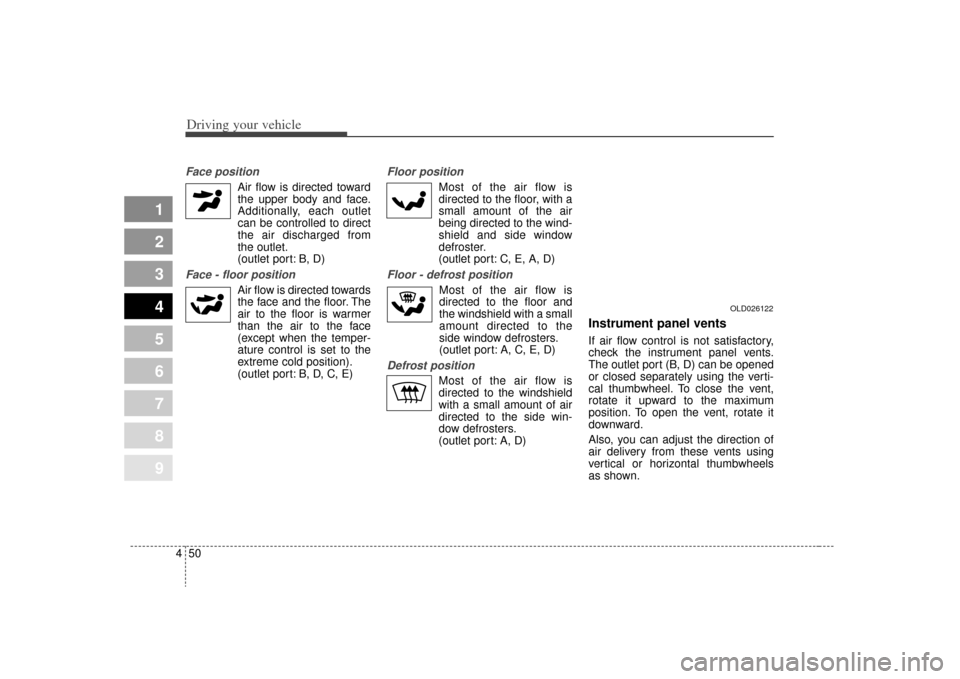
Face position
Air flow is directed toward
the upper body and face.
Additionally, each outlet
can be controlled to direct
the air discharged from
the outlet.
(outlet port: B, D)
Face - floor position
Air flow is directed towardsthe face and the floor. The
air to the floor is warmer
than the air to the face
(except when the temper-
ature control is set to the
extreme cold position).
(outlet port: B, D, C, E)
Floor position
Most of the air flow is
directed to the floor, with a
small amount of the air
being directed to the wind-
shield and side window
defroster.
(outlet port: C, E, A, D)
Floor - defrost position
Most of the air flow is
directed to the floor and
the windshield with a small
amount directed to the
side window defrosters.
(outlet port: A, C, E, D)
Defrost position
Most of the air flow is
directed to the windshield
with a small amount of air
directed to the side win-
dow defrosters.
(outlet port: A, D)
Instrument panel ventsIf air flow control is not satisfactory,
check the instrument panel vents.
The outlet port (B, D) can be opened
or closed separately using the verti-
cal thumbwheel. To close the vent,
rotate it upward to the maximum
position. To open the vent, rotate it
downward.
Also, you can adjust the direction of
air delivery from these vents using
vertical or horizontal thumbwheels
as shown.
OLD026122
Page 184 of 291
1
2
3
4
5
6
7
8
91
2
3
4
5
6
7
8
9
Fuel requirements / 5-2
Emission control system / 5-3
Before driving / 5-5
Suggestions for economical operation / 5-6
Special driving conditions / 5-7
Vehicle load limit / 5-11
Weight of the vehicle / 5-16
Trailer towing / 5-17
Label information / 5-25
Driving tips
Page 190 of 291

57
Driving tips
SPECIAL DRIVING CONDITIONS Hazardous driving conditions When hazardous driving conditions
are encountered such as water,
snow, ice, mud, sand, or similar haz-
ards, follow these suggestions:
Drive cautiously and allow extradistance for braking.
Avoid sudden movements in brak- ing or steering.
When braking, pump the brake pedal with a light up-and-down
motion until the vehicle is stopped. If stalled in snow, mud, or sand,
use second gear. Accelerate slow-
ly to avoid spinning the drive
wheels.
Use sand, rock salt, tire chains, or other non-slip material under the
drive wheels to provide traction
when stalled in ice, snow, or mud.
Rocking the vehicle If it is necessary to rock the vehicle
to free it from snow, sand, or mud,
first turn the steering wheel right and
left to clear the area around your
front wheels. Then, shift back and
forth between 1 (First) and R
(Reverse) in vehicles equipped with
a manual transaxle or R (Reverse)
and any forward gear in vehicles
equipped with an automatic
transaxle. Do not race the engine,
and spin the wheels as little as pos-
sible. If you are still stuck after a few
tries, have the vehicle pulled out by a
tow vehicle to avoid engine overheat-
ing and possible damage to the
transaxle.
1
2
3
4
5
6
7
8
9
WARNING
- Downshifting
Downshifting with an automatic
transaxle, while driving on slip-
pery surfaces can cause an
accident. The sudden change in
tire speed could cause the tires
to skid. Be careful when down-
shifting on slippery surfaces.
CAUTION
Prolonged rocking may cause engine over-heating, transaxledamage or failure, and tire dam-age.
WARNING
Do not pump the brake pedal on
a vehicle equipped with ABS.
Page 194 of 291
511
Driving tips
1
2
3
4
5
6
7
8
9
VEHICLE LOAD LIMITTire and loading information
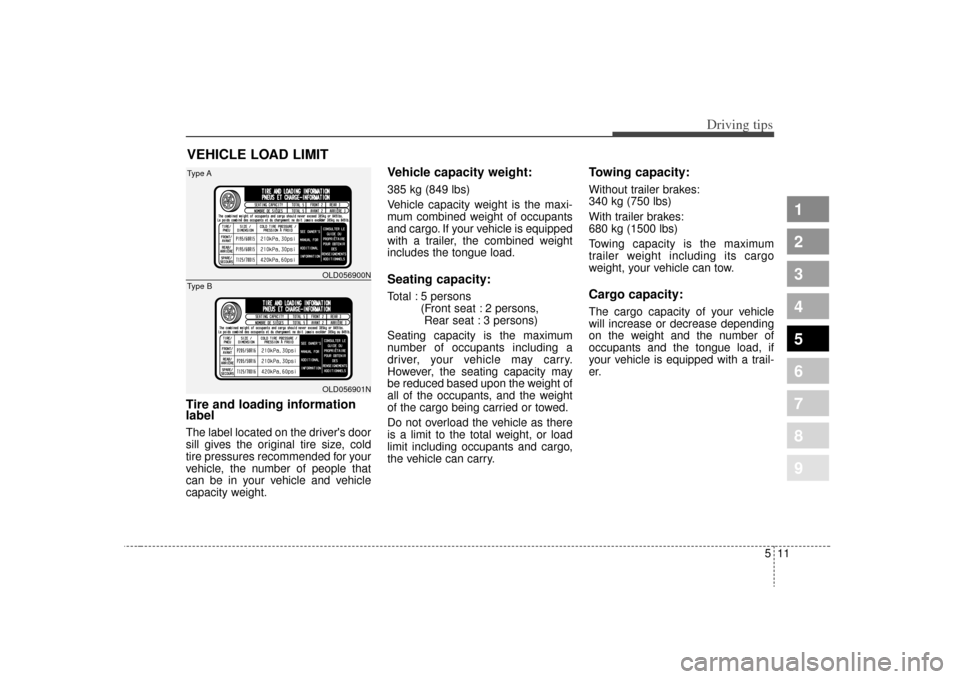
labelThe label located on the driver's door
sill gives the original tire size, cold
tire pressures recommended for your
vehicle, the number of people that
can be in your vehicle and vehicle
capacity weight.
Vehicle capacity weight:385 kg (849 lbs)
Vehicle capacity weight is the maxi-
mum combined weight of occupants
and cargo. If your vehicle is equipped
with a trailer, the combined weight
includes the tongue load.Seating capacity:Total : 5 persons (Front seat : 2 persons, Rear seat : 3 persons)
Seating capacity is the maximum
number of occupants including a
driver, your vehicle may carry.
However, the seating capacity may
be reduced based upon the weight of
all of the occupants, and the weight
of the cargo being carried or towed.
Do not overload the vehicle as there
is a limit to the total weight, or load
limit including occupants and cargo,
the vehicle can carry.
Towing capacity:Without trailer brakes:
340 kg (750 lbs)
With trailer brakes:
680 kg (1500 lbs)
Towing capacity is the maximum
trailer weight including its cargo
weight, your vehicle can tow.Cargo capacity:The cargo capacity of your vehicle
will increase or decrease depending
on the weight and the number of
occupants and the tongue load, if
your vehicle is equipped with a trail-
er.
OLD056900NOLD056901N
Type AType B
Page 195 of 291
Driving tips12
5
1
2
3
4
5
6
7
8
9
Steps for determining correct
load limit1. Locate the statement "The com-
bined weight of occupants and
cargo should never exceed XXX
kg or XXX lbs.'' on your vehicle's
placard.
2. Determine the combined weight of the driver and passengers that will
be riding in your vehicle.
3. Subtract the combined weight of the driver and passengers from
XXX kg or XXX lbs.
4. The resulting figure equals the available amount of cargo and lug-
gage load capacity. For example, if
the "XXX" amount equals 635 kg
(1400 lbs.), and there will be five
68 kg (150 lbs.) passengers in
your vehicle, the amount of avail-
able cargo and luggage load
capacity is 295 kg (650 lbs.).
(635-340 (5 x 68) = 295 kg or
1400-750 (5 x 150) = 650 lbs.) 5. Determine the combined weight of
luggage and cargo being loaded
on the vehicle. That weight may
not safely exceed the available
cargo and luggage load capacity
calculated in Step 4.
6. If your vehicle will be towing a trail- er, load from your trailer will be
transferred to your vehicle. Consult
this manual to determine how this
reduces the available cargo and
luggage load capacity of your
vehicle.
WARNING
- Load distribu-tor
Your vehicle may become unsta-
ble while towing if your vehicle is
overloaded to one side. Make
sure that the load in the vehicle is
distributed equally to each side
of the centerline.