Features of your vehicle218
36. CAT/FOLDER Button Press [CAT ] or [CAT ] button to
enter the Category List Mode, it dis-
plays cateogry items and highlights the
category that currently tuned channel
belongs to.
On Category List Mode, press these buttons to navigate category list.
Press [ENTER] Button to select the lowest channel in highlighted category.
If channel is selected by selecting cate- gory "CATEGORY" Icon is displayed at
the top of the screen.7. INFO Selection ButtonDisplays the information of the channel
currently played by in the order of CATE-
GORY NAME
➟ARTIST NAME
➟COM-
POSER NAME(if available)
➟... (CH/
TITLE Selection).
Displays the information of the channel
currently played by in the order of SONG
TITLE
➟ARTIST NAME
➟COMPOSER(if
available)
➟(CAT/CH Selection) (If there
is no information of COMPOSER NAME,
it returns to main display.)
8. SETUP ButtonPress this button to adjust to the
SCROLL, SDVC, SIRIUS and adjustment
mode.
If no action is taken for 5 seconds after
pressing the button, it will return to the
previous radio mode.(After entering
SETUP mode, move between items
using the left,right and PUSH functions of
the TUNE button.)
The setup item changes from SCROLL➟SDVC
➟SIRIUS
➟SCROLL
➟...
✽ ✽ Troubleshooting1. Antenna Error
If this message is displayed, the anten-
na or antenna cable is broken or
unplugged. Please consult with your
Kia dealership.
2. Acquiring Signal If this message is displayed, it means
that the antenna is covered and that
the SIRIUS Satellite Radio signal is
not available. Ensure the antenna is
uncovered and has a clear view of the
sky.
3223
Features of your vehicle
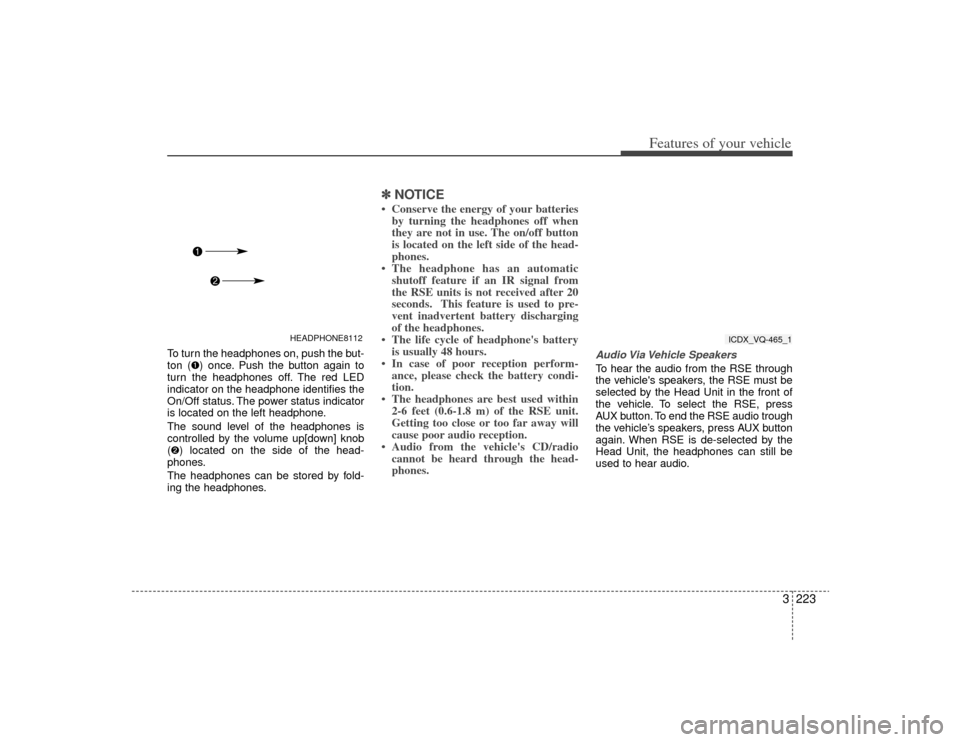
To turn the headphones on, push the but-
ton (➊) once. Push the button again to
turn the headphones off. The red LED
indicator on the headphone identifies the
On/Off status. The power status indicator
is located on the left headphone.
The sound level of the headphones is
controlled by the volume up[down] knob
(➋) located on the side of the head-
phones.
The headphones can be stored by fold-
ing the headphones.
✽ ✽ NOTICE• Conserve the energy of your batteries
by turning the headphones off when
they are not in use. The on/off button
is located on the left side of the head-
phones.
• The headphone has an automatic shutoff feature if an IR signal from
the RSE units is not received after 20
seconds. This feature is used to pre-
vent inadvertent battery discharging
of the headphones.
• The life cycle of headphone's battery is usually 48 hours.
• In case of poor reception perform- ance, please check the battery condi-
tion.
• The headphones are best used within 2-6 feet (0.6-1.8 m) of the RSE unit.
Getting too close or too far away will
cause poor audio reception.
• Audio from the vehicle's CD/radio cannot be heard through the head-
phones.
Audio Via Vehicle SpeakersTo hear the audio from the RSE through
the vehicle's speakers, the RSE must be
selected by the Head Unit in the front of
the vehicle. To select the RSE, press
AUX button. To end the RSE audio trough
the vehicle’s speakers, press AUX button
again. When RSE is de-selected by the
Head Unit, the headphones can still be
used to hear audio.
HEADPHONE8112
ICDX_VQ-465_1
![KIA Sedona 2009 2.G Owners Manual Features of your vehicle218
36. CAT/FOLDER Button Press [CAT ] or [CAT ] button to
enter the Category List Mode, it dis-
plays cateogry items and highlights the
category that currently tuned channe](/manual-img/2/2910/w960_2910-226.png "KIA Sedona 2009 2.G Owners Manual Features of your vehicle218
36. CAT/FOLDER Button Press [CAT ] or [CAT ] button to
enter the Category List Mode, it dis-
plays cateogry items and highlights the
category that currently tuned channe")