2009 KIA AMANTI ECO mode
[x] Cancel search: ECO modePage 123 of 321
3111
Knowing your vehicle
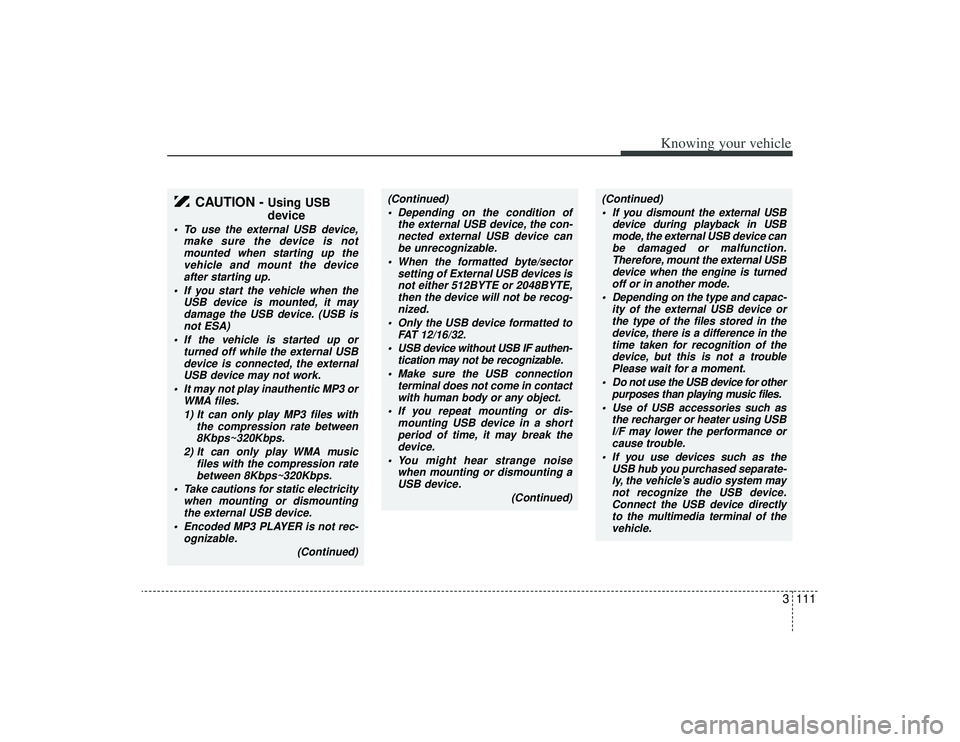
CAUTION -
Using USB
device
To use the external USB device,make sure the device is notmounted when starting up thevehicle and mount the deviceafter starting up.
If you start the vehicle when the USB device is mounted, it maydamage the USB device. (USB isnot ESA)
If the vehicle is started up or turned off while the external USBdevice is connected, the external USB device may not work.
It may not play inauthentic MP3 or WMA files.
1) It can only play MP3 files with the compression rate between8Kbps~320Kbps.
2) It can only play WMA music files with the compression ratebetween 8Kbps~320Kbps.
Take cautions for static electricity when mounting or dismountingthe external USB device.
Encoded MP3 PLAYER is not rec- ognizable.
(Continued)
(Continued) Depending on the condition of the external USB device, the con-nected external USB device can be unrecognizable.
When the formatted byte/sector setting of External USB devices isnot either 512BYTE or 2048BYTE,then the device will not be recog- nized.
Only the USB device formatted to FAT 12/16/32.
USB device without USB IF authen- tication may not be recognizable.
Make sure the USB connection terminal does not come in contactwith human body or any object.
If you repeat mounting or dis- mounting USB device in a shortperiod of time, it may break thedevice.
You might hear strange noise when mounting or dismounting aUSB device.
(Continued)
(Continued) If you dismount the external USB device during playback in USBmode, the external USB device can be damaged or malfunction.Therefore, mount the external USBdevice when the engine is turnedoff or in another mode.
Depending on the type and capac- ity of the external USB device orthe type of the files stored in thedevice, there is a difference in thetime taken for recognition of the device, but this is not a troublePlease wait for a moment.
Do not use the USB device for other purposes than playing music files.
Use of USB accessories such as the recharger or heater using USBI/F may lower the performance or cause trouble.
If you use devices such as the USB hub you purchased separate-ly, the vehicle’s audio system maynot recognize the USB device.Connect the USB device directly to the multimedia terminal of thevehicle.
Page 126 of 321
Knowing your vehicle114
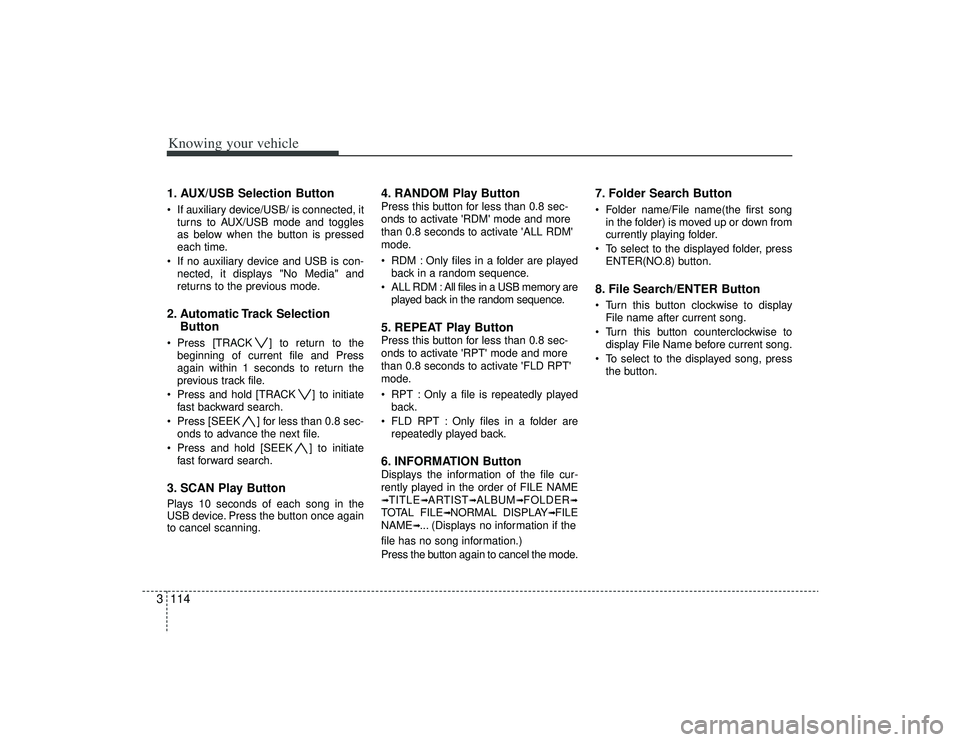
31. AUX/USB Selection Button If auxiliary device/USB/ is connected, it
turns to AUX/USB mode and toggles
as below when the button is pressed
each time.
If no auxiliary device and USB is con- nected, it displays "No Media" and
returns to the previous mode.2. Automatic Track Selection Button Press [TRACK ] to return to the
beginning of current file and Press
again within 1 seconds to return the
previous track file.
Press and hold [TRACK ] to initiate fast backward search.
Press [SEEK ] for less than 0.8 sec- onds to advance the next file.
Press and hold [SEEK ] to initiate fast forward search.3. SCAN Play ButtonPlays 10 seconds of each song in the
USB device. Press the button once again
to cancel scanning.
4. RANDOM Play ButtonPress this button for less than 0.8 sec-
onds to activate 'RDM' mode and more
than 0.8 seconds to activate 'ALL RDM'
mode.
RDM : Only files in a folder are playedback in a random sequence.
ALL RDM : All files in a USB memory are played back in the random sequence.5. REPEAT Play ButtonPress this button for less than 0.8 sec-
onds to activate 'RPT' mode and more
than 0.8 seconds to activate 'FLD RPT'
mode.
RPT : Only a file is repeatedly playedback.
FLD RPT : Only files in a folder are repeatedly played back.6. INFORMATION ButtonDisplays the information of the file cur-
rently played in the order of FILE NAME➟TITLE
➟ARTIST
➟ALBUM
➟FOLDER
➟
TOTAL FILE
➟NORMAL DISPLAY
➟FILE
NAME
➟... (Displays no information if the
file has no song information.)
Press the button again to cancel the mode.
7. Folder Search Button Folder name/File name(the first song in the folder) is moved up or down from
currently playing folder.
To select to the displayed folder, press ENTER(NO.8) button.8. File Search/ENTER Button Turn this button clockwise to displayFile name after current song.
Turn this button counterclockwise to display File Name before current song.
To select to the displayed song, press the button.
Page 129 of 321
![KIA AMANTI 2009 Owners Manual 3117
Knowing your vehicle
1. iPod Selection ButtonIf iPod is connected, it turns to iPod mode.2. Automatic Track Selection Button Press the [TRACK ] button for lessthan 0.8 seconds to play from the
be](/manual-img/2/57931/w960_57931-128.png "KIA AMANTI 2009 Owners Manual 3117
Knowing your vehicle
1. iPod Selection ButtonIf iPod is connected, it turns to iPod mode.2. Automatic Track Selection Button Press the [TRACK ] button for lessthan 0.8 seconds to play from the
be")
3117
Knowing your vehicle
1. iPod Selection ButtonIf iPod is connected, it turns to iPod mode.2. Automatic Track Selection Button Press the [TRACK ] button for lessthan 0.8 seconds to play from the
beginning of the song currently played.
Press the button for less than 0.8 sec-
onds and press it again within 1 sec-
onds to move and play the previous
track. Press the button for 0.8 seconds
or longer to play the song in reverse
direction in fast speed.
Press the [SEEK ] button for less than 0.8 seconds to move to the next
track. Press the button for 0.8 seconds
or longer to play the song in forward
direction in fast speed.3. RANDOM Play Button Press this button for less than 0.8 sec-
onds to activate 'RDM ' mode and more
than 0.8 seconds to activate 'ALBUM
RDM 'mode.
RDM : All songs in the current catego-ry are played back at random.
ALBUM RDM: An album in the iPod is selected at random and is played back
in the album song order.
4. REPEAT Play ButtonA single song is repeatedly played back.5. INFORMATION ButtonDisplays the information of the file cur-
rently played back as below when the
button is pressed each time.
TITLE
➟ARTIST
➟ALBUM
➟...
6. Category Search ButtonMoves to the upper category from current-
ly played category of the iPod. To move to
the category displayed, press [File Search
/ENTER] Button. You will be able to search
through the lower category of the selected
category. The order of iPod’s category is
PLAYLISTS, COMPOSERS, SONGS, AL-
BUMES, ARTISTS, GENRES.
7. File Search/ENTER Button When you turn the button clockwise, itwill display the songs(category) next to
the song currently played(category in
the same level). Also, when you turn
the button counterclockwise, it will dis-
play the songs(category) before the
song currently played(category in the
same level).
If you want to listen to the song dis-
played in the song category, press the
button, then it will skip to the selected
song and play.
When you turn the button, it will display the categorys next to the categorys
currently displayed. you can narrow
down your search as shown in the
table below.
1 STEP 2 STEP 3 STEP 4 STEP 5 STEPPlaylist Playlists Songs --
Artist Artists Albums Songs -
Album Albums Songs --
Song Songs -- -
Genre Genres Artists Albums Songs
Composer Composers Albums Songs -
Page 133 of 321

3121
Knowing your vehicle
How to Use SIRIUS Satellite
RadioYour new Kia vehicle is equipped with 3
months complimentary period of SIRIUS
Satellite Radio so you have access to
over 130 channels of music, information
and entertainment programming.ActivationIn order to extend or reactivate your sub-
scription to SIRIUS Satellite Radio, you
will need to contact SIRIUS Customer
Care at 888-539-7474. Have your 12 digit
SID(Sirius Identification Number)/ESN
(Electronic Serial Number) ready. To
retrieve the SID/ESN, turn on the radio,
press the [SAT] button and tune to chan-
nel zero. please note that the vehicle will
need to be turned on, in Sirius mode, and
have an unobstructed view of the sky in
order for the radio to receive the activation
signal.1. SATELLITE RADIO SelectionButton(SIRIUS Satellite Radio)Press the [SAT] button to switch to SIR-
IUS Satellite Radio. It cycles through the
different bands as noted below.
SAT1
➟SAT2
➟SAT3
➟SAT1
➟...
2. Channel Selection Button Press [TRACK ] or [SEEK ] but-
ton for less than 0.8 seconds to select
previous or next channel.
Press [TRACK ] or [SEEK ] but- ton for 0.8 or longer to continuously
move to previous or next channel.
if "CATEGORY" Icon is displayed at the top of the screen, channel up/down is
done through the channels within cur-
rent category.3. SCAN Selection Button When the button is pressed, it automat-ically scans the radio stations upwards.
The SCAN feature steps through each channel, starting from the initial chan-
nel, for ten seconds. Press the [SCAN]
button again to stop the scan feature
and to listen to the currently selected
channel.4. MUTE Selection ButtonPress this button to temporarily cut off
the Sound. "MUTE" is displayed on the
LCD. Press the button once again to can-
cel MUTE mode.
5. Preset Selection Button Press [1]~[6] buttons less than 0.8seconds to play the Channel saved in
each button.
Press [1]~[6] button for 0.8 seconds or longer to save current Channel to the
respective button with a beep.6. INFO Selection ButtonDisplays the information of the channel
currently played by in the order of CATE-
GORY NAME
➟ARTIST NAME
➟COM-
POSER NAME
➟...(CH/TITLE Selection)
Displays the information of the channel
currently played in the order of SONG
TITLE
➟ARTIST NAME
➟COMPOSER
NAME
➟... (CAT/CH Selection) (If there is
no information of COMPOSER NAME, it
returns to main display.)
Page 136 of 321
![KIA AMANTI 2009 Owners Manual Knowing your vehicle124
31. DISPLAY ON/OFF This is the display window ON/OFF
function.
Each time the [DISP] button is pressed, the display window will be turned
ON/OFF.2. CLOCK Function This is the](/manual-img/2/57931/w960_57931-135.png "KIA AMANTI 2009 Owners Manual Knowing your vehicle124
31. DISPLAY ON/OFF This is the display window ON/OFF
function.
Each time the [DISP] button is pressed, the display window will be turned
ON/OFF.2. CLOCK Function This is the")
Knowing your vehicle124
31. DISPLAY ON/OFF This is the display window ON/OFF
function.
Each time the [DISP] button is pressed, the display window will be turned
ON/OFF.2. CLOCK Function This is the clock adjustment function.
Each time [CLOCK] is pressed, thesecond
➟minute will blink once every
0.5 seconds and switch modes.
Pressing the [CLOCK] again while the "minute" mode is blinking or waiting 10
seconds will turn off time adjustment
mode and save the set time.
The clock can be set in 12 hour or 24 hour modes. The 12 hour system is the
default and can be changed to 24 hour
system within the SET-UP menu.
3. Time/Date Increase/Decrease Function While in Time/Date mode, pressing the
[ ], [ ] buttons will increase/
decrease the time/date.
This function will operate only after pressing the time/date button and the
hour/minute/month/day is blinking.
4. RESET Function The RESET function can be usedwhen adjusting the time.
If the [RESET] is pressed while adjust- ing the "hour", the hour will display
"AM12" when using 12 hour clock
mode and "00" when using 24 hour
clock mode.
If the RESET is pressed while adjust- ing the "min", the minute display will be
changed to "00".
The RESET function can be used while adjusting the date.
If the [RESET] is pressed while adjust- ing the "month/day", the corresponding
display will be changed to "01month/
01day".
5. DATE Function This is used to adjust the date.
Each time [DATE] is pressed, the mon-th
➟day will blink once every 0.5 sec-
onds and switch modes.
Pressing the [DATE] again while the "day" is blinking or waiting 10 seconds
will turn off date adjustment mode and
save the set date.
❈Slight differences with actual time may
occur. Please readjust the time upon
the occurrence of such differences.
Page 145 of 321

49
Driving your vehicle
Moving up a steep grade from a
standing startTo move up a steep grade from a stand-
ing start, depress the brake pedal, shift
the shift lever to D (Drive). Select the
appropriate gear depending on load
weight and steepness of the grade, and
release the parking brake. Depress the
accelerator gradually while releasing the
service brakes.
When accelerating from a stop on a
steep hill, the vehicle may have a ten-
dency to roll backwards. Shifting the
shift lever into 2 (Second Gear) while
in Sport mode will help prevent the
vehicle from rolling backwards.Ignition key inter lock systemThe ignition key cannot be removed
unless the shift lever is in the P (Park)
position. If the ignition switch is in any
other position, the key cannot be
removed.
Shift lock systemFor your safety, the Automatic Transaxle
has a shift lock system which prevents
shifting the transaxle out of P (Park)
unless the brake pedal is depressed.
To shift the transaxle out of P (Park):
1. Depress and hold the brake pedal.
2. Start the engine or turn the ignition tothe ON position.
3. Move the shift lever.
If the brake pedal is repeatedly
depressed and released with the shift
lever in the P (Park) position, a chattering
sound near the shift lever may be heard.
This is a normal condition.
Shift-lock overrideIf the shift lever should fail to move from
the P (Park) position with the brake pedal
depressed, continue depressing the
brake, then do the following:
1. Carefully remove the cap covering the S/Lock override access hole which is
located on the right side of the shift
lever.
2. Insert the screwdriver or key into the access hole and press down on the
key.
3. Depress the lock release button and move the shift lever.
4. Have your vehicle inspected by an authorized Kia dealership immediately.
OMG045061
Page 164 of 321
Driving your vehicle28
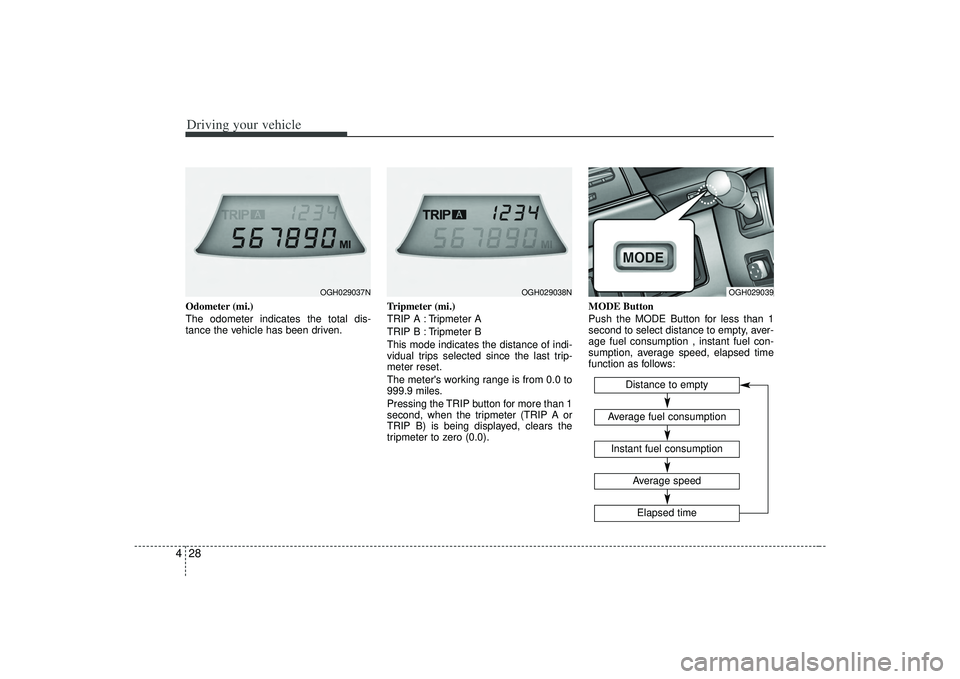
4Odometer (mi.)
The odometer indicates the total dis-
tance the vehicle has been driven. Tripmeter (mi.)
TRIP A : Tripmeter A
TRIP B : Tripmeter B
This mode indicates the distance of indi-
vidual trips selected since the last trip-
meter reset.
The meter's working range is from 0.0 to
999.9 miles.
Pressing the TRIP button for more than 1
second, when the tripmeter (TRIP A or
TRIP B) is being displayed, clears the
tripmeter to zero (0.0).MODE Button
Push the MODE Button for less than 1
second to select distance to empty, aver-
age fuel consumption , instant fuel con-
sumption, average speed, elapsed time
function as follows:
OGH029037N
OGH029038N
OGH029039
Distance to empty
Instant fuel consumptionAverage fuel consumption
Elapsed timeAverage speed
Page 165 of 321
429
Driving your vehicle
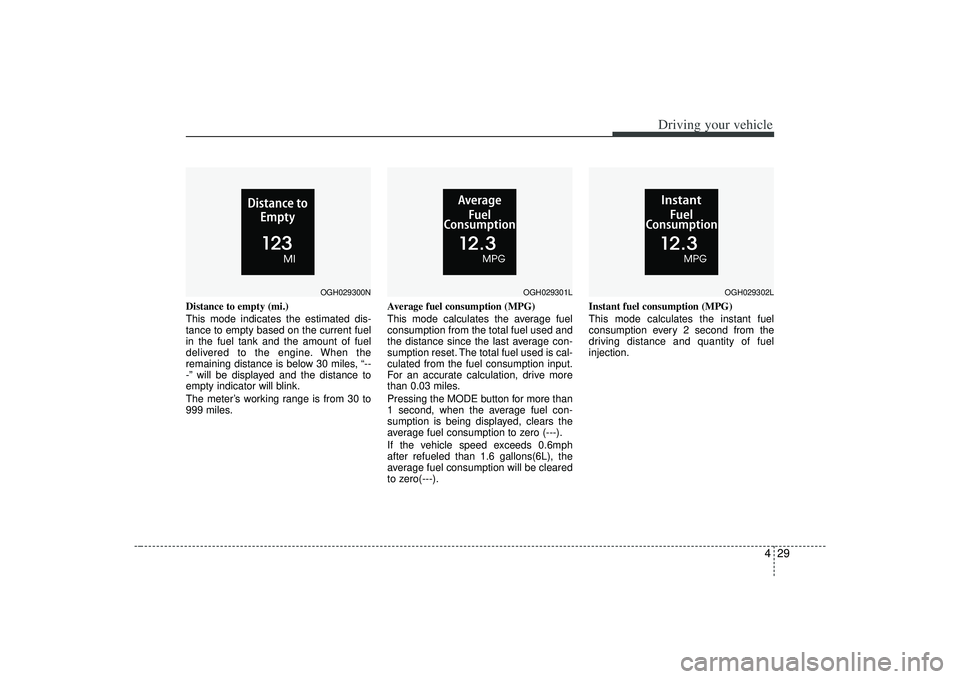
Distance to empty (mi.)
This mode indicates the estimated dis-
tance to empty based on the current fuel
in the fuel tank and the amount of fuel
delivered to the engine. When the
remaining distance is below 30 miles, “--
-” will be displayed and the distance to
empty indicator will blink.
The meter’s working range is from 30 to
999 miles.Average fuel consumption (MPG)
This mode calculates the average fuel
consumption from the total fuel used and
the distance since the last average con-
sumption reset. The total fuel used is cal-
culated from the fuel consumption input.
For an accurate calculation, drive more
than 0.03 miles.
Pressing the MODE button for more than
1 second, when the average fuel con-
sumption is being displayed, clears the
average fuel consumption to zero (---).
If the vehicle speed exceeds 0.6mph
after refueled than 1.6 gallons(6L), the
average fuel consumption will be cleared
to zero(---).Instant fuel consumption (MPG)
This mode calculates the instant fuel
consumption every 2 second from the
driving distance and quantity of fuel
injection.
OGH029300N
OGH029301L
OGH029302L