Page 75 of 439

▫Map/Reading Lights.................. 126
�Windshield Wipers And Washers.......... 127
▫Windshield Wiper Operation............ 127
▫Intermittent Wiper System.............. 128
▫Windshield Washers................... 128
▫Mist Feature........................ 129
�Tilt Steering Column................... 130
�Electronic Speed Control — If Equipped...... 131
▫To Activate......................... 131
▫To Set At A Desired Speed.............. 131
▫To Deactivate....................... 132
▫To Resume Speed.................... 132
▫To Vary The Speed Setting.............. 132▫Manual Transaxle.................... 133
▫To Accelerate For Passing............... 133
�Garage Door Opener — If Equipped........ 134
▫Programming HomeLink�.............. 135
▫Gate Operator/Canadian Programming..... 138
▫Using HomeLink�.................... 138
▫Reprogramming A Single HomeLink�
Button............................ 139
▫Security........................... 139
▫Troubleshooting Tips.................. 139
▫General Information................... 140
�Power Sunroof — If Equipped............. 140
▫Opening The Sunroof.................. 141
UNDERSTANDING THE FEATURES OF YOUR VEHICLE 73
3
Page 83 of 439

Voice Recognition Button
Actual button location may vary with the ra-
dio. The individual buttons are described in the
“Operation” section.
The UConnect�system can be used with any Hands-Free
Profile certified Bluetooth�cellular phone. See the
UConnect�website for supported phones. If your cellu-
lar phone supports a different profile (e.g., Headset
Profile) you may not be able to use any UConnect�
features. Refer to your cellular service provider or the
phone manufacturer for details.
The UConnect�system is fully integrated with the vehi-
cle’s audio system. The volume of the UConnect�system
can be adjusted either from the radio volume control
knob or from the steering wheel radio control (right
switch), if so equipped.The radio display will be used for visual prompts from
the UConnect�system such as�CELL�or caller ID on
certain radios.
Operation
Voice commands can be used to operate the UConnect�
system and to navigate through the UConnect�menu
structure. Voice commands are required after most
UConnect�system prompts. You will be prompted for a
specific command and then guided through the available
options.
•Prior to giving a voice command, one must wait for
the beep, which follows the�Ready�prompt or another
prompt.
•For certain operations, compound commands can be
used. For example, instead of saying�Setup�and then
�Phone Pairing,�the following compound command
can be said:�Setup Phone Pairing.�
UNDERSTANDING THE FEATURES OF YOUR VEHICLE 81
3
Page 123 of 439
LIGHTS
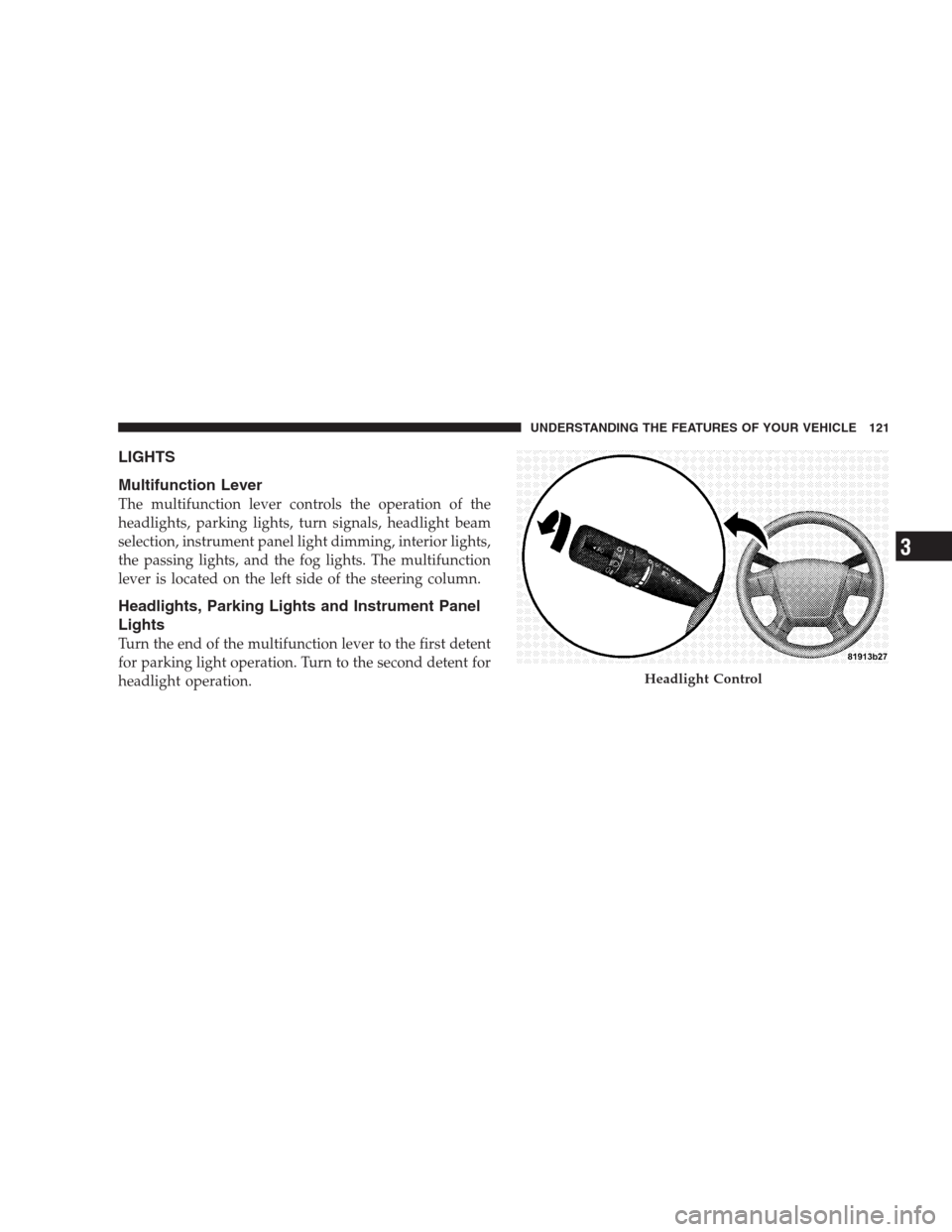
Multifunction Lever
The multifunction lever controls the operation of the
headlights, parking lights, turn signals, headlight beam
selection, instrument panel light dimming, interior lights,
the passing lights, and the fog lights. The multifunction
lever is located on the left side of the steering column.
Headlights, Parking Lights and Instrument Panel
Lights
Turn the end of the multifunction lever to the first detent
for parking light operation. Turn to the second detent for
headlight operation.
Headlight Control
UNDERSTANDING THE FEATURES OF YOUR VEHICLE 121
3
Page 129 of 439
WINDSHIELD WIPERS AND WASHERS
The wipers and washers are operated by a switch
on the control lever. The lever is located on the
right side of the steering column.
Windshield Wiper Operation
Turn the end of the handle to select the desired wiper
speed.
Wiper Control
UNDERSTANDING THE FEATURES OF YOUR VEHICLE 127
3
Page 132 of 439
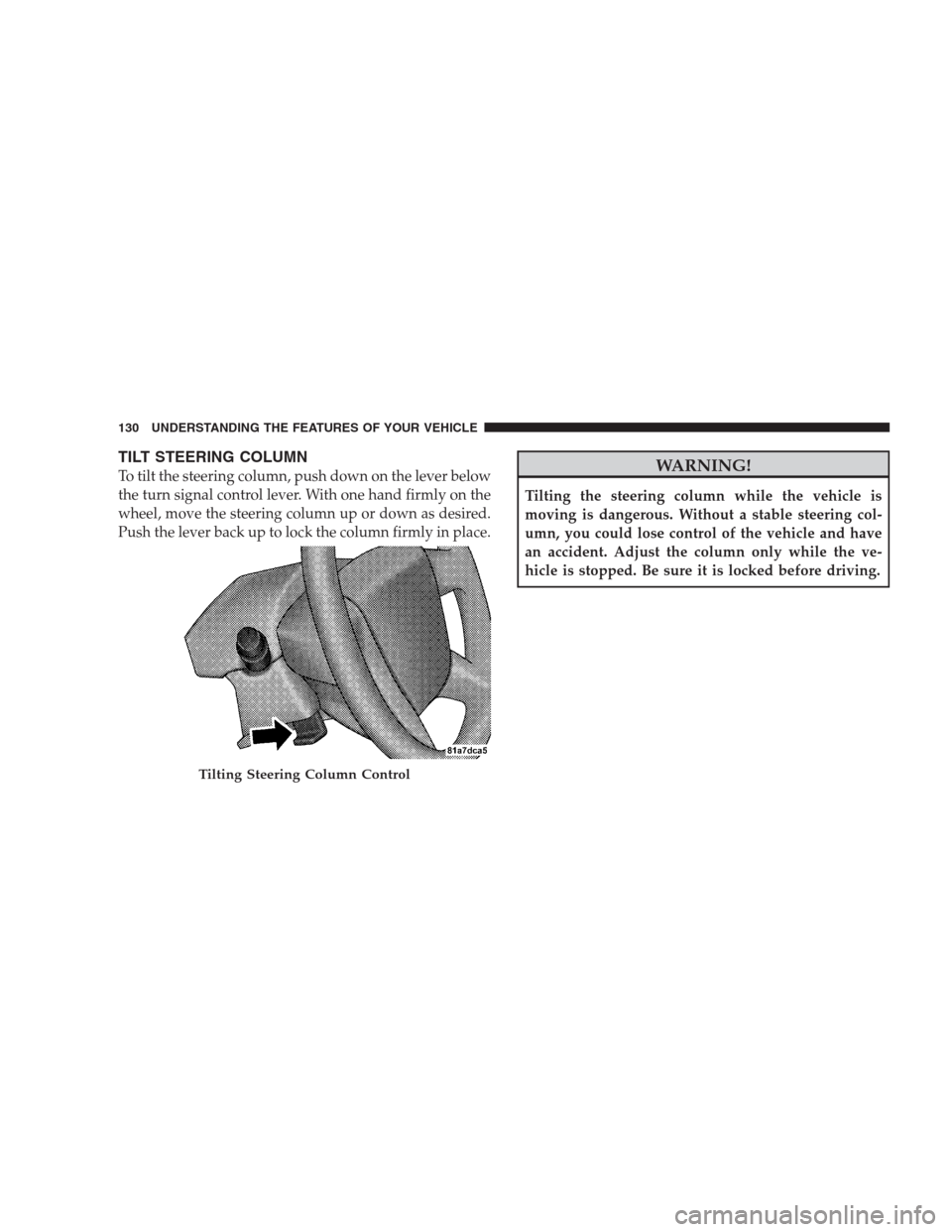
TILT STEERING COLUMN
To tilt the steering column, push down on the lever below
the turn signal control lever. With one hand firmly on the
wheel, move the steering column up or down as desired.
Push the lever back up to lock the column firmly in place.WARNING!
Tilting the steering column while the vehicle is
moving is dangerous. Without a stable steering col-
umn, you could lose control of the vehicle and have
an accident. Adjust the column only while the ve-
hicle is stopped. Be sure it is locked before driving.
Tilting Steering Column Control
130 UNDERSTANDING THE FEATURES OF YOUR VEHICLE
Page 133 of 439

ELECTRONIC SPEED CONTROL — IF EQUIPPED
When engaged, Electronic Speed Control takes over
accelerator operation at speeds greater than 25 mph
(40 km/h). The Electronic Speed Control lever is located
on the right side of the steering wheel.
To Activate
Push the ON/OFF button. The CRUISE indicator in the
instrument cluster will illuminate. To turn the system off,
push the ON/OFF button a second time. The CRUISE
indicator will turn off. The system should be turned off
when not in use.
WARNING!
Leaving the Electronic Speed Control system on
when not in use is dangerous. You could accidentally
set the system or cause it to go faster than you want.
You could lose control and have an accident. Always
leave the system OFF when you are not using it.
To Set At A Desired Speed
When the vehicle has reached the desired speed, press
down on the lever and release. Release the accelerator
and the vehicle will operate at the selected speed.
Electronic Speed Control Lever
UNDERSTANDING THE FEATURES OF YOUR VEHICLE 131
3
Page 156 of 439

WARNING! (Continued)
•Place as much cargo as possible in front of the rear
axle. Too much weight or improperly placed
weight over or behind the rear axle can cause the
rear of the vehicle to sway.
•Do not pile luggage or cargo higher than the top of
the seatback. This could impair visibility or be-
come a dangerous projectile in a sudden stop or
collision.
•To help protect against personal injury, passengers
should not be seated in the rear cargo area. The
rear cargo space is intended for load carrying
purposes only, not for passengers, who should sit
in seats and use seat belts.
Fold Down Speakers — If Equipped
When the liftgate is open, the speakers can swing down
off the trim panel to face rearward, for tailgating and
other activities.
REAR WINDOW FEATURES
Rear Window Wiper/Washer
A switch on the right side of the steering column controls
operation of the rear wiper/washer function. Rotating
the center of the switch forward to the on position will
Fold-Down Speakers
154 UNDERSTANDING THE FEATURES OF YOUR VEHICLE
Page 237 of 439
REMOTE SOUND SYSTEM CONTROLS — IF
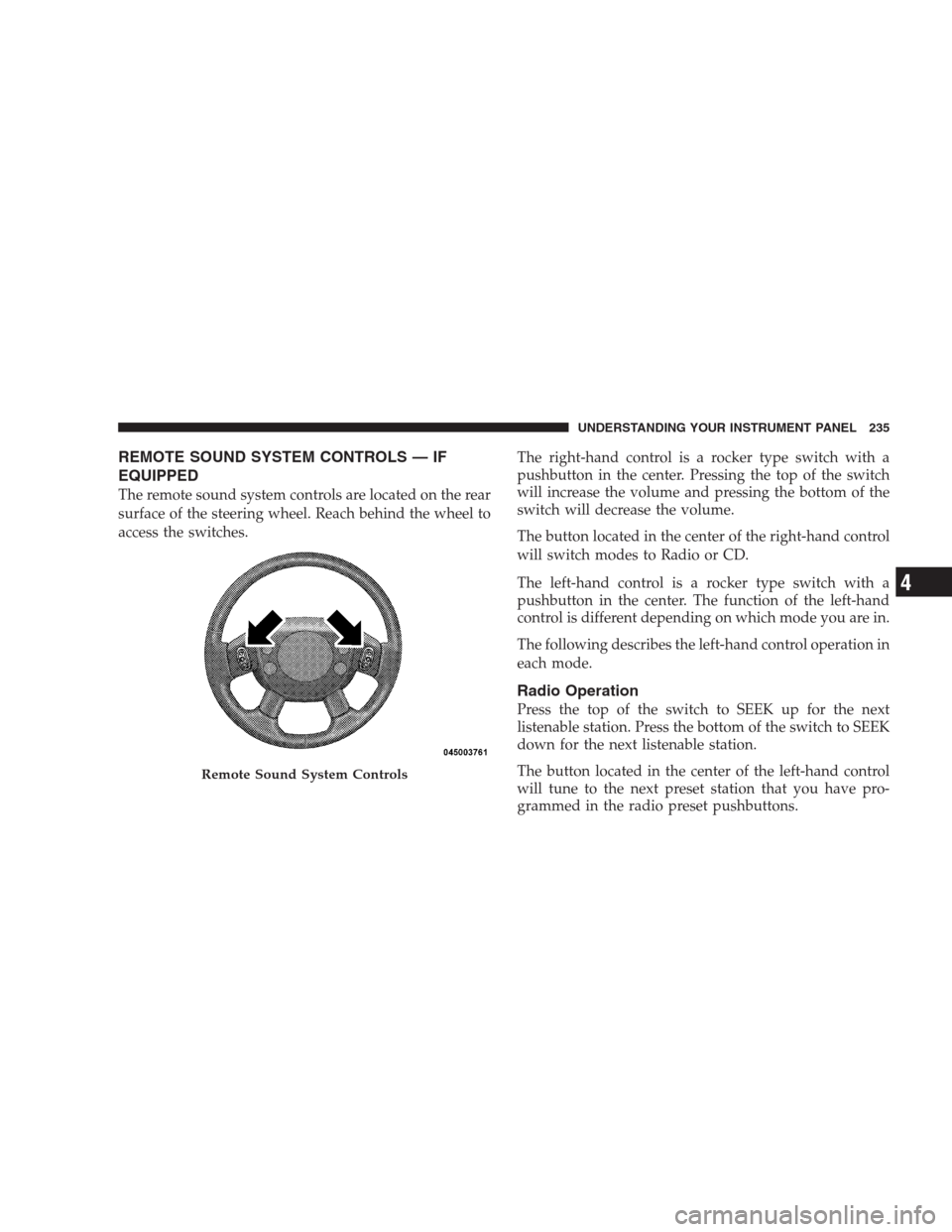
EQUIPPED
The remote sound system controls are located on the rear
surface of the steering wheel. Reach behind the wheel to
access the switches.The right-hand control is a rocker type switch with a
pushbutton in the center. Pressing the top of the switch
will increase the volume and pressing the bottom of the
switch will decrease the volume.
The button located in the center of the right-hand control
will switch modes to Radio or CD.
The left-hand control is a rocker type switch with a
pushbutton in the center. The function of the left-hand
control is different depending on which mode you are in.
The following describes the left-hand control operation in
each mode.
Radio Operation
Press the top of the switch to SEEK up for the next
listenable station. Press the bottom of the switch to SEEK
down for the next listenable station.
The button located in the center of the left-hand control
will tune to the next preset station that you have pro-
grammed in the radio preset pushbuttons.
Remote Sound System Controls
UNDERSTANDING YOUR INSTRUMENT PANEL 235
4