Page 137 of 439

WARNING!
•Your motorized door or gate will open and close
while you are training the Universal Transceiver.
Do not train the transceiver if people or pets are in
the path of the door or gate. Only use this trans-
ceiver with a garage door opener that has a “stop
and reverse” feature as required by Federal safety
standards. This includes most garage door opener
models manufactured after 1982. Do not use a
garage door opener without these safety features.
Call toll-free 1–800–355–3515 or, on the Internet at
www.HomeLink.com for safety information or as-
sistance.
•Vehicle exhaust contains carbon monoxide, a dan-
gerous gas. Do not run your vehicle in the garage
while training the transceiver. Exhaust gas can
cause serious injury or death.
Programming HomeLink�
Before You Begin
If you have not trained any of the HomeLink�buttons,
erase all channels before you begin training.
To do this, press and hold the two outside buttons for
20 seconds until the red indicator flashes.
It is recommended that a new battery be placed in the
hand-held transmitter of the device being programmed
to HomeLink�for more efficient training and accurate
transmission of the radio-frequency signal.
Your vehicle should be parked outside of the garage
when programming.
1. Turn the ignition switch to the ON/RUN position.
2. Hold the battery side of the hand-held transmitter
away from the HomeLink�button you wish to program.
UNDERSTANDING THE FEATURES OF YOUR VEHICLE 135
3
Page 141 of 439

Reprogramming A Single HomeLink�Button
To re-program a channel that has been previously
trained, follow these steps:
1. Turn the ignition switch to the ON/RUN position.
2. Press and hold the desired HomeLink�button until
the indicator light begins to flash after 20 seconds.Do not
release the button.
3.Without releasing the button,proceed with Program-
ming Homelink�Step 2 and follow all remaining steps.
Security
It is advised to erase all channels before you sell or turn
in your vehicle.
To do this, press and hold the two outside buttons for
20 seconds until the red indicator flashes. Note that all
channels will be erased. Individual channels cannot be
erased.The HomeLink�Universal Transceiver is disabled when
the Vehicle Security Alarm is active.
Troubleshooting Tips
If you are having trouble programming HomeLink�, here
are some of the most common solutions:
•Replace the battery in the original transmitter.
•Press the “Learn” button on the Garage Door Opener
to complete the training for a Rolling Code.
•Did you unplug the device for training, and remember
to plug it back in?
If you have any problems, or require assistance, please
call toll-free 1–800–355–3515 or, on the Internet at
www.HomeLink.com for information or assistance.
UNDERSTANDING THE FEATURES OF YOUR VEHICLE 139
3
Page 146 of 439
ELECTRICAL POWER OUTLETS
There is a standard 12-Volt power outlet located in the
instrument panel for added convenience. This outlet can
power cell phones, electronics and other low power
devices.WARNING!
To avoid serious injury or death:
•Do not use a three-prong adapter.
•Do not insert any objects into the receptacles.
•Do not touch with wet hands.
•Close the lid when not in use and while driving
the vehicle.
•If this outlet is mishandled, it may cause an
electric shock and failure.
CAUTION!
•Many accessories that can be plugged in draw
power from the vehicle’s battery, even when not in
use (i.e., cellular phones, etc.). Eventually, if
plugged in long enough, the vehicle’s battery will
discharge sufficiently to degrade battery life
and/or prevent engine starting.
(Continued)
Power Outlet 12-Volts
144 UNDERSTANDING THE FEATURES OF YOUR VEHICLE
Page 147 of 439
CAUTION! (Continued)
•Accessories that draw higher power (i.e., coolers,
vacuum cleaners, lights, etc.) will degrade the
battery even more quickly. Only use these inter-
mittently and with great caution.
•After the use of high power draw accessories, or
long periods of the vehicle not being started (with
accessories still plugged in), the vehicle must be
driven a sufficient length of time to allow the
generator to recharge the vehicle’s battery.
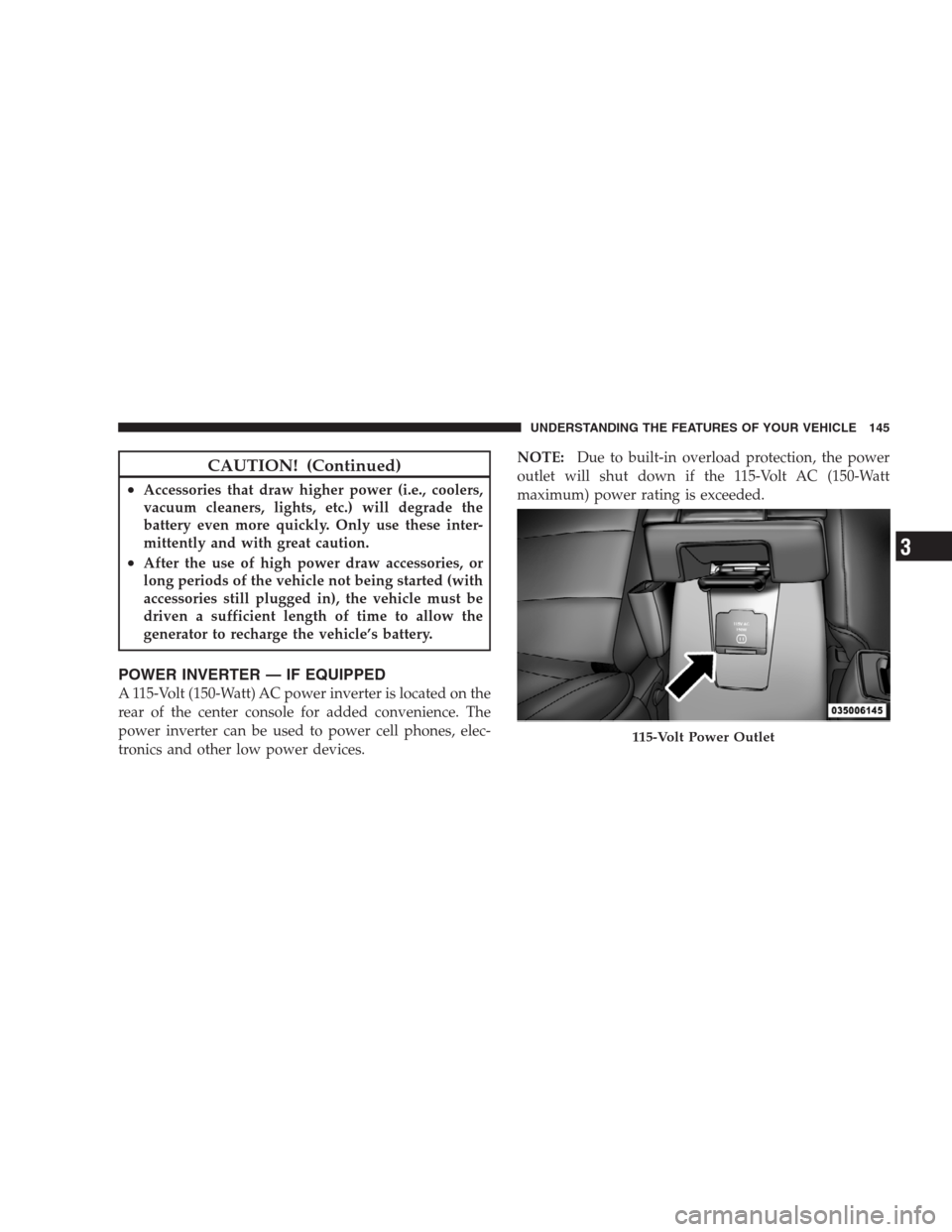
POWER INVERTER — IF EQUIPPED
A 115-Volt (150-Watt) AC power inverter is located on the
rear of the center console for added convenience. The
power inverter can be used to power cell phones, elec-
tronics and other low power devices.NOTE:Due to built-in overload protection, the power
outlet will shut down if the 115-Volt AC (150-Watt
maximum) power rating is exceeded.
115-Volt Power Outlet
UNDERSTANDING THE FEATURES OF YOUR VEHICLE 145
3
Page 148 of 439

WARNING!
To avoid serious injury or death:
•Do not use a three-prong adaptor.
•Do not insert any objects into the receptacles.
•Do not touch with wet hands.
•Close the lid when not in use.
•If this outlet is mishandled, it may cause an
electric shock and failure.
CAUTION!
•Many accessories that can be plugged in draw
power from the vehicle’s battery, even when not in
use (i.e., cellular phones, etc.). Eventually, if
plugged in long enough, the vehicle’s battery will
discharge sufficiently to degrade battery life
and/or prevent engine starting.
•Accessories that draw higher power (i.e., coolers,
vacuum cleaners, lights, etc.) will degrade the
battery even more quickly. Only use these inter-
mittently and with great caution.
•After the use of high power draw accessories, or
long periods of the vehicle not being started (with
accessories still plugged in), the vehicle must be
driven a sufficient length of time to allow the
generator to recharge the vehicle’s battery.
146 UNDERSTANDING THE FEATURES OF YOUR VEHICLE
Page 158 of 439
The defroster will automatically turn off after approxi-
mately 10 minutes. For an additional five minutes of
operation, press the button a second time. To prevent
excessive battery drain, use the defroster only when the
engine is operating.CAUTION!
Use care when washing the inside of the rear window
to prevent damage to heating elements. Use a soft
cloth and a mild washing solution, wiping parallel to
the heating elements. Also, keep all objects a safe
distance from the window to prevent damaging the
heating elements.
156 UNDERSTANDING THE FEATURES OF YOUR VEHICLE
Page 178 of 439

When the appropriate conditions exist, the EVIC displays
the following messages:
•Turn Signal On (with a continuous warning chime
after one mile traveled)
•Left Front Turn Signal Light Out (with a single chime)
•Left Rear Turn Signal Light Out (with a single chime)
•Right Front Turn Signal Light Out (with a single chime)
•Right Rear Turn Signal Light Out (with a single chime)
•RKE Battery Low (with a single chime)
•Personal Settings Not Available – Vehicle not in PARK
(automatic transmissions) or vehicle is in motion
(manual transmissions).
•Left/Right Front Door Ajar (one or more, with a single
chime if speed is above 1 mph (1 km/h)
•Left/Right Rear Door Ajar (one or more, with a single
chime if speed is above 1 mph (1 km/h)
•Door(s) Ajar (with a single chime if vehicle is in
motion)
•Gate Ajar (with a single chime)
•Headlights On
•Key In Ignition
•Check TPM System
Engine Oil Change Indicator System
Oil Change Required
Your vehicle is equipped with an engine oil change
indicator system. The “Oil Change Required” message
will flash in the EVIC display for approximately five
seconds after a single chime has sounded, to indicate the
next scheduled oil change interval. The engine oil change
indicator system is duty-cycle based, which means the
engine oil change interval may fluctuate dependent upon
your personal driving style.
176 UNDERSTANDING YOUR INSTRUMENT PANEL
Page 185 of 439

NOTE:Magnetic and battery powered devices, (such as
cell phones, iPod’s, radar detectors, PDA’s and laptops)
should be kept away from the top of the instrument
panel. This is where the compass module is located and
such devices may interfere and cause false compass
readings.To Set the VarianceWith the ignition in the ON position,
quickly (less than one second) press and release the EVIC
button several times until you have displayed the Per-
sonal Settings (Customer-Programmable Features) menu.
Once in the Personal Settings (Customer-Programmable
Features) menu, press and release (less than one second)
the EVIC button several times until “Compass Variance”
is highlighted. The “Compass Variance” message and the
current variance zone number will be displayed. To
change the zone, press and hold (longer than two sec-
onds) the EVIC button to increment the variance one
step. Repeat as necessary, with individual long (for at
least 1 second) EVIC button presses for each increment,
until the desired variance is achieved. To exit the Vari-
ance Programming, press the EVIC button with a short
(less than one second) button press.
NOTE:The factory default is Zone 8. During program-
ming, the zone value will wrap around from Zone 15 to
Zone 1.
UNDERSTANDING YOUR INSTRUMENT PANEL 183
4