2009 Hyundai Santa Fe lights
[x] Cancel search: lightsPage 79 of 353

1FEATURES OF YOUR HYUNDAI68
B260Q02E-GAT
Cruise Indicator Light
The cruise indicator light in the instrument
cluster is illuminated when the cruise con-
trol main switch on the end of the barrel is
pushed.
When the cruise control main switch is
pushed a second time, the cruise control
system and light will turn off.
Information on the use of cruise control
may be found on page 1-120.B260R01E-GAT
SET Indicator Light
The SET indicator light in the instrument
cluster is illuminated when the cruise con-
trol switch is pushed downward to "SET
(COAST)".
The SET indicator light does not illuminate
when the control switch is in the "CANCEL"
position.
B260B02JM-AAT
SRS (Air bag) Service
Reminder Indicator (SRI)
The SRS service reminder indicator (SRI)
illuminates for about 6 seconds after the
ignition key is turned to the "ON" position
or after the engine is started, after which it
will go out.
This light also illuminates when the SRS is
not working properly. If the SRI does not
illuminate, or continuously remains on af-
ter illuminating for about 6 seconds when
you turned the ignition key to the "ON"
position or started the engine, or if illumi-
nates while driving, have the SRS in-
spected by an authorized Hyundai Dealer.
B260F02A-AAT
High Beam Indicator Light
The high beam indicator light illuminates
whenever the headlights are switched to
the high beam or flash position.
B260B01JM-AAT
Tail Gate Open Warning
Light
This light remains on unless the tail gate
and/or tail gate window is completely
closed and latched.
B260L02HP-GAT
Door ajar warning light and
chime
The door ajar warning light warns you that
a door is not completely closed and the
chime warns you that the key is in the
ignition switch.NOTE :The warning chime only sounds when-
ever the key is in the ignition switch and
the driver's side front door is open simul-
taneously. The chime sounds until the
key is removed from the ignition switch
or the driver's side front door is closed.
Page 80 of 353

1
FEATURES OF YOUR HYUNDAI
69
B260D02A-AAT
Turn Signal Indicator
Lights
The blinking green arrows on the instru-
ment panel show the direction indicated
by the turn signals. If the arrow comes on
but does not blink, blinks more rapidly than
normal, or does not illuminate at all, a
malfunction in the turn signal system is
indicated. Your Hyundai dealer should be
consulted for repairs.
!
B260P03Y-GAT
ABS Service Reminder
Indicator
When the key is turned to the "ON" position,
the Anti-Lock Brake System indicator will
illuminate and then go off in a few seconds.
If the ABS SRI remains on, illuminates
while driving, or does not illuminate when
the key is turned to the "ON" position, this
indicates that there may be a malfunction
with the ABS.
If this occurs, have your vehicle checked
by your Hyundai dealer as soon as pos-
sible. The normal braking system will still
be operational, but without the assistance
of the anti-lock brake system.
WARNING:
If both the ABS SRI and Parking Brake/
Brake fluid level warning lights remain
"ON" or come on while driving, there
may be a malfunction with E.B.D. (Elec-
tronic Brake Force Distribution).
If this occurs, avoid sudden stops and
have your vehicle checked by your
Hyundai dealer as soon as possible.
B265C03LZ-AAT
Electronic Stability
Control Indicator Lights
The electronic stability control indicators
change operation according to the ignition
switch position and whether the system is
in operation or not.
They will illuminate when the ignition key
is turned to the "ON" position, but should go
out after approximately three seconds. If
the ESC or ESC-OFF indicator stays on,
take your car to your authorized Hyundai
dealer and have the system checked. See
section 2 for more information about the
ESC.
B270A01O-AATBrake Pad Wear Warning SoundThe front and rear disc brake pads have
wear indicators that should make a high-
pitched squealing or scraping noise when
new pads are needed. The sound may
come and go or be heard all the time when
the vehicle is moving. It may also be heard
when the brake pedal is pushed down
firmly. Excessive rotor damage will result
if the worn pads are not replaced. See your
Hyundai dealer immediately.B260U02CM-AAT
Immobilizer WarningLight (If Installed)
This indicator light illuminates after the
ignition key is turned to the "ON" position.
The light goes out after the engine is run-
ning or after 30 seconds. If this light blinks
for five seconds when the ignition key is
turned to "ON" position, this indicates that
the immobilizer system is not functioning
correctly. At this time, consult your Hyundai
dealer.
Page 87 of 353
1FEATURES OF YOUR HYUNDAI76
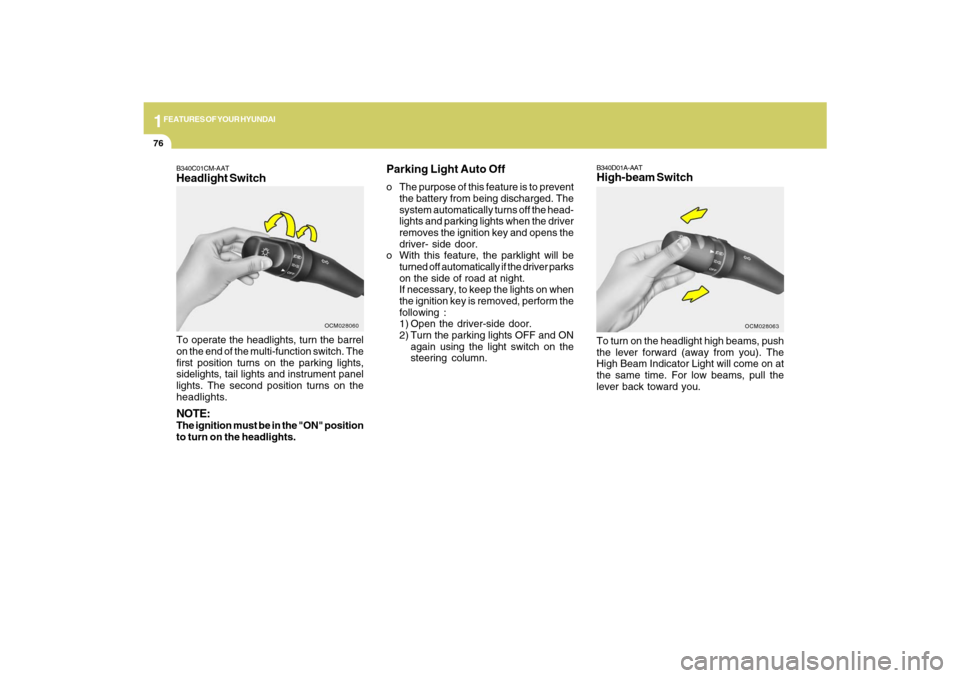
B340D01A-AATHigh-beam SwitchTo turn on the headlight high beams, push
the lever forward (away from you). The
High Beam Indicator Light will come on at
the same time. For low beams, pull the
lever back toward you.
OCM028063
B340C01CM-AATHeadlight SwitchTo operate the headlights, turn the barrel
on the end of the multi-function switch. The
first position turns on the parking lights,
sidelights, tail lights and instrument panel
lights. The second position turns on the
headlights.NOTE:The ignition must be in the "ON" position
to turn on the headlights.
OCM028060
Parking Light Auto Offo The purpose of this feature is to prevent
the battery from being discharged. The
system automatically turns off the head-
lights and parking lights when the driver
removes the ignition key and opens the
driver- side door.
o With this feature, the parklight will be
turned off automatically if the driver parks
on the side of road at night.
If necessary, to keep the lights on when
the ignition key is removed, perform the
following :
1) Open the driver-side door.
2) Turn the parking lights OFF and ON
again using the light switch on the
steering column.
Page 88 of 353
1
FEATURES OF YOUR HYUNDAI
77
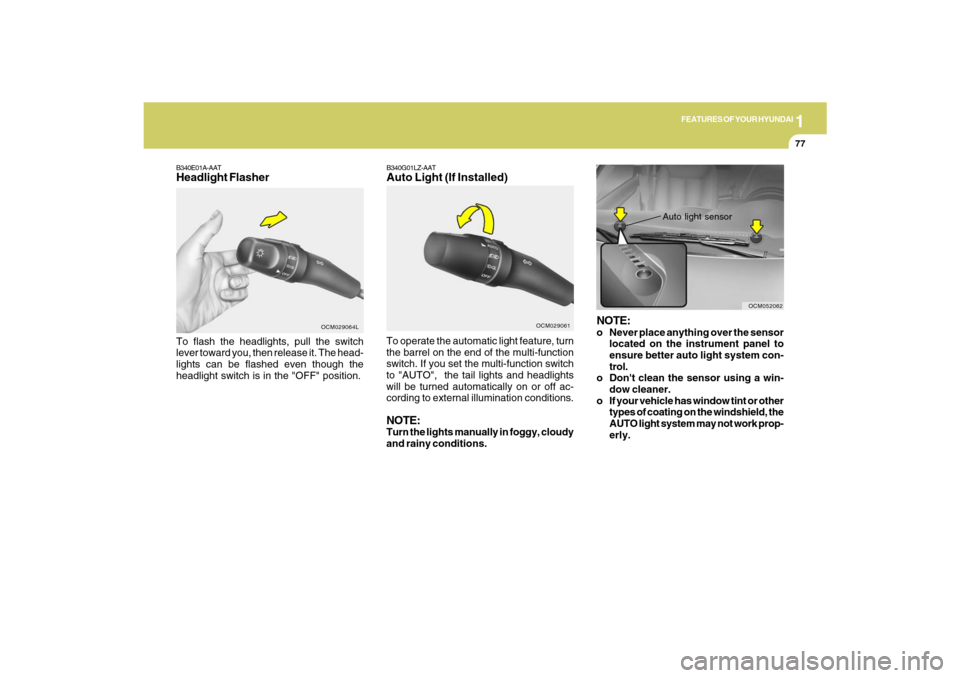
B340E01A-AATHeadlight FlasherTo flash the headlights, pull the switch
lever toward you, then release it. The head-
lights can be flashed even though the
headlight switch is in the "OFF" position.
OCM029064L
B340G01LZ-AATAuto Light (If Installed)
OCM029061
To operate the automatic light feature, turn
the barrel on the end of the multi-function
switch. If you set the multi-function switch
to "AUTO", the tail lights and headlights
will be turned automatically on or off ac-
cording to external illumination conditions.NOTE:Turn the lights manually in foggy, cloudy
and rainy conditions.
NOTE:o Never place anything over the sensor
located on the instrument panel to
ensure better auto light system con-
trol.
o Don't clean the sensor using a win-
dow cleaner.
o If your vehicle has window tint or other
types of coating on the windshield, the
AUTO light system may not work prop-
erly.
Auto light sensor
OCM052062
Page 94 of 353
1
FEATURES OF YOUR HYUNDAI
83
OCM052075N
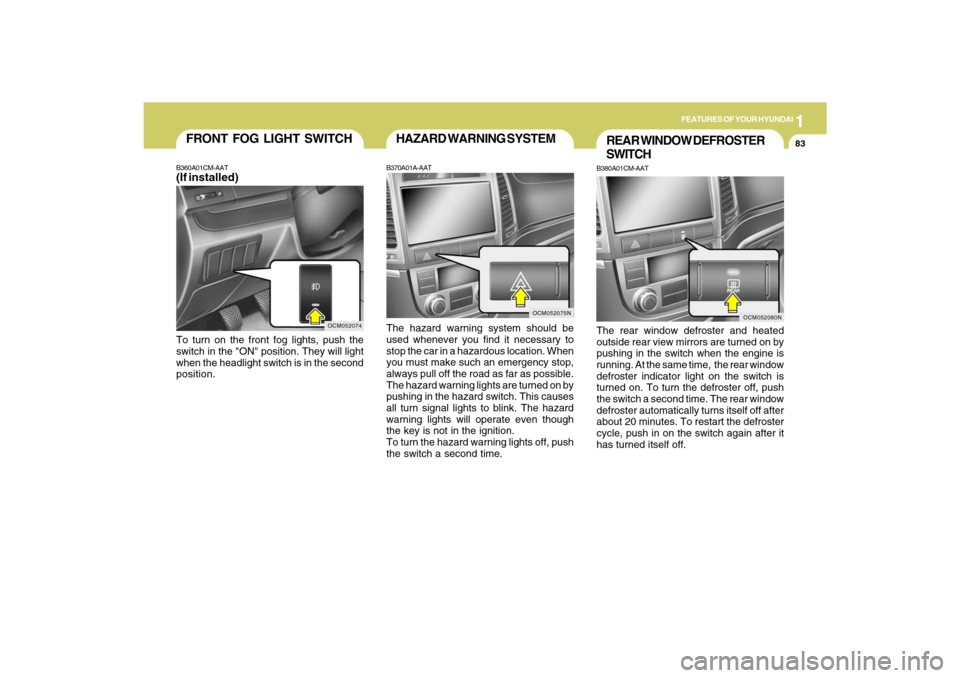
HAZARD WARNING SYSTEMB370A01A-AATThe hazard warning system should be
used whenever you find it necessary to
stop the car in a hazardous location. When
you must make such an emergency stop,
always pull off the road as far as possible.
The hazard warning lights are turned on by
pushing in the hazard switch. This causes
all turn signal lights to blink. The hazard
warning lights will operate even though
the key is not in the ignition.
To turn the hazard warning lights off, push
the switch a second time.
REAR WINDOW DEFROSTER
SWITCHB380A01CM-AATThe rear window defroster and heated
outside rear view mirrors are turned on by
pushing in the switch when the engine is
running. At the same time, the rear window
defroster indicator light on the switch is
turned on. To turn the defroster off, push
the switch a second time. The rear window
defroster automatically turns itself off after
about 20 minutes. To restart the defroster
cycle, push in on the switch again after it
has turned itself off.
OCM052080N
OCM052074
FRONT FOG LIGHT SWITCHB360A01CM-AAT(If installed)To turn on the front fog lights, push the
switch in the "ON" position. They will light
when the headlight switch is in the second
position.
Page 95 of 353
1FEATURES OF YOUR HYUNDAI84
INSTRUMENT PANEL LIGHT
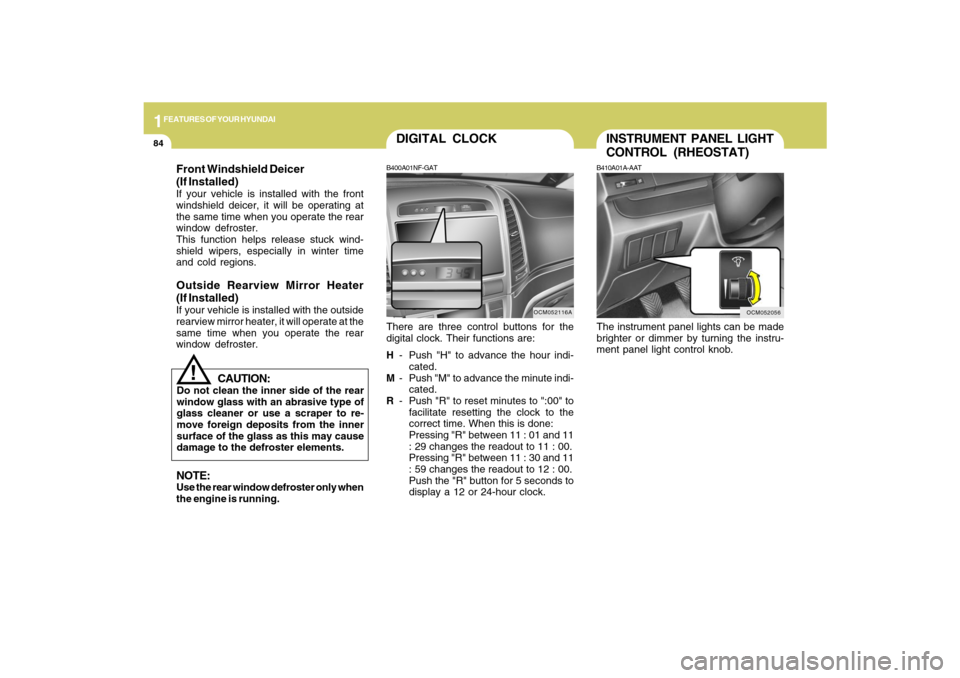
CONTROL (RHEOSTAT)B410A01A-AATThe instrument panel lights can be made
brighter or dimmer by turning the instru-
ment panel light control knob.
OCM052056
DIGITAL CLOCKB400A01NF-GATThere are three control buttons for the
digital clock. Their functions are:
H- Push "H" to advance the hour indi-
cated.
M- Push "M" to advance the minute indi-
cated.
R- Push "R" to reset minutes to ":00" to
facilitate resetting the clock to the
correct time. When this is done:
Pressing "R" between 11 : 01 and 11
: 29 changes the readout to 11 : 00.
Pressing "R" between 11 : 30 and 11
: 59 changes the readout to 12 : 00.
Push the "R" button for 5 seconds to
display a 12 or 24-hour clock.
OCM052116A
CAUTION:
Do not clean the inner side of the rear
window glass with an abrasive type of
glass cleaner or use a scraper to re-
move foreign deposits from the inner
surface of the glass as this may cause
damage to the defroster elements.
!
NOTE:Use the rear window defroster only when
the engine is running.Front Windshield Deicer
(If Installed)If your vehicle is installed with the front
windshield deicer, it will be operating at
the same time when you operate the rear
window defroster.
This function helps release stuck wind-
shield wipers, especially in winter time
and cold regions.Outside Rearview Mirror Heater
(If Installed)If your vehicle is installed with the outside
rearview mirror heater, it will operate at the
same time when you operate the rear
window defroster.
Page 110 of 353
1
FEATURES OF YOUR HYUNDAI
99
!
WARNING:
Do not adjust or fold the outside rearview
mirrors while the vehicle is moving. This
could result in loss of control, and an
accident causing death, serious injury
or property damage.
CAUTION:
If the mirror is jammed with ice, do not
adjust the mirror by force. Use an ap-
proved spray de-icer (not radiator anti-
freeze) to release the frozen mecha-
nism or move the vehicle to a warm
place and allow the ice to melt.
!
DAY/NIGHT INSIDE REAR-
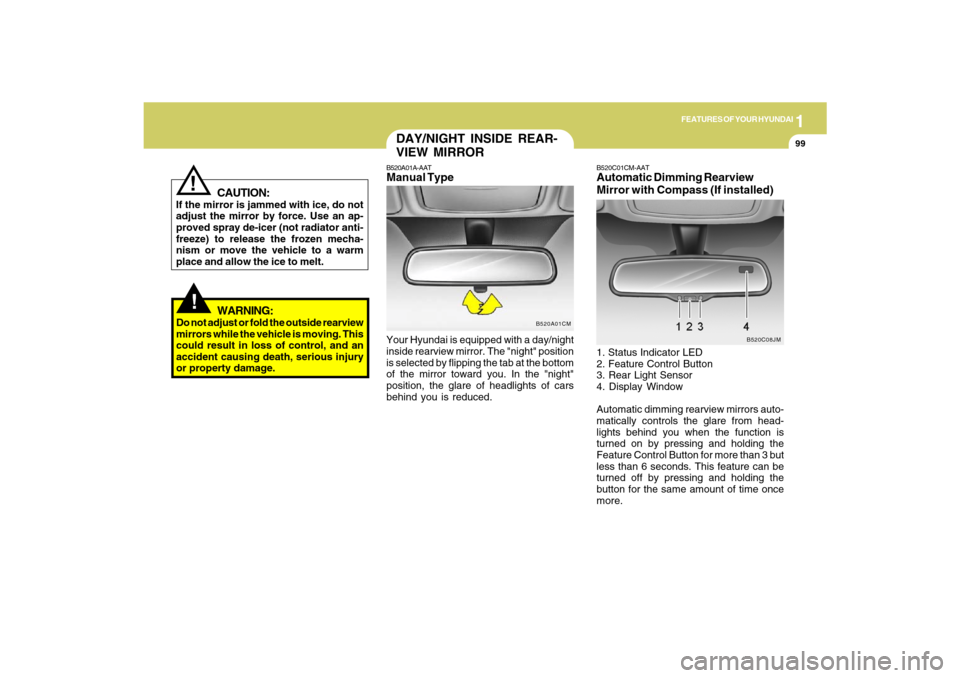
VIEW MIRRORB520A01A-AATManual TypeYour Hyundai is equipped with a day/night
inside rearview mirror. The "night" position
is selected by flipping the tab at the bottom
of the mirror toward you. In the "night"
position, the glare of headlights of cars
behind you is reduced.
B520A01CM
B520C01CM-AATAutomatic Dimming Rearview
Mirror with Compass (If installed)1. Status Indicator LED
2. Feature Control Button
3. Rear Light Sensor
4. Display Window
Automatic dimming rearview mirrors auto-
matically controls the glare from head-
lights behind you when the function is
turned on by pressing and holding the
Feature Control Button for more than 3 but
less than 6 seconds. This feature can be
turned off by pressing and holding the
button for the same amount of time once
more.
B520C08JM
Page 123 of 353
1FEATURES OF YOUR HYUNDAI
112
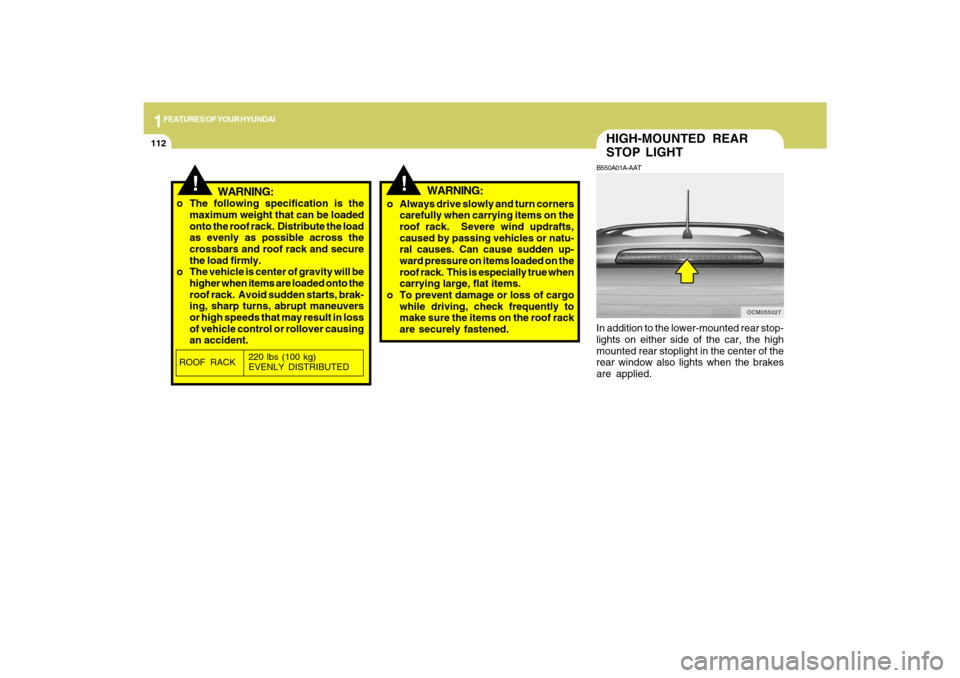
HIGH-MOUNTED REAR
STOP LIGHTB550A01A-AATIn addition to the lower-mounted rear stop-
lights on either side of the car, the high
mounted rear stoplight in the center of the
rear window also lights when the brakes
are applied.
OCM055027
!
!
WARNING:
o The following specification is the
maximum weight that can be loaded
onto the roof rack. Distribute the load
as evenly as possible across the
crossbars and roof rack and secure
the load firmly.
o The vehicle is center of gravity will be
higher when items are loaded onto the
roof rack. Avoid sudden starts, brak-
ing, sharp turns, abrupt maneuvers
or high speeds that may result in loss
of vehicle control or rollover causing
an accident.o Always drive slowly and turn corners
carefully when carrying items on the
roof rack. Severe wind updrafts,
caused by passing vehicles or natu-
ral causes. Can cause sudden up-
ward pressure on items loaded on the
roof rack. This is especially true when
carrying large, flat items.
o To prevent damage or loss of cargo
while driving, check frequently to
make sure the items on the roof rack
are securely fastened.ROOF RACK220 lbs (100 kg)
EVENLY DISTRIBUTED
WARNING: