Page 78 of 308
423
Features of your vehicle
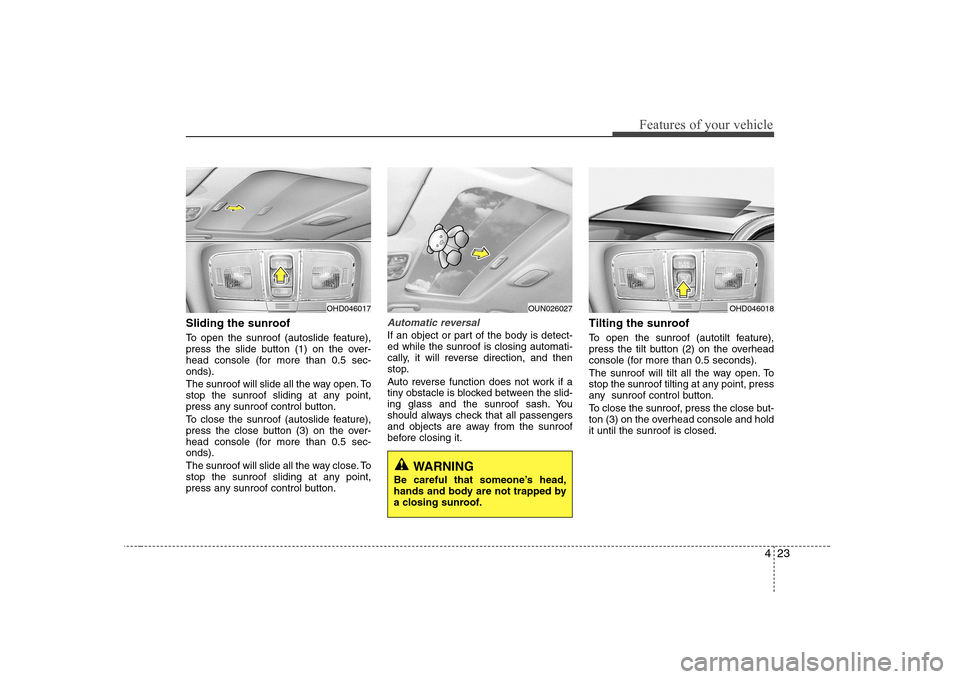
Sliding the sunroof
To open the sunroof (autoslide feature),
press the slide button (1) on the over-
head console (for more than 0.5 sec-onds).
The sunroof will slide all the way open. To
stop the sunroof sliding at any point,
press any sunroof control button.
To close the sunroof (autoslide feature),
press the close button (3) on the over-
head console (for more than 0.5 sec-onds).
The sunroof will slide all the way close. To
stop the sunroof sliding at any point,
press any sunroof control button.Automatic reversal
If an object or part of the body is detect- ed while the sunroof is closing automati-
cally, it will reverse direction, and then
stop.
Auto reverse function does not work if a
tiny obstacle is blocked between the slid-
ing glass and the sunroof sash. You
should always check that all passengers
and objects are away from the sunroof
before closing it.Tilting the sunroof
To open the sunroof (autotilt feature),
press the tilt button (2) on the overhead
console (for more than 0.5 seconds).
The sunroof will tilt all the way open. To
stop the sunroof tilting at any point, press
any sunroof control button.
To close the sunroof, press the close but-
ton (3) on the overhead console and holdit until the sunroof is closed.
OHD046018
WARNING
Be careful that someone’s head,
hands and body are not trapped by
a closing sunroof.
OHD046017OUN026027
Page 82 of 308
427
Features of your vehicle
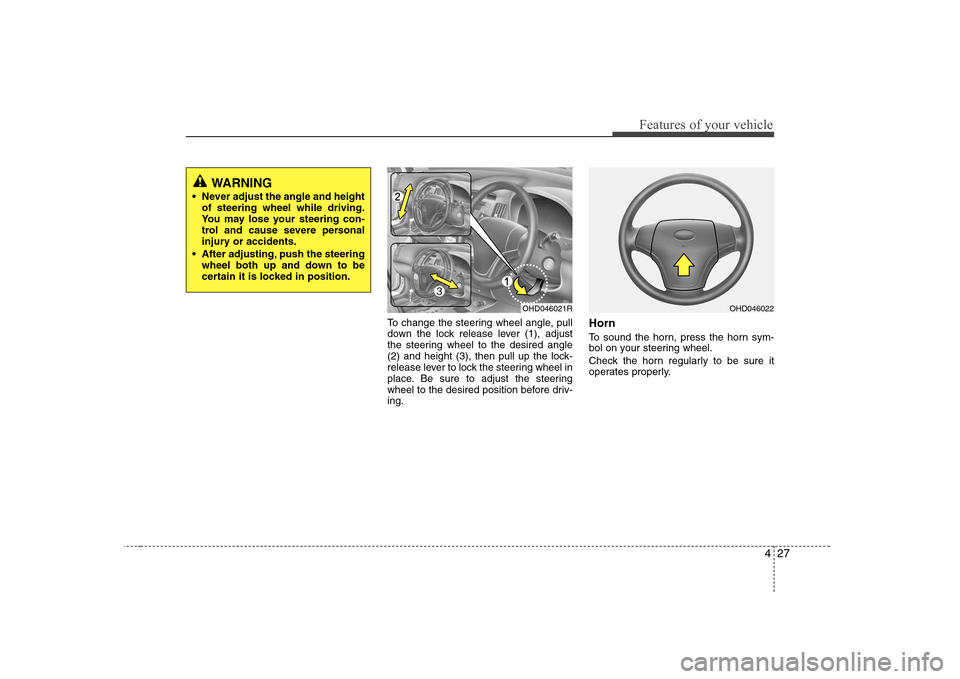
To change the steering wheel angle, pull
down the lock release lever (1), adjust
the steering wheel to the desired angle
(2) and height (3), then pull up the lock-
release lever to lock the steering wheel in
place. Be sure to adjust the steering
wheel to the desired position before driv-ing.Horn
To sound the horn, press the horn sym-
bol on your steering wheel.
Check the horn regularly to be sure it
operates properly.
WARNING
Never adjust the angle and height of steering wheel while driving.
You may lose your steering con-
trol and cause severe personal
injury or accidents.
After adjusting, push the steering wheel both up and down to be
certain it is locked in position.
OHD046021ROHD046022
Page 94 of 308
439
Features of your vehicle
Warnings and indicators
All warning lights are checked by turning
the ignition switch ON (do not start the
engine). Any light that does not illuminate
should be checked by an authorised
Hyundai dealer.
After starting the engine, check to make
sure that all warning lights are off. If anyare still on, this indicates a situation that
needs attention. When releasing the
hand brake, the brake system warning
light should go off. The fuel warning light
will stay on if the fuel level is low.
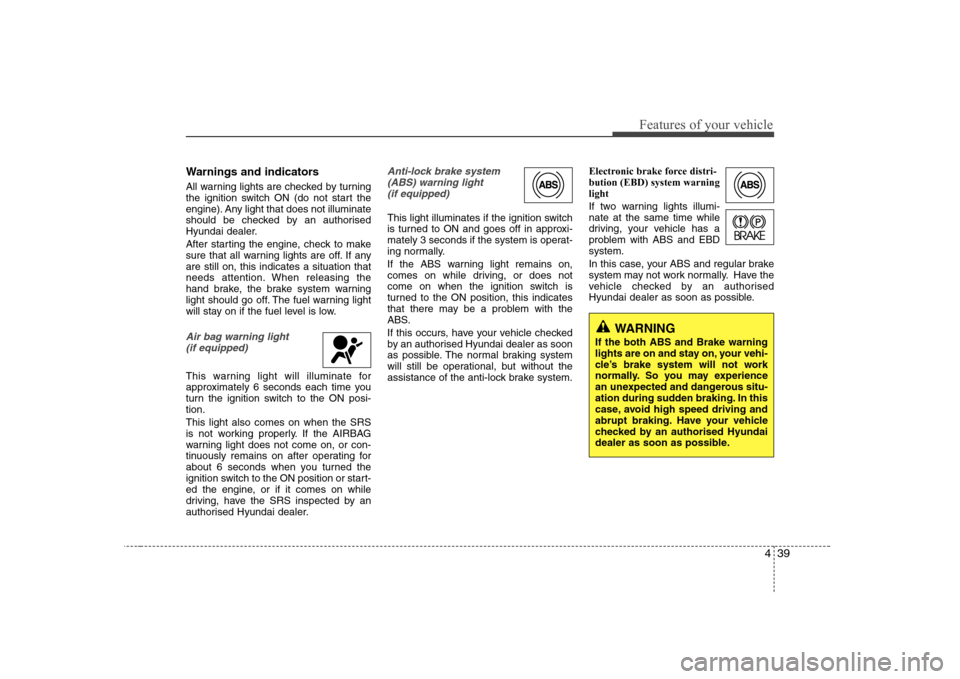
Air bag warning light (if equipped)
This warning light will illuminate for
approximately 6 seconds each time you
turn the ignition switch to the ON posi-tion. This light also comes on when the SRS
is not working properly. If the AIRBAG
warning light does not come on, or con-
tinuously remains on after operating for
about 6 seconds when you turned the
ignition switch to the ON position or start-
ed the engine, or if it comes on while
driving, have the SRS inspected by an
authorised Hyundai dealer.
Anti-lock brake system(ABS) warning light (if equipped)
This light illuminates if the ignition switch
is turned to ON and goes off in approxi-
mately 3 seconds if the system is operat-
ing normally.
If the ABS warning light remains on,
comes on while driving, or does not
come on when the ignition switch is
turned to the ON position, this indicates
that there may be a problem with the
ABS.
If this occurs, have your vehicle checked
by an authorised Hyundai dealer as soon
as possible. The normal braking system
will still be operational, but without the
assistance of the anti-lock brake system. Electronic brake force distri-bution (EBD) system warninglight
If two warning lights illumi- nate at the same time while
driving, your vehicle has a
problem with ABS and EBDsystem.
In this case, your ABS and regular brake
system may not work normally. Have the
vehicle checked by an authorised
Hyundai dealer as soon as possible.
WARNING
If the both ABS and Brake warning
lights are on and stay on, your vehi-
cle’s brake system will not work
normally. So you may experience
an unexpected and dangerous situ-
ation during sudden braking. In this
case, avoid high speed driving and
abrupt braking. Have your vehicle
checked by an authorised Hyundai
dealer as soon as possible.
Page 100 of 308
445
Features of your vehicle
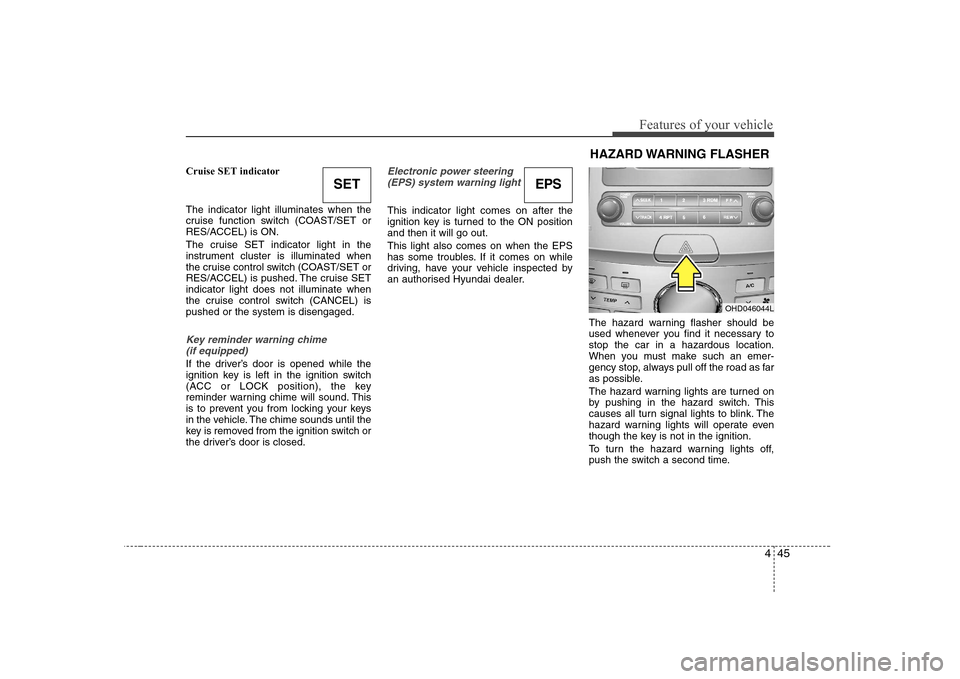
Cruise SET indicator The indicator light illuminates when the
cruise function switch (COAST/SET or
RES/ACCEL) is ON.
The cruise SET indicator light in the
instrument cluster is illuminated when
the cruise control switch (COAST/SET or
RES/ACCEL) is pushed. The cruise SETindicator light does not illuminate when
the cruise control switch (CANCEL) ispushed or the system is disengaged.
Key reminder warning chime (if equipped)
If the driver’s door is opened while the
ignition key is left in the ignition switch
(ACC or LOCK position), the key
reminder warning chime will sound. This
is to prevent you from locking your keys
in the vehicle. The chime sounds until the
key is removed from the ignition switch or
the driver’s door is closed.
Electronic power steering (EPS) system warning light
This indicator light comes on after the
ignition key is turned to the ON positionand then it will go out. This light also comes on when the EPS
has some troubles. If it comes on while
driving, have your vehicle inspected by
an authorised Hyundai dealer.
The hazard warning flasher should be
used whenever you find it necessary tostop the car in a hazardous location.
When you must make such an emer-
gency stop, always pull off the road as far
as possible.
The hazard warning lights are turned on
by pushing in the hazard switch. This
causes all turn signal lights to blink. The
hazard warning lights will operate even
though the key is not in the ignition.
To turn the hazard warning lights off,
push the switch a second time.
SETEPS
OHD046044L
HAZARD WARNING FLASHER
Page 107 of 308
Features of your vehicle
52
4
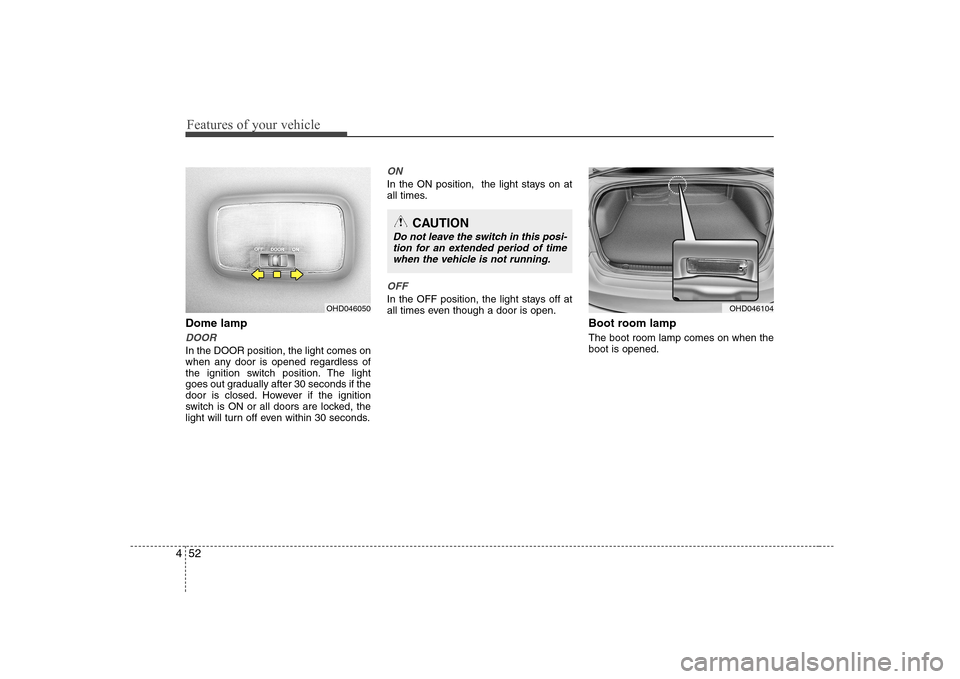
Dome lamp
DOOR
In the DOOR position, the light comes on
when any door is opened regardless of
the ignition switch position. The light
goes out gradually after 30 seconds if the
door is closed. However if the ignition
switch is ON or all doors are locked, the
light will turn off even within 30 seconds.
ON
In the ON position, the light stays on at
all times.
OFF
In the OFF position, the light stays off at
all times even though a door is open.
Boot room lamp The boot room lamp comes on when the boot is opened.OHD046050
CAUTION
Do not leave the switch in this posi-tion for an extended period of timewhen the vehicle is not running.
OHD046104
Page 116 of 308
461
Features of your vehicle
Operation Tips
To keep dust or unpleasant fumes fromentering the car through the ventilation
system, temporarily set the air intakecontrol to the recirculated air position.
Be sure to return the control to the
fresh air position when the irritation
has passed to keep fresh air in the
vehicle. This will help keep the driver
alert and comfortable.
Air for the heating/cooling system is drawn in through the grilles just ahead
of the windshield. Care should be
taken that these are not blocked by
leaves, snow, ice or other obstructions.
To prevent interior fog on the wind- shield, set the air intake control to the
fresh air position and fan speed to the
desired position, turn on the air condi-
tioning system, and adjust temperature
control to desired temperature.
Air conditioning (if equipped)
All Hyundai Air Conditioning Systems are
filled with environmentally friendly
R-134a refrigerant which is not damag-
ing to the ozone layer.
1. Start the engine. Push the air condi- tioning button.
2. Set the mode to the position.
3. Set the air intake control to the outside air or recirculated air position.
4. Adjust the fan speed control and tem- perature control to maintain maximum
comfort.
When maximum cooling is desired, set the temperature control to the extremeleft position, set the mode control to
the MAX A/C position, then set the fanspeed control to the highest speed.✽✽ NOTICE
Page 131 of 308
Features of your vehicle
76
4
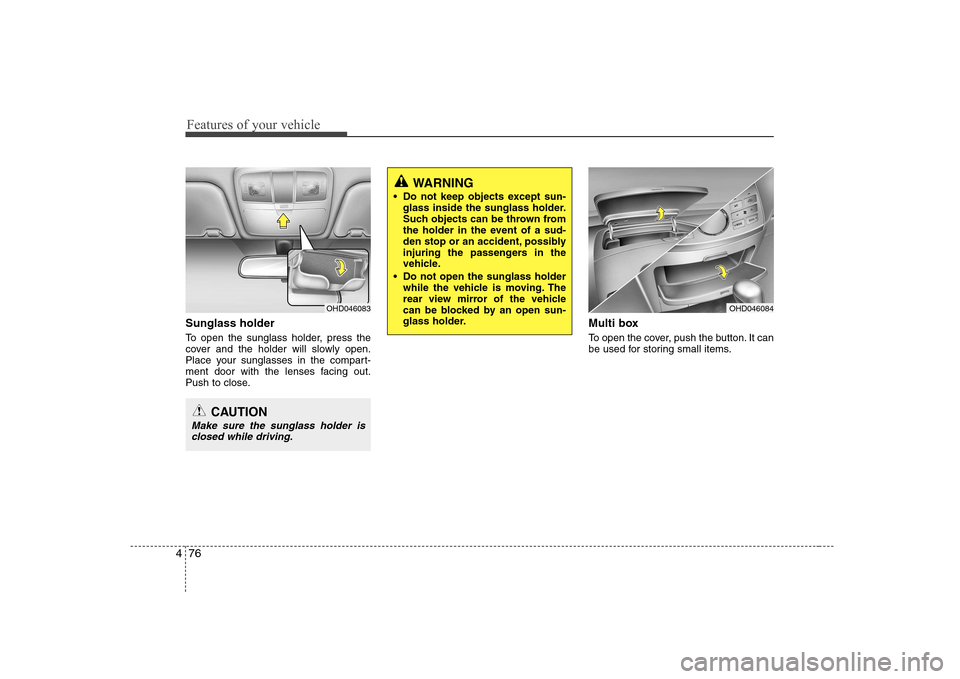
Sunglass holder
To open the sunglass holder, press the
cover and the holder will slowly open.
Place your sunglasses in the compart-
ment door with the lenses facing out.
Push to close. Multi box
To open the cover, push the button. It can
be used for storing small items.
OHD046083
CAUTION
Make sure the sunglass holder is
closed while driving.
WARNING
Do not keep objects except sun- glass inside the sunglass holder.
Such objects can be thrown from
the holder in the event of a sud-
den stop or an accident, possibly
injuring the passengers in the
vehicle.
Do not open the sunglass holder while the vehicle is moving. The
rear view mirror of the vehicle
can be blocked by an open sun-
glass holder.
OHD046084
Page 134 of 308
479
Features of your vehicle
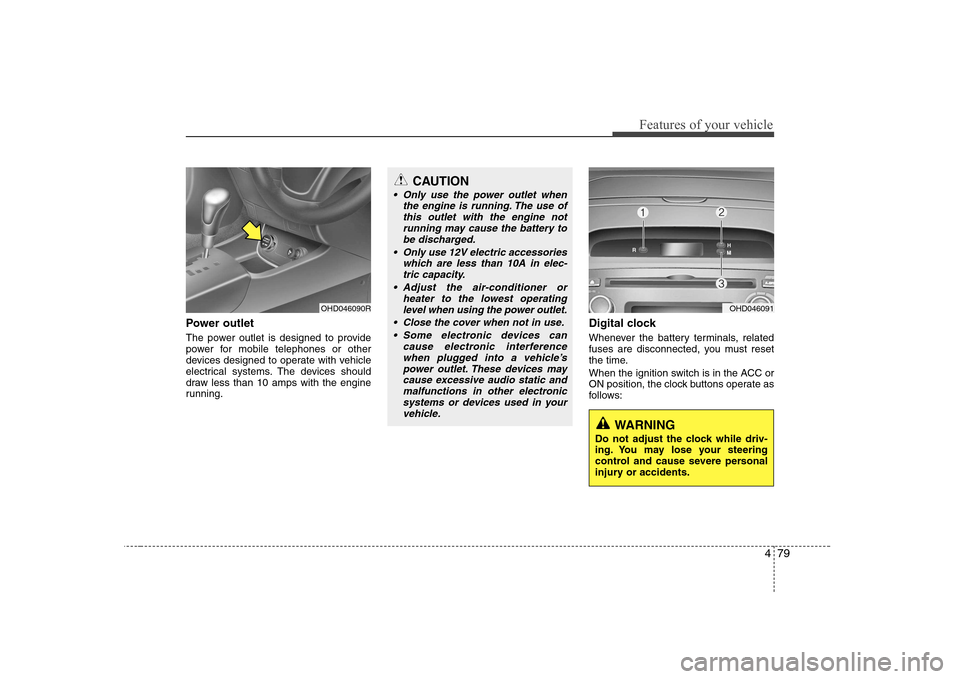
Power outlet
The power outlet is designed to provide
power for mobile telephones or other
devices designed to operate with vehicle
electrical systems. The devices should
draw less than 10 amps with the engine
running.Digital clock
Whenever the battery terminals, related
fuses are disconnected, you must reset
the time.
When the ignition switch is in the ACC or
ON position, the clock buttons operate as
follows:
OHD046090R
CAUTION
Only use the power outlet when
the engine is running. The use ofthis outlet with the engine notrunning may cause the battery to
be discharged.
Only use 12V electric accessories which are less than 10A in elec-tric capacity.
Adjust the air-conditioner or heater to the lowest operating
level when using the power outlet.
Close the cover when not in use. Some electronic devices can cause electronic interferencewhen plugged into a vehicle’s
power outlet. These devices maycause excessive audio static and malfunctions in other electronicsystems or devices used in your
vehicle.
OHD046091
WARNING
Do not adjust the clock while driv-
ing. You may lose your steering
control and cause severe personal
injury or accidents.