Page 77 of 382

Press the button again to turn the
lockout off. A red band on the
side of the button is lit when the
windows are not locked out.
Sun Visors
Pull the visor toward you, or move it
to the side to help reduce glare.
Pull out the extenders for further
coverage.
On a visor with a mirror, lift the
cover to use it.
Theft-Deterrent
Systems
Vehicle theft is big business,
especially in some cities. This
vehicle has theft-deterrent features,
however, they do not make it
impossible to steal.
Content Theft-Deterrent
This vehicle has a content
theft-deterrent alarm system.
The security light is located on the
instrument panel cluster.
To arm the system:
1. Close all the doors.
2. Lock the doors with the Remote
Keyless Entry (RKE) transmitter.
The security light ashes.If the lock button on the RKE
transmitter is pressed, but a door
is open, the doors lock, the lights
may ash and the horn may sound.
Close the open door to arm the
system.
The alarm goes off if a locked
door is not opened using the
RKE transmitter, or by OnStar
®.
A pre-alarm sounds the horn at
reduced intensity for 10 seconds.
Then, the front turn signal lamps
ash for two minutes, and the horn
sounds for two minutes. The alarm
then turns off to save battery power.
Start the engine to turn off the alarm.
The theft-deterrent system does not
activate if the doors are locked with
the key, the manual door lock, or
power door lock switch. The system
can only be activated using the
RKE transmitter, or by OnStar.
SeeOnStar
®System on page 2-39
for additional information. The
vehicle can be started with the
correct key if the alarm has been
set off.
Features and Controls 2-11
Page 82 of 382

Ignition Positions
The ignition switch has four different
positions.
To shift out of P (Park), turn the
ignition to ON/RUN and apply
the regular brake pedal.Notice:Using a tool to force the
key to turn in the ignition could
cause damage to the switch or
break the key. Use the correct key,
make sure it is all the way in, and
turn it only with your hand. If the
key cannot be turned by hand, see
your dealer/retailer.
(A) LOCK/OFF:This position
locks the ignition. It also locks
the transmission on automatic
transmission vehicles. It locks
the steering wheel on manual
transmission vehicles. The key can
only be removed in LOCK/OFF.
On vehicles with an automatic
transmission, the shift lever must be
in P (Park) to turn the ignition
switch to LOCK/OFF.
The steering can bind with the
wheels turned off center. If this
happens, move the steering wheel
from right to left while turningthe key to ACC/ACCESSORY.
If this doesn’t work, then the vehicle
needs service.
(B) ACC/ACCESSORY:This is the
position in which you can operate
the electrical accessories or items
plugged into the accessory power
outlets. On automatic transmission
vehicles, this position unlocks
the ignition. On manual transmission
vehicles, it unlocks the ignition
and steering wheel. Use this position
if the vehicle must be pushed or
towed.
(C) ON/RUN:This position can be
used to operate the electrical
accessories and to display some
instrument panel cluster warning
and indicator lights. The switch stays
in this position when the engine is
running. The transmission is
also unlocked in this position on
automatic transmission vehicles.
2-16 Features and Controls
Page 90 of 382

Full-Time Four-Wheel
Drive
Full-Time Four-Wheel Drive sends
engine power to all four wheels
for extra traction. To get the most
out of Full-Time Four-Wheel Drive,
you must be familiar with its
operation.
Transfer Case Buttons
The transfer case buttons are
located to the right of the instrument
panel cluster. Use these switches to
shift into and out of the different
Full-Time Four-Wheel Drive modes.4
m(Four-Wheel High):This
setting is used for driving in most
street and highway situations.
You can also use this setting for
light or variable off-road conditions.
N (Neutral):Shift the transfer
case to Neutral only when towing
the vehicle. SeeRecreational
Vehicle Towing on page 4-40or
Towing Your Vehicle on page 4-40
for more information.
Notice:Driving on pavement in
Four-Wheel High Lock or Four
Wheel Low Lock for extended
periods may cause premature
wear on the vehicle powertrain
and tires. Do not drive in
Four-Wheel High Lock or
Four-Wheel Low Lock on
pavement for extended periods.
4
mQ(Four-Wheel-High Lock):
Use this setting when you need
extra traction in most off-road
situations such as sand, mud, snow
or level, rocky trails.Notice:Operating the vehicle in
Four-Wheel-Low Lock above
30 mph (48 km/h) for any
extended period of time could
cause damage to the transfer
case. Do not operate the vehicle
in Four-Wheel-Low Lock above
30 mph (48 km/h) for extended
periods.
4
nQ(Four-Wheel-Low Lock):
This setting delivers extra torque to
all four wheels and is used for
extreme off-road conditions.
If the vehicle has locking axles,
they can be locked for additional
traction in extreme off-road
situations. SeeLocking Rear Axle
on page 4-8andLocking Front Axle
on page 4-9.
Indicator lights in the buttons show
which setting the transfer case
is in. The indicator lights will come
on briey when the ignition is in
ON/RUN. The If the lights do
not come on, take the vehicle to
your dealer/retailer for service.
2-24 Features and Controls
Page 107 of 382

Most vehicles include 30 trial
minutes good for 60 days.
Hands-Free Calling can also be
linked to a Verizon Wireless service
plan in the U.S. or a Bell Mobility
service plan in Canada, depending
on eligibility. To nd out more,
refer to the OnStar Owner’s Guide
in the vehicle’s glove box, visit
onstar.com or onstar.ca, or speak
with an OnStar advisor by pressing
the OnStar button or calling
1-888-4-ONSTAR (1-888-466-7827).
OnStar Turn-by-Turn
Navigation
Vehicles with the OnStar
Turn-by-Turn Navigation system
can provide voice-guided driving
directions. Press the OnStar button
to have an OnStar advisor locate
a business or address and download
driving directions to the vehicle.
Voice-guided directions to the
desired destination will play
through the audio system speakers.
See the OnStar Owner’s Guide
for more information.
OnStar Virtual Advisor
OnStar Virtual Advisor is a feature
of OnStar Hands-Free Calling
that uses minutes to access
location-based weather, local traffic
reports, and stock quotes. Press
the phone button and give a
few simple voice commands to
browse through the various topics.
See the OnStar Owner’s Guide
for more information. This feature is
only available in the continental U.S.
Additional OnStar Controls
The vehicle may have a button,
located on the driver side of the
instrument panel near the headlamp
controls, that can be used to
interact with OnStar.Use this button to dial numbers
into voicemail systems or to
dial phone number extensions.
See the OnStar Owner’s Guide for
more information.
How OnStar Service Works
The OnStar system can record
and transmit vehicle information.
This information is automatically
sent to an OnStar Call Center when
the OnStar button is pressed, the
emergency button is pressed,
or if the airbags or AACN system
deploy. This information usually
includes the vehicle’s GPS location
and, in the event of a crash,
additional information regarding
the crash that the vehicle was
involved in (e.g. the direction from
which the vehicle was hit). When the
Virtual Advisor feature of OnStar
Hands-Free Calling is used,
the vehicle also sends OnStar the
vehicle’s GPS location so they
can provide services where
it is located.
Features and Controls 2-41
Page 119 of 382
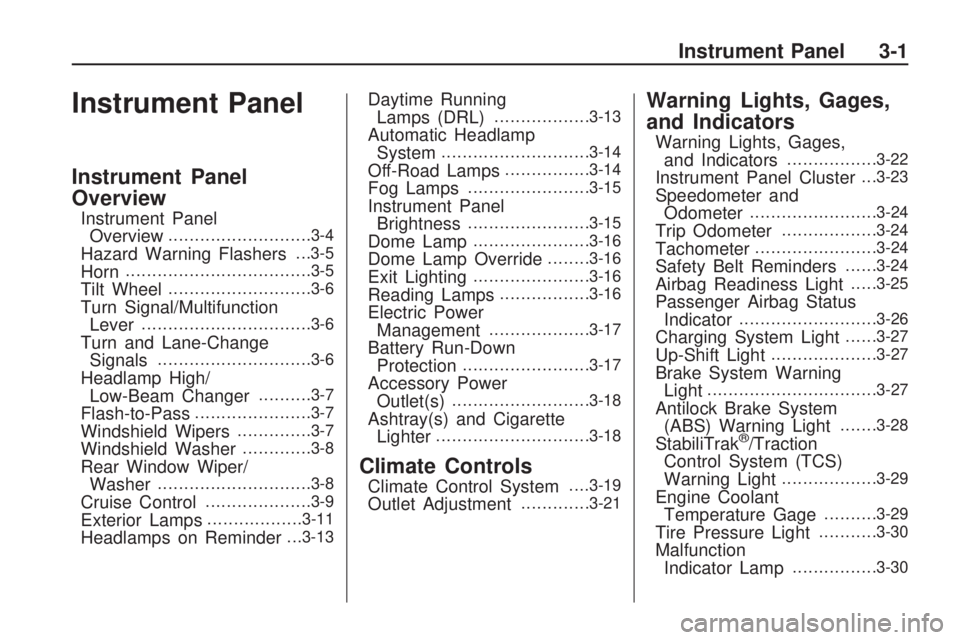
Instrument Panel
Instrument Panel
Overview
Instrument Panel
Overview...........................3-4
Hazard Warning Flashers. . .3-5
Horn...................................3-5
Tilt Wheel...........................3-6
Turn Signal/Multifunction
Lever................................3-6
Turn and Lane-Change
Signals.............................3-6
Headlamp High/
Low-Beam Changer..........3-7
Flash-to-Pass......................3-7
Windshield Wipers..............3-7
Windshield Washer.............3-8
Rear Window Wiper/
Washer.............................3-8
Cruise Control....................3-9
Exterior Lamps..................3-11
Headlamps on Reminder. . .3-13
Daytime Running
Lamps (DRL)..................3-13
Automatic Headlamp
System............................3-14
Off-Road Lamps................3-14
Fog Lamps.......................3-15
Instrument Panel
Brightness.......................3-15
Dome Lamp......................3-16
Dome Lamp Override........3-16
Exit Lighting......................3-16
Reading Lamps.................3-16
Electric Power
Management...................3-17
Battery Run-Down
Protection........................3-17
Accessory Power
Outlet(s)..........................3-18
Ashtray(s) and Cigarette
Lighter.............................3-18
Climate Controls
Climate Control System. . . .3-19
Outlet Adjustment.............3-21
Warning Lights, Gages,
and Indicators
Warning Lights, Gages,
and Indicators.................3-22
Instrument Panel Cluster. . .3-23
Speedometer and
Odometer........................3-24
Trip Odometer..................3-24
Tachometer.......................3-24
Safety Belt Reminders......3-24
Airbag Readiness Light.....3-25
Passenger Airbag Status
Indicator..........................3-26
Charging System Light......3-27
Up-Shift Light....................3-27
Brake System Warning
Light................................3-27
Antilock Brake System
(ABS) Warning Light.......3-28
StabiliTrak®/Traction
Control System (TCS)
Warning Light
..................3-29
Engine Coolant
Temperature Gage..........3-29
Tire Pressure Light...........3-30
Malfunction
Indicator Lamp................3-30
Instrument Panel 3-1
Page 120 of 382
Oil Pressure Light.............3-32
Security Light....................3-33
Cruise Control Light..........3-33
Highbeam On Light...........3-33
Fuel Gage........................3-33
Driver Information
Center (DIC)
Driver Information Center
(DIC)...............................3-34
DIC Operation and
Displays..........................3-34
DIC Warnings and
Messages........................3-37
Audio System(s)
Audio System(s)................3-41
Setting the Clock..............3-41
Radio(s)............................3-42
XM Radio Messages.........3-51
Navigation/Radio System. . .3-52
Bluetooth®........................3-52
Theft-Deterrent Feature.....3-62
Radio Reception...............3-62
Fixed Mast Antenna..........3-63
XM™ Satellite Radio
Antenna System..............3-63
3-2 Instrument Panel
Page 121 of 382
✍NOTES
Instrument Panel 3-3
Page 122 of 382
Instrument Panel Overview
Automatic Transmission shown, Manual Transmission similar
3-4 Instrument Panel


