Page 318 of 578
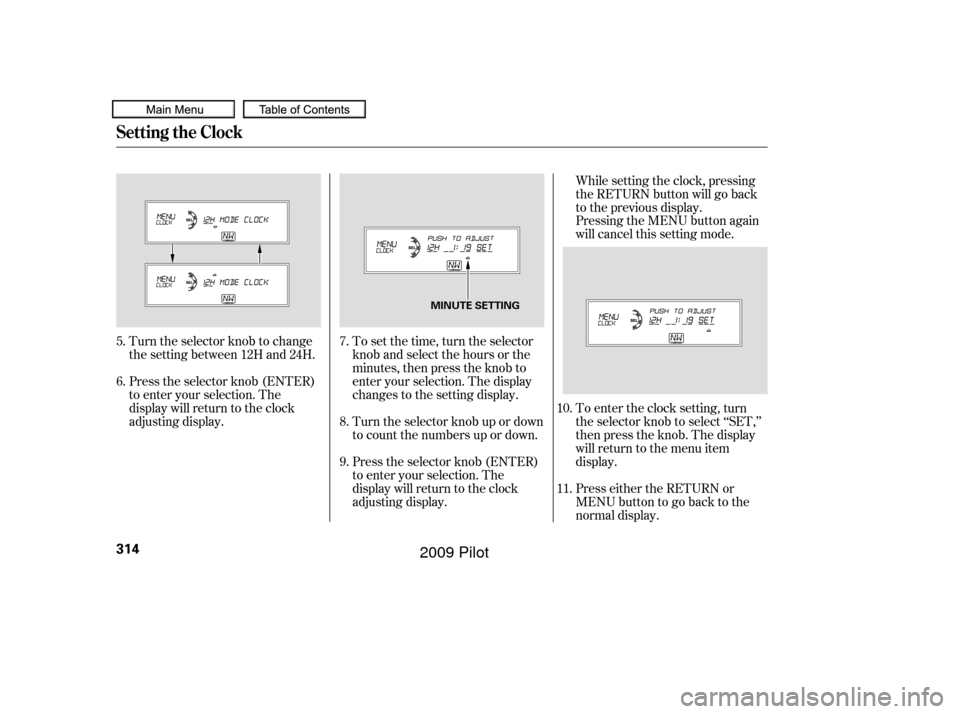
To set the time, turn the selector
knob and select the hours or the
minutes, then press the knob to
enter your selection. The display
changes to the setting display.
Turn the selector knob up or down
to count the numbers up or down.
Press the selector knob (ENTER)
to enter your selection. The
display will return to the clock
adjusting display.While setting the clock, pressing
the RETURN button will go back
to the previous display.
Pressing the MENU button again
will cancel this setting mode.
Turn the selector knob to change
the setting between 12H and 24H.
Press the selector knob (ENTER)
to enter your selection. The
display will return to the clock
adjusting display. To enter the clock setting, turn
the selector knob to select ‘‘SET,’’
then press the knob. The display
will return to the menu item
display.
Press either the RETURN or
MENUbuttontogobacktothe
normal display.
5.
6.
7.
8.
9.10.
11.
Setting the Clock
314
MINUTE SETTING
�����—�����—�
���y�
�������������y���
�(�/���������y�����
���y
2009 Pilot
Page 399 of 578
Monitor brightness is adjusted
automatically by sensors. If you use
the monitor continuously at high
temperature, the monitor will
gradually dim.
The inside mirror will be hot when
you use the monitor f or an extended
period of time.
If a bright light (such as sunlight) is
shining on the inside mirror, the
image may be dif f icult to see.
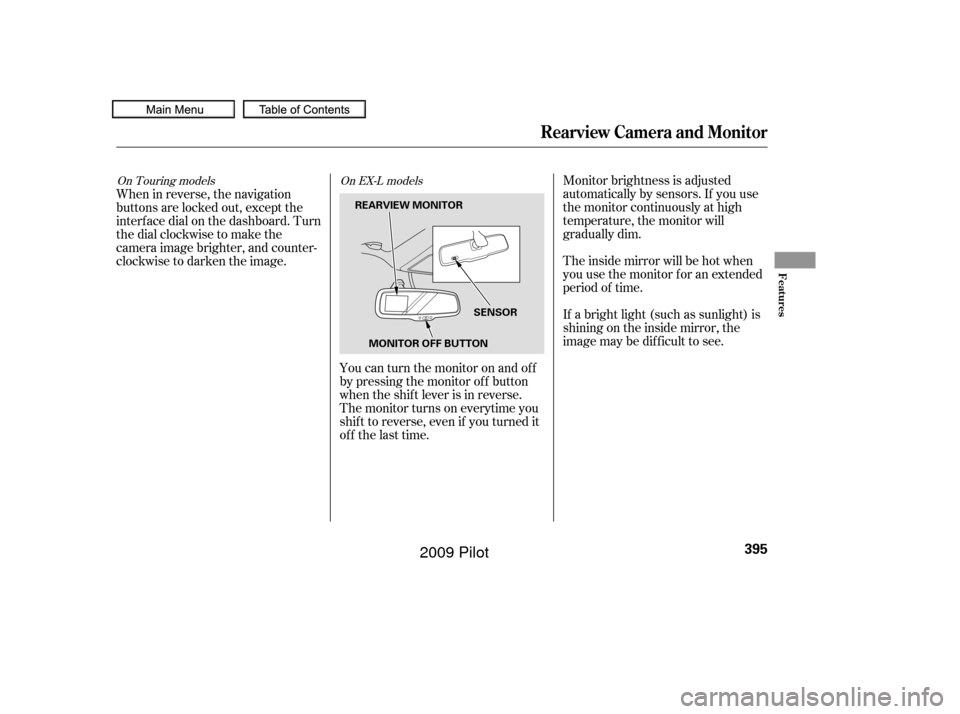
You can turn the monitor on and of f
by pressing the monitor of f button
when the shif t lever is in reverse.
The monitor turns on everytime you
shif t to reverse, even if you turned it
of f the last time.
When in reverse, the navigation
buttons are locked out, except the
interf ace dial on the dashboard. Turn
the dial clockwise to make the
camera image brighter, and counter-
clockwise to darken the image.On Touring models
On EX-L models
Rearview Camera and Monitor
Features
395
SENSOR
MONITOR OFF BUTTON
REARVIEW MONITOR
�����—�����—�
���y�
�������������y���
�(�/���������y���������y
2009 Pilot
Page 484 of 578
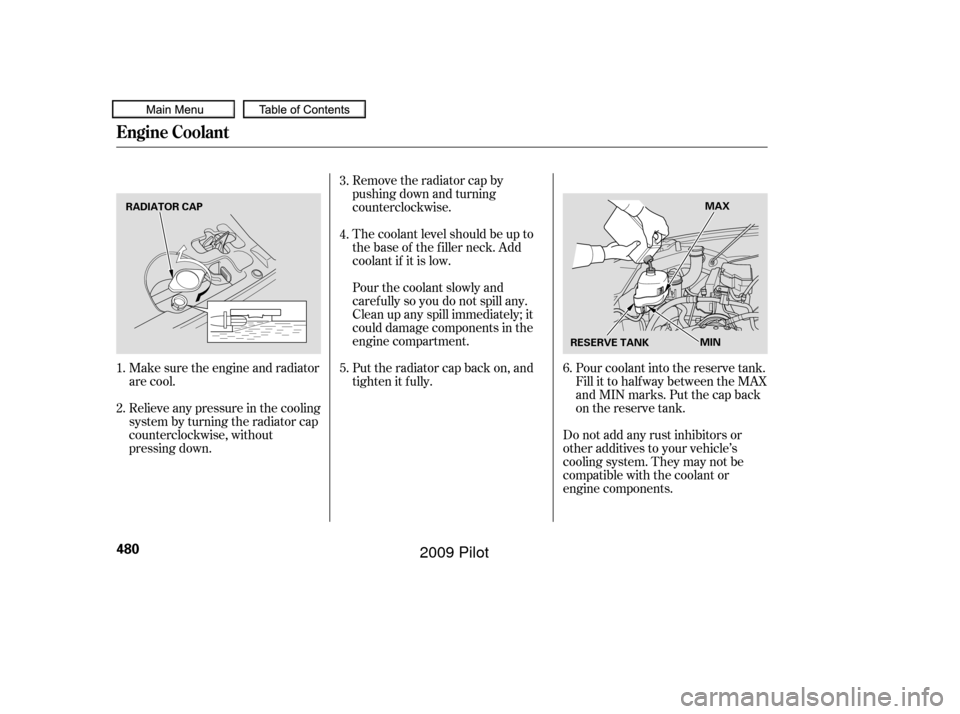
Make sure the engine and radiator
are cool.
Relieve any pressure in the cooling
system by turning the radiator cap
counterclockwise, without
pressing down.Remove the radiator cap by
pushing down and turning
counterclockwise.
The coolant level should be up to
the base of the f iller neck. Add
coolant if it is low.
Put the radiator cap back on, and
tighten it fully. Pourthecoolantslowlyand
caref ully so you do not spill any.
Clean up any spill immediately; it
could damage components in the
engine compartment.
Pour coolant into the reserve tank.
Fill it to half way between the MAX
and MIN marks. Put the cap back
on the reserve tank.
Do not add any rust inhibitors or
other additives to your vehicle’s
cooling system. They may not be
compatible with the coolant or
engine components.
3.
4.
1.
2. 5.
6.
Engine Coolant
480
RADIATOR CAP
RESERVE TANKMAX
MIN
�����—�����—�
���y�
���������
���y���
�(�/���������y���������y
2009 Pilot
Page 492 of 578
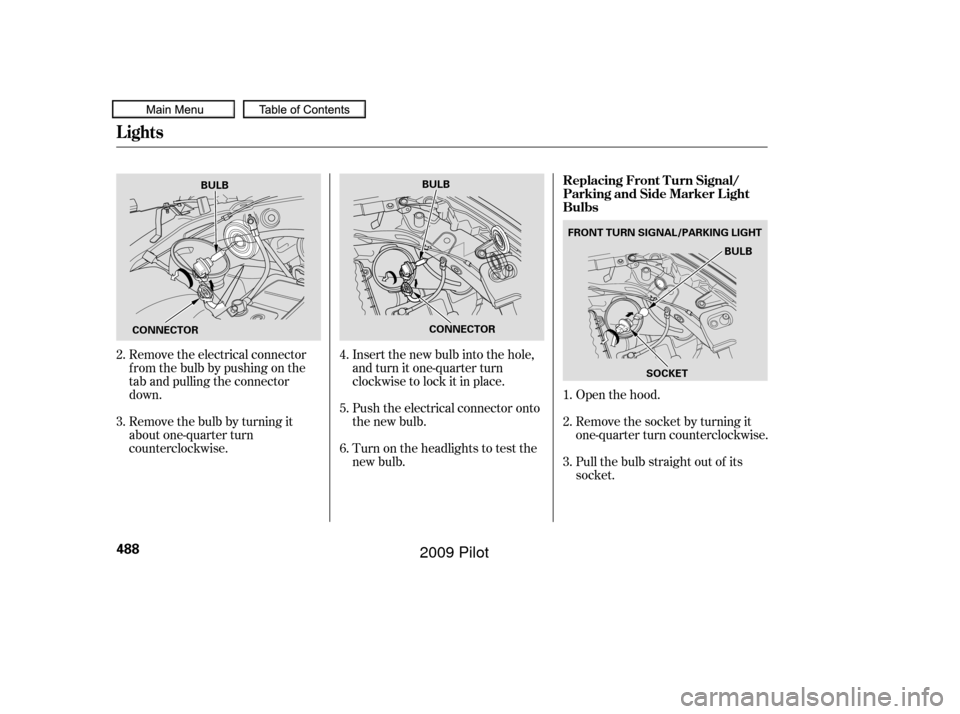
Open the hood.
Remove the electrical connector
f rom the bulb by pushing on the
tab and pulling the connector
down.
Remove the bulb by turning it
about one-quarter turn
counterclockwise. Insert the new bulb into the hole,
and turn it one-quarter turn
clockwise to lock it in place.
Push the electrical connector onto
the new bulb.
Turn on the headlights to test the
new bulb.
Remove the socket by turning it
one-quarter turn counterclockwise.
Pull the bulb straight out of its
socket.
1.
2.
3.
2.
3.
4.
5.
6.
Lights
Replacing Front Turn Signal/
Parking and Side Marker L ight
Bulbs
488
SOCKET
BULB
CONNECTOR
BULB
CONNECTOR BULB
FRONT TURN SIGNAL/PARKING LIGHT
�����—�
���—�
���y�
����
��������y���
�(�/���������y���������y
2009 Pilot
Page 493 of 578
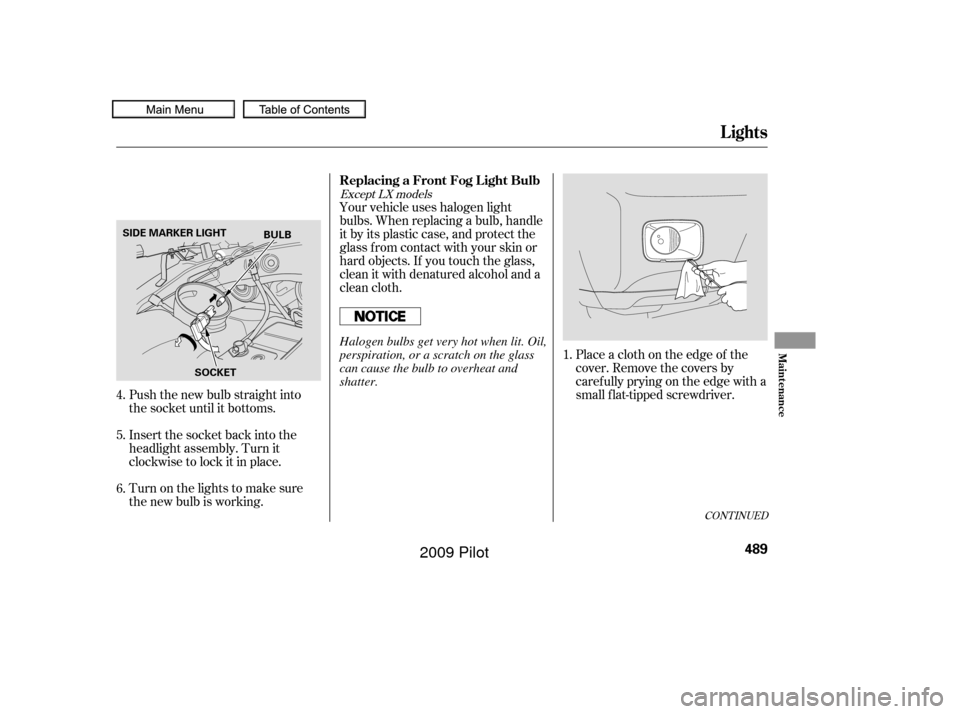
Push the new bulb straight into
the socket until it bottoms.
Insert the socket back into the
headlight assembly. Turn it
clockwise to lock it in place.
Turn on the lights to make sure
the new bulb is working.Your vehicle uses halogen light
bulbs. When replacing a bulb, handle
it by its plastic case, and protect the
glass from contact with your skin or
hard objects. If you touch the glass,
clean it with denatured alcohol and a
clean cloth.
Place a cloth on the edge of the
cover. Remove the covers by
caref ully prying on the edge with a
small f lat-tipped screwdriver.
1.
4.
5.
6.
CONT INUED
Except LX models
Replacing a Front Fog L ight Bulb
Lights
Maint enance
489
BULB
SOCKET
SIDE MARKER LIGHT
Halogen bulbs get very hot when lit. Oil,
perspiration, or a scratch on the glass
can cause the bulb to overheat and
shatter.
�����—�
���—�
���y�
����
����
���y���
�(�/���������y���������y
2009 Pilot
Page 494 of 578
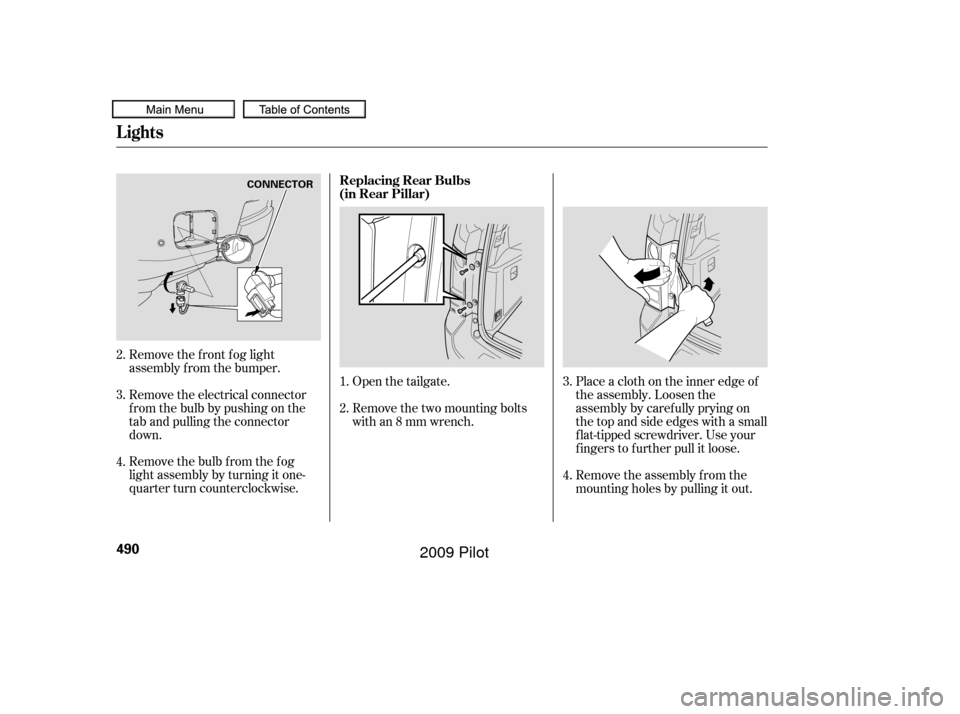
Remove the bulb f rom the f og
light assembly by turning it one-
quarter turn counterclockwise. Remove the electrical connector
f rom the bulb by pushing on the
tab and pulling the connector
down. Remove the f ront f og light
assembly f rom the bumper.Open the tailgate.
Remove the two mounting bolts
with an 8 mm wrench.
Remove the assembly f rom the
mounting holes by pulling it out. Place a cloth on the inner edge of
the assembly. Loosen the
assembly by caref ully prying on
thetopandsideedgeswithasmall
f lat-tipped screwdriver. Use your
fingers to further pull it loose.
1.
3.
3.
4. 2.
2.
4.
Lights
Replacing Rear Bulbs
(in Rear Pillar)
490
CONNECTOR
�����—�
���—�
���y�
����
��������y���
�(�/���������y���������y
2009 Pilot
Page 495 of 578
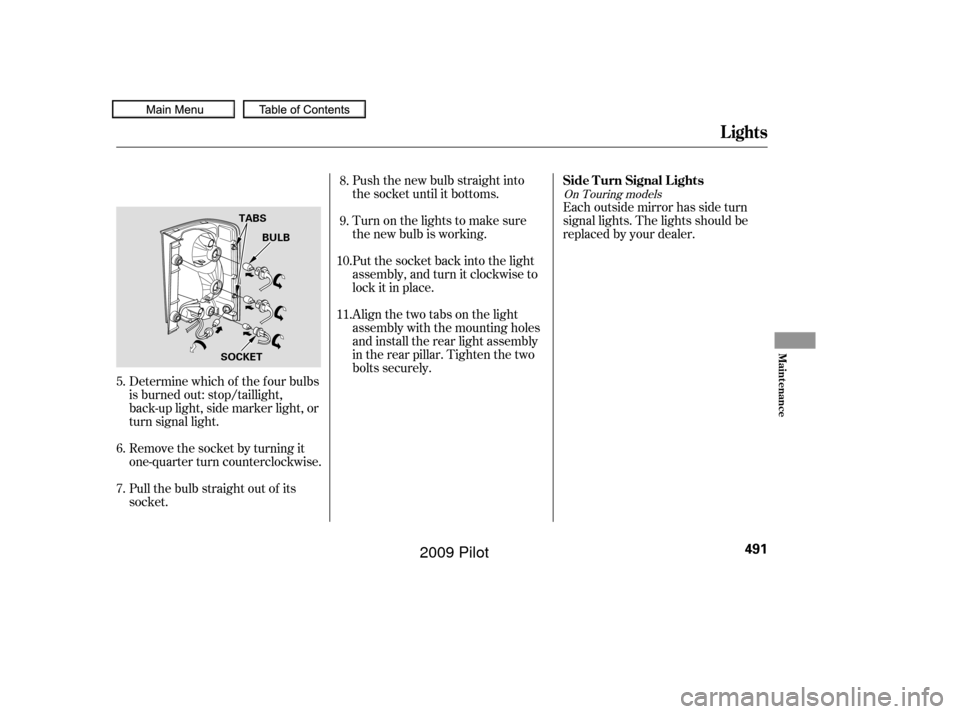
Push the new bulb straight into
the socket until it bottoms.
Turn on the lights to make sure
the new bulb is working.
Put the socket back into the light
assembly, and turn it clockwise to
lock it in place.Each outside mirror has side turn
signal lights. The lights should be
replaced by your dealer.
Align the two tabs on the light
assembly with the mounting holes
and install the rear light assembly
in the rear pillar. Tighten the two
bolts securely.
Pull the bulb straight out of its
socket. Remove the socket by turning it
one-quarter turn counterclockwise. Determine which of the f our bulbs
is burned out: stop/taillight,
back-up light, side marker light, or
turn signal light.
6.
7. 8.
9.
10.
11.
5.
On Touring models
Lights
Side T urn Signal L ights
Maint enance
491
BULB
TABS
SOCKET
�����—�
���—�
���y�
����
��������y���
�(�/���������y���������y
2009 Pilot
Page 518 of 578
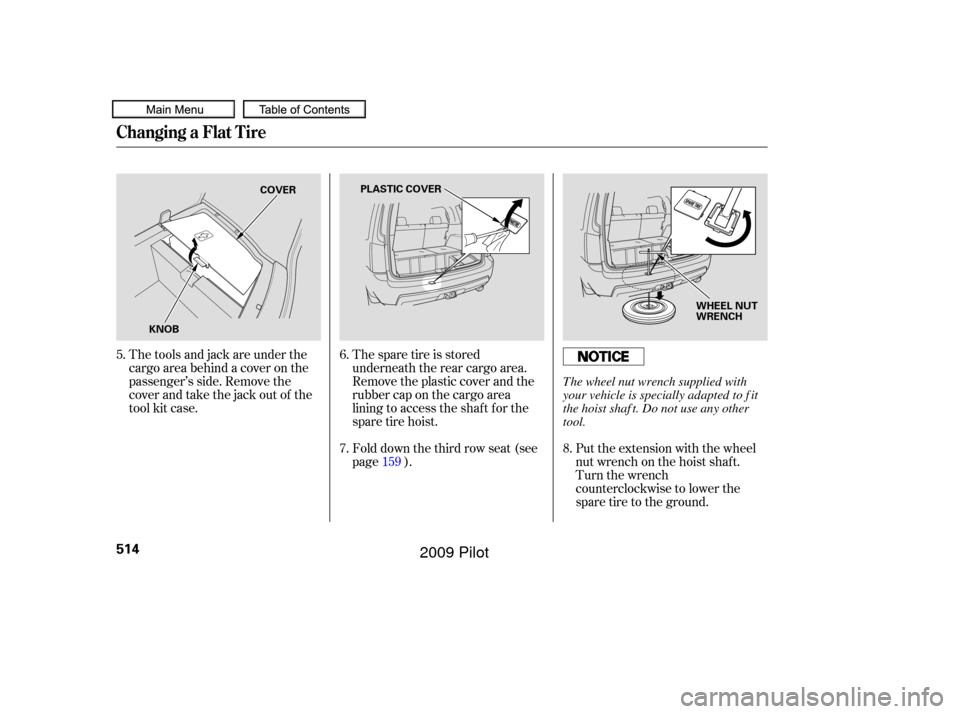
The spare tire is stored
underneath the rear cargo area.
Remove the plastic cover and the
rubber cap on the cargo area
lining to access the shaf t f or the
sparetirehoist.Put the extension with the wheel
nut wrench on the hoist shaf t.
Turn the wrench
counterclockwise to lower the
spare tire to the ground.
The tools and jack are under the
cargo area behind a cover on the
passenger’s side. Remove the
cover and take the jack out of the
tool kit case.
Fold down the third row seat (see
page ).
5.
6.
7.
159 8.
Changing a Flat Tire
514
COVER
KNOB PLASTIC COVER
WHEEL NUT
WRENCH
The wheel nut wrench supplied with
your vehicle is specially adapted to f it
the hoist shaf t. Do not use any other
tool.
�����—�����—�
���y�
�������������y���
�(�/���������y�����
���y
2009 Pilot