Page 135 of 352

If the audio system still does not
recognize the iPod, the iPod may
need to be reset. Follow the
instructions that came with your
iPod, or you can find reset
instructions online at
www.apple.com/
ipod
.
Text Data Display FunctionEach time you press the TITLE
button the display mode switches
between the album name, the song
name, the artist name, or name off
(which turns off the text display).
The display shows up to about 16
characters of the selected data. If the
text data has more than 16
characters, you will see the first 15
characters and the
indicator in the
display. Press and hold the TITLE
button until the next 16 characters
are shown.
To Change or Select FilesUse the SKIP button while an iPod is
playing to select passages and
change files.
SKIP -Each time you press the(SKIP +) button, the system skips
forward to the beginning of the next
file. Press the
(SKIP -) button,
to skip backward to the beginning of
the current file. Press it again to skip
to the beginning of the previous file.
To move rapidly within a file, press
and hold either side (
or
)of
the SKIP button.
Playing an iPod
®
(Models without navigation system)
132
2009 Fit
Page 146 of 352
SOUND ICON
SCAN
BUTTON AM/FM
BUTTON
AUDIO
BUTTON AUTO SELECT ICON
PRESET BUTTONS BACK GROUND ICON
FM1 ICON
TUNE BAR AM ICON
FM2 ICON
POWER/VOLUME KNOB
CONTINUED
Playing the AM/FM Radio (Models with navigation system)
143
Features
2009 Fit
Page 147 of 352

Voice Control System
In addition to the standard audio
controls, the audio system in your
vehicle can be operated using the
voice control system. See the
navigation section in your quick start
guide for an overview of this system,
and the navigation system manual for
complete details.
To Play the AM/FM Radio
The ignition switch must be in the
ACCESSORY (I) or ON (II) position.
Turn the system on by pushing the
power/volume knob or the AM/FM
button. Adjust the volume by turning
the power/volume knob.
Pushing the AUDIO button will also
turn on the system.You can also operate the audio
system without using the control
icons on the audio screen. Use the
control buttons on the left side of the
screen. The status bar appears on the
bottom of the screen each time you
operate any of the control buttons.
On the navigation screen, you can
also see audio information by
touching the AUDIO INFO icon on
the lower of the screen.
The band and frequency that the
radio was last turned to are
displayed. To change bands, press
the AM/FM button, or touch the
desired band icon (FM1, FM2, or
AM). On the FM band, STEREO will
be displayed if the station is
broadcasting in stereo. Stereo
reproduction on AM is not available.To Select a Station
You can use any of five methods to
find radio stations on the selected
band: tune, seek, scan, the preset
buttons, and auto select.
TUNE
-Use the TUNE bar to tune
the radio to a desired frequency.
Press the
side of the bar to tune to
a higher frequency, and press the
side to tune to a lower frequency.
Press and hold the
or
side of
the TUNE bar until you hear two
beeps to change the frequency
rapidly. Release the bar when the
display reaches the desired
frequency.
Playing the AM/FM Radio (Models with navigation system)144
2009 Fit
Page 148 of 352

SEEK-The SEEK function
searches up and down from the
current frequency to find a station
with a strong signal. To activate it,
press and hold the
or
side of
the TUNE bar until you hear a beep,
then release it.
SCAN -The SCAN function
samples all stations with strong
signals on the selected band. To
activate it, press the SCAN button,
then release it. You will see SCAN in
the display. The system will scan for
a station with a strong signal. When
it finds one, it will stop and play that
station for about 10 seconds. If you do nothing, the system will
then scan for the next strong station
and play it for 10 seconds. When it
plays a station you want to listen to,
press the SCAN button again.
Preset
-Each preset button can
store one frequency on AM and two
frequencies on FM.
1. Select the desired band, AM or FM. FM1 and FM2 let you store
two frequencies with each preset
button.
2. Use the tune, seek, or scan function to tune the radio to a
desired station.
3. Pick a preset button, and hold it until you hear a beep.
4. Repeat steps 1 through 3 to store a total of six stations on AM and
twelve stations on FM. Each preset button's frequency is
shown on the bottom of the audio
display.
CONTINUED
Playing the AM/FM Radio (Models with navigation system)
145
Features
2009 Fit
Page 149 of 352
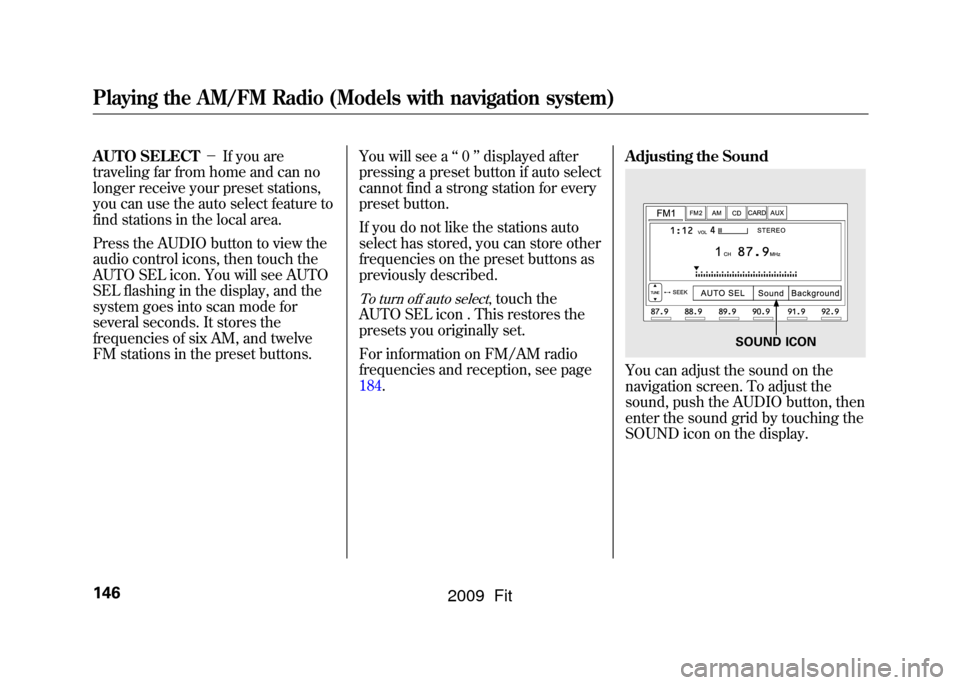
AUTO SELECT-If you are
traveling far from home and can no
longer receive your preset stations,
you can use the auto select feature to
find stations in the local area.
Press the AUDIO button to view the
audio control icons, then touch the
AUTO SEL icon. You will see AUTO
SEL flashing in the display, and the
system goes into scan mode for
several seconds. It stores the
frequencies of six AM, and twelve
FM stations in the preset buttons. You will see a
‘‘0 ’’displayed after
pressing a preset button if auto select
cannot find a strong station for every
preset button.
If you do not like the stations auto
select has stored, you can store other
frequencies on the preset buttons as
previously described.
To turn off auto select
,touch the
AUTO SEL icon . This restores the
presets you originally set.
For information on FM/AM radio
frequencies and reception, see page
184. Adjusting the Sound
You can adjust the sound on the
navigation screen. To adjust the
sound, push the AUDIO button, then
enter the sound grid by touching the
SOUND icon on the display.
SOUND ICON
Playing the AM/FM Radio (Models with navigation system)146
2009 Fit
Page 155 of 352
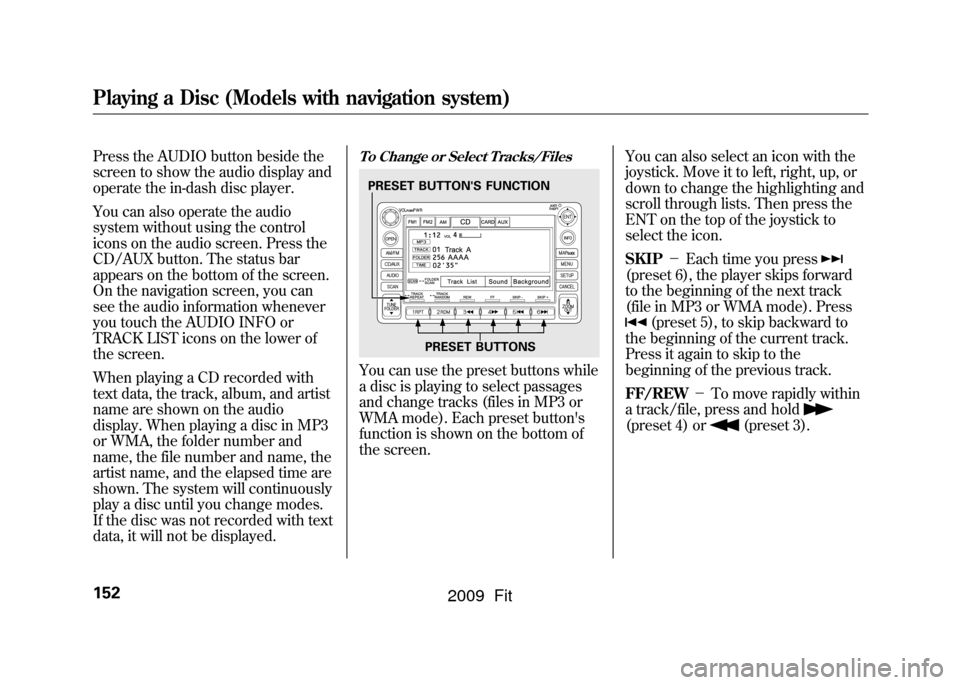
Press the AUDIO button beside the
screen to show the audio display and
operate the in-dash disc player.
You can also operate the audio
system without using the control
icons on the audio screen. Press the
CD/AUX button. The status bar
appears on the bottom of the screen.
On the navigation screen, you can
see the audio information whenever
you touch the AUDIO INFO or
TRACK LIST icons on the lower of
the screen.
When playing a CD recorded with
text data, the track, album, and artist
name are shown on the audio
display. When playing a disc in MP3
or WMA, the folder number and
name, the file number and name, the
artist name, and the elapsed time are
shown. The system will continuously
play a disc until you change modes.
If the disc was not recorded with text
data, it will not be displayed.
To Change or Select Tracks/FilesYou can use the preset buttons while
a disc is playing to select passages
and change tracks (files in MP3 or
WMA mode). Each preset button's
function is shown on the bottom of
the screen.You can also select an icon with the
joystick. Move it to left, right, up, or
down to change the highlighting and
scroll through lists. Then press the
ENT on the top of the joystick to
select the icon.
SKIP
-Each time you press
(preset 6), the player skips forward
to the beginning of the next track
(file in MP3 or WMA mode). Press
(preset 5), to skip backward to
the beginning of the current track.
Press it again to skip to the
beginning of the previous track.
FF/REW -To move rapidly within
a track/file, press and hold
(preset 4) or
(preset 3).
PRESET BUTTON'S FUNCTION
PRESET BUTTONS
Playing a Disc (Models with navigation system)152
2009 Fit
Page 156 of 352

In MP3 or WMA modeFOLDER SELECTION-To select
a different folder, press either side of
the TUNE bar to move to the
beginning of the next folder. Press
the
side of the TUNE bar to skip
to the next folder, and the
side to
move to the beginning of the current
folder. Press it again to skip to the
beginning of the previous folder.
TRACK REPEAT (FILE REPEAT)
- To continuously replay a track
(file in MP3 or WMA mode), press
the RPT button (preset 1). You will
see ‘‘TRACK REPEAT ’’in the
display. Press the RPT button again
to turn it off.
In MP3 or WMA modeFOLDER REPEAT -This feature,
when activated, replays all files on
the selected folder in the order they
are compressed. To activate folder
repeat, press and hold the RPT
button (preset 1) for 2 seconds. You
will see ‘‘FOLDER REPEAT ’’in the
display. The system continuously
replays the current folder. Press the
RPT button again to turn it off.
Selecting a different folder with the
TUNE bar also turns off folder
repeat.
TRACK RANDOM (Random
within a disc/folder) -This
feature plays the tracks/files within a
disc in random order. To activate
track random, press the RDM button
(preset 2). You will see ‘‘TRACK
RANDOM ’’in the display. Press the
RDM button again to return to
normal play.
In MP3 or WMA modeFOLDER RANDOM -This
feature, when activated, plays all files
in the selected folder in random
order, rather than in the order they
are compressed. To activate folder
random, press and hold the RDM
button. You will see ‘‘FOLDER
RANDOM ’’in the display. The
system then selects and plays files
randomly. This continues until you
deactivate folder random by pressing
the RDM button again, or if you
select a different folder with the
TUNE bar.
CONTINUED
Playing a Disc (Models with navigation system)
153
Features
2009 Fit
Page 157 of 352
SCAN (TRACK/FILE SCAN)-
The scan function samples all tracks
(files in MP3 or WMA) in the order
they were recorded. To activate scan,
press the SCAN button. You will see
‘‘ TRACK SCAN ’’in the display. You
will get a 10 second sampling of each
track/file on the disc. Press the
SCAN button to get out of scan mode
and play the last track/file sampled.
Pressing either SKIP button (preset
5 or 6) also turns off scan.
In MP3 or WMA modeFOLDER SCAN -This feature,
when activated, samples all the first
files in each folder on the disc in
order. To activate folder scan, press
and hold the SCAN button for 2
seconds. You will see ‘‘FOLDER
SCAN ’’in the display.
The system plays the first file in each
folder for about 10 seconds. If you do
nothing, the system then plays the
first file in each folder for 10 seconds
each. After playing the first file of the
last folder, the system goes to normal
playing.
Pressing either SKIP button (preset
5 or 6), or selecting a different folder
with the TUNE bar, or pressing the
SCAN button, also turns off folder
scan.
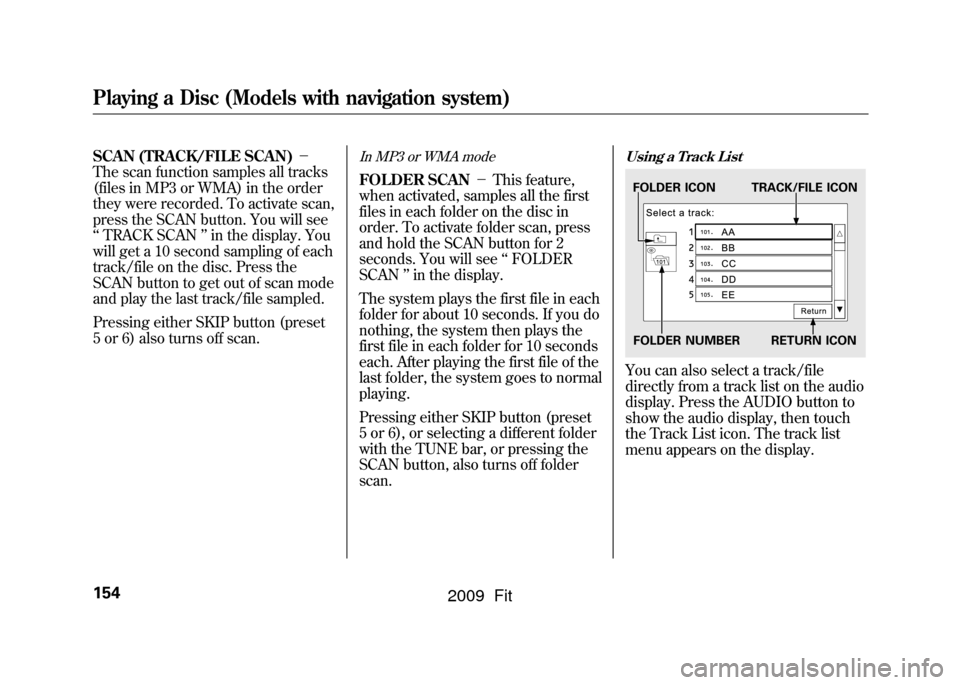
Using a Track ListYou can also select a track/file
directly from a track list on the audio
display. Press the AUDIO button to
show the audio display, then touch
the Track List icon. The track list
menu appears on the display.FOLDER ICON TRACK/FILE ICON
FOLDER NUMBER RETURN ICON
Playing a Disc (Models with navigation system)154
2009 Fit
