Page 192 of 373

�Û�Ý�Î
�Î
�Î
When playing a CD recorded with
text data, each track name is shown
on the audio display. With a disc
recorded in MP3 or WMA, the f older
number and the location are also
displayed.
If the disc was not recorded with text
data, only the track number is shown.
To scroll through the display, touch
the or icononthesideof the
screen.Togobacktotheprevious
display, touch the Return icon on the
screen. To play the radio when a disc is
playing, press the AM/FM button or
touch the FM1, FM2, AM, XM1 , or
XM2 icon.If aPCcardisinthe
audio unit, touch the CARD icon to
play the PC card. If a CD or CDs are
loaded in the CD changer, touch the
CDC icon to play the CD changer.
Press the CD button again or touch
the CD icon to switch back to the
disc player.
If you turn the system of f while a
disc is playing, either with the
power/volume knob or by turning
of f the ignition switch, the disc will
stay in the drive. When you turn the
system back on, the disc will begin
playing where it lef t of f .
Select the desired track/f ile by
touching the icon on the display. The
selected icon will be highlighted in
blue. The system begins to play the
selected track/f ile. With a disc in
MP3 or WMA, touch the f older icon
on the upper lef t of the screen to
move to the parent folder. The
current f older is highlighted in blue.
:U.S.modelonly
To Stop Playing a Disc
Playing a disc (EX-L model with navigation system)
188
�\f���—�\f���—�����y�
����\f��������y���
�(�,�������\f�y�\f�
�����y
2009 CR- V
Page 198 of 373

�µ
�´ �Û
�Ý
To play CDs, the ignition switch
must be in the ACCESSORY (I) or
ON (II) position.
You operate the CD changer with
the same controls used f or the in-
dash disc player or the radio. To
select the CD changer, touch the
CDC icon. The disc and track
numbers are displayed. The system
will continuously play a CD until you
change modes. To select a dif f erent disc, use the
preset buttons (5 or 6). Press and
release the Preset 5 (DISC )
button to select the previous disc or
Preset 6 (DISC ) to select the next
disc in sequence. Pressing the or
side of the TUNE bar also
changes the disc. If you select an
empty position in the CD changer,
the system will try to load the CD in
the next available slot.
You can use the preset buttons while
a disc is playing to select passages
and change tracks. Each preset
buttonfunctionisshownonthe
bottom of the screen.
To Play a CD
CD Changer (EX-L model with navigation system)
194
TUNE
BAR
PRESET BUTTONS
Do not use CDs with adhesive labels.
The label can curl up and cause the CD
to jam in the unit.
�\f���—�\f���—�����y�
����\f��������y���
�(�,�������\f�y�\f�
�����y
2009 CR- V
Page 200 of 373
�Î
�Î
PresstheAM/FMorCD/XM
buttontoswitchtotheradioor
satellite radio while a CD is playing.
If there is a PC card in the audio unit,
touch the CARD icon to switch to
the PC card while a CD is playing.
Touch the CDC icon again to play
the CD in the CD changer.
If you turn the system of f while a CD
in the CD changer is playing, the CD
will stay in the drive. When you turn
the system back on, the CD will be in
pause mode. Touch the CDC icon on
the audio screen. The CD will begin
playing where it lef t of f .:OnU.S.modelonly
To Stop Playing a CD
CD Changer (EX-L model with navigation system)
196
�\f���—�\f���—�����y�
����\f������
�y���
�(�,�������\f�y�\f���\f�
�y
2009 CR- V
Page 203 of 373

�µ
�µ
�µ
�µ
You operate the PC card player with
the same controls used f or the radio
and the disc player. To load or play a
card, the ignition switch must be in
the ACCESSORY (I) or ON (II)
position.
Based on PCMCIA 2.1/JEIDA 4.2,
the recommended PC cards f or the
PC card reader are: Always use the recommended
memory card with the appropriate
adapter (if an adapter is needed).
Some memory cards will not work in
this unit.
When you insert a PC card into
the slot, make sure you put it in
straight. If you cannot insert it,
remove it, and insert again.
Do not keep PC cards in the
vehicle. Direct sunlight and high
heat will damage them.
To avoid damaging the card
reader, do not insert hard disc
drive cards into the PC card slot.
You cannot close the screen
(move it to the upright position)
until the PC card is inserted all the
way into its slot or removed. Never insert f oreign objects into
the PC card slot.
The specif ications f or compatible
MP3 f iles are:
SD memory card
CompactFlash
Flash ATA
The PC card player reads and plays
cards in MP3 or WMA f ormats.
Depending on the f ormat, the screen
will indicate ‘‘MP3’’ or ‘‘WMA’’ when
a card is playing. The card limit of
the player is 255 f olders and 999
tracks. If the card has a complex
structure, it takes some time f or the
system to begin playing it. Sampling f requency:
32/44.1/48 kHz (MPEG1)
24/22.05/16 kHz (MPEG2)
Bitrate: 32/40/48/56/64/80/96/
112/128/160/192/224/256/320
kbps (MPEG1)
8/16/24/32/40/48/56/64/80/96/
112/128/160 kbps (MPEG2)
Compatible with variable bitrate
and multi-session
Maximum layers
(including ROOT): 8 layers
CONT INUED
To Play a PC Card
Playing a PC card (EX-L model with navigation system)
Features
199
NOTE:
�\f���—�\f���—�����y�
����
�\f��
�\f�y���
�(�,�������\f�y�\f���\f���y
2009 CR- V
Page 213 of 373

�Î
�Î
�Î
Searching f or a Song by Album Name
: U.S. model
Select the Album icon, and the
album list appears. Select the desired
album, and its song list is displayed.
You can then select the desired song
from the list. To remove a PC card from the audio
unit, f old back the screen by
pressing the OPEN button (see page
). Press the eject button ( )
to remove the card. If you do not
remove it f rom the slot, you cannot
return the screen to the upright
position.
To return the screen to the upright
position, press the CLOSE button.
You can also eject a card when the
ignition switch is of f .
If there is a problem with the PC
card player, see your dealer.
To play the radio when a PC card is
playing, press the AM/FM button or
touch the FM1, FM2, AM, XM1 , or
XM2 icon. If a disc is in the audio
unit, press the CD button or touch
theCDicontoplaythedisc.If aCD
or CDs are in the CD changer, touch
the CDC icon to play the disc(s).
Touch the CARD icon to switch back
to the PC card player.
If you turn the system of f while a PC
card is playing, either with the
power/volume knob or by turning
of f the ignition switch, the card will
stay in the drive. When you turn the
system back on, the card will begin
playing where it lef t of f .
When you leave the vehicle, always
remove the PC card from the audio
unit. 184
T o Stop Playing a PC Card
PC Card Player Malf unction
Removing a PC Card
Playing a PC card (EX-L model with navigation system)
Features
209
ALBUM LIST
�\f���—�\f���—�����y�
����
�
������y���
�(�,�������\f�y�\f���
���y
2009 CR- V
Page 215 of 373
How well the radio receives stations
is dependent on many f actors, such
as the distance from the station’s
transmitter, nearby large objects,
and atmospheric conditions.
The radio can receive the complete
AM and FM bands.
Those bands cover these f requen-
cies:
AM band: 530 to 1,710 kHz
FM band: 87.7 to 107.9 MHz
Driving very near the transmitter of
a station that is broadcasting on a
f requency close to the f requency of
the station you are listening to can
also af f ect your radio’s reception.
You may temporarily hear both
stations,orhearonlythestationyou
are close to.
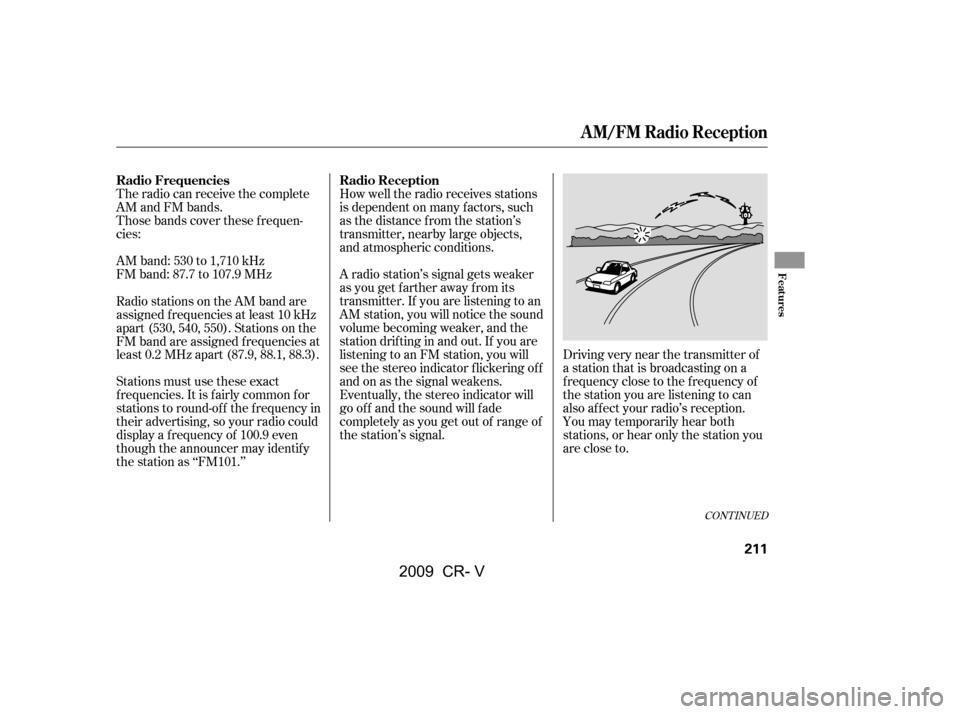
A radio station’s signal gets weaker
as you get f arther away f rom its
transmitter. If you are listening to an
AM station, you will notice the sound
volume becoming weaker, and the
stationdriftinginandout.If youare
listening to an FM station, you will
see the stereo indicator f lickering of f
and on as the signal weakens.
Eventually, the stereo indicator will
go of f and the sound will f ade
completely as you get out of range of
the station’s signal.
Radio stations on the AM band are
assigned f requencies at least 10 kHz
apart (530, 540, 550). Stations on the
FM band are assigned f requencies at
least 0.2 MHz apart (87.9, 88.1, 88.3).
Stations must use these exact
f requencies. It is f airly common f or
stations to round-of f the f requency in
their advertising, so your radio could
display a f requency of 100.9 even
though the announcer may identif y
the station as ‘‘FM101.’’
CONT INUED
Radio Reception
Radio Frequencies
A M/FM Radio Reception
Features
211
�\f���—�\f���—�����y�
����
�
������y���
�(�,�������\f�y�\f���
���y
2009 CR- V
Page 216 of 373
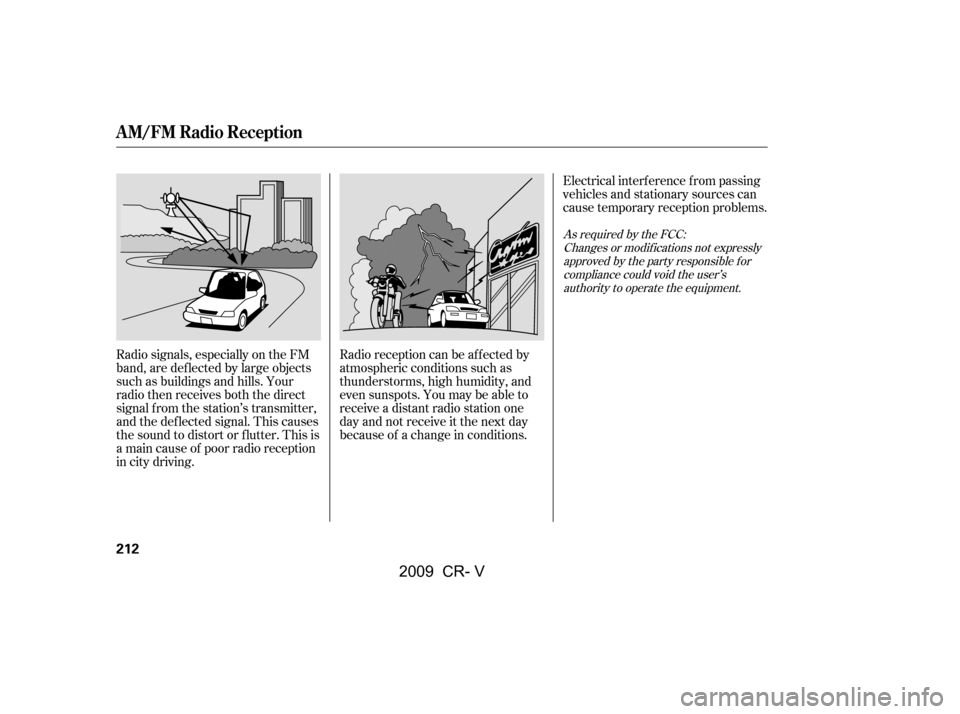
Radio signals, especially on the FM
band, are def lected by large objects
such as buildings and hills. Your
radio then receives both the direct
signal f rom the station’s transmitter,
and the def lected signal. This causes
the sound to distort or flutter. This is
a main cause of poor radio reception
in city driving.Radio reception can be af f ected by
atmospheric conditions such as
thunderstorms, high humidity, and
even sunspots. You may be able to
receive a distant radio station one
day and not receive it the next day
because of a change in conditions.Electrical interf erence f rom passing
vehicles and stationary sources can
cause temporary reception problems.
As required by the FCC:
Changes or modif ications not expresslyapproved by the party responsible f orcompliance could void the user’sauthority to operate the equipment.
A M/FM Radio Reception
212
�\f���—�\f���—�����y�
����
�
������y���
�(�,�������\f�y�\f���
���y
2009 CR- V
Page 220 of 373
�Û�Ý�´
�µ
�´
�µ �´�µ
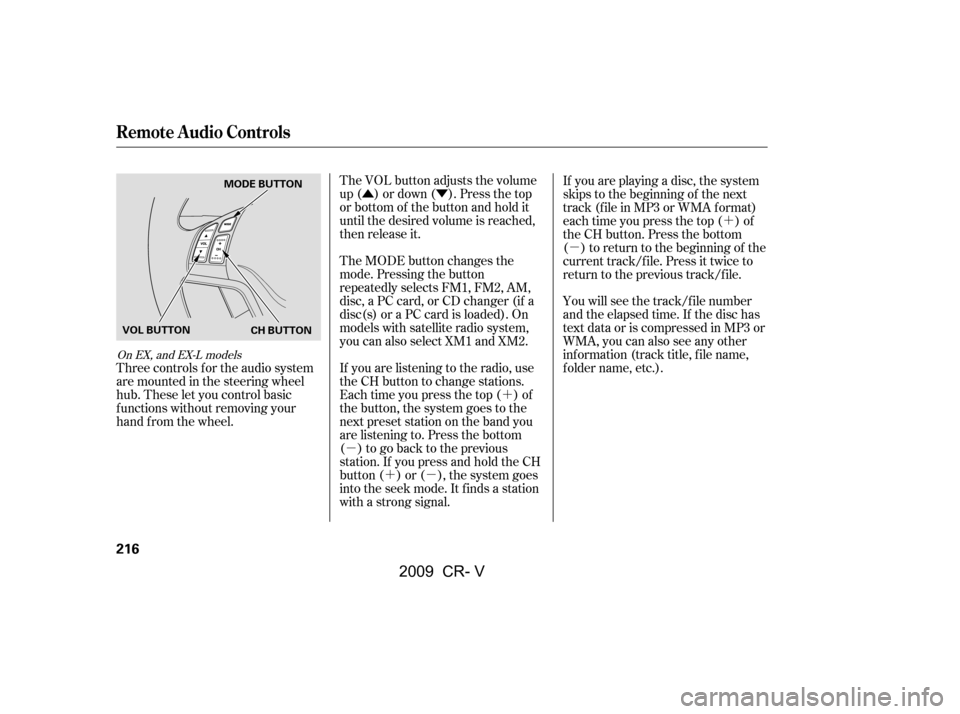
Three controls f or the audio system
are mounted in the steering wheel
hub. These let you control basic
f unctions without removing your
hand f rom the wheel. The VOL button adjusts the volume
up ( ) or down ( ). Press the top
or bottom of the button and hold it
until the desired volume is reached,
then release it.
The MODE button changes the
mode. Pressing the button
repeatedly selects FM1, FM2, AM,
disc, a PC card, or CD changer (if a
disc(s) or a PC card is loaded). On
models with satellite radio system,
you can also select XM1 and XM2.
You will see the track/f ile number
and the elapsed time. If the disc has
text data or is compressed in MP3 or
WMA, you can also see any other
inf ormation (track title, f ile name,
f older name, etc.).
If you are playing a disc, the system
skips to the beginning of the next
track (f ile in MP3 or WMA f ormat)
each time you press the top ( ) of
the CH button. Press the bottom
( ) to return to the beginning of the
current track/f ile. Press it twice to
return to the previous track/f ile.
If you are listening to the radio, use
the CH button to change stations.
Each time you press the top ( ) of
the button, the system goes to the
next preset station on the band you
are listening to. Press the bottom
( ) to go back to the previous
station.If youpressandholdtheCH
button ( ) or ( ), the system goes
into the seek mode. It finds a station
with a strong signal.
On EX, and EX-L models
Remote Audio Controls
216
CH BUTTON
MODE BUTTON
VOL BUTTON
�\f���—�\f���—�����y�
����
������\f�y���
�(�,�������\f�y�\f�����
�y
2009 CR- V