Page 93 of 373
�µ
�µ �µ
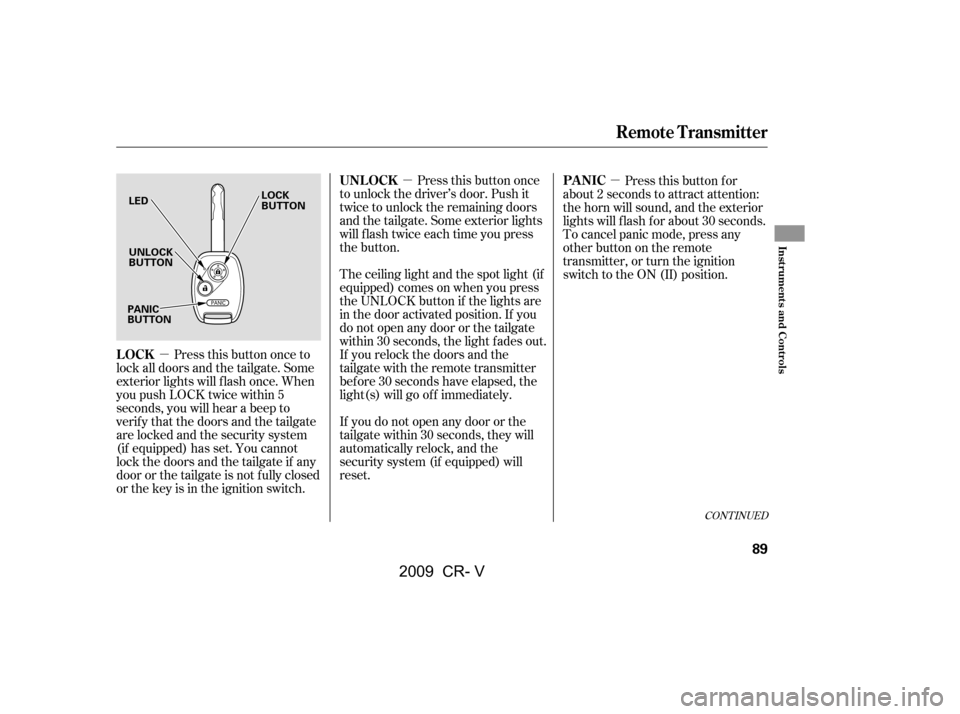
Press this button once
to unlock the driver’s door. Push it
twice to unlock the remaining doors
and the tailgate. Some exterior lights
will f lash twice each time you press
the button.
Press this button once to
lock all doors and the tailgate. Some
exterior lights will f lash once. When
you push LOCK twice within 5
seconds, you will hear a beep to
verify that the doors and the tailgate
arelockedandthesecuritysystem
(if equipped) has set. You cannot
lockthedoorsandthetailgateif any
door or the tailgate is not f ully closed
or the key is in the ignition switch. The ceiling light and the spot light (if
equipped) comes on when you press
the UNLOCK button if the lights are
in the door activated position. If you
do not open any door or the tailgate
within 30 seconds, the light f ades out.
If you relock the doors and the
tailgate with the remote transmitter
bef ore 30 seconds have elapsed, the
light(s) will go of f immediately.
If you do not open any door or the
tailgate within 30 seconds, they will
automatically relock, and the
security system (if equipped) will
reset. Pressthisbuttonfor
about 2 seconds to attract attention:
the horn will sound, and the exterior
lights will f lash f or about 30 seconds.
To cancel panic mode, press any
other button on the remote
transmitter, or turn the ignition
switch to the ON (II) position.
CONT INUED
UNL OCK
LOCK PA NIC
Remote Transmitter
Inst rument s and Cont rols
89
LED
UNLOCK
BUTTON
LOCK
BUTTON
PANIC
BUTTON
�\f���—�\f���—�����y�
���������
���y���
�(�,�������\f�y�\f�\f�����y
2009 CR- V
Page 115 of 373

�µIf the
moonroof runs into any obstacle
while it is closing automatically, it
will reverse direction and then stop.
To close the moonroof , remove the
obstacle, then use the moonroof
switch again.
Auto reverse stops sensing when the
moonroof is almost closed. You
should always check that all
passengers and objects are away
f rom the moonroof bef ore closing it. The moonroof has a key-of f delay.
You can open and close the
moonroof f or up to 10 minutes af ter
you turn of f the ignition switch. The
key-of f delay cancels as soon as you
open either f ront door. You must
then turn the ignition switch to the
ON (II) position f or the moonroof to
operate.
Keeptheinsideandoutsidemirrors
clean and adjusted f or best visibility.
Be sure to adjust the mirrors bef ore
you start driving.
The inside mirror has day and night
positions. The night position reduces
glare f rom headlights behind you.
Flip the tab on the bottom edge of
the mirror to select the day or night
position.
CONT INUED
AUTO REVERSE Mirrors
Moonroof , Mirrors
Inst rument s and Cont rols
111
TAB
If you try to open the moonroof in
below-f reezing temperatures, or when
it is covered with snow or ice, you can
damage the moonroof panel or its
motor.
�\f���—�\f���—�����y�
���������
���y���
�(�,�������\f�y�\f�
�
���y
2009 CR- V
Page 121 of 373
Open the lower glove box by pulling
the bottom of the handle. Close it
with a f irm push. Lock or unlock the
glove box with the master key.
The glove box light comes on when
the parking lights are on.
Sitting on or getting under the table,
or putting heavy objects on the table,
may damage or deform it.
Do not put any items on the table
while driving. They may f all down or
f ly around when you go around
corners or brake hard.
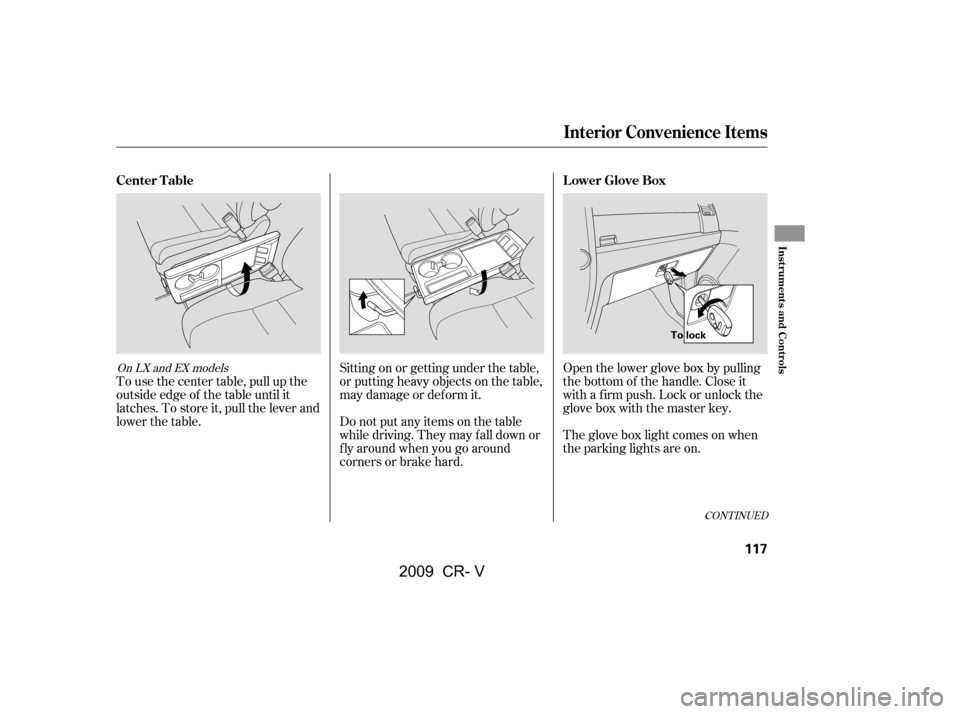
To use the center table, pull up the
outside edge of the table until it
latches. To store it, pull the lever and
lower the table.
CONT INUED
On LX and EX models
Lower Glove Box
Center Table
Interior Convenience Items
Inst rument s and Cont rols
117
To lock
�\f���—�\f���—�����y�
�������������y���
�(�,�������\f�y�\f�
�����y
2009 CR- V
Page 127 of 373
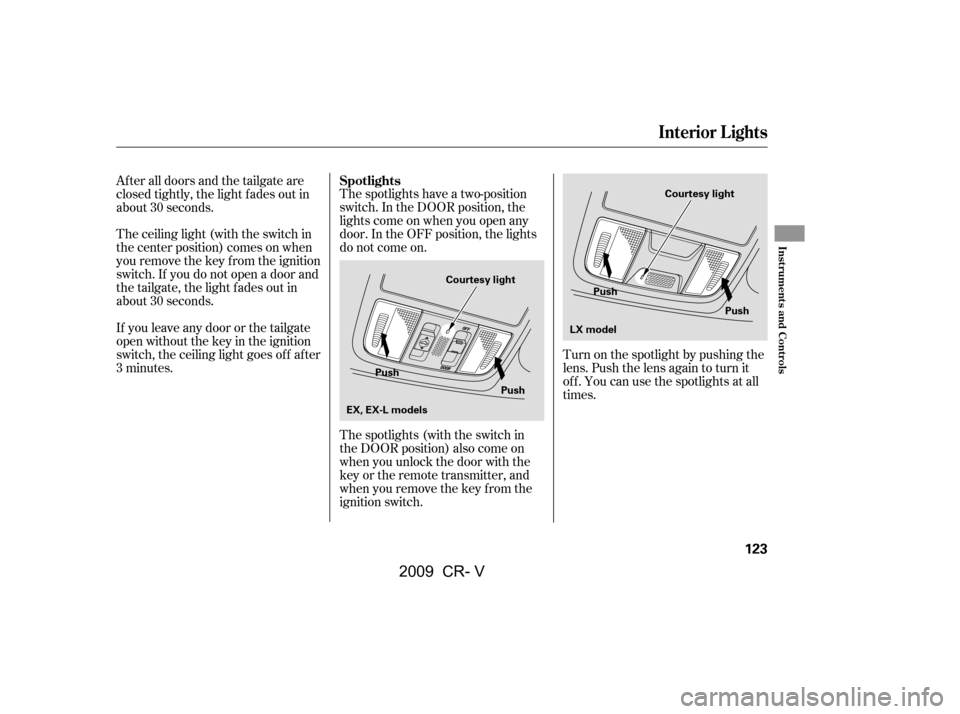
Turn on the spotlight by pushing the
lens. Push the lens again to turn it
of f . You can use the spotlights at all
times.
The spotlights have a two-position
switch. In the DOOR position, the
lights come on when you open any
door. In the OFF position, the lights
do not come on.
The spotlights (with the switch in
the DOOR position) also come on
when you unlock the door with the
key or the remote transmitter, and
when you remove the key f rom the
ignition switch.
Af ter all doors and the tailgate are
closed tightly, the light fades out in
about 30 seconds.
The ceiling light (with the switch in
the center position) comes on when
you remove the key f rom the ignition
switch. If you do not open a door and
the tailgate, the light f ades out in
about 30 seconds.
If you leave any door or the tailgate
open without the key in the ignition
switch, the ceiling light goes of f af ter
3 minutes.
Spotlights
Interior Lights
Inst rument s and Cont rols
123
Push
Push
EX, EX-L models LX model
Push
Push
Courtesy light Courtesy light
�\f���—�\f���—�����y�
�������������y���
�(�,�������\f�y�\f�
�����y
2009 CR- V
Page 128 of 373
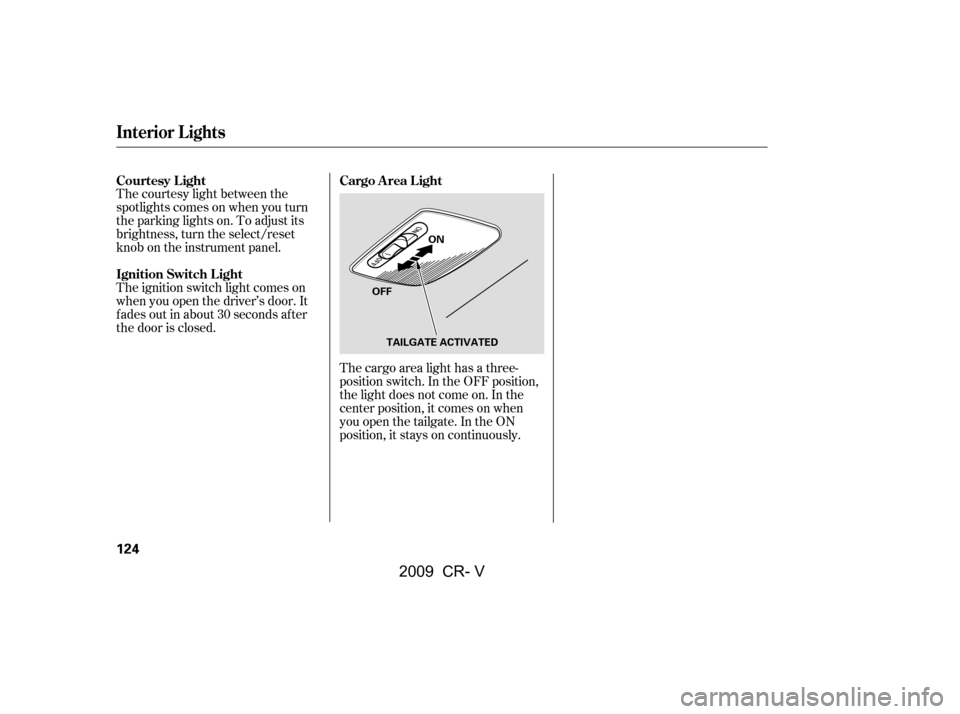
The cargo area light has a three-
position switch. In the OFF position,
the light does not come on. In the
center position, it comes on when
you open the tailgate. In the ON
position, it stays on continuously.
The courtesy light between the
spotlights comes on when you turn
the parking lights on. To adjust its
brightness, turn the select/reset
knob on the instrument panel.
The ignition switch light comes on
when you open the driver’s door. It
f ades out in about 30 seconds af ter
the door is closed.
Cargo Area Light
Courtesy L ight
Ignition Switch L ight
Interior Lights
124
OFF ON
TAILGATE ACTIVATED
�\f���—�\f���—�����y�
�����������
�y���
�(�,�������\f�y�\f�
�����y
2009 CR- V
Page 148 of 373

�µ
�µ �µ
�µ
�µ Adjusts the volume level
basedonthevehiclespeed.
Press the SOUND (TUNE) knob
repeatedly to display the BASS,
TREBLE, FADER, BALANCE, and
SVC (speed-sensitive volume
compensation) settings. Eachmodeisshowninthedisplayas
it changes. Turn the TUNE knob to
adjust the setting to your liking.
You can use the instrument panel
brightness control knob to adjust the
illumination of the audio system (see
page ). The audio system
illuminates when the parking lights
are on, even if the radio is turned of f .
This f unction is set to MID as the
def ault setting when the vehicle
leaves the factory.
The SVC has f our modes: SVC OFF,
SVC LOW, SVC MID, and SVC
HIGH. Turn the TUNE knob to adjust the setting to your liking. If
you f eel the sound is too loud,
choose low. If you f eel the sound is
too quiet, choose high.
The SVC mode controls the volume
based on vehicle speed. The f aster
you go, the louder the audio volume
becomes. As you slow down, the
audio volume decreases.
The system will return to the audio
display about 5 seconds af ter you
stop adjusting a mode.
When the level reaches the center,
you will see ‘‘C’’ in the display.
Adjusts the bass.
Adjusts the treble.
Adjusts the front-to-back
strength of the sound.
Adjusts the side-to-
side strength of the sound. Except SVC adjustment
76
Adjusting the Sound
SVC
A udio System L ighting
BASS
TREBLE
FADER
BAL ANCE
Speed-sensit ive Volume
Compensat ion (SVC)
Playing the AM/FM Radio (LX model)
144
�\f���—�\f���—�����y�
����\f������
�y���
�(�,�������\f�y�\f�
�����y
2009 CR- V
Page 160 of 373

�µ�µ
�µ �µ
�µ �µ
Press the TUNE (SOUND) knob
repeatedly to display the BASS,
TREBLE, FADER, BALANCE,
SUBWOOFER (if equipped), and
SVC (speed-sensitive volume
compensation) settings.
Adjusts the bass.Adjusts the treble.
Adjusts the side-to-
side strength of the sound.
Adjusts the
strength of sound f rom the
subwoof er speaker. Adjusts the front-to-back
strength of the sound. The system will return to the audio
display about 5 seconds af ter you
stop adjusting a mode.
The SVC mode controls the volume
based on vehicle speed. The f aster
you go, the louder the audio volume
becomes. As you slow down, the
audio volume decreases.
The SVC has f our modes: SVC OFF,
SVC LOW, SVC MID, and SVC
HIGH. Turn the TUNE knob to
adjust the setting to your liking. If
you f eel the sound is too loud,choose low. If you f eel the sound is
too quiet, choose high.
Eachmodeisshowninthedisplayas
it changes. Turn the TUNE knob to
adjust the setting to your liking.
When the level reaches the center,
you will see ‘‘C’’ in the display. Adjusts the volume level
basedonthevehiclespeed.
This f unction is set to MID as the
def ault setting when the vehicle
leaves the factory.
You can use the instrument panel
brightness control knob to adjust the
illumination of the audio system (see
page ). The audio system
illuminates when the parking lights
are on, even if the radio is turned of f .76
If equipped
Adjusting the Sound
BASS
TREBLE
BAL ANCE
SUBWOOFER
FADER SVC
A udio System L ighting
Speed-sensit ive VolumeCompensat ion (SVC)
Playing the AM/FM Radio (EX and EX-L models without navigation system)
156
�\f���—�\f���—�����y�
����\f����
���y���
�(�,�������\f�y�\f�
���
�y
2009 CR- V
Page 179 of 373

You can select the background
screen to display the sound level.
There are three screen modes: level
(the sound level is shown with the
vertical bars), spectrum analysis (the
sound level appears as ripples of
water), and off. Each time you touch
the background icon, the display
changes.
The system will return to the audio
display about 5 seconds af ter you
stop adjusting a mode.
You can also select the icon with the
joystick. Move it up and down to
move the highlighting and scroll
through lists. Select the icon, then
move the joystick to lef t or right to
change the setting.
This f unction is set to MID as the
def ault setting when the vehicle
leaves the f actory. If you f eel the
sound is too loud, choose low. If you
f eel the sound is too quiet, choose Hi. You can use the instrument panel
brightness control knob to adjust the
illumination of the control panel (see
page ). The audio system
illuminates when the parking lights
are on, even if the radio is turned of f .
76
A udio System L ighting
Screen Mode
Playing the AM/FM Radio (EX-L model with navigation system)
Features
175
�\f���—�\f���—�����y�
����\f����\f�
�y���
�(�,�������\f�y�\f�
���\f�y
2009 CR- V