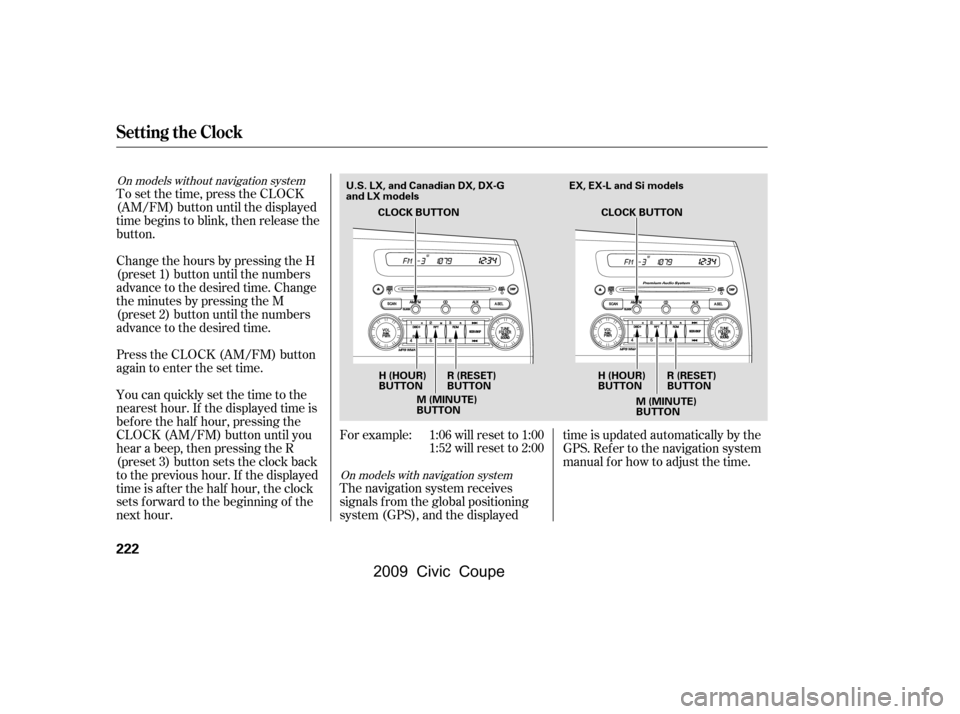
Change the hours by pressing the H
(preset 1) button until the numbers
advance to the desired time. Change
the minutes by pressing the M
(preset 2) button until the numbers
advance to the desired time.For example: 1:06 will reset to 1:001:52 will reset to 2:00
The navigation system receives
signals f rom the global positioning
system (GPS), and the displayed time is updated automatically by the
GPS. Ref er to the navigation system
manual f or how to adjust the time.
To set the time, press the CLOCK
(AM/FM) button until the displayed
time begins to blink, then release the
button.
Press the CLOCK (AM/FM) button
again to enter the set time.
You can quickly set the time to the
nearest hour. If the displayed time is
bef ore the half hour, pressing the
CLOCK (AM/FM) button until you
hear a beep, then pressing the R
(preset 3) button sets the clock back
to the previous hour. If the displayed
time is af ter the half hour, the clock
sets f orward to the beginning of the
next hour.
On models with navigation system
On models without navigation system
Setting the Clock
222
CLOCK BUTTON
H (HOUR)
BUTTON M (MINUTE)
BUTTONR (RESET)
BUTTON
H (HOUR)
BUTTONR (RESET)
BUTTON
M (MINUTE)
BUTTON
U.S. LX, and Canadian DX, DX-G
and LX models
CLOCK BUTTON EX, EX-L and Si models
�\f���—�\f���—�\f���y�
�
��
������
�y���
�(�+�������\f�y�\f�������y
2009 Civic Coupe
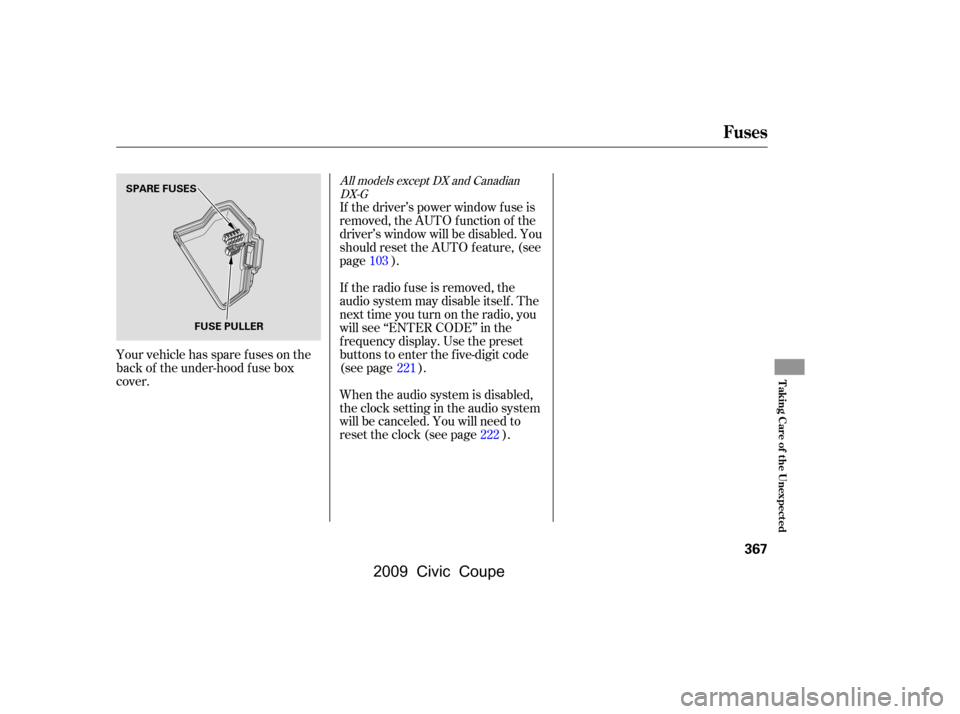
Your vehicle has spare fuses on the
back of the under-hood f use box
cover.If the driver’s power window f use is
removed, the AUTO function of the
driver’s window will be disabled. You
should reset the AUTO f eature, (see
page ).
If the radio f use is removed, the
audio system may disable itself . The
nexttimeyouturnontheradio,you
will see ‘‘ENTER CODE’’ in the
f requency display. Use the preset
buttons to enter the five-digit code
(see page ).
When the audio system is disabled,
the clock setting in the audio system
will be canceled. You will need to
reset the clock (see page ).
222
103
221
All models except DX and CanadianDX-G
Fuses
T aking Care of t he Unexpect ed
367
FUSE PULLER
SPARE FUSES
�\f���—�\f���—�\f���y�
�
�������\f���y���
�(�+�������\f�y�\f�������y
2009 Civic Coupe