Page 127 of 412

�µ�µ
�µ
You can use any of f ive methods to
f ind radio stations on the selected
band: tune, seek, scan, the preset
buttons, and auto select.
Use the TUNE knob to
tune the radio to a desired f requency.
Turn the knob to the right to tune to
a higher f requency, and turn it to the
lef t to tune to a lower f requency. The scan f unction samples
all stations with strong signals on the
selected band. To activate it, press
the SCAN button, then release it.
You will see SCAN in the display.
The system will scan f or a station
with a strong signal. When it f inds
one, it will stop and play that station
f or about 10 seconds.
If you do nothing, the system will
then scan f or the next strong station
and play it f or 10 seconds. When it
plays a station you want to listen to,
press the SCAN button again.
The seek f unction
searches up and down from the
current f requency to f ind a station
with a strong signal. To activate it,
press the or side of the
SEEK/SKIP button, then release it.
The ignition switch must be in the
ACCESSORY (I) or ON (II) position.
Turn the system on by pushing the
power/volume knob or the AM/FM
button. Adjust the volume by turning
the power/volume knob.
The band and f requency that the
radio was last tuned to is displayed.
To change bands, press the AM/FM
button. On the FM band, ST will be
displayed if the station is broadcast-
ing in stereo. Stereo reproduction in
AM is not available.
To Select a Station
TUNE
SCAN
To Play the AM/FM Radio
SEEK
Playing the A M/FM Radio (Models without navigation system)
124
�\f���—�\f���—�\f���y�
�
��\f�\f������y���
�(�+�������\f�y�\f�
�����y
2009 Civic Coupe
Page 128 of 412

�µ�µ�µ
Each side of the buttons
(1 through 6) can store one
f requency on AM, and two
f requencies on FM. If you are
traveling far from home and can no
longer receive your preset stations,
you can use the auto select feature to
find stations in the local area.
Press the A. SEL button. You will see
A. SEL f lashing in the display, and
the system goes into scan mode f or
several seconds. It stores the
f requencies of six AM, and twelve
FM stations in the preset buttons.
You will see a ‘‘0’’ displayed af ter
pressing a preset button if auto
select cannot f ind a strong station f or
every preset button. If you do not like the stations auto
select has stored, you can store
other f requencies on the preset
buttons as previously described.
,pressthe
A. SEL (auto select) button. This
restores the presets you originally
set.
For inf ormation on AM/FM radio
f requencies and reception, see page
.
Select the desired band, AM or
FM. FM1 and FM2 let you store
six stations each.
Usethetune,seek,orscan
function to tune the radio to a
desired station.
Pick a preset number (1 6), and
hold it until you hear a beep.
Repeat steps 1 through 3 to store a
total of six stations on AM and
twelve stations on FM.
1.
2.
3.
4.
214
To turn of f auto select
Preset A UT O SEL ECT
Playing the A M/FM Radio (Models without navigation system)
Features
125
�\f���—�\f���—�\f���y�
�
��\f�\f����
�y���
�(�+�������\f�y�\f�
���\f�y
2009 Civic Coupe
Page 129 of 412

�µ
�µ
�µ �µ
�µ
�µ The SVC mode controls the volume
based on vehicle speed. The f aster
you go, the louder the audio volume
becomes. As you slow down, the
audio volume decreases.
The SVC has f our modes: SVC OFF,
SVC LOW, SVC MID, and SVC
HIGH. Turn the TUNE knob to
adjust the setting to your liking. If
you f eel the sound is too loud, choose low. If you f eel the sound is
too quiet, choose high.
Eachmodeisshowninthedisplayas
it changes. Turn the TUNE knob to
adjust the setting to your liking.
When the level reaches the center,
you will see ‘‘C’’ in the display. Adjusts the volume level
basedonthevehiclespeed.
This f unction is set to MID as the
def ault setting when the vehicle
leaves the factory.
You can use the instrument panel
brightness control buttons to adjust
the illumination of the audio system
(see page ). The audio system
illuminates when the parking lights
are on, even if the radio is of f .
The system will return to the audio
display about 5 seconds af ter you
stop adjusting a mode.
Press the TUNE (SOUND) knob
repeatedly to display the SUBW (if
equipped), BASS, TREBLE, FADER,
BALANCE, and SVC (speed-
sensitive volume compensation)
settings.
Adjusts the strength of
sound f rom the subwoof er speaker.
Adjusts the bass.Adjusts the treble.
Adjusts the front-to-back
strength of the sound.
Adjusts the side-to-
side strength of the sound. 74
If equipped
Speed-sensit ive VolumeCompensat ion (SVC)
SVC
A udio System L ighting
SUBW
BASS
TREBLE
FADER
BAL ANCE
A djusting the Sound (Models without navigation system)
126
�\f���—�\f���—�\f���y�
�
��\f�\f������y���
�(�+�������\f�y�\f�
���
�y
2009 Civic Coupe
Page 130 of 412
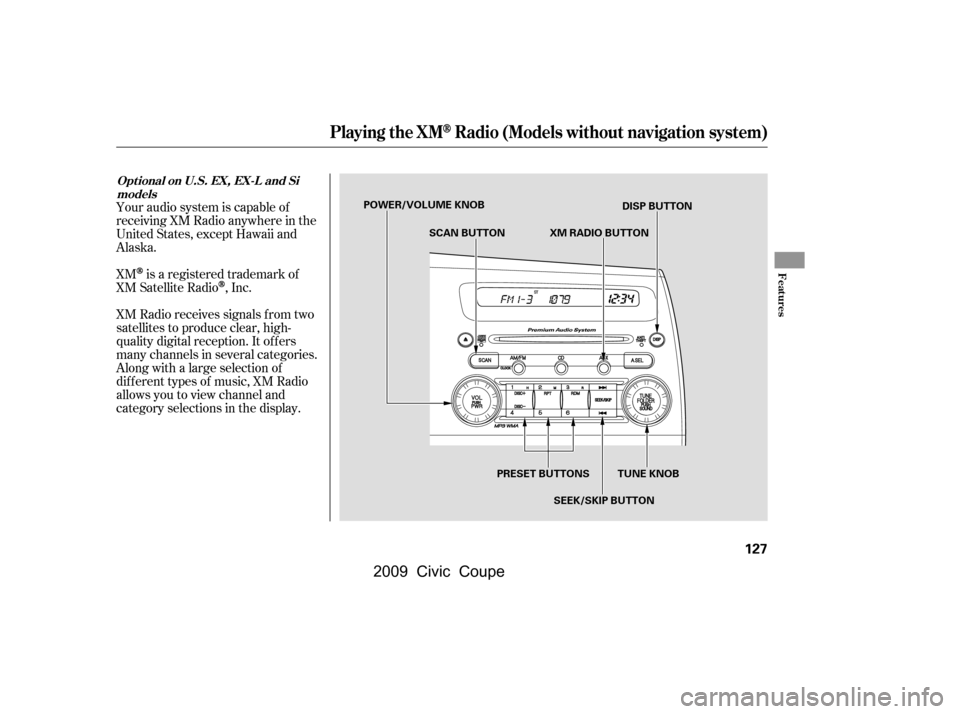
Your audio system is capable of
receiving XM Radio anywhere in the
United States, except Hawaii and
Alaska.
XM
is a registered trademark of
XM Satellite Radio
,Inc.
XM Radio receives signals f rom two
satellites to produce clear, high-
quality digital reception. It of f ers
many channels in several categories.
Along with a large selection of
dif f erent types of music, XM Radio
allows you to view channel and
category selections in the display.
Playing the XMRadio (Models without navigation system)
Features
Opt ional on U.S. EX, EX-L and Si models
127
POWER/VOLUME KNOB
XM RADIO BUTTON
SCAN BUTTON
PRESET BUTTONS TUNE KNOB DISP BUTTON
SEEK/SKIP BUTTON
�\f���—�\f���—�\f���y�
�
��\f�\f������y���
�(�+�������\f�y�\f�
�����y
2009 Civic Coupe
Page 149 of 412
�µ�µ
�µ
You can select any type of repeat and
shuf f le modes by using the RPT and
RDM buttons.
Pressing either side of the SEEK/
SKIP button or turning the TUNE
knob changes the f ile while keeping
the repeat f eature.
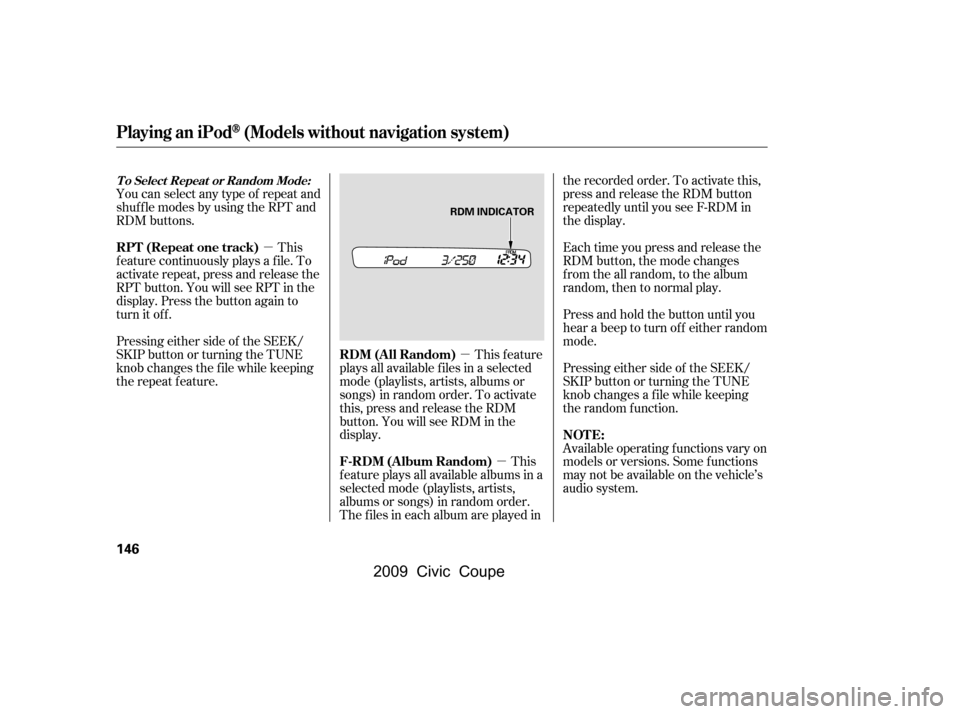
This feature
plays all available f iles in a selected
mode (playlists, artists, albums or
songs) in random order. To activate
this, press and release the RDM
button. You will see RDM in the
display.
This
feature plays all available albums in a
selected mode (playlists, artists,
albums or songs) in random order.
The f iles in each album are played in the recorded order. To activate this,
press and release the RDM button
repeatedly until you see F-RDM in
the display.
Each time you press and release the
RDM button, the mode changes
from the all random, to the album
random, then to normal play.
Press and hold the button until you
hear a beep to turn off either random
mode.
Pressing either side of the SEEK/
SKIP button or turning the TUNE
knob changes a f ile while keeping
the random f unction.
Available operating f unctions vary on
models or versions. Some f unctions
may not be available on the vehicle’s
audio system.
This
f eature continuously plays a f ile. To
activate repeat, press and release the
RPT button. You will see RPT in the
display. Press the button again to
turn it off.
Playing an iPod(Models without navigation system)
T o Select Repeat or Random Mode:
RDM (All Random)
F-RDM (Album Random) NOT E:
RPT (Repeat one track)
146
RDM INDICATOR
�\f���—�\f���—�\f���y�
�
��\f������
�y���
�(�+�������\f�y�\f�
���
�y
2009 Civic Coupe
Page 160 of 412
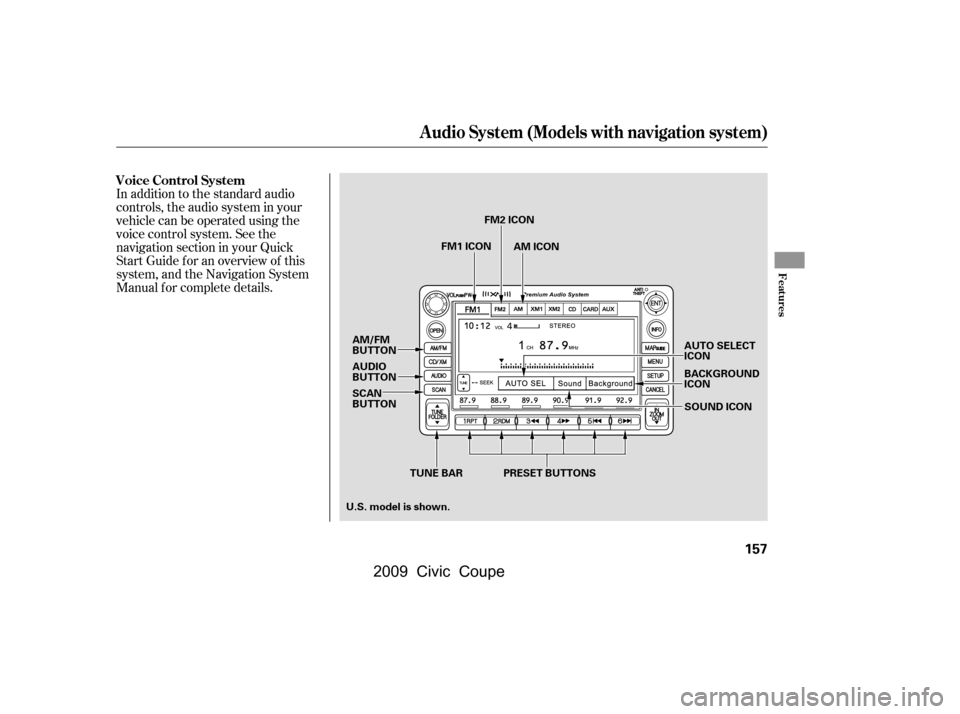
In addition to the standard audio
controls, the audio system in your
vehicle can be operated using the
voice control system. See the
navigation section in your Quick
Start Guide f or an overview of this
system, and the Navigation System
Manual f or complete details.
Voice Control System
Audio System (Models with navigation system)
Features
157
TUNE BARAUTO SELECT
ICON
BACKGROUND
ICON
SOUND ICON
AM/FM
BUTTON
AUDIO
BUTTON
SCAN
BUTTON
PRESET BUTTONS
FM1 ICON
FM2 ICON
AM ICON
U.S. model is shown.
�\f���—�\f���—�\f���y�
�
��\f��������y���
�(�+�������\f�y�\f�
�����y
2009 Civic Coupe
Page 161 of 412

�µ�Û�Ý
�Û
�Ý
The ignition switch must be in the
ACCESSORY (I) or ON (II) position.
Turn the system on by pushing the
power/volume knob or the AM/FM
button. Adjust the volume by turning
the power/volume knob.
Pushing the AUDIO button will also
turn on the system.
You can also operate the audio
system without using the control
icons on the audio screen. Use the
control buttons on the lef t side of the
screen. The status bar appears on
the bottom of the screen each time
you operate any of the control
buttons. On the navigation screen,
you can also see audio inf ormation
by touching the AUDIO INFO icon
on the lower of the screen. The band and f requency that the
radio was last tuned to are displayed.
To change bands, press the AM/FM
button, or touch the desired band
icon (FM1, FM2, AM, XM1, or XM2).
On the FM band, STEREO will be
displayed if the station is
broadcasting in stereo. Stereo
reproduction on AM is not available.
You can use any of f ive methods to
f ind radio stations on the selected
band: tune, seek, scan, the preset
buttons, and auto select.
Use the TUNE bar to tune
the radio to a desired f requency.
Press the side of the bar to tune
to a higher f requency, and press the side to tune to a lower
f requency.
Press and hold the or side of
the TUNE bar until you hear two
beeps to change the f requency
rapidly. Release the bar when the
display reaches the desired
f requency.
For inf ormation on XM radio, see
page .
161
T o Play the A M/FM Radio T o Select a Station
TUNE
Playing the A M/FM Radio (Models with navigation system)
158
�\f���—�\f���—�\f���y�
�
��\f����\f���y���
�(�+�������\f�y�\f�
�����y
2009 Civic Coupe
Page 163 of 412

�µIf you are
traveling far from home and can no
longer receive your preset stations,
you can use the auto select feature to
find stations in the local area.
Press the AUDIO button to view the
audio control icons, then touch the
AUTO SEL icon. You will see AUTO
SEL f lashes in the display, and the
system goes into scan mode f or
several seconds. It stores the
f requencies of six AM, and twelve
FM stations in the preset buttons. You will see a ‘‘0’’ displayed af ter
pressing a preset button if auto
select cannot f ind a strong station f or
every preset button.
If you do not like the stations auto
select has stored, you can store
other f requencies on the preset
buttons as previously described.
press the
AUTO SEL icon. This restores the
presets you originally set.
For inf ormation on AM/FM radio
f requencies and reception, see page .
214
To turn of f auto select,
AUTO SELECT
Playing the A M/FM Radio (Models with navigation system)
160
�\f���—�\f���—�\f���y�
�
��\f����
���y���
�(�+�������\f�y�\f�
�����y
2009 Civic Coupe